
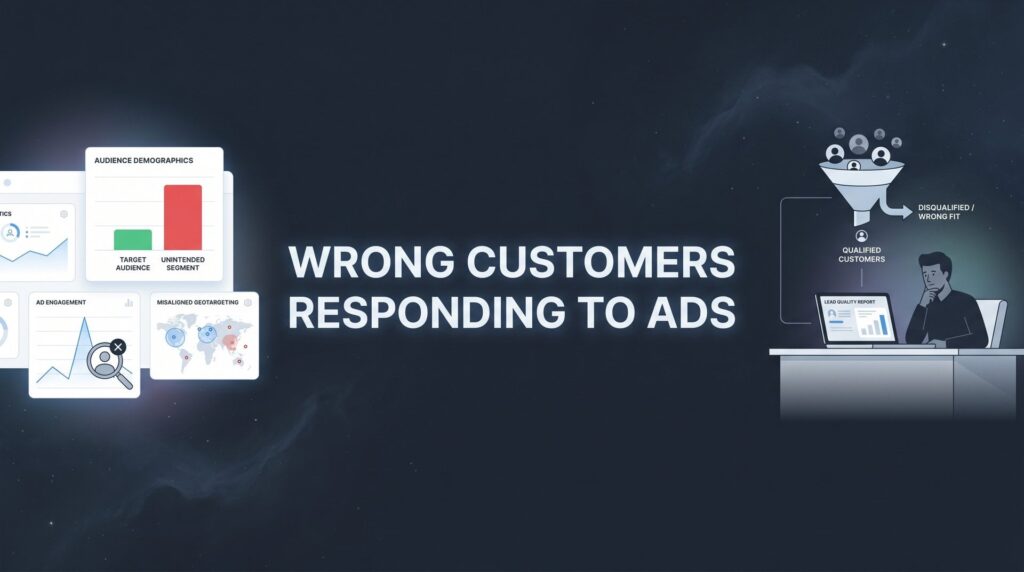
You’re spending real money on ads. Leads are coming in. But when you pick up the phone or check your inbox, it’s the wrong people. Tire-kickers looking for the cheapest option. People three counties outside your service area. Job seekers who found your ad while searching for employment. Prospects who need something you don’t even offer.
When the wrong customers are responding to your ads, every dollar you spend is essentially lighting money on fire. You’re not just wasting budget on clicks that don’t convert. You’re also burning your team’s time chasing leads that were never going to buy, which erodes morale and makes your cost-per-acquisition look catastrophic on paper.
This is one of the most frustrating and expensive problems local business owners face. And here’s what makes it particularly painful: it can go undetected for months because the surface-level metrics look fine. Clicks are coming in. Leads are filling the form. The dashboard looks healthy. But the revenue isn’t showing up.
The good news? This problem is almost always fixable. The issue rarely lives in just one place. It’s typically a combination of targeting gaps, vague messaging, weak qualification filters, and poor tracking that lets bad leads slip through undetected. Fix one layer, and the next layer works harder. Fix all six layers, and your ad budget starts attracting the customers who actually pay, stay, and refer.
Whether you’re running Google Ads, Facebook Ads, or both, this six-step action plan applies. We’ll walk through exactly how to diagnose why the wrong customers are responding to your ads and how to systematically fix it. Let’s stop the bleeding.
Step 1: Audit Your Search Terms and Audience Signals
Before you change a single setting, you need to understand exactly what’s going wrong. Guessing at the problem leads to guessing at the fix. The first step is pulling the data that shows you precisely who is seeing and clicking your ads.
For Google Ads, your first stop is the Search Terms Report. This is the single fastest diagnostic tool available to you. It shows the actual queries people typed before clicking your ad, which is often very different from the keywords you’re bidding on. Navigate to your campaign, click “Keywords,” then “Search terms.” What you see there can be eye-opening.
Look for patterns in what’s triggering your ads. Are you a roofing company getting clicks from people searching “how to fix a roof myself”? A law firm attracting searches for “paralegal jobs near me”? A premium landscaping service showing up for “cheap lawn care”? These patterns reveal the core of your problem.
Common red flags to flag immediately: Search terms containing words like “free,” “cheap,” “DIY,” “how to,” “jobs,” “salary,” “training,” “course,” or competitor brand names you have no interest in bidding on. Each one of these represents money spent on someone who was never going to become your customer.
Imagine you’re a plumber running ads for drain cleaning. Your Search Terms Report might show clicks from people searching “how to unclog a drain yourself,” “plumbing apprenticeship programs,” or “drain cleaning tools for rent.” None of those people want to hire you. They want to do it themselves, get a job in your industry, or borrow equipment. But you paid for every single one of those clicks. If you’re running campaigns in this space, understanding Google Ads management for plumbers can help you avoid these exact pitfalls.
For Facebook and Meta Ads, the diagnostic process looks different because people don’t search. Instead, review your audience overlap reports and examine your interest-based targeting. Ask yourself: are the interests you’re targeting actually representative of your ideal customer, or are they just loosely related? Targeting “home improvement” sounds relevant for a contractor, but that audience includes renters, hobbyists, and people who watch HGTV for entertainment with no intention of hiring anyone.
Check your ad delivery breakdowns by age, gender, location, and device. Meta will show you where your impressions and clicks are actually going, which often reveals that a large portion of your budget is reaching demographics that have never converted for you.
As you go through this audit, create a running list of every irrelevant search term and audience signal you find. Don’t delete or act yet. Just document. This becomes your fix list for Step 2. The more thorough you are here, the more effective your exclusions will be in the next step.
Set aside at least an hour for this audit if your campaigns have been running for more than a few weeks. The data is there. You just have to look at it honestly.
Step 2: Build a Negative Keyword and Exclusion Fortress
Now you take everything you found in Step 1 and turn it into a wall that bad-fit traffic can’t climb over. This is where you build your negative keyword and audience exclusion infrastructure, and it’s one of the highest-ROI activities in all of PPC management.
Start with your Google Ads negative keywords. Take every irrelevant search term from your audit and add it to negative keyword lists, organized by theme. Create separate lists for job seekers (jobs, hiring, salary, career), DIY searchers (how to, DIY, myself, tutorial), wrong service types, and wrong locations. Organizing by theme makes it easier to apply lists across multiple campaigns and update them efficiently over time.
Campaign-level vs. account-level negatives: Account-level negative keyword lists apply across all campaigns in your account, which is ideal for universal exclusions like job-related terms that will never be relevant to any of your campaigns. Campaign-level negatives are better for service-specific exclusions. For example, if you run separate campaigns for different services, you might want to exclude certain service terms at the campaign level to prevent cannibalization, not at the account level.
Pay attention to match types for your negative keywords too. A negative exact match for [free plumber] only blocks that precise phrase. A negative phrase match for “free plumber” blocks any query containing that phrase in that order. For broad exclusions like “jobs” or “DIY,” negative phrase match is usually the right call so you catch variations without over-blocking. These nuances are part of the broader set of Google Ads optimization best practices that separate profitable campaigns from money pits.
For Facebook and Meta, the equivalent is audience exclusions. Exclude past converters who turned out to be unqualified so your algorithm doesn’t find more people like them. If certain age brackets or income tiers consistently produce leads that go nowhere, suppress them. If you’ve been running ads long enough to have a Custom Audience of poor-fit leads, exclude that list explicitly.
Here’s the part most businesses miss: this is not a one-time task. Your negative keyword list should be a living document. Set a recurring calendar reminder, weekly or at minimum biweekly, to pull a fresh Search Terms Report and review new queries that have triggered your ads. New irrelevant terms appear constantly as search behavior evolves, and a negative keyword list that was comprehensive three months ago can develop gaps quickly.
One more critical point about match types in your active keywords: if you’re running broad match keywords without smart bidding guardrails in place, you’re essentially inviting the algorithm to show your ads to anyone it thinks is loosely related to your keyword. That’s a wide-open door for irrelevant traffic. Consider tightening to phrase match or exact match on your highest-spend keywords, or ensure your smart bidding strategy has enough conversion data to make intelligent decisions about who to target.
Step 3: Rewrite Your Ad Copy to Repel the Wrong Fit
Most advertisers think about ad copy purely as an attraction tool. Write something compelling, get clicks, win. But the most effective ad copy for local businesses serves a dual purpose: it attracts the right customers and actively discourages the wrong ones from clicking in the first place.
Think about what that means for your budget. If your ad copy pre-qualifies visitors before the click, you’re not just improving lead quality. You’re reducing wasted spend on clicks that were never going to convert. Every bad-fit prospect who reads your ad and decides “that’s not for me” is a click you didn’t pay for. That’s a win. If your campaigns are consistently producing a negative ROI from advertising, poorly filtered ad copy is often a major contributor.
Price anchors and service qualifiers are your best tools here. Phrases like “Starting at $X,” “Commercial clients only,” “Serving [City Name] homeowners,” or “Licensed and insured, serving [specific neighborhoods]” do heavy lifting in a small amount of copy. They immediately signal who the ad is for and who it isn’t. A bargain hunter who sees “Starting at $500” and was hoping to spend $50 will not click. That’s exactly what you want.
Remove vague language that casts too wide a net. Words like “affordable,” “for everyone,” “all budgets welcome,” or “best prices guaranteed” are magnets for price-sensitive, low-intent shoppers. They communicate nothing about your ideal customer and everything about the wrong one. Replace them with specifics that resonate with your best clients.
Your unique selling points are also natural filters. Mentioning that you’re licensed and insured filters out people looking for the cheapest possible option who don’t care about credentials. Specifying a service type, such as “residential HVAC repair” versus just “HVAC,” narrows your audience before anyone clicks. Calling out a specific service tier, like “premium kitchen remodels,” signals to budget shoppers that this isn’t their ad.
When testing ad variations, resist the urge to optimize purely for click-through rate. A higher CTR with terrible lead quality is worse than a lower CTR with excellent lead quality. Measure lead quality as a core success metric. Learning how to optimize responsive search ads with qualification-focused messaging can help you strike the right balance between volume and quality.
Write a version of your ad specifically designed to speak to your ideal customer’s specific situation, budget mindset, and outcome. Then read it back and ask: would a tire-kicker, a DIYer, or someone outside my service area find this compelling? If the answer is yes, you haven’t filtered hard enough.
Step 4: Redesign Your Landing Page as a Qualification Machine
Your ad copy is the first filter. Your landing page is the last line of defense before a lead enters your pipeline. Most landing pages are built to convert as many visitors as possible, which sounds right but is actually backwards when you’re dealing with a bad-fit traffic problem. The goal isn’t maximum conversions. It’s maximum qualified conversions.
The fastest way to add qualification to your landing page is through your lead form. Add questions that reveal whether a prospect is actually a good fit before they submit. Depending on your business, this might include service type needed, project timeline, budget range, property type (residential vs. commercial), or zip code. Each field is a micro-qualification checkpoint.
Yes, longer forms can reduce raw conversion volume. But the leads that do submit are far more likely to be worth your time. For most local service businesses, a form with four to six thoughtful fields strikes the right balance between qualification and conversion rate. The exact number depends on your business, but the principle holds: a form that’s too short lets everyone in, and a form that’s too long scares away even your best prospects. If your leads are not qualified enough, your form design is one of the first places to investigate.
Display your service area prominently. This sounds obvious, but many landing pages bury location information or leave it out entirely. Put a map, a list of cities and zip codes you serve, or a clear statement like “Proudly serving [City A], [City B], and surrounding areas” near the top of the page. An out-of-area visitor who sees this immediately knows they’re in the wrong place, and they leave without submitting a form you’d have to follow up on.
Include pricing context. You don’t have to publish a full price list, but a “starting at” range or a “typical project investment” statement does two important things. It filters out prospects who can’t afford your services before they waste your time, and it sets appropriate expectations for the prospects who do submit. Both outcomes are good for your business.
Use social proof strategically. Testimonials and reviews are powerful, but think about whose testimonials you’re featuring. If your ideal customer is a homeowner with a mid-to-high-end remodeling budget, feature testimonials from people who match that profile. If your best clients are commercial property managers, let them speak on your page. The wrong audience won’t see themselves in your social proof and will self-select out. The right audience will feel understood and be more likely to submit.
Step 5: Tighten Geographic and Demographic Targeting
Here’s a targeting mistake that costs local businesses significant money and almost no one talks about it enough: Google Ads has a default location targeting setting called “Presence or interest,” and it’s not your friend if you serve a specific geographic area.
This default setting shows your ads to people who are either physically in your target location or who are merely interested in or searching about that location. That means someone sitting in another state, searching for a plumber in your city because they’re planning a move or researching the area, could see your ad and click it. You paid for that click. They’re not your customer.
The fix is straightforward. Go into your campaign settings, find the Location options, and switch from “Presence or interest” to “Presence: People in or regularly in your targeted locations.” This single change can meaningfully reduce out-of-area clicks for local service businesses. It’s one of the reasons many businesses feel like Google Ads is too expensive for small business when in reality their settings are just bleeding budget on the wrong audience.
Beyond fixing that default, consider whether your geographic targeting is precise enough. If you’re targeting an entire city but only serve certain neighborhoods or zip codes, you’re paying for clicks from people you can’t help. Layer in radius targeting centered on your business location or use zip-code-level targeting to get surgical about where your ads appear. Businesses that rely on hyper-local reach should also explore geofencing advertising services to create even tighter geographic boundaries around their ideal service areas.
Demographic bid adjustments are another lever worth pulling. Review your campaign performance broken down by age group, household income tier (available in Google Ads), and gender. If certain segments consistently produce unqualified leads or have dramatically higher cost-per-conversion, apply negative bid adjustments to reduce how aggressively you compete for those impressions. You don’t necessarily need to exclude them entirely, but reducing your bids for low-performing demographics redirects budget toward the segments that actually convert.
For Facebook and Meta Ads, one of the most powerful moves you can make is building Lookalike Audiences from your best customers, not your entire customer list. If you upload a list of every lead you’ve ever gotten, the algorithm will find more people who look like all of them, including the bad fits. Instead, segment your list to include only your highest-value, best-fit customers and build your Lookalike from that refined group. The match quality difference can be substantial. For a deeper dive into audience refinement, our Facebook Ads targeting guide walks through the full process step by step.
Step 6: Set Up Tracking That Measures Lead Quality, Not Just Volume
Here’s the uncomfortable truth about why the wrong customers responding to your ads can go undetected for so long: most businesses only track whether a lead came in, not whether it was a good lead. The dashboard shows conversions, the agency reports on cost-per-lead, and everyone feels like progress is being made. Meanwhile, the sales team is drowning in junk.
Volume-based tracking creates a blind spot. You can optimize your campaigns to generate more leads and actually make your business worse if those leads are unqualified. The fix is building a tracking system that connects ad activity to actual revenue outcomes.
Offline conversion tracking is one of the most impactful and underutilized tools in Google Ads. It allows you to import actual sales outcomes back into Google Ads so the platform knows which clicks led to real customers, not just form submissions. When your smart bidding strategy has access to this data, it can optimize toward the clicks most likely to produce revenue rather than just the clicks most likely to produce a form fill. Google increasingly emphasizes this as a best practice for smart bidding, and for good reason: it fundamentally changes what the algorithm is optimizing for.
CRM integration is the practical backbone of this approach. When a lead comes in, it should flow into your CRM with source data attached, including which campaign, ad group, keyword, or audience generated it. As that lead moves through your pipeline, you update their status: qualified or unqualified, booked or no-show, closed or lost. Over time, you can trace revenue back to specific campaigns and keywords with real precision. Pairing this with call tracking for ad campaigns gives you full visibility into which ads are actually driving phone calls that turn into paying customers.
Lead scoring doesn’t have to be complicated. Even a simple system works: tag every lead as qualified or unqualified within 24 hours of contact. Track which campaigns produce the highest ratio of qualified leads. Shift budget toward those campaigns. Reduce or pause campaigns that consistently produce junk. This is basic optimization, but it’s impossible to do without the quality data to drive it.
Set up a weekly lead quality review rhythm. Listen to call recordings if you’re using call tracking. Read form submissions. Score leads and trace them back to their source. This habit catches quality dips early, before they turn into months of wasted budget. Many local businesses find that a significant portion of their ad-generated leads don’t match their ideal customer profile, and the only way to know which campaigns are responsible is to track quality systematically. For a complete framework on attracting the right prospects, see our guide on how to attract high quality leads.
The businesses that win at paid advertising long-term aren’t necessarily the ones with the biggest budgets. They’re the ones who know exactly which dollars are producing revenue and which ones aren’t, and they act on that information relentlessly.
Your Six-Step Fix at a Glance
If you’ve made it this far, you now have a complete system for diagnosing and fixing the wrong customers responding to your ads. Here’s your quick-reference checklist before you get started.
1. Pull your Search Terms Report and audience data to identify exactly what’s triggering your ads and who’s clicking them.
2. Build themed negative keyword lists and audience exclusions, then set a recurring schedule to update them. This is ongoing maintenance, not a one-time fix.
3. Rewrite your ad copy to pre-qualify visitors before the click. Use price anchors, service qualifiers, and specific language that speaks to your ideal customer and politely turns away everyone else.
4. Add qualifying elements to your landing pages: service area displays, pricing context, qualifying form fields, and social proof from your best-fit customers.
5. Fix your location targeting settings, switch from “Presence or interest” to “Presence only,” tighten your geographic radius, and apply demographic bid adjustments where the data supports it.
6. Track lead quality, not just lead volume. Implement offline conversion tracking or CRM integration so your optimization decisions are based on revenue outcomes, not form submissions.
Every step above compounds on the others. Tighten your targeting, and your ad copy works harder. Improve your ad copy, and your landing page qualifies better. Improve your landing page, and your tracking data gets cleaner. Improve your tracking data, and your targeting gets smarter. It’s a reinforcing loop that builds momentum over time.
Attracting the wrong customers to your ads isn’t a mystery you have to live with. It’s a systematic problem with systematic fixes.
If you’re tired of chasing leads that go nowhere and want a team that obsesses over lead quality and actual ROI, Clicks Geek specializes in exactly this kind of performance-focused PPC management. As a Google Premier Partner agency, we build ad systems designed to attract customers who convert, not just traffic that looks good on a dashboard. If you want to see what this would look like for your business, we’ll walk you through how it works and break down what’s realistic in your market.


