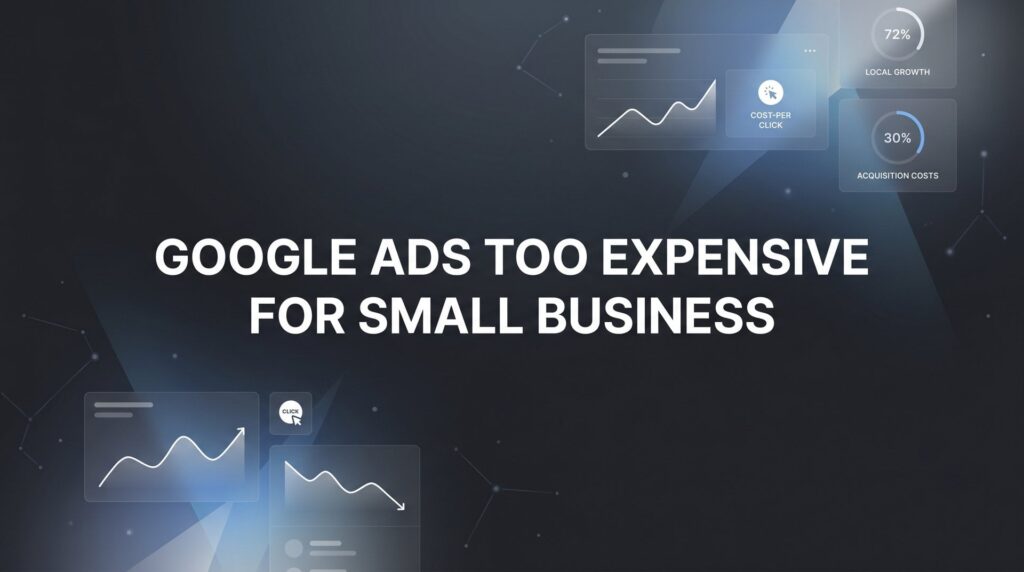
You check your Google Ads dashboard on a Tuesday morning, and there it is: another week of budget burned through, a handful of clicks that went nowhere, and zero new customers to show for it. The frustration is real, and it’s completely understandable. A lot of small business owners reach the same conclusion at this point: Google Ads is just too expensive for businesses like theirs.
Here’s the thing, though. That conclusion is almost always wrong, and it’s costing you more than you realize.
Poorly managed Google Ads campaigns absolutely hemorrhage money. That part isn’t in dispute. But the problem isn’t the platform itself. Google Ads remains one of the most powerful ways to get your business in front of people who are actively searching for exactly what you offer, right now, in your city. The problem is almost always how the money is being spent, not how much of it is being spent.
Think of it this way: a leaky bucket isn’t a water problem. It’s a bucket problem. And most small business campaigns are leaking from a dozen different holes at once, none of which have anything to do with your budget size.
This article is a no-BS breakdown of why Google Ads costs spiral out of control, what separates profitable campaigns from money pits, and how small businesses can make the platform work even on tight budgets. Whether you’re running campaigns yourself or wondering if your current agency is actually doing their job, what follows will give you a clear picture of what’s really going on and what to do about it.
Why Your Google Ads Bill Feels Like a Money Pit
Before we talk about fixes, let’s talk about how the bleeding starts. Most small business campaigns overspend not because Google Ads is inherently costly, but because a handful of common mistakes compound quietly in the background, draining budget without generating results.
Broad Match Keywords: When you add a keyword like “plumber” on broad match, Google will show your ad for any search it considers remotely related. That can include searches like “plumber salary,” “how to become a plumber,” or “plumbing school near me.” None of those people want to hire you. All of them cost you money when they click.
No Negative Keyword Lists: Negative keywords tell Google which searches should never trigger your ads. Without them, you’re essentially inviting the entire internet to click on your ads, including people who are looking for jobs, free information, or something completely unrelated to what you sell.
Poor Geographic Targeting: Google’s default settings can show your ads far beyond your actual service area. A roofing company in Philadelphia doesn’t need to pay for clicks from people in Pittsburgh. Yet this happens constantly when campaigns are set up without careful attention to location settings.
Running Ads 24/7 Without Dayparting: Most local service businesses generate leads during specific windows. Running ads at 3 AM when nobody is calling and no one is booking appointments is pure waste. Ad scheduling, or dayparting, lets you concentrate your budget during the hours that actually convert.
Now here’s the reframe that changes everything: the real question is never “how much am I spending?” It’s “what am I getting for what I’m spending?” A $5,000 monthly budget that generates $25,000 in revenue isn’t expensive. It’s one of the best investments you can make. A $500 monthly budget that generates nothing is infinitely expensive, because you’re getting zero return on every dollar.
One more thing worth understanding: Google’s default campaign settings are engineered to maximize Google’s revenue, not yours. Smart Campaigns, auto-applied recommendations, and broad targeting defaults all tend to increase spend while delivering mediocre results. Google is a business, and their incentives don’t always align with yours. That’s not cynicism; it’s just how the system works. Knowing this is the first step toward taking back control of your campaigns.
The Real Culprits Behind Wasted Ad Spend
Once you understand that the problem is structural rather than budgetary, the specific culprits become a lot easier to spot. Three issues cause the majority of wasted spend across small business campaigns, and they’re all fixable.
Irrelevant Search Terms Eating Your Budget
This is the single biggest drain in most campaigns. Without a robust negative keyword strategy, you’re paying for clicks from people who will never become customers. A plumber running ads on broad match keywords will often end up paying for searches like “plumbing jobs near me,” “DIY plumbing tips,” or “plumbing apprenticeship programs.” A personal injury attorney might pay for clicks from law students researching case studies. A pet groomer might show up for “grooming careers.”
The fix is pulling your Search Terms Report regularly, which shows you the actual searches that triggered your ads, and adding irrelevant terms to your negative keyword list. This is ongoing work, not a one-time setup task. Search behavior evolves, and your negative keyword list needs to evolve with it.
Sending Traffic to Your Homepage
This one surprises a lot of business owners. You might have a beautiful website, but if you’re sending paid traffic to your homepage, you’re almost certainly losing conversions that should have been leads.
Think about what happens when someone searches “emergency HVAC repair near me” and clicks your ad. They land on your homepage, which has your company history, a photo gallery, a blog, navigation links to five different service pages, and a general contact form buried at the bottom. They don’t immediately see what they need. They leave. You paid for that click.
Dedicated landing pages, built specifically for each service and search intent, solve this problem. A good landing page has one job: convert the visitor into a lead. That means a clear headline that matches what they searched for, a phone number that’s easy to find, a short form, and a compelling reason to act now. Nothing else. No distractions, no navigation rabbit holes.
No Conversion Tracking
Running Google Ads without conversion tracking is like driving at night with your headlights off. You might get somewhere, but you have no idea what’s working and what isn’t, and eventually you’re going to crash.
Conversion tracking tells you which keywords, ads, and landing pages are actually producing leads. Without it, you’re making optimization decisions based on guesswork. You might be pausing the one keyword that drives all your real leads while scaling up the one that only attracts tire-kickers. Proper conversion tracking, including phone call tracking and form submission tracking, is non-negotiable for any campaign that’s supposed to generate real business results.
What Profitable Small Business Campaigns Actually Look Like
So what does a well-run campaign look like in practice? It’s less about big budgets and more about disciplined targeting and ruthless focus on conversion.
Tight, High-Intent Keyword Targeting
Profitable small business campaigns don’t try to capture everyone who’s vaguely interested in their industry. They target people who are actively ready to buy or hire right now. That means focusing on service-specific, high-intent search terms rather than broad industry terms.
A landscaping company doesn’t need to rank for “landscaping ideas.” They need to rank for “landscaping company near me,” “lawn care service [city name],” and “sprinkler installation [zip code].” The people searching those terms have their wallet out. The people searching for “landscaping ideas” are on Pinterest in spirit, even if they’re on Google. This is exactly the kind of targeting strategy that makes Google Ads for lawn care businesses so effective when done right.
Hyper-Local Geographic Targeting
Every dollar you spend should be reaching someone who can actually become your customer. That means your geographic targeting needs to reflect your actual service area, not just a general region or the default settings Google applies.
For most local service businesses, this means targeting by zip code, city, or a specific radius around your business location. It also means excluding areas you don’t serve. If you’re a dentist in the suburbs, you probably don’t need your ads showing up in the downtown core where parking is a nightmare and people are unlikely to make the trip. Precision targeting keeps your budget focused on the people most likely to convert.
Landing Pages Built to Convert
This is where Clicks Geek’s CRO expertise comes directly into play, because conversion rate optimization is what separates a campaign that generates leads from one that just generates clicks.
A high-converting landing page for a local business typically includes a headline that mirrors the search intent, a clear value proposition, social proof like reviews or credentials, a prominent phone number, a short lead capture form, and a strong call to action. Every element is there for a reason, and anything that doesn’t serve the conversion goal gets cut.
When your landing page converts at a higher rate, your cost per lead drops, even if your cost per click stays the same. This is why conversion optimization is often the highest-leverage activity in any paid search campaign. You don’t always need more traffic; you need to do more with the traffic you already have.
Budget Strategies That Work on a Shoestring
One of the most persistent myths about Google Ads is that you need a large budget to compete. You don’t. What you need is a focused strategy that makes every dollar work harder.
Start Small, Scale on Data
Rather than spreading a modest budget thin across every service you offer, start with your highest-margin service and build from there. A budget in the range of $500 to $1,500 per month, concentrated on one core service with tight targeting, will give you real data to work with. Once you can see which keywords are generating leads and what your cost per acquisition looks like, you can reinvest profits into expanding your campaigns intelligently rather than guessing.
Scaling based on data is how you avoid the trap of throwing money at campaigns that aren’t working. You prove the model first, then you grow it. Industries like pest control and junk removal are great examples of services where small, focused budgets can produce strong returns quickly.
Use Ad Scheduling to Concentrate Your Budget
Most local businesses have predictable windows when their ideal customers are searching and ready to act. A locksmith gets calls at different times than a catering company. A pediatric dentist’s peak search times look different from a 24-hour urgent care clinic.
Ad scheduling lets you run ads only during the hours and days when your customers are most likely to convert, and bid adjustments let you increase bids during those peak windows. This concentrates your budget where it has the highest probability of generating a return, rather than spreading it evenly across hours when nobody is looking.
Lean Into Long-Tail Keywords
Long-tail keywords are longer, more specific search phrases that tend to have lower search volume but much higher purchase intent. They also typically have lower competition, which means lower cost per click.
“Emergency plumber available now” costs less per click than “plumber,” and the person searching it is far more likely to pick up the phone. “Affordable wedding photographer [city]” is more specific than “photographer,” and it attracts someone who’s already in buying mode. Long-tail keywords are where small budgets can genuinely compete with larger advertisers, because the big players often overlook them in favor of high-volume terms.
When DIY Campaigns Cost More Than Hiring an Expert
There’s a version of this conversation that nobody likes to have, but it’s worth having honestly: sometimes the most expensive thing you can do is manage your own Google Ads campaigns.
The hidden cost of learning by trial and error isn’t just the wasted ad spend, though that adds up fast. It’s also the opportunity cost of every hour you spend in the Google Ads interface instead of running your business. And it’s the leads you didn’t get during the months it took to figure out what wasn’t working.
A competent PPC manager doesn’t just set up your campaigns and walk away. They’re doing ongoing work: mining search term reports for negative keywords, running A/B tests on ad copy and landing pages, adjusting bids based on performance data, monitoring Quality Scores, and making sure conversion tracking is firing correctly. This is active, continuous management, and it compounds over time. The campaigns that perform best in month twelve look very different from the campaigns that launched in month one, because they’ve been refined by real data.
How to Evaluate Your Current Agency or Freelancer
If you’re already paying someone to manage your campaigns, here are the questions you should be asking. Are they sending you regular reports that show cost per lead, not just clicks and impressions? Can they tell you which specific keywords are generating leads versus which ones are burning budget? Do they have conversion tracking properly set up for both phone calls and form submissions? Are they actively adding negative keywords on a regular basis?
Red flags include agencies that report on vanity metrics like impressions and click-through rates without connecting them to actual leads or revenue, managers who set campaigns up and make only minor adjustments month to month, and anyone who can’t clearly explain what they’re testing and why.
A Google Premier Partner agency, which requires meeting rigorous performance and spend thresholds, has demonstrated a level of expertise and results that most freelancers and generalist agencies haven’t. That credential matters when you’re trusting someone with your marketing budget.
Your Action Plan: Making Every Dollar Count
Whether you’re managing your own campaigns or preparing to have a more informed conversation with your agency, here’s a practical checklist you can work through right now.
Audit Your Search Terms Report: Go into your Google Ads account, pull the Search Terms Report for the last 30 to 90 days, and look at what searches actually triggered your ads. You will almost certainly find irrelevant terms that have been costing you money.
Build and Expand Your Negative Keyword List: Based on what you find in the Search Terms Report, add irrelevant terms as negative keywords. This is not a one-time task. Schedule it as a recurring monthly review.
Check Your Geographic Settings: Verify that your ads are only showing in your actual service area. Look at the “Locations” report to see if you’re getting clicks from places that make no sense for your business.
Verify Conversion Tracking: Confirm that phone calls and form submissions are being tracked as conversions in your Google Ads account. If they’re not, you’re flying blind. This is the most critical fix you can make.
Review Your Landing Page Experience: Ask yourself honestly: if someone clicked my ad and landed on this page, would they immediately know what to do next? If the answer is anything other than a confident yes, your landing page needs work. Whether you run a house cleaning service or an auto repair shop, the landing page principles are the same.
If you go through this checklist and find that your campaigns have multiple structural problems, or if you’ve been running ads for several months without a clear picture of your cost per lead, that’s a strong signal that it’s time to either restructure from scratch or bring in professional help rather than continuing to invest in a broken setup.
The Bottom Line on Google Ads and Small Business Budgets
Google Ads isn’t too expensive for small businesses. Bad Google Ads management is. The platform remains one of the fastest and most direct ways to get your business in front of people who are actively searching for your services right now, in your city, ready to make a decision. That’s genuinely powerful, and no other advertising channel offers quite the same combination of intent and immediacy.
The difference between a campaign that pays for itself many times over and one that drains your account comes down to three things: strategy, targeting, and ongoing optimization. Get those right, and the budget question largely takes care of itself, because you’re measuring real returns against real costs.
For business owners who want that kind of performance without spending months learning by trial and error, Clicks Geek specializes in exactly this. As a Google Premier Partner agency with deep expertise in conversion rate optimization, we build campaigns that are engineered to generate leads, not just clicks. We’ve turned underperforming campaigns into consistent lead sources for businesses across a wide range of industries and budgets.
If you want to see what this would look like for your specific business, we’ll walk you through how it works and give you a realistic picture of what’s achievable in your market. No pressure, no generic pitch, just a straight conversation about what’s possible and what it would take to get there.