
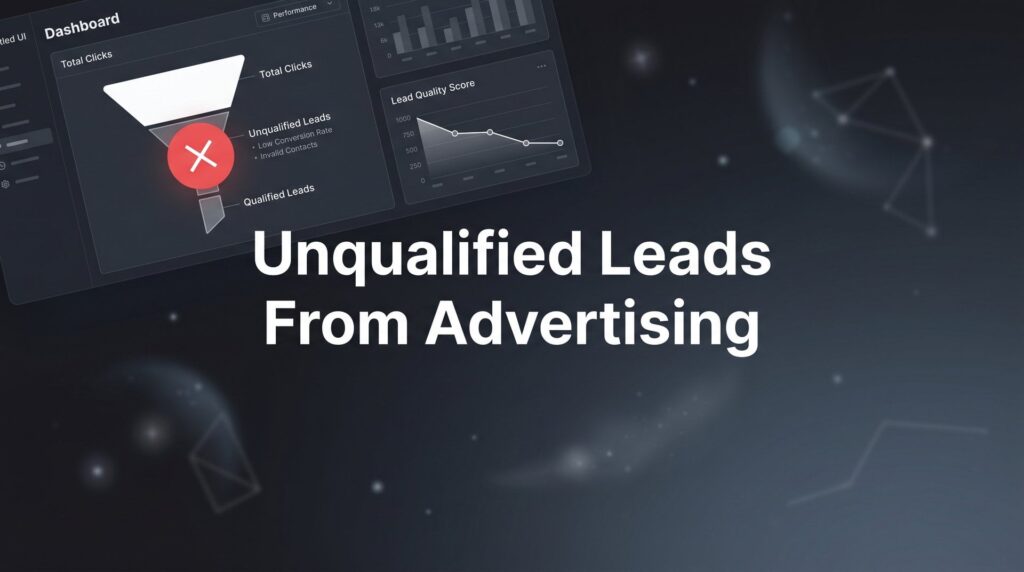
You’re spending money on ads. The phone is ringing. Forms are getting filled out. But when you actually talk to these people, something’s off. They can’t afford your services. They’re three counties outside your service area. They want something you stopped offering two years ago. Or they’re a student doing research, not a homeowner ready to hire.
Sound familiar? Unqualified leads from advertising are one of the most expensive and frustrating problems local business owners face. And the damage runs deeper than it looks on the surface. Every junk lead wastes your time, drains your ad budget, and pulls your team away from real opportunities sitting right in front of them.
Here’s the part that stings most: many business owners blame the platform. “Google Ads doesn’t work for my industry.” “Facebook leads are always garbage.” They pull the plug on campaigns that could actually perform, or they keep running them without fixing the root cause, burning money month after month.
The platform is almost never the problem. The problem is how the campaign is built, targeted, and optimized. Advertising platforms are incredibly powerful, but they’re also incredibly literal. If you tell Google to show your ads broadly, it will. If your landing page accepts anyone who fills out a form, it will attract everyone, including people who will never buy from you.
The good news is this is completely fixable. You don’t need to scrap your campaigns and start from zero. You need to systematically tighten every layer of your advertising, from the keywords you’re bidding on to the questions you ask on your lead form. Each layer you fix compounds on the last, and the shift in lead quality can be dramatic.
This guide walks you through exactly how to do that. Six steps, built in sequence, designed to help you stop bleeding budget on dead-end leads and start filling your pipeline with people who are ready to buy.
Step 1: Audit Your Current Campaigns to Find Where Junk Leads Sneak In
Before you change anything, you need to understand exactly where the problem is coming from. Guessing wastes time. A focused audit gives you a clear target.
Start by pulling your lead data from the last 30 to 90 days. Go through every lead and categorize each one as qualified or unqualified. Be specific about why a lead was unqualified: wrong budget, wrong location, wrong service need, not a decision-maker, or just completely irrelevant. Once you’ve categorized them, start looking for patterns.
Which campaigns or ad groups are generating the most unqualified leads? Are certain keywords attracting the wrong searches? Is there a geographic cluster of junk leads coming from outside your service area? Are mobile device leads converting at a lower quality rate than desktop? Are certain times of day or days of the week producing worse leads? These patterns tell you exactly where to focus your fixes.
Next, open your search terms report in Google Ads. This is the single most underutilized diagnostic tool for local businesses running paid search campaigns, and it’s also the most revealing. The search terms report shows you the actual queries people typed before clicking your ad. Not the keyword you bid on, but what the user literally searched for.
What you’ll often find is startling. If you’re a roofing contractor, you might discover your ads are showing for searches like “roofing jobs near me,” “how to fix a roof yourself,” “roofing salary,” or “cheap roofing materials.” None of those people want to hire you. But you paid for every single one of those clicks, which is a textbook example of online advertising waste.
The third thing to examine is your campaign structure. Are high-intent, purchase-ready keywords grouped separately from broad or informational keywords? Mixed campaigns almost always attract tire-kickers because the targeting logic gets diluted. A campaign that mixes “emergency plumber near me” with “how plumbing works” will serve ads to very different audiences, and your budget gets spread across both.
Success indicator: After this audit, you should be able to clearly name the top three to five specific reasons unqualified leads are entering your funnel. If you can name them, you can fix them. That’s what the next steps are for.
Step 2: Tighten Your Targeting to Repel the Wrong Audience
Now that you know where junk leads are coming from, it’s time to start closing the doors they’re walking through. Targeting isn’t just about reaching the right people. It’s equally about excluding the wrong ones.
The first priority is building a robust negative keyword list. Take every irrelevant search term you found in Step 1 and add it as a negative keyword immediately. Then go further. Think about all the ways someone could find your ad who would never become a customer. Common negative keyword categories for local service businesses include: “free,” “cheap,” “DIY,” “how to,” “jobs,” “salary,” “training,” “course,” “certification,” and any competitor names you don’t want to pay to appear for.
Negative keywords are not a one-time task. They’re an ongoing maintenance habit. Revisit your search terms report weekly at first, then monthly, and keep adding to your list. The businesses that get the best lead quality from paid search are almost always the ones with the most disciplined negative keyword management.
Geographic targeting is the next critical lever. Google’s default location targeting setting is called “Presence or interest,” which sounds reasonable until you realize it means your ads can show to people who are merely interested in your location, not physically located there. A person in another state who recently searched for information about your city could see your ad. Switch your setting to “Presence only” to ensure you’re reaching people who are actually in your service area. For a deeper dive into location-based ad strategies, check out our guide on targeted advertising for local businesses.
Beyond that setting, get granular. Use radius targeting around your business address or manually select the specific zip codes, cities, or counties you serve. If you know certain areas produce lower-quality leads or are outside your profitable service radius, exclude them explicitly. Don’t rely on the platform to figure this out on your own.
Audience targeting adds another layer of precision. On Google, you can layer in-market audiences on top of your keyword targeting to prioritize people who are actively researching and comparing services like yours. On both Google and Facebook, demographic targeting lets you filter by household income, which matters significantly if your service has a meaningful price point. You’re not trying to exclude people unfairly; you’re trying to reach people who are realistically in a position to buy.
Finally, look at your ad scheduling. Are your ads running 24 hours a day, seven days a week by default? Check your data. Many local businesses find that leads generated late at night or on certain days convert at a much lower rate. Concentrating your budget on the hours and days when your best customers actually search and call can meaningfully improve lead quality without reducing reach among your actual buyers.
Common pitfall: Broad match keywords without negative keyword guardrails are the fastest path to irrelevant traffic. If you’re going to use broad match, treat negative keywords as a non-negotiable companion, not an optional add-on.
Step 3: Rewrite Your Ad Copy to Pre-Qualify Clicks Before They Cost You
Here’s a mindset shift that changes how you think about ad copy: your ads are not just trying to get clicks. They’re trying to get the right clicks and actively discourage the wrong ones.
Every unqualified click costs you twice. Once when you pay for the click, and again when your team spends time following up on a lead that was never going to convert. Pre-qualifying language in your ad copy is one of the most cost-effective optimizations you can make because it filters out bad leads before they ever enter your funnel. If your campaigns are consistently losing money on bad clicks, our breakdown of negative ROI from advertising explains the full financial impact.
Start with your headlines. If your service has a minimum price point, include it. “Landscaping Services Starting at $500” immediately signals to someone looking for a $75 lawn mow that this isn’t the right fit. Yes, your click-through rate may dip slightly. That’s acceptable, and often desirable. You want fewer clicks from the wrong people, not more.
Mention your service area directly in your headlines or descriptions. “Serving [City] and Surrounding Areas” tells out-of-area searchers they’re in the wrong place before they click. Specify the customer type you serve when it’s relevant. “For Homeowners” or “Commercial Properties Only” or “Serving Small Businesses” all act as natural filters that help the right people self-identify and the wrong people move on.
Your calls to action deserve a hard look. Generic phrases like “Learn More” or “Click Here” attract curiosity clicks from people who have no intention of buying. Replace them with specific, commitment-signaling language: “Get Your Custom Quote,” “Schedule a Free Consultation,” “Request a Same-Day Estimate.” These CTAs communicate that the next step involves a real conversation, which filters out people who are just browsing.
Use your ad extensions strategically. Price extensions let you display service tiers and starting costs directly in the ad. Location extensions show your address and reinforce your service area. Callout extensions let you add short qualifying phrases like “Licensed and Insured,” “Minimum Project Size Applies,” or “Residential Only.” Each of these extensions adds qualifying context that helps the right people click and the wrong people scroll past.
Think of your ad copy as a two-sided filter: it should attract serious buyers and repel casual browsers. Write it with both goals in mind simultaneously.
Step 4: Rebuild Your Landing Pages as Lead Qualification Machines
Getting someone to click your ad is only half the battle. What happens after the click determines whether you get a qualified lead or another time-waster in your inbox.
Your landing page needs to continue the conversation your ad started. If your ad mentions a starting price, your landing page must reinforce that pricing context prominently. If someone sees “$500 minimum” in your ad and clicks anyway, they’re at least open to that price point. But if your landing page says nothing about pricing, you’ve lost that filter, and price-sensitive visitors who were on the fence may submit a form anyway, hoping to negotiate later.
The lead form itself is where most local businesses give away lead quality without realizing it. A form that only asks for name, email, and phone number creates zero friction. It takes five seconds to fill out, which means anyone will do it, including people who are casually curious, comparing dozens of options, or just testing to see what happens. That’s not a qualified lead pipeline. That’s a contact list. If your pipeline is full of dead ends, our article on why your leads are not qualified enough digs deeper into the root causes.
Add qualifying fields to your form. Ask about budget range. Ask about project timeline. Ask what type of property it is. Ask what service they need specifically. These fields do two things simultaneously: they give you better information to prioritize leads, and they create just enough friction that non-serious inquiries self-select out. The person who is genuinely ready to hire will take 60 seconds to answer a few questions. The tire-kicker won’t bother.
Consider adding an “Is This Right For You?” section to your landing page. This is a short, honest description of who you serve and, just as importantly, who you don’t. Something like: “We work with homeowners in [Region] on projects with a minimum investment of $X. If you’re looking for a quick fix or a low-cost option, we’re probably not the right fit, but if you want quality work done right, let’s talk.” This kind of transparency builds trust with serious buyers while filtering out everyone else.
Make sure your landing page messaging is specific to the ad group or campaign driving traffic to it. A landing page that tries to speak to everyone ends up resonating with no one. The closer your landing page mirrors the specific intent of the ad that brought someone there, the higher your conversion quality will be. For a complete walkthrough on structuring campaigns this way, see our guide on lead generation campaign management.
Success indicator: After implementing these changes, your total form submission volume may drop. That’s not a failure. If your lead-to-customer conversion rate increases, you’re winning. Fewer leads of higher quality is always better than more leads that go nowhere.
Step 5: Implement a Lead Scoring and Rapid Follow-Up System
Even with all the filtering you’ve built into your targeting, ad copy, and landing pages, some unqualified leads will still get through. That’s normal. The goal isn’t a perfect filter; it’s a system that makes sure your best leads get the fastest, most attentive response while unqualified ones are handled efficiently without consuming your team’s prime selling time.
Lead scoring is how you do this. Build a simple framework based on the form responses you’re now collecting. Assign point values to answers that indicate strong fit: a specific budget range earns more points than “not sure,” a timeline of “as soon as possible” earns more points than “just researching,” a property type that matches your ideal customer earns more points than one you rarely work with. The leads with the highest scores go to the top of your follow-up queue immediately.
Speed matters enormously here. Research on lead response consistently shows that the first business to contact a prospect has a significant advantage over those who follow up hours or days later. Set a standard: qualified leads get a response within five minutes during business hours. Not an automated email, a real human outreach, whether that’s a phone call, a text, or a personalized message. The businesses that win the most jobs from advertising are often not the ones with the best ads. They’re the ones who respond fastest when a serious buyer raises their hand. If you want to build a reliable system for attracting those serious buyers, our guide on generating more qualified leads online lays out a full action plan.
On the other side of the equation, create a disqualification workflow. When a lead comes in that clearly doesn’t meet your criteria based on their form responses, have a system to handle it quickly and professionally without pulling your best closer off a real opportunity. This might be an automated email that explains your service parameters and suggests they find a better fit. It might be a brief call from an admin team member. The goal is to close the loop without wasting your sales team’s time.
Connect your CRM and lead tracking tools to your ad platforms. This integration sets up the data loop you’ll need for the next step and ensures no lead falls through the cracks regardless of volume.
Common pitfall: Treating every lead with equal urgency is how your best closer ends up spending an hour on the phone with someone who was never going to buy, while a serious, ready-to-hire prospect waits 48 hours for a callback and hires your competitor instead.
Step 6: Close the Loop by Feeding Quality Data Back Into Your Campaigns
This step is where everything you’ve built starts to compound. The previous five steps reduce junk leads manually through human judgment and smart campaign settings. This step teaches your ad platform’s algorithm to do the filtering for you automatically, getting smarter every week.
The mechanism is offline conversion tracking. Most local businesses track form fills or phone calls as conversions in Google Ads. That’s a start, but it tells the algorithm to optimize toward people who submit forms, not people who actually become paying customers. Those two groups are not the same, and that gap is often where budget gets wasted.
Offline conversion tracking lets you import actual customer data back into Google Ads. When a lead becomes a paying customer in your CRM, that event gets passed back to Google, which then understands that this specific click, from this specific keyword, on this specific device and time, produced real revenue. Over time, Google’s bidding algorithms use this data to find more people who look like your actual buyers, not just your form-fillers. Google’s own documentation recommends this approach specifically for lead generation advertisers, and it’s one of the most impactful optimizations most local businesses never implement. For a broader look at strategies that drive real revenue from paid search, explore our roundup of paid search advertising strategies.
Once offline conversion tracking is running, shift your primary KPIs. Stop optimizing for cost-per-lead or total lead volume. Start tracking cost-per-qualified-lead and lead-to-customer conversion rate from ad-generated traffic. Set a target cost-per-qualified-lead benchmark based on your average customer value and profit margins. That number becomes your north star for campaign decisions.
Review lead quality weekly for the first 60 days after making these changes, then shift to monthly reviews once things stabilize. Each review should answer the same questions: Which keywords, ads, and audiences are producing qualified leads? Which ones are consistently producing junk? Pause what isn’t working. Increase budget on what is. This ongoing cycle of review and adjustment is what separates campaigns that plateau from campaigns that keep improving. Our step-by-step guide on how to improve ad campaign performance walks through this review process in detail.
Success indicator: Your cost per qualified lead decreases over time, and your close rate from ad-generated leads trends upward. Both moving in the right direction simultaneously means your campaigns are genuinely getting smarter, not just cheaper.
Putting It All Together: Your Action Checklist
Stopping unqualified leads from advertising isn’t a single fix. It’s a system, and every layer of that system reinforces the others. Here’s your quick-reference checklist to keep the work on track:
1. Audit your campaigns and categorize leads from the last 30 to 90 days. Pull your search terms report and identify the top three to five sources of junk leads.
2. Lock down your targeting with a comprehensive negative keyword list, “Presence only” geographic settings, specific radius or zip code targeting, audience refinements, and ad scheduling adjustments.
3. Rewrite your ad copy to include pricing context, service area language, customer type qualifiers, and commitment-oriented CTAs that pre-qualify clicks before they cost you.
4. Rebuild your landing pages with qualifying form fields, pricing reinforcement, and clear messaging about who you serve and who you don’t.
5. Score your leads and establish a five-minute follow-up standard for qualified prospects. Create a disqualification workflow so your team stops spending time on leads that were never going to convert.
6. Implement offline conversion tracking and shift your KPIs to cost-per-qualified-lead. Review performance weekly at first, then monthly, and keep trimming what doesn’t produce buyers.
Each step builds on the last, and the compounding effect is real. Most local business owners who implement these changes systematically see a meaningful shift in lead quality within the first 30 days, not because the platform changed, but because the campaign finally started working the way it should.
If you’re tired of burning budget on leads that go nowhere and want a team that obsesses over lead quality rather than lead volume, that’s exactly what we do at Clicks Geek. As a Google Premier Partner agency, we build and optimize campaigns specifically to deliver leads that convert into revenue, not just clicks and form fills that pad a report.
If you want to see what this would look like for your business, we’ll walk you through how it works and break down what’s realistic in your market. No generic pitch, just a direct conversation about your campaigns and what it would actually take to fix them.


