
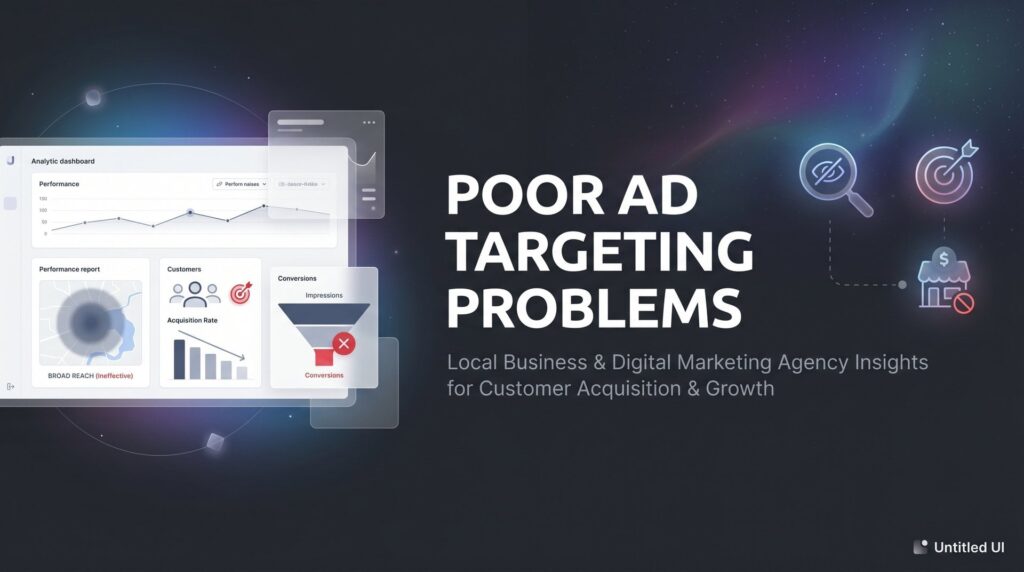
You’re spending money on ads. The clicks are rolling in. But the phone isn’t ringing with the right people — or it’s not ringing at all.
If this sounds familiar, you’re dealing with one of the most expensive problems in digital advertising: poor ad targeting. When your ads reach the wrong audience, every dollar you spend is essentially a donation to Google or Facebook with nothing to show for it.
The frustrating part? Most local business owners don’t realize targeting is the issue. They blame the ad copy. They redesign the landing page. They switch platforms. But the real culprit is that their message is being served to people who were never going to buy in the first place. You could have the most compelling ad ever written, and it still won’t convert if it’s showing up in front of the wrong person at the wrong time.
Poor ad targeting problems are quietly the number one budget killer in local business advertising. PPC professionals widely agree that before you touch your copy or your landing page, you need to get your targeting right. Everything else is secondary.
This guide walks you through a clear, actionable process to diagnose and fix those targeting problems from the ground up. Whether you’re running Google Ads, Facebook Ads, or both, you’ll learn exactly how to audit your current targeting, eliminate wasted spend, and build audience strategies that put your ads in front of people who are genuinely ready to become customers.
No fluff, no theory. Just the steps that actually move the needle on ROI. Let’s get into it.
Step 1: Audit Your Current Campaigns to Find Where Targeting Is Failing
Before you fix anything, you need to know exactly what’s broken. Most business owners skip this step and jump straight to making changes, which is like trying to patch a leak without knowing where the water is coming from. Start with the data you already have.
In Google Ads: Navigate to your campaign, click on “Keywords,” then select “Search Terms.” This report shows you the actual queries that triggered your ads and resulted in clicks. What you’re looking for are searches that have absolutely nothing to do with your service. If you run a plumbing company and you’re showing up for “plumbing apprenticeship programs” or “how to fix a pipe yourself,” that’s wasted spend, plain and simple.
In Facebook Ads Manager: Pull your Audience Insights and Delivery reports. Look at who is actually seeing your ads by age, gender, location, and device. Compare that profile to who you know actually buys from you. If there’s a significant mismatch, your targeting is off.
Here are the red flags to look for during your audit:
High impressions, low CTR: Your ad is showing to a lot of people, but almost nobody is clicking. This often means your audience is irrelevant to your offer. If this pattern sounds familiar, you may be dealing with a broader issue where your ad campaigns are not reaching your target audience effectively.
Clicks from outside your service area: If you’re a local business serving one city or region and you’re getting clicks from across the state or country, your geographic targeting has a serious problem.
Search terms unrelated to your service: These are the most obvious sign of keyword targeting failure. Document every irrelevant search term you find.
Demographic mismatches: If your ideal customer is a homeowner aged 40-60 and your ads are being clicked primarily by 18-24 year olds, your demographic parameters need adjusting.
Once you’ve identified the irrelevant clicks and impressions, calculate your wasted spend percentage. Take the number of irrelevant clicks, multiply by your average cost-per-click, and you have a rough dollar figure for what poor targeting is costing you each month. For many local businesses, this number is genuinely eye-opening.
Success indicator: By the end of this step, you should have a documented list of targeting gaps, a clear picture of who is actually seeing your ads versus who should be seeing them, and a dollar amount attached to your estimated wasted spend. That number becomes your motivation for everything that follows.
Step 2: Define Your Ideal Customer Profile With Precision
Here’s where most businesses go wrong before they even launch a campaign: they target who they think their customer is, not who the data says their customer actually is. There’s a big difference between those two things.
Vague targeting parameters like “homeowners aged 25-65 within 30 miles” feel thorough, but they’re actually one of the root causes of poor ad targeting problems. That’s a massive, diverse group of people with wildly different needs, budgets, and intent signals. You can’t write one ad that resonates with all of them, and you certainly can’t expect them all to convert at the same rate.
The fix is to build a detailed ideal customer profile grounded in your actual sales data. Here’s how:
Start with your best customers. Pull your last 50 to 100 closed sales and look for patterns. What zip codes or neighborhoods do they come from? What time of day did they first contact you? What service did they initially inquire about? What was their average transaction value? These patterns are gold.
Use your CRM data. If you’re tracking leads in a CRM, look at which lead sources produce the highest-value customers, not just the highest volume. A lead source that generates lots of inquiries but few closes is not a good source, regardless of what it looks like on the surface.
Review Google Analytics. Look at which pages your converting visitors land on, how long they stay, and what device they’re using. If most of your conversions come from mobile users between 7pm and 9pm, that’s a targeting and scheduling insight you can act on immediately.
Use call tracking data. If you’re running any form of call tracking, listen to the calls that converted. What language did those customers use? What problem were they describing? That language should show up in your targeting keywords and your ad copy. This kind of data-driven refinement is central to building profitable marketing campaigns that consistently deliver results.
The goal is to move from a broad demographic description to a specific customer profile. Instead of “homeowners aged 25-65,” you might land on “homeowners aged 40-58, located in these specific zip codes, searching on mobile, typically between 6pm and 9pm, using terms that indicate urgency rather than research.”
Success indicator: You have a documented customer profile with specific demographics, intent signals, geographic boundaries, and behavioral patterns. This becomes the filter through which every targeting decision gets made going forward.
Step 3: Tighten Geographic and Demographic Targeting
Geographic targeting is where a staggering number of local ad campaigns silently hemorrhage budget, often without the business owner ever noticing. And there’s one specific reason this happens so frequently in Google Ads.
When you set up location targeting in Google Ads, there’s a setting that most advertisers miss entirely. The default option targets people “in, regularly in, or who’ve shown interest in your locations.” That last part is the problem. It means your ad for a local HVAC company in Phoenix can show to someone in New York who recently searched for Phoenix HVAC information, maybe because they’re moving there, researching for a friend, or just browsing. They’re not your customer. But they’re eating your budget.
The fix is straightforward: go to your campaign settings, click on “Location Options,” and switch to “Presence: People in or regularly in your targeted locations.” This single change can meaningfully reduce irrelevant impressions for local service businesses. If you’re running campaigns for a service-area business, understanding PPC strategies for local businesses can help you avoid these common pitfalls.
Beyond that setting, here’s how to tighten your geographic targeting further:
Use radius targeting instead of broad city or state targeting. If you serve customers within a 20-mile radius of your office, set that radius explicitly. Don’t target the entire city if you only serve the eastern half of it. Tighter geography means more relevant traffic.
Layer in zip code performance data. After your audit from Step 1, you likely noticed that some areas drove clicks but no conversions. Exclude those areas or reduce bids for them. Double down on the zip codes and neighborhoods that have actually produced customers.
Adjust demographic bid modifiers using conversion data. If your data from Step 2 shows that customers aged 45-54 convert at twice the rate of customers aged 25-34, increase your bids for that age bracket and decrease them for the lower-performing one. Don’t make these adjustments based on assumptions. Make them based on what your data actually shows.
Use income-level targeting for high-ticket services. If you offer premium services with higher price points, Google Ads allows you to layer in household income targeting. Targeting the top income tiers can help ensure your ads reach people who have both the need and the financial capacity to say yes.
Success indicator: Your ads are only showing to people within your actual service area who match the demographic profile of your best customers. Your impression volume may drop, but your relevance and conversion rate should improve.
Step 4: Build a Negative Keyword and Exclusion Strategy That Stops the Bleeding
If targeting is about deciding who sees your ads, negative keywords are about deciding who doesn’t. And for most local businesses running Google Ads, the negative keyword list is either nonexistent or dangerously thin.
Google’s own best practices documentation recommends regular search term report reviews specifically to identify and exclude irrelevant queries. This isn’t optional maintenance. It’s a core part of running a profitable campaign.
Start by going back to the search term report you pulled in Step 1. Every irrelevant query you flagged is a candidate for your negative keyword list. As you build that list, think in categories:
Job seekers: If you’re a plumber, you don’t want to show up for “plumbing jobs,” “plumber apprenticeship,” or “plumbing career.” Add these as negatives immediately. Plumbing businesses in particular benefit from tighter campaign structures — our guide on Google Ads management for plumbers covers this in detail.
DIY and free intent: Searches like “how to fix,” “DIY,” “free,” and “do it yourself” signal someone who wants to solve the problem themselves, not hire you. Exclude them.
Wrong locations: If you serve one city, add the names of cities you don’t serve as negative keywords. Someone searching “plumber in Denver” shouldn’t see your Phoenix plumbing ad.
Unrelated services: If you’re a residential roofer, you probably don’t want to appear for commercial roofing, roofing materials suppliers, or roofing software queries.
On Facebook and Meta platforms, the equivalent of negative keywords is audience exclusions. Use them to remove people who have already converted (no need to keep paying to advertise to existing customers), your own employees, and interest overlaps that are pulling in irrelevant audiences. Meta’s own Business Help Center acknowledges that broad interest targeting and audience overlap are common causes of poor ad performance, so this step is particularly important on social platforms. For a deeper dive into platform-specific optimization, check out our Facebook Ads optimization guide.
One critical point: this is not a one-time setup. Negative keywords and exclusions require weekly maintenance. New irrelevant queries appear constantly as search behavior evolves. Build a habit of reviewing your search term report every week and adding new negatives as you find them.
Success indicator: Within the first two weeks of implementing a solid negative keyword and exclusion strategy, you should see a measurable drop in irrelevant clicks and a corresponding improvement in your click-through rate on relevant queries.
Step 5: Align Ad Copy and Landing Pages With Your Refined Audience
Here’s something most guides on ad targeting won’t tell you: fixing your targeting is necessary, but it’s not sufficient. Once you’ve tightened your audience parameters, your messaging has to match the people you’re now reaching. If it doesn’t, you’ll get better-qualified visitors who still don’t convert.
Think of it this way. Your targeting determines who sees the ad. Your copy determines whether that person clicks. Your landing page determines whether they take action. All three need to be aligned around the same specific audience. If you’re getting clicks but no customers, this alignment gap is almost always the reason.
Here’s how to bring your copy and landing pages in line with your refined targeting:
Pre-qualify clicks with your ad copy. One of the most effective ways to filter out bad-fit clicks is to include qualifying information directly in the ad. Mention your service area explicitly. Include a price range if your service has a minimum. Specify the type of customer you serve (“We work with homeowners, not renters” or “Serving the North Phoenix area only”). This feels counterintuitive because it might reduce clicks, but that’s the point. You want fewer, better clicks, not more irrelevant ones.
Match the headline to the search intent. If someone searched for “emergency roof repair,” your headline should reflect urgency and availability. If they searched for “roof replacement cost,” your headline should address pricing and value. Generic headlines waste the relevance signal you’ve worked hard to build through better targeting. A misaligned headline can also drag down your Quality Score in Google Ads, which drives up your costs even further.
Use ad extensions strategically. Location extensions, call extensions, and structured snippets all add context that helps further filter intent. A location extension showing your specific service city tells someone in another area they’re in the wrong place before they click.
Audit your landing pages for audience alignment. Pull up the landing page for each ad group and ask: does this page speak directly to the specific audience I’m now targeting? If you’ve tightened your targeting to reach emergency plumbing customers, but your landing page is a generic homepage about your company, there’s a disconnect. Create or update landing pages to match the specific need and audience segment each ad group targets.
Success indicator: Your CTR improves while your cost-per-conversion decreases. This combination tells you that you’re attracting better-fit clicks and converting them more efficiently. That’s exactly what you’re after.
Step 6: Monitor, Test, and Optimize Your Targeting on an Ongoing Basis
The businesses that get the best long-term results from paid advertising aren’t the ones who set it up perfectly once. They’re the ones who review and refine consistently. Targeting isn’t a destination. It’s an ongoing process of getting progressively closer to your ideal audience.
Here’s what a practical weekly targeting review looks like:
Search term report review: Spend 15 minutes reviewing new queries from the past week. Add irrelevant terms to your negative keyword list. Flag any new high-intent terms worth bidding on directly.
Geographic performance check: Look at which locations are driving clicks and conversions versus which are driving clicks with no conversions. Adjust bids or exclusions accordingly.
Demographic performance review: Check conversion rates by age group, gender, and device. If one segment is consistently underperforming, reduce bids for it. If another is outperforming, increase bids to capture more of that traffic.
Beyond weekly maintenance, build A/B testing into your targeting strategy. Test narrow audience segments against slightly broader ones to find the sweet spot between reach and relevance. Sometimes a slightly broader audience with strong negative keyword coverage outperforms a very narrow one. The only way to know is to test.
The metrics that actually matter for evaluating targeting quality are not impressions or even clicks. They are:
Cost per qualified lead: Not cost per click, not cost per lead. Cost per lead that actually matches your ideal customer profile and has a realistic chance of converting to a sale. If this metric is too high, our guide on why you might be paying too much per lead breaks down the most common causes.
Conversion rate by audience segment: Which segments are converting and at what rate? This data should drive your bid adjustments and targeting decisions.
Geographic performance: Which specific areas are producing your best customers? Concentrate your budget there.
Know when to bring in professional help. If you’ve worked through all six steps and you’re still seeing high wasted spend, inconsistent lead quality, or you simply don’t have the bandwidth to manage this process weekly, that’s a signal that your campaigns need more expertise than a part-time review can provide. Complex targeting problems in competitive local markets often require dedicated campaign management to solve properly. Understanding how to increase ROI on advertising often comes down to having the right systems and expertise in place.
Success indicator: Consistent month-over-month improvement in lead quality and cost efficiency. You’re spending the same budget or less and getting more qualified inquiries. That’s the goal.
Your Ad Targeting Fix: Quick-Reference Checklist
Work through these six steps methodically and you’ll have a targeting setup that most local competitors simply don’t have. Here’s the full process at a glance:
Step 1: Audit your campaigns. Pull your search term report and audience data. Identify irrelevant clicks and calculate your wasted spend.
Step 2: Define your ideal customer. Use real sales data, CRM records, and call tracking to build a specific, data-driven customer profile.
Step 3: Tighten geographic and demographic targeting. Fix the location targeting setting in Google Ads, use radius targeting, and apply demographic bid modifiers based on conversion data.
Step 4: Build your negative keyword and exclusion strategy. Create comprehensive negative keyword lists by category and set up audience exclusions on Facebook. Maintain them weekly.
Step 5: Align your copy and landing pages. Pre-qualify clicks with your ad copy, match headlines to search intent, and make sure landing pages speak directly to your refined audience.
Step 6: Monitor and optimize on an ongoing basis. Review targeting data weekly, A/B test audience segments, and track cost per qualified lead as your primary performance metric.
Poor ad targeting problems are absolutely fixable. But they require ongoing attention, not a one-time setup. The businesses that win at paid advertising treat their campaigns as living systems that need regular care, not set-it-and-forget-it machines.
Start with Step 1 today. The audit alone will show you exactly where your budget is going and give you a clear roadmap for what to fix first. Work through the process methodically, and you’ll start seeing the shift from random clicks to qualified leads.
Tired of spending money on marketing that doesn’t produce real revenue? At Clicks Geek, we build lead systems that turn traffic into qualified leads and measurable sales growth. If you want to see what this would look like for your business, we’ll walk you through how it works and break down what’s realistic in your market.


