
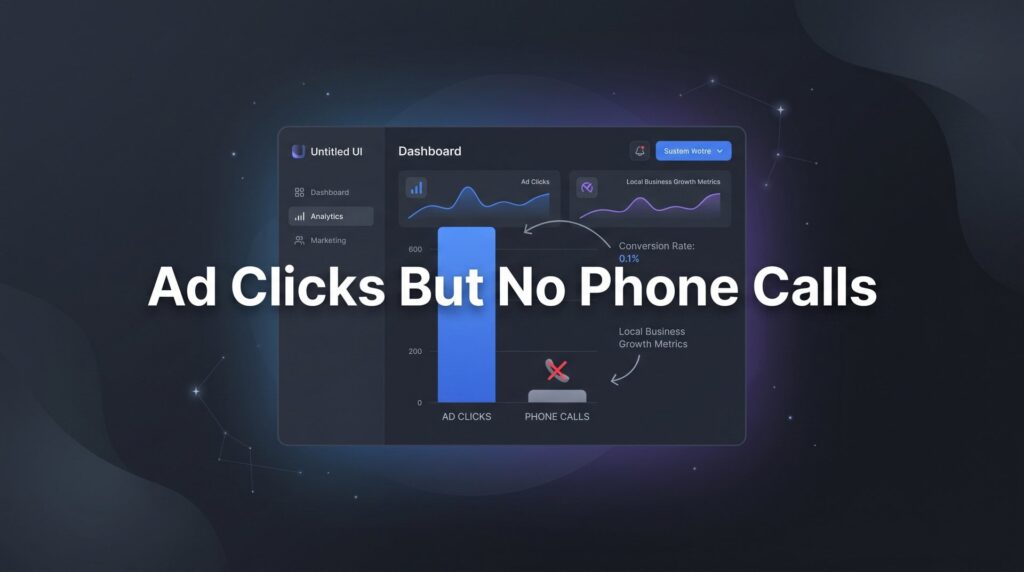
You’re watching the clicks roll in on your Google Ads dashboard. The budget is burning. But your phone? Silent.
This is one of the most frustrating and expensive problems local business owners face. You’re paying for every single click, yet those clicks aren’t converting into the one thing that actually matters: phone calls from real customers ready to hire you.
Here’s what most business owners do when this happens: they assume the ads aren’t working and either pause everything or throw more money at the problem. Neither approach fixes anything. Because the disconnect between ad clicks and phone calls almost never comes down to bad luck. It’s a signal that something specific is broken in your funnel, and once you find it, it’s fixable.
The culprit is usually hiding in one of a handful of places: your call tracking setup, your landing page experience, your keyword targeting, your ad copy, your geographic settings, or your trust signals. Sometimes it’s a combination of two or three working against you at once.
The good news is that every one of these problems has a clear solution. This guide walks you through exactly how to diagnose and fix the gap between ad clicks and phone calls, step by step. Whether you run a plumbing company, a law firm, a dental practice, or any other local service business, these steps apply directly to your situation. Work through them in order, because the earlier steps often reveal the problem before you even get to the later ones.
Let’s get your phone ringing.
Step 1: Verify Your Call Tracking Is Actually Working
Before you change a single thing about your ads or landing page, check this first: are you sure you’re not already getting calls?
This sounds almost too simple, but broken or misconfigured call tracking is one of the most common reasons business owners believe they’re getting zero calls when they’re actually getting some. If your tracking number isn’t forwarding correctly, or if conversions aren’t firing in your Google Ads account, you have a blind spot that will lead you to make the wrong decisions.
Here’s how to test it properly. Grab a mobile phone, call your tracking number directly, and confirm it rings through to your actual business line. Then open your Google Ads account and check whether that call registered as a conversion. If it didn’t show up, you have a tracking problem, not necessarily a campaign performance problem. For a deeper dive into this topic, our guide on call tracking for ad campaigns walks through the full setup process.
Check your call extensions and call-only ads: Go into your Google Ads account and confirm that the forwarding number attached to your call extensions is active and not expired. Google’s forwarding numbers can expire if they go unused for extended periods, and the system doesn’t always alert you loudly when this happens.
Review your tag setup: If you’re using Google Tag Manager alongside a third-party call tracking platform like CallRail or CallTrackingMetrics, open the platform and verify that tags are firing correctly. A single misconfigured trigger can cause calls to go untracked entirely. Look for any tags that are paused, broken, or pointing to the wrong phone number.
Confirm your conversion actions: Inside Google Ads, navigate to Tools and Settings, then Conversions. Find your phone call conversion actions and check their status. If they show “No recent conversions” but you know calls are coming in, that’s a red flag worth investigating before anything else.
Test from multiple devices: Some tracking issues only appear on certain devices or browsers. Test from both an iPhone and an Android device if possible. Tap-to-call behavior can behave differently depending on the device, and you want to confirm the entire chain works end to end.
The success indicator here is simple: you place a test call, it forwards correctly to your business line, and within a few hours it registers as a conversion in your Google Ads account. If all three of those things happen, your tracking is solid and you can move on to the next step with confidence.
Step 2: Audit Your Landing Page for Conversion Killers
Let’s say your tracking checks out and you genuinely are getting clicks without calls. The next place to look is the page people land on after they click your ad. This is where most of the damage happens.
Think about it from the visitor’s perspective. They searched for “emergency HVAC repair near me,” clicked your ad, and arrived at your page. What they see in the next three seconds determines whether they call you or hit the back button. If your page doesn’t immediately signal that you’re the right solution and make it effortless to contact you, they’re gone.
Start with mobile: The majority of local service searches happen on mobile devices. Pull up your landing page on your own smartphone right now. How long does it take to load? Can you find the phone number immediately without scrolling? Is the number a tappable link that opens the dialer instantly? If any of these answers are “no,” you’ve found a significant conversion killer. A phone number buried in the footer, or one that requires copy-pasting instead of tapping, is costing you calls every single day.
Put the phone number above the fold: Your phone number should be the most prominent element on the page. A sticky header that follows the user as they scroll is ideal. A large, bold, tap-to-call button in the hero section works well too. The goal is zero friction between the moment someone decides they want to call and the moment they actually do. Mastering website conversion rate optimization is essential for turning those clicks into actual calls.
Eliminate distractions: Navigation menus, multiple competing CTAs, long walls of text, and links to other pages all dilute focus. A landing page built to generate calls should have one job: get the visitor to pick up the phone. Every element that doesn’t serve that purpose is working against you.
Stop sending traffic to your homepage: This is one of the most common and costly mistakes in local PPC. Your homepage is built for multiple audiences with multiple goals. A dedicated landing page built specifically for one service and one action, calling you, will almost always outperform a homepage for paid traffic. If your ads are currently pointing to your homepage, creating a dedicated landing page should be a top priority.
Check your page speed: Use Google’s PageSpeed Insights tool to run a free test on your landing page URL. A slow-loading page, particularly on mobile, causes visitors to leave before they ever see your content. Aim for a load time under three seconds on mobile. If you’re well above that threshold, talk to your web developer about image compression, caching, and server response time.
The success indicator for this step: a visitor on a mobile device can see your phone number, read your core value proposition, and tap to call you within seconds of landing on the page, without scrolling, without confusion, and without distraction.
Step 3: Tighten Your Keyword Targeting to Buyer Intent
Not all clicks are created equal. This is one of those truths that sounds obvious once you hear it but gets overlooked constantly in practice.
If your ads are showing up for informational keywords like “how to fix a leaky faucet” or “what does a personal injury lawyer do,” you’re paying for clicks from people who are researching, not buying. These visitors will land on your page, look around, and leave without calling because they were never ready to hire anyone in the first place. This is a classic case of getting clicks but no customers, and fixing your keyword intent is the solution.
High-intent keywords are the ones that signal someone needs professional help right now. Phrases like “emergency plumber near me,” “roof repair estimate,” “personal injury lawyer free consultation,” or “same-day AC repair” tell you the searcher has already decided they need a service provider and is actively looking to hire one. That’s the traffic you want to pay for.
Open your Search Terms Report: This is the most important diagnostic tool in your Google Ads account for this problem. Go to Keywords, then Search Terms, and look at the actual queries that triggered your ads and generated clicks. What you find there may surprise you. You’ll often see job listings queries, DIY research terms, competitor brand names, and geographic locations you don’t serve, all eating into your budget.
Add negative keywords aggressively: Any term that shows up in your Search Terms Report that clearly doesn’t represent a potential buyer should become a negative keyword immediately. Common ones to add across most local service campaigns include: “DIY,” “how to,” “free,” “jobs,” “salary,” “career,” “school,” “training,” “review” (in some contexts), and any geographic areas outside your service zone.
Tighten your match types: If you’re running broad match keywords without a strong negative keyword list, you’re essentially handing Google permission to show your ads for almost anything loosely related to your service. Phrase match and exact match give you more control. Broad match can work, but only when paired with aggressive negative keyword management and close monitoring.
Prioritize your budget toward proven performers: Once you identify which keywords are generating actual call conversions, shift more of your budget toward those terms. Don’t spread your spend evenly across every keyword in the account. Let the data guide your allocation.
The success indicator: when you open your Search Terms Report, the vast majority of queries should look like something a ready-to-hire customer would type. If they do, your targeting is working. If they don’t, you have a clear roadmap of what to add to your negative keyword list.
Step 4: Rewrite Your Ad Copy to Attract Callers, Not Browsers
Your ad copy is doing more than just describing your business. It’s acting as a filter. The language you use determines who clicks and, more importantly, who doesn’t. Generic, low-specificity ad copy attracts curiosity clicks from people who are loosely interested but not ready to buy. Specific, action-oriented copy attracts people who are ready to pick up the phone.
Read your current ad headlines and descriptions out loud. Do they tell the reader exactly what to do next? Do they communicate urgency? Do they give someone a reason to call you today rather than bookmark you for later? If not, that’s your problem. If your ads are spending too much with no results, weak ad copy is often a major contributing factor.
Use action-oriented CTAs that mention calling: Instead of “Learn More” or “Visit Our Website,” try “Call Now for Same-Day Service,” “Speak With an Attorney Today,” or “Get Your Free Estimate. Call Us Now.” You’re not just inviting a click. You’re directing someone toward a phone call as the specific next step. This matters because it pre-frames the visitor’s expectation before they even land on your page.
Pre-qualify through your copy: If you only serve certain areas, mention it. If your services start at a specific price point, say so. If you require a certain type of case or project, hint at that. Qualified visitors who see themselves in your ad copy are far more likely to call. Unqualified visitors who self-select out save you money on wasted clicks.
Lean into call extensions and call-only ads: Call extensions attach your phone number directly to your standard search ad, allowing mobile users to call you without ever visiting your website. Call-only ads go further, replacing the website link entirely with a phone number as the primary action. For service businesses where the phone call is the goal, these formats are worth testing seriously. They remove the landing page from the equation entirely for mobile searchers.
Highlight urgency and availability: “Available 24/7,” “Same-Day Appointments,” “Emergency Service Available” are phrases that speak directly to the mindset of someone who needs help now. If these things are true for your business, they belong in your ads. They’re not just features. They’re conversion drivers.
The success indicator: your click-through rate may actually decrease slightly after tightening your copy, and that’s fine. What you’re looking for is a higher ratio of calls to clicks. Fewer clicks from better-qualified visitors beats more clicks from people who were never going to call.
Step 5: Fix Your Geographic and Audience Targeting
You might be paying for clicks from people who could never become your customers simply because of where they are.
This is a targeting problem that lives inside your campaign settings, and it’s one that Google’s default options make surprisingly easy to get wrong. Many advertisers set up location targeting, see that they’ve selected their city or region, and assume the job is done. But there’s a critical setting hiding underneath that selection that determines whether your ads show to people physically located in your area or people who are merely searching about your area from anywhere in the country.
Change your location targeting to “Presence” only: In your Google Ads campaign settings, under Locations, find the option for “Target” and switch it from “Presence or interest” to “Presence: People in or regularly in your targeted locations.” The default setting, “Presence or interest,” means your ads can show to someone in another state who is searching for services in your city. They’re researching, not buying locally. The “Presence” setting limits your ads to people who are actually in your service area.
Right-size your radius targeting: A plumber in Chicago doesn’t need to advertise to the entire metropolitan statistical area. Set your radius to reflect the realistic distance you’re willing to travel for a job. Tighter targeting means less wasted spend and higher relevance for the people who do see your ads. If you’re finding that Google Ads feels too expensive for your small business, geographic over-targeting is often a hidden culprit.
Review the Geographic Report: Under Reports in Google Ads, you can pull a geographic performance report that shows exactly where your clicks are coming from at the city, region, and country level. Look for locations that are generating clicks but zero conversions. Exclude them. This is one of the fastest ways to eliminate wasted spend in a local campaign.
Layer in ad scheduling: If your phones aren’t staffed after 6 PM or on weekends, running ads during those hours is generating clicks that can never become calls. Use ad scheduling to limit your ad delivery to the hours when someone can actually reach you. Alternatively, if you do offer after-hours service, make sure your ad copy says so clearly to set the right expectation.
The success indicator: your Geographic Report shows clicks concentrated in your actual service area, and your ad scheduling aligns with your staffing hours. Every click you’re paying for has a realistic path to becoming a phone call.
Step 6: Build Trust Signals That Make People Comfortable Calling
Here’s a scenario worth considering. Someone searches for a service you offer, clicks your ad, lands on a well-designed page with your phone number prominently displayed, and still doesn’t call. Why?
Because they don’t know you yet. And calling a stranger to invite them into your home or trust them with a legal matter or hand over a credit card is a decision that requires more than a phone number. It requires trust.
Lead with social proof: Google reviews and star ratings are among the most powerful trust signals you can display on a local landing page. If you have strong reviews on Google, showcase them. Use a widget that pulls live reviews, or manually feature two or three compelling testimonials with the reviewer’s name and, if possible, their photo. Star ratings shown in your Google Ads via seller ratings extensions also build credibility before the visitor even clicks. Improving these elements also contributes to your Quality Score in Google Ads, which can lower your cost per click over time.
Display credentials and trust badges: Google Partner status, BBB accreditation, industry licenses, insurance verification, and professional certifications all signal that you’re a legitimate, accountable business. For service businesses entering someone’s home, these signals reduce hesitation significantly. Don’t assume visitors know you’re licensed and insured. Show them.
Show a real face: A photo of your team, your owner, or even your service vehicle does something that no badge or testimonial can fully replicate: it makes you human. Local customers want to know they’re calling a real person who will show up and stand behind their work. A faceless website with stock photos creates distance. A real photo of a real person creates connection.
Offer a low-risk first step: “Free Estimate,” “No-Obligation Consultation,” and “Free Inspection” reduce the perceived risk of making that call. When someone feels like they have nothing to lose by reaching out, the barrier to picking up the phone drops considerably. Make the first step feel easy and commitment-free.
Step 7: Monitor, Test, and Optimize Weekly
Everything covered in the previous six steps will get you to a much better place. But the work doesn’t stop there. The campaigns that consistently generate calls at a profitable cost are the ones that are actively managed and continuously improved, not set up once and left alone.
Establish a weekly review cadence: Set aside time each week to check three core metrics: call conversion rate (calls divided by clicks), cost per call, and your Search Terms Report. These three data points will tell you whether your campaign is trending in the right direction and where the next opportunity for improvement is hiding. Understanding your monthly PPC management cost helps you benchmark whether your spend-to-results ratio is healthy.
A/B test one thing at a time: Landing page optimization is an ongoing process, not a one-time project. Test phone number placement, headline copy, CTA button text and color, hero images, and trust signal positioning. The key rule is to change only one element at a time so you can isolate what’s actually driving improvement. Our guide on landing page split testing covers this methodology in detail. Changing five things at once makes it impossible to know what worked.
Track the full funnel: Clicks are the beginning of the story, not the end. Map the complete journey: clicks to landing page visits, landing page visits to calls, calls to booked appointments, booked appointments to completed jobs. When you track the full funnel, you can pinpoint exactly where the drop-off happens and focus your energy on that specific stage rather than guessing.
Know when to bring in professional help: If you’ve worked through all seven of these steps methodically and your call volume still isn’t where it needs to be, the issue may be more complex than a single fix can address. Account structure, bidding strategy, Quality Score, competitor dynamics, and landing page conversion rate optimization can all interact in ways that require an experienced eye to diagnose properly. At that point, a professional audit of your entire account is likely the fastest path to a real answer.
Your 7-Step Action Checklist: From Clicks to Calls
Work through this checklist in order. Each step builds on the one before it, and the earlier steps often reveal the problem before you need to go further.
Step 1: Verify call tracking. Test your tracking number from a mobile device, confirm it forwards correctly, and check that the call registers as a conversion in Google Ads. Inspect any third-party tracking platforms for misconfigurations.
Step 2: Fix your landing page. Check mobile load speed, confirm your phone number is visible above the fold as a tap-to-call link, remove navigation and distracting elements, and make sure ad traffic is going to a dedicated landing page, not your homepage.
Step 3: Tighten keyword targeting. Open your Search Terms Report, identify irrelevant queries, build out your negative keyword list, and shift budget toward high-intent terms that signal someone is ready to hire.
Step 4: Rewrite your ad copy. Replace generic CTAs with phone-call-focused language, pre-qualify visitors through specificity, and test call extensions and call-only ad formats for mobile users.
Step 5: Correct your geographic targeting. Switch location targeting to “Presence” only, right-size your radius, review the Geographic Report for wasted spend, and align your ad schedule with your staffing hours.
Step 6: Add trust signals. Display Google reviews and testimonials prominently, show credentials and trust badges, include a real photo of your team or owner, and offer a low-risk first step like a free estimate or consultation.
Step 7: Review and test weekly. Track call conversion rate, cost per call, and search terms every week. A/B test landing page elements one at a time. Map the full funnel from click to booked job.
Ad clicks with no phone calls is a solvable problem. Every issue described in this guide has a clear fix, and most of them don’t require a massive budget or a complete campaign rebuild. They require careful diagnosis and deliberate action.
If you’ve worked through these steps and still aren’t seeing the call volume your business needs, it may be time for a professional set of eyes on your account. If you want to see what this would look like for your specific business, we’ll walk you through exactly how it works, what we’d look for in your campaigns, and what’s realistic to expect in your market. No pressure, just a clear picture of where your leads are going and how to get them back.


