Every dollar counts when you’re running Google Ads for your local business. And if you’ve ever wondered why your competitor shows up above you while somehow paying less per click, the answer is almost always Quality Score.
Quality Score is Google’s 1-to-10 rating of how relevant and useful your keywords, ads, and landing pages are to the people searching for you. A high score means Google rewards you with lower costs and better positions. A low score means you’re paying a premium penalty on every single click while less-efficient advertisers leapfrog you in the auction.
Here’s what makes this so frustrating: most business owners either ignore Quality Score entirely or take a few surface-level actions that don’t actually move the needle. They tweak a headline here, swap a keyword there, and wonder why nothing changes.
The truth is that improving Quality Score requires a systematic approach across three interconnected areas: your ad structure, your ad copy, and your landing pages. Fix all three, and you create a compounding effect where your costs drop, your positions improve, and your budget stretches further with every passing week.
This guide walks you through six concrete steps to diagnose your current Quality Score problems, fix them in the right order, and start seeing measurable improvements in your campaign performance. Whether you’re managing Google Ads yourself or keeping tabs on what your agency is doing, these steps give you a clear, actionable roadmap.
Let’s get into it.
Step 1: Audit Your Current Quality Scores and Identify the Weakest Links
Before you can fix anything, you need to know exactly where the problems are. Quality Score isn’t a single mystery number. It’s built from three sub-components, and each one points to a different area of your account that needs attention.
Here’s how to pull the data in Google Ads. Navigate to the Keywords tab in any campaign or at the account level. Click the columns icon, then go to “Modify columns.” Under the Quality Score section, add the following columns: Quality Score, Expected CTR, Ad Relevance, and Landing Page Experience. Each sub-component will show as “Above Average,” “Average,” or “Below Average.”
Once those columns are visible, sort by Quality Score from lowest to highest. You’re looking for keywords sitting at 5 or below. These are your biggest cost drains. A keyword with a low Quality Score in Google Ads can cost you significantly more per click than the same keyword with a score of 7, because Ad Rank (which determines your position and actual CPC) is influenced by the underlying factors Quality Score measures.
Not all low-scoring keywords deserve equal attention. Prioritize based on spend. A keyword with a Quality Score of 4 that you’re spending heavily on every week is costing you far more than a low-traffic keyword with the same score. Sort by cost within your low-Quality-Score keywords and focus your energy where the financial impact is greatest.
As you review each keyword, note which sub-component is rated “Below Average.” This tells you exactly where to focus your fix:
Below Average Expected CTR: Your ads aren’t compelling enough for the searches triggering them. People see your ad and keep scrolling.
Below Average Ad Relevance: Your ad copy doesn’t closely match the keyword’s intent. There’s a disconnect between what someone searched and what your ad says.
Below Average Landing Page Experience: Google’s systems have determined that your landing page doesn’t deliver on what your ad promises, loads too slowly, or provides a poor user experience.
Before making any changes, export this data and save it. Document your baseline Quality Scores, CPCs, and impression volumes for your top keywords. This becomes your benchmark. In four to six weeks, you’ll compare against it to measure real progress. Optimization without measurement is just guessing.
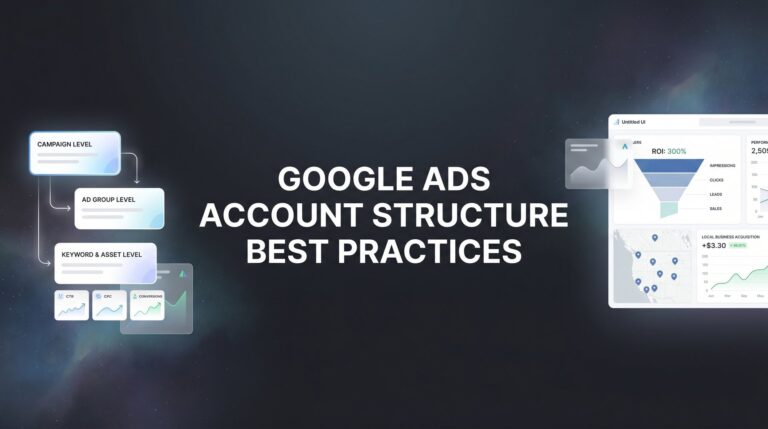
Step 2: Restructure Ad Groups Around Tight Keyword Themes
One of the most common reasons for low Ad Relevance scores is bloated ad groups. If you’ve got 30 keywords in a single ad group, you cannot write ad copy that’s genuinely relevant to all of them. You end up with generic ads that loosely apply to everything and are truly compelling for nothing.
The fix is a structure called Single Theme Ad Groups, often abbreviated as STAGs. The idea is straightforward: group 3 to 7 tightly related keywords into each ad group, then write ads specifically for that theme. When your keywords and ads are tightly aligned, Ad Relevance improves. When your ads are more specific to what someone searched, Expected CTR improves. Following Google Ads account structure best practices ensures both components move in the right direction at once.
Let’s make this concrete with a real-world example. Say you’re a plumber running a single ad group called “Plumbing Services” with keywords like emergency plumber, drain cleaning, water heater repair, pipe leak fix, and bathroom plumbing. You’ve written one set of ads trying to cover all of these. The problem is that someone searching “emergency plumber near me” has a completely different intent and urgency than someone searching “water heater repair cost.” A generic plumbing ad doesn’t speak to either of them particularly well.
Here’s how to restructure it:
Ad Group 1: Emergency Plumber — Keywords: emergency plumber, 24-hour plumber, emergency plumbing service. Ads focus on immediate availability, fast response times, and 24/7 service.
Ad Group 2: Drain Cleaning — Keywords: drain cleaning service, clogged drain, drain cleaning near me. Ads focus on clearing blockages quickly and preventing future clogs.
Ad Group 3: Water Heater Repair — Keywords: water heater repair, water heater not working, water heater service. Ads focus on diagnosing water heater problems and fast repair turnaround.
Each ad group now has ads that speak directly to what the searcher wants. That specificity is what drives higher click-through rates and better Ad Relevance scores.
When restructuring, you don’t need to rebuild your entire account overnight. Start with your highest-spend ad groups and work through them systematically. Identify the two or three distinct intent clusters within each bloated group, split them out, and write new ads for each. This single structural change often produces noticeable Quality Score improvements within a few weeks because Google can now clearly see the alignment between your keywords and your ads.
One practical note: as you create new ad groups, pause the old bloated ones rather than deleting them. Keep the historical data visible for reference, and let the new structure build its own performance history.
Step 3: Write Ads That Mirror Search Intent and Drive Clicks
Your ad copy does two jobs simultaneously: it signals relevance to Google, and it convinces a real human being to click. Get both right, and your Expected CTR and Ad Relevance scores climb together.
Start with Headline 1. This is the most prominent text in your ad and the single most impactful place to include your primary keyword. When someone searches “emergency plumber in Dallas” and your Headline 1 reads “Emergency Plumber in Dallas,” the visual match creates an immediate sense of relevance. Google bolds the matched terms, making your ad stand out. Don’t bury your keyword in a description line. Put it front and center.
Use Headline 2 to communicate your strongest differentiator or offer. What makes you the obvious choice? “Licensed, Insured, 45-Min Response” beats “Professional Plumbing Services” every time because it answers the question the searcher is really asking: why should I call you instead of someone else? Learning how to improve ad campaign performance starts with this kind of specificity in your messaging.
Your description lines should address the specific problem the searcher has and guide them toward a clear action. Avoid vague filler like “We provide quality services at competitive prices.” Instead, try something like “Clogged drains cleared same-day. Call now for a free estimate and 10% off your first service.” That speaks to a real problem, offers a real benefit, and tells them exactly what to do next.
Don’t overlook ad extensions. Sitelinks, callouts, structured snippets, call extensions, and location extensions all increase the physical size of your ad on the page and give searchers more reasons to click. More real estate means higher visibility, and higher visibility typically means better CTR. Google also factors the expected impact of your extensions into Ad Rank, so using them well has a double benefit.
For each ad group, set up at least three Responsive Search Ad (RSA) variations. RSAs let you provide up to 15 headlines and 4 descriptions, and Google’s system tests combinations to find what performs best. Over time, the system learns which combinations drive the highest CTR for your specific audience. Pin your primary keyword to Headline 1 position to ensure it always appears, then let the remaining headlines and descriptions rotate and optimize.
Review RSA performance monthly. Google provides an “Ad strength” indicator and shows which headline and description combinations are getting the most impressions. Use that data to retire weak copy and introduce new variations to test. This continuous testing cycle is how you push Expected CTR steadily higher over time.
Step 4: Build Landing Pages That Deliver on the Ad’s Promise
Your ad earned the click. Now your landing page has to close the deal. And if it doesn’t deliver on what your ad promised, you’ll pay for it twice: once with a lost lead, and again with a lower Landing Page Experience score that raises your CPCs.
Google evaluates landing pages based on three primary factors: relevance to the ad and keyword, transparency and trustworthiness, and ease of navigation. All three matter, but relevance is where most local businesses fall short.
The most common mistake is sending all ad traffic to your homepage. Your homepage is designed to introduce your entire business. It’s not designed to convert someone who just searched “emergency plumber near me” and needs help right now. That person needs to land on a page that immediately confirms they’re in the right place, explains exactly how you can help them, and makes it effortless to contact you. Mastering website conversion rate optimization is essential to making every landing page perform.
Match your landing page headline directly to your ad copy and keyword. If your ad headline says “Emergency Plumber in Dallas,” your landing page H1 should echo that language. This continuity reassures the visitor and signals to Google that the page delivers on the ad’s promise.
Page speed is non-negotiable. Google’s systems measure load time as part of Landing Page Experience, and slow pages hurt both your Quality Score and your conversion rate. Aim for a load time under three seconds on mobile. Use Google’s free PageSpeed Insights tool to check your current score and follow its specific recommendations. Common culprits include uncompressed images, render-blocking scripts, and excessive third-party plugins.
Mobile responsiveness is equally critical. A large portion of local service searches happen on smartphones, often from someone who needs help right now. If your landing page is difficult to navigate on a phone, you’re losing leads and hurting your Quality Score at the same time. A dedicated mobile ad optimization service can help ensure your pages perform flawlessly on small screens.
Above the fold, include your core offer, a clear headline, and a prominent call to action. A phone number that’s tap-to-call on mobile is essential for local service businesses. Below the fold, support the conversion with trust signals: customer reviews, industry certifications, guarantees, and photos of real work or your team.
The ideal setup is one dedicated landing page per tightly themed ad group. Your emergency plumber ad group points to an emergency plumber landing page. Your drain cleaning ad group points to a drain cleaning landing page. This level of alignment between keyword, ad, and landing page is what consistently produces high Landing Page Experience scores and strong conversion rates.
Step 5: Eliminate Wasted Clicks with Negative Keywords and Match Type Strategy
Here’s something that surprises many advertisers: irrelevant clicks don’t just waste your budget. They actively hurt your Quality Score. When someone clicks your ad and immediately bounces, or when your ad appears for an irrelevant search and nobody clicks, your Expected CTR takes a hit. And Expected CTR is widely considered the most heavily weighted of the three Quality Score components.
This means negative keyword management isn’t just a budget-saving exercise. It’s a Quality Score optimization strategy. If your ads are spending too much with no results, irrelevant search terms are often a major culprit.
Start with the Search Terms Report. In Google Ads, navigate to Keywords, then Search Terms. This report shows the actual queries that triggered your ads. Review it weekly, especially in the early weeks of a campaign or after any major changes. You’re looking for queries that have nothing to do with your business.
For a plumber, irrelevant queries might include things like “plumbing supply store,” “DIY pipe repair,” “plumber salary,” or searches for a competitor’s brand name. Every time your ad appears for these searches and either gets ignored or generates an unqualified click, your CTR metrics suffer.
Add irrelevant terms as negative keywords at the appropriate level. Some negatives make sense at the campaign level (blocking an entire category of irrelevant traffic). Others are specific enough to apply only at the ad group level. Build negative keyword lists proactively using common sense as well: if you’re a residential plumber, add “commercial” as a negative from day one. If you don’t sell plumbing supplies, add “supplies,” “parts,” and “wholesale” immediately.
Match types also play a significant role. Broad match keywords give Google wide latitude to show your ads for related searches, which can generate a lot of irrelevant impressions. For most local service campaigns, phrase match and exact match give you tighter control over relevance. Understanding how PPC advertising works at this level helps you make smarter match type decisions.
Tightening your match types and building out negative keyword lists works in two directions at once: it improves Quality Score by protecting your CTR, and it reduces wasted spend by eliminating clicks that were never going to convert. Few optimizations deliver this kind of double benefit.
Step 6: Monitor, Test, and Iterate Every Two Weeks
Quality Score isn’t something you fix once and forget. It’s a living metric that reflects ongoing performance, and it requires a consistent review cadence to keep improving.
Set a bi-weekly calendar reminder for your Google Ads review. Each session should cover four things: Quality Score trends by keyword, CTR changes at the ad and ad group level, conversion rates on your landing pages, and any new irrelevant search terms to add as negatives.
On the ad copy side, keep testing. Even when an RSA is performing well, introduce new headline and description variations every month or two. Small improvements in CTR compound over time. Running multivariate testing for landing pages can reveal which elements drive the biggest conversion lifts alongside your ad copy experiments.
For landing pages, revisit PageSpeed Insights every month. Page speed can degrade as you add new content, images, or plugins. Run your key landing pages through the tool and address any new issues that appear. Heatmap tools can also show you how visitors are actually interacting with your page: where they click, how far they scroll, and where they drop off. That behavioral data often reveals conversion problems that standard analytics miss.
On the keyword level, you’ll eventually face a decision about underperforming keywords. If a keyword has accumulated significant impressions with consistently low CTR and poor Quality Score despite your optimization efforts, it may be worth pausing. One important clarification: pausing a low-Quality-Score keyword does not improve your account-level Quality Score, because Quality Score is calculated independently at the keyword level. But pausing a keyword that’s dragging down your overall CTR metrics can indirectly benefit the performance signals Google measures. Knowing how to increase ROAS in PPC means making these tough calls based on data rather than gut feeling.
The advertisers who see the best long-term results from Google Ads aren’t necessarily the ones with the biggest budgets. They’re the ones who review their data consistently, make small improvements regularly, and let those improvements compound over months and years.
Your Quality Score Action Plan: Quick-Reference Checklist
Before wrapping up, here’s a condensed checklist you can use as a working reference as you move through these optimizations.
Step 1: Audit Quality Scores. Add Quality Score columns (including all three sub-components) to your Keywords view. Sort by score, lowest to highest. Prioritize high-spend keywords with scores of 5 or below. Export and save your baseline data.
Step 2: Restructure Ad Groups. Identify bloated ad groups with loosely related keywords. Split them into Single Theme Ad Groups of 3 to 7 tightly related keywords. Write new ads specific to each theme.
Step 3: Improve Ad Copy. Include your primary keyword in Headline 1. Use Headline 2 for your strongest differentiator. Write descriptions that address the searcher’s specific problem. Enable all relevant ad extensions. Set up at least 3 RSA variations per ad group.
Step 4: Optimize Landing Pages. Match landing page headlines to your ad copy and keyword. Ensure page load speed is under 3 seconds. Confirm full mobile responsiveness. Add trust signals above the fold. Create dedicated landing pages for each ad group theme.
Step 5: Manage Negative Keywords. Review the Search Terms Report weekly. Add irrelevant queries as negative keywords. Build campaign-level and account-level negative lists. Evaluate broad match keywords and shift to phrase or exact where appropriate.
Step 6: Review and Test Consistently. Set a bi-weekly optimization cadence. Track Quality Score trends, CTR changes, and conversion rates. Test new ad copy variations monthly. Re-check landing page speed and usability regularly.
Improving Quality Score is one of the highest-leverage activities available to you in Google Ads because the benefits compound. Lower CPCs mean your budget goes further. Better ad positions mean more visibility and more clicks. More relevant ads and landing pages mean more conversions. Each improvement reinforces the others, and the gap between your account and a poorly managed competitor widens over time.
The work isn’t glamorous. It’s structured, methodical, and ongoing. But for local businesses competing in paid search, it’s exactly the kind of work that separates campaigns that quietly drain budgets from campaigns that consistently generate qualified leads and real revenue.
Tired of spending money on marketing that doesn’t produce real revenue? Clicks Geek builds lead systems that turn traffic into qualified leads and measurable sales growth. If you want to see what this would look like for your business, we’ll walk you through how it works and break down what’s realistic in your market.