You’ve driven traffic to your website. Visitors browsed your services, maybe even added something to their cart—then vanished. Sound familiar? Here’s the reality: most first-time visitors don’t convert. They need multiple touchpoints before they’re ready to buy.
That’s where retargeting campaigns come in, and when done right, they’re one of the highest-ROI tactics in digital marketing.
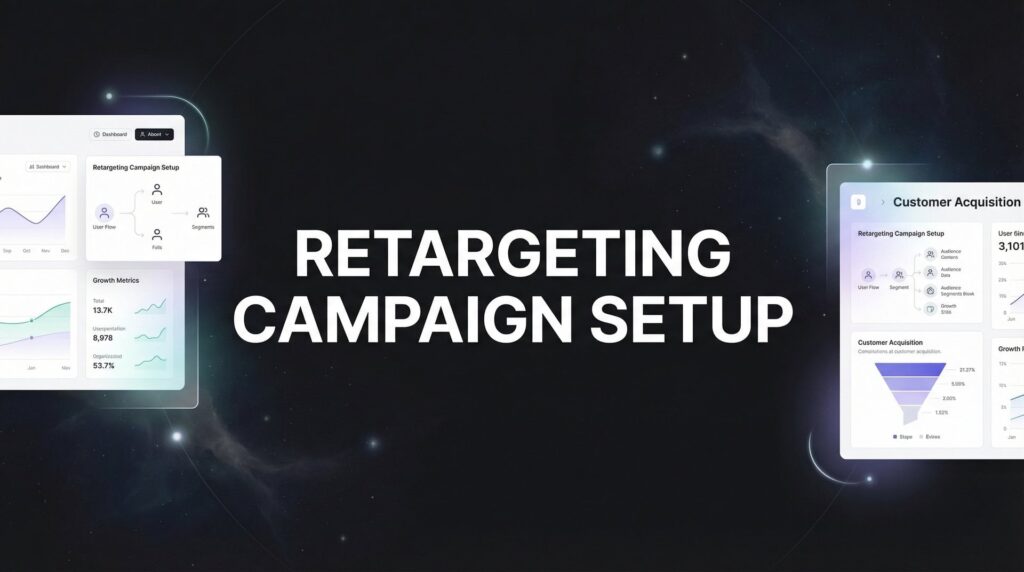
This guide walks you through exactly how to set up a retargeting campaign from scratch—no fluff, no theory overload. Whether you’re a local business owner trying to recapture lost leads or a marketing team looking to tighten up your funnel, you’ll have a working retargeting campaign by the end of this article.
We’ll cover platform selection, pixel installation, audience segmentation, ad creative, and the optimization moves that separate profitable campaigns from money pits. Let’s get started.
Step 1: Choose Your Retargeting Platform Based on Your Audience
Not all retargeting platforms are created equal. Where you run your campaigns matters more than how much you spend.
Google Ads Display Network reaches over 90% of internet users across millions of websites. It’s ideal when you want broad reach and your audience consumes content across diverse sites. The visual banner format works well for brand awareness and keeping your business top-of-mind.
Meta (Facebook and Instagram) dominates for local businesses and direct-to-consumer brands. People spend hours scrolling these platforms daily, creating multiple opportunities to reconnect. The targeting precision is exceptional, and the cost per thousand impressions (CPM) often runs lower than Google Display—especially for local service businesses.
LinkedIn becomes essential for B2B companies with longer sales cycles. When you’re selling to decision-makers who research during work hours, meeting them on a professional platform makes sense. Expect higher costs, but the lead quality typically justifies the investment.
Here’s the thing: your platform choice should match where your specific audience actually spends time. A roofing company targeting homeowners? Meta wins. A SaaS company selling to marketing directors? LinkedIn delivers better results.
Budget Reality Check: Meta often provides the best starting point for businesses with limited budgets. You can launch meaningful campaigns with smaller daily spends compared to Google or LinkedIn.
Before committing to any platform, verify you have sufficient traffic volume. Most platforms need at least 1,000 monthly visitors to build audiences large enough for the algorithms to optimize effectively. Below that threshold, you’ll struggle to exit the learning phase and see consistent results.
If you’re running multiple traffic sources already, consider a multi-platform approach. Different people respond to different environments—someone might ignore your Facebook ad but click your display banner on a news site they trust.
Step 2: Install Your Tracking Pixel Correctly
Your tracking pixel is the foundation of everything. Get this wrong, and your entire retargeting campaign crumbles. Get it right, and you unlock precise audience building and conversion tracking.
Start by accessing your pixel setup in your platform’s ads manager. For Meta, navigate to Events Manager. For Google Ads, you’ll work with Google Tag Manager and create your remarketing tag.
Use Google Tag Manager for Installation: Even if you’re only running Meta ads right now, install your pixels through Google Tag Manager (GTM). This gives you flexibility to add more platforms later without touching your website code repeatedly. Your developer will thank you.
The installation happens in two layers. First, place the base pixel site-wide. This fires on every page and tracks all visitors to your site. Think of it as your net—it catches everyone who shows up.
Second, add event tracking for specific actions that matter to your business. Form submissions, purchases, phone clicks, video views, PDF downloads—whatever signals buying intent in your industry. These events let you build hyper-targeted audiences later.
For a local service business, critical events might include: contact form submission, phone number click, service page view lasting more than 30 seconds, and pricing page visits. An e-commerce site needs: add to cart, initiate checkout, purchase completion, and product page views.
After installation, verification is non-negotiable. For Meta, install the Meta Pixel Helper Chrome extension and browse your site. You should see the pixel firing with a green checkmark. For Google, use Google Tag Assistant to confirm your tags are active.
Test your event tracking by completing the actions yourself. Submit a test form. Click the phone number. Add something to your cart. Then check your platform’s events dashboard to confirm everything registered correctly.
Common installation mistakes kill campaigns before they start. Make sure your pixel fires on every page, not just your homepage. Verify events trigger at the right moment—not too early, not too late. Double-check that you’re not accidentally blocking your own pixel with privacy settings or ad blockers during testing.
Give your pixel at least 24-48 hours to start collecting data before building audiences. The platforms need time to accumulate enough visitors to work with.
Step 3: Build Strategic Audience Segments
This is where amateur campaigns fail and professional ones print money. Treating all past visitors the same wastes your budget and annoys potential customers.
Start with behavior-based segments that reflect where people are in your buying journey. Create separate audiences for all website visitors, specific product or service page viewers, cart abandoners, and past customers. Each group needs different messaging because they’re at different stages.
All Visitors (30-90 days): Your broadest audience. These people showed initial interest but need education and trust-building. Use this for brand awareness and general value propositions.
Product/Service Page Viewers (7-30 days): They explored specific solutions. They’re warmer. Show them social proof, detailed benefits, and address common objections related to what they viewed.
Cart Abandoners (1-7 days): Hot leads who got close but didn’t finish. These people need urgency, incentives, or reassurance. This audience typically converts at the highest rate when you get the messaging right.
Past Customers (30-180 days): Don’t ignore people who already bought from you. Retarget them with complementary services, upgrades, or seasonal offers. Existing customers cost less to convert than new ones.
Lookback windows matter more than most people realize. A 7-day window captures hot leads actively researching right now. A 30-day window includes warm prospects who might need more time. A 90-day window casts a wider net but includes colder traffic.
Match your lookback window to your sales cycle. Selling emergency plumbing repairs? Keep it tight—7 to 14 days. Selling kitchen remodels with a longer consideration period? 30 to 60 days makes sense.
Here’s a critical step most businesses skip: exclude recent converters. If someone hired you last week, stop showing them ads to hire you. It wastes money and creates a poor customer experience. Set up exclusion audiences for anyone who completed your conversion event in the last 30-90 days.
Once you’ve built your core segments, create lookalike or similar audiences from your best customers. Upload your customer list or use your website converters as a seed audience. The platform’s algorithm finds new people who match those characteristics. This extends your reach beyond just retargeting.
Start with your highest-value segments first. If you have limited budget, prioritize cart abandoners and service page viewers over general site visitors. You’ll see better immediate returns.
Step 4: Create Ad Creative That Addresses Objections
Your ad creative needs to meet people where they are in their decision-making process. Generic messaging gets ignored. Specific, relevant messaging converts.
For general website visitors who only browsed your homepage, focus on education and credibility. Answer the question: “Why should I trust you?” Use customer testimonials, years in business, certifications, or awards. Keep the ask simple—visit the site again, read a case study, watch a video.
For people who viewed specific service or product pages, acknowledge what they were researching. “Still thinking about your kitchen remodel?” or “Ready to fix that leaky roof?” works better than generic brand messaging. Address the specific objections related to that service: cost concerns, timeline questions, or quality guarantees.
Cart abandoners need a different approach entirely. They were ready to buy but something stopped them. Your creative should create urgency or remove friction. Limited-time discounts, free shipping, payment plans, money-back guarantees—whatever removes the barrier that stopped them. For online stores, retargeting campaigns for ecommerce require specialized strategies to recover abandoned purchases.
Social Proof Works Everywhere: Regardless of segment, incorporating customer results, reviews, or before-and-after examples increases trust. People want proof that others like them got results.
Design multiple ad formats for testing. Static images load fast and work well for simple messages. Carousels let you showcase multiple services, products, or customer results in one ad. Video creates deeper engagement and lets you explain complex value propositions.
Your call-to-action should match the user’s readiness to buy. Cold traffic gets softer CTAs: “Learn More” or “See How It Works.” Warm traffic can handle: “Get Your Free Quote” or “Schedule Your Consultation.” Hot cart abandoners deserve direct asks: “Complete Your Order” or “Claim Your Discount.”
Keep your creative fresh. Plan to produce 3-5 variations for each audience segment. You’ll test them against each other and need replacements when ad fatigue sets in after a few weeks of exposure.
Write headlines that call out the specific audience. “Left something in your cart?” immediately identifies who the ad is for. “Homeowners in [City]: Is your roof ready for winter?” speaks directly to a defined group. Specific beats generic every time.
Step 5: Configure Campaign Settings for Maximum ROI
Your campaign settings determine whether you’re efficiently spending money or lighting it on fire. Small configuration choices create massive performance differences.
Set frequency caps immediately. Without them, the same person sees your ad 47 times in three days, gets annoyed, and develops negative associations with your brand. A frequency cap of 3-7 impressions per person per week typically balances visibility with avoiding fatigue.
Bidding strategy depends on your experience level and campaign maturity. If you’re new to retargeting, start with automatic bidding. Let the platform’s algorithm optimize toward your goal while you learn what works. Once you have conversion data and understand your numbers, manual bidding gives you more control over costs.
Budget Reality: Set daily budgets high enough to exit the learning phase quickly. Platforms need volume to optimize. If you’re running Meta ads, aim for at least 50 conversions per week across your account. Spreading $10/day across five campaigns starves each one—consolidate your budget for better results.
For most local service businesses, starting with $30-50 per day per platform provides enough data to optimize within two weeks. E-commerce businesses with higher transaction volumes might need $100+ daily to see meaningful patterns.
Enable conversion tracking and select the right attribution window for your sales cycle. If people typically buy within a few days of clicking your ad, a 7-day click attribution window works. If you’re selling high-ticket services where people research for weeks, extend to 28-day click and include view-through conversions.
Choose your campaign objective carefully. If you want leads, select the lead generation or conversions objective—not traffic or engagement. The platform optimizes toward whatever you tell it matters. Tell it the wrong thing, and you’ll get lots of cheap clicks from people who never convert. Understanding what performance marketing actually means helps you set objectives that align with real business outcomes.
Schedule your ads based on when your business can actually respond to leads. Running ads 24/7 when you only answer phones 9-5 on weekdays wastes money on late-night clicks that go nowhere. Match your ad schedule to your operational capacity.
Start with placement optimization set to automatic, then review performance by placement after a week. You might discover your ads perform great on Instagram but terribly on Facebook, or vice versa. Use that data to refine.
Step 6: Launch, Monitor, and Optimize Based on Data
You’ve built your audiences, created your ads, and configured your settings. Now comes the part that separates profitable campaigns from expensive experiments: disciplined optimization.
Let your campaigns run for 7-14 days before making major changes. Platforms need time to learn and optimize. Making daily tweaks resets the learning phase and prevents the algorithm from finding patterns. Resist the urge to panic and change everything after two days of data.
Track the metrics that actually matter to your business. Click-through rate (CTR) indicates whether your creative resonates. Conversion rate shows whether your landing page and offer match what the ad promised. Cost per conversion tells you if the campaign is profitable. Return on ad spend (ROAS) reveals the bigger picture of revenue generated.
A 2% CTR might be excellent for cold traffic but mediocre for cart abandoners. A $50 cost per lead might be fantastic if your average customer value is $5,000 but terrible if it’s $200. Context matters—compare your numbers to your business economics, not arbitrary industry benchmarks.
Kill Underperformers, Scale Winners: After your initial testing period, identify which ad variations and audience segments are delivering results. Turn off the worst performers and increase budget on the winners. This isn’t complicated—put more money behind what’s working.
Refresh your creative every 2-4 weeks. Even winning ads experience fatigue as your audience sees them repeatedly. Monitor your frequency metrics—when the same people have seen your ad 8-10 times and performance drops, it’s time for new creative.
Test audience exclusions to improve efficiency. If you notice certain segments convert poorly, exclude them. If people who only visited your blog never convert, stop retargeting them. Refine your segments based on actual behavior, not assumptions.
Expand successful campaigns strategically. Once you’ve proven an audience segment and creative combination works, create lookalike audiences to find more similar people. Increase budgets gradually—doubling your spend overnight can destabilize performance.
Review your campaigns weekly at minimum. Check for delivery issues, budget pacing problems, or sudden performance changes. Monthly, do a deeper analysis of trends, creative fatigue, and audience segment performance. For comprehensive guidance on marketing campaign optimization, focus on the metrics that directly impact your bottom line.
Document what you learn. When you discover that cart abandoners convert best with a 10% discount offer, write that down. When you find that video ads outperform static images for service page viewers, record it. Build your own playbook based on real data from your business.
Your Retargeting Campaign Checklist
You now have a complete framework for launching retargeting campaigns that bring back lost visitors and convert them into customers. Before you launch, run through this checklist:
Technical Foundation: Pixel installed site-wide and verified. Event tracking configured for key actions. Test conversions confirmed in platform dashboard. Proper Google Analytics setup ensures you can track which marketing dollars actually make you money.
Audience Setup: Behavior-based segments created with appropriate lookback windows. Recent converters excluded from all campaigns. Minimum audience sizes met for optimization.
Creative Assets: Multiple ad variations designed for each audience segment. Messaging addresses specific objections based on user behavior. CTAs matched to readiness level.
Campaign Configuration: Frequency caps set to prevent ad fatigue. Budgets allocated for quick learning phase exit. Conversion tracking enabled with correct attribution window. Ad scheduling aligned with business operations.
Remember—retargeting isn’t set-it-and-forget-it. The businesses seeing the best results review performance weekly, refresh creative monthly, and continuously refine their audience segments based on what the data reveals.
Your first campaign won’t be perfect. You’ll discover which segments convert best for your specific business. You’ll learn which creative angles resonate with your audience. You’ll refine your approach based on real results, not guesses.
That’s exactly how it should work. Launch, measure, optimize, repeat.
If managing all this while running your business sounds overwhelming, that’s exactly why agencies like Clicks Geek exist. We handle the technical setup, creative strategy, and ongoing optimization so you can focus on serving the customers we help you win back. If you want to see what this would look like for your business, we’ll walk you through how it works and break down what’s realistic in your market.
The visitors are already there. They’ve already shown interest. Now go bring them back and convert them into revenue.