
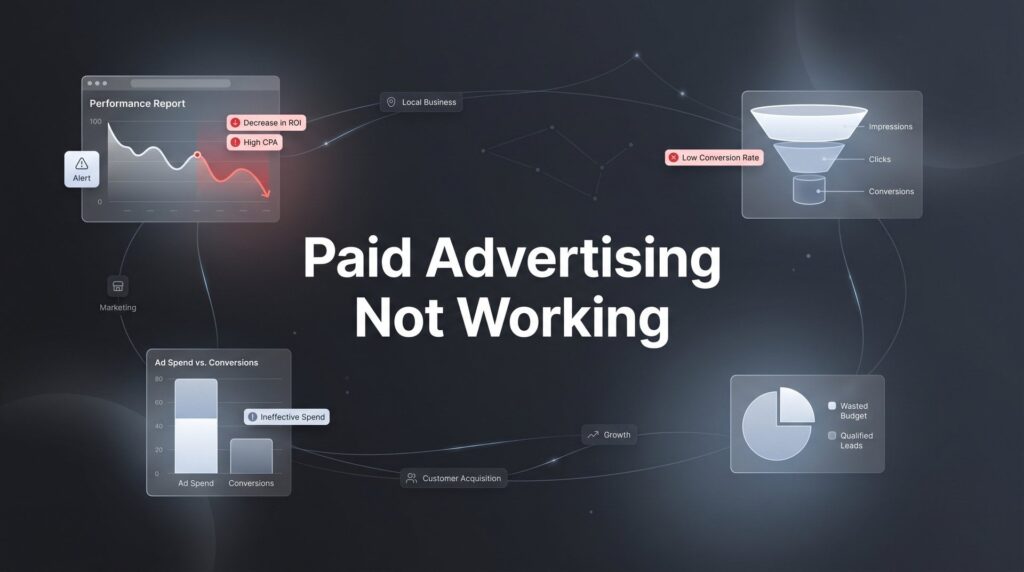
You’re spending money on paid advertising, but the results aren’t there. Leads are expensive, conversions are low, and you’re starting to wonder if digital advertising even works for your business.
Here’s the truth: paid advertising absolutely works—but only when the fundamentals are right.
The problem isn’t usually the platform or even your budget. It’s typically a breakdown somewhere in the system between your ad and your customer’s decision to buy. Maybe your targeting is reaching people who will never become customers. Perhaps your landing page loads so slowly that half your visitors bounce before seeing your offer. Or your tracking might be broken, feeding you false data that leads to terrible optimization decisions.
This guide walks you through a systematic diagnostic process to identify exactly why your paid advertising isn’t delivering and how to fix it. We’ll cover the six critical checkpoints that determine whether your campaigns succeed or fail, from targeting accuracy to landing page performance to tracking setup.
By the end, you’ll have a clear action plan to turn your underperforming campaigns into profitable customer acquisition machines. Let’s get started.
Step 1: Audit Your Targeting to Stop Wasting Budget on Wrong Audiences
The fastest way to burn through your advertising budget is to show your ads to people who will never buy from you. Yet this is exactly what happens when targeting settings drift too broad or when you haven’t properly defined who your ideal customer actually is.
Start by pulling your audience demographic data from your ad platform. Compare what you see against your actual customer profile. If you’re a premium service provider but 60% of your impressions are going to the lowest income bracket, you’ve found your problem. If you serve customers in a specific city but your geographic targeting includes the entire metro area, you’re paying for clicks from people you can’t help.
Next, dive into your audience expansion settings. Many platforms automatically enable features that “find similar audiences” or “expand targeting to improve performance.” While these sound helpful, they often dilute your targeting precision dramatically. Your carefully selected audience of business owners interested in accounting software suddenly expands to include anyone who’s ever clicked on a business-related article. This is a common reason why online advertising fails to reach your target audience.
For search campaigns, your search term report is gold. This shows you the actual queries triggering your ads, not just the keywords you bid on. You’ll often discover that broad match keywords are matching to completely irrelevant searches. One local HVAC company found their “air conditioning repair” campaign was triggering for searches like “car air conditioning” and “air conditioning history”—wasting hundreds of dollars weekly on clicks that would never convert.
Check your negative keyword lists too. These should be comprehensive and constantly updated. If you don’t serve residential customers, “residential” should be a negative keyword. If you’re not the cheapest option, “cheap” and “discount” should be excluded. Every irrelevant click is money that could have gone toward reaching someone ready to buy.
Geographic targeting deserves special attention. Verify that your ads only show in areas where you actually serve customers. A common mistake is setting targeting too wide “just in case” someone from outside your service area might be interested. They might be interested, but if you can’t serve them, that interest is worthless.
Success indicator: When you review your impression data, at least 80% should be reaching people who match your ideal customer profile in demographics, location, and intent. If you’re below this threshold, tighten your targeting before spending another dollar on creative or landing pages.
Step 2: Evaluate Your Ad Creative and Messaging Alignment
Your targeting might be perfect, but if your ad doesn’t compel someone to click, you’re invisible. Worse, if your ad promises something your business doesn’t deliver, you’ll get clicks that never convert—expensive traffic that damages your campaign performance.
Start by searching for your own keywords and looking at what competitors are saying in their ads. Write down the common themes. Now look at your ads. Are you saying the exact same thing as everyone else? If your headline is “Quality HVAC Services” and so is everyone else’s, you’re competing purely on position and price. Find what makes you different and lead with that.
Your value proposition needs to be crystal clear within three seconds of someone seeing your ad. That’s how long you have to capture attention. “We fix broken air conditioners” isn’t a value proposition—it’s a job description. “Same-day AC repair with upfront pricing—no surprises” is a value proposition. It tells someone exactly what they get and why they should choose you.
Message match matters enormously. If someone searches “emergency plumber near me” and your ad says “Schedule Your Plumbing Maintenance,” there’s a disconnect. They need help now, not next week. Your ad should mirror the urgency and intent behind the search. For social media ads, this means understanding the mindset of someone scrolling their feed versus actively searching for a solution.
Test your call-to-action against this simple question: Does it create clarity and urgency? “Learn More” creates neither. “Get Your Free Quote in 60 Seconds” creates both. The person knows exactly what happens when they click and why they should do it now rather than later. If you’re new to running campaigns, our beginner’s guide to paid search covers these fundamentals in detail.
Look at your click-through rates compared to industry benchmarks. For search ads, anything below 3% typically indicates messaging problems. For display and social ads, benchmarks are lower (often 0.5-1%), but you should still be meeting or exceeding them. If you’re significantly below benchmark, your creative isn’t resonating.
One quick test: Show your ad to someone unfamiliar with your business and ask them what they think you’re offering and why they’d click. If they can’t articulate it clearly, your messaging needs work.
Success indicator: Your click-through rates should meet or exceed industry benchmarks for your platform and ad type, and the people clicking should be the right audience based on subsequent conversion data. High CTR with low conversion rate often means your ad is misleading or attracting the wrong people.
Step 3: Diagnose Your Landing Page for Conversion Killers
You’re paying for every click that hits your landing page. If that page doesn’t convert visitors into leads or customers, you’re essentially lighting money on fire. The brutal truth is that most landing pages have multiple conversion killers that advertisers never identify because they focus on the ads instead of what happens after the click.
Start with page speed. Run your landing page through Google PageSpeed Insights or GTmetrix right now. If your page takes longer than three seconds to load, you’re losing a significant portion of your traffic before they even see your offer. Mobile users are even less patient. A five-second load time can cut your conversion rate in half compared to a two-second load time.
Common speed killers include oversized images, too many tracking scripts, and bloated page builders. Compress your images. Remove unnecessary scripts. If your page is built on a platform like WordPress with a heavy theme, consider creating a stripped-down landing page specifically for ads.
Next, check message match between your ad and your landing page headline. If your ad promised “same-day service” but your landing page headline says “professional services you can trust,” you’ve broken the continuity. Visitors experience cognitive dissonance—they clicked for one thing and landed somewhere that feels different. Your landing page headline should echo the promise from your ad almost word-for-word.
Evaluate your form and conversion process for unnecessary friction. Every field you add to a form reduces completion rates. Do you really need their company size, industry, and job title to start a conversation? Or would name, email, and phone number be enough? One business reduced their form from nine fields to four and saw conversions increase by 47% overnight. When ads aren’t converting to sales, the landing page is often the culprit.
The mobile experience deserves separate testing because most of your traffic probably comes from mobile devices. Pull up your landing page on your phone right now. Is the text readable without zooming? Are the buttons big enough to tap easily? Does the form work smoothly on a small screen? Many landing pages that look great on desktop are nearly unusable on mobile.
Look for trust signals and social proof. If you’re asking someone to share their contact information or make a purchase, they need reasons to trust you. Customer testimonials, industry certifications, years in business, or recognizable client logos all help. But don’t overdo it—too many trust badges can actually reduce credibility.
Test your conversion path yourself. Fill out your own form. Make sure the thank-you page loads correctly. Verify you receive the confirmation email. Check that the lead appears in your CRM. You’d be surprised how often this process breaks somewhere, and you’re paying for leads that never actually reach your sales team.
Success indicator: For lead generation campaigns, your landing page should convert at least 3-5% of visitors. For e-commerce, 2-3% is a reasonable baseline. If you’re below these thresholds, your landing page needs optimization before you scale your ad spend.
Step 4: Verify Your Tracking Setup Isn’t Lying to You
Here’s a scenario that happens more often than you’d think: An advertiser looks at their campaign dashboard and sees 50 conversions this month. They feel pretty good about it. Then they check their CRM and find only 23 actual leads. Where did the other 27 conversions go?
The answer is usually broken tracking, duplicate counting, or misconfigured conversion events. And when your data is wrong, every optimization decision you make is based on lies.
Start by confirming your conversion tracking fires correctly. For Google Ads, use the Google Tag Assistant browser extension to verify your conversion tags load when someone completes your desired action. For Facebook, use the Facebook Pixel Helper. Load your thank-you page or confirmation page and check that the conversion event fires. If it doesn’t, you’re not tracking conversions at all—you’re just guessing.
Check for duplicate conversion counting. This happens when you have multiple tracking codes on the same page or when conversion events fire multiple times for a single action. Open your thank-you page and look at the source code. If you see the same conversion pixel twice, you’re double-counting. Your 50 conversions might actually be 25 conversions counted twice.
Attribution settings determine which touchpoint gets credit for a conversion. If you’re using last-click attribution but your sales cycle typically involves multiple touchpoints over several days, you’re not seeing the full picture. Someone might click your ad on Monday, research competitors, then return directly to your site on Friday to convert. Last-click attribution gives zero credit to your ad, even though it started the journey. This disconnect often explains why your advertising budget isn’t generating ROI.
For businesses with longer sales cycles, consider data-driven or first-click attribution models. These provide a more accurate view of how your ads contribute to conversions. But make sure your attribution window matches your actual sales cycle. If people typically convert within seven days but your attribution window is set to one day, you’re missing most of your conversions.
Test the full conversion path yourself, just like you did for the landing page. But this time, verify that your test conversion shows up in your ad platform’s conversion report. Wait 24-48 hours if necessary for the data to process. If your test conversion doesn’t appear, your tracking is broken.
Cross-reference your ad platform data with your CRM or lead management system regularly. Your tracked conversions should match your actual leads within a reasonable margin (5-10% variance is normal due to spam submissions or tracking delays). If there’s a major discrepancy, investigate immediately.
Success indicator: The number of conversions tracked in your ad platform should align closely with the actual leads or sales in your CRM. If you’re seeing significant differences, stop optimizing campaigns until you fix your tracking—otherwise you’re making decisions based on false information.
Step 5: Restructure Campaigns for Better Budget Allocation
Even with perfect targeting, compelling ads, optimized landing pages, and accurate tracking, you can still waste money if your budget flows to the wrong places. Many advertisers spread their budget evenly across all campaigns or let automated bidding systems make allocation decisions without understanding what’s actually driving results.
Start by identifying your top performers. Pull a report showing cost per acquisition or return on ad spend for each campaign, ad group, and keyword. Sort by performance. You’ll typically find that 20% of your campaigns drive 80% of your profitable conversions. These high performers deserve more budget. The bottom performers deserve less or should be paused entirely.
Look for consistently underperforming segments that you keep funding out of hope rather than data. That experimental campaign you launched six months ago that’s never generated a profitable conversion? Pause it. The broad match keywords with terrible conversion rates that you keep because they drive traffic? Pause them. Redirect that budget to what’s proven to work. Understanding how to optimize paid advertising starts with ruthless budget reallocation.
Separate your branded campaigns from non-branded campaigns. Branded campaigns (where people search for your company name) typically have much higher conversion rates and lower costs. When these are mixed with non-branded campaigns, they can mask poor performance in your generic keyword campaigns. Separating them gives you clearer visibility into what’s actually working.
Review your bidding strategies based on actual conversion data, not vanity metrics like impressions or clicks. A campaign with a high click-through rate means nothing if those clicks don’t convert. Focus your optimization on cost per acquisition and conversion rate. If a campaign consistently delivers leads at $50 each while your target is $75, increase its budget. If another campaign delivers leads at $150 each, reduce its budget or fix it before spending more.
Consider the lifetime value of customers from different campaigns. Not all conversions are equal. If your branded search campaigns attract customers who spend more and stay longer, they might justify a higher cost per acquisition than campaigns targeting cold prospects. Use this insight to inform your budget allocation.
Set up campaign-level budget caps to prevent runaway spending on underperformers. Automated bidding can quickly burn through budget on poor-performing campaigns if you’re not careful. Daily budget limits protect you while you optimize.
Success indicator: Your cost per acquisition should decrease or remain stable while lead volume maintains or grows. This indicates you’re successfully shifting budget toward better-performing campaigns. If CPA increases while volume stays flat, you’re allocating budget poorly.
Step 6: Implement a Testing Framework for Continuous Improvement
The difference between campaigns that improve over time and those that stagnate is systematic testing. Most advertisers make random changes when they feel like it, then can’t tell what actually improved performance because they changed five things at once.
Set up proper A/B tests with clear hypotheses. “I think changing the headline will improve click-through rate” is a hypothesis. “I’m going to change a bunch of stuff and see what happens” is not. Test one element at a time—either ad copy, landing page design, targeting, or bidding strategy. Never test multiple elements simultaneously unless you have enough traffic volume to run multivariate tests.
Establish baseline metrics before making any changes. Document your current click-through rate, conversion rate, and cost per acquisition. After implementing your test, compare results against this baseline. Without a baseline, you’re guessing whether your change helped or hurt.
Create a testing calendar to systematically improve one element at a time. Month one: test three different ad headline approaches. Month two: test landing page layouts. Month three: test audience segments. This structured approach ensures you’re always optimizing while maintaining enough consistency to measure real impact. Once you’ve mastered the basics, you can learn how to scale paid advertising profitably.
Let tests run long enough to reach statistical significance. A common mistake is declaring a winner after two days and 50 clicks. You need sufficient data volume to know whether performance differences are real or just random variation. For most small to medium campaigns, this means running tests for at least two weeks or until you have at least 100 conversions per variation.
Document your learnings in a simple spreadsheet or document. Record what you tested, what the results were, and what you learned. Over time, this builds institutional knowledge about what works for your specific business and audience. You’ll start seeing patterns—maybe questions in headlines always outperform statements, or maybe video ads consistently beat image ads for your audience.
Don’t just test ads and landing pages. Test different offers, different lead magnets, different calls-to-action. Sometimes the biggest improvements come from offering something different rather than saying the same thing better.
Success indicator: You should see month-over-month improvement in at least one key metric (CTR, conversion rate, or CPA). If you’re testing systematically and still seeing no improvement after three months, you may have fundamental business model or product-market fit issues that advertising can’t solve.
Your Recovery Checklist and Next Steps
Fixing paid advertising that’s not working isn’t about throwing more money at the problem or jumping to a new platform. It’s about systematically diagnosing where the breakdown occurs and addressing it directly.
Use this checklist to guide your recovery:
✓ Targeting reaches your actual ideal customers with minimal waste
✓ Ad creative differentiates your business and compels qualified clicks
✓ Landing pages load fast and convert visitors efficiently
✓ Tracking accurately measures real results and informs decisions
✓ Budget flows to proven performers while underperformers are paused or fixed
✓ Testing drives ongoing optimization based on data, not guesses
Work through these steps in order. Don’t skip ahead to testing new ad copy if your targeting is fundamentally broken. Don’t obsess over landing page design if your tracking isn’t working. Each step builds on the previous one.
Most businesses can implement these fixes themselves if they’re willing to invest the time to learn their ad platforms and analyze their data honestly. But if you’ve worked through these steps and still aren’t seeing results, it may be time for a professional audit.
At Clicks Geek, we specialize in diagnosing and fixing underperforming paid advertising campaigns for local businesses. We’ve seen every possible way campaigns can break, and we know how to fix them. If you want to see what this would look like for your business, we’ll walk you through how it works and break down what’s realistic in your market. We’ll give you a clear roadmap to profitability, whether you implement it yourself or work with us.
The bottom line: paid advertising works when the fundamentals are right. Fix the fundamentals, and your campaigns will start delivering the results you expected when you first invested in them.


