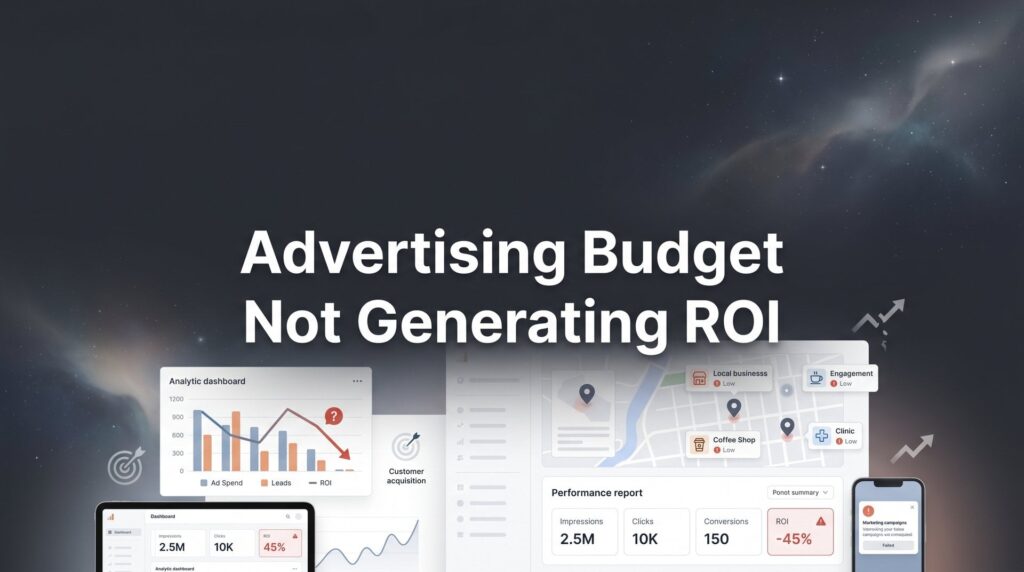
You’re spending money on ads every month, but the leads aren’t coming in—or worse, the leads you get never turn into paying customers. Your advertising budget isn’t generating ROI, and you’re starting to wonder if digital marketing even works for your business.
Here’s the truth: the problem isn’t advertising itself. The problem is how your campaigns are set up, targeted, and optimized.
Most local businesses we work with at Clicks Geek come to us after burning through thousands of dollars on poorly managed campaigns. The good news? Fixing a broken advertising strategy isn’t complicated once you know where to look.
This step-by-step guide will walk you through exactly how to diagnose why your ad spend isn’t producing results and implement the changes that will turn your budget into actual revenue. Whether you’re running Google Ads, Facebook campaigns, or both, these seven steps will help you stop the bleeding and start seeing real ROI from your advertising investment.
Step 1: Audit Your Conversion Tracking Setup
Before you change a single thing about your campaigns, you need to verify that you’re actually measuring results correctly. This is where most businesses get it wrong from day one.
Broken or missing conversion tracking is the number one reason business owners think their ads don’t work. You might be generating leads right now and not even know it because your tracking isn’t capturing them.
Start by checking your Google Ads conversion tracking. Log into your account and navigate to Tools & Settings, then Conversions. You should see conversion actions set up for every meaningful action: form submissions, phone calls, purchases, quote requests. Click on each conversion action and verify it’s receiving data. If you see zero conversions over the past 30 days but you know people are contacting you, your tracking is broken.
Next, verify your Facebook Pixel is firing correctly. Install the Facebook Pixel Helper Chrome extension and visit your landing pages. The extension will show you which events are firing and whether there are any errors. You should see a PageView event when someone lands on your page and a Lead or Purchase event when they complete your desired action.
Common tracking mistakes we see constantly: tracking page views instead of actual form submissions, missing phone call conversions entirely, counting the same conversion multiple times, and failing to integrate your CRM with your ad platforms. Each of these issues makes your campaigns look worse than they actually are. Learning how to track marketing ROI properly is essential for accurate campaign assessment.
Phone call tracking deserves special attention. Many local businesses generate most of their leads through phone calls, yet they’re not tracking them. Use call tracking software that integrates with Google Ads, or at minimum, set up Google forwarding numbers so you can see which campaigns drive calls.
Use Google Tag Assistant to verify your Google Ads tags are firing on the right pages. Visit your thank-you page or confirmation page and check that the conversion tag fires. If it doesn’t, you’re flying blind.
Here’s your success indicator for this step: you can log into your ad platform and see exactly how many leads each campaign, ad group, and keyword generates. If you can’t do that right now, everything else you do will be guesswork.
Step 2: Analyze Your Traffic Quality and Targeting
Now that you know your tracking works, it’s time to figure out if you’re attracting the right people in the first place. Getting clicks is easy. Getting clicks from people who might actually buy from you is the real challenge.
Start with your Google Ads search term report. This shows you the actual phrases people typed before clicking your ads. Navigate to Keywords, then Search Terms, and look at the past 30 days. You’ll probably be shocked at what you find.
We regularly see businesses wasting 40-60% of their budget on completely irrelevant searches. A plumber bidding on “plumbing services” might be getting clicks from people searching “plumbing services salary” or “plumbing services business plan template.” These clicks cost money but will never convert.
Review every search term that generated a click. Ask yourself: would someone searching this phrase be a potential customer? If not, add it as a negative keyword immediately. Build a comprehensive negative keyword list including terms like “jobs,” “salary,” “free,” “DIY,” “how to,” “training,” and “course” unless those are actually relevant to your business.
Geographic targeting is another massive budget killer. Check your campaign settings and verify you’re only targeting locations you actually serve. Then, go to Locations in your reporting and see where your clicks are actually coming from. You might discover you’re getting clicks from cities or states you don’t even operate in. This is a common reason why online advertising isn’t reaching your target audience.
For Facebook campaigns, evaluate your audience targeting with equal scrutiny. Are you reaching business owners or random consumers? Are you targeting people based on actual buying signals or just general interests? Interest-based targeting on Facebook often attracts browsers, not buyers.
Look at your demographic data. If you’re a B2B service but most of your clicks come from 18-24 year olds, something’s wrong with your targeting. If you serve homeowners but you’re getting clicks from renters, you need to refine your approach.
Check your device performance. Navigate to Devices in your reporting and compare conversion rates across desktop, mobile, and tablet. If mobile converts at half the rate of desktop but gets 70% of your clicks, you’re wasting money on a poorly optimized mobile experience.
Your success indicator here: your traffic aligns with your ideal customer profile and service area. Every click should come from someone who could realistically become a customer.
Step 3: Evaluate Your Landing Page Performance
You’ve verified your tracking works and your targeting is solid. Now let’s talk about where you’re sending that traffic, because this is where many campaigns fall apart.
Sending paid traffic to your homepage is like inviting someone to your store, then making them wander around to find what they came for. It kills conversions. Your landing page should be a dedicated, focused page that matches the promise of your ad and guides visitors toward one specific action.
Start by checking your page load speed. Use Google PageSpeed Insights and enter your landing page URL. If your page takes longer than three seconds to load, you’re losing potential customers before they even see your offer. Mobile users are especially impatient. Compress images, minimize code, and use a quality hosting provider.
Evaluate your landing page structure. The best converting pages follow a clear pattern: a headline that matches the ad promise, a subheadline that expands on the value, trust signals like reviews or certifications, a single clear call-to-action, and minimal distractions. If your website isn’t generating leads, your landing page structure is likely the culprit.
Your headline should directly address the problem your ad mentioned. If your ad says “Get Your Kitchen Remodeled in 3 Weeks,” your landing page headline better say something similar. Disconnect between ad and landing page creates confusion and drives people away.
Check your call-to-action. Is it obvious what you want people to do? Is the form above the fold on desktop and mobile? Are you asking for too much information? Every field you add to a form decreases conversion rates. Ask only for what you absolutely need to qualify and follow up with the lead.
Mobile optimization isn’t optional anymore. Pull up your landing page on your phone right now. Can you easily read the text? Is the call-to-action button big enough to tap? Does the form work properly? If not, you’re throwing away money on mobile traffic.
Trust signals matter enormously for conversion rates. Include customer reviews, industry certifications, years in business, guarantees, or recognizable client logos. People need a reason to trust you with their information.
Set up basic A/B testing. Most landing page builders include this functionality. Test different headlines, different form lengths, different CTA button colors, or different trust signals. Let data tell you what works rather than guessing.
Your success indicator: your landing page should convert at 5% or higher for lead generation campaigns. If 100 people visit and fewer than 5 convert, you have a landing page problem, not necessarily an advertising problem.
Step 4: Restructure Your Campaign Budget Allocation
Once you know what’s working and what isn’t, it’s time to put your money where it actually produces results. Most businesses spread their budget too thin across campaigns that don’t deserve equal investment.
Pull up your campaign performance data for the past 60-90 days. Look at cost per conversion for each campaign. You’ll typically find that 20% of your campaigns generate 80% of your results. This is where you need to focus your budget.
Identify campaigns with a cost per lead that’s higher than your customer value allows. If you can afford to pay $100 per lead but a campaign is generating leads at $300 each, you have three options: pause it, dramatically reduce its budget, or optimize it aggressively. Understanding why your marketing budget isn’t working starts with this kind of analysis.
Here’s what most businesses get wrong: they keep feeding budget to underperforming campaigns hoping they’ll improve, while their best campaigns run out of budget early in the day. Your top performers should get the lion’s share of your budget.
Check your campaign daily budgets. If a campaign is generating leads at $50 each and you can afford $100, increase its budget so it runs all day. Conversely, if a campaign burns through budget without producing results, cap it at a minimal amount or pause it entirely.
Review your campaign structure itself. Campaigns should be organized by intent level or product/service type, not randomly thrown together. High-intent search campaigns deserve different budgets than broad awareness campaigns.
Look at time-of-day and day-of-week performance. Navigate to Ad Schedule in your reporting. You might discover that leads cost twice as much on weekends or that evening traffic doesn’t convert well for your business. Adjust budgets or bid modifiers accordingly.
Set up shared budgets carefully. While shared budgets can be useful, they often let Google allocate spend to lower-performing campaigns. Campaign-level budgets give you more control over where money goes.
Your success indicator: budget flows primarily to campaigns with proven conversion history, and you’re not wasting money on campaigns that consistently underperform.
Step 5: Fix Your Bidding Strategy and Cost Controls
How you bid determines what you pay for each click and whether your budget gets spent efficiently. Many businesses use bidding strategies that work against their goals without realizing it.
First, determine whether manual or automated bidding makes sense for your situation. Automated bidding strategies like Target CPA or Maximize Conversions can work well, but they need sufficient conversion data. The general guideline is at least 30 conversions per month for automated bidding to learn effectively. If you’re below that threshold, manual CPC often performs better.
If you’re using Target CPA bidding, verify your target is realistic. Calculate your actual allowable cost per acquisition based on customer lifetime value, not an arbitrary number. If your average customer is worth $2,000 and you close 20% of leads, you can afford to pay $400 per lead. Setting your Target CPA at $50 because it sounds good will just frustrate the algorithm.
Review your bid adjustments. These let you increase or decrease bids based on device, location, or time of day. If mobile converts at half the rate of desktop, set a -50% mobile bid adjustment. If leads from a specific city convert better, increase bids for that location.
Watch for signs that automated bidding is working against you. If your cost per click suddenly spikes, your impression share drops dramatically, or your conversion rate tanks, the algorithm might be struggling. This often happens when conversion volume is too low or when conversion data is inconsistent. These issues contribute to low ROI from digital advertising that frustrates so many business owners.
Set maximum CPC bid limits even when using automated strategies. This prevents the algorithm from going wild and spending $50 per click on a keyword that’s not worth it. Know your numbers and set guardrails.
Check your Quality Scores. Navigate to Keywords and add the Quality Score column. Low Quality Scores mean you’re paying more per click than necessary. Improve Quality Score by making your ads more relevant to keywords and ensuring your landing pages match search intent.
Review your ROAS targets if you’re tracking revenue. Return on ad spend should be based on your actual margins. If you need a 3:1 return to be profitable, don’t set your Target ROAS at 10:1 just because it sounds impressive. You’ll severely limit your reach.
Your success indicator: cost per lead decreases over time while lead quality stays consistent or improves. You’re getting more efficient without sacrificing results.
Step 6: Improve Your Ad Creative and Messaging
Even with perfect targeting and bidding, generic ad copy attracts generic clicks from people who aren’t serious buyers. Your ads need to do two things: attract the right people and repel the wrong ones.
Start by reviewing your current ad copy. Does it say anything specific about your business, or could it be used by any of your competitors? Phrases like “quality service” and “trusted professionals” are meaningless. Everyone says that.
Write ads that pre-qualify prospects. Include your pricing range if you’re premium-priced. Mention your service area specifically. State your specialization clearly. Yes, this might reduce your click-through rate, but it will dramatically improve your conversion rate by attracting only people who are actually a good fit.
Test different value propositions in your ads. Some audiences respond to speed: “Same-Day Service Available.” Others care about quality: “20-Year Warranty on All Work.” Others want guarantees: “100% Satisfaction Guaranteed or Your Money Back.” Run multiple ads testing these angles and see what resonates.
Use all available ad extensions. Sitelink extensions, callout extensions, structured snippets, and call extensions all increase your ad’s real estate on the page and provide more information to potential customers. Ads with extensions typically see higher click-through rates and better Quality Scores.
Include specific numbers and details. “Over 500 Kitchens Remodeled” is more compelling than “Experienced Kitchen Remodeler.” “Licensed, Bonded, Insured Since 2010” builds more trust than “Professional Service.” If your ads aren’t converting to sales, vague messaging is often the problem.
Address objections in your ad copy. If people hesitate because they think you’re too expensive, mention financing options. If they worry about disruption, mention “Minimal Disruption to Your Daily Routine.” If they’re concerned about quality, mention your certifications or guarantees.
Create ad variations that speak to different stages of awareness. Some people know exactly what they need and are ready to buy. Others are just starting to research. Your ad copy should address both groups, but in separate ad groups with different targeting.
Review your headlines specifically. The first headline is the most important element of your ad. It should include your target keyword and a clear benefit. “Emergency Plumber – 24/7 Same-Day Service” beats “Plumbing Services” every time.
Your success indicator: click-through rate improves and cost per conversion decreases because you’re attracting more qualified clicks from people who are actually interested in what you offer.
Step 7: Implement a Weekly Optimization Routine
Everything you’ve done so far will deteriorate without ongoing maintenance. Successful advertising campaigns require consistent optimization, not a set-it-and-forget-it approach.
Block out 30 minutes every week for campaign optimization. Pick the same day and time each week so it becomes a habit. This isn’t optional if you want sustained ROI improvement.
Start your weekly review by checking your key metrics: total spend, total conversions, cost per conversion, and conversion rate. Compare these to the previous week and the previous month. Are you trending in the right direction?
Review your search term report every single week. Add new negative keywords based on irrelevant searches. This is never a one-time task. New irrelevant searches appear constantly, especially as Google’s matching becomes more liberal.
Check your Quality Scores. Identify keywords with scores below 5 and either improve them or pause them. Low Quality Score keywords waste money by forcing you to pay higher CPCs. If you’re struggling with not enough qualified leads, poor keyword quality is often a contributing factor.
Review your ad performance. Pause ads with low click-through rates and create new variations to test. Keep your top performers running, but always have new ads testing to find potential improvements.
Look at your conversion data by campaign, ad group, and keyword. Identify what’s working and what isn’t. Shift budget from underperformers to top performers. This is an ongoing process, not a one-time fix.
Set up automated rules to catch problems early. Create rules that alert you when cost per conversion exceeds your target, when daily budget is exhausted early, or when conversion rates drop significantly. These automated alerts prevent small problems from becoming expensive disasters.
Build a simple optimization checklist you can follow each week. Include items like: review search terms, add negative keywords, check Quality Scores, review ad performance, analyze conversion data, adjust budgets, and update bid adjustments. Having a checklist ensures you don’t skip important steps.
Document your changes. Keep a simple spreadsheet noting what you changed each week and why. This creates accountability and helps you understand what optimizations actually moved the needle over time.
Know when to make changes versus when to let data accumulate. If a new campaign has only been running for three days, don’t panic and change everything. Give it at least two weeks to gather meaningful data. Conversely, if something has been underperforming for months, don’t keep waiting for it to magically improve.
Your success indicator: ROI improves month over month with documented optimization actions. You can point to specific changes you made and see their impact on performance.
Putting It All Together
Turning an underperforming advertising budget into a profitable customer acquisition machine isn’t about spending more. It’s about spending smarter.
By following these seven steps, you’ve now audited your tracking, refined your targeting, optimized your landing pages, reallocated your budget, fixed your bidding, improved your creative, and established an ongoing optimization routine.
Here’s your quick-reference checklist: verify all conversion tracking is working correctly, review search terms and audience targeting weekly, ensure landing pages load fast and convert well, pause campaigns that don’t produce and scale those that do, align bidding strategy with your actual customer value, test ad creative that pre-qualifies prospects, and commit to weekly optimization reviews.
Implementation is everything. You can know all of this and still get zero results if you don’t actually execute. Start with Step 1 this week. Get your tracking fixed. Then move to Step 2 next week. Don’t try to do everything at once.
Most businesses see noticeable improvement within 30 days of implementing these changes. Your cost per lead should decrease, your conversion rates should improve, and you should start seeing actual ROI from your advertising investment.
If you’ve implemented these steps and still aren’t seeing the ROI you need, the issue may require deeper expertise. At Clicks Geek, we specialize in turning around struggling PPC campaigns for local businesses. As a Google Premier Partner agency, we’ve helped hundreds of business owners stop wasting ad spend and start generating profitable leads.
Tired of spending money on marketing that doesn’t produce real revenue? We build lead systems that turn traffic into qualified leads and measurable sales growth. If you want to see what this would look like for your business, we’ll walk you through how it works and break down what’s realistic in your market.
The difference between an advertising budget that drains your bank account and one that drives profitable growth often comes down to these fundamentals: accurate tracking, precise targeting, optimized landing pages, smart budget allocation, effective bidding, compelling creative, and consistent optimization.
You now have the roadmap. The question is whether you’ll implement it or continue throwing money at campaigns that don’t work. Your competitors are making these same mistakes right now. The businesses that fix them first will dominate their markets.