
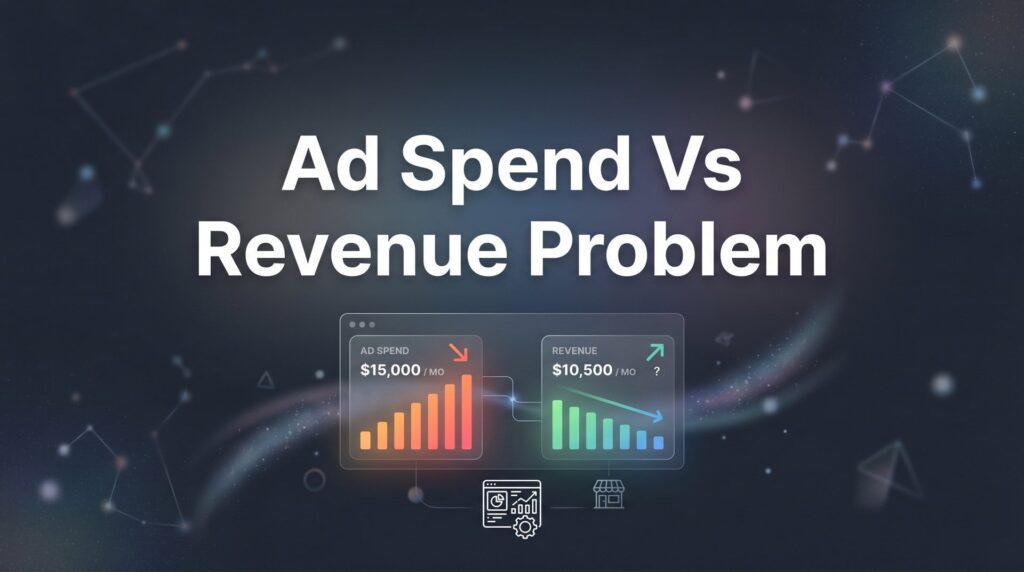
You’re pouring money into ads, but the revenue needle isn’t moving. Sound familiar? The ad spend vs revenue problem is one of the most frustrating challenges facing local business owners today. You know you need to advertise to grow, but when every dollar spent feels like it’s disappearing into a black hole, it’s tempting to pull the plug entirely.
Here’s the truth: the problem isn’t usually that paid advertising doesn’t work—it’s that something in your system is broken. Maybe you’re targeting the wrong audience. Maybe your landing pages leak leads like a sieve. Maybe you’re measuring the wrong metrics entirely.
The good news? These are fixable problems. In this guide, we’ll walk through seven battle-tested strategies that help local businesses transform their ad spend from a money pit into a predictable revenue engine. These aren’t theoretical concepts—they’re the exact approaches that turn unprofitable campaigns into growth machines.
1. Audit Your Conversion Tracking Before Touching Anything Else
The Challenge It Solves
Most businesses are flying blind. They’re making optimization decisions based on incomplete or inaccurate data. When your tracking infrastructure doesn’t capture conversions correctly, you end up killing profitable campaigns and doubling down on losers. You might be generating revenue, but if the system doesn’t connect those sales back to specific ads, you’ll never know what’s working.
This isn’t just about installing a pixel and calling it done. Tracking breaks constantly—platform updates, website changes, tag manager conflicts, iOS privacy updates. What worked last month might be silently failing today.
The Strategy Explained
Start by verifying that every conversion point in your customer journey is being tracked accurately. This means testing form submissions, phone calls, chat interactions, and purchases. Fire test conversions yourself and watch them flow through your analytics platforms in real-time.
Check that your Google Ads conversion tracking matches what you see in Google Analytics. Look for discrepancies between platform-reported conversions and what’s actually hitting your CRM. If the numbers don’t align, you’ve got a marketing conversion tracking problem that’s costing you money.
Pay special attention to cross-device tracking and attribution. A potential customer might click your ad on mobile during lunch, then convert on desktop that evening. If your tracking can’t connect those dots, you’re undervaluing your mobile campaigns.
Implementation Steps
1. Run test conversions on every device type (mobile, tablet, desktop) and verify they appear correctly in your ad platforms within 24 hours.
2. Compare conversion counts across all platforms—Google Ads, Facebook Ads Manager, Google Analytics, and your CRM—for the past 30 days to identify discrepancies.
3. Set up conversion value tracking so each conversion reports its actual revenue amount, not just a binary yes/no.
4. Implement call tracking with dynamic number insertion if phone calls represent a significant conversion path for your business.
5. Document your entire tracking setup in a simple spreadsheet so you can quickly diagnose issues when numbers look off.
Pro Tips
Set up automated alerts that notify you when conversion volume drops significantly. A 50% drop in tracked conversions rarely means your ads suddenly stopped working—it usually means your tracking broke. Catching this within hours instead of weeks can save thousands in wasted spend and lost optimization opportunities.
2. Calculate Your True Customer Lifetime Value
The Challenge It Solves
You’re judging campaign profitability based on first-purchase revenue alone. A customer pays you $500 on their initial transaction, you spent $300 to acquire them, and you declare the campaign unprofitable. But what if that customer comes back three more times over the next year, generating $2,000 in total revenue? Suddenly that $300 acquisition cost looks brilliant.
This myopic view of customer value causes businesses to abandon profitable advertising channels prematurely. You’re optimizing for the wrong number.
The Strategy Explained
Customer Lifetime Value (CLV) is the total revenue a customer generates over their entire relationship with your business. For a restaurant, it might include dozens of visits over several years. For a roofing company, it might include the initial roof replacement plus future repairs and referrals.
Calculating CLV gives you the real ceiling for acceptable acquisition costs. If a customer is worth $3,000 over three years, you can profitably spend $900 to acquire them—even though their first transaction might only be $400.
This completely reframes how you evaluate ad performance. Campaigns that look unprofitable in month one become cash machines when you track actual customer behavior over time. Understanding your customer acquisition channels becomes essential when you know the true value of each customer.
Implementation Steps
1. Pull customer purchase data for the past 12-24 months and calculate average purchase frequency (how many times customers buy per year).
2. Calculate average order value across all transactions, not just first purchases.
3. Determine average customer lifespan—how long do customers typically stay active before they stop buying?
4. Multiply average order value × purchase frequency × customer lifespan to get your baseline CLV.
5. Set your maximum acceptable cost per acquisition at 30-40% of CLV to maintain healthy profit margins while allowing room for aggressive growth.
Pro Tips
Segment your CLV calculations by customer source. Customers acquired through Google Ads might have different lifetime values than those from Facebook or organic search. This lets you set different CPA targets for different channels based on their actual long-term value, not just first-transaction revenue.
3. Fix the Leaky Bucket: Optimize Your Landing Pages
The Challenge It Solves
Your ads are performing beautifully. Click-through rates are strong, cost per click is reasonable, and traffic is flowing. But then visitors hit your landing page and vanish. A 2% conversion rate means 98% of your ad spend is evaporating because the page can’t close the deal.
Most businesses obsess over ad optimization while ignoring the conversion point where most money is lost. Improving your landing page conversion rate from 2% to 4% literally doubles your revenue without spending an extra dollar on ads.
The Strategy Explained
Landing page optimization focuses on removing friction between the ad click and the conversion. Every unnecessary field in your form is costing you leads. Every unclear value proposition is sending potential customers back to Google. Every slow-loading page is burning money.
Think of your landing page as the bridge between interest and action. If the bridge is rickety, people won’t cross—no matter how compelling your ad was. Your job is to make that bridge as smooth and obvious as possible. Learning how to optimize landing pages for conversions is one of the highest-ROI skills you can develop.
This means radical simplification. One clear offer, one clear call-to-action, zero distractions. The page should answer one question instantly: “What do I get and what do I do next?”
Implementation Steps
1. Remove navigation menus and footer links from landing pages—every exit path is a conversion killer.
2. Cut your form fields to the absolute minimum required (name, email, phone is often sufficient for initial contact).
3. Add a clear, specific headline that matches the promise made in your ad—if your ad says “Free Roof Inspection,” your landing page better say “Free Roof Inspection” immediately.
4. Include trust signals above the fold: years in business, number of customers served, recognizable certifications or awards.
5. Test your page load speed and compress any images over 200KB—every second of load time kills conversions.
6. Add a single, prominent call-to-action button that stands out visually and uses action-oriented text (“Get My Free Quote” beats “Submit”).
Pro Tips
Run simple A/B tests on high-traffic landing pages, but test big changes, not button colors. Try a video vs. no video. Try three form fields vs. seven. Try different headline approaches. Small cosmetic tweaks rarely move the needle—structural changes do. And only test one element at a time so you know what actually drove the improvement.
4. Implement Negative Keywords and Audience Exclusions
The Challenge It Solves
Your ads are showing up for searches that will never convert. Someone searching “free roof repair” isn’t a customer—they’re a freebie hunter. Someone searching “DIY plumbing tips” isn’t hiring a plumber. But if you’re running broad match keywords without negative keyword lists, you’re paying for these useless clicks every single day.
This budget erosion happens gradually and invisibly. You don’t notice the individual $3 clicks from irrelevant searches, but they add up to hundreds or thousands in wasted spend monthly.
The Strategy Explained
Negative keywords tell ad platforms which searches should never trigger your ads. They’re the filter that keeps your budget focused on actual potential customers instead of tire-kickers, researchers, job seekers, and bargain hunters.
Similarly, audience exclusions prevent your ads from showing to people who will never convert—existing customers (for acquisition campaigns), people who’ve already filled out your form, or demographic segments that your data shows don’t convert. Implementing these tactics is essential for reducing ad spend waste across your campaigns.
Think of this as building a fence around your ad budget. You’re not trying to reach everyone—you’re trying to reach the right people. Every dollar saved on bad traffic is a dollar you can invest in good traffic.
Implementation Steps
1. Pull a search terms report for the past 30 days and identify any queries that generated clicks but have zero chance of converting.
2. Add common negative keywords to every campaign: “free,” “cheap,” “DIY,” “jobs,” “careers,” “salary,” “how to,” and any competitor names you don’t want to bid on.
3. Create a master negative keyword list at the account level so new campaigns automatically inherit these exclusions.
4. Set up audience exclusions to prevent existing customers from seeing acquisition-focused ads (they should see retention campaigns instead).
5. Review search terms weekly for the first month, then bi-weekly once you’ve built a solid negative list—new irrelevant queries emerge constantly.
Pro Tips
Don’t just add negative keywords reactively after you’ve already wasted money. Think proactively about what you don’t want. If you’re a premium service provider, add negatives for “cheap,” “discount,” and “affordable” right from the start. If you only serve specific cities, add negatives for all the surrounding areas you don’t cover. Prevention beats cleanup.
5. Shift Budget to Revenue-Generating Campaigns Only
The Challenge It Solves
You’re spreading your budget evenly across all campaigns like peanut butter on toast. Campaign A generates $5 in revenue for every dollar spent. Campaign B generates $0.50. But they’re both getting the same budget allocation because you set it up that way six months ago and never revisited the decision.
This equal-distribution approach guarantees mediocre results. You’re starving your winners and feeding your losers, which is exactly backward.
The Strategy Explained
Performance-based budget allocation means your money follows your results. Campaigns that generate revenue get more budget. Campaigns that don’t get paused or dramatically reduced. This sounds obvious, but most businesses don’t actually do it because they’re afraid to “lose coverage” or they’re emotionally attached to campaigns they spent time building.
The reality is brutal but simple: if a campaign hasn’t generated positive ROI in 90 days, it’s not suddenly going to start. Cut it. Reallocate that budget to campaigns with proven revenue generation. Your total spend stays the same, but the results multiply. Following Google Ads optimization best practices ensures you’re making data-driven decisions.
This requires ruthless honesty about what’s working. Not what you hope will work. Not what worked last year. What’s actually generating revenue right now.
Implementation Steps
1. Pull revenue data by campaign for the past 90 days and calculate return on ad spend (ROAS) for each campaign.
2. Rank campaigns from highest to lowest ROAS and identify the top 20% that generate 80% of your revenue.
3. Pause any campaign that hasn’t generated a single conversion in 60 days—it’s not “building awareness,” it’s burning money.
4. Reduce budget by 50% on campaigns with ROAS below your breakeven point and redirect that budget to top performers.
5. Set calendar reminders to review campaign performance monthly and adjust budget allocation based on the most recent 90-day results.
Pro Tips
Keep a small testing budget—maybe 10-15% of your total spend—for experimenting with new campaigns, audiences, or platforms. This prevents you from getting stuck in a local maximum where you’re only investing in what’s worked historically. But make this testing budget explicit and protected. Don’t let it creep into 40% of your spend on “experiments” that never graduate to proven performers.
6. Build a Lead Qualification System
The Challenge It Solves
Your cost per lead looks amazing on paper. You’re generating 50 leads per month at $40 each. But when your sales team follows up, 45 of those leads are unqualified—wrong service area, can’t afford your services, not ready to buy, or just fishing for free information. You’re not really getting 50 leads. You’re getting 5 leads and 45 time-wasters.
Volume metrics are seductive but worthless if the quality isn’t there. A campaign that generates 10 qualified leads at $200 each will outperform a campaign generating 100 unqualified leads at $20 each every single time. This is the core of the high cost per lead problem many businesses face.
The Strategy Explained
Lead qualification means filtering for fit before someone becomes a “lead” in your system. This happens through strategic form design, qualifying questions, and clear communication about who you serve and what you cost.
The goal isn’t to generate more form submissions—it’s to generate more qualified conversations. If your form asks the right questions upfront, your sales team stops wasting time on dead-end leads and focuses on people who can actually become customers.
This also improves your ad targeting over time. When you feed conversion data back to ad platforms, you want those conversions to represent quality leads, not just anyone who filled out a form. Quality data creates quality optimization.
Implementation Steps
1. Add a service area question to your forms—if someone’s outside your coverage zone, they’re not a lead worth counting.
2. Include a project timeline or urgency question to filter out people who are “just researching” vs. ready to move forward.
3. Add a budget range or project scope question if appropriate for your business—this filters price shoppers early.
4. Create separate conversion tracking for “qualified lead” vs. “form submission” so you can optimize for actual quality.
5. Set up lead scoring in your CRM based on qualification criteria and track which campaigns generate the highest-scoring leads.
Pro Tips
Be transparent about pricing or minimums on your landing pages if you’re a premium provider. Yes, this will reduce form submissions. That’s the point. You’re filtering out people who’ll never become customers anyway. A headline like “Premium Kitchen Remodeling Starting at $50K” will cut your lead volume in half—and double your close rate because you’re only talking to people who can afford you.
7. Establish a 90-Day Revenue Attribution Window
The Challenge It Solves
Your ad platform says a campaign is unprofitable because it’s only looking at conversions that happen within 7 days of the click. But your actual sales cycle is 30-60 days. Someone clicks your ad today, thinks about it for three weeks, comes back through organic search, and buys. The ad gets zero credit even though it started the entire journey.
This short-sighted attribution causes businesses to kill campaigns that are actually driving revenue—just not within the artificially narrow window the platform is measuring.
The Strategy Explained
Extended attribution windows give your advertising the time it needs to show real results. For high-consideration purchases or B2B services, people rarely convert on first click. They research, compare, consult with partners, and eventually make a decision weeks later.
A 90-day attribution window captures this reality. It connects revenue back to the ads that initiated the customer journey, even if the final conversion happened much later through a different channel. Understanding your conversion funnel optimization helps you see where prospects drop off and re-engage.
This doesn’t mean you ignore short-term performance entirely. It means you evaluate campaigns on two timeframes: immediate performance (7-30 days) and long-term impact (90 days). Campaigns that look mediocre short-term often look brilliant long-term once you see the full revenue picture.
Implementation Steps
1. Adjust your conversion window settings in Google Ads to 90 days for view-through conversions and click-through conversions.
2. Set up custom conversion windows in Facebook Ads Manager to track 90-day attribution alongside the default 7-day window.
3. Implement first-click attribution tracking in Google Analytics to see which campaigns initiated customer journeys, not just which ones got the last click.
4. Create a spreadsheet that tracks campaign performance across multiple attribution windows so you can see how results change over time.
5. Wait 90 days before making major optimization decisions on new campaigns—early performance isn’t the full story.
Pro Tips
Compare last-click attribution (what most platforms show by default) with first-click attribution in your analytics. You’ll often find that certain campaigns—particularly awareness-focused campaigns—look terrible in last-click models but brilliant in first-click models. They’re starting journeys, not finishing them. Both roles matter. Understanding which campaigns do which helps you build a complete advertising ecosystem instead of just optimizing for bottom-funnel conversions.
Putting It All Together
Solving your ad spend vs revenue problem isn’t about spending more or spending less—it’s about spending smarter. Start by fixing your tracking, because you can’t optimize what you can’t measure. A campaign might be generating revenue right now, but if your tracking doesn’t capture it, you’ll kill it based on incomplete data.
Then work through each strategy systematically. Understand your true customer value so you know what you can afford to spend. Plug the conversion leaks in your landing pages so more of your traffic turns into leads. Eliminate wasted spend through negative keywords and audience exclusions. Focus your budget on what’s actually working. Qualify your leads so your sales team talks to real prospects, not tire-kickers. And give your attribution the time it needs to show real results.
The businesses that win at paid advertising aren’t necessarily the ones with the biggest budgets. They’re the ones who’ve built systems that connect every ad dollar to actual revenue. They track accurately, optimize relentlessly, and make decisions based on data instead of hope.
You don’t need to implement all seven strategies simultaneously. Pick one, execute it completely, measure the impact, then move to the next. Small, systematic improvements compound into transformational results over time.
Ready to stop guessing and start growing? If you want to see what this would look like for your business, we’ll walk you through how it works and break down what’s realistic in your market. We build lead systems that turn traffic into qualified leads and measurable sales growth—not vanity metrics that look good in reports but don’t move the revenue needle.


