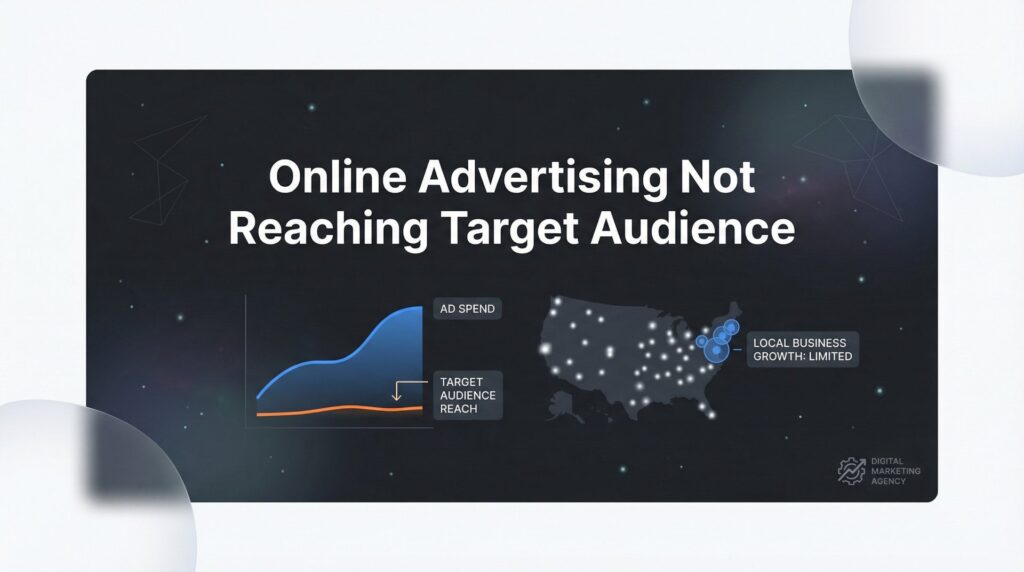
You check your ad dashboard and see the numbers: thousands of impressions, hundreds of clicks, and a budget that’s disappearing faster than you expected. But when you look at your phone, your inbox, your appointment calendar—nothing. Or worse, you’re getting calls from people three states away, inquiries about services you don’t offer, or price shoppers who disappear the moment you mention your rates.
This is the frustrating reality for many local business owners running online ads. You’re doing everything the platform tells you to do, following the setup wizard, letting the algorithm “optimize” your campaigns. But something fundamental is broken in your targeting, and every day it continues, you’re essentially paying to advertise to people who will never become customers.
The good news? This isn’t a sign that online advertising doesn’t work for your business. It’s a sign that your targeting needs fixing, and most of these problems have straightforward solutions. Let’s break down exactly why your ads are missing the mark and how to get them in front of the people who actually matter to your bottom line.
The Hidden Culprits Behind Misdirected Ad Spend
The most common targeting disaster happens before you even write your first ad: geographic settings that send your message to the wrong places. Platforms like Google Ads and Facebook default to settings that prioritize reach over relevance, and if you don’t know what to look for, you’ll waste thousands advertising to people who can’t possibly use your services.
Here’s what typically goes wrong. You set your location to your city, thinking you’re covered. But the platform interprets this as “people interested in your city” rather than “people physically located in your city.” Suddenly your roofing company is showing ads to someone in California researching a move to your area six months from now, or your restaurant is reaching tourists planning a trip rather than locals deciding where to eat tonight.
The Service Area Problem: Local service businesses face a specific challenge. You might serve a 30-mile radius around your location, but that radius includes wealthy suburbs where your ideal customers live and low-income areas where your services don’t align with the market. Default circular targeting treats all areas equally, spreading your budget thin across neighborhoods that will never convert. Understanding online advertising for local businesses means knowing how to configure these geographic settings properly from day one.
Then there’s the opposite problem: being too conservative with your geographic targeting. You set a tight radius around your business location, missing entire neighborhoods just outside that circle where your best customers actually live. Or you exclude areas based on assumptions rather than data, leaving qualified leads on the table.
Platform Mismatch: Not every advertising platform reaches the same audience, and choosing the wrong one is like fishing in a pond with no fish. Your ideal customers might spend their time on Facebook while you’re pouring money into Instagram. Or they’re searching on Google while you’re betting everything on social media display ads.
Think about where your customers actually are when they’re ready to buy. Someone with a burst pipe at 2 AM is searching Google for “emergency plumber near me”—they’re not scrolling Facebook. But someone planning a kitchen remodel might spend weeks researching on Pinterest and Instagram before they’re ready to contact contractors. Reviewing the best paid advertising platforms for businesses helps you match your platform choice to where your customers actually spend their time.
The audience definition problem cuts both ways. Cast too wide a net, and you’re advertising to everyone, which means you’re effectively advertising to no one. Your message becomes generic, your budget gets diluted, and you attract tire-kickers instead of buyers. But narrow your targeting too much, and you’re leaving money on the table, missing qualified customers who don’t fit your overly specific criteria.
Many business owners make targeting decisions based on gut feeling rather than data. They assume their customers are a certain age, have specific interests, or behave in predictable ways. But assumptions cost money when they’re wrong. The fix starts with looking at who’s actually converting, not who you think should be converting.
Keyword and Intent Misalignment That Kills Conversions
The words you bid on determine who sees your ads, but most business owners don’t understand the difference between someone researching and someone ready to buy. This distinction—called search intent—is the difference between profitable campaigns and money pits.
Someone typing “how much does roof replacement cost” is doing research. They’re months away from hiring anyone. But someone searching “roof replacement contractor near me” is comparing options right now. Both searches include your keywords, but only one represents a qualified lead. If you’re bidding on both equally, you’re paying for clicks from people who aren’t ready to become customers.
Informational vs. Transactional Intent: Informational searches use words like “how,” “what,” “why,” “guide,” and “tips.” These searchers want knowledge, not services. Transactional searches use words like “near me,” “emergency,” “hire,” “best,” and specific service names. These searchers want solutions now. If you’re new to paid search, our guide on search engine marketing for beginners breaks down these intent signals in detail.
The problem compounds when you use broad match keywords without proper controls. Broad match tells the platform to show your ads for any search remotely related to your keyword. You bid on “kitchen remodeling,” and suddenly you’re paying for clicks from people searching for “DIY kitchen remodeling ideas” or “kitchen remodeling magazine” or “kitchen remodeling TV shows.” None of these people want to hire you.
The Negative Keyword Blind Spot: Most small business advertisers completely ignore negative keywords, and it costs them dearly. Negative keywords tell the platform which searches should never trigger your ads. Without them, you’re bleeding budget on irrelevant traffic.
Common negative keywords that most local businesses should add immediately: “free,” “DIY,” “how to,” “jobs,” “salary,” “course,” “training,” “cheap,” “wholesale,” and “used.” If you’re a premium service provider, add “affordable” and “discount.” If you don’t serve residential customers, add “home” and “house.” Every industry has its own list of money-wasting terms.
Match type mistakes amplify these problems. Broad match without negative keywords is like leaving your front door open and hoping only customers walk in. Exact match sounds safe but often leaves you with too little traffic to optimize. The sweet spot for most local businesses is phrase match combined with a robust negative keyword list—you get volume without the waste.
Here’s what this looks like in practice. A plumber bidding on “water heater repair” with broad match might pay for clicks from people searching “water heater repair cost calculator,” “water heater repair YouTube,” or “water heater repair parts wholesale.” None of these searches represent someone ready to hire a plumber. Add those terms as negative keywords, switch to phrase match, and suddenly the same budget reaches people actually searching for a plumber to fix their water heater.
The fix requires regular search term reviews. Most platforms show you the actual searches that triggered your ads. Look at this report weekly. Any search that generated clicks but no conversions gets added to your negative keyword list. Any search that converted becomes its own targeted keyword. This continuous refinement is how profitable campaigns stay profitable.
Audience Targeting Mistakes That Repel Your Ideal Customers
Demographic targeting seems straightforward until you realize your assumptions about who your customers are might be completely wrong. Many business owners target based on stereotypes or wishful thinking rather than actual customer data, and the results speak for themselves: wasted spend on people who will never buy.
The age targeting trap catches almost everyone. You assume your customers are 35-50, so you exclude everyone else. But your actual customer data shows significant revenue from 50-65 year olds with more disposable income and buying power. Or you’re targeting “homeowners age 40+” for your landscaping services, missing the 30-something professionals who just bought their first house and need everything done.
Income and Interest Assumptions: Platforms let you target by household income and interests, but these signals are often inaccurate or misleading. Someone interested in “luxury travel” on Facebook might be dreaming about vacations they can’t afford. Someone with a high household income might be extremely price-sensitive in certain categories. Interest targeting sounds precise but often delivers broad, low-intent audiences.
The bigger mistake is ignoring the most powerful targeting tool available: your existing customer data. Custom audiences built from your customer list consistently outperform cold targeting because you’re reaching people who already match your ideal customer profile. Upload your customer email list, and the platform finds those people plus others who look like them.
Lookalike audiences take this further. The platform analyzes your best customers and finds new people with similar characteristics, behaviors, and patterns. A 1% lookalike audience in your area represents the closest match to your existing customers—these are your highest-probability prospects. Yet many small business advertisers never build these audiences because they seem complicated or they don’t realize the data they already have is valuable.
Retargeting Failures: Retargeting lets you show ads to people who already visited your website, but most businesses either don’t use it or use it wrong. Not using retargeting means you’re ignoring the warmest prospects you have—people who already showed interest but didn’t convert. These visitors convert at 2-3 times the rate of cold traffic, yet you’re spending the same budget reaching strangers.
Using retargeting wrong means bombarding everyone who visited any page with the same ad for weeks. Someone who visited your “About” page once shouldn’t see the same ad as someone who viewed your pricing page three times. Segment your retargeting by behavior: people who viewed specific services, people who started but didn’t complete a contact form, people who visited multiple times in the last week. A solid multi channel marketing strategy incorporates retargeting across platforms to maximize these warm audience opportunities.
The fix starts with data collection. Export your customer list and look for patterns. What age ranges actually buy from you? What locations generate the most revenue? What interests or behaviors do your best customers share? Use this real data to inform your targeting instead of guessing. Then build custom and lookalike audiences from your customer list, and create segmented retargeting campaigns based on actual website behavior.
When Your Ad Creative Speaks to the Wrong People
Your targeting might be perfect, but if your ad creative attracts the wrong people, you’ll still waste money on unqualified leads. The words you choose and the message you send act as a filter—they either attract your ideal customers or repel them while drawing in everyone you don’t want.
Leading with price is the fastest way to attract price shoppers. When your headline screams “Lowest Prices!” or “Cheapest Service in Town!”, you’re telling value-conscious customers to keep scrolling while summoning every bargain hunter within reach. These people will call, they’ll waste your time, and they’ll never hire you because someone else will always be cheaper. This is one of the core reasons behind the low quality leads problem that plagues so many businesses.
Generic Headlines That Filter Nobody: “Quality Service You Can Trust” could describe any business in any industry. “Professional HVAC Services” tells prospects nothing that helps them decide if you’re right for them. Generic messaging attracts generic leads—people who aren’t clear on what makes you different, so they’re shopping purely on price or convenience.
Effective ad creative speaks directly to your ideal customer’s specific situation. Instead of “Professional Plumbing Services,” try “24/7 Emergency Plumbing for Homeowners—No Overtime Charges.” The first headline attracts everyone. The second attracts homeowners with emergencies who care about transparent pricing, and it repels commercial prospects and price shoppers looking for the absolute cheapest option.
Your messaging should qualify and disqualify simultaneously. If you’re a premium service provider, say so. “Premium Kitchen Remodeling for Discerning Homeowners” will get fewer clicks than “Affordable Kitchen Remodeling,” but the clicks you get will be from people who can afford your services and value quality. You’re not trying to appeal to everyone—you’re trying to appeal to the right people.
Missing Local Signals: National-sounding ads from local businesses feel wrong to prospects. When your ad could be from anywhere, it doesn’t build the trust that local customers need. Including your city name, neighborhood references, or local landmarks in your ad copy signals that you’re actually local, not some national company with a local landing page.
Compare these two headlines: “Expert Roof Repair Services” versus “Expert Roof Repair in [Your City]—Serving [Neighborhood] Homeowners Since 2015.” The second builds immediate credibility and relevance. It tells prospects you’re established, you’re local, and you specifically serve their area. That specificity filters out people outside your service area while making you more appealing to people within it.
Your ad creative should also match the sophistication level of your ideal customer. If you serve high-end clients, your messaging should reflect that with sophisticated language and premium positioning. If you serve middle-market customers, accessible and straightforward messaging works better. The mismatch happens when premium providers use budget-focused messaging or when accessible providers use overly technical jargon that confuses their audience.
Technical Setup Errors That Sabotage Your Targeting
Perfect targeting and great ad creative mean nothing if your technical setup is broken. These behind-the-scenes issues silently drain your budget while making it impossible for the platform to optimize your campaigns effectively.
Conversion tracking is the foundation of successful advertising, yet it’s frequently set up wrong or not set up at all. Without proper conversion tracking, the platform doesn’t know which clicks turn into customers. It optimizes for clicks instead of results, sending you high volumes of low-quality traffic that looks good in reports but doesn’t grow your business. If you suspect this is your issue, our guide on fixing your marketing conversion tracking walks through the exact steps to diagnose and repair it.
Optimizing for the Wrong Actions: Some businesses track page views as conversions, which tells the platform that anyone who lands on your site is valuable. Others track only form submissions, missing phone calls entirely. If 60% of your leads call instead of filling out forms, and you’re only tracking forms, the platform is optimizing for the minority of your actual leads.
The fix requires tracking every meaningful action: form submissions, phone calls from ads, chat initiations, and any other way prospects contact you. Most platforms offer call tracking that assigns unique phone numbers to your ads, recording which campaigns and keywords drive calls. Implementing proper call tracking for marketing campaigns reveals which ads actually drive revenue, not just clicks.
The Landing Page Disconnect: Your ad promises one thing, and your landing page delivers something else. This disconnect kills conversions and wastes every dollar you spent getting the click. Someone clicks an ad for “Emergency Plumbing Services” and lands on your homepage with no clear path to emergency service information. They bounce immediately, and you paid for that click.
Landing page relevance affects both your Quality Score (which impacts your ad costs) and your conversion rate (which impacts your results). Every ad should send traffic to a page specifically designed for that offer or service. Emergency service ads should land on an emergency service page with a prominent phone number and clear next steps. Specific service ads should land on that service’s dedicated page, not a general services page where prospects have to hunt for information.
Campaign structure problems confuse platform algorithms and waste budget. Throwing all your services into one campaign with one ad group forces the platform to show all your ads for all your keywords, diluting your message and your budget. The platform can’t learn which ads work best for which searches because everything is mixed together.
Proper Campaign Structure: Each major service or product line should have its own campaign. Within each campaign, tightly themed ad groups group related keywords together. This structure lets the platform optimize each service independently, allocate budget to what’s working, and show the most relevant ad for each search.
Budget allocation issues compound these problems. Setting the same budget for all campaigns treats your highest-value services the same as your lowest-value ones. Your most profitable service that generates $5,000 average customer value gets the same daily budget as your loss-leader service that generates $500. Smart budget allocation puts more money behind what makes you more money.
The technical fixes require an audit of your entire setup. Check that conversion tracking captures all lead sources. Verify that each ad sends traffic to a relevant, conversion-focused landing page. Review your campaign structure and separate mixed campaigns into service-specific campaigns. Adjust budgets based on actual return on investment, not equal distribution. These technical foundations make everything else work better.
Your Targeting Audit Checklist: Finding and Fixing What’s Broken
You don’t need to be a marketing expert to diagnose most targeting problems. This systematic audit process reveals where your campaigns are bleeding money and what to fix first. Work through these steps in order, and you’ll quickly identify the biggest opportunities for improvement.
Step 1: Geographic Performance Review
Pull your location report showing where your clicks and conversions come from. Look for clicks from locations you don’t serve—these are immediate budget drains. Check your location targeting settings: are you targeting “people in” or “people interested in” your location? For local businesses, “people in” almost always performs better. Review whether your radius or location list actually covers all the neighborhoods where your best customers live.
Step 2: Search Terms Analysis
Export your search terms report for the last 30 days. This shows the actual searches that triggered your ads. Look for patterns: searches with clicks but no conversions are candidates for negative keywords. Searches with multiple conversions should become their own targeted keywords. Look for intent mismatches—informational searches getting clicks that won’t convert. Add obvious negative keywords immediately: “free,” “DIY,” “jobs,” “salary,” and industry-specific terms that don’t represent buyers.
Step 3: Audience and Demographic Deep Dive
Compare your targeting settings to your actual converting customers. If you’re targeting ages 25-45 but your conversions come from 45-60, adjust your targeting. Check if you’re using custom audiences from your customer list—if not, you’re missing your highest-performing audience. Review your retargeting setup: are you retargeting website visitors, and are you segmenting by behavior or showing everyone the same ads?
Step 4: Conversion Tracking Verification
Test your conversion tracking by submitting a form or calling your tracked number. Does it register in your ad platform? Check if you’re tracking all conversion types: forms, calls, chats, and any other lead sources. Review what you’re optimizing for—if you’re optimizing for clicks or page views instead of actual leads, that explains poor lead quality.
Step 5: Landing Page Alignment Check
Click through each of your ads and evaluate the landing page experience. Does the page immediately deliver on the ad’s promise? Is the path to conversion obvious? Is your phone number prominent if you want calls? Does the page load quickly on mobile? Any disconnect between ad promise and landing page experience is killing conversions. When your ads aren’t converting to sales, the landing page is often the culprit.
Key Metrics That Reveal Targeting Problems:
Watch these numbers for early warning signs. High click-through rate but low conversion rate means your ads attract clicks from the wrong people—your targeting or messaging is off. High cost per conversion compared to customer value means you’re reaching low-quality leads or wasting budget on irrelevant clicks. Low impression share in your target location means your budget is too low or your bids aren’t competitive enough to reach your ideal customers. Understanding low ROI from digital advertising helps you identify which metrics matter most for diagnosing your specific issues.
When to DIY vs. When to Get Help:
Simple fixes you can handle yourself: adjusting geographic targeting, adding obvious negative keywords, fixing landing page basics, and turning on conversion tracking. Complex issues that often need expertise: building sophisticated audience segments, optimizing bid strategies, restructuring poorly organized campaigns, and diagnosing technical tracking problems. If you’ve made the obvious fixes and still aren’t seeing results, or if your campaigns are generating significant spend without proportional returns, professional help typically pays for itself quickly.
Turning Targeting Failures Into Profitable Campaigns
The gap between wasted ad spend and profitable campaigns isn’t as wide as it feels when you’re watching your budget disappear. Most targeting problems fall into predictable categories: geographic settings that reach the wrong locations, keywords that attract researchers instead of buyers, audience definitions based on assumptions instead of data, ad creative that speaks to everyone instead of your ideal customer, and technical setups that make optimization impossible.
The fix starts with recognizing that these aren’t failures of online advertising—they’re configuration problems with clear solutions. Your competitors who are succeeding with online ads aren’t lucky or spending more. They’ve simply dialed in their targeting to reach the right people with the right message at the right time.
Start with the audit checklist above. Most businesses find 3-5 significant issues within the first hour of systematic review. Fix the obvious problems first: geographic targeting errors, glaring negative keyword gaps, missing conversion tracking, and landing page disconnects. These foundational fixes often improve performance by 30-50% immediately.
Then move to the sophisticated optimizations: building custom and lookalike audiences from your customer data, segmenting your retargeting by behavior, refining your keyword strategy based on intent, and aligning your ad creative to attract qualified leads while repelling time-wasters. Learning how to optimize your marketing campaign for maximum ROI turns these refinements into a repeatable system that compounds over time.
The difference between advertising that drains your budget and advertising that grows your business comes down to precision. Every dollar should work toward reaching someone who can and will become a customer. When your targeting is dialed in, your ads stop feeling like an expense and start feeling like an investment with predictable returns.
Tired of spending money on marketing that doesn’t produce real revenue? We build lead systems that turn traffic into qualified leads and measurable sales growth. If you want to see what this would look like for your business, we’ll walk you through how it works and break down what’s realistic in your market.
Want More Leads for Your Business?
Most agencies chase clicks, impressions, and “traffic.” Clicks Geek builds lead systems. We uncover where prospects are dropping off, where your budget is being wasted, and which channels will actually produce ROI for your business, then we build and manage the strategy for you.