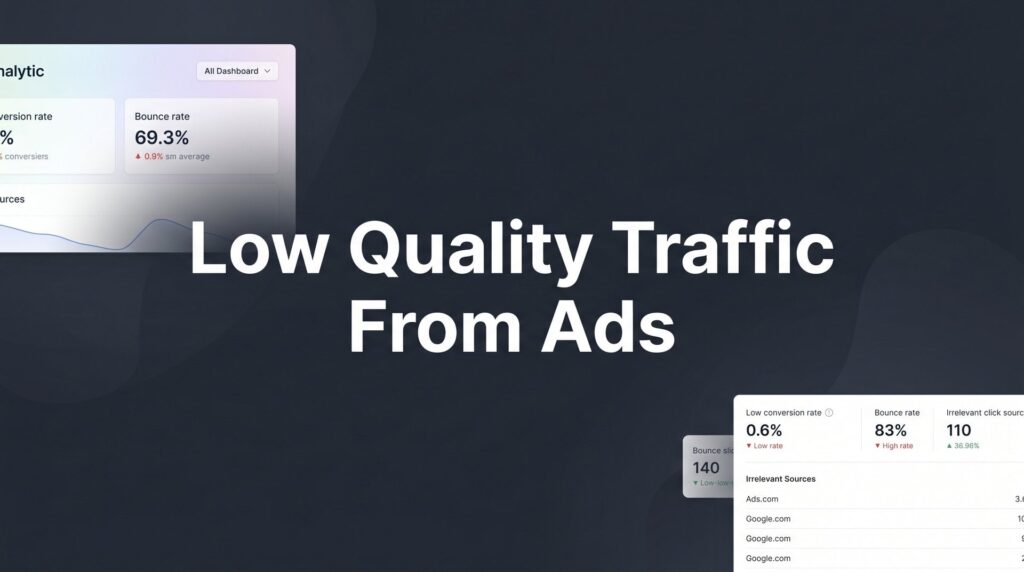
You’re spending money on ads. Clicks are coming in. But the phone isn’t ringing with the right people — or it’s not ringing at all. That’s the frustrating reality of low quality traffic from ads, and it’s one of the most common problems local businesses face when running Google Ads or paid social campaigns.
Low quality traffic doesn’t just waste your ad budget. It inflates your cost per lead, skews your data, burns your sales team’s time, and makes it nearly impossible to scale. Worse, many business owners assume their ads “don’t work” when the real problem is a targeting, structure, or tracking issue that’s entirely fixable.
This guide breaks down 7 actionable strategies to diagnose and eliminate low quality traffic from your ad campaigns. Whether you’re running Google Ads for a home services business, a local law firm, or any service-based company, these strategies will help you stop paying for tire-kickers and start attracting buyers who are ready to convert.
Each strategy targets a specific root cause of poor lead quality — so rather than guessing what’s wrong, you can work through them systematically and build a campaign that delivers real ROI.
1. Audit Your Keyword Match Types and Search Term Reports
The Challenge It Solves
Most campaigns that generate irrelevant traffic have one thing in common: keyword match types that are too permissive. Broad match keywords, in particular, can trigger your ads for searches that are only loosely related to what you actually offer. If you’re a residential plumber and your ad is showing up for “DIY pipe repair tutorials,” you’re not just wasting money — you’re actively attracting people who have no intention of hiring you.
The Strategy Explained
Your Search Terms report is the single most important diagnostic tool in Google Ads. It shows you the actual queries that triggered your ads and generated clicks, not just the keywords you’re bidding on. These are often very different things.
Start by pulling your Search Terms report for the last 30 to 90 days. Sort by cost and look for patterns: informational queries, competitor brand names, product searches when you offer services, or geographic mismatches. These are your traffic leaks. Once identified, you have two options: add the irrelevant terms as negative keywords, or restructure your match types to be more precise.
Phrase match and exact match give you significantly more control over what triggers your ads. For local service businesses dealing with wasted ad spend, tightening match types is often the fastest way to improve traffic quality without rebuilding an entire campaign.
Implementation Steps
1. Open Google Ads, navigate to Keywords, and click the Search Terms tab. Set the date range to the last 60-90 days.
2. Sort results by cost (highest to lowest) and flag any search terms that don’t represent a buyer with genuine purchase intent for your specific service.
3. For irrelevant terms, click “Add as negative keyword” and apply them at the campaign or ad group level as appropriate.
4. Review any remaining broad match keywords and consider converting them to phrase match or exact match equivalents.
5. Schedule a recurring weekly review of new search terms to catch emerging irrelevant traffic before it compounds.
Pro Tips
Don’t just look at the most expensive clicks — look at the highest volume terms that generated zero conversions. Those are often the biggest silent budget drains. Also, watch for “close variants” that Google has started matching to your exact match keywords; these can introduce unexpected traffic you didn’t intend to attract. Understanding Google Ads account structure best practices can help you organize campaigns in a way that makes match type management far more efficient.
2. Build a Negative Keyword List Before You Spend a Dollar
The Challenge It Solves
Most businesses add negative keywords reactively, after they’ve already paid for irrelevant clicks. A proactive negative keyword strategy prevents low quality traffic from entering your campaign in the first place. For local service businesses, certain categories of search intent are almost always irrelevant — and they’re predictable enough to block before your campaign ever goes live.
The Strategy Explained
Think about the universe of people who might type a query related to your service but have zero intention of hiring you: students researching a topic, DIYers looking for free guides, job seekers, competitors, and people in completely different geographic areas. Each of these groups represents a distinct negative keyword category you can build out in advance.
For most local service businesses, essential negative keyword categories include: informational intent terms (“how to,” “DIY,” “tutorial,” “guide,” “what is”), job-seeking terms (“jobs,” “career,” “salary,” “hiring”), product-only searches when you offer services, competitor brand names you don’t want to fund, and free or low-cost modifiers (“free,” “cheap,” “cheapest” — unless budget buyers are your market).
Build a shared negative keyword list in Google Ads so it can be applied across multiple campaigns simultaneously. This saves time and ensures consistency as your account grows. If your campaigns are already spending too much with no results, a comprehensive negative keyword strategy is often the first lever worth pulling.
Implementation Steps
1. In Google Ads, navigate to Shared Library and create a new Negative Keyword List named something like “Master Exclusions — [Your Business Name].”
2. Populate it with your core exclusion categories: informational terms, job-seeking terms, DIY modifiers, and any geographic terms outside your service area.
3. Apply the shared list to all active campaigns immediately.
4. After your first week of running, pull the Search Terms report and add any new irrelevant terms you discover to the shared list.
5. Set a monthly calendar reminder to review and expand your negative keyword list as new patterns emerge.
Pro Tips
Don’t go so aggressive with negatives that you block legitimate buyer intent. Review any term before adding it — some words that seem irrelevant (“cheap HVAC repair”) may still represent real buyers in price-sensitive markets. The goal is precision, not maximum restriction.
3. Tighten Your Audience and Geographic Targeting
The Challenge It Solves
A campaign can have perfect keywords and still generate low quality traffic if it’s reaching the wrong people in the wrong places. Geographic targeting mistakes are particularly common for local businesses and often go unnoticed for months. The result is high cost per lead and a pipeline full of people you can’t actually serve.
The Strategy Explained
Here’s the setting that catches many advertisers off guard: Google Ads location targeting has two options — “Presence or interest” and “Presence: People in or regularly in your targeted locations.” The default setting is “Presence or interest,” which means your ads can show to people who are merely interested in your target location, not physically located there. For a local plumber or HVAC company, this can mean serving ads to people hundreds of miles away who recently searched for information about your city.
Switch every local campaign to “Presence” only. Then layer in additional refinements: radius targeting around your actual service area, bid adjustments that increase spend in your highest-converting zip codes, and demographic exclusions for age ranges or household income brackets that don’t match your typical buyer profile. For businesses that rely heavily on location-based reach, exploring geofencing advertising services can provide an even more precise alternative to standard radius targeting.
Device bid adjustments are also worth examining. If your analytics show mobile traffic converting at a significantly lower rate, reducing your mobile bid modifier can redirect budget toward the device types that actually produce qualified leads.
Implementation Steps
1. Go to Campaign Settings, click on Locations, and find the “Location options” dropdown. Switch from “Presence or interest” to “Presence: People in or regularly in your targeted locations.”
2. Review your current geographic targeting and tighten the radius to match your actual service area, not an aspirational one.
3. Check your location performance data and apply positive bid adjustments (+10-20%) to your highest-converting areas.
4. Navigate to Demographics and exclude any age or income segments that consistently show zero conversions at high spend.
5. Review device performance and apply bid adjustments to reduce spend on devices with poor conversion rates.
Pro Tips
Don’t exclude locations based on zero conversions over a short time window — you may just have low data volume. Make exclusion decisions based on statistically meaningful sample sizes, typically at least 50-100 clicks per location segment before drawing conclusions.
4. Align Your Ad Copy With High-Intent Buyer Language
The Challenge It Solves
Vague ad copy attracts vague audiences. When your headline reads “Professional Plumbing Services — Call Today,” it appeals to everyone from emergency repair customers to someone idly browsing options six months before they need work done. The ad copy itself is a pre-qualification tool, and most businesses aren’t using it as one.
The Strategy Explained
High-intent buyers have specific characteristics: they have a defined problem, they’re ready to act relatively soon, and they’re looking for signals that you’re the right fit for their situation. Your ad copy should speak directly to those signals and, just as importantly, naturally repel people who aren’t ready to buy.
Price anchors are one of the most effective pre-qualification tools available. A headline like “Roof Repairs Starting at $850 — Free Same-Day Estimate” immediately filters out people who aren’t prepared to spend at that level. Service specifics do the same thing: “Emergency Water Heater Replacement — Licensed & Insured — Same-Day Service” speaks to someone with an urgent, specific need, not a casual researcher.
Urgency signals, service area callouts, and trust indicators (licensing, insurance, years in business, review counts) all serve double duty: they attract qualified buyers and discourage clicks from people who don’t match your ideal customer profile. Every element of your ad should answer the question: “Is this person actually going to become a customer?” If your ads still aren’t converting after tightening your copy, it’s worth diagnosing why your ads are not converting at a deeper level.
Implementation Steps
1. Review your current ad copy and identify any headlines or descriptions that are generic enough to appeal to non-buyers (e.g., “Learn More,” “Quality Service,” “We’re Here to Help”).
2. Rewrite headlines to include at least one qualifying signal: a price anchor, a specific service, a geographic callout, or a commitment indicator like “Same-Day” or “Emergency Available.”
3. Use your description lines to reinforce qualification: licensing, insurance, review counts, service guarantees, or response time commitments.
4. Add negative qualifiers where appropriate: “For Homeowners,” “Commercial Properties Only,” or “Serving [City] Since [Year]” can all reduce irrelevant clicks.
5. A/B test your revised copy against your original to measure the impact on click-through rate and, more importantly, conversion rate.
Pro Tips
Don’t be afraid of a lower click-through rate after tightening your ad copy. Fewer, more qualified clicks at a higher conversion rate is almost always better for your bottom line than high volume, low-intent traffic. Track cost per qualified lead, not just cost per click.
5. Fix Your Landing Page to Qualify and Convert the Right Visitors
The Challenge It Solves
Sending ad traffic to your homepage is one of the fastest ways to destroy lead quality. Homepages are designed for multiple audiences with multiple goals. Ad traffic needs a single, focused destination that matches the specific intent of the search, continues the conversation started by your ad, and makes it easy for qualified buyers to take action. A low conversion rate on your landing page often signals a message-to-market mismatch, not a traffic volume problem.
The Strategy Explained
A dedicated landing page for each campaign or service category does something a homepage can’t: it maintains message continuity. When someone searches “emergency furnace repair near me,” clicks your ad, and lands on a page specifically about emergency furnace repair with a prominent phone number and a simple form, the path to conversion is clear. When they land on your homepage with a navigation menu, multiple service options, and a generic hero image, the path gets murky.
Beyond message match, your landing page form itself is a qualification tool. Asking one or two qualifying questions (“What type of property?” or “What’s your timeline?”) can dramatically improve the quality of leads that come through, even if it slightly reduces total form submissions. This is a worthwhile trade for most local service businesses. For a deeper look at how wrong audiences reach your pages in the first place, reviewing why the wrong customers are responding to your ads can surface issues that landing page fixes alone won’t solve.
Mobile performance and page load speed are non-negotiable factors. A large portion of local service searches happen on mobile devices, often in urgent situations. If your page loads slowly or the form is difficult to complete on a phone, you’re losing your best leads — the ones with the most immediate need.
Implementation Steps
1. Create a dedicated landing page for each major service category or campaign, with a headline that mirrors the language in your ad copy.
2. Remove the main navigation menu from landing pages to eliminate exit paths that pull visitors away from your conversion goal.
3. Add 1-2 qualifying questions to your lead form without making it feel like an interrogation. “What service do you need?” and “When are you looking to get started?” are low-friction qualifiers.
4. Include trust signals above the fold: review stars, licensing badges, years in business, and a photo of your team or work.
5. Test your page on mobile and run it through Google PageSpeed Insights. Address any issues flagged as impacting mobile usability or load time.
Pro Tips
Place your primary call to action — phone number or form — above the fold on both desktop and mobile. Many visitors won’t scroll. If your most qualified leads are calling rather than filling out forms, make the phone number the most prominent element on the page, not an afterthought in the footer.
6. Set Up Proper Conversion Tracking to Measure What Actually Matters
The Challenge It Solves
Here’s a problem that’s more common than most business owners realize: campaigns that appear to be performing well based on reported conversions, but are actually generating low quality leads because the wrong actions are being tracked. If your conversion tracking is counting page views, session duration, or button clicks as “conversions,” Google’s Smart Bidding algorithm is learning to find more people who do those things — not more people who actually become customers. This is a documented issue with direct consequences for bad tracking attribution.
The Strategy Explained
Smart Bidding strategies like Target CPA and Maximize Conversions are powerful when fed accurate data. They’re actively harmful when fed inaccurate data. According to Google’s own Smart Bidding documentation, conversion data quality directly influences how automated bidding allocates your budget. Track the wrong signals and you’re essentially training your campaign to optimize for the wrong behavior at scale.
What should you actually track? For local service businesses, the highest-value conversion actions are: phone calls that last longer than a meaningful threshold (typically 60-90 seconds, indicating a real conversation), form submissions that reach a genuine thank-you page (not just a form interaction), and booked appointments if you have scheduling software integrated with your site. Setting up call tracking for ad campaigns is one of the most impactful steps you can take to ensure your phone call data is accurate and attributable to the right keywords.
If you’re running Smart Bidding, set these high-quality conversion actions as your “Primary” conversions and demote lower-quality signals (like time on site) to “Secondary” or remove them entirely. This ensures the algorithm is optimizing for real business outcomes.
Implementation Steps
1. Audit your current conversion actions in Google Ads. List every action currently tracked as a primary conversion and evaluate whether it represents genuine buyer intent.
2. Set up phone call tracking with a meaningful minimum call duration (60-90 seconds) as a primary conversion. Remove or demote any call conversion actions with no minimum duration.
3. Verify that form submission tracking fires on the actual thank-you page URL, not on a form interaction or button click.
4. If you use appointment scheduling software, work with your developer to add a conversion event that fires when an appointment is confirmed.
5. Review your Smart Bidding strategy settings and ensure only your high-quality conversion actions are designated as “Primary.”
Pro Tips
Give Smart Bidding at least 30-45 days and a meaningful volume of conversions before evaluating its performance after making tracking changes. The algorithm needs time to recalibrate with the new, cleaner data. Evaluating too early can lead to premature strategy switches that restart the learning process.
7. Use Lead Qualification Signals to Continuously Refine Targeting
The Challenge It Solves
Even with everything above in place, some percentage of leads that look qualified on paper won’t turn into customers. They may be no-show leads, price shoppers who never commit, or contacts who were outside your service scope in ways your form didn’t catch. The most advanced campaigns don’t just accept this as inevitable — they feed that downstream quality data back into the ad platform to get smarter over time.
The Strategy Explained
Google Ads supports a feature called offline conversion imports, which allows you to pass back data about what happened to leads after they converted on your site. If a lead came in on Monday, your sales team qualified them on Tuesday, and they became a paying customer on Wednesday, you can import that closed-deal event back into Google Ads tied to the original click. This tells the algorithm: “Find more people like the ones who actually became customers, not just the ones who filled out a form.”
The practical implementation requires a CRM that captures the Google Click ID (GCLID) at the point of lead submission. When a lead progresses to a qualified status or a closed deal in your CRM, you export those records with their GCLIDs and import them into Google Ads as offline conversions. Advertisers who build this feedback loop typically see their campaigns improve targeting quality over time as the algorithm develops a clearer picture of what a real customer looks like. Pairing this approach with remarketing campaign strategies can further reinforce your targeting by re-engaging high-intent visitors who didn’t convert on their first visit.
On the exclusion side, you can also create audience lists from poor-quality converters and apply them as campaign exclusions, preventing you from repeatedly spending on the same types of searchers who never convert to revenue.
Implementation Steps
1. Ensure your lead capture forms pass the Google Click ID (GCLID) to your CRM as a hidden field. Most major CRM platforms support this natively or via integration.
2. Set up lead stages in your CRM that distinguish between raw leads, qualified leads, and closed customers.
3. Configure an offline conversion import in Google Ads for “Qualified Lead” and/or “Closed Customer” events, using the GCLID to tie them back to the original ad click.
4. Establish a weekly or bi-weekly process for exporting qualified/closed leads from your CRM and importing them into Google Ads.
5. Create a Customer Match audience from your database of poor-quality or unqualified leads and apply it as a campaign exclusion to reduce repeat exposure to low-intent segments.
Pro Tips
Start with “Qualified Lead” as your offline conversion event before attempting to import closed deals, especially if your sales cycle is longer than a few days. Shorter feedback loops give the algorithm more frequent signals to learn from. As your data volume grows, you can layer in the closed-deal event for even more precise optimization.
Your Implementation Roadmap
These seven strategies work together, but they don’t all need to happen at once. Here’s how to sequence them for maximum impact with minimum overwhelm.
Start with the Search Terms audit and your negative keyword list. These two steps alone can meaningfully reduce wasted spend within days and give you cleaner data to work with going forward. Next, tighten your geographic targeting and fix the “presence vs. interest” location setting — this is a one-time change that can immediately stop out-of-area traffic from draining your budget.
From there, revisit your ad copy with a pre-qualification lens and align it with your landing page messaging. If your landing page is sending traffic to your homepage, building a dedicated page is worth prioritizing before you invest more in optimization. Then get your conversion tracking right. Without accurate data, every other optimization is working with incomplete information, and Smart Bidding will continue optimizing for the wrong behavior.
Finally, once your CRM is capturing GCLIDs and your lead stages are defined, build the offline conversion feedback loop. This is the strategy that compounds over time and separates campaigns that plateau from campaigns that keep improving.
Low quality traffic from ads is a solvable problem, but it requires fixing multiple layers simultaneously rather than tweaking one variable and hoping for the best. If you’ve worked through these strategies and you’re still seeing poor lead quality or an agency that isn’t delivering results, it may be time to bring in a team that specializes in high-performance local campaigns.
At Clicks Geek, we help local businesses stop burning ad spend and start generating leads that actually turn into customers. If you want to see what this would look like for your business, we’ll walk you through how it works and break down what’s realistic in your market.