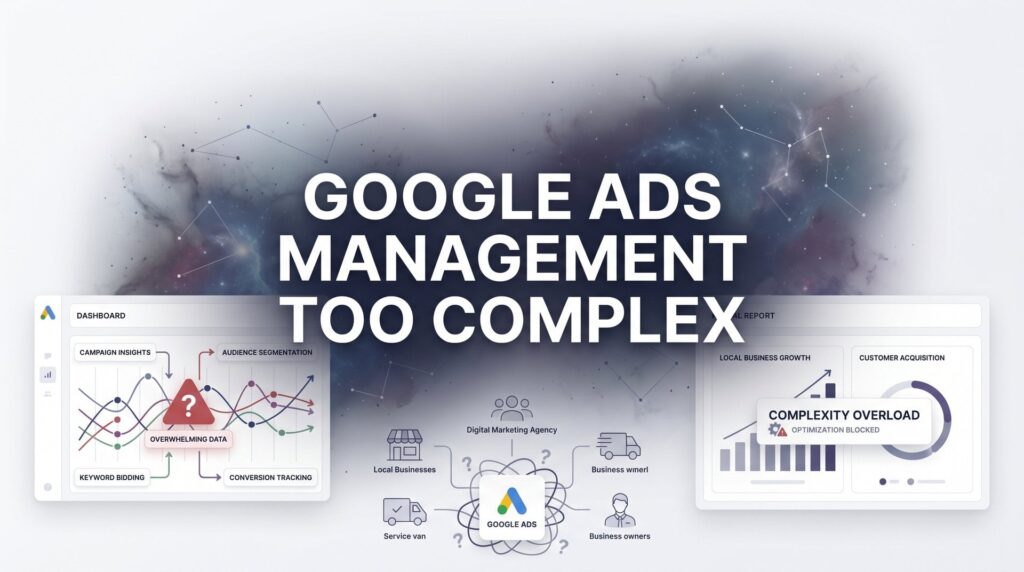
You opened Google Ads excited to grow your business. Three hours later, you’re staring at a dashboard that looks like mission control at NASA, wondering if you need a PhD just to run a simple ad campaign. You’re not alone. The platform throws quality scores, automated bidding strategies, match types, ad extensions, audience signals, and optimization recommendations at you all at once—and that’s just the first login.
Here’s the truth: Google Ads complexity isn’t accidental. The platform is built to serve everyone from Fortune 500 companies managing million-dollar budgets to local plumbers who just want their phone to ring. That means you’re getting enterprise-level controls when all you really need is a straightforward path to more customers.
The good news? You don’t need to master every feature to get results. Most business owners waste time optimizing things that barely move the needle while ignoring the handful of factors that actually determine success or failure. This guide strips away the noise and shows you exactly what matters.
You’ll learn how to audit what’s broken in your current setup, simplify your campaigns into something manageable, stop bleeding money on irrelevant clicks, and build a system that generates leads without consuming your entire week. Whether you’re running campaigns yourself or trying to figure out if you need professional help, these steps will give you clarity on what’s working, what’s not, and how to fix it without becoming a full-time advertising specialist.
Step 1: Audit Your Current Setup and Identify What’s Actually Broken
Before you change anything, you need to know where your money is actually going. Most business owners skip this step and jump straight to tweaking bids or rewriting ads, but that’s like adjusting your car’s alignment when the real problem is a flat tire.
Start with your campaign structure. Log into your Google Ads account and look at how your campaigns are organized. Can you immediately understand what each campaign is trying to accomplish? If you’re seeing campaigns named “Campaign 1,” “Test Campaign,” or a random mix of locations, services, and dates all jumbled together, that’s your first red flag. A clean structure means one campaign per core service or product line, with ad groups underneath that focus on specific variations or customer intents.
Next, run your search terms report. This is the single most revealing diagnostic tool in your entire account, yet most business owners never look at it. Go to Keywords, then Search Terms, and set your date range to the last 30 days. This report shows you the actual phrases people typed into Google before clicking your ad. You’re looking for patterns of irrelevance—queries that have nothing to do with what you sell but are somehow triggering your ads and costing you money.
For example, if you’re a wedding photographer and you see search terms like “free wedding photos” or “how to take wedding photos yourself,” those clicks are pure waste. Each one costs you money while delivering zero chance of conversion. Write down the top 10 most obviously irrelevant terms you find. These will become your negative keywords in the next step.
Now identify your three biggest money drains. These typically fall into three categories: irrelevant clicks from poor keyword targeting, misaligned landing pages that confuse visitors, or bidding strategies that prioritize clicks over actual conversions. Look at your cost-per-conversion metric. If you’re spending significantly more to acquire a customer than that customer is worth, you’ve found your drain. If your bounce rate is above 70%, your landing pages aren’t matching what your ads promise. If you’re getting tons of clicks but no phone calls or form submissions, your targeting is off. Many businesses discover their Google Ads cost is too high simply because they haven’t identified these fundamental issues.
The success indicator here is simple: after this audit, you should be able to explain in one sentence where your biggest waste is happening. “I’m spending $400 a month on clicks from people looking for free services” or “My ads send everyone to my homepage instead of service-specific pages” are the kinds of clear problems that you can actually fix.
Step 2: Strip Down to a Focused Campaign Structure
More campaigns don’t equal better results. In fact, spreading a limited budget across too many campaigns is one of the fastest ways to kill performance. When you fragment your spend, each campaign struggles to gather enough data to optimize, your quality scores suffer, and you end up paying more per click for worse results.
Here’s the streamlined approach that works for most local businesses: create one campaign per core service or product category. If you’re a law firm, that might mean one campaign for personal injury, one for family law, and one for estate planning. If you’re a home services company, you might have one for emergency repairs and one for scheduled maintenance. The key is logical separation based on what customers are actually searching for, not internal business categories that mean nothing to your audience.
Within each campaign, limit yourself to 3-5 ad groups maximum. Each ad group should focus on a tightly related set of keywords. For a personal injury law campaign, you might have ad groups for “car accident lawyer,” “slip and fall attorney,” and “workplace injury claims.” Keep the themes specific enough that you can write highly relevant ads, but broad enough that each ad group gets sufficient search volume to perform.
Now here’s where you need to push back against Google’s suggestions. The platform will constantly recommend that you expand your reach with broad match keywords, add similar audiences, or enable search partner networks. For most local businesses with limited budgets, these expansions dilute your targeting and waste money. Turn off search partners unless you’re specifically tracking that they convert well. Stick with phrase match and exact match keywords until you’ve proven your core targeting works. Ignore the optimization score recommendations that push you toward automation before you’ve established a solid foundation.
Your campaign structure should be simple enough that you can sketch it on a single page. If you can’t explain your Google Ads account management approach to someone in under two minutes, it’s too complicated. Simplification isn’t about dumbing down your marketing—it’s about focusing your limited resources on what actually drives results instead of spreading them thin across dozens of underperforming experiments.
Step 3: Build a Negative Keyword Foundation That Stops Wasted Spend
Negative keywords are the most underutilized profit lever in Google Ads. While everyone obsesses over finding the perfect keywords to bid on, they ignore the equally important task of blocking the wrong searches from triggering their ads. This is where small business owners often bleed hundreds or thousands of dollars monthly without realizing it.
Go back to that search terms report you pulled in Step 1. Export it to a spreadsheet and sort by cost. You’re looking for patterns of irrelevance that cost you real money. Common culprits include searches with “free,” “cheap,” “DIY,” “how to,” “jobs,” “salary,” “course,” “training,” and “software” if you’re a service provider. If you sell premium services, add “budget,” “discount,” and “affordable” to your negative list. These qualifiers attract price shoppers who will never convert at your price point.
Create a master negative keyword list at the account level. This ensures that these exclusions apply across all your campaigns automatically, saving you from having to add the same negatives repeatedly. Start with 20-30 obvious irrelevant terms based on your search terms report and industry knowledge. For a plumber, this might include “plumbing jobs,” “plumber salary,” “how to fix,” “DIY plumbing,” and “plumbing school.” For a lawyer, add “law school,” “legal jobs,” “free legal advice,” and “pro bono.”
Here’s the maintenance routine that makes this sustainable: every Monday morning, spend 10 minutes reviewing your search terms report from the previous week. Look for new wasteful queries that slipped through. Add any obviously irrelevant terms to your negative keyword list immediately. This weekly habit compounds over time—each negative keyword you add continues saving you money indefinitely. Proper Google Ads campaign optimization relies heavily on this ongoing negative keyword refinement.
The success indicator is measurable: your cost-per-lead should decrease within 2-3 weeks of implementing a solid negative keyword strategy. You’re not getting fewer leads; you’re just spending less money acquiring them because you’ve stopped paying for clicks that were never going to convert. Track your cost-per-conversion before you start this process and compare it to the same metric 30 days later. Many business owners see 20-40% improvements just from this single optimization.
Step 4: Align Your Landing Pages With Ad Intent
Sending all your traffic to your homepage is marketing malpractice, yet it’s shockingly common. When someone searches for “emergency plumber near me” and clicks your ad, they’re in crisis mode. They need a plumber now, not a tour of your company history, your full service menu, and your blog posts about preventive maintenance. Every second of confusion increases the chance they’ll hit the back button and click your competitor’s ad instead.
The fix is straightforward but requires some upfront work: create dedicated landing pages for each major service you advertise. If you’re running ads for kitchen remodeling, bathroom remodeling, and basement finishing, you need three separate landing pages—one for each. Each page should immediately confirm to the visitor that they’re in the right place by echoing the language from your ad in the headline.
Your landing page structure should follow this formula: compelling headline that matches the ad promise, brief explanation of what you do and why you’re qualified, clear call-to-action above the fold, social proof or credentials if you have them, and a secondary call-to-action further down the page. Above the fold means visible without scrolling—this is where you put your phone number in large, clickable text and your primary contact form.
Remove navigation menus from your landing pages. This sounds counterintuitive, but navigation is an escape route. Your goal is conversion, not exploration. Every link you provide is an opportunity for the visitor to leave without taking action. Keep the page focused on one objective: getting them to call you or fill out your form. If they want to explore your site later, they will—but first, capture their information. This approach directly impacts your quality score, which affects both your ad position and cost-per-click.
Test your landing pages on mobile devices. More than half of your Google Ads traffic likely comes from smartphones, and if your landing page isn’t mobile-optimized, you’re throwing that money away. Your phone number should be tap-to-call, your forms should be simple (name, phone, email, and one question maximum), and your page should load in under three seconds.
The success indicator here is concrete: your landing page bounce rate should drop below 50%, and your conversion rate should increase. If you’re currently converting 2% of visitors and you implement service-specific landing pages with clear calls-to-action, seeing that number climb to 4-6% is realistic. That doubling of conversion rate means you get twice as many leads from the same ad spend—which is the same as cutting your cost-per-lead in half.
Step 5: Set Up Conversion Tracking That Actually Measures Revenue
Clicks don’t pay your bills. Conversions do. Yet many business owners run Google Ads for months or years without proper conversion tracking, flying blind on what’s actually generating revenue versus what’s just generating activity. If you can’t answer the question “How much revenue did my ads generate this month?” with a specific number, your tracking is broken.
Start by installing Google Ads conversion tracking for every meaningful action a customer can take. This includes phone calls, form submissions, online purchases, appointment bookings, and chat conversations. Google provides tracking codes for all of these—you or your web developer just need to install them correctly. Phone call tracking is particularly crucial for local businesses. Set up call tracking so you know which keywords and ads are driving phone leads, not just website visits.
Connect Google Analytics to your Google Ads account. This integration shows you the full customer journey, not just the first click. You can see how long people stay on your site, which pages they visit before converting, and whether they come back multiple times before taking action. This context helps you understand which campaigns are driving high-quality traffic versus which ones bring tire-kickers who bounce immediately. Learning how to set up Google Ads campaigns properly from the start includes implementing this tracking foundation.
Here’s the step most business owners skip: assign realistic conversion values to your actions. Not all conversions are worth the same. A phone call from someone searching “emergency roof repair” is worth more than a form submission from someone asking general questions. Go into your conversion settings and assign dollar values based on your average customer value and your close rate. If 30% of your form leads turn into customers with an average sale of $2,000, that form submission is worth about $600. Use these values to calculate true ROI.
Set up conversion tracking for offline conversions too. If customers call you, come to your store, or convert through channels that aren’t directly trackable online, you can still connect those sales back to your ads. Google offers offline conversion import features that let you upload customer data (like email addresses or phone numbers) to match back to ad clicks. This closes the loop between your advertising spend and your actual revenue.
The success indicator is being able to open your Google Ads dashboard and immediately see your return on ad spend. If you spent $1,000 on ads last month and your conversion tracking shows you generated $5,000 in revenue, you have a 5:1 ROAS—and you know with certainty whether your advertising is profitable. Without this tracking, you’re just guessing.
Step 6: Establish a Weekly 30-Minute Management Routine
Google Ads doesn’t require daily babysitting, but it does need consistent attention. The key is establishing a routine that keeps your campaigns healthy without consuming your entire week. Most business owners either neglect their accounts completely or obsessively check them multiple times daily, making reactive changes based on insufficient data. Neither approach works.
Here’s your weekly checklist, designed to take 30 minutes or less: First, check your cost-per-conversion. Compare this week to last week and to your historical average. If it’s spiking, you need to investigate why. Look at your search terms report for new wasteful queries and add them as negatives. Review your top-performing keywords and check if any are being limited by budget—these are opportunities to increase spend on what’s working.
Second, review your impression share metrics. Lost impression share (budget) tells you how often your ads aren’t showing because you’ve run out of money. If this number is high on your best-performing campaigns, that’s a signal to shift budget from underperformers. Lost impression share (rank) means your bids or quality scores are too low to compete—you might need to increase bids or improve your ad relevance.
Third, identify your clear winners and losers. Any keyword or ad that’s spent at least $100 without generating a conversion is a loser—pause it. Any keyword that’s consistently converting below your target cost-per-acquisition is a winner—increase its bid by 10-20%. This simple rule prevents you from endlessly funding experiments that aren’t working while ensuring you maximize spend on proven performers. Understanding how to optimize Google Ads campaigns comes down to consistently applying these principles.
Here’s the critical discipline: follow the 100-click rule before making major changes. If a keyword or ad hasn’t received at least 100 clicks, you don’t have enough data to make informed decisions. Resist the urge to pause something after 20 clicks with no conversions—conversion rates vary, and statistical significance requires volume. Let data accumulate before you act.
The success indicator for this step is time-based: you should be able to complete this entire routine in under 30 minutes once you’ve established the habit. If it’s taking longer, you’re either overthinking decisions or your account structure is still too complex. The goal is sustainable management that maintains results without becoming a part-time job.
Step 7: Know When to Manage vs. When to Delegate
There’s no shame in managing your own Google Ads, and there’s no shame in hiring help. The decision comes down to math: what’s the ROI of your time versus the cost of professional management? Many business owners cling to DIY management out of pride or fear of agency fees, even when the opportunity cost of their time far exceeds what they’d pay for expert help.
Signs you should keep managing: your monthly ad budget is under $2,000, you have a simple service offering with clear conversion points, you enjoy the analytical challenge, and you have 2-3 hours monthly to dedicate to optimization. If your time investment in learning and managing ads is genuinely lower than hiring help, and you’re seeing consistent results, self-management makes sense. You maintain complete control and develop valuable marketing skills.
Signs it’s time to hire help: you’re scaling spend beyond $3,000-5,000 monthly, you’re expanding to multiple locations or service areas, you’ve hit a plateau and can’t figure out how to improve performance, or the time you spend managing ads could generate more revenue if spent on other business activities. If you bill $200 per hour as a consultant and you’re spending 10 hours monthly managing a $3,000 ad budget, you’re losing money even if the ads perform reasonably well. Understanding Google Ads management cost helps you make this calculation accurately.
When evaluating a PPC agency or specialist, ask specific questions about their process. How often will they communicate with you? What does their reporting look like—are you getting vanity metrics like impressions and clicks, or actual business metrics like cost-per-lead and revenue generated? What’s their fee structure, and at what point does it make sense to bring campaigns in-house? A good agency should be transparent about their value proposition and honest about whether you actually need their help.
Look for agencies that specialize in your industry or business size. A firm that manages Fortune 500 accounts might not understand the constraints and opportunities of a local business with a $2,000 monthly budget. Conversely, a freelancer who’s only managed small accounts might not have the expertise to scale your campaigns when you’re ready to grow. Ask for case studies or references from businesses similar to yours. You can also explore a Google Ads management pricing comparison to understand what different service levels typically cost.
The success indicator here is confidence in your decision. Whether you choose to manage or delegate, you should be able to articulate why that choice makes financial sense for your business at this stage. Your decision might change as your business grows—what makes sense at $1,000 monthly spend might not make sense at $10,000 monthly spend. Revisit this question every 6-12 months as your circumstances evolve.
Putting It All Together
Google Ads complexity is real, but it doesn’t have to paralyze your marketing. You’ve now got a clear roadmap: audit your current setup to identify waste, simplify your campaign structure to focus your budget, build negative keyword defenses to stop irrelevant clicks, align your landing pages with ad intent, track conversions that matter to revenue, establish a manageable weekly routine, and make an informed decision about managing versus delegating.
Here’s your immediate action step: log into your Google Ads account right now and run your search terms report for the last 30 days. Identify the top three queries that are costing you money without generating leads. Add those as negative keywords. This single action takes less than 10 minutes and often saves business owners hundreds of dollars monthly. It’s the fastest win in this entire guide.
If you’ve followed these steps and you’re still spending more time managing ads than running your business, that’s valuable information—not a failure. Sometimes the smartest business decision is recognizing when a task falls outside your zone of genius and bringing in specialists who live and breathe this stuff daily. Your time has a dollar value, and if managing ads is preventing you from serving customers, developing products, or growing your business in other ways, the opportunity cost might be higher than you think.
The goal isn’t to become a Google Ads expert. The goal is to generate profitable customer acquisition for your business. Whether you achieve that through DIY management or professional help matters less than whether you achieve it at all. Start with these fundamentals, track your results honestly, and make decisions based on data rather than assumptions.
Ready to get a professional assessment of where your ad budget is actually going? If you want to see what this would look like for your business, Clicks Geek offers free PPC audits that break down your current performance, identify your biggest opportunities, and show you exactly what’s realistic in your market. No pressure, no obligation—just clarity on whether your current approach is working or whether there’s a better path forward.