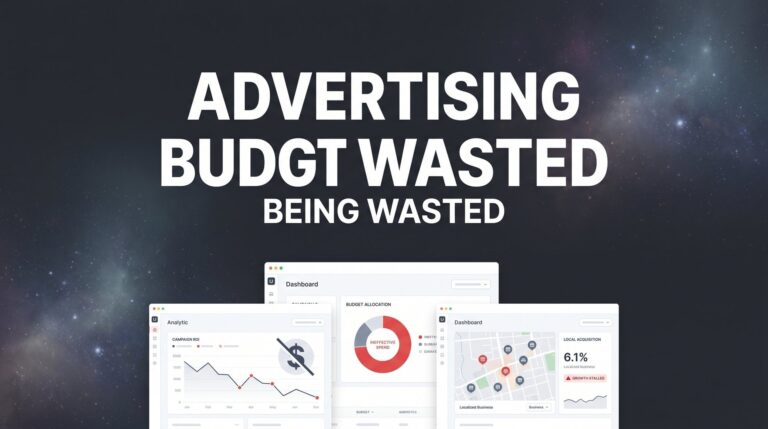
Every month, local business owners watch thousands of dollars disappear into advertising campaigns that deliver nothing but frustration. You check your ad spend, see the numbers climbing, and wonder where all those clicks actually went. The dashboard shows activity, but your phone isn’t ringing and your inbox isn’t filling with serious inquiries.
Sound familiar?
The truth is, most businesses aren’t failing at advertising. They’re failing at advertising strategically. The difference between profitable ads and money pits often comes down to a handful of fixable mistakes that compound over time. A poorly configured campaign doesn’t just waste money today—it trains the algorithm incorrectly, builds bad data, and makes every future dollar less effective.
Here’s the good news: advertising waste follows predictable patterns. The same leaks appear across industries, platforms, and business types. Fix these core issues, and you transform your campaigns from expense centers into revenue generators. Whether you’re running Google Ads, Facebook campaigns, or local service ads, the fundamentals remain consistent.
This guide walks you through exactly how to identify where your advertising dollars are leaking, plug those holes systematically, and build campaigns that actually deliver customers. No theory or fluff—just seven concrete steps that address the most common ways local businesses burn through their marketing budgets without results. Let’s get your advertising working as hard as you do.
Step 1: Audit Your Current Ad Spend and Identify the Biggest Leaks
You can’t fix what you don’t measure. Start by pulling your last 90 days of advertising data across every platform you’re using. Google Ads, Facebook, Instagram, LinkedIn, local service ads—gather everything in one place. This snapshot reveals patterns you miss when checking dashboards sporadically.
Now calculate your true cost per lead and cost per customer acquisition. Not what the platform reports, but what actually happens in your business. If Google Ads says you got 47 leads last month, how many became paying customers? What did those customers spend? This is where most businesses discover their first shock: the platform metrics look decent, but the business results tell a different story.
Next, identify specific campaigns, ad groups, or keywords eating budget without producing conversions. Look for the spend black holes. That one campaign that consumed $800 last month and generated two phone calls that went nowhere. The keyword that costs $12 per click but never converts. The Facebook ad set targeting a broad audience that drives traffic but zero sales.
The 80/20 principle appears consistently in advertising data. Often, 20% of your spend drives 80% of your actual results. One campaign performs while three others drain resources. Two keywords convert while twenty burn money. Your audit should identify this pattern clearly, helping you understand why you’re getting low ROI from digital advertising.
Create a simple spreadsheet with these columns: Campaign Name, Total Spend, Leads Generated, Customers Acquired, Revenue Generated, and Return on Ad Spend. Sort by ROAS from lowest to highest. The bottom of that list shows you exactly where to start cutting.
Pay special attention to campaigns that show high click-through rates but low conversions. This pattern indicates a disconnect between what your ad promises and what your landing page delivers. The traffic quality might be fine, but something breaks in the conversion process.
Also look for campaigns with declining performance over time. A campaign that worked six months ago but gradually stopped producing results often means competitors adjusted their approach, your audience fatigued, or market conditions shifted. These need either major restructuring or elimination.
Document everything you find. This audit becomes your baseline for measuring improvement as you implement the remaining steps.
Step 2: Define Clear Conversion Goals and Track Them Properly
Here’s where most advertising waste actually begins: businesses run campaigns without knowing what constitutes success. They optimize for clicks, impressions, or engagement instead of actual business outcomes. The platform has no idea what matters to your bottom line unless you tell it explicitly.
Set up conversion tracking for every meaningful action: phone calls, form submissions, online purchases, appointment bookings, quote requests. Each represents a potential customer taking a step toward buying from you. Without tracking these events, you’re flying blind.
For phone calls, implement call tracking for marketing campaigns that connects to your advertising platforms. When someone clicks your ad and calls within a specific timeframe, that call gets attributed to the campaign that drove it. Many businesses discover that phone calls represent their highest-value conversions but weren’t being tracked at all.
Form submissions need tracking pixels that fire when someone completes your contact form. Test this yourself: fill out your own form and verify the conversion appears in your ad platform within 24 hours. Broken tracking is shockingly common and makes profitable campaigns look like failures.
Now assign realistic dollar values to each conversion type. If you know that 30% of form submissions become customers with an average order value of $2,000, each form fill is worth approximately $600. This valuation helps the algorithm optimize toward your most valuable actions instead of treating all conversions equally.
Common tracking mistakes create massive blind spots. Installing the tracking code on the wrong page means conversions never register. Using outdated tracking methods after platform updates breaks attribution. Failing to exclude internal traffic makes your own website visits look like customer conversions. If you’re struggling with this, learn how to fix your marketing conversion tracking properly.
Verify your tracking with test conversions. Click your own ad (using a different device or browser), complete the conversion action, and confirm it appears in your dashboard. Do this for each conversion type you’re tracking. If something doesn’t show up, your tracking is broken and needs immediate fixing.
Another critical element: set up conversion windows that match your actual sales cycle. If customers typically research for two weeks before buying, a seven-day conversion window undercounts your results. If people buy immediately or not at all, a 30-day window gives credit to ads that didn’t actually influence the decision.
Proper tracking transforms your relationship with advertising. Instead of guessing which campaigns work, you know. Instead of optimizing based on assumptions, you optimize based on revenue data. This single step often reveals that certain campaigns you thought were failing are actually your best performers.
Step 3: Eliminate Wasted Clicks with Negative Keywords and Audience Exclusions
Every irrelevant click costs you money while delivering zero chance of conversion. Someone searching for “free plumbing advice” clicks your ad for plumbing services, costs you $8, and immediately bounces because they’re not ready to hire anyone. Multiply that scenario across hundreds of clicks per month, and you’ve found a major leak.
Start by reviewing your search term reports in Google Ads. This report shows the actual queries that triggered your ads, not just the keywords you bid on. You’ll discover searches you never intended to appear for, many of them completely irrelevant to your business.
Build a comprehensive negative keyword list based on what you find. Common money-wasters include searches with “free,” “DIY,” “how to,” “jobs,” “salary,” “course,” “training,” and “cheap.” Someone searching “free marketing tools” isn’t looking to hire a marketing agency. Someone searching “plumber salary” isn’t looking to hire a plumber.
Industry-specific negative keywords matter too. A personal injury lawyer should exclude “criminal,” “divorce,” and “immigration” to avoid wasting budget on legal cases they don’t handle. A residential roofer should exclude “commercial,” “industrial,” and “warehouse” to stop paying for clicks from business owners seeking services they don’t provide.
Add negative keywords at both campaign and account levels. Account-level negatives apply universally, preventing obviously bad searches across all campaigns. Campaign-level negatives allow more nuanced control for specific services or targeting strategies. Understanding pay per click advertising fundamentals helps you implement these controls effectively.
On Facebook and Instagram, audience exclusions serve a similar purpose. Exclude people who already converted (unless you want repeat business). Exclude your own employees and their connections. Exclude audiences that consistently click but never convert—Facebook’s data shows you which demographics engage but don’t buy.
Geographic exclusions prevent waste too. If you only serve a 25-mile radius, exclude everyone outside that area. Sounds obvious, but many campaigns accidentally target entire states or regions because the initial setup wasn’t properly restricted.
Watch for click fraud and bot traffic patterns. Sudden spikes in clicks from unusual locations, clicks at odd hours, or repetitive clicking patterns from the same IP addresses indicate fraudulent activity. Most ad platforms have built-in fraud detection, but adding third-party monitoring provides extra protection for high-budget campaigns.
Review and update your negative keyword lists monthly. New irrelevant searches appear as your campaigns run and as market language evolves. What people search for changes over time, and your negative keywords need to keep pace.
Step 4: Fix Your Landing Pages to Convert the Traffic You’re Paying For
You’re paying for every click that hits your landing page. If that page fails to convert visitors into leads, you’re essentially setting money on fire. Many businesses focus entirely on ad optimization while ignoring the destination where conversion actually happens.
Start with message match. Your landing page headline should directly reflect what your ad promised. If your ad says “Get a Free Roof Inspection,” your landing page better lead with “Free Roof Inspection” prominently displayed. When visitors see different messaging, they assume they clicked the wrong thing and leave immediately.
Mobile speed and functionality aren’t optional considerations. They’re critical requirements. Most of your ad clicks come from phones, and mobile users have zero patience for slow-loading pages. Test your landing page speed using Google’s PageSpeed Insights. If it scores below 50 on mobile, you’re losing conversions before the page even fully loads.
Common mobile killers include large uncompressed images, excessive scripts, complex animations, and poorly optimized code. A landing page that loads instantly on your office computer might take eight seconds on a phone with a mediocre connection. Those eight seconds cost you customers.
Your call-to-action needs to appear above the fold without scrolling. Visitors should see exactly what action to take within one second of landing on the page. “Call Now,” “Get Your Free Quote,” “Schedule Your Consultation”—whatever the next step is, make it immediately obvious and easy to complete.
Remove navigation menus from dedicated landing pages. Every link away from your conversion goal represents a leak. Visitors came from your ad for a specific purpose. Don’t give them 15 other places to wander off to. One page, one goal, one clear path to conversion. This is a core principle of performance marketing that separates profitable campaigns from money pits.
Test one element at a time to improve conversion rates systematically. Change your headline and measure results for two weeks. Then test a different call-to-action button color. Then try different form fields. Testing multiple changes simultaneously makes it impossible to know what actually improved performance.
Form length matters significantly. Every field you require reduces conversion rates. Do you really need their job title and company size right now? Or can you collect that information later? Start with the minimum viable information: name, phone number or email, and maybe one qualifier about their specific need.
Add trust signals strategically. Customer reviews, industry certifications, years in business, and recognizable client logos build credibility. But don’t clutter the page with dozens of badges and testimonials. Pick your strongest three trust elements and place them near your call-to-action.
Your landing page should answer the visitor’s immediate question: “Is this what I’m looking for, and what do I do next?” If they can’t answer both questions in five seconds, the page needs simplification.
Step 5: Restructure Campaigns Around Your Most Profitable Services
Not all revenue is created equal. A $500 job that takes three hours and has 60% margins contributes more to your business than a $2,000 job that takes 20 hours and has 15% margins. Yet many businesses allocate advertising budget evenly across all services without considering profitability.
Identify which services or products have the highest profit margins and lifetime customer value. These become your advertising priorities. If kitchen remodels generate three times the profit of bathroom updates, your kitchen remodel campaigns should receive significantly more budget and attention.
Create separate campaigns for high-value versus low-value offerings. This separation allows precise budget control and prevents your most profitable services from competing against lower-margin work for the same advertising dollars. High-value campaigns can justify higher cost-per-click because the return justifies the investment.
Allocate budget proportionally to profit potential, not just revenue potential. Many businesses chase high-revenue services that barely break even while underfunding lower-revenue services with excellent margins. Run the actual numbers for your business—you might discover your assumptions about which services deserve the most advertising spend are completely backward.
Consider customer intent levels when structuring campaigns. Someone searching “emergency plumber near me” has high intent and high urgency. They’ll convert quickly and likely accept premium pricing. Someone searching “bathroom remodel ideas” is researching and might not be ready to hire for months. These searchers need different campaigns with different messaging and expectations. If you’re running a service business, understanding online advertising for local businesses helps you structure campaigns around these intent levels.
Pause or dramatically reduce spend on services that consistently generate leads but rarely convert to profitable customers. Some offerings attract price shoppers, difficult clients, or people who aren’t serious buyers. If a service consistently wastes sales time without producing revenue, stop advertising it regardless of how many leads it generates.
Build campaign structures that reflect your actual service delivery model. If you’re a multi-service business, each major service category should have its own campaign with dedicated budget. This structure provides clear performance data for each service line and prevents high-performing services from subsidizing poor performers.
Review campaign performance by profit generated, not just revenue or lead volume. The campaign that generates 50 leads per month might produce less profit than the campaign generating 10 leads if those 10 leads convert at higher rates and higher margins.
Step 6: Set Proper Bidding Strategies and Budget Controls
Bidding strategies tell the advertising platform how to spend your money. Choose the wrong strategy, and you’ll optimize for the wrong outcomes. Many businesses default to whatever the platform recommends without understanding what that strategy actually prioritizes.
Match your bidding strategy to your actual goals. If you need phone calls, use a strategy that optimizes for call conversions. If you need form submissions, optimize for form completions. If you’re focused on brand awareness, maximize impressions. The platform will deliver what you tell it to prioritize.
Manual CPC bidding gives you maximum control but requires active management. You set the exact amount you’re willing to pay per click. This works well when you have clear data about which keywords and audiences convert profitably at specific price points. It requires regular monitoring and adjustment. If you’re new to this, our guide on paid search advertising for beginners walks through these bidding options in detail.
Automated bidding strategies like Target CPA or Maximize Conversions let the algorithm adjust bids automatically to hit your goals. These strategies need sufficient conversion data to work effectively. If you’re getting fewer than 30 conversions per month, automated bidding often struggles because it lacks enough data to optimize properly.
Set dayparting schedules based on when your customers actually convert, not just when they click. If your data shows that clicks between 9 PM and 6 AM rarely convert into paying customers, reduce or eliminate ad delivery during those hours. Save your budget for times when serious buyers are searching.
Implement geographic bid adjustments for your service area. If customers in certain zip codes convert at higher rates or have higher lifetime value, increase bids by 20-30% in those areas. If certain regions consistently produce low-quality leads, decrease bids or exclude them entirely.
Device bid adjustments matter significantly. If mobile users convert at half the rate of desktop users in your industry, reduce mobile bids accordingly. Don’t pay the same price for lower-quality traffic. However, if mobile conversions happen primarily through phone calls, make sure you’re tracking those calls properly before assuming mobile performs poorly.
Use shared budgets carefully. Shared budgets allow multiple campaigns to pull from the same budget pool, with the platform automatically allocating more to better-performing campaigns. This sounds efficient but can result in your highest-priority campaign getting starved because a lower-priority campaign is spending aggressively on cheaper clicks that don’t convert.
Set daily budget caps that prevent runaway spending. A campaign that suddenly starts spending 300% of its normal daily budget likely indicates a problem, not an opportunity. Budget caps give you time to investigate unusual activity before it drains your entire monthly budget in three days.
Step 7: Build a Weekly Review Routine to Catch Problems Early
Advertising platforms change constantly. Algorithms update, competitor behavior shifts, seasonal patterns affect performance, and technical issues break tracking. A campaign running perfectly today can develop serious problems within a week if left unmonitored.
Create a 15-minute weekly checklist for campaign health. This doesn’t need to be complex. Check total spend versus budget. Review conversion rates compared to your baseline. Scan for any campaigns with zero conversions despite significant spend. Look for unusual spikes or drops in key metrics.
Set up automated alerts for unusual spend or performance drops. Most platforms allow you to configure notifications when daily spend exceeds a threshold, when conversion rates drop below a certain level, or when cost per conversion rises above your target. These alerts catch problems before they consume your entire monthly budget.
Know when to optimize versus when to pause and reassess. Small performance fluctuations are normal and don’t require immediate action. A campaign that’s been profitable for months but had one bad week probably just needs time. A marketing campaign not working for three weeks straight needs either major restructuring or elimination.
Document every change you make with the date and reasoning. When you add negative keywords, note it. When you adjust bids, record why. When you pause a campaign, document the performance issues that led to that decision. This log becomes invaluable for understanding what actually moved the needle versus what was coincidental.
Review your search term reports weekly. New irrelevant searches appear constantly as people’s language evolves and as your campaigns gain visibility for broader queries. Adding negative keywords weekly prevents slow budget leaks from accumulating into significant waste.
Check your landing page functionality regularly. Forms break, tracking codes stop firing, pages slow down, and technical issues appear without warning. Test your conversion path yourself every week. Click your ad, complete the form or call, and verify everything works as intended. A proper Google Analytics setup helps you monitor these issues automatically.
Compare week-over-week performance, not just day-over-day. Daily fluctuations are normal and often meaningless. Weekly trends reveal actual patterns. If this week’s results are significantly worse than the same week last month, investigate why. Seasonal factors, competitor changes, or technical issues might be affecting performance.
Schedule your review at the same time each week. Monday mornings work well because you can catch any weekend issues before they compound. Friday afternoons allow you to review the full week’s performance and make adjustments before the weekend. Pick a time and stick to it consistently.
Putting It All Together
Stopping advertising waste isn’t about spending less. It’s about spending smarter. Every dollar you save from eliminating waste becomes a dollar you can invest in campaigns that actually work. Every improvement you make compounds over time as better data trains better algorithms.
Start with your 90-day audit to understand where money is currently leaking. Fix your conversion tracking so you actually know what’s working. Add negative keywords to stop paying for irrelevant clicks. Optimize your landing pages so the traffic you’re buying actually converts. Restructure campaigns around your most profitable services. Set proper bidding strategies and budget controls. Build a weekly review routine to catch problems before they spiral.
These seven steps transform advertising from a gamble into a predictable growth engine. You’ll know which campaigns drive revenue, which ones waste money, and exactly where to focus your optimization efforts. The guesswork disappears, replaced by data that clearly shows what’s working and what needs fixing.
Here’s your quick implementation checklist: Have you pulled your 90-day audit? Is conversion tracking verified and firing correctly? Are negative keywords in place across your campaigns? Do your landing pages match your ad messaging? Are budgets aligned with profit margins instead of just revenue? Have you set up your weekly review routine?
Start with step one today. Pull that audit data and identify your biggest leaks. Then work through each subsequent step systematically over the next few weeks. You don’t need to fix everything overnight. Steady, consistent improvements compound into dramatically better results.
The difference between businesses that succeed with advertising and those that burn money often comes down to attention and process. The businesses that win review their campaigns regularly, fix problems quickly, and continuously optimize based on real performance data. The businesses that lose set up campaigns once, let them run on autopilot, and wonder why results deteriorate over time.
Which type of business will you be?
Tired of spending money on marketing that doesn’t produce real revenue? We build lead systems that turn traffic into qualified leads and measurable sales growth. If you want to see what this would look like for your business, we’ll walk you through how it works and break down what’s realistic in your market. No fluff, no fake promises—just honest analysis of where your advertising dollars should go and what kind of returns you can actually expect in your specific situation.