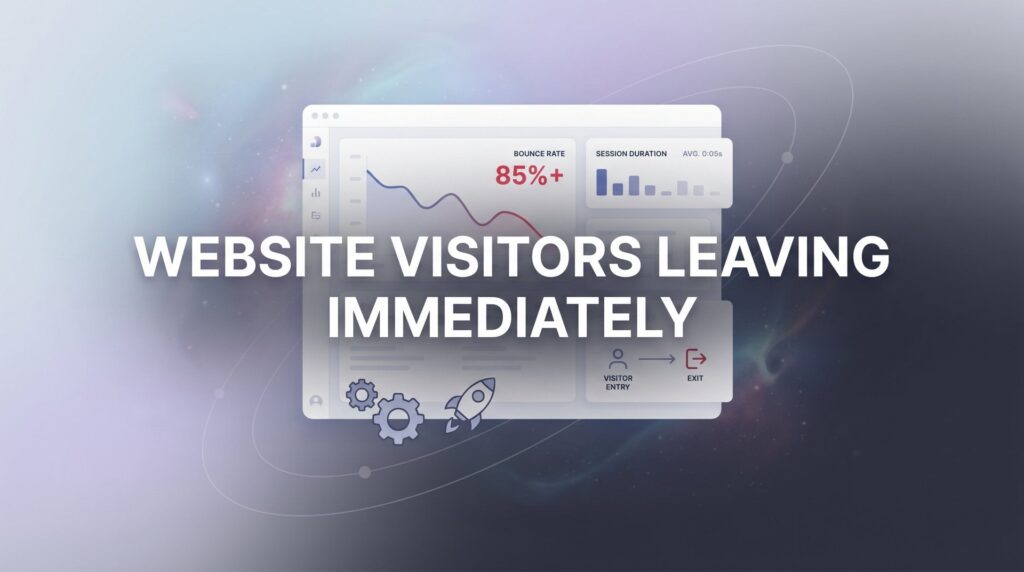
You’re spending money driving traffic to your website. Google Ads, SEO, social media, referrals—people are showing up. And then they leave. Immediately. No scrolling, no clicking, no calling. Just gone.
If your website visitors are leaving immediately, you’re essentially paying to fill a leaky bucket. Every bounce is a potential customer lost, a lead wasted, and ad dollars evaporating before they ever had a chance to work. This is one of the most frustrating problems local business owners face, and it’s far more common than most people realize.
Here’s what makes it particularly painful: the problem usually isn’t your marketing. Your ads might be dialed in. Your SEO might be working. People are finding you. The breakdown is happening on the website itself, and that’s actually good news, because it means you can fix it.
This guide walks you through seven concrete, high-impact fixes for stopping visitors from bouncing off your site. Not vague suggestions like “improve your content” or “make it more engaging.” Specific, actionable steps you can start implementing this week.
Whether you run an HVAC company, a plumbing business, a roofing operation, or any other local service business, these fixes are built for you. We’ll start with diagnosing the actual problem using real data, then move through each fix in order of impact. By the end, you’ll have a clear roadmap for turning a leaky website into a lead-generating machine.
Let’s plug the leaks.
Step 1: Diagnose the Damage With Bounce Rate and Behavior Data
Before you change a single thing on your website, you need to know exactly where visitors are dropping off and why. Guessing is expensive. Data is cheap. Start here.
Open Google Analytics 4 and navigate to Reports > Engagement > Pages and Screens. This view shows you which pages visitors are landing on and how they’re behaving once they arrive. The key metrics to focus on are engagement rate, average engagement time, and views per session.
A quick note on how GA4 handles bounce rate: unlike the old Universal Analytics, GA4 defines bounce rate as the inverse of engagement rate. A “bounced” session is one where the visitor had no engagement event, meaning they didn’t scroll, click, or spend meaningful time on the page. This is actually a more useful definition than the old version, and it means your GA4 bounce rate and your Universal Analytics bounce rate won’t be directly comparable. If you’re struggling with this metric specifically, our guide on how to fix a high bounce rate website problem breaks down the full diagnostic process.
For local service businesses, a high bounce rate on a contact page or service page is a red flag. A high bounce rate on a blog post is less alarming, since readers often find what they need and leave. Context matters.
What to look for: Pull up your top five landing pages. These are the pages receiving the most traffic, which means they’re also responsible for the majority of your losses. For each page, look at average engagement time. If visitors are spending only a few seconds before leaving, something is wrong with either the page experience or the match between what they expected and what they found.
Next, open Google Search Console and navigate to the Performance report. Filter by page to see which search queries are driving traffic to each of your top pages. This is where intent mismatches become visible. If people searching for “how much does roof repair cost” are landing on your About Us page, they’re going to leave immediately. That’s not a traffic problem. That’s a relevance problem.
Spend thirty minutes in these two tools before moving to any other step. Write down the specific pages with the worst engagement times and the queries that seem misaligned with where they land. That list becomes your priority repair order for everything that follows.
Step 2: Fix Your Page Speed Before It Costs You More Customers
Page speed is the most common silent killer of local business websites. Visitors don’t send you a message explaining why they left. They just hit the back button and call your competitor. And slow load times are one of the top reasons they do it.
Start by running your site through two free tools: Google PageSpeed Insights (pagespeed.web.dev) and GTmetrix (gtmetrix.com). Both will give you a score and, more importantly, a list of specific issues dragging your speed down. Run the test on your homepage and your top landing pages separately, since performance can vary significantly between pages.
For most local business websites, the culprits are predictable. Uncompressed images are almost always at the top of the list. A single hero image that hasn’t been properly compressed can add several seconds to your load time on its own. Use a tool like ShortPixel or TinyPNG to compress your images before uploading them, and convert large images to WebP format where possible.
Beyond images, watch out for these common speed killers:
Bloated themes: Many popular WordPress themes are built for visual flexibility, not speed. If your theme is loading dozens of scripts and stylesheets that your site doesn’t actually use, it’s slowing you down.
Too many plugins: Every plugin adds weight. Audit your plugin list and remove anything you’re not actively using. Some plugins, particularly page builders and sliders, carry significant performance costs.
No browser caching: Caching stores a version of your page so returning visitors and some first-time visitors don’t have to reload everything from scratch. A plugin like WP Rocket or W3 Total Cache can handle this relatively easily on WordPress sites.
Render-blocking scripts: JavaScript and CSS files that load before the page content can delay how quickly visitors see anything on screen. Your PageSpeed Insights report will flag these specifically.
Mobile speed deserves special attention. Most local searches, especially urgent ones like “emergency plumber near me” or “AC repair today,” happen on phones. A site that loads acceptably on desktop but crawls on mobile is losing the customers who need you most right now. If you’re weighing whether to invest in organic speed improvements or paid channels first, understanding the tradeoffs between local SEO vs PPC for lead generation can help you prioritize.
After making changes, re-run your PageSpeed Insights test and compare the before and after scores. You’re looking for meaningful improvement in your Core Web Vitals scores, particularly Largest Contentful Paint (how quickly the main content loads) and Cumulative Layout Shift (how stable the page is as it loads).
Step 3: Rewrite What Visitors See in the First Three Seconds
Visitors make a judgment about your website almost instantly. Before they’ve read a single sentence, before they’ve scrolled an inch, they’ve already formed an impression. If what they see above the fold doesn’t immediately communicate that they’re in the right place, they leave.
The above-the-fold test is simple: look at your homepage and your top landing pages on both desktop and mobile without scrolling. Ask three questions about what’s visible:
1. What do you do?
2. Where do you do it?
3. Why should someone choose you over anyone else?
If your headline currently reads something like “Welcome to Our Website” or “Your Trusted Home Services Partner,” that’s the problem. Those headlines answer none of the three questions. They’re placeholders dressed up as value propositions.
Replace them with something specific. “Same-Day Plumbing Repair in [City] — Licensed, Insured, and 5-Star Rated” answers all three questions before the visitor reads another word. It tells them what you do, where you do it, and gives them a reason to trust you. That’s the standard your headline needs to meet. If your website visitors are not calling despite decent traffic, a weak above-the-fold section is almost always a contributing factor.
Your primary call to action must also be visible without scrolling, on both desktop and mobile. If a visitor has to hunt for how to contact you, they won’t. Put your phone number, a “Call Now” button, or a short contact form directly in the hero section. Make it impossible to miss.
Now look at what else is happening above the fold. Auto-playing video sliders, pop-ups that fire the moment someone arrives, and rotating carousels are all conversion killers. They add visual noise, slow down load times, and distract visitors from the one action you want them to take. Remove them.
Finally, add trust signals to the above-the-fold area. Your Google review rating with star count, years in business, license number, or a Google Premier Partner badge if applicable. According to research published by the Nielsen Norman Group on how users read web pages, visitors spend a disproportionate amount of their attention on content visible without scrolling. Every trust signal you place in that zone works harder than one buried below the fold.
The goal is clarity, not creativity. Visitors shouldn’t have to work to understand what you do. Make it obvious in three seconds or less.
Step 4: Match Your Landing Pages to What Visitors Actually Came For
Here’s the single most common reason website visitors leave immediately: they clicked expecting one thing and landed on something completely different.
This is called an intent mismatch, and it’s brutally common in local business marketing. Your Google Ad says “Emergency AC Repair — Available 24/7.” The visitor clicks, expecting to land on a page about emergency AC repair with a phone number front and center. Instead, they land on your generic homepage, which talks about your full range of HVAC services and has a contact form buried halfway down the page. They bounce. Every time.
The fix is dedicated landing pages for each core service and location. Not one page for “HVAC Services” that covers everything, but separate pages for AC repair, furnace installation, heat pump service, and so on. Each page should speak directly to the visitor who clicked on that specific ad or organic result. Understanding landing page design pricing can help you budget for building these dedicated pages the right way.
For your paid campaigns, this is non-negotiable. Every ad group should have a corresponding landing page where the headline, messaging, and CTA match the ad copy almost word for word. Google’s own documentation on Quality Score emphasizes that landing page relevance directly impacts both your ad performance and your cost per click. Mismatched landing pages don’t just hurt conversions. They make your ads more expensive.
For organic traffic, go back to your Google Search Console data from Step 1. Look at the queries driving traffic to each page. If the queries don’t match the content on the page those visitors are landing on, you have an intent mismatch to fix. Either update the page to better address those queries, or create a new page that directly answers what those visitors are searching for.
A useful way to think about this: every visitor arrives with a specific question or need. Your landing page is the answer. If the answer doesn’t match the question, they go find a better answer somewhere else. Make sure your pages are the best possible answer to the specific question that brought each visitor to your site.
Step 5: Go Beyond Mobile-Friendly and Make Your Site Actually Work on a Phone
There’s a difference between a site that’s technically mobile-friendly and one that actually works well on a phone. Many local business sites pass the “mobile-friendly” test but still deliver a frustrating experience to mobile visitors. And for most local service businesses, mobile visitors make up the majority of traffic.
Check your GA4 data under Reports > User > Tech > Platform/Device Category to see your actual mobile traffic percentage. For most local service businesses, especially those in urgent-need categories like plumbing, electrical, or HVAC, mobile is often the dominant channel.
Now do something most business owners skip: pull out your actual phone and use your website the way a real visitor would. Don’t use a desktop browser’s device simulator. Use a real phone. Tap every button. Fill out your contact form. Try to find your phone number and call it. Try to navigate to a specific service page.
Common mobile failures to look for:
Text that’s too small to read comfortably: If visitors have to pinch and zoom to read your content, they won’t. They’ll leave.
Buttons too close together: Tap targets that are too small or too close cause accidental clicks and frustration. Your call button especially needs to be large and easy to tap.
Forms with too many fields: A visitor on a phone who needs a plumber isn’t going to fill out a ten-field form. Cut it down to name, phone number, and a brief message. That’s it.
Click-to-call that’s hard to find: Your phone number should be tappable and prominently placed. Consider a sticky header or footer bar on mobile that keeps the call button visible as visitors scroll. A visitor who can’t easily call you will call someone else. These kinds of mobile friction points are a major reason behind low website conversion rates across local service industries.
Simplify your mobile navigation. Hamburger menus are fine, but make sure the most important actions, calling, getting a quote, and finding directions, are always within one tap. Don’t make mobile visitors dig through menus to take the action that matters most.
Step 6: Build Trust in Seconds With Social Proof and Credibility Markers
Visitors who don’t trust your website leave immediately. And trust isn’t built through paragraphs of text explaining how professional and experienced you are. It’s built through visual cues that visitors process almost unconsciously in the first few seconds.
The most powerful trust signal you can add to a local business website is real customer reviews. Not testimonials you’ve written yourself, but actual Google reviews displayed through a widget that pulls live, verified reviews directly from your Google Business Profile. Visitors know the difference between curated testimonials and real reviews, and they trust the latter far more.
Place your review widget on your homepage and your top service landing pages, ideally above the fold or close to it. Your star rating and review count should be visible early in the visitor’s experience, not buried at the bottom of the page. If you’re seeing website traffic not converting, missing or poorly placed social proof is one of the first things to investigate.
Beyond reviews, display your credentials visibly:
Licenses and certifications: If your trade requires a license, show it. Visitors searching for a contractor want to know you’re legitimate. Your license number or certification badge answers that question instantly.
Insurance information: A simple “Fully Insured” badge or statement removes a common objection before it even forms in the visitor’s mind.
Partner and accreditation logos: If you’re a Google Premier Partner, display that badge. BBB accreditation, manufacturer certifications, and industry association memberships all add credibility.
Real photos: This one is underestimated. Real photos of your team, your trucks, and your completed work build trust in a way that stock photos simply cannot. Generic stock photography actually erodes trust for local businesses, because visitors sense the inauthenticity. Show them the real people and real work behind your business.
Finally, make sure your physical address and local phone number are prominently displayed. Visitors who can’t quickly verify that you’re a real, local business will bounce. A local address and a recognizable area code are trust signals in their own right.
Step 7: Stop Guessing and Start Optimizing With Real Data
The first six steps give you a strong foundation. This step is what separates businesses that continuously improve from those that make one round of changes and wonder why results plateau.
Start by installing Microsoft Clarity, which is completely free. Clarity gives you heatmaps showing where visitors click and scroll on each page, and session recordings that let you watch real visitor sessions to see exactly where they get confused, frustrated, or give up. This is one of the most eye-opening tools you can add to your site, and the price is hard to argue with. For a broader look at testing and optimization platforms, our CRO tools comparison covers the best options available right now.
If you want more robust A/B testing capabilities, Hotjar is another strong option with a free tier that works well for most local business sites.
Once Clarity is installed and you’ve collected a week or two of data, look for patterns. Are visitors clicking on something that isn’t clickable? Are they scrolling past your contact form without interacting with it? Are they dropping off at a specific point on a page? Each of these patterns points to a specific fix.
Run A/B tests on your highest-traffic pages, but test one variable at a time. Change the headline and nothing else. Then change the CTA button color and nothing else. Testing multiple variables simultaneously makes it impossible to know what actually drove the improvement.
In GA4, set up event tracking for the actions that matter: form submissions, click-to-call taps, and scroll depth past key thresholds. This lets you measure not just whether visitors are staying, but whether they’re actually taking action. A lower bounce rate is only meaningful if it correlates with more leads and calls.
Review your data monthly. Look at bounce rate trends alongside conversion rate trends. If bounce rate improves but conversions don’t, you’ve fixed the engagement problem but not the conversion problem, and that’s a different set of fixes to explore. A structured website conversion audit can help you pinpoint exactly where the remaining gaps are.
If you’ve worked through all seven steps and visitors are still leaving without converting, that’s when a deeper audit becomes valuable. Sometimes the issue is in the ad campaigns themselves, the keyword targeting, or the audience segmentation, and those problems require a more comprehensive look at the full funnel from click to conversion.
Your Action Plan: Putting It All Together
Stopping website visitors from leaving immediately isn’t about one magic fix. It’s about systematically eliminating every reason they have to bounce, starting with the highest-impact issues and working through each layer.
Here’s your quick-reference checklist to keep the work organized:
✅ Check bounce rate and engagement data in GA4, and identify your five worst-performing landing pages.
✅ Run PageSpeed Insights on your top pages, compress images, enable caching, and target meaningful improvement in your Core Web Vitals scores.
✅ Rewrite your above-the-fold content so it clearly answers what you do, where you do it, and why visitors should choose you, with a visible CTA.
✅ Match every landing page to visitor intent, especially for paid traffic, so the message on the page mirrors what brought them there.
✅ Test your site on a real phone, fix mobile usability issues, and make click-to-call prominent and easy to use.
✅ Add real Google reviews, credentials, real photos, and a visible local address and phone number to build instant trust.
✅ Install Microsoft Clarity, set up GA4 event tracking, and start running controlled A/B tests on your top pages.
Every visitor who stays instead of bouncing is a potential customer. Every second you shave off load time, every headline you sharpen, every trust signal you add compounds into more leads, more calls, and more revenue. These aren’t small optimizations. They’re the difference between a website that works and one that quietly drains your marketing budget.
If you’re running paid campaigns and visitors are still leaving immediately after working through these steps, the problem may run deeper than the website itself. It might be in your targeting, your audience segmentation, or the structure of your campaigns. That’s where a full-funnel audit becomes essential.
Clicks Geek specializes in conversion rate optimization and PPC management for local businesses. We’ve seen every version of this problem, and we know how to find where the funnel is actually breaking. If you want to see what this would look like for your specific business, we’ll walk you through exactly how it works and what’s realistic in your market. No generic advice. Just a clear look at what’s holding your traffic back from becoming revenue.