You launch your Google Ads campaign. Traffic starts flowing. You check your leads inbox and find… a guy looking for a job, someone asking how to fix their own pipes, and a person three states away who somehow ended up on your site. Meanwhile, your budget is draining fast.
This is the reality for many local business owners running Google Ads without a disciplined negative keyword strategy. The problem isn’t your ad copy. It isn’t your landing page. It’s that Google is showing your ads to people who were never going to buy from you in the first place.
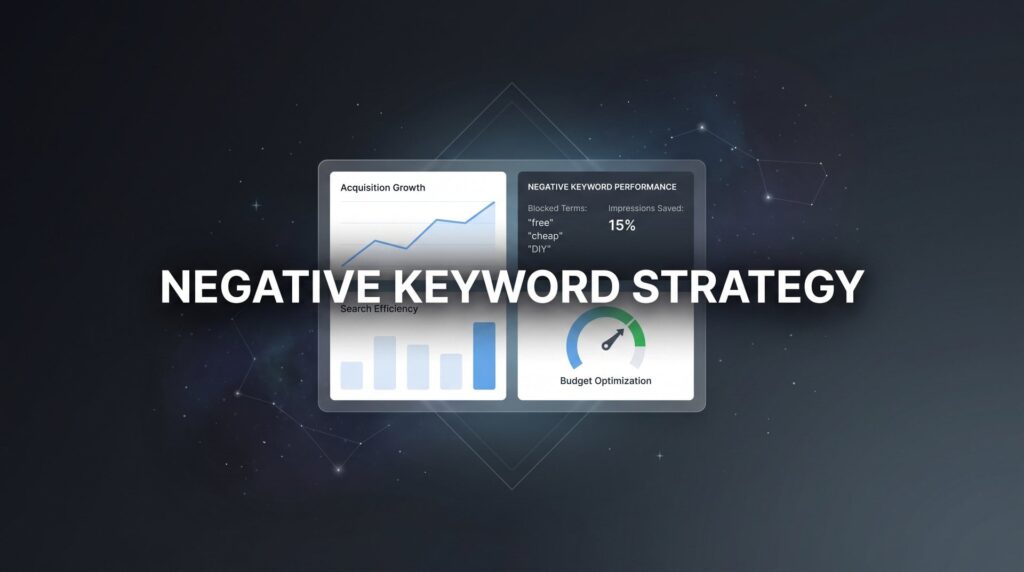
A negative keyword strategy is exactly what it sounds like: you tell Google which searches should not trigger your ads. Done right, it’s one of the most powerful levers in PPC management. It doesn’t require more budget. It requires smarter budget allocation.
Think of it like a water filtration system. Right now, everything flows through, including the stuff that clogs your pipes and wastes your money. Negative keywords are the filter. They let the high-intent, ready-to-buy traffic through while blocking the junk.
At Clicks Geek, as a Google Premier Partner agency, negative keyword management is one of the first things we tackle when we audit an underperforming campaign. The budget leaks we find are almost always significant, and plugging them consistently improves lead quality without touching the overall spend.
This guide walks through the exact six-step process we use to build, organize, and maintain negative keyword lists that protect ad spend and drive better ROI. Whether you manage your own campaigns or hand this off to your PPC team, you’ll finish this article with a repeatable system you can start using today.
Let’s get into it.
Step 1: Audit Your Search Terms Report to Find the Money Leaks
Before you can fix anything, you need to see exactly what’s happening. The Search Terms report in Google Ads shows you the actual queries people typed before clicking your ad. This is where the truth lives, and for most campaigns running without active negative keyword management, it’s a bit of a horror show.
To access it, log into Google Ads and navigate to Insights & Reports > Search Terms. You’ll see a list of every search query (that meets Google’s privacy threshold) that triggered your ads and resulted in a click. Set your date range to the last 90 days to get a meaningful sample size.
Now sort by cost, highest first. You want to see where your money is actually going before anything else. What you’re looking for falls into a few distinct categories.
Informational and DIY searches: Queries like “how to unclog a drain myself,” “DIY roof repair,” or “free legal advice” signal someone trying to solve the problem themselves, not hire you. These clicks are almost never going to convert.
Job-seeker queries: “Plumber jobs near me,” “roofing company hiring,” “HVAC technician salary” are all searches from people looking for employment, not services. This category surprises a lot of business owners when they first see it, but it’s extremely common.
Wrong-location terms: If you’re a Dallas plumber, you don’t want to pay for clicks from someone searching “plumber Houston” or “plumber Austin.” Geographic bleed happens more than you’d expect, especially with broad and phrase match keywords.
Competitor brand names you’re not intentionally targeting: Sometimes your ads show up for competitor searches. Whether that’s intentional or accidental, it’s worth flagging and making a conscious decision about each one.
Unrelated services: A roofing company might show up for “roof rack installation” or “rooftop bar near me.” A law firm might appear for “law school admissions.” These are query associations that make no logical sense for your business.
Once you’ve sorted by cost and scanned through the list, apply a second filter: flag any query that generated clicks but zero conversions over the past 90 days. These are your clearest candidates for exclusion. They’ve already cost you money and produced nothing.
Your goal at the end of this step is a prioritized list of 20 to 50 irrelevant terms ready to be excluded. Don’t try to be perfect here. Start with the obvious, high-cost offenders and build from there. This list becomes the foundation for everything that follows.
One important caveat: Google has progressively limited search term visibility over the years, showing only queries that meet certain privacy thresholds. This means you’re likely not seeing every irrelevant query that triggered your ads. Campaigns that suffer from this kind of invisible waste often show a negative ROI from advertising that’s difficult to diagnose without deeper analysis. That’s exactly why the proactive seed list in Step 4 matters so much.
Step 2: Organize Negatives Into Themed Lists for Scalable Management
Here’s where most people go wrong. They find a bad search term, add it as a negative at the ad group level, and move on. Then they find another one. And another. Six months later, they have hundreds of random negatives scattered across dozens of ad groups with no logical structure, and managing them becomes a nightmare.
The better approach is to organize your negative keywords into themed lists and apply those lists at the campaign level, or even across multiple campaigns, using Google’s Shared Library. For a deeper walkthrough of the Shared Library process, our guide on how to create negative keyword lists in Google Ads covers the exact steps.
To set this up, go to Tools > Shared Library > Negative Keyword Lists. Here you can create named lists and apply them to any campaign in your account. When you add a term to a shared list, it automatically applies everywhere that list is linked. This is how you scale negative keyword management without losing your mind.
For local businesses, these themed categories tend to cover the most ground:
Job Seekers: jobs, careers, hiring, salary, employment, internship, apprenticeship, resume, apply now, job openings
DIY and Free Seekers: free, cheap, DIY, do it yourself, how to, tutorial, guide, template, download
Educational and Research Intent: course, certification, training, degree, school, class, learn, study, what is, definition
Wrong Services: Terms specific to your industry that describe things you don’t offer. A plumber might exclude “plumbing supplies,” “pipe fittings,” or “plumbing parts” since those are product searches, not service searches.
Geographic Exclusions: Cities, neighborhoods, or regions outside your service area that keep appearing in your search terms data.
The naming convention matters more than you’d think. When you’re reviewing your account three months from now, a list called “Job Seeker Exclusions” is immediately clear. A list called “Negatives List 3” tells you nothing.
Aim for three to six organized, named lists before moving on. You don’t need to populate them completely right now. The structure is what matters at this stage. The lists will grow over time as you continue your weekly reviews.
The discipline of categorizing negatives also forces you to think more strategically about why you’re excluding something, which leads directly into the next critical decision: match types.
Step 3: Choose the Right Match Type for Each Negative Keyword
This is one of the most misunderstood mechanics in all of Google Ads, and getting it wrong can mean the difference between a tight, efficient campaign and one that’s still leaking budget despite having a long negative keyword list.
Here’s the key thing to understand: negative match types do NOT work the same way as positive match types. Specifically, negative broad match does not include close variants, synonyms, or misspellings the way positive broad match does. Each negative match type is more literal than its positive counterpart. For a full breakdown of how Google Ads keyword match types work on the positive side, understanding that contrast is essential.
Let’s break down each one:
Negative Broad Match: This is the most commonly used type and the one you’ll reach for most often. If you add “free” as a negative broad match, your ad won’t show for any query containing the word “free” anywhere in it. “Free plumber quote,” “free pipe inspection,” “is plumbing free” — all blocked. Use this when you want to eliminate an entire concept from triggering your ads.
Negative Phrase Match: This blocks any query that contains your specified phrase in that exact order. If you add “free estimate” as a negative phrase match, it blocks “free estimate plumber” and “plumber free estimate” but NOT a query like “free plumbing inspection.” Use this when you want to block a specific combination of words without being so broad that you accidentally block valuable traffic.
Negative Exact Match: This only blocks queries that exactly match the term you’ve entered, with no additional words. It’s the most surgical option but also the most limited. If you add [free estimate] as a negative exact match, a query like “free estimate for plumbing” would still trigger your ad. Use exact match negatives sparingly, typically for cases where you want to block one very specific query while preserving related searches.
Here’s a practical example: imagine a plumber who wants to block freebie seekers. Adding “free” as negative broad match is the right call. It’s a single word that, in virtually any context, signals someone who isn’t going to pay for a service call. But if you were a business that legitimately offers a “free estimate” as a selling point and you’re running a separate campaign around that offer, you’d want to be more careful and use phrase or exact match negatives to block only the non-converting variations.
The most common mistake here is defaulting to exact match for everything. It feels safe because it’s precise, but the result is that your ads continue showing for every variation and misspelling of the terms you thought you were blocking. Broad match negatives are your workhorses. Use them.
Before moving to the next step, go through your list from Step 1 and assign an intentional match type to each term. This small habit pays dividends in campaign performance.
Step 4: Build a Pre-Launch Negative Keyword Seed List
Most of the damage from irrelevant clicks happens in the first few weeks of a new campaign. You’re paying for data, which is fine, but there’s no reason to pay for data you could have predicted. A proactive seed list of negative keywords applied before the first click is launched protects your budget from the moment the campaign goes live.
Think about it this way: you don’t need a search terms report to know that your roofing company doesn’t want to show up for “roofing nails” or “rooftop bar” or “roofing certification.” You know your business. You know what you don’t offer. That knowledge is valuable before a single dollar is spent.
Here are the best sources for building your seed list:
Your own business knowledge: Start by brainstorming every product, service, or concept that shares words with your business but isn’t what you do. Write them down. This is often the most productive 20 minutes you’ll spend on your campaign setup. If you’re just getting started with PPC, our guide on paid advertising strategy for beginners covers the full setup process alongside negative keyword planning.
Google Keyword Planner: When you research your target keywords, you’ll see related terms that are clearly irrelevant. Flag them immediately and add them to your seed list.
Competitor and industry research: Look at what other businesses in your space target and what adjacent terms show up. Industry forums and Reddit threads are surprisingly useful for discovering the weird, unrelated queries that plague a particular business type.
For local businesses across most industries, these terms are almost universally worth adding to a seed list before launch:
jobs, careers, salary, hiring, internship, apprenticeship, free, cheap, DIY, how to, tutorial, reddit, youtube, training, certification, course, degree, school, what is, definition, template, download, software, app
Industry-specific examples are just as important. A roofing company should consider excluding: roof rack, rooftop, roofing nails, roofing screws, roofing supplies, roofing certification, roofing school. A personal injury lawyer should consider excluding: law school, legal assistant jobs, paralegal training, bar exam, legal internship. An HVAC company might exclude: HVAC certification, HVAC school, HVAC parts, HVAC supplies, HVAC tools. For industry-specific PPC guidance, our breakdown of Google Ads for lawyers shows how legal firms handle these exact exclusion challenges.
The goal is a seed list of 50 to 100 negatives applied before the first click. You won’t catch everything, which is why the ongoing review process in Step 5 exists. But you’ll walk into your campaign’s first week having already eliminated the most predictable sources of wasted spend.
Step 5: Establish a Weekly Review Cadence to Catch New Waste
Here’s the uncomfortable truth about negative keyword strategy: it is never finished. Google’s matching algorithms are constantly evolving, and the queries that trigger your ads today may be very different from the ones that trigger them three months from now. A campaign that was clean and efficient in January can develop significant leaks by March if no one is watching.
The fix is a consistent weekly review. Not a deep analytical session. Not a full account audit. Just 15 focused minutes, once a week, to pull the search terms from the last seven days and flag anything that doesn’t belong.
Here’s the routine that works:
1. Navigate to Insights & Reports > Search Terms and set the date range to the last 7 days.
2. Sort by cost, highest first. You want to see where money went before anything else.
3. Scan for irrelevant queries using the categories you established in Step 2: job seekers, DIY and free intent, educational searches, wrong services, wrong locations.
4. Add any flagged terms to the appropriate themed list in your Shared Library. The list structure you built in Step 2 makes this fast because you’re not deciding where things go — the categories already exist.
5. Document what you added and when. A simple spreadsheet or even a note in your project management tool works fine. The running log matters because it helps you spot patterns and gives you a record to reference during quarterly reviews.
For campaigns with higher spend or broader match settings, you can also use Google Ads automated rules or scripts to flag queries that have accumulated a certain amount of spend with zero conversions. These tools can send you an alert or generate a report automatically, which makes the weekly review even faster.
After three to six months of consistent optimization, your list matures and the volume of new irrelevant terms typically decreases. At that point, you can shift to bi-weekly reviews without losing much ground. But don’t make that shift too early. The first few months of a campaign are when the most optimization work happens, and skipping even a few weekly reviews during that period can undo significant progress. This ongoing discipline is a core part of what separates profitable PPC campaigns from ones that slowly bleed money.
The single biggest mistake in this step is treating negative keyword management as a one-time setup task. It isn’t. The 15-minute weekly cadence is what separates campaigns that stay efficient from campaigns that gradually drift back toward wasted spend.
Step 6: Measure the Impact and Refine as You Go
All of this work needs to connect back to real numbers. If you’re adding negative keywords without tracking whether they’re actually improving your campaign performance, you’re flying blind. Measurement is what turns a good process into a great one.
The four metrics to track before and after implementing your negative keyword strategy are:
Cost per conversion: This is your most important number. As irrelevant clicks are eliminated, your cost per lead should decrease because your budget is now concentrated on higher-intent traffic. Understanding how to calculate and benchmark this number is critical — our guide on the customer acquisition cost formula walks through the math.
Conversion rate: When you’re attracting more relevant clicks, a higher percentage of them should convert. A rising conversion rate is a strong signal that your negatives are working as intended.
Click-through rate (CTR): Removing irrelevant impressions often improves CTR because your ads are now showing to a more targeted audience. A rising CTR typically indicates better search relevance.
Impression share on relevant terms: As your Quality Score improves and your budget is freed from wasted clicks, you may find that you’re capturing more impression share on the keywords that actually matter.
There’s also an important risk to watch for: over-negating. This happens when you add a negative keyword that’s too broad and accidentally blocks searches that were actually converting. Signs of over-negating include a sudden, unexplained drop in impressions or conversions shortly after adding a batch of negatives.
To check whether your negatives are working as intended, use the Added/Excluded column in the Search Terms report. This shows you which queries are being blocked by your negative keywords. If you see a term in the excluded column that looks like it could have been a good lead, investigate before assuming it’s fine.
Every quarter, schedule a deeper review of your negative keyword lists. Ask these questions: Are there terms on the list that reflect services you’ve since added? Are there seasonal terms that made sense in winter but not in summer? Have you expanded your service area, making some geographic exclusions obsolete? Negative keyword lists should evolve with your business, not calcify into a static document that never gets updated.
The bottom line on measurement is straightforward: fewer wasted clicks means a lower cost per acquisition, which means your campaigns become more profitable without spending more money. The ultimate goal is to generate more qualified leads online with the same budget you’re already spending. That’s the entire point of this process, and tracking these metrics is how you prove it’s working.
Your Six-Step Negative Keyword Checklist
Here’s a quick-reference summary of everything covered in this guide:
Step 1: Audit your Search Terms report. Pull 90 days of data, sort by cost, and flag irrelevant queries. Target a list of 20 to 50 exclusion candidates.
Step 2: Organize negatives into themed lists. Use Google’s Shared Library to create named lists (Job Seekers, DIY/Free, Wrong Services, Geographic Exclusions) that apply across campaigns.
Step 3: Assign intentional match types. Use negative broad match as your default, phrase match for specific combinations, and exact match sparingly. Never rely on exact match alone.
Step 4: Build a pre-launch seed list. Apply 50 to 100 proactive negatives before a new campaign goes live to protect your budget from day one.
Step 5: Review weekly for 15 minutes. Pull the last 7 days of search terms, sort by cost, flag irrelevant queries, and add them to the appropriate themed list. Document everything.
Step 6: Track performance metrics and refine quarterly. Monitor cost per conversion, conversion rate, and CTR. Watch for over-negating. Update your lists as your business evolves.
A disciplined negative keyword strategy is genuinely one of the highest-ROI activities in PPC management. It doesn’t require a bigger budget or a complete campaign rebuild. It requires consistency, a clear process, and the willingness to spend 15 minutes a week protecting what you’ve already invested.
Start with Step 1 today. Pull your Search Terms report, sort by cost, and spend 20 minutes identifying the queries that have been draining your budget without producing leads. That single action will tell you more about your campaign’s health than almost anything else.
And if the process feels overwhelming, or you want an expert set of eyes on your account before you dig in, if you want to see what this would look like for your specific business, we’ll walk you through exactly where your budget is going, what’s fixable, and what a realistic path to better results looks like in your market. No pressure, just clarity.