You’re paying for clicks. The phone isn’t ringing. You check the dashboard and the traffic looks fine, maybe even good. So what’s broken?
Most owners go straight to the same conclusion: spend more, rank higher, run more ads. It’s the instinct that makes sense on the surface. If traffic produces leads, more traffic produces more leads. Except that math only works when the page visitors land on is actually doing its job.
The platform isn’t broken. The landing page is.
Conversion rate is the percentage of visitors who take a meaningful action on your site: a phone call, a form fill, a booking. It sounds like a marketing metric, but it’s really a multiplier on your entire budget. Every dollar you spend on Google Ads, SEO, or anything else runs through that number. Fix the number, and every channel you’re already running gets more efficient without spending an extra cent. Ignore it, and you’re essentially pouring water into a bucket with a hole in the bottom.
This article is for owners who are already spending money and not seeing the return they expected. Not beginners. Not SaaS companies worried about email capture rates. Local service businesses: HVAC, plumbing, electrical, roofing, and every other trade where the phone needs to ring for revenue to happen. What follows is a practical walkthrough of why service sites fail to convert, what a page that actually works looks like, and where to start fixing yours today.
Why Conversion Rate Is the Most Expensive Number You’re Not Watching
Here’s the plain version: conversion rate tells you what percentage of the people who visit your site do something useful. For a service business, that means they called, filled out a form, or booked an appointment. Everyone else left without giving you a shot at their job.
Now here’s where it gets expensive. Home services Google Ads campaigns typically run a cost per lead in the $18-35 range. That number assumes a certain conversion rate on the page. When your page converts poorly, your effective cost per lead climbs, not because your bids changed, but because more clicks are going to waste.
Think through the math without inventing numbers. If your page converts at 2% and you get 100 visitors, you get 2 leads. If you fix the page and it converts at 4%, the same 100 visitors produce 4 leads. Your ad spend didn’t change. Your traffic didn’t change. Your lead volume doubled. That’s the force multiplier at work.
The same logic applies across every channel. The roughly 42% of local clicks that go to Map Pack results land somewhere, usually your homepage or a service page. If that page doesn’t convert, the organic traffic you worked months to earn produces nothing. Local SEO cost per lead runs $7-15 at the 12-month mark, one of the most efficient channels available, but only when the page the traffic lands on actually closes the visit into a contact.
Conversion rate optimization isn’t a separate marketing project. It’s the infrastructure that determines whether everything else you’re doing pays off. A campaign that converts well at lower spend beats a campaign that converts poorly at higher spend every time. Owners who focus exclusively on getting more traffic while the page stays broken are running faster in the wrong direction.
The good news is that structural page problems are fixable. You don’t need a new website, a bigger budget, or a six-month agency retainer to see improvement. You need to know what’s actually causing visitors to leave without calling.
Four Reasons Local Service Sites Lose Visitors Before the Phone Rings
Most conversion problems on service sites come down to a short list of structural failures. None of them require a developer to diagnose. All of them are worth fixing before you spend another dollar on traffic.
Slow load speed on mobile: Local service searches are often urgent. Someone’s basement is flooding. The AC went out on a 95-degree afternoon. That person is on a phone, possibly standing in the problem, and they will not wait three seconds for your homepage to load. Between 40% and 70% of local service leads come in by phone, which means the page has to load fast enough for the visitor to see your number and tap it. A slow page doesn’t just frustrate users; it kills calls before they happen. Run your site through Google’s PageSpeed Insights and take the mobile score seriously. Anything below 70 on mobile is costing you jobs.
Weak or invisible trust signals: A visitor who doesn’t recognize your company has about five seconds to decide whether you’re worth calling. If your license number isn’t visible, your photos are stock images, and your reviews are buried somewhere in the footer, you’ve given them no reason to stay. Trades especially carry this problem. Homeowners are letting strangers into their houses. They want to see a real face, a real credential, and proof that other people hired you and were happy about it. These aren’t design preferences. They’re conversion elements.
Message-to-market mismatch: The ad promised emergency AC repair. The page talks about your company’s 20-year history and the full range of residential and commercial HVAC services you offer. The visitor who clicked on “emergency AC repair near me” isn’t reading your company story. They’re looking for confirmation that you can fix their problem today. When the page doesn’t reflect what the ad promised, visitors assume they clicked the wrong thing and go back to search results. This is one of the most common and most expensive conversion failures in local service PPC, and it’s covered in more detail below.
No clear primary action: Some service sites present visitors with five things to do at once: read a blog post, watch a video, explore the service menu, check out the gallery, and somewhere down the page, maybe call. When everything is equally prominent, nothing stands out. A page that converts well has one primary action above the fold, and everything else supports it. For a service business, that action is almost always a phone call.
What a High-Converting Service Page Actually Looks Like
You don’t need to guess at this. The structure of a page that converts well for local service businesses is fairly consistent, and the differences between a page that works and one that doesn’t are usually visible in the first scroll.
Above the fold: one headline, one action, one phone number. The moment a visitor lands on your page, they should see a headline that confirms they’re in the right place, a click-to-call phone number they can tap immediately, and a single primary action. No sliders cycling through four different messages. No welcome video that auto-plays. No paragraph explaining what HVAC stands for. The headline should match the intent that brought them there, which means it should reflect the ad they clicked or the search term they used. “Same-Day AC Repair in [City]” is a headline. “Welcome to Our Family-Owned Comfort Solutions Company” is not.
Social proof near the top, not the bottom. Star ratings and review counts belong near your primary CTA, not in the footer where nobody scrolls. The reason is simple: trust signals work when they’re adjacent to the decision point. A visitor who sees “4.8 stars, 214 reviews” next to your phone number is more likely to call than one who has to scroll past three sections of service descriptions to find your reviews. Pull your Google rating into the page header or directly below the headline. If your CMS doesn’t support that natively, a static badge with your rating and review count is better than nothing.
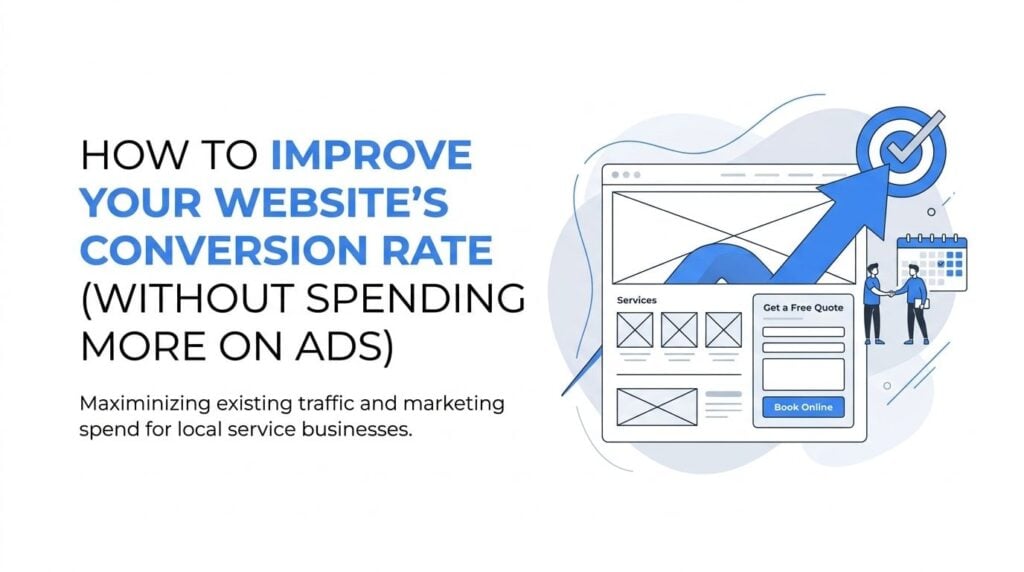
Form design that doesn’t scare people off. If your contact form asks for name, phone, email, address, service type, preferred appointment date, how they heard about you, and a message, you’re losing submissions. For a service business, the form’s only job is to get you enough information to call the person back. Name, phone number, and service type is enough. Every field you add beyond that reduces the number of people who complete it. This is not speculation; it’s a consistent pattern across contact form design. Keep it short, keep the submit button visible without scrolling, and label the button with something specific like “Get a Free Estimate” rather than the generic “Submit.”
One more thing worth saying plainly: the phone number needs to be a real click-to-call link on mobile, not just text. A visitor on a phone who has to manually dial a number they’re reading off a screen will often just leave. The tap-to-call friction is real, and it’s a two-minute fix in any CMS.
The Message-Match Problem Nobody Fixes
Message match is the alignment between what your ad or organic listing promised and what your landing page delivers. It sounds obvious. In practice, most local service sites fail at it badly.
Here’s a scenario that plays out constantly in home services PPC. A plumbing company runs a Google Ad for “same-day drain cleaning near me.” The ad headline says “Same-Day Drain Cleaning, Call Now.” Someone clicks it, ready to book. They land on the company’s main services page, which lists drain cleaning somewhere in the third paragraph under a header that says “Full-Service Residential Plumbing.” There’s no mention of same-day availability on the page. The visitor’s immediate reaction is that the ad was misleading, or that they clicked the wrong result. They hit the back button. The company paid for that click and got nothing.
This happens because most service sites send all their ad traffic to a single homepage or services page. It’s easier to manage, but it destroys conversion rate for any campaign that’s targeting specific intent.
The fix isn’t complicated, but it does require some work. Each major service or service category should have its own landing page with a headline that matches the search terms driving traffic to it. A “same-day drain cleaning” campaign should land on a page that says “Same-Day Drain Cleaning in [City]” above the fold, confirms availability, and has a phone number front and center. The visitor should feel like they landed exactly where they meant to go.
Auditing for message match takes about 20 minutes. Pull the top five search terms sending traffic to your site from Google Ads or Search Console. For each one, identify which page they land on. Then read the headline on that page and ask honestly whether it reflects the intent behind that search term. If someone searched “emergency furnace repair” and your page headline says “HVAC Services,” you have a message match problem. Fix the headline before you do anything else on that page.
Testing Changes Without Burning Time or Money
A/B testing gets talked about a lot in marketing circles and applied almost never by local service businesses. Part of that is because the tools are often presented as enterprise software. Part of it is that the concept sounds more complicated than it is.
The plain version: you run two versions of a page element at the same time, split your traffic between them, and see which one produces more conversions. That’s it. The most valuable thing to test first is almost always the headline, because it’s the first thing visitors read and it has the highest impact on whether they stay or leave. The second most valuable is the CTA button: its text, its color, and its placement.
There’s an honest caveat that most articles skip. A/B testing requires meaningful traffic volume to produce a trustworthy result. If your service page gets 200 visitors a month, a split test will take a long time to reach statistical significance, and the result may not be reliable even then. For lower-traffic local service sites, the better move is to identify and fix obvious structural problems first: slow load speed, missing trust signals, buried phone numbers, mismatched headlines. These don’t require a test to justify. They’re just wrong, and fixing them will produce improvement.
When you’re ready to test, the tools available without enterprise pricing include VWO (which has a free tier), and some CMS platforms like WordPress with Elementor or Divi have native split-testing features. Google Optimize was sunset in September 2023 and is no longer available. Don’t let a tool recommendation from an older article send you somewhere that doesn’t exist.
Start with one element, run it long enough to collect real data, and make a decision. Testing three things at once tells you nothing useful.
Tracking What Actually Tells You If the Phone Rang
Pageviews don’t pay the bills. Sessions don’t book jobs. If your reporting is built around traffic metrics and you’re not tracking calls, you’re flying without instruments.
Call tracking is non-negotiable for any service business spending money on ads. The basic setup assigns a unique phone number to each traffic source, so you know whether a call came from a Google Ad, an organic search, a Map Pack click, or a direct visit. Tools like CallRail integrate with Google Ads and GA4 and give you call recordings, call duration, and attribution data. Google Ads also has its own call tracking through forwarding numbers, which is free and worth setting up at minimum if you’re running any paid campaigns.
There’s a distinction worth making clearly: a lead is not the same as a booked job. A form fill or a phone call is a lead. A scheduled appointment is a step closer. A completed job that produced revenue is what you’re actually after. Ideally, your conversion tracking reflects the full funnel. In practice, most owners can’t connect their CRM or booking system to their ad platform without some custom work. At minimum, track calls and form fills as conversions in Google Ads and GA4, and review call recordings regularly to understand what percentage of inbound calls are turning into booked jobs. That ratio tells you whether your leads are qualified or whether something else in the process is breaking down.
In GA4, set up key events for form submissions and, if possible, for call clicks on mobile. In Google Ads, import those conversions so your bidding algorithms are optimizing toward real actions, not just clicks. Your agency should be able to walk you through this setup. If they can’t explain what conversions they’re optimizing toward, that’s a problem worth raising.
Where to Start When Your Site Isn’t Converting Right Now
Knowing five things are wrong doesn’t help if you don’t know which one to fix first. Here’s the order that makes sense for most local service sites, based on what tends to have the highest impact with the least complexity.
Start with load speed on mobile. It’s the floor. A page that loads slowly kills conversions before anything else on the page gets a chance to work. Run PageSpeed Insights, look at the mobile score, and address the top flagged issues. This often means compressing images, removing unused plugins, or switching to a faster hosting plan.
Next, fix message match on your highest-traffic pages. Pull your top search terms, check the headlines on the pages they land on, and align them. This single change tends to produce the most visible improvement in conversion rate for sites running paid traffic.
After that, address trust signals. Get your star rating visible near the top of the page. Add a real photo of your team or your truck. Make your license number visible if your trade requires one. These changes take an afternoon and they matter.
Then look at your form. Cut any field that isn’t strictly necessary to follow up with the lead. Relabel your submit button. Make sure the form is visible without scrolling on mobile.
Once the obvious structural problems are fixed, then consider testing. Not before.
Be realistic about the timeline. The 30-90 day ramp window applies here just as it does in paid campaigns. After you make changes to a page, you need enough traffic to accumulate before you can confirm whether the improvement is real. Don’t make three changes in week one and then make three more in week two because the numbers haven’t moved yet. Give each round of changes time to breathe.
The compounding effect is worth keeping in mind as you work through this. A better page doesn’t just improve your Google Ads results. It improves the return on your SEO investment, your Map Pack traffic, your Facebook campaigns, and any other channel sending visitors to your site. Every channel benefits from the same fixed page.
The Bottom Line on Conversion Rate
More ad spend on a page that doesn’t convert makes the problem more expensive. It doesn’t fix it. The owners who get the most out of their marketing budgets are the ones who treat the landing page as seriously as they treat the campaign itself.
The priority order is straightforward: load speed first, message match second, trust signals third, form design fourth, then testing once the structural problems are solved. None of these steps require a full website rebuild. Most can be addressed in stages over a few weeks.
If you’re spending money on ads or SEO right now and the phone isn’t ringing at the rate you’d expect, the page is almost certainly part of the answer. And if you’re seeing website traffic but no sales, the diagnosis almost always starts here: the traffic is arriving, but the page isn’t closing.
Clicks Geek has been working with local service businesses since 2015 as a Google Premier Partner. We manage campaigns across 298 industry verticals and have run more than 10,000 campaigns, which means we’ve seen most of the conversion problems described in this article play out in real accounts. When we take on a new client, a conversion setup review is part of how we start, because running traffic to a page that isn’t ready wastes money we could be putting toward leads instead.
If you want to see what this would look like for your business, we’ll walk through your current setup, tell you honestly what’s working and what isn’t, and show you what’s realistic in your market. No pressure, no guarantees, just a straight conversation about what the numbers actually say.