
You’ve got a great service, happy customers, and a business that deserves to be busier. But your phone isn’t ringing the way it should, and you’ve been told SEO is the answer. The problem? SEO takes months to build momentum, and you need customers this week. That’s exactly where PPC advertising enters the picture.
Pay-per-click advertising lets you jump to the top of Google search results almost immediately. Instead of waiting for organic rankings to climb, you bid to appear when someone in your area searches for exactly what you offer. The moment your campaign goes live, your business becomes visible to people actively looking to buy. That’s a fundamentally different kind of marketing opportunity.
But here’s the thing: PPC done poorly is an expensive lesson. Many local business owners have tried Google Ads, burned through a budget without much to show for it, and walked away convinced it doesn’t work. Usually, the problem wasn’t the platform. It was the setup, the targeting, or the landing page waiting on the other side of the click.
This guide breaks down how PPC advertising works from the ground up. You’ll understand the auction mechanics, how targeting actually functions, what you’re paying for and why, how to turn clicks into customers, and which mistakes quietly drain budgets without anyone noticing. No jargon-heavy fluff. Just a clear, results-focused breakdown of one of the most powerful customer acquisition tools available to local businesses.
The Auction Behind Every Click: How Search Ads Actually Get Placed
Every time someone types a search into Google, something remarkable happens in the background. In the milliseconds before the results page loads, Google runs a real-time auction to determine which ads appear, in what order, and at what cost. This happens billions of times per day, and understanding it changes how you think about PPC strategy entirely.
The auction isn’t simply won by whoever bids the most money. Google uses a formula called Ad Rank to determine ad placement, and it’s built on three core components: your bid amount, your Quality Score, and the expected impact of your ad extensions and formats.
Bid Amount: This is the maximum you’re willing to pay for a single click. It sets the ceiling, but it’s rarely what you actually pay.
Quality Score: Google rates every ad on a scale of 1 to 10. This score reflects three things: how likely someone is to click your ad (expected click-through rate), how closely your ad matches the searcher’s intent (ad relevance), and how good the experience is on the page they land on (landing page experience). A high Quality Score is powerful because it lets you outrank competitors who bid more but offer a worse experience.
Ad Rank: This is the final calculation that determines your position. It combines your bid with your Quality Score and the anticipated value of your ad extensions. The advertiser with the highest Ad Rank gets the top spot, not necessarily the highest bidder.
Here’s a practical example. Say you’re a plumber bidding on “emergency plumber near me.” You bid $15 per click. A competitor bids $20 but has a poorly written ad, a slow website, and a low Quality Score. Your ad is tightly relevant, your landing page loads fast, and it clearly addresses emergency plumbing. Your Ad Rank could easily beat theirs despite the lower bid.
There’s another important nuance here. Google Ads operates on what’s called a second-price auction model. You don’t pay your maximum bid when someone clicks your ad. You pay just enough to beat the Ad Rank of the advertiser below you. In many cases, that means you’re paying noticeably less than your ceiling. This is why optimizing for Quality Score isn’t just good for rankings. It directly reduces what you pay per click.
For local businesses, this is genuinely good news. You don’t need to outspend every competitor in your market. You need to out-optimize them. A well-crafted ad pointing to a relevant, fast-loading landing page can consistently outperform a larger competitor who’s throwing money at the platform without thinking about quality. If you’re new to all of this, our guide on PPC management for beginners walks through the foundational setup steps.
Keywords, Match Types, and Targeting: Reaching the Right People at the Right Moment
Knowing how the auction works is step one. Knowing which auctions to enter is where strategy really begins. Not every search is created equal, and understanding keyword intent is the difference between spending money on curious browsers and spending money on people ready to hire you today.
Consider two searches: “how to fix a leaky faucet” and “plumber near me open now.” The first is informational. That person wants to try a DIY fix on YouTube. The second is commercial intent at its peak. That person has a problem, they want it solved, and they want someone on the phone now. As a local business, your ad budget belongs almost entirely in the second category.
This is where match types come in. Google Ads gives you control over how closely a search query needs to match your keyword before your ad is eligible to show.
Broad Match: Your ad can show for searches related to your keyword, even loosely. Google now uses machine learning signals including the user’s location, recent search history, and your landing page content to determine relevance. It casts the widest net and requires the most careful management to avoid irrelevant clicks.
Phrase Match: Your ad shows for searches that include the meaning of your keyword. This gives you more control while still capturing variations and related queries.
Exact Match: Your ad only shows when the search closely matches your specific keyword. This gives you the tightest control over who sees your ad and is often the best starting point for local businesses with limited budgets.
Equally important are negative keywords. These are terms you explicitly tell Google you do not want to trigger your ad. If you’re a plumber, you might add “DIY,” “how to,” “free,” and “jobs” as negatives. Without them, your budget can quietly disappear on searches that will never convert into paying customers.
Beyond keywords, local businesses have powerful targeting options that national advertisers often overlook. Geographic targeting lets you define exactly where your ads appear. You can target a radius around your business address, specific zip codes, or named cities and neighborhoods. Businesses that want even more granular location control can explore geofencing advertising services to reach customers within precise geographic boundaries.
You can also layer in demographic targeting, adjusting bids based on age, household income, or device type. And dayparting lets you control when your ads run. If your business is only open Monday through Saturday from 7am to 6pm, there’s no reason to pay for clicks at 2am on Sunday from someone you can’t serve.
Smart targeting isn’t about restricting your reach for its own sake. It’s about concentrating your budget where it’s most likely to produce a paying customer. That focus is what separates profitable PPC from expensive experimentation.
What You Actually Pay: Budgets, Bidding Strategies, and Cost Control
One of the most common questions local business owners ask before starting PPC is simple: how much does it cost? The honest answer is that it depends on your market, your industry, and how you structure your campaigns. But the mechanics of how you control that spend are straightforward once you understand them. For a detailed breakdown of typical costs, see our guide on how much Google Ads management costs in 2026.
You set a daily budget for each campaign, and Google distributes that budget across the day to maximize your results. If you set a $50 daily budget, Google won’t necessarily spend exactly $50 every day. It might spend $45 one day and $55 the next, but it won’t exceed roughly twice your daily budget in a single day, and it won’t exceed your monthly spending limit over the course of the month. This gives you predictability without requiring you to micromanage every hour.
Bidding strategies are where things get more nuanced. Google Ads offers several approaches, and the right one depends on where you are in your PPC journey.
Manual CPC: You set the maximum bid for each keyword yourself. This gives you full control and is often the best starting point for local businesses with smaller budgets. It lets you learn what different keywords actually cost in your market before handing control to automation.
Maximize Conversions: Google’s algorithm automatically sets bids to get you as many conversions as possible within your budget. This works well once you have conversion tracking properly set up and have enough historical data for the algorithm to learn from.
Target CPA (Cost Per Acquisition): You tell Google what you’re willing to pay for a lead or customer, and the system optimizes bids to hit that target. This is a powerful strategy for scaling, but it requires sufficient conversion data to function effectively.
The most important reframe for local business owners is shifting focus from cost-per-click to cost-per-lead. Your actual CPC matters less than what you’re paying for a qualified lead that turns into booked business. A $25 click that converts into a $2,000 job is far more valuable than a $3 click that never picks up the phone. Understanding how to increase ROAS in PPC starts with tracking what the lead costs, not just what the click costs, and your PPC decisions become much clearer.
From Click to Customer: Landing Pages and Conversion Rate Optimization
Here’s a hard truth that many business owners discover too late: the ad click is only half the battle. Getting someone to click your ad means you’ve won the auction and captured attention. But if the page they land on is slow, confusing, or generic, you’ve paid for a click that goes nowhere. This is where a lot of PPC budgets quietly bleed out.
A dedicated landing page is not the same as your homepage. Your homepage serves many purposes and many audiences. A landing page serves one purpose: converting the specific visitor who just clicked your specific ad into a lead or a call. That focus matters enormously.
The essential elements of a high-converting local business landing page come down to a handful of non-negotiables.
Headline Match: The headline on your landing page should closely reflect the message in your ad. If your ad says “Emergency Plumber Available 24/7,” your landing page headline should reinforce that immediately. Any disconnect creates doubt and drives people away.
Clear Call-to-Action: Tell visitors exactly what to do next. Call now, request a quote, book online. Make the action obvious, prominent, and easy to complete on any device.
Mobile Optimization: A significant portion of local searches happen on mobile phones, often from people who need help right now. If your page isn’t fast and easy to navigate on a phone, you’re losing those leads before they ever contact you.
Load Speed: Page speed directly affects both your Quality Score and your conversion rate. A page that takes more than a few seconds to load will see visitors abandon it before it even finishes rendering.
Trust Signals: Reviews, star ratings, certifications, years in business, and photos of your actual team or work all reduce the hesitation a stranger feels before contacting a business they’ve never heard of.
This is where conversion rate optimization, or CRO, becomes a genuine multiplier on your ad spend. If your landing page currently converts 3% of visitors into leads and you improve that to 6%, you’ve effectively cut your cost-per-lead in half without spending an extra dollar on ads. Learning how to attract high quality leads through better page design is the power of treating your landing page as an asset to be tested and improved, not a set-it-and-forget-it checkbox.
Tracking What Matters: Metrics That Reveal Whether PPC Is Actually Working
You can’t improve what you can’t measure. And unfortunately, many local businesses running PPC campaigns have no real idea whether their ads are generating revenue or just generating activity. Setting up proper tracking isn’t optional. It’s the foundation that makes every other optimization decision possible.
Start with the essential metrics you need to understand.
Click-Through Rate (CTR): The percentage of people who see your ad and click it. A higher CTR generally signals that your ad is relevant and compelling to the people seeing it. It also contributes to your Quality Score.
Cost-Per-Click (CPC): What you pay each time someone clicks your ad. This varies by keyword, competition, and Quality Score.
Conversion Rate: The percentage of clicks that result in a desired action, whether that’s a phone call, form submission, or online booking. This is where the landing page directly influences your results.
Cost-Per-Lead (CPL): What you’re paying for each qualified lead generated. This is the metric that most directly connects your ad spend to your business outcomes.
Return on Ad Spend (ROAS): The revenue generated for every dollar spent on advertising. For local service businesses, this often requires connecting ad data to actual job revenue, which takes more setup but delivers the clearest picture of profitability. Our framework for tracking marketing ROI effectively can help you build this reporting from the ground up.
Proper conversion tracking means installing Google Ads conversion tags on your website, connecting Google Analytics, and setting up call tracking so that phone calls generated by your ads are recorded as conversions. Without call tracking for ad campaigns in particular, local service businesses are flying almost completely blind. Most of your leads probably come through the phone, not a web form.
The critical distinction to make is between vanity metrics and revenue metrics. Impressions tell you how many times your ad was shown. Clicks tell you how many people visited your site. These numbers feel meaningful, but they don’t tell you whether your campaigns are actually building your business. Qualified leads, booked appointments, and actual revenue are the numbers that matter. Build your reporting around those, and you’ll always know whether your PPC investment is working.
Common PPC Mistakes That Drain Local Business Budgets
Understanding how PPC works is one thing. Knowing where it typically goes wrong for local businesses is equally important. The same mistakes show up repeatedly, and they’re often invisible until you look at the data carefully.
Sending Traffic to the Homepage: This is one of the most expensive and common errors in local PPC. When someone searches “emergency HVAC repair” and clicks your ad, sending them to a homepage that talks about your company history, your residential services, your commercial work, and your financing options creates confusion. They have to work to find what they need, and most won’t bother. Every campaign deserves a dedicated landing page built for that specific search intent.
Ignoring Negative Keywords: Without a well-maintained negative keyword list, your ads will show for searches that have nothing to do with your business. A roofing company without proper negatives might show up for “roofing video games,” “roofing job applications,” or “how to install roofing yourself.” Each irrelevant click costs real money and produces zero return. If your campaigns are bleeding money this way, our breakdown of ads spending too much with no results walks through exactly how to diagnose and fix the problem.
Setting Campaigns on Autopilot: PPC is not a set-it-and-forget-it channel. Search trends shift, competitors change their bids, Quality Scores fluctuate, and what worked last month may not work next month. Campaigns that aren’t actively monitored, tested, and refined will gradually decay in performance while continuing to spend. Ongoing optimization of ad campaign performance, including ad copy testing, bid adjustments, and landing page improvements, is what separates campaigns that maintain profitability from ones that quietly become expensive habits.
The businesses that get the most from PPC treat it as a system to be continuously improved, not a switch to be flipped. That mindset, combined with solid fundamentals, is what produces consistent, scalable results.
Putting It All Together: Your Path to Profitable PPC
PPC advertising is one of the most measurable, controllable customer acquisition channels available to local businesses. When it’s working correctly, you know exactly how much you’re spending, exactly where that money is going, and exactly what it’s producing in return. That level of clarity is rare in marketing.
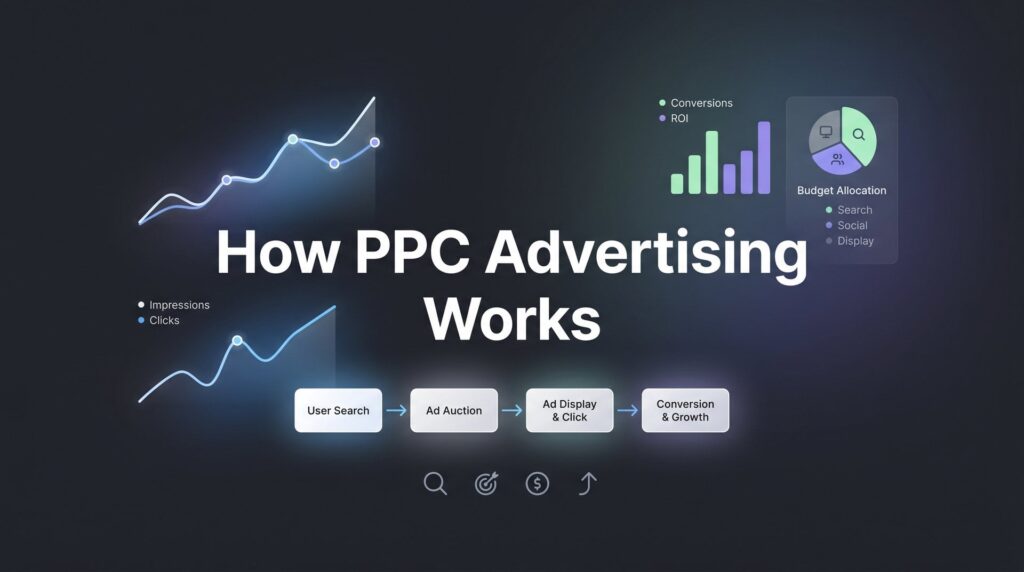
The mechanics you now understand form a complete system. The auction determines where your ad appears and what you pay. Keyword targeting and match types control who sees your ad and when. Your budget and bidding strategy govern how your spend is distributed. Your landing page determines whether clicks become customers. And your tracking setup tells you whether the whole system is actually generating revenue for your business.
The difference between wasted ad spend and profitable growth usually comes down to two things: how well the campaign is built and how actively it’s managed. A poorly structured campaign with no negative keywords, a homepage as the landing page, and no conversion tracking will burn through budget and produce frustration. A well-built campaign with smart targeting, a high-converting landing page, and proper tracking becomes a revenue engine you can scale with confidence.
Tired of spending money on marketing that doesn’t produce real revenue? We build lead systems that turn traffic into qualified leads and measurable sales growth. If you want to see what this would look like for your business, we’ll walk you through how it works and break down what’s realistic in your market. Clicks Geek is a Google Premier Partner agency, and PPC that actually converts is what we do.


