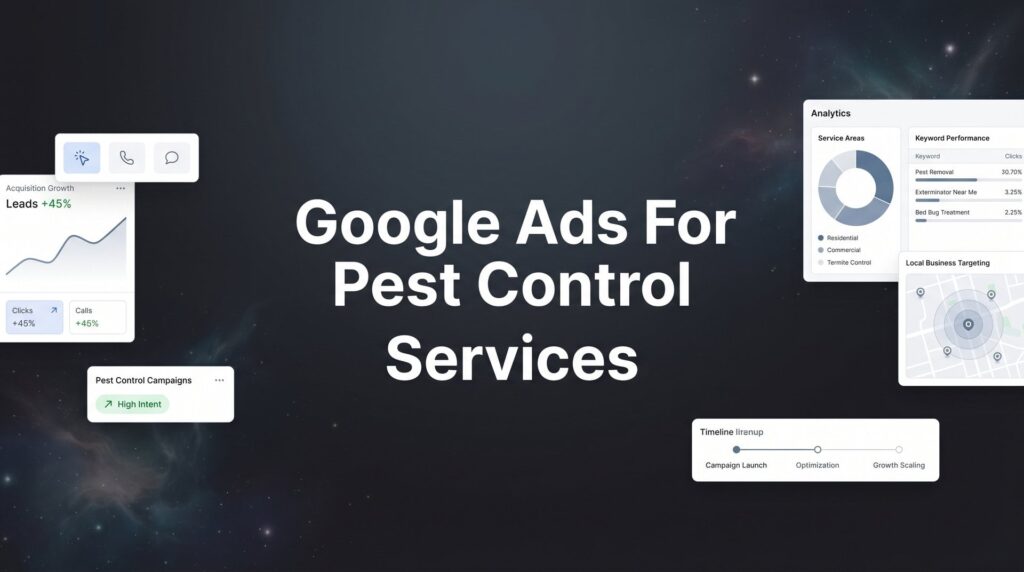
When homeowners discover termites in their walls or ants invading their kitchen, they grab their phone and search for help immediately. That moment of urgency is exactly where your pest control business needs to appear—and Google Ads puts you there. Unlike waiting months for SEO to kick in, a well-structured Google Ads campaign can generate phone calls from desperate homeowners within hours of launch.
But here’s the challenge: pest control is a competitive space with expensive clicks, and without the right setup, you’ll burn through your budget faster than a fumigation tent clears a house.
This guide walks you through building a Google Ads campaign specifically designed for pest control services—from structuring campaigns around different pest types to writing ads that convert panicked searchers into booked appointments. Whether you’re launching your first campaign or rebuilding one that’s been hemorrhaging money, these steps will help you capture high-intent leads while keeping your cost per acquisition profitable.
Step 1: Define Your Service Areas and Campaign Structure
The first mistake most pest control companies make with Google Ads? Showing ads to people they can’t actually serve. You might be in Dallas, but if your ads are appearing for searches in Fort Worth when you don’t service that area, every click is money thrown away.
Start by mapping your actual service area. Open Google Ads and navigate to campaign settings where you’ll define your geographic targeting. You have two main options: radius targeting or specific zip codes.
Radius targeting works well if you serve a consistent distance from your main office—say, 25 miles in all directions. Simply enter your business address and set the radius. This approach is clean and simple for single-location businesses.
Zip code targeting gives you more precision if your service area has irregular boundaries. Maybe you serve certain neighborhoods but skip others due to travel time or profitability. List out the specific zip codes you want to target, and Google will only show your ads in those areas.
Here’s where campaign structure gets strategic. Don’t lump all your pest control services into one campaign. Create separate campaigns for different service categories: general pest control, termite services, bed bug treatment, and wildlife removal. Why? Because these services have different profit margins, different search volumes, and different levels of urgency.
Termite treatments might justify a $50 cost per click because the job value is $2,000. But general quarterly pest control at $150 per service can’t support that same click cost. Separate campaigns let you allocate budgets independently and pause underperforming services without killing your entire account.
If you operate multiple locations, decide whether to build one campaign with location-based ad groups or separate campaigns per location. For 2-3 locations, ad groups work fine. Beyond that, separate campaigns give you cleaner reporting and easier budget management per territory. This approach mirrors best practices for Google Ads for home services across the industry.
After launch, verify your targeting is working. Check the geographic report in Google Ads after your first week. If you see clicks from cities you don’t serve, add those locations as exclusions immediately. This simple check often saves hundreds in wasted spend.
Step 2: Build Keyword Lists Around Pest Types and Customer Intent
Keywords are where most pest control campaigns either print money or burn it. The difference comes down to understanding intent—not all searches are created equal.
Someone searching “how to get rid of ants naturally” is looking for DIY advice, not a professional service. Someone searching “emergency ant exterminator near me” has their credit card ready. Your keyword strategy needs to focus ruthlessly on the second type.
Start by organizing keywords into tightly themed ad groups based on specific pest types. Create separate ad groups for bed bugs, termites, rodents, ants, cockroaches, mosquitoes, and any other pests you commonly treat. This tight grouping allows you to write ads that speak directly to the searcher’s problem.
Within each pest-specific ad group, focus on high-intent keyword patterns. These typically include location modifiers, service modifiers, and urgency signals.
High-converting keyword patterns for pest control:
• “pest control near me” and “[city] pest control”
• “emergency pest control” and “same day pest control”
• “termite inspection cost” and “bed bug treatment price”
• “[pest type] exterminator near me”
• “get rid of [pest type]” when combined with location
Match types matter enormously in pest control. Start with phrase match and exact match to maintain control over when your ads appear. Broad match might seem appealing for discovery, but it’ll quickly show your ads for irrelevant searches and drain your budget before you’ve gathered enough data to optimize.
Phrase match gives you a balance—your ad shows for searches that include your keyword phrase in the same order, but allows additional words before or after. Exact match shows only for that specific term and close variations. Use exact match for your highest-value, most specific keywords, and phrase match for slightly broader discovery.
Now comes the critical part: negative keywords. Add these immediately, before you spend a single dollar. Common negative keywords for pest control include “DIY,” “jobs,” “salary,” “careers,” “how to kill,” “pictures,” “identify,” “free,” and “spray.” These terms indicate people looking for employment, DIY solutions, or information—not customers ready to book service. For a deeper dive into keyword optimization, check out our Google Ads optimization guide.
Build a master negative keyword list at the account level so it applies to all campaigns automatically. Then add campaign-specific negatives as you discover them. If you don’t offer wildlife removal, add “raccoon,” “squirrel,” and “bat” as negatives to your general pest control campaign.
Step 3: Write Ads That Speak to Urgent Problems
Your Google Ads copy has one job: convince someone in crisis that you’re the solution they need right now. Generic pest control ads get ignored. Ads that address the panic, offer immediate help, and provide proof get clicked.
Start your headlines with urgency and availability. “Same-Day Bed Bug Treatment” beats “Professional Pest Control Services” every time. “24/7 Emergency Response” tells the homeowner at 11 PM with mice in the walls that you’re available when they need you.
Your first headline should state the service and the speed. Your second headline should build credibility or address the pain point. “Termite Inspection Today | Licensed & Insured Since 1998” combines urgency with trust.
In your description lines, include specific proof points that differentiate you from competitors. How many years have you been in business? How many homes have you treated? What guarantees do you offer? “Over 10,000 Homes Protected” is more compelling than “Experienced Pest Control.”
Don’t waste characters on fluffy language. “We provide quality pest control services to residential and commercial customers” says nothing. “Eliminate Bed Bugs in 24 Hours with Our Heat Treatment—Guaranteed Results or We Return Free” tells the searcher exactly what they’re getting and why they should trust you.
Use every ad extension Google offers. These aren’t optional extras—they’re essential for pest control campaigns where you’re competing for attention in a crowded local market.
Call extensions are mandatory. Most pest control customers prefer calling to filling out forms, especially for emergencies. Make sure your call extension shows your business phone number and enables click-to-call on mobile.
Location extensions connect your Google Business Profile and show your address, which builds local trust. Searchers want to know you’re actually in their area, not some national call center.
Sitelinks let you promote specific services. Create sitelinks for “Termite Inspection,” “Bed Bug Treatment,” “Rodent Control,” and “Free Quote” that link directly to those service pages. This gives searchers more options and takes up more screen real estate.
Callout extensions highlight your unique selling points: “Licensed & Insured,” “Same-Day Service,” “100% Satisfaction Guarantee,” “Eco-Friendly Options.” These small additions build confidence.
Test multiple ad variations in each ad group. Write at least three different ads with different headline combinations and descriptions. Google’s algorithm will automatically show the better-performing ads more often, but you need variations to test against each other. Refresh your ads monthly—small improvements in click-through rate compound into significant cost savings over time.
Step 4: Set Up Conversion Tracking That Captures Every Lead
Here’s a truth that costs pest control companies thousands: if you’re not tracking conversions properly, you’re flying blind. You might think you’re getting leads, but without accurate tracking, you can’t tell Google which clicks actually turned into customers—and the algorithm can’t optimize toward profitable outcomes.
Phone calls are the lifeblood of pest control lead generation. Someone with termites doesn’t fill out a contact form and wait for a callback—they call immediately. That means phone call tracking is non-negotiable.
Set up Google’s call tracking for both website calls and ads call extensions. For website calls, you’ll need to implement a Google forwarding number that tracks when someone clicks your phone number and completes a call lasting longer than a certain duration (typically 60 seconds to filter out wrong numbers and spam).
For ads call extensions, enable call reporting in your campaign settings. This tracks calls made directly from your ad when it appears in search results. Set a minimum call length of 60 seconds to count as a conversion—this filters out accidental clicks and ensures you’re only counting substantive calls.
Don’t stop at phone calls. Set up form submission tracking for quote requests, inspection booking forms, and contact forms. Install the Google Ads conversion tracking tag on your thank-you page that appears after someone submits a form. Each form submission should be tagged as a conversion.
The critical step most businesses skip: import these conversions back into Google Ads. Your phone tracking system (whether it’s Google’s native tracking, CallRail, or another provider) needs to send conversion data to Google Ads. This tells the algorithm which keywords, ads, and audiences actually generate leads. Understanding Google Ads for lead generation fundamentals makes this process much smoother.
Without this data flowing back to Google, the platform optimizes for clicks, not conversions. With conversion data, Google’s smart bidding can automatically adjust bids to get you more calls at your target cost per acquisition.
Test your tracking before you spend serious money. Submit a test form. Call your tracking number from your mobile phone. Verify that these actions show up as conversions in your Google Ads dashboard within 24 hours. Broken tracking means you’re spending blind, and by the time you realize it, you’ve wasted weeks of budget.
Step 5: Launch with Smart Bidding and Budget Controls
Bidding strategy determines whether your campaign profits or bleeds money. The temptation is to turn on Google’s automated bidding immediately and let the algorithm work its magic. Resist that urge.
Start with manual CPC or maximize clicks for your first two weeks. Why? Because smart bidding needs conversion data to optimize, and you don’t have any yet. Manual bidding lets you control costs while you gather the initial data Google needs to learn what a valuable click looks like for your business.
Set your initial manual bids conservatively. If Google’s keyword planner suggests $8-$12 for “termite inspection,” start at $7. You can always increase bids if you’re not getting impressions, but starting high and trying to pull back after wasting budget is painful.
Your daily budget should allow for at least 10-15 clicks per day per campaign. Too little data starves the algorithm and prevents meaningful optimization. If your average CPC is $10, budget at least $100-$150 per day. Yes, that’s $3,000-$4,500 per month, but pest control jobs are high-value—one termite treatment can cover weeks of ad spend.
If that budget feels uncomfortable, start with one tightly focused campaign (like emergency pest control or termite services) rather than spreading thin across multiple services. Better to dominate one profitable niche than get mediocre results across everything. Many small businesses running Google Ads find this focused approach delivers faster ROI.
After you’ve accumulated 30-50 conversions, switch to smart bidding. Target CPA (cost per acquisition) works well if you know your acceptable cost per lead. If termite leads are worth $100 to you, set your target CPA at $80 and let Google optimize toward that goal.
Use ad scheduling to increase bids during business hours when someone can answer the phone immediately. A call at 2 PM that gets answered converts at a much higher rate than a call at 9 PM that goes to voicemail. Increase your bids by 20-30% during your peak availability hours.
Set mobile bid adjustments higher than desktop. Most emergency pest control searches happen on phones—someone discovering bed bugs at night isn’t going to their laptop. Increase mobile bids by 15-25% to capture these high-intent mobile searchers.
Step 6: Optimize Your Landing Pages for Immediate Action
You can have perfect keywords and compelling ads, but if your landing page doesn’t convert, you’re just renting traffic. Pest control landing pages have one job: get the visitor to call or submit a form before they bounce.
Create dedicated landing pages for each major pest type rather than sending all traffic to your homepage. Someone searching for bed bug treatment doesn’t want to navigate through your general pest control information—they want bed bug solutions immediately.
Your bed bug landing page should feature bed bug imagery, bed bug-specific copy, bed bug treatment options, and bed bug pricing. This relevance match between ad and landing page improves your Quality Score (lowering your costs) and increases conversion rates.
Place your phone number prominently at the top of the page, in a large, contrasting color, with click-to-call functionality on mobile. Make it impossible to miss. Many pest control customers will call within seconds of landing on your page if the number is obvious.
Include trust signals above the fold—the part of the page visible without scrolling. Display your licenses, insurance certifications, years in business, and customer review ratings. Screenshots of Google reviews or Better Business Bureau accreditation build immediate credibility.
Your service guarantee should be visible early. “100% Satisfaction Guaranteed or We Return Free” or “Same-Day Service or Your Inspection is Free” reduces the perceived risk of choosing your company over competitors. A comprehensive digital marketing strategy for home services always prioritizes these conversion elements.
Keep your contact forms brutally short. Name, phone number, pest type, and zip code—that’s it. Every additional field you require drops your conversion rate. You can gather more information during the phone call after you’ve captured the lead.
Add a clear call-to-action button that stands out visually. “Get Free Inspection” or “Call Now for Same-Day Service” in a bright color that contrasts with your page design. Place this button in multiple locations as visitors scroll.
Speed matters enormously on mobile. If your landing page takes more than three seconds to load, you’re losing prospects before they even see your offer. Compress images, minimize code, and test your page speed on mobile devices regularly.
Step 7: Monitor, Refine, and Scale What Works
Launching your campaign is just the beginning. The pest control companies that dominate Google Ads aren’t the ones who set it and forget it—they’re the ones who continuously refine based on real performance data.
Review your search terms report weekly. This shows you the actual queries that triggered your ads. You’ll discover two types of gold: high-performing search terms you should add as exact match keywords, and irrelevant searches you should add as negative keywords.
Look for patterns in what’s working. If “emergency bed bug exterminator” is generating calls at half the cost of “bed bug treatment,” create more ads and keywords around that emergency angle. Double down on what the market is telling you converts.
Pause underperforming keywords ruthlessly. If a keyword has spent $200 without generating a single conversion, it’s not suddenly going to start working. Kill it and reallocate that budget to proven performers. Most campaigns have 20% of keywords generating 80% of conversions—find your winners and feed them.
Identify your most profitable pest types and consider increasing budget allocation there. If termite services generate leads at $60 each with a 40% close rate and $2,000 average job value, while general pest control generates leads at $80 each with a 25% close rate and $400 job value, the math is clear. Shift budget toward termites.
Test new ad copy monthly. Small improvements in click-through rate compound dramatically over time. A 0.5% CTR improvement on a campaign spending $5,000 monthly can save you thousands annually in reduced cost per click. If you’re unsure whether to invest in Google or social advertising, our comparison of Google Ads versus Facebook Ads for lead generation can help clarify your strategy.
Watch your Quality Score for each keyword. Google rewards relevant, well-structured campaigns with lower costs. If your Quality Score is below 7, you’re paying more than you should. Improve ad relevance, landing page experience, and expected click-through rate to bring scores up.
Monitor your conversion rates by device, location, and time of day. If mobile converts at 8% but desktop at 3%, increase mobile bids further. If Tuesday afternoons generate twice as many conversions as Saturday mornings, adjust your ad scheduling accordingly.
Your Google Ads Pest Control Launch Checklist
You now have the blueprint for a pest control Google Ads campaign that generates profitable leads instead of burning budget. Let’s recap the essential elements that need to be in place before you launch.
Location targeting verified and limited to your actual service areas. Campaigns structured by service type with independent budgets. High-intent keywords grouped by specific pest types. Negative keywords added to filter out DIY searchers and job seekers. Compelling ads with urgency signals and all available extensions activated.
Conversion tracking tested and working for both phone calls and form submissions. Smart bidding configured after gathering initial conversion data. Landing pages optimized with prominent phone numbers, trust signals, and simplified forms. Weekly monitoring schedule established to refine based on search term performance.
The pest control businesses that dominate Google Ads aren’t necessarily spending the most—they’re the ones who’ve built campaigns that convert clicks into booked jobs efficiently. Start with these fundamentals, monitor your results weekly, and continuously refine based on what the data tells you.
Remember that seasonality affects pest control search volume significantly. Spring and summer bring higher demand for most pests, while bed bugs and rodents remain consistent year-round. Adjust your budgets seasonally to capitalize on peak demand periods without overspending during slower months.
The difference between a profitable Google Ads campaign and an expensive mistake often comes down to the details—proper tracking, tight keyword targeting, and relentless optimization based on real conversion data rather than vanity metrics like impressions or clicks.
Tired of spending money on marketing that doesn’t produce real revenue? We build lead systems that turn traffic into qualified leads and measurable sales growth. If you want to see what this would look like for your pest control business, we’ll walk you through how it works and break down what’s realistic in your market. Clicks Geek specializes in PPC for service businesses—reach out to see how we can help you capture more emergency calls and turn Google Ads into your most profitable lead source.