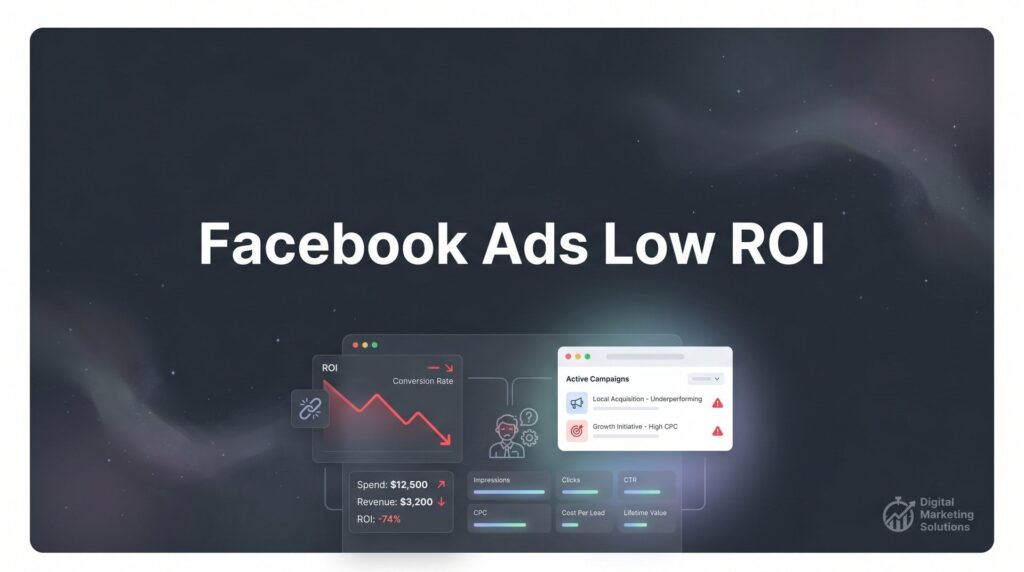
Your Facebook ads dashboard tells a frustrating story. Budget spent: climbing steadily. Results delivered: disappointing at best. You’re pouring money into Meta’s platform while watching your cost per acquisition creep higher and your return on investment sink lower. The leads that do come through? Often unqualified, uninterested, or simply non-existent.
Here’s what most business owners don’t realize: Facebook ads low ROI isn’t a platform problem.
It’s not that Facebook advertising doesn’t work. Companies across every industry are generating profitable returns from their Facebook campaigns right now. The difference between them and struggling advertisers isn’t luck, budget size, or secret insider access. It’s that they’ve identified and fixed the specific, measurable problems killing their returns.
The good news? These problems follow predictable patterns. The tracking setup that’s feeding your algorithm bad data. The audience targeting that’s showing your ads to people who will never buy. The creative that stopped working weeks ago but keeps running. The campaign structure that’s starving Meta’s machine learning of the signals it needs to optimize.
Each of these issues has a diagnostic process and a solution. Work through them systematically, and you transform Facebook ads from a budget drain into a reliable customer acquisition channel. Skip the diagnosis and throw more money at the problem, and you’ll just burn through your budget faster.
In this guide, you’ll learn the exact seven-step process to audit underperforming Facebook campaigns, identify what’s actually broken, and implement fixes that move the needle on ROI. Whether you’re managing your own ads or evaluating an agency’s work, these steps give you a clear framework for turning losing campaigns profitable.
Step 1: Audit Your Pixel and Conversion Tracking Setup
You cannot optimize what you cannot measure accurately. This isn’t motivational speaker wisdom—it’s the technical reality of how Facebook’s algorithm works. Every optimization decision Meta makes for your campaigns depends entirely on the conversion data flowing back from your website through your tracking setup.
When that data is wrong, incomplete, or missing, the algorithm optimizes toward the wrong outcomes. You end up paying for clicks that don’t convert, showing ads to audiences that don’t match your actual customers, and wondering why your campaigns hemorrhage money without producing results.
Start your audit in Facebook Events Manager. Navigate to your pixel and check the “Test Events” tool. Open your website in a new tab and complete a conversion action—add to cart, submit a lead form, make a purchase. Watch Events Manager in real-time. Do you see the event fire? Does it fire once, or multiple times? Does the conversion value match what you actually spent or submitted?
Common tracking problems reveal themselves immediately in this test. Duplicate pixels fire the same event twice, artificially inflating your conversion numbers and confusing the algorithm about actual performance. Missing events mean critical conversion actions never register—you might be generating sales that Facebook doesn’t know about, preventing optimization toward what actually works.
Incorrect value tracking is particularly insidious for e-commerce businesses. If your pixel reports every purchase as $0.00 or always reports the same static value regardless of actual cart total, Meta cannot optimize for purchase value. You’ll get conversions, but they’ll skew toward your lowest-value customers because the algorithm can’t distinguish between a $30 sale and a $300 sale.
Check your attribution windows next. Facebook allows you to choose between 1-day and 7-day click attribution, plus 1-day view attribution. For businesses with longer sales cycles—B2B services, high-ticket products, considered purchases—the 1-day click window often undercounts conversions that happen after prospects research and compare options. For impulse purchases and low-ticket items, 7-day attribution might over-attribute conversions that would have happened anyway.
The Conversions API deserves special attention if you’re running campaigns in 2026. Since iOS 14.5 limited pixel tracking through browser restrictions, server-side tracking via the Conversions API has become essential for accurate measurement. If you haven’t implemented CAPI, you’re likely missing 20-40% of your actual conversions, which means your campaigns look worse than they actually perform—and the algorithm has incomplete data for optimization. Learning how to optimize Facebook ads for conversions starts with getting this tracking foundation right.
Fix tracking first. Everything else you do to improve ROI depends on this foundation working correctly.
Step 2: Diagnose Your Audience Targeting Problems
Audience targeting sits at the heart of most Facebook ads low ROI problems. Show your ads to the wrong people, and no amount of creative brilliance or landing page optimization will save your returns. The challenge is that “wrong people” manifests in two opposite directions—targeting that’s too broad and targeting that’s too narrow.
Too broad looks like this: massive reach numbers, low relevance scores, high impression volume but terrible conversion rates. You’re showing ads to millions of people, most of whom have zero interest in what you’re selling. Cost per click might look reasonable, but cost per conversion tells the real story—you’re paying for attention from people who will never become customers.
Too narrow creates different symptoms: limited delivery, sky-high CPMs, campaigns that barely spend their daily budget because the audience is so small Meta struggles to find anyone to show your ads to. You might be targeting “women aged 25-34 interested in yoga and organic food and sustainable fashion who live within 10 miles of your location and have engaged with your page in the last 30 days.” That audience might contain 200 people. Good luck getting 50 conversions per week for optimization.
Open your Audience Insights and examine your actual converters. Who are they? What interests, demographics, and behaviors do they share? Compare this to your current targeting. Often you’ll discover you’re excluding profitable segments entirely or over-investing in audiences that look good on paper but don’t actually convert. If your Facebook ads aren’t converting, misaligned targeting is frequently the culprit.
Lookalike audiences deserve special scrutiny because they’re often built incorrectly. The most common mistake: creating lookalikes from your page likes or website visitors instead of from actual customers. Meta finds you more people similar to everyone who clicked “like” on your page three years ago—not people similar to buyers who actually spent money.
Build your lookalikes from your highest-value customer segments. Upload a customer list filtered for repeat buyers or high lifetime value customers. Create a lookalike from purchase events, not just add-to-cart or page view events. Start with 1% lookalikes in your home country before expanding to 2-3% or broader geographic areas. Let each lookalike audience gather sufficient conversion data before judging performance—at least 50-100 conversions before making scaling decisions.
The interest targeting versus custom audiences versus broad targeting debate has evolved significantly. In 2026, Meta’s algorithm has become sophisticated enough that broad targeting with strong creative differentiation often outperforms hyper-specific interest stacking. The algorithm can find your customers within a broad audience faster than you can manually identify every relevant interest.
That said, broad targeting requires sufficient conversion volume to work. If you’re generating fewer than 50 conversions per week, the algorithm lacks enough data to optimize effectively within a broad audience. Start with more defined targeting, then expand as your conversion volume grows.
Test your assumptions. Run controlled tests comparing your current detailed targeting against broader audiences. Let the data reveal whether your targeting is helping or hurting ROI.
Step 3: Evaluate Your Ad Creative Against Performance Benchmarks
Creative fatigue kills Facebook ad ROI faster than almost any other factor. Your ads appear in the same feeds, to the same people, day after day. What caught attention in week one becomes invisible by week three. What generated clicks in month one drives eye-rolls by month two.
The metrics tell the story clearly if you know what to watch. Rising frequency is your first warning signal—when the average person in your audience has seen your ad 4, 5, 6 times, performance typically deteriorates. Click-through rate drops as the ad becomes familiar and ignorable. Cost per acquisition creeps upward as you exhaust the easy converters and start reaching less interested prospects.
Check your frequency metric weekly. For most campaigns, once frequency crosses 3.0, you’re entering fatigue territory. Above 5.0, you’re almost certainly burning money showing stale creative to people who’ve already decided not to convert.
Diagnosing which specific element of your creative is failing requires the hook-body-CTA framework. Break your ad into three components: the opening hook (first 3 seconds of video or headline/image for static ads), the body (the core message and value proposition), and the call-to-action (what you’re asking people to do).
High impressions but low click-through rate? Your hook isn’t stopping the scroll. People see your ad but don’t find it compelling enough to engage. Test new opening lines, different thumbnail images, pattern-interrupt opening statements that break through feed blindness.
Good CTR but terrible conversion rate? Your hook works but your body doesn’t deliver. People click expecting one thing and find something else—or find the right thing presented in an unconvincing way. The problem isn’t getting attention; it’s holding attention and building desire. This disconnect often signals a low quality leads problem where you’re attracting the wrong prospects.
Strong engagement but weak CTA response? You’re entertaining people or providing value, but not giving them a clear, compelling reason to take the next step. Strengthen your offer, reduce friction in your ask, make the value of converting immediately obvious.
Format selection matters more than most advertisers realize. Video ads outperform static images for awareness and consideration objectives, especially for products or services that benefit from demonstration. But video requires higher production effort and fatigues faster. Carousel ads work exceptionally well for e-commerce and multi-feature products, allowing you to showcase variety and tell a sequential story.
Single image ads are underrated in 2026. They load instantly, work perfectly on slow mobile connections, and allow for rapid creative testing. For direct response campaigns with clear value propositions, a well-designed static image often outperforms more complex formats.
Quick creative refreshes can revive dying campaigns without complete rebuilds. Change your headline while keeping the same image. Swap your opening hook while maintaining the same core message. Test your ad copy against a new background color or image treatment. Small variations extend creative lifespan and keep performance stable while you develop your next major creative iteration.
Step 4: Restructure Your Campaign for the Algorithm
Campaign structure problems are invisible ROI killers. Your ads might be perfect, your targeting spot-on, but if you’ve organized everything in a way that starves Meta’s algorithm of the data it needs, performance suffers.
The most common structural mistake is over-segmentation. You’ve created separate ad sets for every possible audience variation: one for women 25-34, another for women 35-44, another for men 25-34, separate ad sets for different interest categories, different geographic regions split into individual ad sets. It feels organized and controlled. It’s actually destroying your results.
Here’s why: Meta’s algorithm optimizes based on conversion data. Each ad set learns independently. When you split your budget across 15 different ad sets, none of them get enough conversions to exit the learning phase. You’re running 15 perpetual experiments that never generate enough data to optimize effectively.
The algorithm needs volume. Generally speaking, ad sets perform best when they generate at least 50 conversions per week. If your total campaign generates 50 conversions weekly but you’ve split that across 10 ad sets, each ad set sees 5 conversions per week. None of them have enough data to optimize. All of them waste money in perpetual learning mode.
Consolidation improves performance by giving the algorithm more conversion signals to work with. Instead of 10 ad sets with 5 conversions each, you create 2-3 ad sets with 15-25 conversions each. The algorithm learns faster, optimizes more effectively, and finds your best customers more efficiently. Understanding how to scale Facebook ads properly depends on getting this structure right from the start.
The hybrid approach preserves audience insights while enabling algorithmic optimization. Create separate ad sets for fundamentally different audience types—cold traffic versus retargeting, for example, or different product categories. But within each audience type, consolidate rather than fragment. Let the algorithm find the best performers within each broad category rather than trying to manually predict every profitable segment.
Campaign Budget Optimization (CBO) versus Ad Set Budget Optimization (ABO) is not a religious debate—it’s a tool selection decision based on your specific situation. CBO works exceptionally well when you have sufficient daily budget (generally $100+ per day) and multiple ad sets that could potentially perform. Meta automatically allocates budget to the best performers, scaling winners and reducing spend on losers without manual intervention.
ABO makes sense when you’re testing new audiences or creative with limited budget, when you want to ensure specific audience segments receive minimum spend for data gathering, or when your total daily budget is low enough that CBO would create ad sets that barely spend. For many local businesses spending $30-50 daily, ABO with 2-3 carefully chosen ad sets outperforms CBO that fragments that small budget across too many options.
Restructure with purpose. Consolidate where you can, separate where you must, and always prioritize giving the algorithm enough conversion data to optimize effectively.
Step 5: Fix Your Landing Page Conversion Leaks
High click-through rate but low conversion rate points directly to landing page problems, not ad problems. Your ads are doing their job—capturing attention, generating interest, driving clicks. Then prospects hit your landing page and bounce, confused, disappointed, or unconvinced.
The disconnect problem shows up in the gap between ad promise and landing page delivery. Your ad highlights a specific product, benefit, or offer. Your landing page presents something different—or worse, presents everything, burying the thing people clicked for under a mountain of other options and information.
Message match audit: Open your ad and your landing page side by side. Does the headline on your landing page echo the promise in your ad? Does the visual style match? If your ad features a specific product, does that product appear prominently above the fold on your landing page? If your ad offers a discount, is that discount immediately visible when the page loads?
Every second of confusion costs conversions. Facebook traffic is particularly impatient—people scrolling social feeds are not in research mode. They clicked on impulse, driven by a moment of interest. Your landing page has seconds to confirm they made the right decision and guide them toward conversion.
Mobile experience check is non-negotiable because the majority of Facebook traffic comes from mobile devices. Open your landing page on your phone. How long does it take to load? Does it load at all on a 4G connection, or does it stall on a heavy image carousel or autoplay video?
Form length kills mobile conversions. Every additional field reduces completion rates. If you’re asking for name, email, phone number, company name, job title, company size, and a message on a mobile form, you’re losing 70-80% of people who start filling it out. Reduce to the absolute minimum—often just name and email or phone number for initial contact. When forms are too complex, you end up with Facebook ads not generating leads despite strong ad performance.
Thumb-friendly design means buttons large enough to tap accurately, form fields spaced far enough apart that autocorrect doesn’t select the wrong field, and critical conversion elements positioned where thumbs naturally rest on phone screens. Test your forms on actual mobile devices, not just desktop browser resize tools.
Trust signals matter more for Facebook traffic than for search traffic. Someone searching Google for your solution is actively looking for answers—they’re predisposed to trust relevant results. Someone scrolling Facebook who clicks an ad is taking a chance on an interruption. They need more reassurance that you’re legitimate.
Include recognizable trust badges, customer testimonials with real names and photos, clear privacy policies for data collection, and visible contact information. For local businesses, show your physical address and local phone number. For e-commerce, display secure checkout badges and return policies prominently.
Friction reducers move people from interest to action. Offer guest checkout instead of requiring account creation. Provide multiple payment options. Show estimated delivery dates before asking for credit card information. Use progress indicators on multi-step forms so people know how much effort remains.
Your landing page is the last mile of your Facebook ads ROI journey. Perfect everything upstream—tracking, targeting, creative, structure—and a broken landing page will still tank your returns.
Step 6: Implement a Testing Framework That Actually Improves ROI
Random testing wastes budget. You test blue buttons against red buttons, long copy against short copy, video against images—whatever occurs to you on any given day. You run tests for arbitrary time periods, make decisions based on gut feel, and wonder why your performance doesn’t consistently improve.
Hypothesis-driven testing follows a different approach. You observe performance data, form a specific hypothesis about what’s limiting results, design a test to validate or invalidate that hypothesis, and document the learning for future application. Every test builds toward better understanding and better performance.
Start with the priority hierarchy that maximizes learning per dollar spent. Test high-impact elements before low-impact details. Your testing priority should generally follow this sequence:
1. Offer and value proposition—what you’re selling and why someone should care. This has the biggest impact on conversion rates.
2. Audience targeting—who sees your ads. This determines your cost per click and conversion rate potential.
3. Ad creative hook—the opening 3 seconds or headline that stops the scroll. This controls your click-through rate.
4. Landing page message match and friction—how well your page delivers on your ad promise. This converts clicks to customers.
5. Creative body and format—the detailed message and presentation style. This influences engagement quality.
6. Secondary elements—button colors, headline variations, image treatments. Test these only after optimizing higher-impact elements.
Statistical significance basics prevent premature decisions. A test that runs for two days and shows one variation winning by 10% hasn’t proven anything—you’re seeing normal variation, not meaningful difference. A test that generates 15 conversions split between two variations can’t tell you which performs better with any confidence.
Generally, run tests until each variation receives at least 100 clicks for CTR tests or 30-50 conversions for conversion rate tests. Let tests run for at least one full week to account for day-of-week performance variations. Use Facebook’s built-in A/B testing tools when possible—they handle traffic splitting and statistical analysis automatically. This systematic approach helps you fix low ROI from digital advertising through data-driven improvements.
Document everything. Create a testing log that records what you tested, why you tested it, what hypothesis you were validating, what the results showed, and what action you took based on the learning. Six months from now, when you’re tempted to test something you already tested, this log prevents wasted budget repeating experiments.
Apply learnings systematically. When a test reveals that video hooks outperform static images for your audience, that learning should influence all future creative development. When you discover that 1% lookalikes outperform interest targeting, that insight should reshape your audience strategy across campaigns.
Testing isn’t about finding the perfect ad. It’s about building a knowledge base of what works for your specific business, audience, and offer—and applying that knowledge to consistently improve ROI over time.
Step 7: Set Up Ongoing Monitoring to Catch ROI Drops Early
Facebook ad performance doesn’t stay static. What works this month might fail next month as audience saturation increases, creative fatigues, competitive intensity changes, or seasonal factors shift behavior. Catching performance drops early—before they devastate your ROI—requires systematic monitoring.
Build a metrics dashboard with three time horizons: daily checks, weekly reviews, and monthly analysis. Each serves a different purpose in maintaining healthy campaign performance.
Daily monitoring focuses on catastrophic failures and immediate opportunities. Check total spend to ensure campaigns are pacing properly toward daily budgets. Verify that conversion events are firing—a sudden drop to zero conversions often indicates tracking breakage, not performance collapse. Review cost per result for dramatic spikes that signal something broke overnight.
Weekly reviews examine trend direction. Is CTR declining week over week, signaling creative fatigue? Is cost per acquisition creeping upward, indicating audience saturation or increasing competition? Are certain ad sets consistently underperforming while others drive most conversions? Weekly data provides enough volume to identify real trends while staying close enough to take corrective action before problems compound.
Monthly analysis looks at bigger patterns. How does this month’s ROI compare to last month and to the same month last year? Are there seasonal trends you need to plan for? Which audience segments remain profitable at scale versus which worked initially but don’t sustain performance? What’s your creative refresh cycle—how long do ads maintain performance before requiring replacement?
Automated rules reduce the manual burden of campaign management while protecting against runaway losses. Set up rules to automatically pause ad sets when cost per result exceeds your profitability threshold by a specific margin. Create rules to increase budgets on ad sets that maintain strong ROI at current spend levels. Build alerts that notify you when frequency crosses concerning levels or when conversion rates drop below acceptable ranges.
Automated rules aren’t “set and forget” solutions—they’re safety nets and efficiency tools that handle routine optimization while you focus on strategic improvements.
Seasonal and market factors affect Facebook ad performance in predictable ways. Q4 sees increased competition and higher CPMs as advertisers compete for holiday attention. Summer often brings lower engagement as people spend more time offline. Local events, weather patterns, economic conditions, and industry-specific cycles all influence how your audience responds to ads.
Plan for these variations rather than reacting with panic. If you know CPMs spike in November, budget accordingly and adjust ROI expectations. If summer historically shows lower performance, reduce spend or shift to brand awareness objectives during slow months rather than forcing direct response campaigns that won’t hit targets.
The iterate versus rebuild decision framework prevents both premature abandonment and stubborn persistence with failing campaigns. Iterate when you see declining performance that started recently, when you haven’t refreshed creative in 30+ days, when small audience or budget adjustments might resolve issues, or when overall strategy is sound but execution needs refinement.
Rebuild when fundamental assumptions prove wrong—your offer doesn’t resonate, your audience targeting misses your actual customers, your creative approach generates clicks but never converts. Rebuild when you’ve iterated multiple times without improvement. Rebuild when market conditions have changed so dramatically that your original campaign strategy no longer applies. Consider implementing Facebook remarketing ads as part of your rebuild strategy to recapture lost prospects.
Monitoring isn’t about obsessing over daily fluctuations. It’s about maintaining awareness of performance trends, catching problems while they’re still small, and making data-informed decisions about when to optimize and when to rebuild.
Your Path to Profitable Facebook Advertising
Facebook ads low ROI stems from specific, diagnosable problems—not from platform limitations or bad luck. Work through the seven steps systematically: verify your tracking captures conversions accurately, diagnose whether targeting is too broad or too narrow, evaluate creative against fatigue benchmarks, restructure campaigns to feed the algorithm sufficient data, fix landing page disconnects and friction, implement hypothesis-driven testing, and set up monitoring that catches drops early.
Most advertisers find their biggest wins in the first three steps. Broken tracking masks actual performance and prevents optimization. Poor targeting shows ads to people who will never convert. Fatigued creative burns budget on audiences who’ve already tuned out your message. Fix these, and ROI often improves dramatically before you touch campaign structure or landing pages.
Before you dive into fixes, run through this quick diagnostic checklist:
Is your Facebook Pixel firing correctly on all conversion events, with accurate values and no duplicates?
Are your audiences properly sized—large enough for the algorithm to optimize but focused enough to reach relevant prospects?
Has your creative been refreshed in the last 30 days, or are you running fatigued ads to exhausted audiences?
Does your campaign structure give Meta enough conversion data to exit learning phase and optimize effectively?
Are your landing pages optimized for mobile Facebook traffic with clear message match and minimal friction?
If you’ve worked through these steps systematically and still aren’t seeing the ROI your business needs, the problem might not be your execution—it might be that Facebook ads require specialized expertise and constant optimization that pulls focus from running your actual business.
At Clicks Geek, we help local businesses turn underperforming Facebook campaigns into predictable customer acquisition machines. We handle the tracking setup, audience testing, creative development, and ongoing optimization so you can focus on serving the customers we help you acquire. If you want to see what this would look like for your business, we’ll walk you through how it works and break down what’s realistic in your market.