Most local service business owners have spent money on marketing without really knowing what worked. You ran Google Ads, maybe tried Facebook, paid for SEO, and at the end of the month you looked at your bank account and tried to reverse-engineer whether any of it was worth it.
That is not tracking. That is guessing with extra steps.
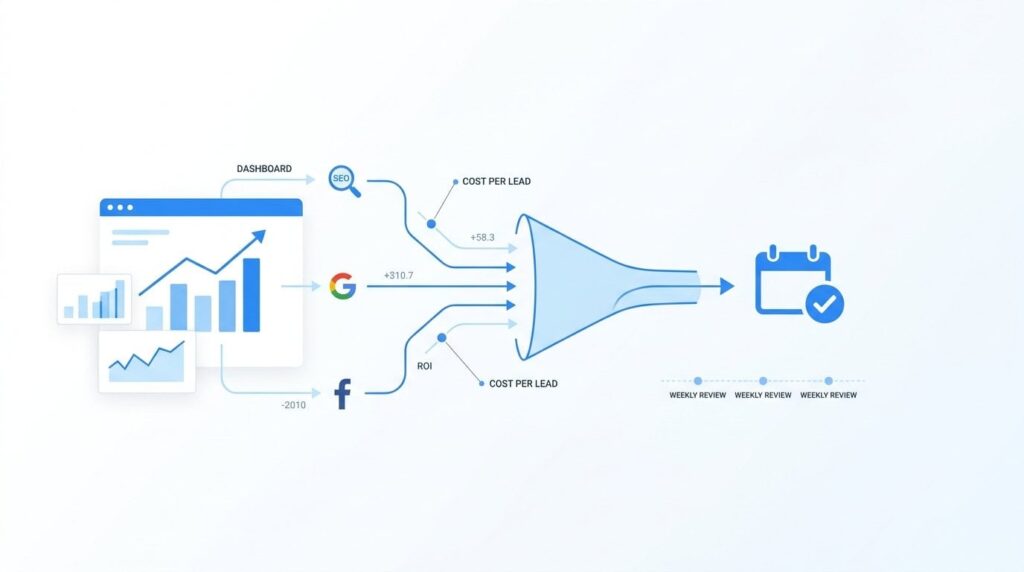
Real campaign tracking tells you exactly which channel produced which phone call, which form fill, and which booked job. It gives you a cost per lead by source, so you can stop feeding budget to channels that are not filling your schedule and put more behind the ones that are.
This guide walks through the specific steps to set that up, from defining what you are measuring to building a reporting routine you will actually use. No analytics degree required. The goal is a simple, reliable system that shows you where every dollar went and what came back.
Whether you are running Google Ads, Local Service Ads, SEO, or Facebook, the same framework applies. By the end, you will know exactly what to look at, how often to look at it, and what to do when the numbers tell you something is off. These are the same steps we walk through with clients at Clicks Geek before we touch a single campaign setting.
Step 1: Define What a Conversion Actually Means for Your Business
Before you install a single tracking tool, you need to decide what you are actually trying to measure. Most business owners skip this step and end up with dashboards full of numbers that do not connect to revenue.
Impressions, clicks, and website visits are not conversions. They are activity. A conversion is a business outcome: a phone call, a form fill, a booked appointment, a completed job. Those are the things that pay your crew.
For local service businesses, the phone dominates. Based on our benchmarks across thousands of campaigns, somewhere between 40% and 70% of leads come in by phone, not through web forms. That ratio varies by trade and market, but it holds consistently enough that if you are not tracking calls, you are missing the majority of your leads. Full stop.
Think about your conversion hierarchy in layers:
Phone call (minimum duration): A lead arrived. Someone was interested enough to dial. Not every call counts, though. Wrong numbers, solicitors, and hangups inflate your lead count and make your cost per lead look better than it is. Set a minimum call duration threshold of 60 to 90 seconds before counting anything as a lead. A 10-second call is not a lead.
Booked appointment: A qualified lead. The caller had a real job, you had availability, and they scheduled. This is the number that connects your marketing to your operations.
Completed job: Revenue. This is where marketing spend becomes actual return.
Write down your target cost per lead by channel before you start tracking, not after. If you do not have a benchmark going in, you will not know whether what you are seeing is good or bad. Our published benchmarks for home services: Google Ads typically runs $18 to $35 per lead, Local SEO drops to $7 to $15 per lead at the 12-month mark, and Facebook sits in the $10 to $25 range. Those are starting points. Your market and trade will shift them, but they give you a number to hold against what you are actually spending.
Once your conversion hierarchy is defined and written down, every other step in this guide has something to measure toward.
Step 2: Install Call Tracking Before You Spend Another Dollar
If you are currently running any paid campaign without call tracking in place, you are flying blind. This is the single most important piece of infrastructure for local service businesses, and it is also the most commonly skipped.
The core technology is dynamic number insertion, or DNI. Here is how it works: instead of one static phone number on your website, a small piece of JavaScript swaps in a unique tracking number depending on how someone arrived at your site. A visitor from Google Ads sees one number. A visitor from organic search sees a different number. Someone who came from a Facebook ad sees a third. Each number routes to your actual business line, but the call gets logged against the correct source.
Platforms like CallRail integrate directly with Google Ads and GA4, so your call conversions feed back into your bidding data. That matters because Smart Bidding in Google Ads optimizes toward whatever conversions you tell it to target. If you are not feeding it real call data, it is optimizing toward something that does not represent your actual business.
Set up call recordings as part of your tracking setup. Most states require a disclosure tone or verbal notice, so check your local requirements and configure accordingly. The recordings are not just for compliance. They are your quality filter. Volume without quality is a budget leak. A month of recordings will tell you whether your ads are attracting real job inquiries or pulling in people who want something you do not offer.
The most common mistake we see: one static phone number used everywhere, on the website, in the Google Business Profile, in ads, on trucks, in directories. When everything rings the same line, you can count calls but you cannot attribute them. You end up knowing your phone rang 40 times last month without knowing whether Google Ads drove 35 of those or two.
After you install call tracking, verify the correct number appears in three separate places: your website (check it in an incognito browser after clearing cookies), your Google Business Profile, and your ads. A tracking number that does not display correctly is worse than no tracking at all because it gives you false confidence.
One note specific to the Map Pack: roughly 42% of local clicks go to the Map Pack results, and many of those clicks trigger direct calls from the Google Business Profile rather than visits to your website. Your call tracking setup needs to account for that source separately so you can see what your local organic presence is actually producing.
Step 3: Set Up Conversion Tracking in Google Ads and GA4
Google Ads and GA4 are two separate systems. They need to be configured individually and then linked together. A lot of business owners assume that because they have a Google account, the tracking is automatic. It is not.
Start with Google Ads. Go into your conversion actions and set up two primary conversion types: phone calls and form fills. Import your call tracking data as a conversion action, using your minimum duration threshold as the qualifying rule. Form fills should fire on the thank-you page that appears after a form is submitted, not on the form page itself.
Mark these as primary conversion actions. That designation matters because Smart Bidding only optimizes toward primary conversions. If your call conversions are set to secondary or informational, the algorithm is not using that data to adjust your bids. You are paying for Smart Bidding without getting the benefit of it.
In GA4, create events for form submissions, call button clicks, and thank-you page views. Then link your GA4 property to your Google Ads account. This connection gives you a unified view of what happens between the ad click and the booked job, including which pages someone visited, how long they spent on your site, and where they dropped off.
Before you trust any performance data, verify that your conversions are firing correctly. Use Google Tag Assistant to confirm that tags are loading on the right pages and that conversion events are triggering when they should. Check the conversion status column in Google Ads as well. A status of “No recent conversions” is not always a problem, but “Tag inactive” or “Unverified” means something is broken and your data is unreliable.
Counting every click on a phone number as a conversion is a common error that inflates lead counts significantly. A tap on a mobile phone number is not a call. Only count calls that actually connected and met your duration threshold.
If you are running Local Service Ads, Google tracks calls natively within the LSA platform. But native tracking does not mean passive tracking. You still need to log into the LSA dashboard regularly and dispute leads that do not qualify: wrong service area, wrong job type, calls that went to voicemail and never converted. Google issues credits for disputed leads, and if you are not disputing bad leads, your reported CPL from LSA is inflated. That matters when you are comparing channels and deciding where to put budget.
Step 4: Tag Every Traffic Source with UTM Parameters
UTM parameters are short codes you add to the end of a URL. They tell GA4 exactly where a click came from, what type of traffic it was, and which campaign sent it. Without them, GA4 groups untagged traffic into “Direct” or “Other,” which makes channel attribution nearly useless.
Google Ads auto-tags its own traffic using a gclid parameter, so you do not need UTMs for Google Ads clicks. But every other channel needs them: Facebook ads, email campaigns, Nextdoor ads, Yelp listings, HomeAdvisor, Angi, any third-party lead source that drives traffic to your website.
A UTM has five components. Three are required: source, medium, and campaign. For a Facebook spring promotion, that looks like this: utm_source=facebook, utm_medium=cpc, utm_campaign=spring-ac-tune-up. Keep the naming lowercase and use hyphens instead of spaces. GA4 is case-sensitive, so “Facebook” and “facebook” show up as two separate sources in your reports.
Build a simple UTM spreadsheet and share it with anyone who touches your marketing. The spreadsheet has one job: make sure everyone uses the same naming structure. When one person tags a campaign “fb-ads” and another tags it “facebook-paid,” you end up with split data that understates what Facebook is actually producing.
After your UTMs are in place, check your Acquisition reports in GA4 to confirm that sources are being captured correctly. You are looking for your channel names showing up cleanly, not dumped into Direct. If you see a large and unexplained Direct traffic number, that is usually a sign that UTMs are missing somewhere.
This step takes an hour to set up properly and saves you from months of attribution confusion. It is not glamorous, but it is the difference between knowing Facebook produced 18 leads last month and not knowing whether Facebook did anything at all.
Step 5: Build a Simple Weekly Reporting Dashboard
The goal here is a one-page view you can check in 10 minutes, not a data dump that requires an analyst to interpret. If your reporting takes more than 15 minutes to review, you will stop reviewing it. That is just reality.
Google Looker Studio is free, connects directly to both Google Ads and GA4, and lets you build a shareable dashboard that updates automatically. If you have an agency managing your campaigns, they should be building this for you. If you are managing things in-house, Looker Studio is the right tool. For a broader look at what is available, our comparison of the best ad campaign reporting dashboards covers the leading options across different budgets and use cases.
The core metrics to track weekly, broken out by channel, are four numbers: leads, cost per lead, booked jobs, and cost per booked job. Everything else is context. A channel comparison table that puts Google Ads CPL next to Facebook CPL next to Organic CPL in a single row is more useful than three separate reports you have to flip between.
Track lead volume week over week, not just monthly totals. A monthly total of 60 leads looks fine until you realize 45 of them came in the first two weeks and the last two weeks were nearly dead. Week-over-week trends catch drops before they become a cash flow problem. By the time a slow month shows up in your bank account, you are already three to four weeks behind on fixing it.
If you are spending the recommended 8% to 12% of revenue on marketing, your dashboard should confirm that spend is producing a proportional return across your active channels. If one channel is consuming 60% of your budget and producing 20% of your leads, that imbalance should be visible at a glance.
One important note on timing: do not make major decisions based on the first 30 to 90 days of campaign data. That is the ramp period. Google Ads Smart Bidding needs time to accumulate conversion data before it optimizes efficiently, and SEO does not produce reliable lead volume in the first few months. Early data is noisy. Check the dashboard during ramp to make sure tracking is working, but hold off on budget reallocation decisions until you have enough data to act on.
Step 6: Audit Your Numbers Monthly and Act on What You Find
Weekly dashboards tell you what is happening. Monthly audits tell you what to do about it. These are different exercises and they should not be combined.
Start with CPL by channel. Compare your actual numbers against your benchmarks and flag any channel running more than 20% above target. A Google Ads CPL of $42 when your target is $35 is not a crisis, but it is a signal worth investigating. Is it a specific campaign? A keyword cluster? A geographic area? The monthly audit is where you dig one level deeper than the weekly dashboard.
Pull your call recordings and listen. Not all of them, but a representative sample from each channel. This is where lead quality lives, and it is the part most business owners skip because it takes time. High call volume with low booking rates usually means one of two things: the targeting is pulling in the wrong audience, or the calls are being handled in a way that is losing jobs. You cannot tell which from the dashboard alone.
Check your conversion rate from lead to booked job by source. If Google Ads leads close at a significantly lower rate than organic leads, that is a targeting or ad copy problem worth diagnosing. The ad is attracting people who are not ready to book, or it is attracting the wrong service type entirely.
Look at which campaigns, ad groups, or keywords have spent meaningful budget and produced zero conversions. Pause them. Do not wait for more data to confirm what the data is already telling you.
Then cross-reference your marketing data with your job management software. ServiceTitan, Jobber, and Housecall Pro all track completed jobs and revenue. Your marketing platform will tell you how many leads came in. Your job management software will tell you how many of those became actual revenue. If those numbers are not being reconciled monthly, you do not actually know your return on marketing spend. You know your lead volume. That is not the same thing.
If you want a step-by-step framework for turning these monthly audits into clear keep-or-cut decisions on every campaign, our guide on how to measure marketing campaign success walks through the full process from CPL target-setting through confident budget reallocation.
Document every change you make during the audit and why you made it. A simple notes column in a spreadsheet works fine. Over time, this log becomes your most valuable asset because it shows you whether your adjustments are working or whether you keep solving the same problem repeatedly.
Putting It All Together: What Good Tracking Actually Looks Like
The full system is six steps: defined conversions, call tracking with dynamic number insertion, Google Ads and GA4 configured and linked, UTM parameters on every non-Google channel, a weekly Looker Studio dashboard, and a monthly audit that connects marketing data to actual revenue in your job management software.
That is it. You do not need more than that to track marketing campaign performance effectively for a local service business.
Simple and consistent beats sophisticated and ignored every time. A tracking system you actually check weekly and act on monthly will outperform an elaborate analytics setup that nobody opens. The owners who know their marketing is working are not smarter than the ones who hope it is. They just built a system and stuck to it.
The other thing this system does: it protects you in conversations with agencies, including us. When your tracking is set up correctly, you can look at any vendor’s claims and verify them against your own data. That is a position of strength, not dependence.
At Clicks Geek, we have been running local service campaigns since 2015 as a Google Premier Partner. We work across 298 industry verticals and have managed over $100 million in ad spend. When we take on a new client, this tracking infrastructure is the first thing we build, before we touch a single bid or write a single ad. It is the foundation everything else runs on.
If you want to see what this would look like for your business, we will walk you through how it works and break down what is realistic in your market. No pressure, no vague promises. Just a straight conversation about what the numbers would need to look like for this to make sense for you.