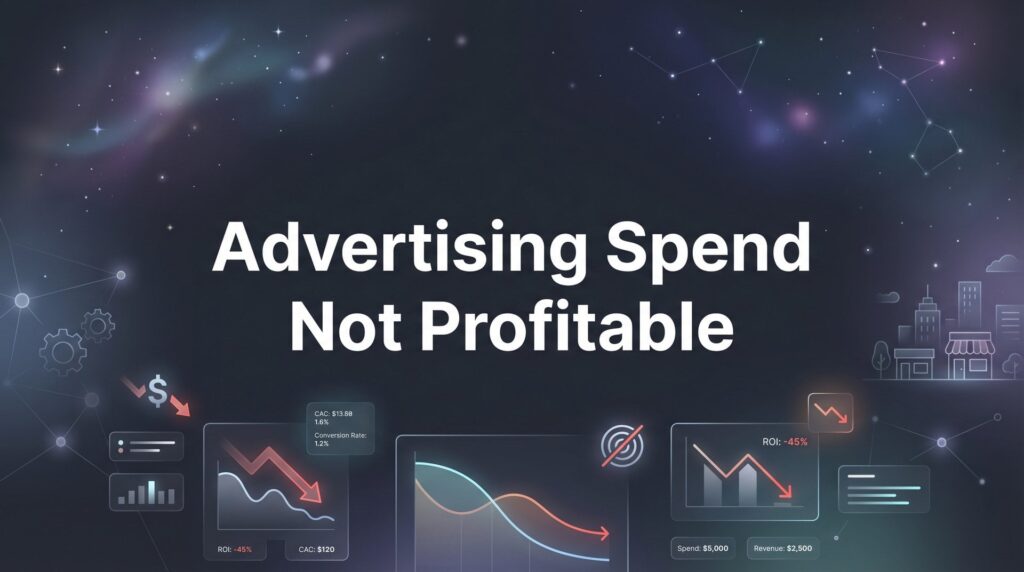
You’re pouring money into ads, but your bank account tells a different story. The leads trickle in—if they come at all—and the ones that do convert barely cover your ad costs. Sound familiar?
Unprofitable advertising spend is one of the most frustrating challenges local business owners face, and it’s more common than you might think.
The good news: most unprofitable campaigns aren’t hopeless. They’re simply misaligned. The targeting is off, the tracking is broken, or the offer doesn’t match what your audience actually wants.
This guide walks you through the exact diagnostic and repair process we use at Clicks Geek to turn bleeding ad accounts into profitable customer acquisition machines. By the end, you’ll know precisely where your money is going wrong and have a clear action plan to fix it.
Step 1: Audit Your Tracking Setup Before Touching Anything Else
Here’s the thing that keeps us up at night: we’ve seen countless business owners kill profitable campaigns because they couldn’t see the conversions happening.
Broken tracking is the number one cause of campaigns that appear unprofitable but are actually working. You’re getting leads, making sales, and acquiring customers—but your ad platform has no idea it’s happening. If you’re struggling with this issue, our guide on how to fix your marketing conversion tracking walks you through the complete setup process.
Think of it like running a store with a broken cash register. You’re making sales, but your accounting says you’re losing money. You’d fix the register before closing the store, right?
Start with your conversion pixels. Log into your Google Ads account and check if your conversion tracking is firing. Navigate to Tools & Settings > Measurement > Conversions. Look at the “Recent conversions” column. If it shows zero or suspiciously low numbers despite getting leads, you’ve found your first problem.
For Facebook and Instagram ads, install the Meta Pixel Helper browser extension. Visit your website and click the extension icon. It should show your pixel firing on page loads and triggering events when someone submits a form or calls your number.
Phone call tracking is where most local businesses leak data. If customers call you directly from ads—and they do—you need call tracking numbers that attribute those calls to specific campaigns. Without this, you’re flying blind on potentially your most valuable conversion type.
Form submissions need verification too. Submit a test lead through your contact form. Within minutes, that conversion should appear in your ad platform. If it doesn’t, your tracking integration is broken.
The tracking gap that kills profitability analysis: offline conversions. Someone clicks your ad, calls your business, schedules an appointment, and becomes a customer three weeks later. If you’re only tracking the initial click and not the final sale, you’re missing the entire profit picture.
Set up conversion import from your CRM if you’re running lead generation campaigns. This connects the dots between ad clicks and actual revenue, giving you the real profitability data you need to make smart decisions.
Use Google Tag Assistant to verify your entire tracking stack. It’ll show you exactly which tags are firing, which are broken, and where data is getting lost. Fix these issues before you change a single campaign setting.
Step 2: Calculate Your True Cost Per Acquisition and Lifetime Value
Most business owners judge campaign profitability with incomplete math. They look at what they spent versus the immediate revenue from new customers, panic at the numbers, and pull the plug.
That’s like judging a restaurant’s profitability based only on first-time diners while ignoring everyone who becomes a regular.
Your true cost per acquisition needs to account for your entire customer relationship, not just the first transaction. Here’s the formula that actually matters:
Break-Even Cost Per Acquisition = (Average Customer Lifetime Value × Profit Margin) ÷ 1
Let’s say you run a landscaping business. Your average customer pays $200 for the initial service. You’re spending $150 per lead, which looks terrible on paper. But here’s what changes the equation:
That customer returns four times per year for maintenance. They stay with you for an average of three years. They refer one new customer every two years. Suddenly, that $200 initial transaction becomes a $2,400 relationship plus referrals.
With a 40% profit margin, you’re actually making $960 in profit from that customer over their lifetime. Spending $150 to acquire them isn’t just profitable—it’s a steal. Understanding this concept is central to performance marketing and measuring real results.
Calculate your customer lifetime value by tracking these numbers: average purchase value, purchase frequency per year, and average customer lifespan in years. Multiply those together. Then factor in your profit margin to see how much you can actually afford to spend on acquisition.
The businesses that scale profitably understand this: you don’t need to profit on day one. You need to profit over the customer relationship.
Set your ROAS targets based on your specific business model. E-commerce with low repeat purchase rates needs tighter margins. Service businesses with high lifetime value can afford higher acquisition costs. There’s no universal “good” ROAS—only what works for your economics.
Don’t forget to factor in referrals. If every customer brings you 0.5 additional customers through word-of-mouth, you’re effectively cutting your acquisition cost in half. This multiplier effect makes campaigns profitable that look unprofitable in isolation.
Run this calculation before you make any campaign changes. You might discover your “unprofitable” advertising is actually your best investment.
Step 3: Identify and Eliminate Your Biggest Budget Leaks
Now that you know your tracking works and your true profitability numbers, it’s time to find where your budget is bleeding out.
Start with the search terms report in Google Ads. This shows you the actual phrases people typed before clicking your ads. Navigate to Keywords > Search Terms, and prepare to be surprised.
You’ll find searches that have nothing to do with your business. A roofing company bidding on “roof repair” might discover they’re showing up for “roof of mouth repair” or “roof rack installation.” These irrelevant clicks add up fast.
Look for patterns in the waste. Are you getting clicks from job seekers searching for employment? People looking for DIY instructions? Students researching for school projects? Add these as negative keywords immediately.
Geographic performance analysis reveals another common leak. Pull a report showing conversions by location. You might discover certain zip codes or cities convert at 10% while others convert at 1%. Same cost per click, wildly different results.
Adjust your location targeting to focus budget on areas that actually convert. If you’re a local service business, you might find that leads from 15+ miles away rarely turn into customers because they find someone closer when it’s time to buy. This is especially critical for home service businesses where geography directly impacts conversion rates.
Device performance tells a critical story too. Run a report comparing desktop, mobile, and tablet performance. Service businesses often find mobile clicks are cheaper but convert better because people call directly. E-commerce might see the opposite pattern.
Adjust your bid modifiers accordingly. If mobile converts at twice the rate of desktop, increase your mobile bids by 50-100%. If tablets waste money, reduce those bids or exclude them entirely.
Time-of-day analysis uncovers scheduling inefficiencies. Your ads might run 24/7, but if nobody converts between midnight and 6am, you’re burning budget while your competitors sleep.
Pull an hourly performance report. Look for patterns. Local service businesses often find their best conversion hours align with business hours when people can actually call. Adjust your ad schedule to focus budget when buyers are active.
Build a robust negative keyword list based on your search terms analysis. Include terms like “free,” “DIY,” “how to,” “jobs,” “salary,” “course,” and “training” unless you actually sell those things. Add location names outside your service area. Include competitor names if you’re not running competitive campaigns.
This cleanup process typically reduces wasted spend by 20-40% without cutting any actual opportunities. You’re not spending less—you’re spending smarter.
Step 4: Realign Your Targeting With Buyer Intent
Here’s where most local businesses blow their budgets: they target everyone interested in their topic instead of people ready to buy.
There’s a massive difference between someone searching “what is digital marketing” and someone searching “digital marketing agency near me accepting new clients.” The first person is learning. The second person is buying.
Understanding buyer intent stages changes everything. Awareness-stage searches are educational: “how to,” “what is,” “benefits of,” “guide to.” These clicks are cheap but rarely convert because the searcher isn’t ready to purchase.
Consideration-stage searches show more intent: “best,” “top,” “reviews,” “comparison,” “vs.” The person is evaluating options but hasn’t decided. These can convert, but they need more nurturing.
Purchase-intent searches are where profitability lives: “near me,” “emergency,” “same day,” “cost,” “hire,” “schedule,” “book.” These people are ready to buy right now. They’re comparing providers, not learning about the service.
Shift your budget toward purchase-intent keywords. A plumber should prioritize “emergency plumber [city]” over “how to fix a leaky faucet.” The educational content might get more traffic, but the emergency searches convert at 10x the rate.
Broad targeting destroys profitability for local service businesses. When you target “marketing” broadly, you get everyone from students writing papers to businesses in other countries to people looking for jobs. Your cost per click stays high, but your conversion rate crashes. This is one of the core reasons marketing isn’t working for many businesses.
Tighten your targeting to match your actual service area and buyer profile. Use geographic radius targeting, not entire states or countries. Add demographic filters if your service has a specific audience profile.
Audience layering improves results dramatically. Instead of showing ads to everyone in your area, layer on additional targeting: people who’ve visited your website, people similar to your customers, people in specific income brackets, people who engage with competitor content.
For Facebook and Instagram ads, interest targeting alone is too broad. Someone interested in “home improvement” could be a homeowner ready to hire or a teenager browsing Pinterest for ideas. Layer behaviors and demographics to narrow down to actual buyers.
Test message matching for different intent levels. Awareness-stage prospects need education and trust-building. Purchase-intent prospects need clear offers, pricing information, and easy ways to contact you immediately.
The profitability shift happens when you stop trying to reach everyone and start focusing exclusively on people ready to become customers right now.
Step 5: Fix Your Landing Page and Offer Disconnect
Your ad promises one thing. Your landing page delivers something else. This disconnect kills more campaigns than bad targeting ever could.
Run the message match test on every campaign. Click your own ad. Does the landing page headline mirror the ad copy? If your ad says “Same-Day AC Repair,” your landing page better lead with same-day service, not a generic “We Fix Air Conditioners” message.
Message match isn’t about identical wording—it’s about continuing the conversation your ad started. The prospect clicked because your ad spoke to their specific need. Your landing page needs to confirm they’re in the right place immediately. When this alignment is off, you’ll find your ads not converting to sales despite getting plenty of clicks.
Essential landing page elements that convert paid traffic: a clear headline that matches ad intent, a specific offer with obvious value, prominent contact options, trust signals like reviews or certifications, and minimal distractions.
Remove navigation menus from landing pages. Every link away from your conversion goal is a leak. The only clicks you want are “call now,” “schedule appointment,” or “get a quote.”
Your form length matters more than you think. Long forms with 15 fields kill conversion rates. Most local service businesses only need name, phone, email, and maybe one qualifying question. You can get the rest of the information when they call or during the appointment. If you’re seeing customers not filling out forms, this is often the culprit.
Phone number prominence directly impacts conversion rates for service businesses. Put your number in large, clickable text at the top of the page. Make it tap-to-call on mobile. Include it again at the bottom. People who want to call shouldn’t have to hunt for your number.
Weak offers tank otherwise solid campaigns. “Contact us for more information” isn’t an offer—it’s homework. “Free estimate,” “same-day service,” “no-obligation consultation,” or “first-time customer discount” give people a reason to act now instead of later.
Test offer strength by asking: would I respond to this? If your offer is generic, forgettable, or requires too much effort for unclear value, your conversion rate will reflect that.
Page speed kills mobile conversions especially. If your landing page takes more than three seconds to load, you’re losing prospects before they even see your offer. Use Google PageSpeed Insights to identify and fix speed issues.
Social proof belongs above the fold. Reviews, testimonials, case results, or customer counts build immediate trust. Paid traffic is skeptical traffic—they don’t know you yet. Proof that others have successfully used your service reduces hesitation.
Quick conversion rate improvements that can double your profitability: simplify your form, make your phone number bigger, add customer reviews above the fold, remove navigation, speed up page load time, and strengthen your offer.
Even a small conversion rate improvement multiplies your profitability. Going from 2% to 4% conversion means you get twice as many customers from the same ad spend. Fix the landing experience before you spend another dollar on traffic.
Step 6: Implement a 30-Day Optimization Cycle
Profitability isn’t a one-time fix—it’s a system. The campaigns that stay profitable are the ones that get consistent attention and intelligent adjustment.
Set up a weekly optimization routine. Every Monday, review the previous week’s performance. Check your key metrics: cost per conversion, conversion rate, cost per click, and overall ROAS. Look for sudden changes that signal problems or opportunities.
Weekly tasks that compound results: add negative keywords from new search terms, pause underperforming ads, increase budgets on winning campaigns, test new ad copy variations, and review your conversion tracking for any gaps.
Monthly deep dives catch bigger patterns. Pull reports comparing this month to last month. Analyze which campaigns, ad groups, and keywords are trending up or down. Look for seasonal patterns if you’ve been running long enough.
Key metrics to monitor and their warning thresholds: If cost per conversion increases by more than 20% month-over-month without a corresponding increase in customer quality, investigate immediately. If click-through rate drops below 2% on search campaigns, your ads are losing relevance. If conversion rate falls below your baseline, check your landing pages and tracking.
Know when to scale versus when to cut losses. A campaign that’s profitable but plateaued might need fresh creative or expanded targeting. A campaign that’s consistently unprofitable after 60 days and multiple optimization attempts should be paused or completely restructured. Our guide on fixing low ROI from digital advertising covers the specific thresholds and decision frameworks.
The scaling rule: when you find a profitable campaign, increase budget gradually. Add 20% per week while monitoring performance. Rapid budget increases often increase costs per conversion because you’re forced into less optimal auction positions.
Build a sustainable optimization system by documenting what you test and what you learn. Keep a simple spreadsheet tracking: what you changed, when you changed it, and what happened to performance. This prevents you from repeating failed experiments and helps you identify winning patterns.
Set calendar reminders for optimization tasks. Without scheduled time, optimization gets pushed aside until campaigns are already bleeding. Thirty minutes weekly and two hours monthly is enough to keep campaigns healthy.
The businesses that win at paid advertising aren’t the ones with the biggest budgets or the fanciest strategies. They’re the ones who show up consistently, pay attention to the data, and make intelligent adjustments based on what’s actually happening.
Your Next Steps
Turning unprofitable advertising into a reliable customer acquisition channel isn’t about finding magic keywords or secret hacks—it’s about systematic diagnosis and repair.
Start with tracking verification. If you can’t measure conversions accurately, you can’t optimize profitably. Fix your pixels, set up call tracking, and connect your offline conversions before you touch anything else.
Understand your true numbers. Calculate customer lifetime value, factor in repeat business and referrals, and set realistic profitability targets based on your actual business economics, not arbitrary ROAS benchmarks.
Eliminate waste ruthlessly. Use search terms reports, geographic analysis, and device performance data to cut budget leaks. Every dollar you stop wasting is a dollar you can reinvest in what works.
Refine your targeting to match buyer intent. Stop chasing awareness-stage traffic that will never convert. Focus your budget on people actively looking to buy right now.
Fix your landing experience. Match your ad message to your landing page, strengthen your offer, simplify your forms, and remove friction from the conversion process.
Commit to ongoing optimization. Set up weekly and monthly routines that keep campaigns healthy and profitable over time.
Most business owners who follow this process discover their campaigns weren’t fundamentally broken—they were just leaking money in fixable places. The tracking was off, the targeting was too broad, or the landing page didn’t match the ad promise. Fix these foundational issues, and profitability often follows naturally.
If you’ve worked through these steps and still can’t crack the profitability code, it may be time to bring in specialists who do this daily. Sometimes a fresh set of expert eyes is all it takes to find the profit hiding in your campaigns.
Tired of spending money on marketing that doesn’t produce real revenue? We build lead systems that turn traffic into qualified leads and measurable sales growth. If you want to see what this would look like for your business, we’ll walk you through how it works and break down what’s realistic in your market.
Want More Leads for Your Business?
Most agencies chase clicks, impressions, and “traffic.” Clicks Geek builds lead systems. We uncover where prospects are dropping off, where your budget is being wasted, and which channels will actually produce ROI for your business, then we build and manage the strategy for you.