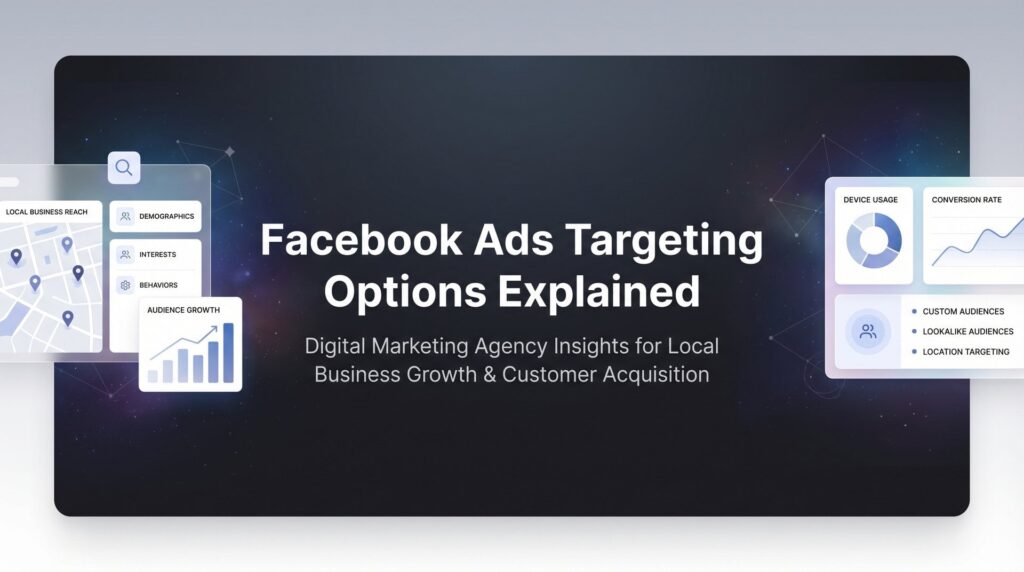
You’ve probably heard Facebook ads can target “the right people.” But when you’re running a local business and watching your ad budget disappear into the void with nothing to show for it, that promise feels pretty hollow. The difference between campaigns that generate qualified leads and campaigns that burn cash comes down to one thing: knowing exactly who you’re putting your ads in front of.
Facebook’s targeting system isn’t just powerful—it’s the reason some local businesses generate consistent customer flow while others wonder why nobody’s calling. The platform knows more about user behavior, interests, and intent than any other advertising channel. But that power only works when you understand which targeting options actually matter for local lead generation.
Here’s what most local business owners get wrong: they either target too broadly (wasting money on people who’ll never buy) or too narrowly (missing qualified prospects). The seven targeting strategies below will show you how to find the sweet spot—reaching people in your area who actually need what you offer and are ready to take action.
1. Core Audience Targeting with Demographics
The Challenge It Solves
When you’re running ads without demographic targeting, you’re essentially shouting into a crowded room and hoping the right people hear you. A roofing company doesn’t need to reach 18-year-old renters. A luxury spa shouldn’t waste budget on users with no disposable income. Core demographic targeting solves the fundamental problem of getting your message in front of people who could actually become customers based on basic qualifying factors.
The Strategy Explained
Core audience targeting is your foundation layer—the essential filters that define who can even see your ads. This includes age ranges, gender, location radius around your business, and language preferences. For local businesses, location targeting is particularly critical. You can set a radius from 1 to 50 miles around your physical location, or target specific cities, zip codes, or entire regions.
Think of this as building the frame of a house. You’re not trying to get fancy yet—you’re establishing the basic parameters that make sense for your business model and service area. A restaurant needs people within reasonable driving distance. A home services company needs homeowners in their service radius. A B2B consultant might target decision-makers in specific industries within their metro area.
Implementation Steps
1. Define your service area realistically—if you won’t drive 40 miles for a job, don’t set a 40-mile radius just because you can.
2. Set age ranges based on your actual customer data, not assumptions (check your CRM or past sales records to see who actually buys).
3. Consider gender targeting only if your product/service genuinely skews heavily toward one demographic—otherwise leave it open to avoid unnecessary restrictions.
4. Add language targeting if you serve specific language-speaking communities in your area.
Pro Tips
Start with a slightly wider radius than you think you need, then narrow based on performance data. Many local businesses discover their best customers come from areas they didn’t initially prioritize. Also, use the “people living in this location” option rather than “people recently in this location” to avoid targeting tourists or people just passing through your area. Understanding Facebook ads targeting best practices will help you avoid common mistakes that drain budgets.
2. Interest-Based Targeting
The Challenge It Solves
Demographics tell you who someone is, but interests tell you what they care about. A 35-year-old homeowner in your area could be interested in golf, gardening, home renovation, or craft beer. If you’re a landscaping company, you want the gardening and home renovation person, not the golfer. Interest targeting solves the problem of reaching people who’ve already demonstrated they care about topics related to your business.
The Strategy Explained
Facebook builds interest profiles based on pages users like, content they engage with, ads they click, and topics they follow. When you select interests for your targeting, you’re tapping into this behavioral data to find people who’ve shown genuine engagement with relevant topics. This isn’t guesswork—it’s based on actual platform activity.
For local businesses, interest targeting works best when you think beyond the obvious. Don’t just target “home improvement” if you’re a contractor. Layer in interests like specific home design styles, DIY project pages, home renovation shows, or complementary services. A personal trainer shouldn’t just target “fitness”—go deeper into specific workout methodologies, nutrition approaches, or fitness influencers that align with your training philosophy.
Implementation Steps
1. Brainstorm 15-20 interests related to your service, including direct competitors, complementary businesses, relevant publications, and lifestyle interests your ideal customers have.
2. Use Facebook’s interest search to explore related interests—when you type one interest, Facebook suggests related options you might not have considered.
3. Start with broader interest categories, then create separate ad sets testing more specific niche interests to see what performs better.
4. Combine 3-5 complementary interests using “AND” logic to narrow your audience to people who match multiple relevant criteria.
Pro Tips
Don’t go too narrow too fast. An audience under 1,000 people in your local area won’t give Facebook’s algorithm enough room to optimize. If your combined targeting creates an audience that small, pull back to broader interest categories. Also, avoid targeting interests that are too general—”business” or “shopping” won’t help you reach qualified prospects. For industry-specific examples, businesses like landscaping companies often see better results with layered interest targeting.
3. Custom Audiences for Retargeting
The Challenge It Solves
Most people don’t buy the first time they see your business. They visit your website, browse your services, maybe even fill out a contact form halfway before getting distracted. Without retargeting, these warm prospects disappear forever. Custom Audiences solve the problem of re-engaging people who’ve already shown interest but haven’t converted yet—the lowest-hanging fruit in your marketing.
The Strategy Explained
Custom Audiences let you create targeting groups from your own data sources: website visitors tracked through the Meta Pixel, customer email lists, people who’ve engaged with your Facebook or Instagram content, and users who’ve interacted with your app if you have one. These audiences are gold because they’re not cold prospects—they already know who you are.
For local businesses, the most valuable Custom Audience is typically website visitors. Someone who spent time on your services page or pricing information is exponentially more likely to convert than a random person who’s never heard of you. Email list retargeting works beautifully for staying top-of-mind with past customers or newsletter subscribers. Engagement retargeting helps you reach people who watched your videos or interacted with your posts but haven’t visited your website yet.
Implementation Steps
1. Install the Meta Pixel on your website immediately if you haven’t already—you can’t retarget visitors from before the pixel was installed.
2. Create a Custom Audience of all website visitors from the past 180 days as your broadest retargeting pool.
3. Build more specific audiences for high-intent pages: people who visited your contact page, pricing page, or specific service pages in the last 30 days.
4. Upload your customer email list (minimum 100 contacts for effective matching) to create a past customer audience you can either retarget or exclude from new customer campaigns.
5. Set up engagement audiences for people who watched 50% or more of your video content or engaged with your posts in the last 90 days.
Pro Tips
Segment your retargeting by recency and intent level. Someone who visited yesterday is hotter than someone who visited 90 days ago—show them different messages with different urgency levels. Our complete guide to Facebook remarketing ads covers advanced segmentation strategies in detail. Also, exclude people who’ve already converted (using a “thank you” page Custom Audience) so you’re not wasting budget showing ads to people who already became customers.
4. Lookalike Audiences
The Challenge It Solves
You know who your best customers are, but finding more people just like them feels like searching for needles in a haystack. You could spend months testing different interest combinations hoping to stumble on the right audience. Lookalike Audiences solve this problem by using Facebook’s data to find new prospects who share characteristics with your existing customers—essentially cloning your best audience.
The Strategy Explained
Lookalike Audiences analyze a source audience you provide (like your customer email list or website converters) and identify patterns in their demographics, interests, behaviors, and platform activity. Facebook then finds new users who match those patterns but haven’t interacted with your business yet. You can create lookalikes ranging from 1% (most similar, smallest audience) to 10% (broader reach, less similar) of your target country’s Facebook population.
For local businesses, the key is starting with your highest-quality source audience. A Lookalike based on your top 100 paying customers will outperform one based on random website visitors. The algorithm is only as good as the data you feed it. Many successful local campaigns use a 1-2% Lookalike of past customers combined with geographic radius targeting to find similar prospects in their service area.
Implementation Steps
1. Create a Custom Audience of your best customers—either from an email list of past buyers or a pixel-based audience of people who completed a purchase or high-value conversion.
2. Build a 1% Lookalike Audience from this source, selecting your country as the location (you’ll layer geographic targeting in the ad set).
3. When creating your ad set, apply your local radius targeting on top of the Lookalike to narrow it to your service area.
4. Test 1%, 2%, and 3% Lookalike sizes separately to find the sweet spot between similarity and scale for your market.
5. Refresh your source audience quarterly as you acquire new customers to keep the Lookalike current.
Pro Tips
Your source audience should have at least 100 people for Facebook to find meaningful patterns, but 500-1,000 is ideal. If you don’t have enough past customers yet, create a Lookalike from your highest-engaged website visitors or video viewers as a starting point. Also, don’t assume bigger is better—a 1% Lookalike often outperforms broader percentages for local businesses with specific customer profiles. If you’re struggling with lead quality from these audiences, our guide on fixing poor quality leads from marketing addresses common Lookalike issues.
5. Behavioral Targeting
The Challenge It Solves
Someone might be interested in home renovation (interest targeting), but are they actually in the market to hire a contractor right now? Behavioral targeting solves the timing problem by identifying people based on actions that indicate real intent—recent purchases, life events, or behaviors that signal they’re ready to buy, not just browsing.
The Strategy Explained
Facebook tracks user behaviors beyond just page likes and content engagement. This includes purchase activity, device usage patterns, travel behaviors, and significant life events like moving to a new home, getting engaged, or starting a new job. For local businesses, these behavioral signals can be incredibly powerful because they identify people at moments when they’re most likely to need your services.
A moving company benefits enormously from targeting people who recently moved or are likely to move soon. A wedding photographer wants engaged couples. A financial advisor might target people who’ve recently received a work anniversary or promotion. These aren’t just people who might be interested someday—these are people experiencing events that create immediate need for specific services.
Implementation Steps
1. Identify life events or behaviors that typically precede someone needing your service—new homeowners, new parents, job changers, recent movers, etc.
2. Navigate to Behaviors in Facebook’s targeting options and explore categories like Purchase Behavior, Life Events, Digital Activities, and Travel.
3. Layer behavioral targeting with your core demographics and location targeting to create highly specific audience segments.
4. Create separate campaigns for different behavioral triggers with messaging tailored to each life event or behavior. Industries like real estate rely heavily on life event targeting to reach buyers and sellers at the right moment.
Pro Tips
Behavioral audiences tend to be smaller than interest-based audiences, so don’t over-layer them with too many additional restrictions. If you’re targeting recent movers in your area, that might be specific enough without adding multiple interest layers. Also, adjust your messaging to acknowledge the life event—people respond better when your ad speaks directly to the moment they’re in.
6. Detailed Targeting Expansion
The Challenge It Solves
You’ve carefully selected your perfect audience based on demographics, interests, and behaviors. But what if Facebook’s algorithm can identify qualified prospects you didn’t think to target? Manual targeting has blind spots—you can’t possibly anticipate every relevant interest or behavior pattern. Detailed Targeting Expansion solves this by letting Facebook’s machine learning find additional qualified users beyond your manual selections when it predicts they’ll perform well.
The Strategy Explained
When you enable Advantage+ detailed targeting (formerly called Detailed Targeting Expansion), you’re giving Facebook permission to show your ads to people outside your specified targeting parameters if the algorithm predicts they’re likely to convert. This isn’t random—it’s based on patterns the system identifies from your campaign performance data. The algorithm might discover that people who don’t match your interest selections but share other characteristics with your converters actually perform better than your manual targeting.
For local businesses with limited audience sizes, this can be particularly valuable. If your manual targeting creates an audience of only 5,000 people in your area, expansion gives the algorithm room to find additional prospects and optimize more effectively. However, this is a tool for campaigns that already have conversion data—it works best after Facebook has learned what a qualified lead looks like for your business.
Implementation Steps
1. Start with manual targeting first—run campaigns with your carefully selected demographics, interests, and behaviors to establish baseline performance.
2. Once you have at least 50 conversions (leads, purchases, or other key actions), create a new campaign with Advantage+ detailed targeting enabled.
3. Keep your core targeting in place but toggle on the expansion option in the ad set detailed targeting section.
4. Monitor performance closely for the first week—check whether your cost per lead remains acceptable and leads maintain quality. Learning how to optimize Facebook ads for conversions will help you interpret these results correctly.
5. If expansion performs well, gradually allocate more budget; if quality drops, turn it off and stick with manual targeting.
Pro Tips
Don’t enable expansion on brand new campaigns with no performance history—the algorithm needs data to make smart expansion decisions. Also, keep your geographic and demographic targeting tight even with expansion enabled. You still want to control the fundamental parameters like location radius and age range; expansion should only broaden interest and behavior targeting.
7. Exclusion Targeting
The Challenge It Solves
You’re spending money to reach new customers, but your ads keep showing to people who already bought from you last month. Or you’re targeting a 20-mile radius but half of it is outside your actual service area. Or you’re running a new customer promotion that existing customers keep seeing and asking about. Exclusion targeting solves the budget waste problem by preventing specific audiences from seeing ads they shouldn’t see.
The Strategy Explained
Exclusions work exactly like targeting, but in reverse—instead of defining who should see your ads, you’re defining who shouldn’t. You can exclude Custom Audiences (past customers, website visitors, email subscribers), demographic groups, locations, interests, or behaviors. This is particularly powerful for local businesses running multiple campaigns with different objectives.
Think about a home services company running three campaigns: one for new customers, one retargeting past website visitors, and one reactivating old customers. Without exclusions, these audiences overlap and compete against each other, driving up costs. Smart exclusion targeting ensures each campaign reaches only its intended audience. You exclude past customers from new customer campaigns, exclude recent converters from retargeting campaigns, and exclude people who already booked from all campaigns. If your Facebook ads aren’t converting, poor exclusion setup is often the culprit.
Implementation Steps
1. Create a Custom Audience of past customers from your email list or a “thank you” page pixel audience, then exclude it from all new customer acquisition campaigns.
2. Exclude geographic areas outside your service boundaries—if you serve the north side of a city but not the south, use location exclusions to prevent wasted impressions.
3. Exclude recent converters (last 7-30 days) from retargeting campaigns so you’re not showing ads to people who just became customers.
4. For special offer campaigns, exclude existing customers if the promotion is only for new customers to avoid confusion and complaints.
5. Exclude employees and competitors by creating Custom Audiences from their email addresses or by excluding people who like competitor pages if you’re running aggressive comparison campaigns.
Pro Tips
Don’t over-exclude to the point where your audience becomes too small. If exclusions reduce your potential reach below 1,000 people in your area, you’ve gone too far. Also, regularly update your exclusion audiences—that customer list from six months ago should be refreshed with recent buyers to keep exclusions current.
Putting Your Targeting Strategy Into Action
Here’s the truth about Facebook targeting: you don’t need to use all seven strategies at once. In fact, trying to implement everything simultaneously usually leads to paralysis and campaigns that never launch. The key is starting with the highest-impact options and building complexity as you gather data.
Start with core demographic targeting and interest-based targeting for your first campaign. Get the fundamentals right—location radius, age range, and 3-5 relevant interests. Run that for two weeks and see what happens. Once you have traffic flowing, install the Meta Pixel if you haven’t already and start building Custom Audiences of website visitors. After 30 days, launch a retargeting campaign to those visitors.
When you’ve collected at least 100 customer emails or conversions, create your first Lookalike Audience. This is typically where local businesses see significant improvement in lead quality and cost. Layer in behavioral targeting if your service naturally aligns with life events—new movers, new homeowners, newly engaged couples.
Save Advantage+ detailed targeting expansion for after you have solid conversion data. This isn’t a beginner tool—it’s an optimization tool for campaigns that already work. And implement exclusion targeting from day one to protect your budget from waste.
The biggest mistake local businesses make isn’t choosing the wrong targeting options—it’s never testing anything because they’re overwhelmed by choices. Pick two or three strategies from this list, implement them this week, and refine based on what the data tells you. Marketing that actually produces revenue comes from execution and iteration, not perfect planning.
Tired of spending money on marketing that doesn’t produce real revenue? We build lead systems that turn traffic into qualified leads and measurable sales growth. If you want to see what this would look like for your business, we’ll walk you through how it works and break down what’s realistic in your market.
Want More Leads for Your Business?
Most agencies chase clicks, impressions, and “traffic.” Clicks Geek builds lead systems. We uncover where prospects are dropping off, where your budget is being wasted, and which channels will actually produce ROI for your business, then we build and manage the strategy for you.