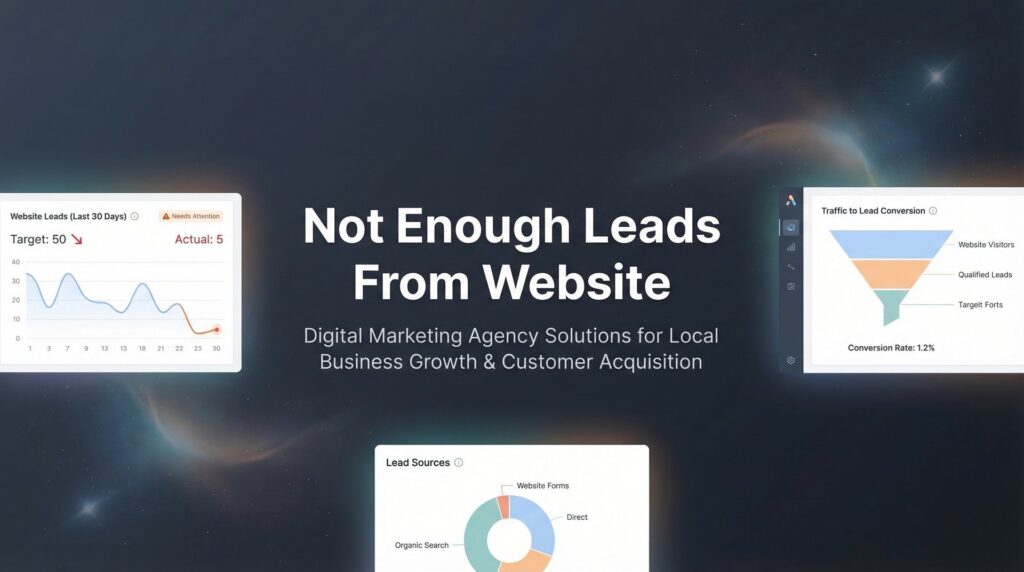
Your website looks great. Traffic is coming in. But the leads? Crickets.
If you’re frustrated because you’re not getting enough leads from your website, you’re not alone—and more importantly, you’re not stuck. The problem isn’t that your business is broken; it’s that your website isn’t doing its job as a conversion tool.
Most business owners treat their website like a digital brochure when it should function like a 24/7 sales rep. It should be qualifying prospects, answering objections, building trust, and capturing contact information while you sleep.
Here’s the reality: a beautiful website that doesn’t generate leads is just an expensive business card. And throwing more money at ads to drive traffic to a site that doesn’t convert is like pouring water into a bucket with holes in it.
This guide walks you through exactly how to diagnose why your website isn’t generating leads and fix it step by step. No fluff, no theory—just the actionable changes that actually move the needle. You’ll learn how to identify whether you have a traffic problem or a conversion problem, how to make your value proposition instantly clear, and how to remove the friction that’s costing you leads every single day.
Let’s turn your website into the lead-generating machine it should be.
Step 1: Audit Your Current Traffic Sources and Quality
Before you change anything on your website, you need to understand who’s actually visiting it. High traffic with low leads doesn’t mean your site is broken—it usually means you’re attracting the wrong people.
Start by logging into Google Analytics and navigating to Acquisition > All Traffic > Channels. This shows you where your visitors are coming from: organic search, paid ads, social media, direct traffic, or referrals.
Here’s what to look for: If most of your traffic comes from social media but you’re a B2B service provider, you’ve got a quality problem. Social browsers are rarely ready to buy. If you’re getting tons of organic traffic but minimal leads, check which keywords are driving that traffic in Search Console. You might be ranking for informational queries when you need transactional ones.
The Intent Test: Look at your top landing pages and ask yourself honestly: is someone searching for this looking to hire someone, or just looking for free information? If your blog post about “what is PPC advertising” gets 1,000 visits but your “hire a PPC agency” page gets 50, you know where your traffic is going—and why it’s not converting.
Check your bounce rate and average session duration for each traffic source. A 70% bounce rate with 15-second sessions? Those visitors aren’t even reading your content. They’re landing, realizing you’re not what they need, and leaving immediately.
Red Flag Checklist: High traffic but low time on page suggests wrong audience. Traffic from irrelevant referral sites means someone’s linking to you in the wrong context. Paid traffic with high bounce rates means your ad targeting or landing page message is misaligned. Understanding poor lead quality from ads can help you diagnose whether your traffic sources are the real problem.
The fix starts here: you can’t convert people who were never going to buy from you in the first place. Once you know where your quality traffic comes from, you can double down on those sources and stop wasting money on vanity metrics.
Step 2: Evaluate Your Value Proposition Above the Fold
You have five seconds. That’s how long a visitor gives you to prove you’re worth their attention. If they can’t immediately understand what you do and why it matters to them, they’re gone.
Open your homepage and look at what’s visible before someone scrolls. What does it say? If your headline is something generic like “Welcome to ABC Company” or “Quality Service Since 1995,” you’ve already lost.
The 5-Second Test: Show your homepage to someone who doesn’t know your business. Give them five seconds, then close it. Ask them: What does this company do? Who is it for? Why should I care? If they can’t answer all three, your value proposition is too vague.
Your headline needs to speak directly to your ideal customer’s pain point. Not what you do—what problem you solve for them. Compare these examples:
Weak: “Professional Marketing Services for Growing Businesses”
Strong: “Turn Your Website Traffic Into Qualified Leads That Actually Close”
See the difference? The first one could describe 10,000 agencies. The second one speaks to a specific frustration your prospect is experiencing right now. It promises a specific outcome they want.
Generic messaging kills conversions because it forces visitors to work too hard to figure out if you’re relevant to them. When someone lands on your site, they’re asking: “Is this for me?” Make the answer instantly obvious. If you’re struggling with this, learning how to improve website conversion rate starts with nailing your value proposition.
Your subheadline should support the main headline with a secondary benefit or clarification. If your headline addresses the pain, your subheadline can hint at the solution or the target customer. “We help local service businesses generate consistent leads without wasting money on ads that don’t convert.”
Don’t bury your value proposition in paragraph three of your About page. Put it front and center where every visitor sees it immediately. This is your first and most important conversion opportunity—make it count.
Step 3: Fix Your Calls-to-Action (They’re Probably Invisible)
Let’s be honest: your CTAs are probably terrible. They’re either buried at the bottom of your pages, they’re using passive language like “Submit” or “Learn More,” or they’re completely absent from the pages where decisions happen.
Where CTAs Must Appear: Your homepage needs a CTA above the fold and another at the bottom. Every service page needs a CTA immediately after you explain the benefit. Your contact page needs a CTA even though it seems redundant—people still need to be told what to do next.
The psychology of CTA button text matters more than most business owners realize. “Submit” is what you do to the IRS. “Get Started” is vague. “Request a Quote” sounds like you’re going to get spammed.
Try action-oriented alternatives that focus on what the visitor gets: “Get Your Free Site Audit,” “See How Much You Could Save,” “Show Me My Custom Plan.” Notice how each one emphasizes the benefit to them, not the action you want them to take.
Creating Urgency Without Being Sleazy: You don’t need fake countdown timers or “Only 2 Spots Left!” scarcity tactics. Real urgency comes from highlighting the cost of inaction. “Every day without lead tracking is another day of wasted ad spend” works better than manufactured scarcity.
Mobile CTA placement is where most sites completely fail. Desktop users can easily scroll to a bottom CTA. Mobile users using their thumbs need buttons in the thumb zone—the bottom third of the screen where their finger naturally rests. If your CTA requires precision tapping at the top of a mobile screen, you’re losing leads. Many businesses discover their low website conversion rate solutions come down to simple CTA fixes like these.
Make your CTA buttons big enough to tap easily on mobile, use contrasting colors that stand out from your page design, and surround them with white space so they’re impossible to miss. A CTA that blends into your page design is a CTA that doesn’t get clicked.
Step 4: Reduce Friction in Your Lead Capture Forms
Every form field you ask someone to fill out is a barrier between you and a lead. Think of it like a toll booth: each additional field is another dollar you’re charging someone to contact you.
The brutal truth: every extra field costs you leads. Someone who would have given you their name, email, and phone number might abandon your form when you ask for their company size, budget range, timeline, and how they heard about you.
Which Fields to Keep: Name and email are non-negotiable. Phone number is valuable if you follow up by calling qualified leads. Everything else? Question it ruthlessly.
Which Fields to Cut: Company name can be gathered later. Street address is almost never needed upfront. Dropdown menus for “What service are you interested in?” just create decision paralysis. Cut anything that doesn’t directly help you qualify or contact the lead.
Which to Make Optional: If you want additional information for qualification, make those fields optional and clearly mark them as such. “Phone number (optional if you prefer email)” converts better than a required phone field.
Multi-step forms can actually increase completion rates when used correctly. Instead of confronting someone with eight fields at once, show them two or three, then reveal the next set. This works because of the commitment principle: once someone has invested effort in steps one and two, they’re more likely to complete step three.
Add trust signals directly on your form. A simple line of text below your submit button—”We respect your privacy and never share your information”—can increase submissions. Security badges near the form (if you actually have the security to back them up) help with credibility. If you want to learn the full system for capturing better prospects, check out our guide on how to generate qualified leads online.
Test your form on mobile. Seriously, pull out your phone right now and try to fill out your own contact form. Is the keyboard covering the submit button? Are the fields too small to tap accurately? Does autocorrect keep changing the email domain? These tiny frustrations kill mobile conversions.
Step 5: Add Social Proof Where Decisions Happen
People don’t trust what you say about yourself. They trust what other people say about you. That’s why social proof is one of the most powerful conversion tools you have—when you use it strategically.
The key word is “strategically.” Most businesses dump all their testimonials on a dedicated testimonials page that nobody visits. That’s like keeping your best salespeople locked in a back room.
Strategic Placement: Put testimonials right next to your CTAs and forms. When someone is hovering over that “Get Started” button, deciding whether to commit, that’s when they need reassurance. A relevant testimonial at that exact moment can be the nudge that converts them.
Different types of social proof work for different situations. Client logos establish credibility and show you work with recognizable brands. Reviews and ratings provide third-party validation. Case studies demonstrate actual results. Numbers create authority: “Trusted by 500+ local businesses” or “Generated over $10M in client revenue.”
How to Gather Testimonials: If you don’t have many testimonials yet, make it stupidly easy for clients to give them. Email your best clients with three specific questions: What problem were you trying to solve? What results did you get? What would you tell someone considering working with us? Then ask permission to use their response.
Specificity in testimonials dramatically increases trust. Compare these:
“Great service, highly recommend!” – Generic, forgettable, sounds fake.
“We were spending $3,000/month on Google Ads and getting maybe 2-3 leads. Clicks Geek restructured our campaigns and now we’re getting 15-20 qualified leads monthly at a lower cost per lead. The difference was night and day.” – Specific problem, specific result, believable. This kind of transformation is exactly what happens when you address the low quality leads problem at its source.
Include the person’s full name, photo if possible, and their company or role. Anonymous testimonials or just first names read as fabricated, even when they’re real.
Step 6: Speed Up Your Site (Slow Pages Kill Leads)
Your website speed is directly costing you leads. Google’s research on Core Web Vitals shows that page experience matters for both search rankings and user behavior—and slow sites lose visitors before they even see your value proposition.
Test your site speed right now using Google’s PageSpeed Insights. Just paste your URL and wait for the results. You’ll get scores for both mobile and desktop, plus specific recommendations.
The relationship between load time and bounce rate is straightforward: the longer someone waits, the more likely they are to leave. If your page takes five seconds to load, you’ve already lost a significant portion of potential leads who didn’t have the patience to wait.
Quick Wins for Speed: Image compression is the easiest fix. Most business sites have massive, unoptimized images that slow everything down. Use tools like TinyPNG or ImageOptim to compress images before uploading them, or use a WordPress plugin that handles it automatically.
Enable caching so returning visitors don’t have to reload everything from scratch. Most hosting platforms offer built-in caching, or you can use a plugin like WP Rocket or W3 Total Cache if you’re on WordPress.
Remove bloated plugins and unnecessary scripts. Every plugin adds code that has to load. If you have 30 plugins installed and you’re only actively using 12 of them, you’re slowing your site down for no reason. Audit your plugins quarterly and delete anything you’re not using.
Mobile Speed Optimization: This is where most local business sites completely fail. Your desktop site might load fine, but your mobile site takes eight seconds because it’s loading the full desktop version. Use responsive design, optimize images for mobile screens, and test your mobile speed separately.
If you’re running ads and sending traffic to slow landing pages, you’re literally paying to frustrate potential customers. When your ads aren’t converting to sales, slow page speed is often a hidden culprit. Speed optimization isn’t a nice-to-have—it’s a requirement for lead generation that actually works.
Step 7: Implement Lead Tracking So You Can Measure What Works
You can’t improve what you don’t measure. If you’re making changes to your website but you have no idea whether they’re actually generating more leads, you’re flying blind.
Setting up goal tracking in Google Analytics takes about ten minutes and gives you the data you need to make smart decisions. Navigate to Admin > Goals > New Goal, then set up goals for form submissions and important page visits (like your thank you page or contact page).
For form submissions, use the “Destination” goal type and enter the URL of your thank you page. Every time someone completes your form and lands on that page, Google Analytics counts it as a conversion. Now you can see exactly how many leads you’re getting and which traffic sources are generating them.
Why You Need Call Tracking: If you’re a local service business, a significant portion of your leads probably come through phone calls. But if you’re not tracking those calls, you have no idea which marketing efforts are driving them. Someone might see your Facebook ad, visit your website, and then call—but without call tracking, you’d never connect that lead back to Facebook.
Call tracking services like CallRail or CallTrackingMetrics provide unique phone numbers for different marketing channels. You can see which campaigns generate calls, listen to call recordings to understand lead quality, and even integrate call data with your Google Analytics. If you’re not tracking marketing conversions properly, you’re essentially guessing which marketing dollars are working.
Creating a Simple Lead Dashboard: You don’t need expensive software. A Google Sheet with weekly lead counts by source is enough to spot trends. Track: total leads, leads by source (organic, paid, referral), form submissions vs. calls, and if possible, which leads actually converted to customers.
Review this dashboard every week. If you made a change to your homepage CTA two weeks ago, did leads increase? If you started a new ad campaign, are you seeing the expected lead volume? Data tells you what’s working so you can do more of it and what’s failing so you can fix or eliminate it.
A/B Testing Without Expensive Software: You don’t need fancy tools to test changes. Make one change at a time, monitor it for at least two weeks (longer if your traffic is low), and compare the results to your baseline. Changed your CTA button text? Track form submissions before and after. The difference tells you whether it worked.
The businesses that consistently generate more leads aren’t necessarily smarter—they’re just better at measuring, testing, and improving based on actual data instead of guesses.
Quick-Start Checklist: Your Lead Generation Action Plan
You now have a complete roadmap for transforming your website from a digital brochure into a lead-generating system. But knowledge without action is worthless. Here’s your prioritized action plan to start seeing results this week.
This Week: Audit your traffic in Google Analytics to understand where visitors come from and whether you have a traffic quality problem or a conversion problem. Run your site through PageSpeed Insights and implement the quick-win speed improvements. Review your homepage value proposition using the 5-second test—if it’s not immediately clear what you do and who you help, rewrite it.
Next Week: Audit every CTA on your website. Are they visible, action-oriented, and present on every important page? Fix or add CTAs where they’re missing. Review your lead capture forms and ruthlessly cut any unnecessary fields. Set up goal tracking in Google Analytics so you can measure form submissions.
This Month: Implement call tracking if phone leads matter to your business. Gather 3-5 strong testimonials and place them strategically near your CTAs and forms. Create your simple lead dashboard and commit to reviewing it weekly.
The difference between websites that generate consistent leads and those that don’t comes down to these fundamentals: attracting the right traffic, communicating value instantly, removing friction, building trust, and measuring everything. Master these seven steps and you’ll never wonder why you’re not getting enough leads from your website again.
Remember: your website should work as hard as you do. Every visitor who doesn’t convert is a missed opportunity and wasted marketing spend. The changes outlined in this guide aren’t theoretical—they’re the same strategies that turn struggling websites into reliable lead generation machines.
Start with the quick wins that require minimal technical skill: rewrite your value proposition, fix your CTAs, cut form fields. Then move to the more involved improvements: speed optimization, tracking implementation, systematic testing. Each improvement compounds on the others, creating a website that doesn’t just look good but actually drives business growth.
Tired of spending money on marketing that doesn’t produce real revenue? We build lead systems that turn traffic into qualified leads and measurable sales growth. If you want to see what this would look like for your business, we’ll walk you through how it works and break down what’s realistic in your market.