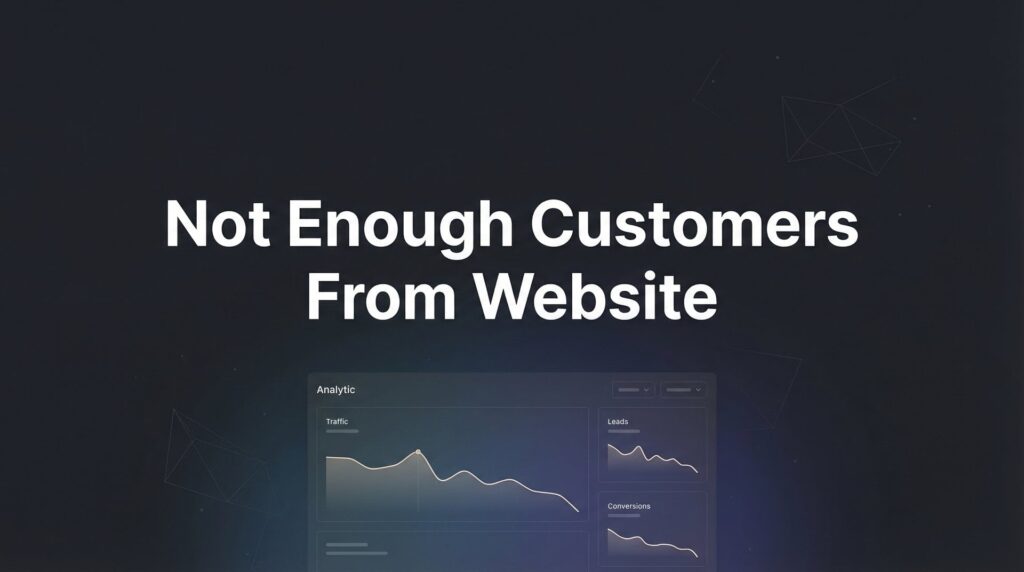
Your website looks great. You spent good money on it. But the phone isn’t ringing, the contact forms sit empty, and you’re wondering why you bothered going online in the first place.
If you’re not getting enough customers from your website, you’re not alone—and more importantly, it’s fixable.
The problem usually isn’t that your website is broken. It’s that somewhere between a potential customer searching for what you offer and them actually contacting you, something goes wrong. Maybe they never find you. Maybe they find you but leave immediately. Maybe they stick around but never take action.
This guide walks you through exactly how to diagnose what’s going wrong and fix it—step by step.
We’re not going to waste your time with vague advice like “improve your SEO” or “create better content.” Instead, you’ll get specific actions you can take this week to start turning your website into an actual customer-generating machine.
Whether you run a service business, a local shop, or a professional practice, these steps apply. Let’s figure out where your website is leaking customers and plug those holes.
Step 1: Audit Your Traffic Sources to Find the Real Problem
Before you change anything on your website, you need to answer one critical question: Do you have a traffic problem or a conversion problem?
Here’s the difference. A traffic problem means not enough people are finding your website in the first place. A conversion problem means people are visiting but not taking action. The fixes are completely different, so getting this diagnosis wrong wastes time and money.
Open Google Analytics and look at your monthly visitor count. If you’re a local service business getting fewer than 500 visitors per month, traffic is your bottleneck. You could have the world’s best website, but if nobody sees it, nothing else matters.
If you’re getting 500+ monthly visitors but still not getting leads, you have a conversion problem. Your website isn’t persuading visitors to contact you. Understanding website traffic but no conversions is essential to diagnosing this issue properly.
Now dig deeper into where your traffic comes from. Click into your traffic sources and look at the breakdown between organic search, direct visits, social media, and referrals. Ask yourself: are these actually potential customers, or just random internet wanderers?
For example, if most of your traffic comes from social media but you run a local plumbing business, that’s a red flag. People scrolling Facebook aren’t usually in “hire a plumber right now” mode. You need traffic from people actively searching for what you offer.
Check your bounce rate too—the percentage of visitors who leave immediately. If more than 70% of visitors bounce, something about your site is turning people away the moment they arrive. That’s your next clue.
Look at which pages people visit. Are they landing on your homepage and leaving? Or are they checking out your services page, your about page, and then disappearing without contacting you? That tells you where the breakdown happens.
The goal here isn’t to become a data analyst. It’s to understand whether you need more eyeballs on your site or whether you need to fix what happens when people actually show up. Everything else depends on getting this right.
Step 2: Fix Your Website’s First Impression (The 5-Second Test)
Visitors decide whether to stay on your website or leave within about five seconds. That’s it. Five seconds to convince them they’re in the right place.
Think about your own behavior online. When you land on a website and can’t immediately figure out what it’s about or whether it can help you, what do you do? You hit the back button and try the next search result.
Your potential customers do the same thing.
Within those five seconds, three things must be crystal clear: what you do, who you serve, and what they should do next. If any of these are unclear or buried, you’re losing customers before they even give you a chance.
Here’s how to test your own site. Show your homepage to someone who’s never seen it before—a friend, family member, anyone. Let them look at it for exactly five seconds, then take it away and ask: “What does this company do? Who do they help?”
If they can’t answer immediately and accurately, your first impression is broken.
Common killers of good first impressions? Slow loading times top the list. If your site takes more than three seconds to load, many visitors will leave before they see anything at all. Learning how to fix website issues like slow load times can dramatically reduce your bounce rate.
Confusing navigation is another problem. If visitors can’t figure out where to click to learn about your services or contact you, they won’t waste time hunting. Make your navigation obvious and logical.
Weak headlines are deadly too. “Welcome to ABC Company” tells visitors nothing. “Emergency Plumbing Repair in Downtown Chicago—Available 24/7” tells them exactly what you do, where you do it, and why they should care.
Your headline should speak directly to the problem your customer has right now. Not what you want to say about yourself, but what they need to hear to know they’re in the right place.
Look at your homepage with fresh eyes. Is it immediately obvious what you offer and who it’s for? Or does someone need to read three paragraphs and click through two pages to figure it out? Every second of confusion is a lost customer.
Step 3: Optimize Your Calls-to-Action So Visitors Actually Contact You
You’ve gotten visitors to your site and convinced them to stick around. Now comes the crucial moment: getting them to actually contact you.
This is where most websites fail spectacularly.
The problem usually starts with weak, generic calls-to-action. “Contact Us” is boring and vague. It doesn’t tell visitors what happens when they click or why they should bother. Compare that to “Get Your Free Estimate Today” or “Schedule Your Inspection This Week.” Those tell people exactly what they’ll get and create urgency.
Your CTA language should be specific to what you want people to do and what they’ll receive. “Request a Quote,” “Book Your Consultation,” “Claim Your Free Audit”—these are all stronger than generic contact buttons because they set clear expectations.
Placement matters as much as wording. Your primary call-to-action needs to appear above the fold—visible without scrolling. But don’t stop there. Place CTAs strategically throughout your site: after you explain a service, after you share a testimonial, at the end of every page.
Consider using a sticky header or floating button that stays visible as people scroll. The easier you make it to contact you, the more people will do it. These website optimization tips can significantly improve your conversion rates.
Now let’s talk about phone numbers. Can someone call you in under three seconds from any page on your site? If your phone number is buried in the footer or hidden on a contact page, you’re making it too hard. Put your phone number in the header of every page, large enough to tap easily on mobile devices.
For contact forms, less is more. Every field you add reduces the number of people who’ll complete it. Ask yourself: do you really need their company name, job title, and how they heard about you just to start a conversation? Or would name, email, and phone number be enough?
The three-field rule works well for most service businesses: name, phone or email, and a brief message field. You can gather more information later, after they’ve expressed interest.
Test your own contact process. Pull out your phone and try to submit a form or call yourself from your website. Is it easy? Fast? Obvious? If you find it frustrating, your customers definitely do.
Step 4: Build Trust Before They Ever Contact You
Here’s an uncomfortable truth: strangers don’t buy from strangers. Especially when it comes to inviting someone into their home, trusting them with their health, or spending serious money on a service.
Your website needs to close the trust gap before someone ever picks up the phone.
Think about how you choose a plumber, dentist, or contractor. You probably check reviews first. You look at their credentials. You want to see they’re real people who’ve successfully helped others like you. Your potential customers do the same thing when considering your business.
Reviews and testimonials are your most powerful trust builders. Don’t hide them on a separate testimonials page nobody visits. Place them strategically throughout your site—especially near your calls-to-action and on your service pages.
Real names and photos make testimonials exponentially more credible. “This company was great! – John” is weak. “They fixed our emergency leak at 10 PM on a Saturday and saved our hardwood floors. We’ll never use anyone else. – John and Sarah Martinez, Lincoln Park” is powerful because it’s specific and believable.
Show your credentials and certifications prominently. Licensed and insured? Say so. Industry certifications? Display them. Awards or recognition? Feature them. These signals tell visitors you’re legitimate and qualified.
Include real photos of your team. Stock photos of impossibly attractive people in business casual attire scream “fake.” Photos of your actual team, even if they’re not professionally shot, build authenticity and trust.
Here’s something many businesses overlook: what do potential customers see when they Google your business name before visiting your site? Do this right now. Search for your business name and see what appears. If customers aren’t finding your business online, you have a visibility problem that needs immediate attention.
Are your Google reviews visible and positive? Does your Google Business Profile look complete and professional? What shows up in the news or on social media? This is part of your first impression, even before someone clicks through to your website.
If your Google reviews are sparse or negative, that’s a trust problem you need to address urgently. Ask satisfied customers to leave reviews. Respond professionally to negative ones. Make sure your online reputation matches the quality of work you actually deliver.
Trust isn’t built with one element. It’s the cumulative effect of reviews, credentials, real photos, professional presentation, and social proof all working together to tell visitors: “You can trust us with your business.”
Step 5: Make Sure the Right People Can Actually Find You
You can have the world’s most persuasive website, but if the right people never see it, you’re still not getting customers.
For local businesses, Google Business Profile optimization is non-negotiable. This is often the highest-return activity you can do because it determines whether you show up in local search results and Google Maps.
Make sure your Google Business Profile is completely filled out. That means accurate business hours, your service area, high-quality photos, a detailed business description, and your primary services listed. Incomplete profiles get buried in search results. Learning how to improve website ranking goes hand-in-hand with optimizing your business profile.
Encourage and respond to Google reviews consistently. Google favors businesses with recent, positive reviews. A business with 50 reviews from three years ago will often rank below a business with 20 recent reviews.
Now let’s talk about what people actually search for. Many businesses optimize for terms they think sound professional rather than what customers actually type into Google.
For example, you might call yourself a “residential HVAC solutions provider,” but your customers search for “furnace repair near me” or “AC not working.” You need to use their language, not yours.
Look at your website content. Does it include the specific services and problems people search for? If you’re a lawyer, do you have pages for “divorce attorney in [your city]” or just a generic “family law services” page? Specific matches what people search.
Focus on commercial intent keywords—searches that indicate someone is ready to buy, not just browsing. “How does air conditioning work” is informational. “Emergency AC repair near me” is commercial. Both have value, but commercial intent keywords bring customers ready to spend money.
Here’s where paid traffic enters the picture. Organic SEO takes time to build. If you need customers now, pay-per-click advertising through Google Ads can put you in front of ready-to-buy customers immediately.
PPC makes sense when you need faster customer acquisition, when you’re in a competitive market where organic rankings take months, or when the customer lifetime value justifies the ad spend. A business where each customer is worth thousands can afford to pay for clicks that convert. However, if your ads aren’t converting to sales, you’ll need to diagnose and fix those issues first.
The key is targeting. Don’t waste money on broad traffic. Target specific searches with clear commercial intent in your service area. “Emergency plumber downtown Chicago” is worth paying for. “Plumbing tips” probably isn’t.
Whether through SEO or PPC, the goal is the same: get your website in front of people actively searching for what you offer, at the moment they’re ready to buy. Everything else is just noise.
Step 6: Track, Test, and Continuously Improve
You can’t improve what you don’t measure. If you’re making changes to your website without tracking the results, you’re flying blind.
Start with basic conversion tracking. You need to know which traffic sources actually produce leads and which just produce visitors. Set up goal tracking in Google Analytics for form submissions, phone calls, and any other conversion actions.
If you’re running paid ads, implement call tracking so you know which campaigns generate phone calls, not just clicks. A click means nothing if it doesn’t turn into a conversation. Understanding website conversion rates helps you benchmark your performance against industry standards.
Focus on metrics that actually matter to your business. Vanity metrics like page views and time on site are interesting, but they don’t pay the bills. The metrics that matter are conversion rate, cost per lead, and lead quality.
Your conversion rate tells you what percentage of visitors take action. If 1,000 people visit your site and 20 submit forms, that’s a 2% conversion rate. Industry standards vary, but for service businesses, anything below 2% suggests conversion problems worth fixing.
Cost per lead tells you how much you’re spending to acquire each potential customer. Divide your total marketing spend by the number of leads generated. If you’re spending $1,000 and getting 10 leads, that’s $100 per lead. Is that sustainable for your business model?
Lead quality matters more than lead quantity. Ten high-quality leads who are ready to buy beat 50 tire-kickers who waste your time. Track which sources produce leads that actually close into paying customers. If you’re struggling with poor quality leads from marketing, your targeting likely needs adjustment.
Now comes the testing part. Simple A/B tests can dramatically improve your results without requiring a complete website overhaul.
Test different headlines on your homepage. One week, run “Emergency Plumbing Services in Chicago.” The next week, try “Licensed Plumbers Available 24/7 in Chicago.” Measure which produces more conversions.
Test your call-to-action buttons. Change the color, the text, the placement. Small changes can produce surprising results. “Get Started” might outperform “Contact Us” by 30% simply because it’s more action-oriented.
Test your contact form length. Try a three-field version against a five-field version. You’ll likely find that fewer fields produce more submissions, even if some of those submissions are slightly lower quality.
The key is testing one element at a time. If you change your headline, your CTA, and your form all at once, you won’t know which change made the difference.
Here’s the reality check: there’s a point where DIY optimization hits diminishing returns. If you’ve implemented these steps and still aren’t seeing the results you need, it may be time for professional conversion rate optimization support.
Professional CRO experts bring experience from hundreds of websites, advanced testing tools, and the ability to identify issues you might miss. They can often produce results faster because they’ve already made the mistakes on someone else’s website, not yours.
The decision to bring in help depends on the gap between where you are and where you need to be, and how quickly you need to close that gap. If your business depends on consistent lead flow and your website isn’t delivering, professional help often pays for itself quickly through improved conversion rates.
Your Next Steps: The Website Customer Audit Checklist
You now have a complete roadmap for diagnosing and fixing why your website isn’t generating enough customers. The difference between businesses that see results and those that don’t usually comes down to one thing: execution.
Here’s your quick-start checklist to work through this week:
Traffic Audit: Check your Google Analytics. Are you getting 500+ monthly visitors? If not, traffic generation is your priority. If yes, focus on conversion optimization.
First Impression Test: Show your homepage to someone unfamiliar with your business for five seconds. Can they tell you what you do and who you serve? If not, clarify your headline and value proposition.
CTA Optimization: Review every call-to-action on your site. Replace generic “Contact Us” buttons with specific, action-oriented CTAs. Make sure your phone number is visible in your header on every page.
Trust Building: Add or update customer testimonials with real names and details. Display your credentials prominently. Google your business name and address any reputation issues you find.
Findability Check: Complete and optimize your Google Business Profile. Verify your website content uses the terms customers actually search for, not just industry jargon.
Tracking Setup: Implement conversion tracking for form submissions and phone calls. Identify which traffic sources produce actual leads, not just visitors.
Start with the area where you identified the biggest problem. If you’re getting plenty of traffic but no conversions, focus on steps 2-4. If you’re barely getting any visitors, prioritize step 5.
The trap most business owners fall into is overthinking instead of doing. You don’t need a perfect website. You need a website that’s better than it was last week, and better next week than it is today. Progress beats perfection.
That said, if you’ve implemented these fixes and still aren’t seeing the customer flow your business needs, it’s worth getting a professional perspective. Sometimes the issue isn’t obvious, or the fixes require technical expertise you don’t have time to develop.
Tired of spending money on marketing that doesn’t produce real revenue? We build lead systems that turn traffic into qualified leads and measurable sales growth. If you want to see what this would look like for your business, we’ll walk you through how it works and break down what’s realistic in your market.
Your website should be working for you, not sitting there looking pretty while your competitors take your customers. You now have the diagnostic tools and action steps to change that. The only question left is: when do you start?