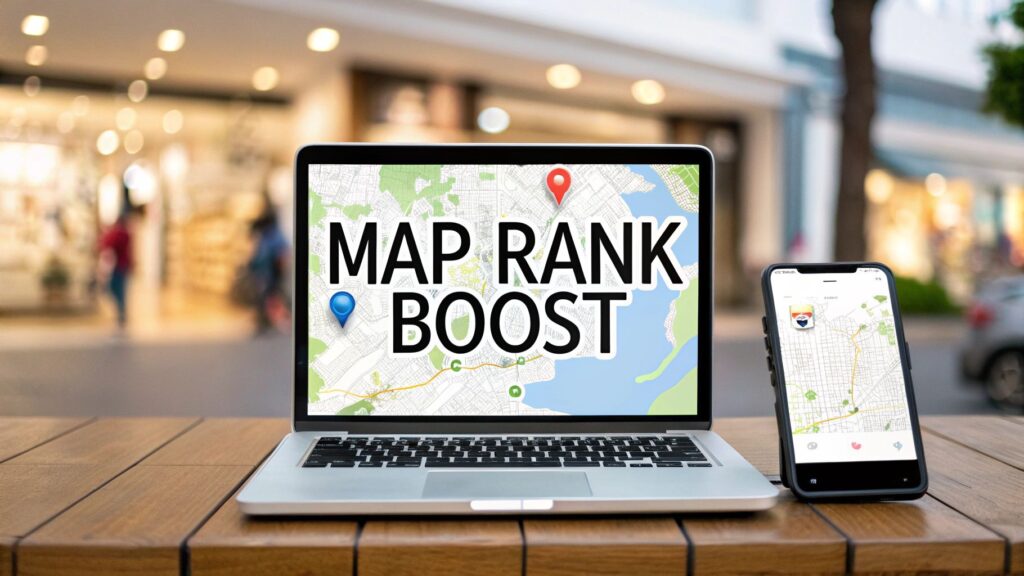
To increase your ranking in Google Maps, you need to focus on your Google Business Profile (GBP). This is the foundation of your local SEO strategy. Getting this right tells Google you're a legitimate business worth showing to local searchers.
Optimize Your Google Business Profile
Think of your GBP as your digital storefront. It's often the first impression for potential customers. A complete and accurate profile is non-negotiable. This means filling out every single field to paint a full picture of your business for Google and users.
Choose the Right Business Categories and Attributes
Your primary category is the most important setting on your profile. It must perfectly describe your main service. Be specific.
- If you're a roofer, choose "Roofer," not "Contractor."
- If you're a family law attorney, choose that over "Law Firm."
Next, add secondary categories for your other services. A roofer might also add "Gutter Cleaning Service." This helps you appear in related searches.
Then, add attributes. These are details that help customers make decisions.
- For a restaurant: Add "Outdoor seating" or "Family-friendly."
- For a retail store: Use "Curbside pickup" or "Free Wi-Fi."
- For a service business: Highlight "Online appointments."
Attributes help Google match your business to very specific user queries. For a full walkthrough, see this guide on optimizing your Google Business Profile.
Write a Compelling Business Description
You have 750 characters for your business description. Use them wisely.
Don't just list what you do. Explain what makes you the best choice and include your main keywords naturally.
For example, instead of "We are a local bakery," try: "Your friendly neighborhood bakery in downtown Springfield, specializing in custom wedding cakes, gluten-free pastries, and fresh-brewed artisanal coffee." This is more descriptive and keyword-rich.

Keep Your Profile Active
An inactive profile is a red flag for Google. Show that you're an operating business by regularly using GBP Posts.
Share updates, sales, or new products. This keeps your profile fresh and encourages engagement.
In Short: A fully optimized and active Google Business Profile is the most powerful factor for your Google Maps rankings. It's an ongoing process, not a one-time task.
Your goal is a complete, accurate, and active profile. The quality of your GBP is something you can control, and Google rewards that effort.
GBP Optimization Checklist
| Optimization Area | What to Do | Why It Matters for Ranking |
|---|---|---|
| Business Name | Use your real-world business name. Do NOT stuff keywords here. | Keyword stuffing is a policy violation. Accuracy builds trust with Google. |
| Categories | Select a specific Primary Category. Add 3-5 relevant Secondary Categories. | This is a critical ranking factor. It tells Google what your business is. |
| Address & Service Area | Ensure your address is 100% accurate or define your service area. | Proximity is a key ranking factor. Inaccurate data confuses Google. |
| Phone Number | Use a consistent, local phone number across all listings. | Consistency is a major trust signal for Google’s algorithm. |
| Website Link | Link to your website's homepage or a relevant location page. | Drives traffic and connects your GBP to your website, sharing authority. |
| Hours of Operation | Keep your hours, including holiday hours, meticulously updated. | Inaccurate hours create a poor user experience, which Google penalizes. |
| Business Description | Write a compelling, 750-character description with your main keywords. | Helps users and search engines understand what makes your business unique. |
| Photos & Videos | Regularly upload high-quality photos (exterior, interior, team, products). | Visuals increase engagement, which are positive ranking signals. |
| Q&A Section | Proactively ask and answer common questions about your business. | Shows engagement and helps you provide accurate information upfront. |
| GBP Posts | Publish updates, offers, or event posts at least once a week. | Signals to Google that your business is active and provides fresh content. |
Build Trust with Reviews
If your GBP is the foundation, customer reviews are the steel frame of your reputation. To learn how to increase ranking in Google Maps, you must focus on social proof. Reviews are a direct and powerful ranking signal.
You need a repeatable system for encouraging a steady flow of genuine feedback from happy customers.
Why Reviews Are a Local SEO Superpower
Reviews build trust with customers and with Google's algorithm. Each review signals that you're a relevant, active business.
A landmark study confirmed that while proximity is king, review signals are a critical second. For top local results, the number of reviews can account for 26% of their ranking influence. Having keywords in those reviews adds another 22.8%. You can read the full study about how reviews influence Google Maps rankings.
In Short: A healthy volume of positive, keyword-rich reviews is your fast track to better visibility.
How to Ask for Reviews
The secret is to make it simple for your customers. Ask right after they’ve had a great experience.
- Email Signature: Include a link like, "Happy with our service? We'd love to hear about it on Google!"
- Text Message: A day after service, a quick text can be effective. "Hi [Customer Name], thanks for choosing us! If you have a minute, we'd appreciate your feedback on Google: [Your Review Link]."
- In-Person Ask: When a customer thanks you, just say, "That's great to hear! It would mean the world to us if you could share that in a quick Google review."
Make asking for reviews a natural part of your daily operations.
Respond to Every Single Review
This is a step most businesses miss. Responding to reviews shows Google and future customers that you're engaged and professional.
Our rule is simple: respond to every review within 24-48 hours.
- For good reviews: Thank the customer by name. Mention a specific detail from their review.
- For negative reviews: Acknowledge their frustration and apologize. Offer to take the conversation offline to make it right. Handling a negative review well can win over more customers than a dozen 5-star reviews.
The Power of Keywords in Reviews
You can't tell customers what to write. But when you provide amazing service, something magical happens. A review saying, "They did a great job," is nice.
But a review like, "Best emergency plumber in Springfield! They fixed our leaky pipe in under an hour," is SEO gold. It's packed with keywords that tell Google what you do and where you do it.
Connect Your Website to Your Local Presence
Your Google Business Profile and your website should work together. When they are aligned, it sends strong trust signals that boost your Google Maps ranking.
Your GBP grabs attention, but your website is the source of truth. Google cross-references information between the two. If the details match, Google's confidence in your business grows. This process is called on-page local SEO.
Create Dedicated Location and Service Pages
If you have multiple physical locations, each one needs its own dedicated page.
Each location page should have:
- Unique Content: Talk about that specific store and mention local landmarks.
- Specific NAP: Display the full Name, Address, and Phone Number for that location.
- Embedded Map: Include a Google Map showing the exact pin.
- Local Photos: Add photos of the storefront and team.
The same applies to your services. Dedicated pages for "Emergency Plumbing" and "Drain Cleaning" are better than a general "Plumbing" page.
Master Your NAP Consistency
Your Name, Address, and Phone number (NAP) is your business's digital fingerprint. It must be 100% identical everywhere it appears online.
In Short: A small inconsistency, like using "St." on your website but "Street" on your GBP, can confuse Google and weaken your ranking.
Place your NAP in your website's footer so it appears on every page.
Embed a Google Map on Your Contact Page
This is a simple but effective move. Embedding a Google Map on your contact page helps customers and sends a direct signal to Google confirming your physical location.
- Search for your business on Google Maps.
- Click the "Share" button.
- Go to the "Embed a map" tab.
- Copy the HTML code.
- Paste the code into your website’s contact page.
Use Local Business Schema Markup
Schema markup is special code you add to your website. It gives search engines a structured summary of your business information.
This code tells Google:
- Your exact business name
- Your complete address
- Your local phone number
- Your hours of operation
- Your business category
This removes any guesswork for Google. You can use free tools like Merkle's Schema Markup Generator to create the code. This is a must for serious local SEO services for small businesses.
Create Content That Screams "Local"
To improve your local rankings, you must prove you're part of the community. This is where creating local content is key. This helps answer the question of how to increase ranking in Google maps.
Go Beyond Basic Blogging
Generic content won't work. Think like a local. What's happening in your neighborhood?
Here are some ideas:
- Sponsor a local event: Sponsor a little league team, then write a blog post about it with photos.
- Create neighborhood guides: A real estate agent could write "Top 5 Kid-Friendly Parks in the Northwood Neighborhood."
- Feature local partners: Team up with a non-competing business for a joint promotion and create content about it.
Target Hyper-Local Keywords
Don't just target "emergency plumber." Go after "emergency plumber in Hyde Park."
These geo-specific keywords have less competition and are used by people who need help now. Create dedicated pages or blog posts for the main neighborhoods you serve.
In Short: Each piece of local content is another pin you're dropping on the map, reinforcing to Google exactly where your expertise lies.
Showcase Your Local Expertise
Google is paying more attention to local content and how users engage with it. When people click your profile and visit your site from the map pack, it's a huge vote of confidence.
People Also Ask About Local Content
How do I find local keywords?
Start with your service, then add neighborhood names, zip codes, and local landmarks. Thinking about how a real person in your town would search is your best guide.
What kind of content works best for local SEO?
Blog posts about community events, neighborhood-specific service pages, and case studies with local customers are all gold. Video testimonials from local clients are also very effective.
Does social media help with local SEO?
Yes. Sharing local content on social media drives traffic and shows Google that people are engaging with your brand. Tools for AI content creation for social media can help you brainstorm ideas.
Strengthen Your Footprint with Citations and Links
To rank higher in Maps, Google needs to see your business mentioned consistently across the web. These mentions are called citations and backlinks.
A citation is any online mention of your business's Name, Address, and Phone number (NAP). A backlink is a clickable link from another website to yours. Both build trust and authority.
Lock Down Your NAP Consistency
Your NAP needs to be 100% identical everywhere. I mean exactly the same—down to "St." vs. "Street."
Inconsistencies create confusion for Google and can hurt your rankings. Start with a full citation audit to find and fix errors.
- Go Manual: Use Google searches like
"Your Business Name" "Your Phone Number"to see what pops up. - Use a Tool: Services like BrightLocal or Moz Local can scan dozens of directories for you.
Once you find errors, go to each site, claim your profile, and update the information to match your GBP.
Build Foundational Citations
With your existing profiles corrected, it's time to build high-quality citations. Quality matters more than quantity.
Focus on directories that carry weight:
- Data Aggregators: Get listed with major players like Data Axle and Foursquare.
- Major Platforms: Make sure you have complete profiles on Apple Maps, Yelp, and Bing Places.
- Niche & Industry Sites: A plumber should be on Angi. A lawyer should be on FindLaw. A restaurant needs to be on TripAdvisor.
In Short: The goal is to be listed in relevant, authoritative places where customers are actually looking.
Level Up with Local Link Building
Earning links from other local websites is how you pull away from the competition.
- Sponsor a Local Event: Sponsor a charity 5K or a little league team. Most organizations will list sponsors on their website with a link.
- Join the Chamber of Commerce: Membership usually includes a listing in their directory with a valuable backlink.
- Host a Community Workshop: A financial planner could host a free "Retirement Planning 101" workshop and promote it to local news outlets for mentions and links.
People Also Ask About Citations and Links
How do I fix incorrect citations on websites I don't control?
Look for a "claim this listing" or "suggest an edit" button. You may need to verify ownership of the business. For stubborn listings, contact the website's support team.
What is the difference between a structured and unstructured citation?
A structured citation is an organized listing in a directory like Yelp. An unstructured citation is a casual mention, like in a blog post. Both are valuable.
Are paid directories worth it for citations?
Almost never. Stick to well-known free directories and invest your time in earning real, relationship-based local links.
Answering Your Google Maps Questions
Here are answers to common questions business owners ask about Google Maps rankings.
How long does it take to rank higher on Google Maps?
It depends. For quick optimizations like completing your GBP, you might see a small bump in 2-4 weeks.
For major improvements, especially in a competitive market, you should think in months. A realistic timeline is 3-6 months of consistent work on reviews, local content, and backlinks.
Do I need a physical storefront to rank on Google Maps?
No. If you're a service-based business that travels to customers (like a plumber or electrician), you are a Service Area Business (SAB).
In your GBP, you will hide your physical address from the public. Instead, you will define your service areas by listing the cities or zip codes you serve.
Will Google Ads help my organic Maps ranking?
No. Paying for Google Ads will not directly boost your organic (free) ranking on Google Maps. Google's ad platform and its organic search algorithm are separate.
Running ads can get you more visibility, which may lead to more clicks and reviews, but paying for an ad is not a direct organic ranking factor. Learn more about dominating the Google Map Pack ranking.
What's the biggest mistake I can make?
The most common and damaging mistake is having an inconsistent Name, Address, and Phone number (NAP) across the web.
This erodes Google's trust in your business and hurts your ability to rank. Google rewards consistency.
A close second is the "set it and forget it" mindset. Failing to add photos, publish posts, or respond to reviews signals to Google that you aren't an active business, and your rankings will suffer.
At Clicks Geek, our focus is turning your Google Maps presence into a customer-generating machine. If you're ready for real growth, let's talk. Get in touch with us today and see how we can put these strategies to work for you.