
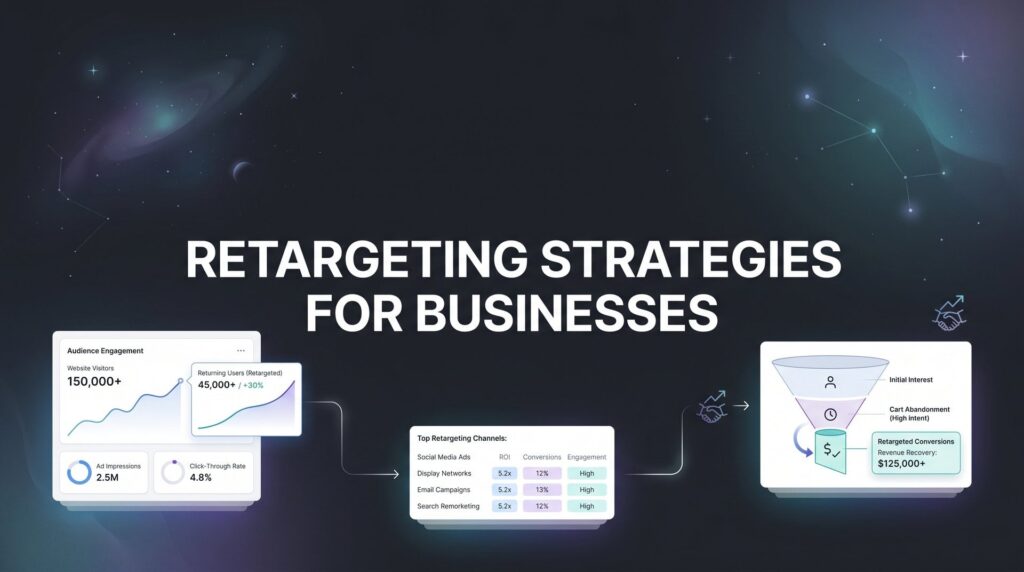
You spend money driving traffic to your website. People visit. They browse. They leave. Then they’re gone forever.
Sound familiar?
The average business loses 97% of website visitors without a single conversion. They click away to check their email, compare competitors, or simply get distracted. Most never come back. That’s thousands of dollars in marketing spend evaporating into thin air every single month.
But here’s what separates profitable businesses from the ones bleeding cash on advertising: they don’t let those visitors disappear. They bring them back.
Retargeting strategies for businesses allow you to re-engage people who already showed interest in what you sell. These aren’t cold prospects who’ve never heard of you. They’re warm leads who visited your site, browsed your products, maybe even added items to their cart. They already know you exist. They’re just not ready to buy yet.
That’s the game-changer. Instead of shouting at strangers who don’t care, you’re having a conversation with people who already raised their hand and said “I’m interested.” The result? Higher conversion rates, lower cost per acquisition, and marketing dollars that actually work harder instead of just working more.
Think of it like this: cold advertising is walking up to random people on the street trying to sell them something. Retargeting is following up with someone who walked into your store, looked around, asked questions, then left to think about it. Which conversation is more likely to end in a sale?
In this guide, you’ll learn exactly how to set up retargeting campaigns that turn window shoppers into customers. We’ll cover everything from installing your tracking pixels to creating segmented audiences and crafting ads that compel action. Whether you’re running a local service business or an e-commerce store, these strategies will help you capture revenue you’re currently leaving on the table.
Let’s build your retargeting system from the ground up.
Step 1: Install Your Tracking Pixels and Set Up Conversion Events
Before you can retarget anyone, you need to track who’s visiting your website and what they’re doing there. This is where tracking pixels come in, and this step is non-negotiable. Skip this, and everything else fails.
A tracking pixel is a tiny piece of code that sits on your website and records visitor behavior. When someone lands on your site, the pixel fires and adds them to your retargeting audience. Think of it as your digital guest book, except instead of names, it’s collecting anonymous data about what people view, click, and do.
Start with the two platforms most businesses need: Facebook Pixel for Meta ads (Facebook and Instagram) and Google Ads remarketing tag for Google Display Network and YouTube. If you’re B2B, add LinkedIn Insight Tag to the list.
Installing Facebook Pixel takes about ten minutes if you’re using a platform like WordPress, Shopify, or Webflow. Log into your Facebook Business Manager, navigate to Events Manager, create your pixel, and grab the base code. Paste it in the header section of your website so it loads on every page. Most modern website platforms have a dedicated spot for tracking codes, so you don’t need to be a developer.
Google Ads remarketing tag works the same way. Inside your Google Ads account, go to the Audience Manager, create a remarketing tag, and install it site-wide. The tag collects data on everyone who visits, which you’ll use later to build specific audience segments.
But here’s where most businesses stop too soon: they install the pixel and call it done. That’s a mistake. You need to set up conversion events to track meaningful actions, not just page views.
A conversion event is any action that matters to your business. Purchases, form submissions, phone calls, quote requests, video views, add-to-carts. These events tell your retargeting platform what success looks like, which allows it to optimize for the actions that actually drive revenue.
Set up events for each stage of your funnel. If you’re e-commerce, track product views, add-to-cart, initiate checkout, and purchase. If you’re a service business, track contact form submissions, phone clicks, and booking confirmations. The more granular your event tracking, the smarter your retargeting becomes. This foundation is critical for any customer acquisition system for local businesses that relies on paid advertising.
Once your pixels are installed, verify they’re working. Don’t assume. Test. Use browser extensions like Facebook Pixel Helper or Google Tag Assistant to confirm your pixels are firing on the right pages. Visit your own website, complete a test conversion, and check if the event shows up in your platform’s event dashboard.
This foundation matters more than anything else you’ll do in retargeting. Bad tracking means bad audiences. Bad audiences mean wasted ad spend. Get this right, and everything else becomes exponentially easier.
Step 2: Define Your Audience Segments Based on Visitor Behavior
Not all website visitors are created equal. Someone who spent ten minutes reading your pricing page is far more valuable than someone who landed on your homepage and bounced in five seconds. Your retargeting strategy needs to reflect that reality.
This is where audience segmentation transforms generic retargeting into precision marketing. Instead of showing the same ad to everyone who visited your site, you’re creating specific audiences based on what they actually did while they were there.
Start by segmenting based on pages visited. Create separate audiences for people who viewed product pages, pricing pages, contact forms, blog posts, and your homepage. Each of these audiences represents a different level of intent and needs different messaging.
Someone browsing your blog is in research mode. They’re learning, not buying. Hit them with a hard sales pitch, and they’ll tune you out. Someone on your pricing page? They’re comparing options and close to a decision. They need social proof and urgency, not educational content.
Time-based segments matter just as much. A visitor from yesterday is hot. A visitor from 60 days ago is ice cold. Create separate audiences for 0-7 days, 8-30 days, and 31-90 days. Bid more aggressively on recent visitors because they’re far more likely to convert. Adjust your messaging for older audiences who need more nurturing to remember who you are.
Here’s a critical step most businesses miss: exclude converters. If someone already bought from you or submitted a lead form, stop showing them ads for the same thing. It’s a waste of budget and annoying for the customer. Create an exclusion audience of people who completed your main conversion event and remove them from your retargeting campaigns.
The exception? If you want them to buy again or upgrade. Then you’re running a different campaign with different messaging aimed at existing customers, not lost prospects. Smart customer retention strategies for small business often use separate retargeting campaigns specifically for repeat purchases.
Once you’ve built behavior-based segments, take it a step further with engagement-based audiences. People who watched 75% of your video, engaged with your Instagram posts, or spent more than three minutes on your site. These high-engagement audiences often convert at rates two to three times higher than general site visitors.
Finally, build lookalike audiences from your highest-intent segments. If you have a solid audience of people who viewed your pricing page or added items to cart, you can use that data to find new cold prospects who behave similarly. This bridges the gap between retargeting and prospecting, expanding your reach while maintaining relevance.
The goal here is surgical precision. You’re not carpet-bombing everyone who ever visited your site. You’re creating specific audience buckets that allow you to deliver the right message to the right person based on exactly where they are in their buying journey.
Step 3: Map Your Retargeting Ads to Each Stage of the Buyer Journey
This is where most retargeting campaigns fall apart. Businesses create one generic ad and blast it at everyone. “Buy now! Limited time offer! Click here!”
The problem? Someone who just discovered your brand five minutes ago isn’t ready for a hard close. And someone who’s been researching for two weeks doesn’t need an introduction. Matching your message to their intent level is the difference between retargeting that converts and retargeting that burns money.
Let’s break down the three stages and what each audience actually needs to hear from you.
Awareness-stage visitors: These people landed on your site, maybe read a blog post or browsed your homepage, but didn’t dig deep. They’re still figuring out if they even have a problem worth solving. Hit them with a sales pitch, and they’ll scroll past without a second thought.
Instead, give them educational content and social proof. Share a helpful guide, a case study, or a video that demonstrates your expertise. The goal isn’t to sell yet. It’s to build credibility and keep your brand in their consideration set. Use messaging like “See how businesses like yours are solving [problem]” or “Learn the strategy that [specific result].” This approach aligns with proven lead generation strategies for businesses that focus on nurturing before selling.
Consideration-stage visitors: These prospects viewed your services page, checked your pricing, or spent significant time researching what you offer. They’re actively comparing options. They know they need a solution. They’re just not sure if you’re the right one.
This audience responds to comparison content, customer testimonials, and proof that you deliver results. Show them why you’re different. Highlight your unique process, your guarantees, or results you’ve delivered for similar businesses. Messaging that works: “Why [type of business] choose us over [competitor approach]” or “See the difference our [unique method] makes.”
Decision-stage visitors: These are your hottest prospects. They added items to cart but didn’t check out. They filled out half your contact form and bounced. They viewed your pricing page three times in two days. They’re ready to buy. They just need a final push.
This is where urgency, offers, and clear calls-to-action dominate. Limited-time discounts, free consultations, money-back guarantees, or exclusive bonuses. Remove friction and give them a reason to act now instead of later. Messaging like “Complete your order and get [bonus]” or “Schedule your free consultation before [deadline]” works because it creates a compelling reason to take action immediately.
The mistake is using decision-stage messaging on awareness-stage audiences or vice versa. A first-time visitor doesn’t care about your limited-time discount. A cart abandoner doesn’t need to read your 101 guide. Match the message to where they actually are in their journey, and your conversion rates will reflect the difference.
Step 4: Create Compelling Ad Creative That Drives Action
Your audience segmentation is dialed in. Your messaging strategy matches each stage of the buyer journey. Now you need creative that actually stops the scroll and compels people to click.
Generic stock photos and bland copy won’t cut it. Your retargeting ads are competing with friends’ vacation photos, viral videos, and a thousand other distractions. You have about 1.5 seconds to grab attention. Make them count.
Start with ad copy that acknowledges the visitor’s previous interest. This isn’t a cold pitch to a stranger. They already know you exist. Reference that connection. “Still thinking about [product/service]?” or “You checked out our [specific page]. Here’s what you need to know next.” This pattern interrupt works because it’s personalized without being creepy.
For e-commerce businesses, dynamic product ads are non-negotiable. These automatically show users the exact products they browsed on your site. Someone looked at red running shoes? Show them red running shoes, not your entire catalog. This level of personalization dramatically outperforms generic retargeting ads because it removes the mental work of finding what they were interested in. Understanding remarketing strategies for ecommerce is essential for maximizing these dynamic ad opportunities.
Setting up dynamic ads requires a product catalog feed, but most e-commerce platforms integrate directly with Facebook and Google to make this seamless. The conversion lift is worth the setup time. Many businesses see dynamic retargeting ads convert at two to four times the rate of static ads.
For service businesses, use visuals that demonstrate transformation or results. Before-and-after images, client testimonials with real faces, or short video clips showing your work in action. People buy outcomes, not processes. Show them the end result they’re trying to achieve.
Video creative consistently outperforms static images in retargeting campaigns. A 15-second clip explaining your unique approach or showing a quick customer testimonial grabs attention better than a static graphic. You don’t need Hollywood production quality. Clear audio, good lighting, and a genuine message beat overproduced corporate videos every time.
Test multiple creative variations from day one. Create three to five different ad versions with different hooks, images, or video angles. Let the data tell you what resonates. What you think will work and what actually works are often completely different. The only way to know is to test.
Refresh your creative every 30 to 45 days, even if it’s performing well. Audience fatigue is real. People get blind to ads they’ve seen repeatedly. Swap out images, rewrite headlines, or shoot new video. Keep the core message consistent but change the packaging to maintain attention and engagement.
Step 5: Set Strategic Budgets and Frequency Caps
You’ve built your audiences. You’ve created killer ads. Now comes the part where most businesses either overspend or underinvest: budget allocation and frequency management.
Here’s the reality: not all audience segments deserve equal budget. Your highest-intent audiences (cart abandoners, pricing page viewers, recent visitors) should get the lion’s share of your spend because they convert at the highest rates. Your awareness-stage audiences need smaller budgets because they’re further from a purchase decision.
Start by calculating your audience size for each segment. If you only have 200 people in your cart abandoner audience, you don’t need a $1,000 daily budget. You’ll exhaust that audience in hours and start showing the same people your ad ten times a day. That’s how you burn money and annoy potential customers simultaneously.
A good rule of thumb: allocate 50-60% of your retargeting budget to high-intent audiences (recent visitors, product/pricing page viewers, engaged users), 30-40% to mid-funnel audiences (blog readers, homepage visitors from the last 30 days), and 10-20% to awareness-stage audiences (older visitors, low-engagement users). This budget distribution mirrors paid advertising strategies for small business that prioritize ROI over reach.
Frequency caps are your defense against ad fatigue and brand damage. This controls how many times the same person sees your ad within a given timeframe. Without frequency caps, you risk showing someone your ad 20 times in three days, which doesn’t increase conversions. It just pisses them off.
Set frequency caps at three to seven impressions per user per week for most campaigns. High-intent audiences can handle slightly higher frequency because they’re closer to converting. Awareness-stage audiences need lower frequency to avoid feeling stalked.
Bidding strategy matters more than most businesses realize. For retargeting, target ROAS (return on ad spend) or maximize conversions bidding typically outperforms manual CPC because the platform optimizes for actual results, not just clicks. Start with a target ROAS that’s slightly below your historical average, then tighten it as the campaign learns and improves.
Begin with conservative budgets. Spend $20-50 per day per platform while you test and optimize. Once you identify winning combinations of audience segments and ad creative, scale gradually. Double your budget week over week rather than jumping from $50 to $500 overnight. Rapid scaling often tanks performance because the algorithm needs time to adjust.
Monitor your cost per conversion closely. If it’s climbing, you’re either experiencing audience fatigue (refresh creative), bidding too aggressively (adjust your target ROAS), or targeting audiences that aren’t ready to convert (tighten your segments). The data will tell you which lever to pull.
Step 6: Launch, Monitor, and Optimize Your Campaigns
Your campaigns are live. Ads are running. Budget is flowing. Now comes the part that separates businesses that profit from retargeting and those that just spend money hoping for the best: systematic monitoring and optimization.
Track these metrics religiously: ROAS, cost per conversion, click-through rate, and frequency. These four numbers tell you everything you need to know about campaign health.
ROAS shows you if you’re making money or losing it. If you’re spending $100 to generate $80 in revenue, you’re bleeding cash. Target a minimum 3:1 ROAS for most businesses, though this varies by industry and profit margins. Service businesses with high lifetime value can often sustain lower ROAS because one customer generates revenue for months or years.
Cost per conversion tells you how much you’re paying to acquire a customer or lead. Compare this to your average customer value. If you’re paying $200 to acquire a customer worth $150, the math doesn’t work. Either improve your conversion rate, lower your cost per click, or adjust your targeting to higher-value prospects.
Click-through rate indicates ad relevance. If people see your ad but don’t click, your creative or messaging isn’t resonating. CTR below 1% on retargeting campaigns usually signals creative fatigue or poor message-to-audience match. Refresh your ads or revisit your audience segmentation.
Frequency shows you how often the same person sees your ad. If frequency climbs above seven to ten impressions per user, you’re hitting diminishing returns. People have seen your ad enough. Either they’re not interested, or they need a different message. Expand your audience, refresh your creative, or pause that segment temporarily.
Give new campaigns at least seven days before making major changes. Platforms need time to learn and optimize. Killing an ad after two days because it hasn’t converted yet is premature. But if you’re two weeks in with zero conversions and climbing costs, it’s time to make changes.
A/B test systematically. Change one variable at a time so you know what actually moved the needle. Test different headlines, images, calls-to-action, or landing pages. Run tests for at least a week or until you have statistical significance (usually 100+ clicks per variation). Following best practices for landing pages ensures your retargeting traffic converts once it arrives.
Watch for audience fatigue. If an ad performed great for three weeks then suddenly tanked, your audience is tired of seeing it. Swap in new creative with a fresh angle. Keep the core message but change the packaging. This simple refresh often brings performance right back to previous levels.
Review your campaigns weekly. Check which audience segments are converting, which ads are winning, and where you’re wasting budget. Shift money from underperforming segments to winners. Pause ads with high frequency and low CTR. Scale budgets on campaigns exceeding your target ROAS.
Retargeting isn’t set-it-and-forget-it. It’s a living system that requires consistent attention and optimization. The businesses that win are the ones who treat it like a performance engine, constantly testing, measuring, and improving based on real data.
Putting Your Retargeting System to Work
You now have a complete framework for building retargeting strategies that convert lost visitors into paying customers. Not theory. Not fluff. A systematic approach that works whether you’re selling products online or generating leads for a service business.
Here’s your pre-launch checklist: tracking pixels installed and verified on every key page, conversion events set up to track actions that matter, audience segments defined by behavior and intent level, ad creative mapped to each stage of the buyer journey, budgets allocated strategically with frequency caps in place, and monitoring systems ready to track ROAS and cost per conversion.
The businesses that win with retargeting aren’t necessarily spending more. They’re spending smarter. They’re showing the right message to the right people at the right time based on actual behavior, not guesswork.
Start with one platform. Master the fundamentals. Get your tracking dialed in, build your core audience segments, and launch with conservative budgets. Once you’re profitable on one channel, expand to others. Facebook and Google cover most use cases, but don’t ignore LinkedIn if you’re B2B or programmatic display if you need broader reach.
The revenue you’re leaving on the table right now is staggering. Those 97% of visitors who leave your site without converting? A solid retargeting system brings 10-20% of them back. For a business doing $500,000 in annual revenue, that’s an extra $50,000 to $100,000 just from re-engaging people who already know you exist.
That’s not hypothetical growth. That’s recapturing money you already spent to get those visitors in the first place.
If you want expert help implementing these strategies or need a PPC audit to identify gaps in your current campaigns, Clicks Geek specializes in turning underperforming ad spend into profitable customer acquisition systems. We build lead systems that turn traffic into qualified leads and measurable sales growth. If you want to see what this would look like for your business, we’ll walk you through how it works and break down what’s realistic in your market.
Your visitors are already interested. Now go bring them back.


