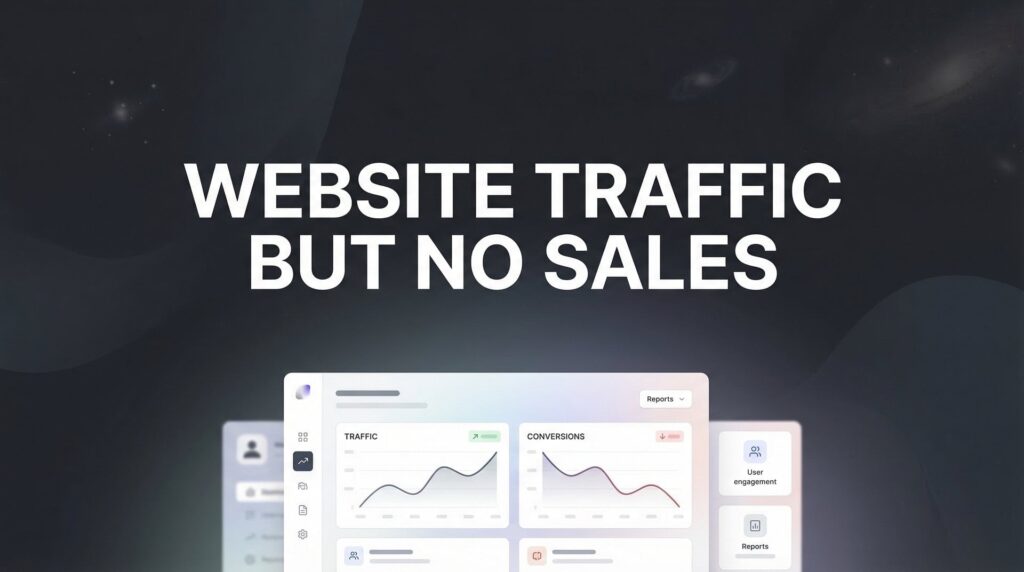
You’re doing everything right—or so it seems. The traffic numbers look good, visitors are landing on your site, but your sales dashboard tells a different story. Zero conversions. Maybe a trickle.
This frustrating disconnect between website traffic and actual revenue is one of the most common problems local business owners face, and it’s rarely about needing MORE traffic.
The truth? Traffic without conversions is just expensive window shopping.
The good news is that this problem is almost always fixable once you identify what’s actually breaking down. In this guide, we’ll walk through seven battle-tested strategies that turn passive visitors into paying customers—no fluff, just actionable fixes you can implement starting today.
1. Audit Your Traffic Quality Before Blaming Your Website
The Challenge It Solves
Here’s the uncomfortable truth: not all traffic is created equal. You might be celebrating 10,000 monthly visitors while completely missing the fact that 9,000 of them were never going to buy from you in the first place.
This is what industry experts call the “vanity metrics trap.” Your analytics dashboard shows impressive numbers, but those numbers don’t translate to revenue because you’re attracting the wrong audience. It’s like opening a steakhouse and wondering why vegetarians aren’t buying.
The Strategy Explained
Traffic quality analysis means examining whether your visitors actually match your buyer profile. Are they in your service area? Do they have the budget for what you offer? Are they searching with commercial intent, or just browsing for information?
For local service businesses, this distinction becomes critical. Traffic from broad informational queries like “how to fix a leaky faucet” converts poorly compared to location-specific searches like “emergency plumber in Chicago.” One visitor is looking for DIY advice. The other needs help right now.
The key is segmenting your traffic by source and analyzing behavior patterns. Time on site, pages per session, and bounce rate tell you which channels deliver qualified prospects versus casual browsers who leave immediately. Understanding marketing attribution models helps you identify which sources actually drive revenue.
Implementation Steps
1. Open your analytics and segment traffic by source (organic search, paid ads, social media, referrals). Look at conversion rate by channel—which sources actually produce sales?
2. Review the actual search terms driving your organic traffic. Are people finding you for informational queries when you’re trying to sell services? That’s a content strategy problem.
3. Check geographic data if you serve specific locations. Traffic from outside your service area inflates your numbers but will never convert.
4. Analyze on-site behavior for each traffic source. High bounce rates and short session durations indicate poor audience match.
5. Calculate cost per acquisition by channel. That “cheap” traffic source might be worthless if it never converts.
Pro Tips
Don’t just look at conversion rate—look at the quality of conversions. A channel that sends fewer visitors but higher-value customers is more valuable than high-volume, low-quality traffic. Focus your marketing budget on the sources that deliver qualified buyers, even if it means lower total traffic numbers.
2. Fix the Trust Gap That’s Killing Your Conversions
The Challenge It Solves
Think about the last time you bought something from a company you’d never heard of. You probably looked for reviews, checked their credentials, maybe even Googled their name with “scam” or “legit” to see what came up.
Your visitors are doing the same thing. When they land on your site and see no social proof, no testimonials, no evidence that real people have successfully worked with you, their skepticism kicks into overdrive. They might need what you’re selling, but they’re not taking a chance on an unknown entity.
The Strategy Explained
Trust signals are the credibility markers that overcome first-time visitor skepticism. Reviews, testimonials, case studies, guarantees, certifications, and third-party validation all work together to answer the unspoken question: “Can I trust these people with my money?”
For service-based businesses, this becomes even more critical because you’re often asking people to trust you with something valuable—their home, their health, their business operations. Without proof that others have successfully worked with you, that’s a big ask.
The most effective trust signals are specific and verifiable. Generic testimonials like “Great service!” don’t move the needle. Detailed reviews that mention specific results, real names, and actual problems solved create genuine confidence.
Implementation Steps
1. Add customer testimonials to your homepage and key landing pages. Include full names, photos if possible, and specific results or benefits they experienced.
2. Display your Google review rating prominently with a link to your full review profile. If you don’t have reviews yet, start asking satisfied customers immediately.
3. Create a dedicated case studies or success stories page that walks through specific client projects from problem to solution to results.
4. Add trust badges for any relevant certifications, industry memberships, or awards. Google Premier Partner status, BBB accreditation, or industry-specific credentials all count.
5. Include a clear guarantee or risk-reversal statement. “100% satisfaction guaranteed” or “Free quote with no obligation” reduces perceived risk.
Pro Tips
Video testimonials outperform text by a significant margin because they’re harder to fake and feel more authentic. Even a simple smartphone video of a happy customer talking about their experience can dramatically improve website conversion rate. And don’t hide your reviews—feature them prominently where first-time visitors will see them immediately.
3. Eliminate Friction From Your Conversion Path
The Challenge It Solves
You’ve got a ready-to-buy visitor. They want what you’re selling. They’re prepared to take action. Then they hit your contact form that requires 15 fields of information, or your site takes 8 seconds to load on mobile, or they can’t figure out how to actually request a quote.
That sale just vanished. Not because they didn’t want to buy, but because you made it too difficult.
The Strategy Explained
Friction is anything that makes taking action harder than it needs to be. Slow page speed, complicated forms, confusing navigation, mobile usability issues, unclear pricing—each friction point increases the chance that a ready-to-convert visitor will give up and leave.
The goal isn’t just to have a conversion path. It’s to have the smoothest, fastest, most obvious conversion path possible. Every unnecessary step, every extra form field, every second of load time costs you money in lost conversions.
For local service businesses, common friction points include: requiring too much information upfront, hiding contact information, making phone numbers un-clickable on mobile, or forcing people through multiple pages when they just want to request a quote.
Implementation Steps
1. Test your site on mobile right now. Can you easily tap the phone number to call? Does the contact form work smoothly on a small screen? Is everything readable without zooming?
2. Audit your contact forms and remove every field that isn’t absolutely essential. Name, email, phone, and a brief message field is usually sufficient for initial contact.
3. Check your page speed using Google PageSpeed Insights. If you’re scoring below 50 on mobile, you’re losing conversions to slow load times.
4. Review your conversion path from landing page to action. Count the clicks required. Can you reduce it? The fewer steps, the better.
5. Make contact options obvious and accessible from every page. Phone number in the header, contact form link in the navigation, chat widget if appropriate.
Pro Tips
Watch real users interact with your site if possible. You’ll spot friction points you never noticed because you’re too familiar with your own website. Tools like Hotjar can show you where people are getting stuck, clicking in confusion, or abandoning forms halfway through. If you’re running paid campaigns, this diagnostic approach is essential when ads are not converting to sales.
4. Align Your Offer With What Visitors Actually Want
The Challenge It Solves
Someone searches for “emergency AC repair near me” and lands on your homepage that talks about your comprehensive HVAC services, company history, and commitment to excellence. They needed immediate help. You gave them a corporate brochure.
This misalignment between search intent and landing page content kills conversions faster than almost anything else. Your visitor had a specific problem or question, and your page didn’t address it directly.
The Strategy Explained
Message matching means ensuring that what people see when they arrive matches what they were looking for when they clicked. If someone searches for a specific service, they should land on a page about that specific service—not your generic homepage.
This applies to both organic search and paid advertising. Your landing page messaging, headlines, and offers need to directly address the intent behind the visitor’s search. Emergency services require different messaging than scheduled maintenance. Commercial clients need different information than residential customers.
The businesses that convert well understand that different visitors are at different stages of the buying journey. Some need education. Some are comparing options. Some are ready to buy right now. Your content needs to match where they are.
Implementation Steps
1. Review your top traffic-driving keywords and the pages they’re landing on. Does the page content directly address what someone searching that term would want to know?
2. Create dedicated landing pages for your primary services instead of sending all traffic to your homepage. Each service deserves its own focused page.
3. Match your headline to the search intent. If someone searched for “emergency plumber,” your headline should say “24/7 Emergency Plumbing Services” not “Comprehensive Plumbing Solutions.”
4. Address the specific pain point immediately. Don’t make visitors hunt for confirmation that you solve their problem.
5. Tailor your call-to-action to the visitor’s likely intent. Emergency services should emphasize “Call Now.” Scheduled services can use “Request Free Quote.”
Pro Tips
Look at your bounce rate by landing page. High bounce rates often indicate poor message match—people aren’t finding what they expected. This is a common issue when you’re experiencing website traffic but no conversions. Test different headline variations that more closely mirror the language people use when searching for your services.
5. Install Clear, Compelling Calls-to-Action Throughout
The Challenge It Solves
Your visitor is convinced. They like what they see. They’re ready to take the next step. But what IS the next step? Your site has a generic “Contact Us” button buried at the bottom of the page, and they’re not quite sure what happens if they click it.
Vague, weak, or invisible calls-to-action leave money on the table. Visitors who might have converted instead leave because you didn’t give them a clear, compelling reason to take action right now.
The Strategy Explained
A strong call-to-action tells visitors exactly what to do next and why they should do it. “Contact Us” is weak because it’s generic and offers no benefit. “Get Your Free Quote in 60 Seconds” is strong because it’s specific, low-risk, and emphasizes speed.
Effective CTAs appear multiple times throughout your page, not just at the bottom. Above the fold, mid-content, and at the conclusion. Each one should be benefit-driven and action-oriented.
For service businesses, the best CTAs reduce perceived risk and emphasize convenience. “Free estimate,” “no obligation,” “same-day service,” and “instant quote” all work because they address common objections before they arise.
Implementation Steps
1. Audit every page on your site and identify where CTAs appear. Are they prominent? Are they specific? Are they benefit-driven?
2. Replace generic CTAs like “Submit” or “Contact” with action-oriented alternatives. “Get My Free Quote,” “Schedule My Appointment,” “Claim My Discount.”
3. Add CTAs in multiple locations on key pages. One above the fold, one mid-content after you’ve built value, one at the conclusion.
4. Use contrasting colors that make your CTA buttons stand out visually. They should be the most noticeable element on the page.
5. Include a secondary CTA for visitors who aren’t ready for your primary action. If your main CTA is “Schedule Service,” your secondary might be “Learn More About Our Process.”
Pro Tips
Test urgency elements carefully. “Limited time offer” can work, but fake scarcity destroys trust. Better approach: emphasize natural urgency like “Same-day appointments available” or “Book now for next-day service” when those are genuinely true. These tactics are part of effective low website conversion rate solutions that actually work.
6. Implement Conversion Rate Optimization Testing
The Challenge It Solves
You’ve made changes to your site based on best practices and gut instinct. Some probably helped. Some might have hurt. But you’re not really sure which is which because you’re not systematically testing and measuring the impact of your changes.
Guessing what will improve conversions is expensive. You might spend weeks implementing changes that actually decrease performance, or you might overlook simple tweaks that could double your conversion rate.
The Strategy Explained
Conversion rate optimization testing means making data-driven decisions about what actually improves your conversion rate. Instead of implementing changes and hoping they work, you test variations against your current version and measure which performs better.
This doesn’t require expensive tools or complicated setups. Even simple testing—trying different headlines, CTA button colors, form lengths, or page layouts—and measuring the results gives you concrete data about what works for your specific audience.
The key is testing one element at a time so you know what caused any change in performance. Test your headline this week, your CTA button next week, your form length the week after. Build a systematic process of continuous improvement.
Implementation Steps
1. Identify your highest-traffic pages that aren’t converting well. These are your best testing opportunities because you’ll get results faster.
2. Start with high-impact elements: headlines, primary CTA, form length, and trust signals. These typically produce the biggest improvements.
3. Create a variation of one element. Keep everything else the same. Run both versions simultaneously if you have testing tools, or run them sequentially if you don’t.
4. Set a clear success metric before you start. Usually conversion rate, but could be form submissions, phone calls, or quote requests depending on your goals.
5. Let tests run long enough to be meaningful. A few days isn’t enough. Aim for at least two weeks or 100+ conversions per variation to account for weekly fluctuations.
Pro Tips
Don’t just test random changes. Test based on real user behavior data. If analytics show people are abandoning your form, test a shorter version. If they’re not clicking your CTA, test more prominent placement or stronger copy. Let data guide your testing priorities. Professional sales funnel optimization services can accelerate this process if you need expert guidance.
7. Capture Leads Who Aren’t Ready to Buy Yet
The Challenge It Solves
Most visitors to your site aren’t ready to buy on their first visit. They’re researching, comparing options, or just beginning to understand their problem. When they leave without converting, you’ve lost them forever—unless you have a way to stay connected.
Treating every visitor as if they should convert immediately ignores the reality of how people actually make decisions. For many services, multiple touchpoints are necessary before someone is ready to commit.
The Strategy Explained
Lead capture and nurturing systems let you convert visitors who need more time, more information, or more trust before they’re ready to buy. Email capture, retargeting ads, and follow-up sequences keep your business top-of-mind while they’re making their decision.
The key is offering something valuable enough that visitors willingly give you their contact information. Free guides, checklists, calculators, or exclusive discounts work when they directly address your visitor’s needs.
Once you have their email, you can nurture them with helpful content, case studies, and offers over time. The person who wasn’t ready to buy today might be ready next week, next month, or next quarter—but only if you stay connected.
Implementation Steps
1. Create a valuable lead magnet relevant to your services. “The Complete Guide to Choosing a Contractor” or “10-Point Home Inspection Checklist” work better than generic offers.
2. Add email capture forms on key pages with clear value propositions. “Get our free guide” is more compelling than “Subscribe to our newsletter.”
3. Set up retargeting pixels so you can show ads to people who visited but didn’t convert. They’re already familiar with you—retargeting brings them back. Understanding pay per click advertising fundamentals helps you maximize these campaigns.
4. Build an email sequence that delivers value first, then gradually introduces your services. Don’t immediately hit new subscribers with sales pitches.
5. Track which lead sources eventually convert into customers. Some channels might not produce immediate sales but generate leads that convert later with proper nurturing.
Pro Tips
Segment your email list based on which pages people visited or which lead magnets they downloaded. Someone who downloaded your emergency services guide has different needs than someone who got your annual maintenance checklist. Tailor your follow-up accordingly. This approach is essential when learning how to increase sales with digital marketing.
Putting It All Together
Turning traffic into sales isn’t about one magic fix. It’s about systematically eliminating the barriers between your visitors and their decision to buy.
Start with traffic quality. There’s no point optimizing your conversion process if you’re attracting the wrong audience in the first place. Make sure the people landing on your site actually match your ideal customer profile.
Then build trust. Add reviews, testimonials, and credibility signals that overcome skepticism. Remove friction from your conversion path so ready-to-buy visitors don’t get stuck. Align your messaging with what people actually searched for.
Make taking action irresistible with clear, benefit-driven calls-to-action. Test systematically instead of guessing. And capture leads who need more time before they’re ready to commit.
The businesses that win aren’t always the ones with the most traffic. They’re the ones who convert the traffic they have.
Pick one strategy from this list and implement it this week. Measure the results. Then move to the next. That’s how you transform a leaky funnel into a revenue-generating machine.
Tired of spending money on marketing that doesn’t produce real revenue? We build lead systems that turn traffic into qualified leads and measurable sales growth. If you want to see what this would look like for your business, we’ll walk you through how it works and break down what’s realistic in your market.
Want More Leads for Your Business?
Most agencies chase clicks, impressions, and “traffic.” Clicks Geek builds lead systems. We uncover where prospects are dropping off, where your budget is being wasted, and which channels will actually produce ROI for your business, then we build and manage the strategy for you.