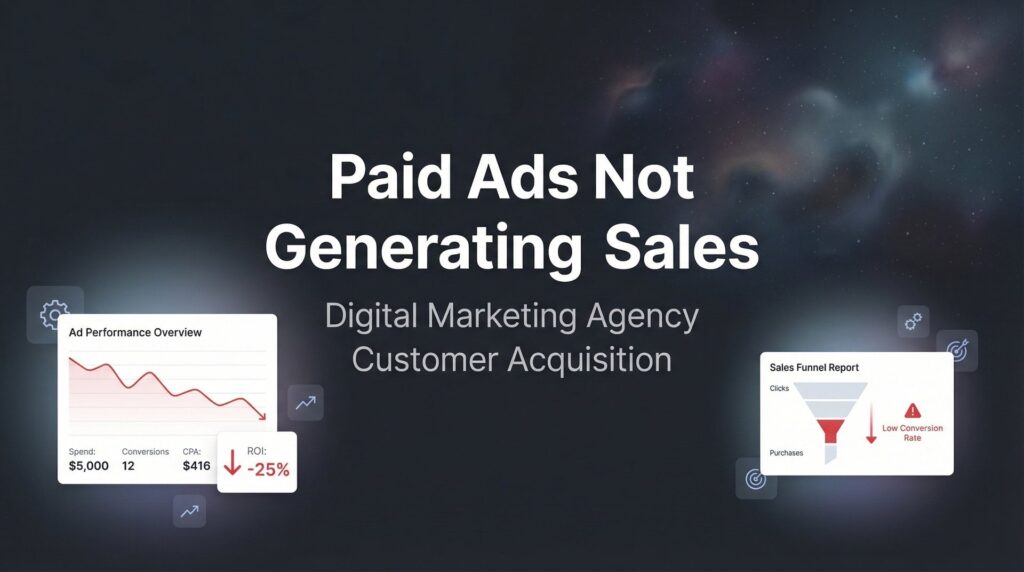
You’re spending money on paid ads, but your sales numbers aren’t moving. The clicks are coming in, maybe even at a decent cost, but those clicks aren’t turning into customers. This is one of the most frustrating experiences in digital marketing—and it’s far more common than most business owners realize.
The good news? Paid ads that aren’t generating sales almost always have identifiable, fixable problems.
The issue is rarely that “paid ads don’t work.” It’s that something specific in your funnel is broken, and once you find it, you can fix it. Think of it like a leaky pipe: water is flowing in (traffic), but it’s not making it to where you need it (sales). The solution isn’t to pump more water through the system. It’s to find and patch the leak.
This guide walks you through a systematic diagnostic process to identify exactly why your paid ads aren’t converting to sales and gives you actionable steps to repair each problem. We’ll examine everything from targeting misalignment to landing page friction to offer positioning.
By the end, you’ll have a clear action plan to transform your ad spend from a money pit into a profit engine. Whether you’re running Google Ads, Facebook Ads, or any other paid platform, these principles apply universally. Let’s diagnose what’s broken and fix it.
Step 1: Audit Your Traffic Quality Before Blaming Your Ads
Before you change a single thing about your landing page or offer, you need to verify that you’re actually attracting the right people. Many businesses discover their conversion problem isn’t about converting better—it’s about attracting buyers instead of browsers in the first place.
Start by diving into your ad platform’s demographic and interest data. In Facebook Ads Manager, check the breakdown by age, gender, location, and device. In Google Ads, examine the audience insights and search terms report. What you’re looking for are mismatches between who’s clicking and who actually buys from you.
Let’s say you sell premium business software, but your age breakdown shows 65% of clicks come from the 18-24 age range. That’s a red flag. Or you’re targeting “business owners in Texas” but half your traffic comes from outside the state. These disconnects bleed your budget without producing revenue.
Check your analytics for these warning signs of poor traffic quality:
Bounce rates above 70% suggest people immediately realize your page isn’t what they expected. Average session duration under 30 seconds means visitors aren’t even reading your content. Geographic data showing clicks from countries or regions you don’t serve indicates targeting problems.
Here’s where it gets interesting: your targeting settings might technically be “correct” but still attract the wrong audience. Broad interest targeting like “small business” or “entrepreneurship” sounds logical, but it captures people who are interested in the topic, not necessarily people ready to buy your specific solution. This is a common reason for low quality leads flooding your pipeline.
Compare your ad traffic demographics to your actual paying customers. Pull data from your CRM or order history. What’s the typical age range? What industries do they work in? What job titles? If there’s a significant mismatch between who clicks your ads and who actually buys, you’ve found your first problem.
The fix starts with tightening your targeting parameters. Layer multiple criteria together rather than casting a wide net. Instead of targeting “all business owners,” target business owners in specific industries, with specific company sizes, in specific geographic areas where you operate.
Use negative keywords aggressively in search campaigns. If you sell to businesses, add negatives for “free,” “cheap,” “DIY,” and other terms that attract price shoppers or people looking for free solutions. Each negative keyword is a leak you’re plugging in your funnel.
Your success indicator here is straightforward: when you look at your traffic demographics in Google Analytics or your ad platform, they should closely mirror the demographics of your actual customers. If 80% of your customers are 35-55 years old, roughly 80% of your ad traffic should fall in that range.
Once your traffic quality aligns with your buyer profile, you can move on to examining what happens after they click.
Step 2: Diagnose the Click-to-Landing Page Disconnect
Your visitor clicked your ad because it promised something specific. If your landing page doesn’t immediately deliver on that promise, they’ll leave. This “message match” problem is one of the most common conversion killers, and it’s surprisingly easy to overlook.
Open your ad in one tab and your landing page in another. Read them side by side. Does your landing page headline echo the key benefit or promise from your ad? If your ad says “Get More Qualified Leads in 30 Days,” your landing page better lead with that exact concept, not a generic “Welcome to Our Marketing Services.”
Message match isn’t just about headlines. Check if the visual style, tone, and even color scheme create continuity. Abrupt changes between ad and landing page create subconscious friction. Your visitor’s brain is looking for confirmation they’re in the right place—give it to them immediately.
Now test your landing page load speed, because every second of delay costs you conversions. Use Google PageSpeed Insights or GTmetrix to measure your load time. If your page takes more than three seconds to load on mobile, you’re losing a significant portion of your traffic before they even see your offer.
Most paid traffic comes from mobile devices, yet many businesses still optimize primarily for desktop. Pull up your landing page on your phone right now. Is the text readable without zooming? Are buttons large enough to tap easily? Does the page require horizontal scrolling? If any of these issues exist, you’re creating unnecessary friction for the majority of your visitors.
Check your form fields on mobile. Forms that work fine on desktop often become frustrating on small screens. If you’re asking for ten pieces of information, each requiring precise tapping and typing on a phone keyboard, you’re making conversion unnecessarily difficult. Understanding why ads don’t convert to sales often comes down to these small friction points.
Look at your landing page structure and clarity. Can a visitor understand your offer within five seconds of arrival? If you have to scroll through three paragraphs of background information before explaining what you’re offering, that’s a problem. Lead with the value proposition, then provide supporting details.
Examine your call-to-action buttons. Are they visible above the fold? Do they use action-oriented language like “Get Your Free Audit” rather than generic text like “Submit”? Is there a clear visual hierarchy that guides the eye to the CTA?
Your analytics will tell you if this step is working. Check your bounce rate for paid traffic specifically, not your overall site bounce rate. A bounce rate under 50% suggests decent message match and page experience. Average session duration over one minute indicates people are actually engaging with your content.
If these metrics are poor, the fix is straightforward: align your landing page message with your ad promise, speed up your load time, and optimize the mobile experience. These changes often produce immediate improvements in conversion rates.
Step 3: Evaluate Your Offer Against Market Expectations
Even with perfect targeting and seamless message match, your ads won’t generate sales if your offer creates resistance. This is where many businesses stumble—they’re asking for too much, too soon, from people who aren’t ready.
Think about the awareness level of someone clicking a paid ad. They just discovered you moments ago. If your immediate ask is “Schedule a Call” or “Request a Quote,” you might be asking for more commitment than they’re willing to give a complete stranger.
Compare your offer to what competitors are offering for similar ad clicks. Open an incognito browser window and search for your target keywords. Click the competitor ads. What are they offering? A free guide? A calculator? A trial? An assessment? If everyone else is offering low-commitment lead magnets and you’re asking for a sales call, you’re creating friction.
This doesn’t mean you need to match every competitor’s offer. But you need to understand the market expectation. If your industry typically offers free consultations and you’re charging for discovery calls, you’re swimming upstream. You might be right in principle, but you’ll convert fewer leads.
Evaluate your pricing transparency. Are you hiding your prices, hoping to get people on the phone first? For some high-ticket, complex services, this makes sense. For others, it creates suspicion. If potential customers can’t get even a ballpark idea of what you cost, many will bounce rather than invest time in a conversation.
Look at your call-to-action through the lens of buyer stage. Someone searching “what is PPC advertising” is in research mode. Asking them to “Start Your Campaign Today” is misaligned. Someone searching “PPC management services near me” is much closer to a buying decision and might be ready for a consultation request. If you’re new to paid advertising, our beginner’s guide to paid search covers these fundamentals.
Test whether your offer matches the intent behind the keywords you’re targeting. Informational searches need educational offers. Commercial investigation searches need comparison resources or assessments. Transactional searches can handle direct sales asks.
Check your landing page for value proposition clarity. Does your offer sound compelling, or does it sound like work for the visitor? “Fill out this form so we can call you” is honest but not enticing. “Get a custom roadmap showing exactly how to double your leads” frames the same action as valuable rather than burdensome.
Your success indicator here is your landing page click-through rate on your primary CTA. If fewer than 2-3% of visitors are clicking your call-to-action button, your offer likely isn’t compelling enough or asks for too much too soon.
The fix might be as simple as adjusting your offer to better match the buyer’s stage. Consider a two-step approach: offer something low-commitment first (a guide, assessment, or calculator), then ask for the sales conversation after you’ve provided value and built some trust.
Step 4: Examine Your Trust Signals and Social Proof
You know your business is legitimate and delivers results. Your website visitor doesn’t. They just clicked an ad and landed on a page from a company they’ve never heard of. Without trust signals, even the best offer will struggle to convert.
Scan your landing page as if you’re a skeptical buyer. What evidence exists that you’re credible, established, and trustworthy? If the answer is “not much,” you’ve found a critical conversion barrier.
Start with reviews and testimonials. Do you display customer reviews prominently on your landing page? Are they specific and detailed, or generic and vague? A testimonial that says “Great service!” does little to build trust. One that says “Clicks Geek helped us generate 47 qualified leads in our first month, and we closed three new clients worth $28,000” tells a credible story.
Check if you’re displaying relevant certifications, partnerships, or credentials. Google Premier Partner status, industry certifications, or recognizable client logos all signal legitimacy. If you have them, show them. If you don’t display them, visitors assume you don’t have them.
Look at your “About” information. Is it easy to find your physical address, phone number, and team information? Businesses that hide their contact details or operate from a P.O. box trigger skepticism. Transparency builds trust.
Evaluate your visual professionalism. Does your website look modern and well-maintained, or does it feel outdated? Are there broken images, typos, or formatting issues? These details might seem minor, but they accumulate into an impression of either professionalism or carelessness. A poorly designed site is often why your lead generation efforts fall flat.
Check if you’re using real photos of your team and office, or stock photos of generic business people in suits. Authenticity matters. People want to know who they’re potentially working with. Generic stock imagery suggests you’re hiding something or aren’t really established.
Look for security signals if you’re collecting any sensitive information. Is your site using HTTPS? Do you display privacy policy and terms of service links? These aren’t just legal requirements—they’re trust indicators.
Consider the power of third-party validation. Media mentions, case studies published on your blog, or awards from industry organizations all provide social proof that goes beyond your own claims. If you’ve been featured anywhere or won anything, display it.
Your success indicator here is engagement with trust elements. Check your analytics to see if visitors are clicking on testimonials, scrolling to view client logos, or clicking through to your about page. These behaviors suggest they’re doing due diligence before converting.
The fix for weak trust signals is straightforward but requires effort. Collect detailed testimonials from satisfied clients. Request video testimonials if possible. Display any credentials or partnerships you’ve earned. Make your team visible and accessible. Show that you’re a real business with real people delivering real results.
Step 5: Fix Your Follow-Up and Lead Handling Process
Here’s a scenario that plays out constantly: Your ads are working, your landing page is converting, leads are coming in—but they’re not turning into sales. The problem isn’t your marketing. It’s what happens after the lead submits.
Pull up your lead notification system right now. When someone fills out your form, what happens? Does it trigger an immediate email to your sales team? Does it create a task in your CRM? Or does it simply add a row to a spreadsheet that someone checks once a day?
Lead response time is critical, and most businesses are far too slow. Research on lead response consistently shows that leads contacted within five minutes are dramatically more likely to convert than leads contacted even thirty minutes later. After an hour, your chances of meaningful engagement drop significantly. This is often why businesses struggle with qualified leads—they’re losing them in the follow-up process.
Think about the psychology here. Someone just took action on your website. They’re thinking about their problem and your potential solution right now. If you respond immediately, you’re catching them in that moment of high intent. If you respond tomorrow, they’ve moved on mentally, possibly already talked to your competitor who called them first.
Check your actual response time. Review your last 20 leads and note how long it took before someone from your team made contact. Be honest about what you find. Many businesses discover they’re averaging several hours or even days for first contact—and wondering why their conversion rates are terrible.
Audit your lead routing process. Are leads going to the right person? If you’re a multi-service business and a PPC lead gets routed to your SEO specialist, there’s friction in the handoff. If leads go to a general inbox where responsibility is unclear, they often fall through the cracks.
Look at your follow-up sequence for leads who don’t convert immediately. Most leads don’t buy on the first contact. Do you have a systematic follow-up process, or do leads get one call and then disappear into your database? A structured nurture sequence—combining calls, emails, and value-driven content—keeps you top of mind without being pushy.
Test your lead capture form submissions yourself. Fill out your own form and see what happens. Do you receive an immediate confirmation email? Does it provide next steps and set expectations? Or is there radio silence, leaving the lead wondering if their submission even went through?
Check your CRM or lead management system for bottlenecks. Are leads getting stuck in certain stages? Is there a pattern of leads going cold after the initial conversation? These patterns reveal where your sales process needs attention.
Your success indicator here is simple: leads should receive human contact within five minutes during business hours. Your CRM should show clear ownership and next steps for every lead. Your follow-up sequence should maintain contact over weeks, not abandon leads after one attempt.
The fix requires operational discipline. Set up instant notifications that alert the right team member immediately when a lead comes in. Implement a CRM that assigns ownership and creates follow-up tasks automatically. Build a multi-touch follow-up sequence that provides value at each contact point. Make lead response a priority metric that you measure and improve.
Step 6: Implement Conversion Tracking to Measure What Actually Matters
You can’t fix what you can’t measure. If you’re only tracking clicks or even form submissions, you’re missing the most important metric: actual sales. This final step ensures you have visibility into what’s really happening with your ad spend.
Start by verifying that you’re tracking conversions, not just activity. Log into your Google Ads or Facebook Ads account and check what conversion actions you’ve set up. If you’re only tracking “contact form submissions” or “button clicks,” you’re measuring interest, not results.
Set up tracking for every meaningful conversion action. This includes form submissions, phone calls, chat initiations, and if possible, closed sales. Many businesses track the lead but never connect it back to whether that lead became a paying customer. Our Google Ads optimization guide walks through proper tracking setup in detail.
Implement call tracking if phone calls are part of your conversion path. Services like CallRail or CallTrackingMetrics assign unique phone numbers to your ads and landing pages, allowing you to see which campaigns drive calls and hear the actual conversations. This visibility is invaluable for understanding what’s working.
Connect your ad platforms to your CRM if possible. Google Ads offline conversion tracking and Facebook’s Conversions API allow you to upload closed sale data back to your ad accounts. This closes the loop, showing not just which ads generated leads, but which ads generated revenue.
Create a dashboard that shows your full funnel metrics. You need to see at a glance: ad spend, clicks, cost per click, landing page conversion rate, leads generated, cost per lead, sales closed, cost per acquisition, and return on ad spend. Without this complete picture, you’re flying blind.
Establish baseline metrics before making changes. Document your current cost per lead, conversion rate, and if you can track it, cost per sale. As you implement the fixes from steps one through five, you’ll be able to measure whether they’re actually improving performance.
Check that your tracking is actually working. Submit a test lead through your form and verify it appears correctly in your ad platform as a conversion. Make a test call to your tracking number and confirm it logs properly. Broken tracking is surprisingly common and leads to bad decisions based on incomplete data.
Set up attribution reporting to understand the customer journey. Many conversions involve multiple touchpoints. Someone might click your ad, leave, come back through organic search, and then convert. Understanding these paths helps you make smarter budget allocation decisions. Knowing how to increase sales with digital marketing requires this level of visibility.
Review your conversion tracking at least weekly. Look for patterns: which campaigns, ad groups, keywords, or audiences generate the most conversions at the best cost? Double down on what works and cut what doesn’t.
Your success indicator here is having clear visibility into your cost per acquisition and return on ad spend. You should be able to answer definitively: “For every dollar I spend on ads, how much revenue am I generating?” If you can’t answer that question with confidence, your tracking isn’t complete.
The fix is technical but essential. Work with a developer or marketing specialist to implement proper conversion tracking, call tracking, and CRM integration. The investment in proper measurement pays for itself many times over through better optimization decisions.
Putting It All Together
When paid ads aren’t generating sales, the problem is almost never the ads themselves. It’s a breakdown somewhere in the journey from click to customer. Use this diagnostic checklist to systematically identify your weak points.
Traffic quality verified: Your ad targeting aligns with your actual buyer profile, not just broad interest groups.
Landing page aligned with ad message: Visitors immediately see that they’re in the right place and your page loads quickly on mobile.
Offer positioned correctly: You’re asking for an appropriate level of commitment based on where the visitor is in their buying journey.
Trust signals present: Your landing page demonstrates credibility through testimonials, credentials, and professional presentation.
Lead follow-up immediate: Your team contacts leads within minutes, not hours or days, and maintains systematic follow-up.
Tracking in place: You have complete visibility from ad click to closed sale, allowing you to measure and optimize accurately.
Work through each step methodically, fix what’s broken, and measure the results. Most businesses find that addressing just one or two of these issues transforms their paid advertising ROI. The key is being systematic rather than guessing or making random changes.
If you’re still struggling after implementing these fixes, it may be time to bring in specialists who can conduct a deeper audit of your entire conversion funnel. Sometimes an outside perspective catches issues that are invisible when you’re too close to your own business.
Tired of spending money on marketing that doesn’t produce real revenue? We build lead systems that turn traffic into qualified leads and measurable sales growth. If you want to see what this would look like for your business, we’ll walk you through how it works and break down what’s realistic in your market.
Want More Leads for Your Business?
Most agencies chase clicks, impressions, and “traffic.” Clicks Geek builds lead systems. We uncover where prospects are dropping off, where your budget is being wasted, and which channels will actually produce ROI for your business, then we build and manage the strategy for you.