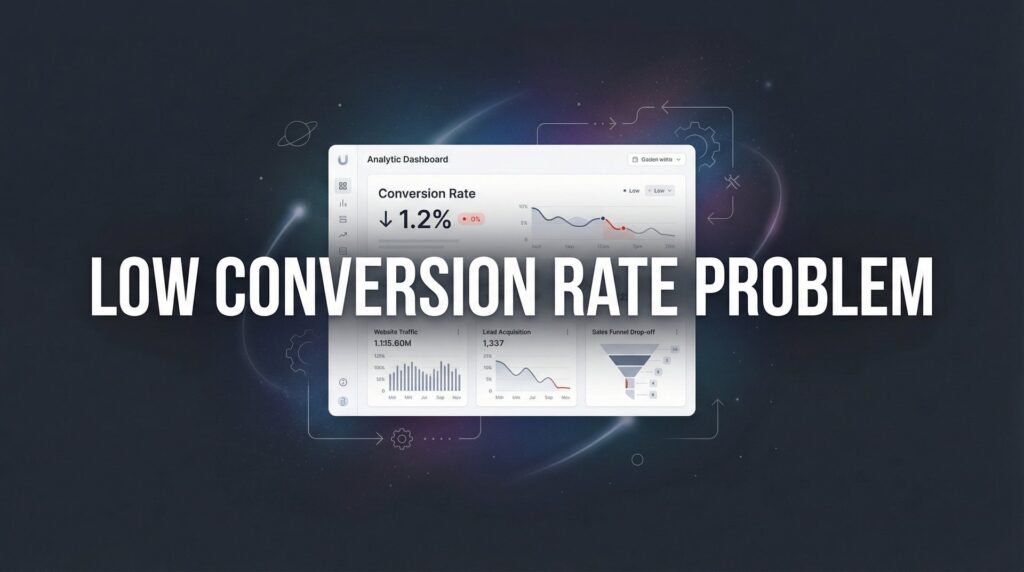
You’re driving traffic to your website, running ads, and investing in marketing—but the leads just aren’t coming in. Sound familiar? A low conversion rate problem is one of the most frustrating challenges local business owners face because you’re spending money to get visitors, but those visitors aren’t becoming customers.
The good news? Low conversion rates are fixable.
In most cases, the issue isn’t your product or service. It’s friction in your conversion process that’s silently killing your results. Maybe your landing page loads too slowly. Maybe your form asks for too much information. Maybe visitors can’t figure out what you’re actually offering within the first three seconds.
This step-by-step guide will walk you through exactly how to diagnose what’s broken, identify the biggest leaks in your funnel, and implement targeted fixes that turn more of your existing traffic into paying customers. Whether you’re converting at 1% or 3%, even small improvements can dramatically impact your bottom line.
Let’s get your conversion rate where it belongs.
Step 1: Audit Your Current Conversion Data to Find the Real Problem
You can’t fix what you can’t measure. The first step in solving your low conversion rate problem is understanding exactly what’s happening with your current traffic.
Start by setting up proper conversion tracking in Google Analytics. Define what counts as a conversion for your business—whether that’s a form submission, phone call, quote request, or purchase. Make sure these goals are tracking marketing conversions properly before you do anything else.
Once tracking is in place, calculate your baseline conversion rate. This is simple math: divide total conversions by total visitors, then multiply by 100. If you had 1,000 visitors last month and 20 conversions, your conversion rate is 2%.
But here’s where it gets interesting.
Don’t just look at your overall conversion rate. Break it down by traffic source, device type, and individual landing pages. You’ll often find that certain segments are performing drastically differently than others.
Traffic Source Analysis: Are visitors from Google Ads converting at 4% while organic search converts at 1%? That tells you something important about message match and user intent.
Device Breakdown: If desktop users convert at 3% but mobile users convert at 0.5%, you’ve got a mobile experience problem that’s costing you serious money.
Landing Page Performance: Which pages are your conversion winners and losers? Sometimes one underperforming page that gets heavy traffic can drag down your entire conversion rate.
Document everything you find. Create a simple spreadsheet that shows conversion rates by source, device, and page. Look for patterns that reveal where your biggest opportunities are hiding.
The businesses that get this right don’t guess at what needs fixing. They let the data show them exactly where to focus their optimization efforts. If 60% of your traffic comes from mobile devices but those users convert at half the rate of desktop users, you know exactly what needs your attention first.
Step 2: Analyze User Behavior to Understand Where Visitors Drop Off
Numbers tell you what’s happening. User behavior tools show you why.
Install heatmap and session recording tools like Hotjar, Microsoft Clarity, or Lucky Orange. These tools let you watch actual recordings of real users navigating your site and see heatmaps that show where people click, how far they scroll, and where they get stuck. For a comprehensive breakdown of available options, check out our guide to the best conversion rate optimization tools.
This is where you’ll discover the friction points that analytics alone can’t reveal.
Watch for rage clicks—those moments when a user frantically clicks the same element multiple times because they expect it to do something but nothing happens. Maybe they’re clicking on text that looks like a button but isn’t. Maybe they’re trying to close a popup that won’t close. Each rage click represents a frustrated visitor who’s one step closer to leaving.
Check your scroll depth data. Are visitors even seeing your call-to-action? If 70% of users never scroll past the first screen, your most compelling offer could be sitting below the fold where nobody sees it.
Review your funnel step-by-step. Map out the exact path you want users to take: landing page → form or CTA → thank you page. Now watch session recordings to see where people actually drop off.
Common Drop-Off Culprits: Confusing navigation that offers too many choices. Forms that ask for unnecessary information upfront. Unclear value propositions that don’t immediately answer “what’s in it for me?” Missing trust signals that leave visitors wondering if you’re legitimate.
Pay special attention to form abandonment. If users start filling out your form but don’t complete it, that’s a massive red flag. Which field do they abandon at? If everyone quits when you ask for their phone number, maybe that field shouldn’t be required.
The insights you gain from watching real user behavior will often surprise you. Something you thought was perfectly clear might confuse every single visitor. A design element you love might be causing people to click in the wrong place. You won’t know until you watch.
Step 3: Optimize Your Landing Pages for Clarity and Trust
Your landing page has one job: convince visitors to take the next step. If it’s not doing that, everything else you’re doing is wasted effort.
Start with your headline. Does it immediately communicate what you offer and who it’s for? Visitors make snap judgments in seconds. If they can’t figure out what you do and whether it’s relevant to them within three seconds, they’re gone.
Bad headline: “Welcome to Quality Services”
Good headline: “Emergency Plumbing Repairs in Austin—We’re There in 60 Minutes or Less”
The second headline tells you exactly what they do, where they serve, and what makes them different. That’s clarity that converts.
Next, add trust signals above the fold. Reviews, testimonials, certifications, and guarantees help overcome the natural skepticism visitors feel when they land on your site for the first time. If you’re a Google Premier Partner or have industry certifications, show them. If you have a money-back guarantee, make it visible.
Trust Signal Placement: Put your best testimonial near your main headline. Display your Google review rating prominently. Show logos of recognizable clients or certifications right where visitors can see them without scrolling.
Simplify your page layout ruthlessly. Every element on your landing page should either support the conversion goal or be removed. That means no generic navigation menu linking to your entire website. No blog sidebar widgets. No “Latest News” section that distracts from your offer. For more detailed tactics, explore our complete guide on how to improve website conversion rate.
Think of your landing page like a conversation with a single purpose. You wouldn’t interrupt a sales conversation to talk about your company history or show them your blog posts. Don’t do it on your landing page either.
Finally, match your landing page message to your traffic source. If someone clicks an ad about “emergency AC repair,” they should land on a page about emergency AC repair—not your homepage or a generic HVAC services page. Message mismatch kills conversions instantly because visitors feel like they’ve been bait-and-switched.
Step 4: Fix Your Calls-to-Action and Lead Capture Forms
Your call-to-action is the bridge between interest and conversion. If that bridge is shaky, people won’t cross it.
Make your CTA button stand out visually. It should use a contrasting color that draws the eye and be large enough to tap easily on mobile devices. If your site uses blue as the primary color, your CTA button shouldn’t be blue—it should be orange, green, or another high-contrast color that pops.
Use action-oriented text that tells people exactly what happens when they click. “Submit” is weak and generic. “Get Your Free Quote” tells them what they’re getting and reduces perceived risk with the word “free.”
CTA Text Examples: Instead of “Learn More,” try “See Pricing Options.” Instead of “Contact Us,” try “Schedule Your Free Consultation.” Instead of “Submit,” try “Get My Custom Plan.”
Test different CTA placements throughout your page. Put one above the fold for visitors who are ready to convert immediately. Place another after you’ve explained your key benefits for those who need more convincing. Consider an exit-intent popup for visitors about to leave without converting.
Now let’s talk about your forms. Every field you add to a form reduces completion rates. That’s not opinion—it’s consistent data across thousands of conversion rate optimization tests.
Ask yourself: What information do you absolutely need right now to follow up with this lead? If you’re a local service business, you probably need their name, email or phone number, and what service they’re interested in. That’s it. You don’t need their address, company size, budget range, or preferred contact time at this stage.
You can gather additional information later in the sales process when trust is established. Right now, your only goal is to capture the lead. If you’re struggling with lead quality alongside conversion rates, our article on the low quality leads problem explains how to balance quantity with qualification.
Add micro-commitments to reduce psychological resistance. Instead of asking someone to “request a quote,” ask them to “get your free estimate.” Instead of “schedule a call,” try “see available times.” Small language changes that reduce perceived commitment can meaningfully improve conversion rates.
Step 5: Eliminate Technical Friction That Kills Conversions
Technical issues are silent conversion killers. Visitors won’t email you to say “your page loaded too slowly so I left.” They just leave.
Test your page load speed using Google PageSpeed Insights or GTmetrix. If your page takes more than three seconds to load, you’re losing conversions. Mobile users are especially impatient—they expect instant results.
Common speed killers include oversized images, too many scripts loading simultaneously, and poor hosting. Compress your images, minimize unnecessary plugins, and consider upgrading your hosting if speed remains an issue.
Ensure your site is fully mobile-responsive. The majority of local searches now happen on mobile devices, which means most of your potential customers are viewing your site on a phone. If your forms are difficult to fill out on mobile, if text is too small to read, or if buttons are too close together to tap accurately, you’re throwing away conversions.
Mobile Optimization Checklist: Test form completion on an actual phone. Verify that all buttons are large enough to tap easily. Ensure text is readable without zooming. Check that popups don’t block the entire mobile screen with no way to close them.
Fix broken links and 404 errors. Use a tool like Screaming Frog or Google Search Console to identify broken links on your site. Every broken link in your conversion path is a dead end that stops the journey.
Verify your forms actually work. This sounds obvious, but form submission issues are surprisingly common. Submit a test lead through every form on your site. Make sure you receive the notification. Check that the thank you page displays correctly. Confirm that leads are being added to your CRM or database.
If your form is broken and you don’t know it, you’re paying for traffic that has zero chance of converting. Test regularly, especially after any website updates or changes. If you’re running paid campaigns, these technical issues directly contribute to low ROI from digital advertising.
Step 6: Implement A/B Testing to Continuously Improve Results
Everything we’ve covered so far gives you a solid foundation. A/B testing is how you continuously improve from there.
Start with high-impact elements that can move the needle significantly. Test your headline first—it’s the first thing visitors see and has massive influence on whether they stay or leave. Then test your main CTA button color, text, and placement. Test your hero image or video.
Run one test at a time. If you change your headline, CTA button, and form fields all at once, you won’t know which change caused the improvement or decline. Isolate variables so you can learn what actually works.
Make sure you have enough traffic to reach statistical significance before declaring a winner. If you only get 100 visitors per week, you’ll need to run tests for several weeks to get meaningful results. Tools like Google Optimize or Optimizely can help you calculate when you’ve reached significance.
Testing Priority: Headline variations that emphasize different benefits. CTA button colors and action phrases. Form field reduction—test removing one field at a time. Trust signal placement and types. Page layout changes that emphasize different elements.
Document your winning variations and build on what works. Keep a testing log that shows what you tested, what won, and by how much. Over time, you’ll develop insights about what resonates with your specific audience.
Create a monthly optimization schedule to prevent conversion rate decay. Markets change, competitors adapt, and user expectations evolve. What works today might not work as well in six months. Regular testing keeps you ahead of these changes. If you want expert help implementing these strategies, explore our roundup of the best conversion rate optimization services available.
The businesses that consistently outperform their competitors aren’t necessarily smarter or luckier. They’re just more systematic about testing, learning, and improving. Make optimization a habit, not a one-time project.
Putting It All Together
Fixing a low conversion rate problem isn’t about one magic change. It’s about systematically identifying friction points and eliminating them one by one.
Start with your data audit to understand exactly where your conversion challenges are hiding. Use behavior analysis tools to see why visitors aren’t converting. Optimize your landing pages for immediate clarity and trust. Simplify your CTAs and forms to reduce resistance. Eliminate technical issues that create invisible barriers. Then implement ongoing testing to continuously improve.
The businesses that win aren’t necessarily getting more traffic. They’re converting more of the traffic they already have. Think about it: if you’re currently converting at 2% and you improve to 4%, you’ve just doubled your leads without spending an extra dollar on advertising.
Quick checklist to make sure you’ve covered everything:
✓ Conversion tracking installed and baseline documented
✓ User behavior analyzed with heatmaps and session recordings
✓ Landing pages optimized for clarity and trust
✓ CTAs and forms simplified to reduce friction
✓ Technical issues resolved—speed, mobile, broken links
✓ A/B testing schedule in place for continuous improvement
Ready to stop leaving money on the table? At Clicks Geek, we specialize in conversion rate optimization that turns your existing traffic into real revenue. We don’t just drive more visitors to your site—we fix the underlying issues that prevent those visitors from becoming customers.
Tired of spending money on marketing that doesn’t produce real revenue? We build lead systems that turn traffic into qualified leads and measurable sales growth. If you want to see what this would look like for your business, we’ll walk you through how it works and break down what’s realistic in your market.
Your conversion rate problem has a solution. Let’s talk about what’s holding your conversions back.