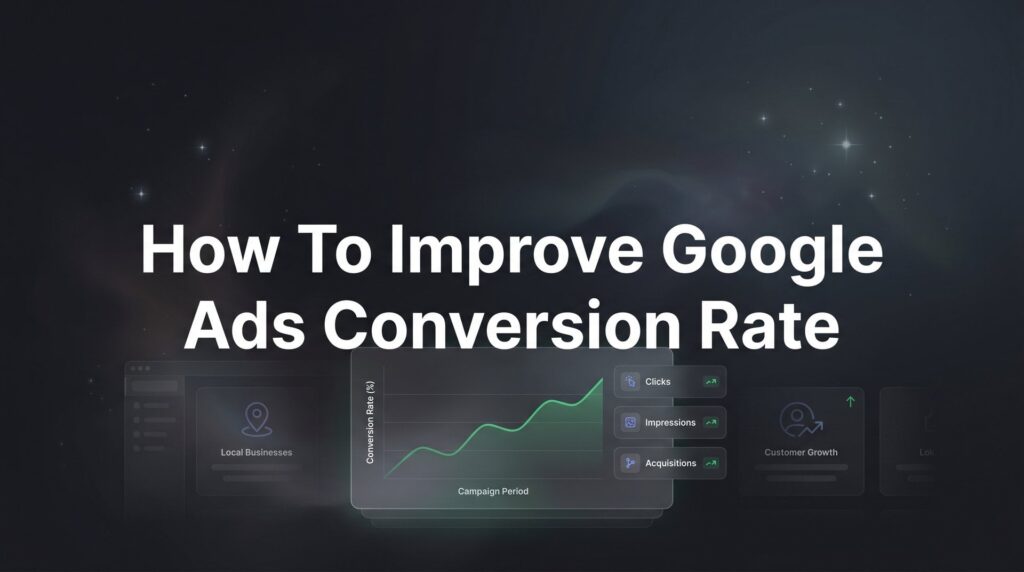
You’re spending money on Google Ads. Clicks are coming in. But those clicks aren’t turning into customers, and that’s a problem that bleeds your budget dry every single day you let it go unaddressed.
If your Google Ads conversion rate is sitting below where it should be, you’re essentially paying for window shoppers who browse and leave. The frustrating part? The fix rarely requires spending more money. It requires spending smarter money.
Whether you run a local plumbing company, a law firm, or a retail shop, the mechanics of conversion rate improvement are the same. You need the right people seeing the right message at the right moment, landing on a page that makes saying “yes” feel obvious. When any one of those pieces breaks down, conversions suffer.
This guide walks you through exactly how to improve your Google Ads conversion rate using the same seven-step approach the team at Clicks Geek applies as a Google Premier Partner agency. We work with local businesses every day who are frustrated by campaigns that generate clicks without generating customers. The pattern we see is almost always the same: a few fixable problems compounding on each other, quietly draining budget and suppressing results.
No vague theory here. No generic advice you’ve already read a dozen times. What follows is a practical, step-by-step walkthrough covering everything from auditing your current data to building an ongoing optimization system that keeps your conversion rate trending in the right direction.
Work through these steps in order. Each one builds on the last. By the time you reach Step 7, you’ll have a clear picture of what’s broken in your current campaigns and a concrete plan to fix it.
Step 1: Audit Your Current Campaign Data to Find the Leaks
Before you change anything, you need to understand what’s actually happening inside your account. Optimization without data is just guessing, and guessing with ad spend is expensive.
Start by pulling conversion rate data segmented by campaign, then by ad group, then by individual keyword. Google Ads makes this straightforward: navigate to your Campaigns tab, click the Columns icon, and add conversion metrics including conversions, conversion rate, and cost per conversion. Then repeat this process at the Ad Group and Keywords levels.
What you’re looking for are the patterns that reveal where your money is going versus where your results are coming from.
Segment by device. Click the Segment dropdown and select Device. You’ll often find dramatic differences in conversion rate between desktop, mobile, and tablet. A campaign averaging a reasonable conversion rate overall can be masking a mobile conversion rate that’s terrible, dragging down otherwise strong desktop performance.
Segment by time. Use the Segment dropdown to look at day of week and hour of day. Many local businesses see conversion rates spike during business hours and collapse on weekends or late at night, yet their ads run around the clock spending budget during dead windows.
Identify keyword-level waste. Sort your keywords by clicks, then scan for keywords with high click volume but zero or near-zero conversions. These are your budget leaks. A keyword that has generated 80 clicks and zero conversions over 30 days is not a keyword that needs more time, it’s a keyword that needs to be paused or restructured. For a deeper dive into diagnosing and fixing these issues, our guide on Google Ads optimization techniques walks through the full process.
On the question of benchmarks: be cautious about chasing a universal “good” conversion rate. Conversion rates vary enormously by industry, campaign type, and what action you’re counting as a conversion. A local emergency plumber and a luxury home renovation company will have completely different conversion rate norms. Rather than comparing yourself to a generic industry average, benchmark against your own historical data and focus on directional improvement month over month.
Success indicator: You’ve identified the top three to five areas in your account hemorrhaging budget without producing conversions. Write them down. These become your priority list for the steps that follow.
Step 2: Tighten Your Keyword Targeting and Eliminate Waste
Most Google Ads accounts, especially those managed by small business owners without deep PPC experience, have a keyword problem. They’re either targeting too broadly, ignoring their search terms report, or both.
Your search terms report is one of the most valuable tools in your account. It shows you the actual queries people typed before clicking your ad, not just the keywords you’re bidding on. Navigate to Keywords, then Search Terms, and prepare to be surprised.
What you’ll often find: your ads are showing up for searches that have nothing to do with your business. A roofing company bidding on “roof repair” might be showing ads to people searching “how to repair roof shingles DIY.” A dentist bidding on “dental services” might be appearing for “dental school programs.” These clicks cost real money and convert at essentially zero.
Build your negative keyword list immediately. Any search term that is clearly irrelevant to your business should be added as a negative keyword. This is the single fastest way to stop wasted spend. Most small business accounts have no negative keyword list at all, which means they’ve been paying for irrelevant traffic since day one. If you need help structuring this process, check out our article on how to lower Google Ads costs for additional waste-reduction tactics.
Revisit your match types. Broad match keywords give Google significant latitude to show your ads for loosely related searches. For local businesses focused on conversion, phrase match and exact match typically deliver higher-intent traffic. If you’ve been running broad match without close monitoring, tightening to phrase match on your core keywords will usually improve conversion rate by filtering out low-intent queries.
Focus on transactional intent. There’s a meaningful difference between someone searching “what is LASIK eye surgery” and someone searching “LASIK eye surgery consultation near me.” The first is a researcher. The second is a buyer. Your ad spend should be concentrated on keywords that signal buying readiness: terms that include words like “near me,” “cost,” “quote,” “hire,” “book,” “best,” and your specific service name combined with a location.
The common pitfall here is building a keyword list that’s too broad and too focused on top-of-funnel awareness. Those keywords attract browsers. You want buyers.
Success indicator: After cleaning up your search terms and tightening match types, your search terms report shows queries that are tightly aligned with the services you actually offer. Irrelevant traffic drops noticeably.
Step 3: Rewrite Ad Copy That Speaks Directly to Buyer Intent
Generic ad copy is a conversion killer. If your headlines read like a directory listing rather than a compelling offer, you’re pre-qualifying clicks in the wrong direction. You’re attracting people who aren’t sure if you’re right for them, and those people rarely convert.
Strong ad copy does two things simultaneously: it attracts the right people and repels the wrong ones. That’s not an accident. It’s intentional specificity.
Lead with specifics, not generalities. “Professional Plumbing Services” is forgettable. “Same-Day Plumbing Repairs in [City] | Licensed & Insured” tells a buyer exactly what they need to know in one headline. Include pricing signals if appropriate (“Free Estimates”), guarantees (“Satisfaction Guaranteed”), and urgency where it’s honest (“Available Today”).
Match your ad to the keyword intent. This is the principle of ad relevance, and it directly impacts both your Quality Score and your conversion rate. If someone searches “emergency water heater replacement,” your ad should speak specifically to emergency service and water heater replacement, not to your full range of plumbing services. One message per ad group, aligned tightly to the keyword theme, consistently outperforms one-size-fits-all copy. If your Quality Score is dragging down performance, our breakdown of low Quality Score in Google Ads explains exactly how to diagnose and fix it.
Use every available extension. Sitelink extensions, callout extensions, structured snippets, and call extensions all increase the footprint of your ad and give potential customers more reasons to click with confidence. A call extension showing your phone number signals that a real business is behind the ad. A review extension displaying your star rating builds immediate trust. These aren’t optional extras; they’re conversion levers.
Run A/B tests with discipline. Create two to three ad variations per ad group and let them run until you have enough data to make a decision. Test one element at a time: start with your headlines, since they have the most impact on click-through rate. Evaluate performance based on conversion rate, not just click-through rate. An ad that gets clicked more but converts less is costing you money, not making it.
Success indicator: Your click-through rate improves as more relevant buyers click your ads, and your conversion rate holds steady or increases because you’re attracting higher-quality traffic.
Step 4: Fix Your Landing Pages — Where Most Conversions Die
Here’s an uncomfortable truth that most small business advertisers haven’t fully absorbed: your landing page has more impact on your conversion rate than your ad copy, your keywords, or your bid strategy combined. You can run a perfect campaign and still lose most of your conversions if the page people land on doesn’t do its job.
The most common mistake is sending ad traffic to your homepage. Your homepage is designed to introduce your entire business to anyone who visits. It has navigation menus, multiple service categories, a blog link, a contact page, and a dozen other things competing for attention. That’s fine for organic visitors exploring your site. It’s a conversion disaster for paid traffic.
Ad traffic needs a dedicated landing page with one purpose: getting the visitor to take the specific action your ad promised. Our detailed guide on how to improve website conversion rate covers the full framework for building pages that turn visitors into leads.
Message match is non-negotiable. If your ad headline says “Free Roof Inspection in Atlanta,” your landing page headline should say something nearly identical. The moment a visitor lands on a page that doesn’t reflect what the ad promised, cognitive dissonance sets in and they leave. Message match creates continuity that keeps people engaged long enough to convert.
Essential elements of a high-converting landing page:
Clear, benefit-focused headline: Tell visitors immediately what they get and why it matters to them.
Single, prominent call to action: One page, one goal. Don’t offer five different ways to engage. Pick the primary conversion action, whether that’s calling, filling out a form, or booking an appointment, and make it impossible to miss.
Trust signals above the fold: Google reviews, star ratings, industry certifications, years in business, and money-back guarantees all reduce the perceived risk of reaching out. People need to trust you before they’ll contact you.
Mobile optimization: A large portion of local search traffic comes from mobile devices. If your landing page is slow to load, hard to read on a small screen, or has a form that’s frustrating to fill out on a phone, you’re losing conversions. Test your page on an actual mobile device, not just a desktop browser preview.
Page speed: Slow pages bleed conversions. Every additional second of load time increases the likelihood that a visitor bounces before they ever see your offer. Use Google’s PageSpeed Insights tool to identify and fix performance issues.
Shorter forms convert better. If your form asks for name, email, phone, address, service type, preferred date, budget range, and how they heard about you, you’re asking for too much too soon. Start with the minimum information you need to follow up: name, phone or email, and perhaps a brief description of what they need. You can gather the rest during the conversation.
Success indicator: Bounce rate drops for your ad traffic and time on page increases, both signals that visitors are engaging with your content rather than immediately leaving.
Step 5: Refine Your Audience Targeting and Bid Strategy
Once your keywords and landing pages are tightened, the next layer of optimization is making sure you’re showing your ads to the people most likely to convert, at the times and in the places where conversions actually happen.
Use demographic exclusions strategically. Google Ads allows you to layer demographic data onto your campaigns, including age ranges, household income tiers, and parental status. Review your conversion data by demographic segment. If a particular age group or income bracket is clicking your ads regularly but converting at a fraction of the rate of other segments, consider reducing bids for that audience or excluding them entirely.
Refine your geo-targeting. If you serve multiple zip codes or neighborhoods, don’t treat them all equally. Pull conversion data by location and identify which areas produce the most conversions at the lowest cost. Increase bids in those high-performing areas and reduce bids, or exclude entirely, the areas that generate clicks without customers. This is a particularly powerful lever for local businesses where geography directly affects purchase likelihood.
Adjust device bids based on actual performance. You already segmented by device in Step 1. Now act on what you found. If mobile traffic converts at half the rate of desktop traffic, apply a bid reduction for mobile devices. This doesn’t mean abandoning mobile; it means paying less for traffic that converts less frequently, which improves your overall cost per conversion.
Implement dayparting. If your conversion data shows that the vast majority of your conversions happen between 8am and 6pm on weekdays, there’s little reason to run your ads at full budget on Saturday evenings. Set ad scheduling to concentrate your budget during peak conversion windows. This alone can meaningfully improve your effective conversion rate by eliminating low-performing time slots.
Choose your bidding strategy deliberately. Manual CPC gives you precise control and works well when you’re still accumulating conversion data. Target CPA and Maximize Conversions are Smart Bidding strategies that use Google’s machine learning to optimize bids in real time, but they require sufficient conversion data to work effectively. If your account is generating fewer than 30 conversions per month, Smart Bidding may actually underperform manual bidding. Our complete guide to Google Ads bidding strategies breaks down when to use each approach based on your account’s maturity.
Success indicator: Your cost per conversion decreases while conversion volume holds steady or grows, meaning you’re getting more customers for the same or less spend.
Step 6: Implement Conversion Tracking That Actually Works
Everything in this guide depends on one foundational requirement: accurate data. If your conversion tracking is broken, incomplete, or misconfigured, every optimization decision you make is built on a lie. You might be pausing keywords that are actually driving calls. You might be scaling campaigns that are actually losing money. Broken tracking is the silent killer of Google Ads performance.
Before you trust any of the data in your account, verify that your conversion tracking is set up correctly and firing accurately. Our step-by-step resource on how to track conversions in Google Ads covers the full implementation process if you need a detailed walkthrough.
Track every meaningful customer action separately. Phone calls from ads, phone calls from your website, form submissions, appointment bookings, and purchases should each be set up as distinct conversion actions in your Google Ads account. This gives you granular visibility into which actions are happening and which aren’t, rather than lumping everything into a single conversion number that obscures the detail.
Use Google Tag Manager. Rather than manually adding tracking code to individual pages, Google Tag Manager gives you a flexible, reliable container for managing all your tracking tags in one place. It reduces the risk of implementation errors and makes it easier to update or add tracking without touching your site’s code directly.
Test before you trust. After setting up a conversion action, use Google’s Tag Assistant or the Preview mode in Google Tag Manager to verify that the conversion tag fires when a user completes the intended action. Submit a test form. Make a test call. Walk through the conversion path yourself and confirm that the action registers in your account.
Avoid double-counting. A common error is counting both a “thank you page view” and a “form submission” as separate conversions for the same action. This inflates your conversion numbers and makes your campaigns look more effective than they are, which leads to poor optimization decisions. Audit your conversion actions and ensure each meaningful customer action is counted once.
Success indicator: Every meaningful customer action, calls, form fills, purchases, is tracked accurately and separately in your Google Ads account. The data you’re optimizing against reflects reality.
Step 7: Build a Continuous Testing and Optimization Loop
Here’s the mindset shift that separates advertisers who plateau from those who keep improving: conversion rate optimization is not a project with a finish line. It’s an ongoing discipline. The businesses that consistently outperform their competitors in paid search aren’t running better campaigns from day one. They’re running a better process over time.
The goal of this step is to build a repeatable system that generates compounding improvements month after month.
Prioritize what you test. Not all tests are created equal. Test in order of impact: landing pages first, since they have the highest leverage on conversion rate. Then ad copy. Then targeting adjustments. Then bid strategy changes. Starting with bid strategy while your landing page is still broken is like rearranging furniture in a house with a leaking roof. Our roundup of Google Ads optimization best practices provides a prioritized testing framework you can follow.
Test one variable at a time. This is the discipline that most advertisers skip because it feels slow. If you change your landing page headline, your form layout, and your CTA button color simultaneously and conversions improve, you have no idea which change drove the result. Change one thing, measure the outcome, then move to the next test. This is how you build genuine knowledge about what works for your specific audience.
Wait for statistical significance. Making decisions based on three days of data is a trap. Give your tests enough time and traffic volume to produce reliable results. As a general rule, wait until each variation has received at least a few hundred clicks and you’re seeing a clear, consistent pattern before declaring a winner.
Set a weekly optimization rhythm. Block time every week or every two weeks to review your data, document what changed, and make one deliberate adjustment. This rhythm prevents the two failure modes that sink most campaigns: neglecting the account entirely, or making too many changes too quickly to understand what’s working.
Know when to bring in professional help. There’s a point in every growing business where the complexity of PPC management exceeds what’s practical to handle in-house. If you’re spending meaningful budget, operating in a competitive market, and not seeing consistent improvement despite following these steps, a professional Google Ads management service can accelerate your results significantly. The goal isn’t to hand off your campaigns and forget about them; it’s to work with people who do this every day and can compress months of learning into weeks.
Success indicator: Your conversion rate trends upward month over month, and you have documented records of what changes drove which results. You’re building institutional knowledge, not just running ads.
Your Google Ads Conversion Rate Action Plan: Putting It All Together
Improving your Google Ads conversion rate is not one big fix. It’s seven smaller fixes that compound on each other. Here’s the complete checklist to carry with you:
1. Audit your data — Pull conversion metrics by campaign, ad group, keyword, device, and time. Identify your top three to five budget leaks before changing anything.
2. Clean up keywords — Review your search terms report, build a negative keyword list, tighten match types, and focus on transactional intent keywords that signal buying readiness.
3. Rewrite your ad copy — Use specific offers, numbers, and local signals. Match each ad tightly to its keyword intent. Run A/B tests and evaluate winners on conversion rate, not just clicks.
4. Fix your landing pages — Send ad traffic to dedicated landing pages with strong message match, a single CTA, visible trust signals, fast load times, and mobile-friendly design.
5. Refine targeting and bids — Apply demographic exclusions, geo-targeting adjustments, device bid modifiers, and dayparting based on where your conversions actually come from.
6. Verify conversion tracking — Confirm every meaningful customer action is tracked accurately and separately. Test before you trust the data.
7. Build an optimization loop — Test one variable at a time in order of impact. Review data weekly. Document every change. Keep the process running continuously.
Even modest improvements in conversion rate compound into significant revenue gains over time. A campaign that converts at 4% instead of 2% doesn’t just double your leads; it cuts your cost per acquisition in half without requiring a single additional dollar of ad spend. That’s the real power of conversion rate optimization.
Start with Step 1 this week. Pull your data, find the leaks, and build from there. You don’t need to overhaul everything at once. You need to start making better decisions, one at a time, consistently.
Tired of spending money on marketing that doesn’t produce real revenue? Clicks Geek builds lead systems that turn traffic into qualified leads and measurable sales growth. As a Google Premier Partner agency, we specialize in turning underperforming campaigns into profitable growth engines. If you want to see what this would look like for your business, we’ll walk you through how it works and break down what’s realistic in your market.