You’re spending money on marketing. But do you actually know what’s working?
Most local business owners can’t answer this question with confidence—and that’s a problem that costs them thousands in wasted ad spend every month.
Here’s the uncomfortable truth: you might be celebrating 10,000 impressions on your latest Facebook campaign while your competitor with 500 impressions is banking actual customers. You might be throwing money at Google Ads that generate clicks but zero phone calls. You might be proud of your Instagram engagement while your revenue stays flat.
Tracking marketing effectiveness isn’t about drowning in data or becoming a spreadsheet wizard. It’s about knowing exactly which dollars bring customers through your door and which ones vanish into thin air.
Think of it like running a restaurant where you can’t see which dishes people actually order. You’re buying ingredients, paying your kitchen staff, and printing menus—but you have no idea if anyone’s eating the salmon or if it’s all going in the trash. That’s what marketing without proper tracking looks like.
This guide walks you through the exact process for setting up marketing tracking that reveals the truth about your campaigns. By the end, you’ll have a clear system for measuring what matters, cutting what doesn’t, and scaling what works.
No fluff, no vanity metrics—just the tracking framework that separates profitable businesses from those burning cash on guesswork.
Step 1: Define Your Revenue-Driving Goals (Not Vanity Metrics)
Let’s start with the metric that makes most business owners feel good but means absolutely nothing: likes.
A thousand likes won’t pay your rent. Neither will impressions, reach, or how many people watched 3 seconds of your video. These are vanity metrics—numbers that look impressive in a report but have zero connection to your bank account.
Revenue metrics tell a completely different story. These are the numbers that actually matter: qualified leads generated, cost per lead, conversion rate from lead to customer, customer acquisition cost, and lifetime customer value. Understanding how to track marketing ROI starts with focusing on these revenue-driving numbers instead of vanity metrics.
Here’s how to build your goal hierarchy correctly:
Primary Conversion: This is your money action. For most local businesses, it’s a phone call, form submission, or booking. This is what you’re willing to pay for because it directly leads to revenue.
Secondary Actions: These support your primary conversion but aren’t the end goal. Someone downloading your service guide, watching a video about your process, or visiting your pricing page. These indicate interest and help you understand the path to conversion.
Micro-Conversions: Small engagement signals that show someone is warming up. Clicking to your contact page, spending more than 2 minutes on your site, or viewing multiple service pages.
The biggest mistake businesses make? Tracking everything equally. They measure 47 different metrics and can’t figure out which ones actually drive decisions.
Let’s say you run a plumbing business. Your primary conversion is a phone call or service request form. That’s it. Yes, you can track website visits and page views, but those don’t pay your plumbers. A thousand website visitors who never call is worse than 50 visitors who generate 10 service calls.
Start by asking yourself: “If I could only track three metrics for the next 90 days, which three would tell me if my marketing is working?” Those are your revenue-driving goals.
For most local businesses, it looks something like this: total qualified leads, cost per lead, and lead-to-customer conversion rate. Everything else is supporting data.
Write these down before you touch any tracking tools. Because if you don’t know what success looks like, no amount of data will help you find it.
Step 2: Set Up Your Tracking Infrastructure
Now that you know what you’re tracking, it’s time to build the system that actually captures the data. Think of this as installing the security cameras before you try to catch the thief.
Your first tool is Google Analytics 4. If you’re still using Universal Analytics or haven’t set up GA4 yet, you’re flying blind. GA4 tracks user behavior across your website and shows you where people come from, what they do, and whether they convert.
Setting up GA4 takes about 15 minutes. Create a Google Analytics account, add your website, and install the tracking code in your site’s header. If you’re using WordPress, plugins like Site Kit by Google make this painless. Verify it’s working by visiting your own website and checking if you appear in the real-time report.
Next comes Google Tag Manager. This is your secret weapon for tracking flexibility. Instead of editing your website code every time you want to track something new, GTM lets you add and modify tracking through a simple interface.
Install GTM by adding its container code to your website header. Then move your GA4 tracking into GTM instead of having it directly on your site. This gives you one central place to manage all your tracking pixels and conversion events.
For phone-based businesses, call tracking for marketing campaigns is non-negotiable. If 60% of your leads come through phone calls and you’re not tracking which marketing sources generate those calls, you’re making decisions in the dark.
Call tracking services like CallRail or CallTrackingMetrics assign unique phone numbers to different marketing sources. Someone clicks your Google Ad? They see one number. Someone finds you through organic search? Different number. Now you know exactly which channel drove that $5,000 customer.
The cost is usually $30-100 per month, and it pays for itself the first time you discover that your $2,000 monthly Facebook spend generates zero phone calls while your $500 Google Ads budget produces 15.
Finally, connect your CRM or lead management system. This closes the loop between marketing and actual sales. You need to know not just how many leads you generated, but how many became paying customers. Tools like HubSpot, Salesforce, or even a well-organized spreadsheet can work here.
Your verification checklist looks like this: visit your website and complete a test conversion (fill out your own form, call your tracking number). Within 24 hours, that conversion should appear in GA4, your call tracking dashboard, and your CRM. If it doesn’t show up in all three places, something’s broken.
Test this before you spend another dollar on advertising. Because tracking that’s 80% accurate means 20% of your marketing budget is being allocated based on lies.
Step 3: Configure Conversion Tracking for Each Marketing Channel
Your tracking infrastructure is live. Now you need to tell each marketing platform what counts as success. This is where most businesses lose the thread and end up with incomplete data.
Let’s start with Google Ads. Inside your Google Ads account, go to Tools & Settings, then Conversions. Create a new conversion action for each goal that matters: form submissions, phone calls, purchases, or bookings.
Google provides a conversion tracking tag that you’ll install through Google Tag Manager. Set the conversion value to what an average customer is actually worth to your business. If your average plumbing job is $850, set that as your conversion value. This lets Google calculate your actual return on ad spend instead of just counting conversions.
The attribution window matters here. For most local businesses, a 30-day click window and 1-day view window works well. This means someone who clicks your ad has 30 days to convert and still be counted, while someone who just sees your ad gets 1 day.
For Facebook and Instagram campaigns, you need the Meta pixel installed on your website. This snippet of code tracks what people do after clicking your ads. Inside Meta Business Manager, create custom conversion events for your key actions: form submissions, phone link clicks, and checkout completions.
Here’s where it gets real: Facebook will claim credit for conversions that Google Ads also claims. Someone might click your Facebook ad, not convert, then later search for you on Google and click that ad instead. Both platforms will claim the conversion. This is why you need your own source of truth—Google Analytics 4—to see the actual customer journey.
For form submissions, set up event tracking in GTM that fires when someone hits your thank-you page or when the form submit button is clicked. If you’re struggling with this setup, learning how to fix your marketing conversion tracking can help you identify and resolve common configuration errors.
Phone call tracking requires two types of setup. First, your call tracking service needs to dynamically swap phone numbers based on traffic source. Second, you need to track when someone clicks your phone number on mobile devices. Create a GTM trigger for clicks on your tel: links so you know when someone on a smartphone taps to call.
Chat interactions are often overlooked but valuable. If you use a chat tool like Drift or Intercom, set up events for when someone starts a conversation and when they submit their contact information. These are qualified leads that deserve tracking.
Before you launch any campaign, run a complete test. Click your own ad, fill out your form, call your tracking number. Within 24 hours, verify that conversion appears in Google Ads, Facebook Ads Manager, GA4, and your CRM. If even one platform is missing it, you have a broken link in your tracking chain.
One more critical point: assign realistic conversion values. If you set every form submission at $100 but only 20% of form leads actually become customers, you’re lying to yourself about profitability. Better to set the value at $20 (20% of $100) to reflect the true expected value of that action.
Step 4: Build Your Attribution Model
Here’s the problem with last-click attribution: it gives all the credit to the last thing someone clicked before converting, completely ignoring everything that happened before.
Let’s say someone sees your Facebook ad on Monday. Doesn’t click. On Wednesday, they search for your service category and click your Google Ad. Still doesn’t convert. On Friday, they type your business name directly into Google, click that result, and finally call you.
Last-click attribution gives 100% credit to that final branded search. But that’s not the whole story. The Facebook ad created awareness. The Google Ad educated them about your service. The branded search was just the final step.
For businesses with short sales cycles—someone needs a plumber right now—last-click attribution is often good enough. The customer journey is simple: problem happens, search occurs, decision is made within hours.
But if your sales cycle is longer, you need a better model. Let’s say you’re a remodeling contractor. Someone might research for weeks or months before making a decision. They’ll interact with your marketing multiple times across different channels. A solid multi channel marketing strategy requires attribution that accounts for these complex customer journeys.
Google Analytics 4 offers several attribution models. Data-driven attribution uses machine learning to assign credit based on actual conversion patterns in your data. It’s sophisticated but requires significant conversion volume to work well.
For most small businesses, position-based attribution makes more sense. This gives 40% credit to the first interaction, 40% to the last interaction, and splits the remaining 20% among everything in between. It acknowledges that both awareness and closing matter.
Time-decay attribution is useful if you know your customers typically convert within a specific window. It gives more credit to interactions closer to the conversion. If someone usually decides within 7 days, interactions on day 6 get more credit than interactions on day 1.
Offline conversions create attribution headaches. Someone calls after seeing your billboard or mentions they found you through a referral. You can track these by asking every customer “How did you hear about us?” and logging the answer in your CRM. Then manually attribute those conversions to the correct source in your tracking.
In-store visits from online marketing can be tracked through Google’s store visits conversion tracking, but it requires significant foot traffic volume and precise location data. For most local businesses, asking customers at checkout remains more reliable.
Here’s the truth: perfect attribution is impossible. Someone might see your truck driving around town, then later search for you online. You’ll never capture that initial touchpoint. The goal isn’t perfection—it’s having a consistent model that helps you make better decisions than you’re making now.
Start simple. Use last-click attribution until you have enough data to see patterns. Once you’re generating 50+ conversions per month, experiment with position-based or data-driven models. Compare the results. See which model gives you insights that actually change your budget allocation.
The worst attribution model is the one that’s so complicated you don’t trust it and ignore the data completely.
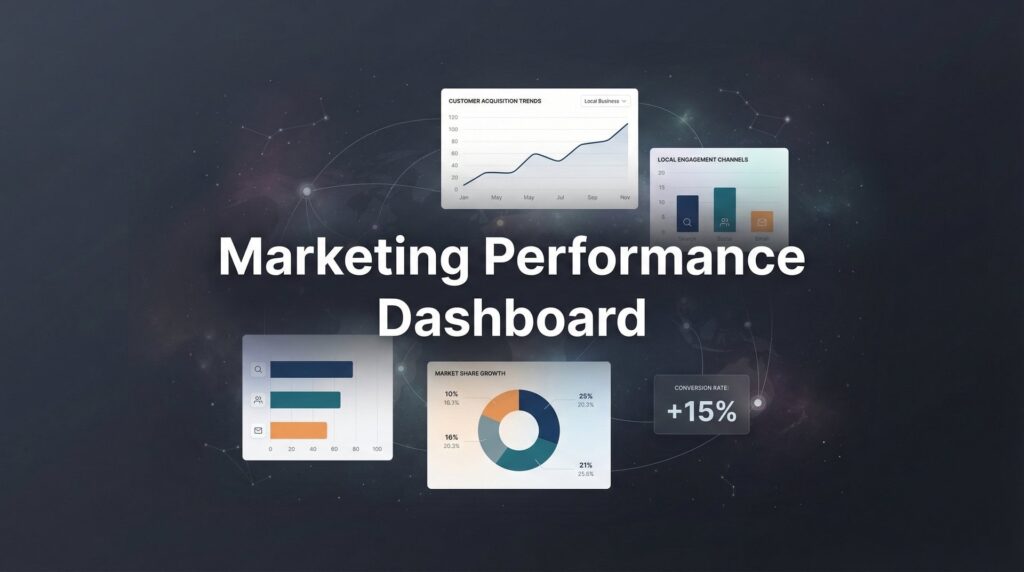
Step 5: Create Your Marketing Dashboard
You have data flowing in from multiple sources. Now you need a single place where you can actually see what’s happening without logging into six different platforms every morning.
Your marketing dashboard should answer one question immediately: “Is my marketing making money?”
Start by identifying your 5-7 critical metrics. Here’s what works for most local businesses: total leads generated, cost per lead by channel, conversion rate from lead to customer, total marketing spend, revenue generated from marketing, return on ad spend, and customer acquisition cost.
That’s it. If your dashboard has 30 metrics, you’ve built a data graveyard that nobody will use.
Google Looker Studio is free and connects directly to Google Ads, GA4, and Google Sheets. Create a new report, connect your data sources, and build simple charts that show your key metrics over time. A line chart showing cost per lead by week. A bar chart comparing lead volume by channel. A scorecard showing total ROAS for the month.
If you prefer spreadsheets, that works too. Export your data weekly from each platform into a master Google Sheet. Calculate your metrics using simple formulas. The sophistication of your dashboard matters less than whether you actually look at it.
Include cost data alongside performance metrics. Knowing you generated 50 leads is meaningless without knowing if you spent $500 or $5,000 to get them. Connect your ad platform spend data directly into your dashboard.
Set up automated reporting to save time. Google Looker Studio can email you a PDF of your dashboard every Monday morning. Google Ads and Facebook Ads Manager both offer scheduled reports. Automation means you’ll actually review the data instead of promising yourself you’ll “check it later.” Exploring the best marketing automation tools can help streamline this entire reporting process.
Your review rhythm should look like this:
Daily: Quick glance at total spend and lead volume. You’re just making sure nothing is broken or wildly off-target. Takes 2 minutes.
Weekly: Deeper review of performance by channel. Which campaigns are hitting your cost per lead target? Which ones are over budget? This is where you make small optimizations. Takes 15-30 minutes.
Monthly: Full analysis including conversion to customer, revenue generated, and overall ROAS. This is where you make strategic decisions about budget allocation and which channels to scale or cut. Takes 1-2 hours.
Here’s what your dashboard should NOT include: vanity metrics that don’t connect to revenue, data you never actually review, or metrics that are interesting but don’t inform decisions.
If you find yourself saying “that’s interesting” about a metric but never changing anything based on it, delete it from your dashboard. Every number should either confirm you’re on track or trigger an action.
Step 6: Analyze, Optimize, and Scale Based on Data
You have tracking. You have a dashboard. Now comes the part that actually makes you money: using the data to make smarter decisions.
Reading your data starts with understanding what good performance looks like in your industry. If you’re spending $50 per lead in a market where the average customer is worth $2,000 and 30% of leads convert to customers, you’re printing money. That’s a $600 customer acquisition cost for a $2,000 customer.
But if you’re spending $200 per lead with the same conversion rate and customer value, you’re losing money on every customer. Your CAC is $667 for a $2,000 customer. That might still work if customer lifetime value is high, but you’re operating on thin margins.
Calculate your true cost per acquisition by dividing total marketing spend by the number of actual customers generated, not just leads. This is the number that matters. If your CPA is higher than your average customer value, you’re in trouble.
Customer lifetime value changes everything. That $2,000 customer who comes back twice a year for five years is actually worth $20,000. Suddenly a $667 CAC looks brilliant. Most businesses under-invest in marketing because they only look at first purchase value instead of lifetime value. Strong customer retention marketing strategies can dramatically increase this lifetime value.
When making budget allocation decisions, follow the money. If Google Ads generates leads at $40 each and Facebook generates leads at $80 each, shift more budget to Google. But check lead quality too. If those $40 Google leads convert at 10% while the $80 Facebook leads convert at 40%, Facebook is actually the better investment.
Knowing when to kill underperforming campaigns requires patience and math. A campaign needs enough data to be statistically meaningful. For most local businesses, that means at least 50-100 clicks or 2-4 weeks of runtime. Killing a campaign after 3 days and 12 clicks tells you nothing.
But if a campaign has spent $500 with zero conversions while your other campaigns are converting at $50 per lead, you have enough data. Kill it.
The exception: brand new campaigns testing new audiences or messages. Give these more room to learn. The first 50-100 conversions are the learning phase where algorithms figure out who to target. Performance often improves dramatically after this initial period. Understanding how to optimize your marketing campaign helps you know when to push through the learning phase versus when to cut losses.
Scaling winners is where businesses make their biggest mistakes. They see a campaign generating leads at $30 each, double the budget, and watch the cost per lead jump to $60. What happened?
You exhausted your best audience. When a campaign is working at $500 per month, it’s reaching your most interested, most ready-to-buy prospects. When you scale to $1,000 per month, you’re reaching the next tier down—people who are less interested and less likely to convert. Cost per lead naturally increases.
Scale gradually. Increase budgets by 20-30% every week or two, not 100% overnight. Monitor your cost per lead closely. If it increases by more than 20%, you’ve scaled too fast. Pull back slightly and let the campaign stabilize.
The businesses that win with marketing aren’t the ones spending the most. They’re the ones who know exactly what each dollar produces, cut what doesn’t work, and systematically scale what does. That’s the difference between marketing as an expense and marketing as a profit center. This is exactly what performance marketing is all about—paying for results, not just activity.
Your Next Step: From Tracking to Growth
You now have the complete framework for tracking marketing effectiveness like a professional.
Here’s your quick-start checklist: define 2-3 revenue-focused goals that actually matter for your business. Install your tracking tools—GA4, GTM, and call tracking if phone leads matter. Configure conversions for each marketing channel you’re using. Choose your attribution approach based on your sales cycle length. Build a simple dashboard with 5-7 metrics that inform decisions. Commit to weekly data reviews where you actually change things based on what you learn.
The businesses that win aren’t the ones spending the most on marketing. They’re the ones who know exactly what their marketing produces. They can tell you which campaigns generate profitable customers and which ones are burning cash. They make budget decisions based on data instead of hope.
Start implementing today. Within 30 days, you’ll have clarity that most of your competitors will never achieve. You’ll know which marketing channels deserve more investment and which ones deserve to be cut. You’ll stop wasting money on tactics that feel good but produce nothing.
The data doesn’t lie. And now you’ll have it.
Tired of spending money on marketing that doesn’t produce real revenue? We build lead systems that turn traffic into qualified leads and measurable sales growth. If you want to see what this would look like for your business, we’ll walk you through how it works and break down what’s realistic in your market.
Want More Leads for Your Business?
Most agencies chase clicks, impressions, and “traffic.” Clicks Geek builds lead systems. We uncover where prospects are dropping off, where your budget is being wasted, and which channels will actually produce ROI for your business, then we build and manage the strategy for you.