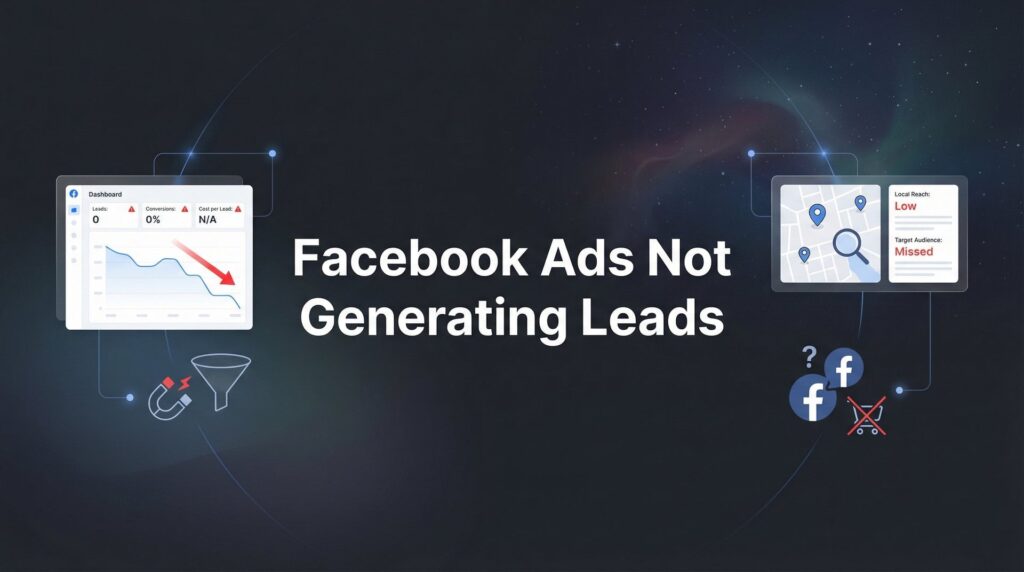
You’re spending money on Facebook ads, watching your budget drain day after day, and your phone isn’t ringing. Your inbox stays empty. Your sales team has nothing to work with. If your Facebook ads aren’t generating leads, you’re not alone—but you also can’t afford to keep throwing money at a broken system.
The good news? Most lead generation failures on Facebook come down to a handful of fixable problems.
Whether it’s targeting the wrong audience, using weak offers, or sending traffic to pages that don’t convert, these issues have clear solutions. This guide walks you through exactly how to diagnose what’s wrong with your campaigns and fix them step by step. By the end, you’ll know how to audit your current setup, identify the specific bottlenecks killing your results, and implement changes that actually move the needle.
Let’s stop the bleeding and start generating the leads your business needs.
Step 1: Audit Your Targeting to Find the Real Problem
Your targeting determines who sees your ads. Get this wrong, and nothing else matters—you’re essentially shouting your offer into a room full of people who don’t care.
Start by checking if your audience is too broad. When you target “everyone interested in home improvement” across an entire state, you’re paying to reach people who might casually browse Pinterest for kitchen ideas but have zero intention of hiring a contractor this year. That’s wasted budget on unqualified eyeballs.
But going too narrow creates different problems. If you’ve stacked five interest layers, added income targeting, and limited yourself to a 10-mile radius, Facebook can’t find enough people to show your ads to. Your campaigns stall out before the algorithm learns anything useful.
Here’s what to look for: Open your ad set and check the audience size indicator. If it’s in the red “specific” zone, you’ve probably gone too narrow. If it’s showing potential reach in the millions, you’re likely too broad for a local business offer.
Next, review your custom audiences. Are you targeting people who actually need your service right now? A retargeting audience of everyone who visited your website in the last 180 days includes a lot of tire-kickers who’ll never buy. Narrow it down to people who viewed specific high-intent pages in the last 30 days.
Now check for audience overlap. Open Ads Manager, go to Audiences, select multiple ad sets, and click the three-dot menu to choose “Show Audience Overlap.” If two ad sets share more than 25% of their audience, you’re competing against yourself in the auction. Facebook shows your ads to the same people multiple times while ignoring others who might convert.
Finally, verify your exclusions are actually working. You should be excluding existing customers, current leads in your CRM, and anyone who’s already converted. Showing ads to people who already bought from you wastes money and annoys customers.
The fix: Create tighter audience definitions based on actual buyer behavior. If you’re a local HVAC company, target homeowners in your service area who’ve shown interest in home services within the last 30 days, not everyone who might someday need a new air conditioner.
Step 2: Evaluate Your Offer and Lead Magnet Strength
Your targeting might be perfect, but if your offer doesn’t make people stop and think “I need that right now,” they’ll scroll past without a second thought.
Ask yourself: Does your offer solve an immediate, urgent problem? “Free consultation” sounds nice, but it’s vague and commits people to a sales call before they know if you’re worth their time. Compare that to “Free Energy Audit: Find Out Why Your Electric Bill Is So High”—that’s specific, relevant, and solves a problem they’re feeling right now.
Your lead magnet needs to provide enough perceived value that someone willingly trades their contact information for it. Think about what you’re asking. You want their name, email, and phone number—which means you’re asking for the ability to contact them repeatedly. What are you giving them in return that’s worth that access?
Generic offers underperform because they don’t differentiate you from the five other companies running similar ads. “Free quote” is what everyone offers. “Free Kitchen Remodel Planning Guide with Budget Breakdown and Timeline Checklist” gives them something tangible and useful even if they don’t hire you immediately.
Here’s a reality check: Open Facebook and look at ads in your industry. What are your competitors offering? If your lead magnet is weaker or less specific than theirs, you’re losing leads to them in the same auction.
The strength of your offer also depends on where people are in their buying journey. Someone researching options needs educational content. Someone ready to buy needs a clear path to get started. If you’re targeting bottom-of-funnel buyers with a top-of-funnel lead magnet, the mismatch kills conversions.
Test your offer’s clarity by showing it to someone outside your business. If they can’t immediately explain what they get and why it matters, your offer is too complicated or too vague.
The fix: Create offers that match your audience’s immediate needs and buying stage. For cold audiences, offer valuable information that positions you as the expert. For warm audiences who’ve engaged with your content, offer direct paths to solutions like assessments, quotes, or limited-time promotions. If you’re struggling with this balance, understanding why you’re not getting qualified leads can help you craft better offers.
Step 3: Fix Your Ad Creative and Copy That’s Failing to Convert
Your ad has about three seconds to stop someone from scrolling. If your hook doesn’t grab attention immediately, nothing else in your ad matters because nobody sees it.
Look at your top-performing ad’s first line or first three seconds of video. Does it call out a specific problem your audience is experiencing right now? “Tired of throwing money at Facebook ads that don’t generate leads?” works because it addresses the exact frustration someone is feeling. “Looking to grow your business?” is forgettable because it’s generic.
Your creative needs to communicate benefits and outcomes, not just features. Showing a photo of your team in matching polo shirts tells people nothing about what you’ll do for them. Showing a before-and-after transformation, a client testimonial, or a visual representation of the problem you solve gives them a reason to care.
Check your call-to-action. Does it tell people exactly what happens next? “Learn More” is weak because it’s vague. “Get Your Free Energy Audit” is specific and sets clear expectations. People convert more when they know exactly what they’re signing up for.
The format of your creative matters more than you think. Video often outperforms static images for complex services because it allows you to explain value in seconds. Carousel ads work well when you need to showcase multiple benefits or steps in a process. Static images can work for simple, visually striking offers.
But here’s what many businesses miss: different audiences respond to different creative styles. Your retargeting audience already knows who you are, so they need different messaging than cold traffic seeing you for the first time.
Look at your ad frequency in Ads Manager. If the same creative has been running to the same audience for weeks and frequency is above 3, you’ve got creative fatigue. People have seen your ad so many times they’re ignoring it. Fresh creative isn’t optional—it’s required for sustained performance.
The fix: Create multiple creative variations that test different hooks, formats, and angles. Run them simultaneously so Facebook can optimize toward what’s working. Refresh creative every few weeks to combat fatigue, and always lead with the benefit your audience cares about most.
Step 4: Optimize Your Landing Page for Lead Capture
Someone clicked your ad. They’re interested. Then they land on your page and bounce within seconds because what they see doesn’t match what you promised.
Message match is non-negotiable. If your ad talks about a free energy audit, your landing page headline better say “Get Your Free Energy Audit”—not “Welcome to Our Website” or “About Our Services.” The disconnect breaks trust immediately and kills conversions.
Your form length directly impacts how many people complete it. Every field you add reduces completion rates. Do you really need their company name, job title, and how they heard about you? Or do you just need name, email, and phone to follow up?
Here’s the thing: most Facebook traffic comes from mobile devices. Pull up your landing page on your phone right now. Can you easily read the text? Is the form simple to fill out with a thumb? Does the page load in under three seconds? If any answer is no, you’re losing leads to poor mobile experience.
Trust elements matter more than most businesses realize. When someone doesn’t know you, they need reasons to believe you’re legitimate. Add customer testimonials with real names and photos. Include security badges near your form. Show logos of recognizable clients if you have them. Offer a clear guarantee that reduces the perceived risk of giving you their information.
Your page should have one clear goal: capturing the lead. Every additional link, navigation menu item, or call-to-action competes with your primary conversion goal. Remove the header navigation. Get rid of the footer links to your blog. Eliminate anything that gives people a reason to leave without converting. If your website isn’t generating leads, this is often the culprit.
Check your page load speed using Google PageSpeed Insights. If your page takes more than three seconds to load on mobile, people bounce before they even see your offer. Compress images, remove unnecessary scripts, and optimize for speed.
The fix: Create dedicated landing pages for each offer that match your ad messaging exactly. Strip away everything that doesn’t support the conversion goal. Keep forms short, optimize for mobile, and add trust elements that give people confidence in taking the next step.
Step 5: Restructure Your Campaign Settings and Budget
Your campaign objective tells Facebook what you want. Choose wrong, and the algorithm optimizes for the wrong outcome entirely.
If you’re running a Traffic campaign objective for lead generation, you’re telling Facebook to find people who click—not people who convert. The algorithm sends you cheap clicks from users who have no intention of filling out a form. Switch to Lead Generation or Conversions objective so Facebook optimizes for actual leads.
Budget matters more than most businesses realize. Facebook’s algorithm needs conversion volume to learn and optimize. If you’re spending $10 per day and getting one conversion per week, there’s not enough data for the algorithm to identify patterns and improve delivery. You’re essentially running blind.
As a general guideline, you need at least 50 conversions per week per ad set for Facebook to optimize effectively. If your cost per lead is $50 and you’re spending $20 per day, you’re not giving the algorithm enough data to work with. Either increase budget or consolidate ad sets.
Check your bidding strategy. If you’ve set a cost cap that’s too low, Facebook can’t compete in the auction to reach qualified users. Your ads get limited delivery because you’re essentially telling the algorithm “find me leads cheaper than anyone else is willing to pay”—which often means lower quality traffic or no delivery at all.
Review your placement performance in Ads Manager. Click into a campaign, go to Breakdown, and select “By Delivery.” Look at cost per lead across Facebook Feed, Instagram Feed, Audience Network, and other placements. Often you’ll find that one or two placements are draining budget without generating leads. Turn off the worst performers and reallocate budget to what’s working.
Campaign budget optimization can help or hurt depending on your setup. If you have multiple ad sets with different audiences, CBO allocates budget to the best performers automatically. But if one ad set gets all the budget while others never get a chance to prove themselves, you might need to run separate campaigns with dedicated budgets. When your Facebook ads aren’t profitable, campaign structure is often to blame.
The fix: Ensure you’re using Lead Generation or Conversions objective. Allocate enough daily budget to generate at least 50 conversions per week. Remove bidding restrictions that limit delivery, and turn off placements that consistently underperform. Give Facebook’s algorithm the resources and data it needs to optimize properly.
Step 6: Implement Tracking and Testing for Continuous Improvement
You can’t fix what you can’t measure. If your tracking isn’t working, you’re making decisions based on incomplete data—or worse, no data at all.
Open Facebook Events Manager and verify your Pixel is firing correctly. Navigate to your landing page and watch the Event Activity in real-time. Submit a test lead. You should see the Lead event fire immediately. If you don’t, your tracking is broken and Facebook has no idea which ads are generating leads.
The Conversions API works alongside your Pixel to capture data that browser-based tracking misses. With iOS privacy changes and cookie restrictions, relying on the Pixel alone means you’re missing conversions. Implement Conversions API through your CRM or form platform to capture server-side data that browser tracking can’t see.
Set up UTM parameters on your landing page URLs so you can track lead quality through your entire sales process. When a lead converts to a customer, you need to know which campaign, ad set, and ad generated that revenue. UTM tracking connects your Facebook data to your CRM and sales data, showing you which campaigns generate profit, not just leads.
Create a structured testing plan instead of randomly changing things and hoping for improvement. Test one variable at a time: audience this week, offer next week, creative the week after. When you change multiple things simultaneously, you can’t identify what drove the improvement or decline.
Establish benchmarks for your industry and business. What’s a good cost per lead for your service? What’s an acceptable conversion rate from lead to customer? Without these benchmarks, you don’t know if your $50 cost per lead is excellent or terrible. Many local service businesses find that a $30-$75 cost per lead is normal, but your specific market and service determine what’s realistic.
Track lead quality, not just lead volume. If you’re generating 100 leads per month but only 2 become customers, you have a lead quality problem or a sales process problem—not a lead generation problem. Work backward from revenue to determine which campaigns generate qualified leads that actually close.
The fix: Verify your Pixel and Conversions API are working correctly. Implement UTM tracking to connect ad performance to revenue. Create a systematic testing schedule that isolates variables. Define clear KPIs and benchmarks so you know what success looks like, and track lead quality through to closed revenue.
Quick Checklist: Getting Your Facebook Ads Generating Leads Again
Before you touch another setting, run through this checklist:
Is your targeting reaching people who need your service now? Check audience size, overlap, and exclusions to ensure you’re reaching qualified prospects without competing against yourself.
Does your offer solve an urgent problem with clear value? Verify your lead magnet is specific, relevant, and strong enough to justify someone giving you their contact information.
Does your creative stop the scroll and communicate benefits? Review your hook, format, and call-to-action to ensure they grab attention and drive action.
Does your landing page match your ad and make it easy to convert? Confirm message match, optimize for mobile, reduce form friction, and add trust elements.
Are your campaign settings optimized for lead generation? Use the correct objective, allocate sufficient budget, remove placement and bidding restrictions that limit delivery.
Is your tracking working so you can measure and improve? Verify Pixel and Conversions API implementation, set up UTM tracking, and establish clear benchmarks.
Most businesses find their problem falls into one or two of these categories. Fix those first, then optimize from there.
If you’re still struggling after implementing these steps, sometimes fresh eyes on your campaigns reveal issues you’ve become blind to. At Clicks Geek, we specialize in turning underperforming ad campaigns into lead generation machines for local businesses.
Tired of spending money on marketing that doesn’t produce real revenue? We build lead systems that turn traffic into qualified leads and measurable sales growth. If you want to see what this would look like for your business, we’ll walk you through how it works and break down what’s realistic in your market.
Ready to stop wasting ad spend and start filling your pipeline?
Want More Leads for Your Business?
Most agencies chase clicks, impressions, and “traffic.” Clicks Geek builds lead systems. We uncover where prospects are dropping off, where your budget is being wasted, and which channels will actually produce ROI for your business, then we build and manage the strategy for you.