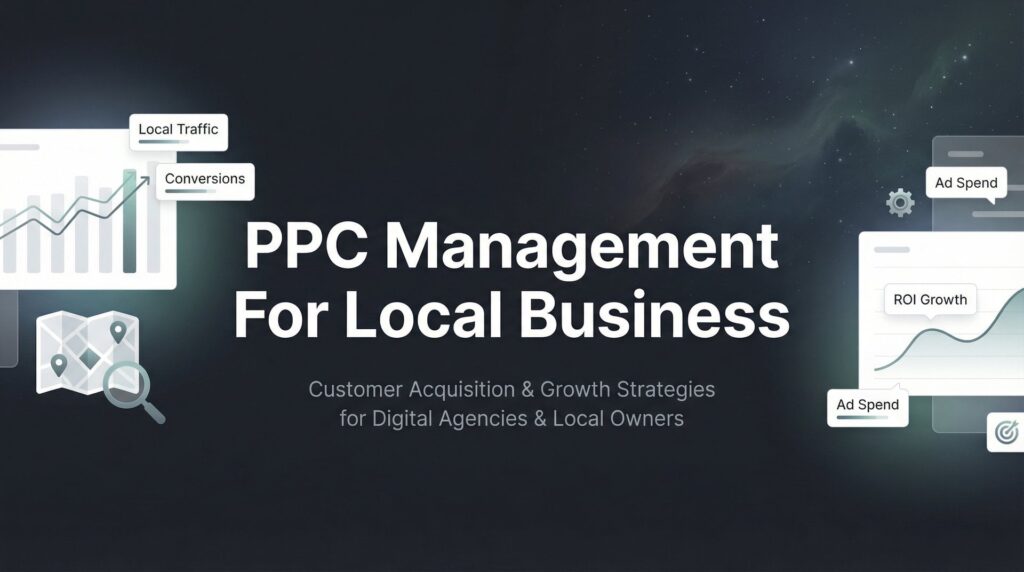
Local businesses face a unique challenge: competing for customers in a specific geographic area where every click counts and wasted ad spend directly impacts the bottom line. Unlike national brands with massive budgets, local businesses need PPC campaigns that deliver qualified leads from their service area—not clicks from people three states away who will never become customers.
The difference between a profitable local PPC campaign and one that drains your budget often comes down to management strategy. Generic approaches designed for e-commerce or national brands simply don’t work when you’re a plumber in Phoenix or a dentist in Dallas.
This guide breaks down seven battle-tested PPC management strategies specifically designed for local businesses that want to turn their Google Ads investment into a steady stream of phone calls, form submissions, and paying customers.
1. Hyper-Local Geo-Targeting That Eliminates Wasted Spend
The Challenge It Solves
Most local businesses hemorrhage money on clicks from people who will never become customers simply because they’re outside the service area. When someone 40 miles away clicks your ad for “emergency plumbing repair,” you’ve just paid for a lead you can’t serve. This happens constantly with default geo-targeting settings that cast too wide a net.
The problem compounds when you consider that many searches appear local but aren’t. Someone researching services while traveling, people searching on behalf of relatives in other cities, or users whose IP addresses show incorrect locations all create expensive dead-end clicks.
The Strategy Explained
Precision geo-targeting layers multiple location parameters to ensure your ads only appear to searchers you can actually serve. Start with radius targeting around your business location, then refine with zip code inclusions for areas you know convert well. The key is treating geo-targeting as an ongoing optimization process, not a set-it-and-forget-it configuration.
Think of it like drawing concentric circles around your business, but with the flexibility to exclude problematic pockets and extend into high-value neighborhoods. You’re building a custom service area map inside Google Ads that mirrors your actual business reality.
Advanced geo-targeting also involves bid adjustments by location. Not all areas within your service radius are equally valuable. Some neighborhoods might have higher customer lifetime value, better conversion rates, or less competition. Understanding Google Ads management for local business requires mastering these location-based optimizations.
Implementation Steps
1. Map your actual service area by analyzing where your current customers live, identifying profitable zip codes from your CRM or customer database, and noting areas where service costs make jobs unprofitable.
2. Configure layered targeting in Google Ads by setting a primary radius target around your business location, adding specific zip codes as inclusions for high-value areas just outside the radius, and creating location exclusions for areas that consistently produce low-quality leads or fall outside your service zone.
3. Implement location bid adjustments by increasing bids 20-40% for your highest-converting zip codes, decreasing bids 30-50% for edge-of-service-area locations where conversion rates are lower, and monitoring performance weekly to refine these adjustments based on actual lead quality.
4. Use the “People in or regularly in your targeted locations” setting rather than “People searching for your targeted locations” to avoid showing ads to researchers who aren’t physically in your area.
Pro Tips
Review your search terms report monthly to identify location-based searches from outside your service area. If you’re seeing searches like “Denver plumber” but you’re in Austin, that’s a signal to tighten your targeting or add negative keywords. Also consider creating separate campaigns for different service areas if you operate in multiple cities, allowing for customized budgets and messaging for each market.
2. Local Keyword Architecture That Captures High-Intent Searches
The Challenge It Solves
Local businesses often waste budget on broad, informational searches that never convert. When your ad shows for “how to fix a leaky faucet” instead of “emergency plumber near me,” you’re paying to educate DIYers rather than capture customers ready to hire. The wrong keyword structure means competing on search terms where you have no competitive advantage.
Another common trap: bidding on your city name alone without service qualifiers. “Dallas plumber” might seem like the obvious choice, but it captures everyone from people looking for plumbing supply stores to students researching the profession.
The Strategy Explained
Effective local keyword architecture combines service terms with location modifiers in a structured hierarchy. Your core keywords should follow the pattern: [service] + [city/neighborhood], [emergency/urgent] + [service] + [near me], and [specific problem] + [service type] + [location]. This structure ensures you’re capturing searchers at the decision stage, not the research phase.
Match types matter enormously for local campaigns. Broad match might work for national brands with huge budgets, but local businesses need the precision of phrase and exact match to avoid budget drain. You’re building a keyword fortress that lets in qualified traffic while keeping out tire-kickers.
The real power comes from neighborhood-level targeting. While competitors fight over “Austin HVAC,” you can dominate “Westlake Hills air conditioning repair” or “South Congress heating service” at lower costs and higher conversion rates. This is where paid search advertising for local business truly shines.
Implementation Steps
1. Build your core service + location combinations by listing every service you offer, pairing each service with your city name and major neighborhoods within your service area, and creating variations with “near me,” “in [city],” and “[neighborhood] [service]” patterns.
2. Structure campaigns by service line rather than lumping everything together, allowing separate budgets for high-value services like emergency repairs versus routine maintenance, and creating ad groups for each neighborhood or zip code you serve.
3. Implement a comprehensive negative keyword list including informational terms like “how to,” “DIY,” “cost,” and “salary,” competitor brand names unless you’re specifically targeting them, job-seeking terms like “hiring,” “careers,” and “jobs,” and supply-related searches like “wholesale,” “parts,” and “equipment” unless you sell those items.
4. Use phrase match as your default match type for local campaigns, adding exact match for your highest-converting terms, and avoiding broad match unless you have significant budget for testing and optimization.
Pro Tips
Create a “near me” campaign specifically for mobile users, as these searches typically have the highest commercial intent. Someone searching “plumber near me” on their phone likely has an immediate need. Also, don’t ignore misspellings of your city or neighborhood names—these often have lower competition and high intent from locals who know the area well enough to misspell it.
3. Ad Scheduling Aligned With Business Hours and Peak Demand
The Challenge It Solves
Running ads 24/7 when your phones are only answered 8am-6pm Monday through Friday means paying for leads that go straight to voicemail. Even worse, those missed calls often go to competitors who are available. Many local businesses also see their budgets depleted by early morning or late night clicks from searchers who won’t convert until they can actually reach someone.
Search volume doesn’t equal conversion potential. Your industry might see heavy search traffic at times when people are researching but not ready to commit. A dentist might get lots of evening searches from people browsing while watching TV, but phone calls and bookings peak during lunch breaks when people can actually schedule appointments.
The Strategy Explained
Strategic ad scheduling synchronizes your advertising presence with your ability to convert leads. This goes beyond simply turning ads off when you’re closed—it involves analyzing when your highest-quality leads actually convert and adjusting bids to capitalize on those windows while reducing spend during low-conversion periods.
Think of your ad schedule as a heat map of opportunity. Some hours are red-hot conversion zones where you should bid aggressively. Others are lukewarm research periods where you might still advertise but at reduced bids. And some are dead zones where you’re better off saving budget for better opportunities.
The strategy becomes more sophisticated when you layer in day-of-week patterns. Many service businesses see different conversion dynamics on Mondays versus Fridays, or weekdays versus weekends. Your ad presence should reflect these patterns, which is why understanding PPC management services for small business can make such a significant difference.
Implementation Steps
1. Analyze your conversion data by hour and day by pulling reports showing when phone calls, form submissions, and actual sales occur, identifying the gap between search activity and conversion activity, and noting patterns like “lots of searches Sunday evening, but conversions happen Monday morning.”
2. Create an ad schedule that matches business reality by running ads during business hours when phones are answered, extending hours slightly if you have voicemail-to-email or after-hours booking systems, and pausing ads completely during times when you’ve historically seen zero conversions even with significant spend.
3. Implement bid adjustments by time period by increasing bids 30-50% during your peak conversion hours, reducing bids 40-60% during research-heavy but low-conversion periods, and testing complete ad pauses versus reduced bids for overnight hours if you offer emergency services.
4. Set up separate campaigns for emergency services that run 24/7 with appropriate messaging about availability, while your standard service campaigns follow business hours.
Pro Tips
Don’t just look at when conversions happen—track when the highest-value conversions occur. If your most profitable jobs come from Tuesday morning calls, that’s when you should bid most aggressively. Also consider seasonal and monthly patterns: many service businesses see different demand curves at month-end when people get paid, or seasonal spikes that require schedule adjustments.
4. Location Extensions and Local Ad Assets That Build Trust
The Challenge It Solves
Local searchers are skeptical of businesses they’ve never heard of, especially for services they need immediately. When your ad appears alongside competitors, you need instant credibility signals that prove you’re a legitimate local business, not a lead generation company or national franchise with no real local presence. Generic ads without local proof points get ignored in favor of competitors who look more established.
The trust gap is particularly wide for service businesses where customers are letting someone into their home or business. A plumber, electrician, or HVAC technician needs to overcome significant trust barriers before someone will even click the ad, let alone call.
The Strategy Explained
Location extensions and local ad assets transform your ads from generic text into trust-building mini-storefronts. When properly configured, your ad displays your business address, phone number, distance from the searcher, business hours, and even photos of your location. This comprehensive local presence signals legitimacy and proximity—two critical factors in local service decisions.
The integration with your Google Business Profile creates a virtuous cycle. Your reviews, photos, and business information all feed into your ad presentation, making it substantially more compelling than competitors running text-only ads. You’re essentially bringing your storefront into the search results.
Call extensions deserve special attention for service businesses. The ability to click-to-call directly from the ad on mobile devices removes friction from the conversion process. Someone with a burst pipe doesn’t want to visit your website—they want to call immediately. Exploring the best paid advertising platforms for businesses helps you understand which channels offer the strongest local extension options.
Implementation Steps
1. Link your Google Ads account to your Google Business Profile by claiming and fully optimizing your GBP listing with complete business information, high-quality photos of your team, vehicles, and completed work, regular posts about services and promotions, and active review generation to maintain a strong rating.
2. Enable all relevant ad extensions including location extensions showing your address and distance, call extensions with your main business number set to track calls, callout extensions highlighting credentials like “Licensed & Insured” or “Same-Day Service,” and structured snippets listing your service areas or specialties.
3. Create location-specific ad copy that references the searcher’s city or neighborhood by name, mentions local landmarks or areas you serve, and includes trust signals like years in business or local awards.
4. Use ad customizers to dynamically insert the searcher’s location into your headlines and descriptions, making each ad feel personally relevant to their specific area.
Pro Tips
Monitor your call extension performance separately from other conversions. For many service businesses, phone calls are the primary conversion action and deserve dedicated tracking and optimization. Also, keep your Google Business Profile actively updated with posts, photos, and responses to reviews—this activity signals to Google that you’re a legitimate, engaged local business and can improve your ad performance.
5. Landing Page Localization That Converts Clicks to Customers
The Challenge It Solves
Sending all your local traffic to a generic homepage creates massive conversion leakage. When someone searches “emergency electrician in Scottsdale” and lands on a page that doesn’t mention Scottsdale, doesn’t show local credentials, and requires them to hunt for contact information, they bounce back to the search results and call your competitor instead. The disconnect between the ad promise and the landing experience kills conversion rates.
Mobile users are particularly unforgiving. On a small screen with an urgent need, they want immediate confirmation they’ve found the right local service provider and a clear path to contact you. Generic pages with slow load times, unclear calls-to-action, or desktop-focused layouts send mobile traffic straight to competitors.
The Strategy Explained
Landing page localization means creating dedicated pages for each major service area or city you target, with content specifically addressing that location’s needs and concerns. These aren’t duplicate pages with just the city name swapped—they’re genuinely localized experiences that prove you understand and serve that specific community.
The most effective local landing pages follow a clear hierarchy: immediate visual confirmation of location relevance, prominent click-to-call buttons for mobile users, trust signals specific to that area, and clear service descriptions with local context. You’re removing every possible point of friction between the click and the conversion.
Mobile optimization isn’t optional for local landing pages. The majority of local searches happen on mobile devices, often in urgent situations. Your page needs to load in under three seconds, display perfectly on small screens, and make calling you the easiest possible action. Building an effective customer acquisition system for local businesses starts with these conversion-focused landing pages.
Implementation Steps
1. Build city-specific landing pages for each major market you serve by creating unique URLs like yoursite.com/scottsdale-electrician or yoursite.com/phoenix-plumbing, writing headlines that immediately confirm location relevance, and including local imagery showing your service area or recognizable local landmarks.
2. Add location-specific trust elements including testimonials from customers in that area with their neighborhood or city mentioned, photos of completed projects in that location, any local licenses, certifications, or chamber of commerce memberships, and mentions of how long you’ve served that specific community.
3. Optimize for mobile conversion by placing a prominent click-to-call button at the top of the page that stays visible while scrolling, ensuring page load time is under three seconds through image optimization and minimal code, and using large, thumb-friendly buttons for all calls-to-action.
4. Create clear conversion paths with multiple contact options including phone number prominently displayed, simple contact form with minimal required fields, live chat if you have the capacity to respond quickly, and business hours clearly stated to set expectations.
Pro Tips
Use heat mapping tools to see where mobile users actually tap on your landing pages. You’ll often discover that your carefully designed form is being ignored while users repeatedly tap your phone number embedded in body text. Make those high-engagement elements more prominent. Also, test different headline formulas—sometimes “Scottsdale’s Trusted Electrician Since 2010” outperforms “Emergency Electrical Services in Scottsdale” even though the second seems more keyword-focused.
6. Budget Pacing and Bid Strategies for Limited Local Budgets
The Challenge It Solves
Local businesses rarely have unlimited advertising budgets, yet they’re competing in the same auction as national companies and lead generation firms with deep pockets. Without smart budget management, your entire daily budget can disappear by 10am, leaving you invisible for the rest of the day when potential customers are searching. Aggressive automated bidding strategies designed for large accounts can burn through small budgets in hours.
The budget pacing problem becomes critical during high-demand periods. If you run an HVAC company and the first heat wave hits, search volume spikes but your budget stays flat. You need strategies that stretch limited budgets across the entire day while still competing for the most valuable clicks.
The Strategy Explained
Effective budget management for local campaigns requires choosing bidding strategies that align with your budget reality, not what Google recommends for enterprise accounts. Manual CPC or Maximize Clicks often outperforms automated strategies when budgets are constrained because they give you direct control over how quickly money is spent.
Budget allocation should follow the 80/20 principle: identify which campaigns, ad groups, or even specific keywords drive the majority of your conversions, then allocate budget proportionally. Many local businesses spread their budget evenly across all campaigns when 80% of their revenue comes from 20% of their keywords. Understanding PPC management pricing for small business helps you set realistic budget expectations.
Dayparting your budget creates another efficiency layer. If you know that 60% of your conversions happen between 9am-3pm, you can structure your bidding to preserve budget for those peak hours rather than letting it drain during lower-value periods.
Implementation Steps
1. Audit your current budget allocation by identifying which campaigns and keywords actually drive phone calls and sales, calculating cost-per-acquisition for each major campaign, and finding budget drains where spend is high but conversions are low or non-existent.
2. Choose appropriate bidding strategies by using Manual CPC for campaigns with limited budgets where you need precise control, implementing Target CPA only after you have at least 30 conversions per month to give the algorithm enough data, and avoiding Maximize Conversions until your budget can sustain the aggressive bidding it often triggers.
3. Set up budget pacing controls by enabling shared budgets across related campaigns to prevent any single campaign from consuming all resources, implementing campaign-level daily budgets that align with the value of each service line, and using bid adjustments by time of day to preserve budget for peak conversion hours.
4. Monitor for click fraud and invalid traffic by reviewing your IP exclusion list monthly, watching for suspicious patterns like multiple clicks from the same IP with no conversions, and considering click fraud protection tools if you’re in a highly competitive local market.
Pro Tips
Create a “high intent only” campaign with a protected budget for your absolute best-performing keywords. This ensures that even if your other campaigns exhaust their budgets, you’re still visible for the searches most likely to convert. Also, don’t be afraid to pause low-performing campaigns entirely rather than letting them limp along consuming budget—reallocate that spend to what’s working.
7. Tracking and Attribution That Proves Real ROI
The Challenge It Solves
Many local businesses dramatically undervalue their PPC campaigns because they only track form submissions while ignoring phone calls—often their primary conversion action. When 70% of your leads come through phone calls but you’re only measuring the 30% that submit forms, you’re making decisions based on incomplete data. This leads to pausing profitable campaigns or cutting budgets on advertising that’s actually working.
The attribution challenge compounds when you consider that local service businesses often have multi-touch customer journeys. Someone might click your ad on Monday, call on Wednesday, and schedule service for Friday. Without proper tracking, that conversion never gets attributed back to the PPC campaign that initiated it.
The Strategy Explained
Comprehensive tracking for local PPC requires connecting every customer touchpoint back to the original ad click. This means implementing call tracking that assigns unique phone numbers to different campaigns, form tracking that captures not just submissions but the quality of those leads, and revenue attribution that ties closed sales back to specific keywords and ads.
The goal isn’t just counting conversions—it’s understanding which campaigns drive customers who actually pay you. A campaign that generates 50 form fills might seem better than one generating 20 phone calls, but if those 20 calls convert at 40% and average $2,000 in revenue while the forms convert at 10% and average $500, the phone call campaign is dramatically more valuable. Mastering lead generation for local business requires this level of tracking sophistication.
Advanced tracking reveals patterns that transform campaign performance. You might discover that clicks from certain neighborhoods have 3x higher customer lifetime value, or that calls during specific hours convert at twice the rate of other times. This intelligence allows you to optimize not just for conversions, but for profitable conversions.
Implementation Steps
1. Implement call tracking across all campaigns by setting up dynamic number insertion on your landing pages that assigns unique tracking numbers to each visitor, using Google’s call tracking through call extensions and call-only ads, and ensuring your tracking system captures call duration, caller location, and which campaign drove each call.
2. Set up comprehensive conversion tracking by defining what counts as a quality lead for your business, implementing form tracking with field-level data capture, tracking both micro-conversions like email signups and macro-conversions like scheduled appointments, and using Google Analytics goals or Google Ads conversion actions for all conversion types.
3. Build a revenue attribution system by integrating your CRM with your ad platform to track which leads close into sales, assigning revenue values to different conversion actions based on historical close rates, and creating custom reports that show cost-per-acquisition and return on ad spend by campaign.
4. Create a feedback loop between sales and marketing by having your team mark lead quality in your CRM, tracking which campaigns produce the highest percentage of qualified opportunities, and adjusting bids and budgets based on lead quality, not just lead quantity.
Pro Tips
Record and review calls from your PPC campaigns to understand what’s actually being said. You’ll often discover that certain ad copy or keywords attract tire-kickers while others bring serious buyers. This qualitative insight is as valuable as the quantitative data. Also, track customer lifetime value by acquisition source—some campaigns might have higher initial acquisition costs but bring customers who return for additional services or refer others.
Putting It All Together
Implementing these seven PPC management strategies transforms local advertising from a frustrating expense into a predictable customer acquisition engine. The key is systematic implementation rather than trying to perfect everything at once.
Start with geo-targeting refinement and keyword architecture—these two elements alone can dramatically reduce wasted spend while increasing lead quality. Many local businesses see immediate improvements simply by tightening their geographic focus and shifting to more specific, high-intent keywords. These changes often pay for themselves within the first week.
From there, layer in ad scheduling and local extensions to maximize the value of every click you’re already getting. These optimizations don’t require additional budget but can substantially improve conversion rates by showing ads at better times and presenting more compelling local proof points.
Next, tackle landing page localization and budget management. Creating dedicated local landing pages takes more effort upfront but pays dividends through higher conversion rates. Smart budget allocation ensures you’re investing in what works while cutting what doesn’t.
Finally, establish comprehensive tracking so you can prove ROI and make data-driven decisions about scaling your campaigns. Without proper attribution, you’re flying blind—with it, you know exactly which campaigns deserve more investment and which need optimization or elimination.
Local PPC success isn’t about outspending competitors; it’s about out-managing them with strategies built specifically for your market. A local business with a $2,000 monthly budget can outperform a competitor spending $5,000 if they implement these strategies while the competitor runs generic campaigns.
The businesses winning in local PPC are those treating it as a system that requires ongoing optimization, not a set-it-and-forget-it advertising channel. Regular review of performance data, continuous testing of new approaches, and willingness to cut what’s not working—these habits separate profitable campaigns from budget drains.
Tired of spending money on marketing that doesn’t produce real revenue? We build lead systems that turn traffic into qualified leads and measurable sales growth. If you want to see what this would look like for your business, we’ll walk you through how it works and break down what’s realistic in your market.
Want More Leads for Your Business?
Most agencies chase clicks, impressions, and “traffic.” Clicks Geek builds lead systems. We uncover where prospects are dropping off, where your budget is being wasted, and which channels will actually produce ROI for your business, then we build and manage the strategy for you.