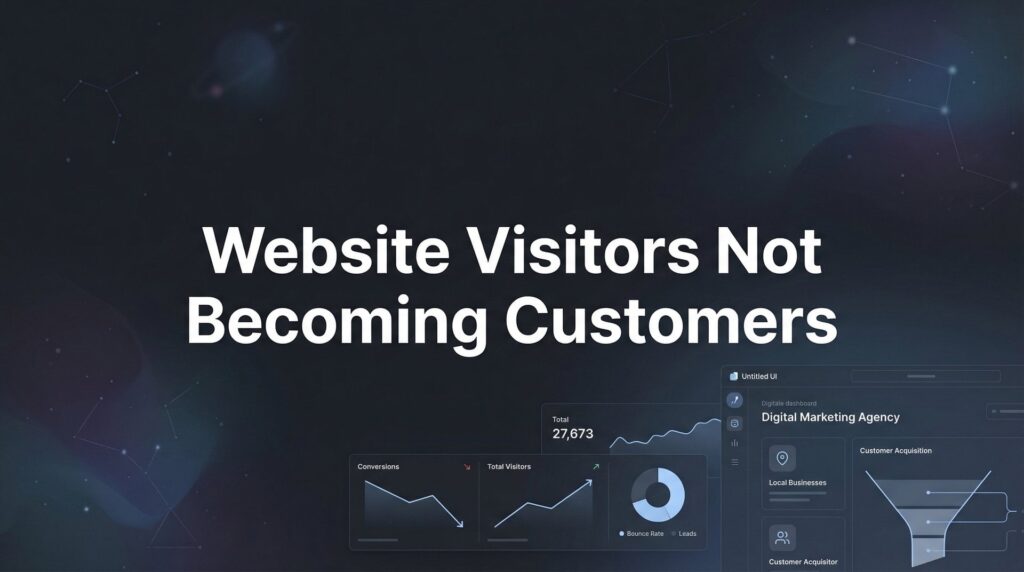
You’re getting traffic. People are landing on your website, clicking around, maybe even adding items to their cart or filling out half a form. Then they vanish. No purchase. No phone call. No lead. Just another bounce statistic mocking you from your analytics dashboard.
If your website visitors not becoming customers is keeping you up at night, you’re not alone—and more importantly, you’re not stuck.
The gap between traffic and revenue isn’t a mystery. It’s a series of fixable friction points that are silently killing your conversions. The good news? Once you identify where visitors are dropping off and why, the solutions are often straightforward.
This guide walks you through exactly how to diagnose and fix the conversion leaks draining your marketing budget. By the end, you’ll have a clear action plan to transform more of your existing traffic into paying customers.
Step 1: Audit Your Traffic Quality Before Blaming Your Website
Here’s an uncomfortable truth: your website might be converting perfectly fine. The problem could be that you’re attracting the wrong people in the first place.
Think of it like opening a steakhouse and wondering why vegetarians keep walking in and leaving disappointed. The issue isn’t your menu—it’s who’s coming through the door.
Start by examining your traffic sources in Google Analytics. Look at conversion rates by channel. If your paid search traffic converts at 5% but your social media traffic converts at 0.2%, you’ve just identified a low quality website traffic problem, not a website problem.
Dive deeper into your keyword data. Are you ranking for informational queries when you need commercial intent? Someone searching “what is CRM software” is researching. Someone searching “best CRM for small business pricing” is ready to buy. These visitors need completely different experiences.
Review your ad targeting if you’re running paid campaigns. Broad audience targeting might deliver impressive click-through rates and low cost-per-click numbers, but if those visitors have zero purchase intent, you’re just burning money on vanity metrics.
Check your referral traffic sources too. A link from an industry publication might send engaged, qualified visitors. A link from a random blog aggregator might send curiosity-seekers who bounce immediately.
How to verify this step worked: Pull a traffic source report and calculate conversion rate by channel. If you see dramatic differences (10x or more), you’ve confirmed a traffic quality issue. Document your top three highest-converting sources and your three lowest. This becomes your roadmap for where to invest more and where to cut back.
The fix here isn’t always about your website. Sometimes it’s about refining your targeting, adjusting your keyword strategy, or simply stopping the flow of low-quality traffic that was never going to convert anyway.
Step 2: Identify Exactly Where Visitors Are Dropping Off
You can’t fix what you can’t see. And most businesses are flying blind when it comes to understanding where their conversion process falls apart.
Set up proper goal tracking in Google Analytics if you haven’t already. Define what a conversion means for your business—whether that’s a purchase, a form submission, a phone call, or a demo request. Then track the path visitors take to get there. If you’re unsure how to do this correctly, our guide on marketing conversion tracking walks you through the entire process.
Use funnel visualization to see the step-by-step breakdown. You might discover that 80% of people who start your checkout process abandon at the shipping information page. Or that visitors who land on your service page rarely make it to your contact form.
But analytics only tell you what what’s happening. They don’t tell you why.
This is where heatmaps and session recordings become invaluable. Tools like Hotjar or Microsoft Clarity show you exactly how real visitors interact with your pages. You’ll watch people scroll right past your call-to-action button. You’ll see them click on elements that aren’t clickable. You’ll notice them rage-clicking when a form won’t submit.
These behavioral insights reveal friction you’d never spot by looking at numbers alone. Maybe your “Request a Quote” button is buried below the fold and 90% of visitors never scroll far enough to see it. Maybe your pricing page loads so slowly that people give up waiting.
Pay special attention to your highest-traffic pages with the worst conversion rates. These represent your biggest opportunities. A small improvement on a page that gets 10,000 visitors per month has far more impact than perfecting a page that gets 100 visitors.
How to verify this step worked: Document your top three conversion leak points with specific data. For example: “Product page has 45% exit rate, session recordings show visitors can’t find the add-to-cart button on mobile” or “Contact form has 78% abandonment rate, heatmaps show people don’t see the submit button.”
Once you know exactly where and why people are leaving, you can stop guessing and start fixing.
Step 3: Fix Your Value Proposition and Messaging Clarity
Your website has about five seconds to answer the most critical question in your visitor’s mind: “What’s in this for me?”
If you can’t communicate your value proposition clearly and immediately, nothing else matters. Visitors will bounce before they ever see your testimonials, your features list, or your special offer.
Run the five-second test on your homepage and key landing pages. Show the page to someone unfamiliar with your business for exactly five seconds, then ask them to explain what you do and who it’s for. If they can’t articulate it, your messaging is too vague.
The most common mistake? Leading with what you do instead of the problem you solve. “We provide comprehensive digital marketing solutions” means nothing. “We help local businesses get more customers without wasting money on ads that don’t work” is clear, specific, and benefit-focused.
Strip out the jargon and corporate speak. You’re not “leveraging synergistic solutions to optimize stakeholder outcomes.” You’re helping people accomplish something specific that matters to them.
Your headline should make a promise. Your subheadline should expand on that promise or address who it’s for. Your body copy should prove you can deliver. This isn’t creative writing—it’s direct response communication.
Look at your landing pages through the lens of a skeptical visitor who’s been burned before. Are you speaking to their actual pain points or just listing features? Features tell. Benefits sell. “24/7 customer support” is a feature. “Get answers at 2 AM when your website goes down and your business is losing money” is a benefit.
Check your calls-to-action too. “Submit” and “Learn More” are weak and vague. “Get My Custom Quote” or “Show Me How This Works” tell visitors exactly what happens next and what they’ll receive.
How to verify this step worked: Ask three people outside your company to visit your site and explain what you do within five seconds. If all three can articulate your value proposition accurately, you’ve achieved clarity. If they’re confused or give different answers, keep refining until your message is unmistakable.
Step 4: Eliminate Friction From Your Conversion Path
Every additional click, every extra form field, every moment of confusion adds friction. And friction kills conversions.
Start with your forms. If you’re asking for 12 pieces of information when you only need 3, you’re creating unnecessary barriers. People will abandon rather than fill out a form that feels like a job application. Ask only for what you absolutely need to follow up. You can gather additional details later in the relationship.
Test your own conversion process on mobile. Pull out your phone right now and try to complete a purchase or submit a lead form. Can you do it easily while standing in line at the coffee shop? Or are you pinching and zooming, mistyping in tiny form fields, and getting frustrated with buttons that don’t respond to touch?
Mobile traffic often represents the majority of website visitors, yet many sites still treat mobile as an afterthought. If your conversion process isn’t smooth on a smartphone, you’re losing a massive portion of potential customers.
Page speed is another conversion killer that businesses consistently underestimate. When your page takes five seconds to load, you’ve already lost a significant portion of visitors. They’re not waiting around—they’re hitting the back button and choosing your competitor instead.
Run your key pages through Google PageSpeed Insights. If you’re scoring below 70 on mobile, you have work to do. Compress images, minimize code, leverage browser caching, and consider a content delivery network if you’re serving a geographically dispersed audience. Our website optimization tips cover the technical improvements that make the biggest impact.
Remove distractions from your conversion pages. Every additional link, every sidebar widget, every popup that isn’t directly supporting the conversion goal is pulling attention away from what matters. Your product pages and landing pages should have one clear path forward, not fifteen competing options.
Look at your navigation menu. If someone can’t figure out how to contact you or find your pricing within three seconds, you’re adding friction. Make the path to conversion obvious and unavoidable.
How to verify this step worked: Complete your entire conversion process on your phone. Time yourself. If it takes more than 60 seconds or requires more than three screens of scrolling, you still have friction to eliminate. Better yet, watch someone else try it and note every moment they hesitate or look confused.
Step 5: Build Trust Signals That Overcome Buyer Hesitation
Your visitors don’t know you. They don’t trust you yet. And in a world full of scams, low-quality products, and businesses that overpromise and underdeliver, skepticism is the default setting.
Trust signals are what bridge that gap between interest and action. They’re the proof points that make someone think, “Okay, these people are legitimate.”
Start with social proof. Real testimonials from real customers carry weight—but only if they’re specific and credible. “Great service!” from “John S.” is worthless. “They helped us generate 47 qualified leads in the first month, and we closed 8 deals” from “John Stevens, Owner of Stevens Plumbing” is powerful because it’s specific, includes a real name and company, and describes an actual result.
Place testimonials strategically near decision points. Someone reading your pricing page needs reassurance right there, not buried on a separate testimonials page they’ll never visit. Someone about to fill out your contact form needs to see that other people have taken this step and been glad they did.
Display relevant credentials and certifications. If you’re a Google Premier Partner, show that badge. If you’re licensed, bonded, and insured, say so. If you’ve been in business for 15 years, mention it. These details matter to people trying to decide if you’re trustworthy.
Security badges and guarantees reduce perceived risk. If you’re handling payment information, display SSL certificates and payment security badges. If you offer a money-back guarantee or a free trial period, make that prominent. You’re essentially saying, “You can trust us because we’re willing to take on the risk.”
Case studies work well for higher-ticket services or B2B offerings. When someone is considering a significant investment, they want to see detailed examples of how you’ve helped others like them. Walk through the problem, your solution, and the measurable results.
Don’t forget basic trust elements like a physical address, phone number, and real photos of your team. Faceless websites feel sketchy. Showing real people and real locations builds credibility.
How to verify this step worked: Audit every page in your conversion funnel and list every trust element visible before the call-to-action. If you can’t find at least three trust signals on your most important pages, you’re asking people to take a leap of faith they’re not willing to make.
Step 6: Create Urgency and Clear Next Steps
People procrastinate. Even when they’re interested, even when they’re convinced, they’ll often think “I’ll come back to this later” and then never do.
Your job is to give them a compelling reason to act now instead of later—without resorting to manipulative tactics that damage trust.
Legitimate urgency works. Limited-time offers, seasonal promotions, or inventory constraints are all valid reasons for someone to act immediately. What doesn’t work is fake countdown timers that reset when you refresh the page or claiming “only 2 spots left” when that’s been true for six months.
Your call-to-action language matters enormously. Weak CTAs like “Submit” or “Click Here” don’t inspire action. Strong CTAs tell people exactly what they’re getting and create anticipation. “Get Your Free Analysis” is better than “Submit Form.” “Start Your 14-Day Trial” is better than “Sign Up.”
Make your CTA buttons visually prominent. They should stand out through size, color contrast, and positioning. If someone has to hunt for the next step, you’ve failed. The path forward should be obvious at every stage.
Consider offering multiple conversion options for different levels of readiness. Not everyone who visits your site is ready to buy immediately. Some need more information first. Some want to talk to a human. Some prefer to start with something low-commitment.
Your highest-intent visitors might be ready for “Schedule a Demo” or “Get Started Now.” Medium-intent visitors might prefer “Download Our Free Guide” or “See Pricing.” Lower-intent visitors might just want to “Learn More” or “Watch a Video.” Understanding conversion funnel optimization helps you design pathways for each visitor type.
Every page should have one primary call-to-action, but you can offer secondary options for people who aren’t ready for the main ask. Just make sure the hierarchy is clear—one obvious next step with alternatives available for those who need them.
How to verify this step worked: Review every page on your site and identify the primary call-to-action. Can you spot it within three seconds? Is it crystal clear what happens when someone clicks it? If you have to think about it, your visitors are definitely confused.
Your Conversion Optimization Checklist: Quick Wins to Implement Today
You now have a systematic approach to diagnosing and fixing why your website visitors aren’t becoming customers. The key is treating this as an ongoing process, not a one-time project.
Start with Step 1 and work through each phase methodically. Don’t skip ahead to tactics before you’ve verified you’re attracting the right traffic. Don’t redesign your entire site before you know where people are actually dropping off.
The businesses that win at conversion optimization aren’t necessarily the ones with the biggest budgets or the fanciest websites. They’re the ones who understand their visitors, remove friction relentlessly, and make the path to conversion as clear and compelling as possible. If you want to dive deeper into the tools that make this easier, check out our roundup of the best conversion rate optimization tools available in 2026.
Your quick-win checklist for this week: Run the five-second test on your homepage. Check your mobile conversion experience. Add at least three trust signals to your highest-traffic pages. Review your primary call-to-action on every conversion page and strengthen the language.
These aren’t complicated changes. They’re strategic improvements based on understanding human behavior and decision-making psychology. Small refinements compound over time into dramatically better conversion rates. For a complete walkthrough of this process, our guide on how to improve website conversion rate breaks down each step in detail.
Remember that traffic without conversions is just an expensive hobby. The goal isn’t more visitors—it’s more customers. Every optimization you make should move you closer to that outcome.
Tired of spending money on marketing that doesn’t produce real revenue? We build lead systems that turn traffic into qualified leads and measurable sales growth. If you want to see what this would look like for your business, we’ll walk you through how it works and break down what’s realistic in your market.
The difference between a website that generates leads and one that just looks pretty comes down to these fundamental principles. You’re not starting from scratch—you’re optimizing what you already have. And that’s often the fastest path to growth.