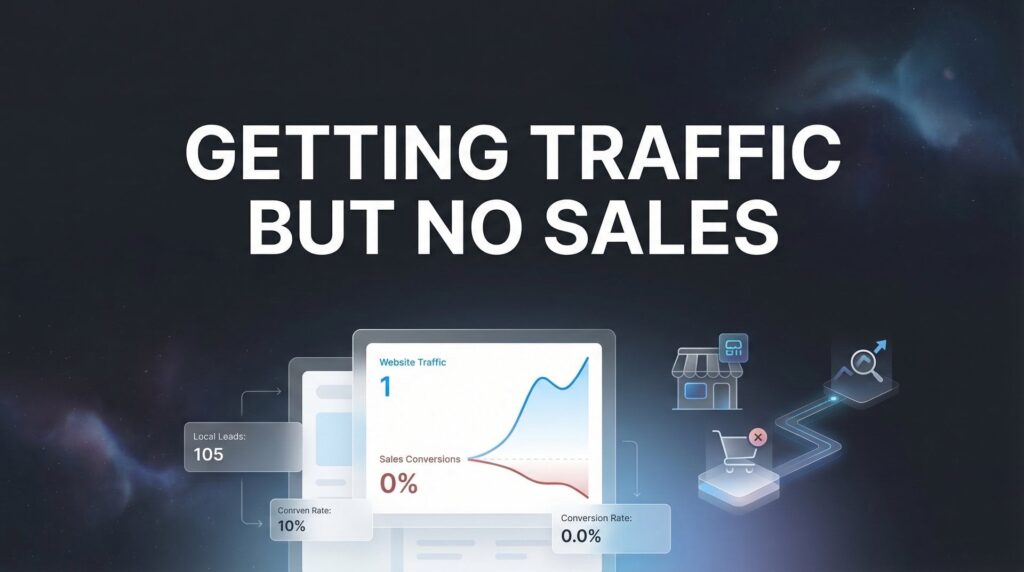
You’re watching the numbers climb in Google Analytics—hundreds, maybe thousands of visitors hitting your site every month. But when you check your sales dashboard? Crickets.
This frustrating disconnect between traffic and revenue is one of the most common problems local business owners face, and it’s costing you real money every single day those visitors leave without buying.
The good news: getting traffic but no sales is almost always a fixable problem. The issue isn’t your product or service—it’s typically a breakdown somewhere in the conversion process that’s creating friction between ‘interested visitor’ and ‘paying customer.’
In this step-by-step guide, we’ll walk through exactly how to diagnose why your traffic isn’t converting and implement targeted fixes that turn browsers into buyers. Whether you’re running an e-commerce store, a service business, or a local company trying to generate leads, these seven steps will help you identify the leaks in your sales funnel and plug them systematically.
Step 1: Audit Your Traffic Quality to Identify the Real Problem
Before you fix anything else, you need to understand a fundamental truth: not all traffic is created equal. A thousand visitors who have zero interest in buying from you are worth less than ten visitors who are actively looking for what you offer.
Start by logging into Google Analytics and navigating to your traffic sources. Look at where your visitors are coming from—organic search, paid ads, social media, referrals. Now here’s what matters: examine the behavior metrics for each source.
High Bounce Rates Signal Misaligned Traffic: If visitors from a particular source are bouncing (leaving immediately) at rates above 70%, that’s a red flag. These people aren’t finding what they expected, which means either your messaging is misleading or you’re targeting the wrong audience entirely.
Geographic Mismatches Waste Your Budget: For local businesses, this one’s critical. If you’re a Denver-based HVAC company and half your traffic comes from California, you’ve got a targeting problem. Check your geographic data and make sure the majority of your visitors are actually in your service area.
Irrelevant Keywords Bring Tire-Kickers: Look at the search terms bringing people to your site. Are they commercial intent keywords like “buy,” “hire,” or “near me”? Or are they informational queries from people just browsing? Someone searching “how to fix a leaky faucet” probably isn’t ready to hire a plumber—they’re trying to DIY it. Understanding low quality website traffic patterns helps you identify these mismatches quickly.
Run through this quick assessment checklist for each major traffic source. Ask yourself: Would these visitors actually have a reason to buy from me? Do they match my ideal customer profile? Are they in the right location? Are they at the right stage of the buying process?
Success indicator: You can clearly identify which traffic sources bring qualified visitors versus unqualified ones. If you discover that 60% of your traffic comes from sources that never convert, you’ve just found your first major problem—and you can stop wasting money on those channels immediately.
Step 2: Map Your Customer Journey and Find the Drop-Off Points
Think of it like this: your website is a path leading to a sale, and somewhere along that path, there’s a giant hole that people keep falling into. Your job is to find that hole.
The first step is setting up proper conversion tracking. If you’re not already tracking conversions in Google Analytics, stop reading and set that up now. You need to track completed purchases, form submissions, phone calls—whatever action represents a conversion for your business.
Use Funnel Visualization to Spot the Leaks: Once tracking is in place, set up a funnel report that shows the typical path visitors take. For e-commerce, this might be: Homepage → Product Page → Cart → Checkout → Purchase. For service businesses: Homepage → Service Page → Contact Form → Submission. If you need help structuring this process, our guide on how to build a sales funnel walks through the fundamentals.
Now watch where people drop off. If 500 people reach your product page but only 50 add items to their cart, you’ve got a product page problem. If 200 people start your checkout but only 20 complete it, your checkout process is killing conversions.
Heatmaps Show What Visitors Actually Do: Tools like Hotjar or Microsoft Clarity let you see where people click, how far they scroll, and where they get stuck. Install one of these tools and watch session recordings of real visitors navigating your site.
You’ll often discover surprising things. Maybe visitors are trying to click on images that aren’t clickable. Maybe they’re scrolling past your call-to-action without ever seeing it. Maybe they’re rage-clicking on a broken button.
Identify Your Biggest Conversion Leak: Look at your funnel data and identify the single step where you lose the most people. That’s where you’ll focus your optimization efforts first. Don’t try to fix everything at once—start with the biggest leak.
Success indicator: You have concrete data showing exactly where in the funnel visitors are leaving. You can say with confidence: “We lose 70% of visitors on the pricing page” or “Most people abandon at the checkout shipping step.” When you can pinpoint the exact problem, you can create a targeted solution.
Step 3: Fix Your Value Proposition and Messaging Alignment
Here’s a brutal test: pull up your homepage or main landing page. Can a complete stranger understand what you offer and why it matters within five seconds?
If the answer is no, you’ve found your problem. Most businesses fail the five-second test spectacularly. Their homepage is filled with vague mission statements, corporate jargon, and features that mean nothing to potential customers.
Your Headline Should Answer Three Questions: What do you do? Who do you do it for? Why should I care? Compare these two headlines for a local plumbing company. Bad: “Excellence in Plumbing Services Since 1995.” Good: “Emergency Plumber in Denver—We Fix Your Plumbing Problems in 60 Minutes or Less.”
The second one immediately tells visitors what you do, where you serve, and what benefit you deliver. The first one says absolutely nothing useful.
Match Your Message to Visitor Intent: Someone clicking on a Facebook ad needs different messaging than someone who searched “emergency plumber near me.” Your ad visitor might need education about why they need your service. Your search visitor already knows they need a plumber—they just need to know why they should choose you.
If you’re running multiple traffic sources, make sure your landing page messaging aligns with what brought them there. If your ad promises “same-day service,” your landing page better prominently feature same-day service, not bury it three scrolls down.
Kill the Jargon, Focus on Benefits: Nobody cares that you use “proprietary methodologies” or “cutting-edge solutions.” They care about results. Instead of “We utilize advanced diagnostic equipment,” say “We find the problem fast so you’re not paying for guesswork.”
Success indicator: A complete stranger can explain your offer after spending five seconds on your page. Test this with friends, family, or random people. If they can’t immediately articulate what you do and why it matters, your messaging needs work.
Step 4: Eliminate Trust Barriers That Kill Conversions
Let’s say you nail everything else—your traffic is qualified, your messaging is clear, your offer is compelling. Visitors still won’t buy if they don’t trust you.
Trust is the invisible barrier that kills more conversions than anything else, especially for businesses without established brand recognition. When someone lands on your site, their default position is skepticism. Your job is to overcome that skepticism before they click away. This is often why businesses aren’t getting customers online—the trust signals simply aren’t there.
Display Social Proof Above the Fold: Reviews, testimonials, and ratings need to be visible immediately. Not buried at the bottom of the page—right there where visitors can see them within the first scroll. A five-star rating with “200+ verified reviews” tells visitors that other people have trusted you and been satisfied.
For local businesses, Google reviews carry enormous weight. If you have strong Google reviews, feature them prominently with a widget or screenshots. Include specific testimonials that address common objections: “I was worried about the cost, but they gave me an upfront quote with no hidden fees.”
Add Credentials and Guarantees: Are you licensed, insured, certified, or accredited by any professional organizations? Display those badges. They signal legitimacy and professionalism. If you offer any kind of guarantee—money-back, satisfaction, warranty—make it prominent and specific.
“100% satisfaction guaranteed” is vague and meaningless. “If we don’t fix your problem, you don’t pay—guaranteed” is concrete and reassuring.
Address Objections Proactively: What are the main reasons people hesitate to buy from you? Price concerns? Quality doubts? Fear of commitment? Address these objections directly on your page before visitors even think to ask.
Include an FAQ section that tackles real concerns. Show before-and-after photos if relevant. Explain your process so it doesn’t feel mysterious. The more transparency you provide, the more trust you build.
Success indicator: Your page answers “Why should I trust you?” within the first scroll. Visitors see evidence that you’re legitimate, that other people have had positive experiences, and that they’re protected if something goes wrong.
Step 5: Optimize Your Calls-to-Action and Conversion Path
You’d be shocked how many businesses lose sales simply because visitors don’t know what action to take next. Multiple competing CTAs, unclear buttons, or overly complicated processes create decision paralysis.
One Page, One Primary Action: Every page should have one clear primary conversion goal. If your service page has buttons for “Call Now,” “Get a Quote,” “Schedule Consultation,” “Download Brochure,” and “Sign Up for Newsletter,” you’re overwhelming visitors with choices.
Pick the one action that matters most and make it the dominant CTA. Everything else is secondary or should be removed entirely. When someone is ready to convert, they shouldn’t have to think about which button to click.
Make Your CTA Impossible to Miss: Use contrasting colors that stand out from your page design. Make buttons large enough to be easily clickable on mobile. Use action-oriented copy that tells people exactly what happens when they click: “Get Your Free Quote” is better than “Submit.”
Place your primary CTA in multiple locations—above the fold, in the middle of your content, and at the end. Different visitors make decisions at different points, so give them multiple opportunities to convert.
Reduce Friction in the Conversion Process: Every additional step between interest and conversion is an opportunity for visitors to change their minds. If your contact form has fifteen fields, cut it down to five. If your checkout process has four pages, condense it to one or two.
Ask yourself: What’s the absolute minimum information I need to move this person forward? Everything else is optional and can be collected later. The easier you make it to convert, the more people will actually do it.
Success indicator: Visitors have one clear, compelling action to take on each page. There’s no confusion about what to do next, and the path from interest to conversion is as short and frictionless as possible.
Step 6: Fix Technical Issues Sabotaging Your Sales
You can have perfect messaging, strong trust signals, and compelling offers—but if your site is slow or broken on mobile, none of it matters. Technical issues silently kill conversions every single day.
Mobile Experience Is Non-Negotiable: Pull up your site on your phone right now. Can you easily read the text without zooming? Are buttons large enough to tap accurately? Does the layout make sense on a small screen? If not, you’re losing the majority of your potential customers.
Test your entire conversion process on mobile. Try to fill out your contact form on a phone. Attempt to complete a purchase. If anything is frustrating or difficult, fix it immediately. Mobile traffic often exceeds desktop traffic, and mobile users are just as ready to buy—if you make it easy.
Page Speed Directly Impacts Conversions: Run your site through Google PageSpeed Insights. If your pages take longer than three seconds to load, you’re hemorrhaging visitors before they even see your content. Slow sites feel unprofessional and create frustration.
Quick wins for speed: compress images, enable browser caching, minimize CSS and JavaScript, use a content delivery network. If you’re on a cheap shared hosting plan, upgrading to better hosting can dramatically improve load times.
Test Your Forms and Checkout Process: Broken forms are conversion killers that often go unnoticed. Submit a test inquiry through every form on your site. Complete a test purchase if you’re e-commerce. Make sure confirmation emails are sending. Verify that form submissions are actually reaching you.
Check for common checkout problems: unexpected shipping costs, limited payment options, forced account creation, unclear error messages. Each of these creates abandonment. The smoother and more transparent your checkout process, the higher your completion rate.
Success indicator: Your site loads in under three seconds and works flawlessly on mobile devices. Your forms submit properly, your checkout process is smooth, and there are no technical barriers preventing conversions.
Step 7: Implement Retargeting to Capture Lost Opportunities
Here’s the reality: most visitors won’t convert on their first visit, no matter how good your site is. People need time to think, compare options, or wait for the right moment. That doesn’t mean they’re lost forever.
Retargeting allows you to bring back visitors who showed interest but didn’t convert. It’s one of the most cost-effective ways to increase conversions because you’re advertising to people who already know who you are. If you’re running pay per click advertising, retargeting should be a core component of your strategy.
Set Up Basic Retargeting Campaigns: Start with Google Ads remarketing or Facebook retargeting. Install the tracking pixels on your site, then create campaigns targeting people who visited specific pages but didn’t convert.
For example, create an audience of people who viewed your pricing page but didn’t submit a contact form. Or people who added items to their cart but didn’t complete checkout. These are warm leads who just need a nudge.
Segment Your Audiences Based on Behavior: Don’t show the same ad to everyone. Someone who spent ten minutes on your site and viewed multiple pages is more interested than someone who bounced after five seconds. Create different audience segments based on engagement level and intent signals.
High-intent visitors who looked at pricing or started checkout deserve more aggressive retargeting with special offers. Low-intent visitors might just need educational content to build familiarity and trust. Understanding marketing attribution models helps you track which retargeting touchpoints actually drive conversions.
Address Why They Left in Your Retargeting Messages: If people abandoned at checkout, maybe they were concerned about shipping costs or return policies. Your retargeting ads can address these concerns: “Free shipping on all orders” or “30-day money-back guarantee.”
If people visited your service pages but didn’t contact you, they might need more social proof. Show them ads featuring customer testimonials or case study results. The goal is to overcome whatever objection prevented them from converting the first time.
Success indicator: You have active campaigns re-engaging visitors who showed purchase intent but didn’t convert. You’re systematically bringing back qualified traffic that would otherwise be lost forever.
Turning Traffic Into Revenue: Your Action Plan
Most businesses discover their biggest conversion gains come from just one or two of these areas, not all seven. The key is diagnosing your specific problem first, then applying the targeted fix.
Start with Step 1 this week—audit your traffic quality. You can’t fix what you don’t understand, and there’s no point optimizing your site if the traffic hitting it was never going to convert anyway.
Once you’ve confirmed your traffic is qualified, move through Steps 2-6 systematically. Use data to identify where your biggest conversion leak is, then focus your energy there. If you’re losing 70% of visitors on your pricing page, that’s where you’ll see the biggest impact from optimization. For a deeper dive into this diagnostic process, our guide on website traffic but no conversions provides additional frameworks.
Finally, implement Step 7 to recapture the visitors you’ve been losing. Retargeting won’t fix a fundamentally broken conversion process, but once you’ve optimized your funnel, it’s one of the most profitable channels you can run.
Here’s what to prioritize: Fix your mobile experience and page speed first—these are table stakes. Then audit your value proposition and trust signals. These four elements alone account for the majority of conversion problems we see with local businesses.
If you’re still getting traffic but no sales after implementing these steps, the issue may require deeper conversion rate optimization expertise. Sometimes the problem is subtle—a pricing psychology issue, a positioning problem, or a market mismatch that requires strategic adjustment. Professional sales funnel optimization services can identify issues that aren’t immediately obvious.
At Clicks Geek, we specialize in turning traffic into revenue for local businesses. We don’t just drive more visitors—we build lead systems that convert those visitors into qualified leads and measurable sales growth. If you want to see what this would look like for your business, we’ll walk you through how it works and break down what’s realistic in your market.
The difference between a site that generates traffic and a site that generates revenue often comes down to these seven steps. Start implementing them today, and you’ll start seeing results within weeks.