You’re spending money driving traffic to your website. Google Ads, SEO, referrals, maybe even word of mouth. But the phone isn’t ringing, and the contact forms sit empty. Sound familiar?
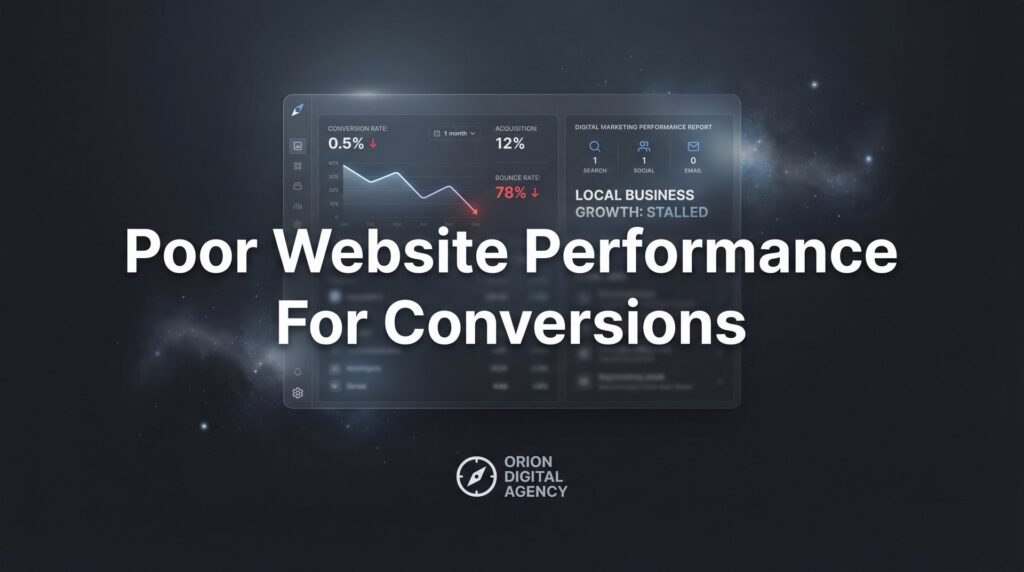
Here’s the hard truth: the problem isn’t always your marketing. Often, it’s the website itself. Poor website performance for conversions is one of the most expensive problems a local business can have, because every visitor who leaves without taking action is money wasted. You’ve already paid to get them there. The click happened. The opportunity existed. And then it slipped away.
The good news is that most conversion-killing issues follow predictable patterns. Fixing them doesn’t require a complete site rebuild, a six-month development project, or a massive budget. What it requires is a structured approach: diagnose what’s broken, prioritize the fixes that move the needle fastest, and then systematically turn your website into a lead-generating machine.
This guide is built specifically for local service businesses. Plumbers, roofers, HVAC contractors, electricians, landscapers, anyone who depends on their website to bring in booked jobs. The steps below apply directly to the kind of sites that need to convert a local visitor into a paying customer, not just rack up page views.
We’ll walk through seven concrete steps: from auditing your current data, to fixing page speed, to restructuring your calls-to-action, to building the trust signals that skeptical local buyers need before they pick up the phone. Each step builds on the last, and by the end, you’ll have a clear action plan to stop wasting the traffic you’re already paying for.
Let’s get into it.
Step 1: Audit Your Current Conversion Data to Find the Leaks
Before you touch a single button, headline, or form, you need to know what’s actually happening on your site right now. Flying blind is how businesses end up “fixing” things that weren’t broken while ignoring the real problems.
Start by verifying that Google Analytics 4 is properly installed and that conversion tracking is configured. This means tracking meaningful actions: phone call clicks, form submissions, chat initiations, and any other way a visitor can become a lead. If you’re running Google Ads, make sure your conversion actions are imported and firing correctly. You cannot fix poor website performance for conversions if you have no data telling you where conversions are failing. For a deeper dive into this process, our guide on how to conduct a website conversion audit walks through the full methodology.
Once tracking is confirmed, establish your baseline conversion rate. For most local service websites, a reasonable benchmark sits somewhere in the 2-5% range, meaning 2 to 5 out of every 100 visitors take a desired action. If you’re well below that range, you have clear, documented room for improvement. If you’re above it, that’s useful context too, because your goal is to keep climbing, not just hit a benchmark.
Next, dig into bounce rate by page and by traffic source. A high bounce rate on a specific service page tells you that visitors are arriving, deciding the page isn’t what they wanted, and leaving. A high bounce rate from a specific traffic source (say, a particular ad campaign or referral site) might mean the wrong audience is being sent to the wrong page.
Pull up Google Search Console and look at the queries driving impressions and clicks to your site. Are people finding you for the right keywords? It’s possible you’re ranking for terms that suggest intent to research rather than intent to hire, which would explain traffic without conversions.
Finally, break down your data by device. Check mobile conversion rates versus desktop. A significant gap here is a major red flag, and it’s one of the most common findings for local service businesses. Most local searches happen on phones, so if mobile visitors are converting at a fraction of the desktop rate, you’ve found a priority problem worth fixing immediately.
Your success indicator: You have a documented baseline conversion rate, you know which pages and traffic sources are underperforming, and you’ve identified whether mobile or desktop is the bigger problem.
Step 2: Fix Page Speed Issues That Drive Visitors Away
Nobody waits for a slow website. Not in 2026. If your pages take more than a few seconds to load, a significant portion of your visitors will leave before they ever see your offer, your phone number, or your contact form. Page speed isn’t just a ranking factor, it’s a first impression.
Start by running your site through Google PageSpeed Insights, which is a free tool directly from Google. Test both your homepage and your most important service pages. Pay attention to your Core Web Vitals scores: Largest Contentful Paint (how fast the main content loads), Interaction to Next Paint (how quickly the page responds to user input), and Cumulative Layout Shift (how stable the page looks as it loads). Google has published extensively on these metrics as both ranking signals and user experience indicators.
The most common speed killer on local business websites is oversized images. A hero image that’s 4MB when it should be 200KB will drag your load time significantly. Compress every image on your site using a tool like Squoosh or TinyPNG, and make sure images are sized appropriately for the dimensions they’re actually displayed at. This single fix often produces the most dramatic speed improvement for local service sites.
After images, look at your plugins and third-party scripts. Every widget, chat tool, social media feed, and analytics tag adds load time. Audit what’s actually necessary and remove anything that isn’t earning its place. Outdated or redundant plugins are a common source of hidden bloat. If your site suffers from a high bounce rate problem, slow load times are often the primary culprit.
Don’t overlook your hosting. Cheap shared hosting plans often produce slow server response times, which shows up as a poor Time to First Byte score. If your server is taking more than half a second just to respond before any content loads, it’s worth evaluating whether your hosting plan is adequate for your traffic and business needs.
Because most local searches happen on mobile devices, prioritize your mobile speed scores above all else. A site that loads quickly on desktop but slowly on a phone is, functionally, a slow site for your most important audience.
Your success indicator: Your pages load in under 3 seconds on mobile, and your Core Web Vitals scores are in the passing range on Google PageSpeed Insights.
Step 3: Restructure Your Calls-to-Action So They Actually Get Clicked
Here’s a question worth asking honestly: if someone landed on your homepage right now and had no idea what to do next, how long would it take them to figure out how to contact you? If the answer is “a few seconds of hunting,” you have a CTA problem.
Audit every page on your site with one question in mind: is there a single, clear, prominent primary call-to-action? Not three competing options. Not a vague “learn more” link. A specific, action-oriented instruction that tells the visitor exactly what to do and what they’ll get.
For local service businesses, your primary CTAs should almost always be either a click-to-call button or a short lead form. On mobile, a sticky click-to-call button in the header is one of the highest-impact changes you can make. It stays visible as the visitor scrolls, which means the path to contact is always one tap away. Many local service sites bury the phone number in the footer or hide it behind a hamburger menu, which is exactly backwards from what converts. Understanding how to improve your website conversion rate starts with getting these fundamentals right.
Language matters enormously here. “Get Your Free Estimate” outperforms “Submit” because it tells the visitor what they’re getting, not just what they’re doing. “Schedule Your Inspection Today” is more compelling than “Contact Us” because it creates a specific mental picture of the next step. Review every CTA button on your site and ask whether the language is earning the click.
Eliminate competing CTAs on the same page. Decision paralysis is real. When a visitor sees five different options (download this, read that, call us, fill this out, follow us on social), they often choose none of them. Each page should have one primary action you want visitors to take, with secondary options clearly subordinate.
Place CTAs above the fold, where visitors see them without scrolling, and again after key content sections. Don’t assume visitors will scroll to the bottom to find your contact information. Many won’t.
Your success indicator: Every page has a visible primary CTA above the fold, your phone number is prominent on mobile, and your CTA language describes the value the visitor receives.
Step 4: Rebuild Trust Signals That Skeptical Visitors Need to See
Think about what it means to hire a local service business. You’re inviting a stranger into your home or business. You’re trusting them with your plumbing, your roof, your electrical system. That’s a significant decision, and visitors to your website are making a credibility judgment in the first few seconds of being on your page.
If your site doesn’t immediately communicate that you’re legitimate, experienced, and trustworthy, visitors will click back and call your competitor instead. This is why trust signals aren’t optional decoration; they’re core conversion infrastructure. When your website traffic isn’t converting, missing trust signals are frequently the hidden cause.
Start with reviews. Real customer reviews should appear prominently on your service pages, not just on a separate “Testimonials” page that nobody visits. Embed your Google review rating near the top of the page, or display a selection of recent reviews alongside your primary CTA. Visitors want to see what other people in their situation experienced when they hired you.
Display your credentials visibly. Google Business Profile rating, BBB accreditation badge, licensing information, insurance details, and any industry certifications should all be visible without requiring visitors to dig for them. Place these near your contact forms and CTA buttons, where the decision is being made. A simple “Licensed & Insured” badge next to a form can meaningfully reduce the hesitation a visitor feels before submitting.
Replace stock photos with real ones. This is non-negotiable. Stock photos of smiling contractors in generic uniforms destroy credibility because visitors recognize them immediately as inauthentic. Photos of your actual team, your real trucks, your completed projects, and your work in progress build the kind of trust that stock imagery never can. Before-and-after project photos with brief descriptions are particularly powerful because they show tangible results.
The underlying principle is this: local service buyers are actively comparing you to competitors. They need specific, concrete reasons to trust you over the other options they’re considering. Generic claims like “We’re the best in town” don’t provide those reasons. Real reviews, real credentials, and real photos do.
Your success indicator: Service pages display real reviews, licensing and insurance information, authentic team photos, and trust badges positioned near CTAs.
Step 5: Simplify Your Forms and Reduce Friction in the Contact Process
Every field you add to a contact form is a small hurdle. Most visitors will clear a few hurdles to get what they need. But pile on enough of them, and they’ll decide it’s not worth the effort and leave. Form optimization is one of the highest-leverage CRO improvements you can make because the friction is entirely within your control.
Start by auditing every form on your site. Count the fields. Ask yourself, honestly, whether each one is truly necessary for the initial lead capture. For most local service businesses, the essential information is: name, phone number, the service they need, and their zip code or city. That’s four fields. Everything else, including email address, detailed message boxes, preferred appointment times, and secondary contact methods, can be gathered after you’ve made contact.
Limit your primary lead capture forms to three to five fields. The goal at this stage is to get enough information to make contact and qualify the lead, not to complete a full intake form before you’ve even spoken with the prospect. If you’re looking for professional help with this process, explore the best CRO services for websites that specialize in exactly this kind of optimization.
Test your forms on multiple mobile devices yourself. Not just in a browser preview, but on an actual phone. Do the fields tap correctly? Does the keyboard cover the submit button? Does the form submit without errors? Mobile form failures are surprisingly common and completely invisible to business owners who only test on desktop.
Offer multiple contact methods. Some people will call. Some prefer forms. Some want to chat. Providing options increases the total number of leads you capture because you’re removing the friction of forcing everyone into a single channel. If your budget allows, a live chat or even a chatbot can capture visitors who are browsing outside business hours. Setting up call tracking for local businesses ensures you can measure which contact methods are actually generating leads.
Set up instant confirmation messages when a form is submitted, so visitors know their inquiry was received. And then follow up fast. Sales research consistently supports the principle that responding to leads quickly, ideally within minutes, dramatically increases the likelihood of converting that lead into a booked job. The first business to respond often wins.
Your success indicator: Your primary forms have five fields or fewer, they work flawlessly on mobile, and you have a documented follow-up process that begins immediately after submission.
Step 6: Align Your Landing Pages with Your Traffic Sources
Here’s a scenario that plays out constantly with local service businesses running paid ads: the Google Ad says “Emergency Plumbing Repair, Available 24/7.” The visitor clicks, full of urgency. And they land on a generic homepage about a plumbing company that also does remodeling, drain cleaning, water heaters, and commercial work.
The urgency evaporates. The message mismatch creates confusion. The visitor bounces. You paid for that click.
Message match between your ads and your landing pages is a foundational PPC best practice, and it’s one of the most commonly violated. When the headline of your landing page directly mirrors the promise made in the ad, visitors feel like they’ve arrived in the right place. That continuity reduces bounce rates, improves engagement, and signals to Google that your ad is relevant, which also improves your Quality Score and can lower your cost per click. For a complete breakdown of how to improve Google Ads performance, including landing page alignment, we’ve published a detailed strategy guide.
Create dedicated service-specific landing pages rather than routing all traffic to your homepage. An HVAC company should have a separate page for AC installation, a separate page for furnace repair, and a separate page for maintenance plans, each with its own focused messaging, CTA, and trust signals relevant to that specific service.
If you serve multiple geographic areas, location-specific pages matter too. A visitor searching “roof repair in Lancaster PA” should land on a page that speaks directly to Lancaster, not a generic regional page. Relevance is what converts.
On PPC landing pages specifically, consider removing the main navigation menu. This sounds counterintuitive, but navigation gives visitors an easy escape route to other parts of your site, diluting focus. A landing page with no navigation keeps the visitor’s attention on one thing: the conversion action you want them to take. Businesses in the home services space can find specialized guidance in our overview of PPC for home services businesses.
Finally, check your value proposition. Within the first two to three seconds of landing on your page, a visitor should be able to answer: what do you do, who do you serve, and why should I choose you? If that clarity isn’t immediately present, you’re losing people before they’ve read a single word of your content.
Your success indicator: Dedicated landing pages exist for your primary services, ad headlines match landing page headlines, and conversion rates on dedicated pages outperform generic homepage traffic.
Step 7: Set Up Ongoing Testing and Monitoring to Keep Conversions Climbing
The businesses that win at conversion rate optimization aren’t the ones who did it once and moved on. They’re the ones who treat it as an ongoing discipline, something they review monthly, test regularly, and improve incrementally over time.
Start with heatmap tracking. Microsoft Clarity is a free tool that records how visitors interact with your pages: where they click, how far they scroll, where they get confused and stop engaging. Installing Clarity takes minutes, and within a few weeks you’ll have visual data showing you exactly how real visitors are experiencing your site. This kind of insight often reveals problems that analytics numbers alone never would.
Implement basic A/B testing on your highest-traffic pages. You don’t need sophisticated software to start. Test one element at a time: try a different headline on your homepage, swap a CTA button color, test a shorter form against a longer one. The key is changing one variable at a time so you can clearly attribute any change in conversion rate to the specific element you tested. Learning how to track marketing conversions properly is essential for making sense of your test results.
Create a monthly review cadence. Set a recurring appointment with yourself or your marketing team to check conversion rates, bounce rates, form submissions, and call volume. Compare month over month. Look for trends. Catch problems early before they compound into significant revenue loss.
Document every change you make and its outcome. This builds a playbook specific to your business and your audience, something far more valuable than generic best practices. Over time, you’ll know what works for your market, your services, and your visitors.
And know when to bring in professionals. If you’ve worked through all seven steps and conversions are still flat, or if you simply don’t have the time to execute this systematically, expert CRO help will pay for itself. The cost of ongoing poor conversion performance almost always exceeds the cost of fixing it properly.
Your success indicator: You have heatmap tracking installed, a monthly review process in place, and a documented log of tests and results you can build on over time.
Your Conversion Optimization Checklist: Putting It All Together
Fixing poor website performance for conversions isn’t a one-time project. It’s an ongoing discipline. But the seven steps above give you a clear, prioritized roadmap to stop wasting the traffic and ad spend you’re already investing in.
Before you close this guide, run through this quick checklist:
Conversion tracking is live: Google Analytics 4 is installed, conversion actions are configured, and you know your baseline numbers.
Pages load fast: Your site loads in under 3 seconds on mobile, and your Core Web Vitals scores are passing in Google PageSpeed Insights.
CTAs are impossible to miss: Every page has a clear, prominent, action-oriented call-to-action above the fold, and your phone number is one tap away on mobile.
Trust signals are front and center: Real reviews, licensing badges, authentic photos, and credentials appear on service pages near your CTAs, not buried on a separate page.
Forms are lean and mobile-friendly: Your primary lead capture forms have five fields or fewer, they work perfectly on phones, and you have a fast follow-up process in place.
Landing pages match your traffic: Dedicated service pages exist, ad headlines match landing page headlines, and every visitor lands somewhere relevant to what they searched for.
You’re testing and monitoring monthly: Heatmap tracking is installed, you review performance data regularly, and you document every change and its impact.
If you’ve worked through these steps and want expert eyes on your site, Clicks Geek specializes in conversion rate optimization and PPC performance for local service businesses. As a Google Premier Partner agency, we focus on one thing: turning your website traffic into real, revenue-generating leads.
Tired of spending money on marketing that doesn’t produce real revenue? We build lead systems that turn traffic into qualified leads and measurable sales growth. If you want to see what this would look like for your business, we’ll walk you through how it works and break down what’s realistic in your market.