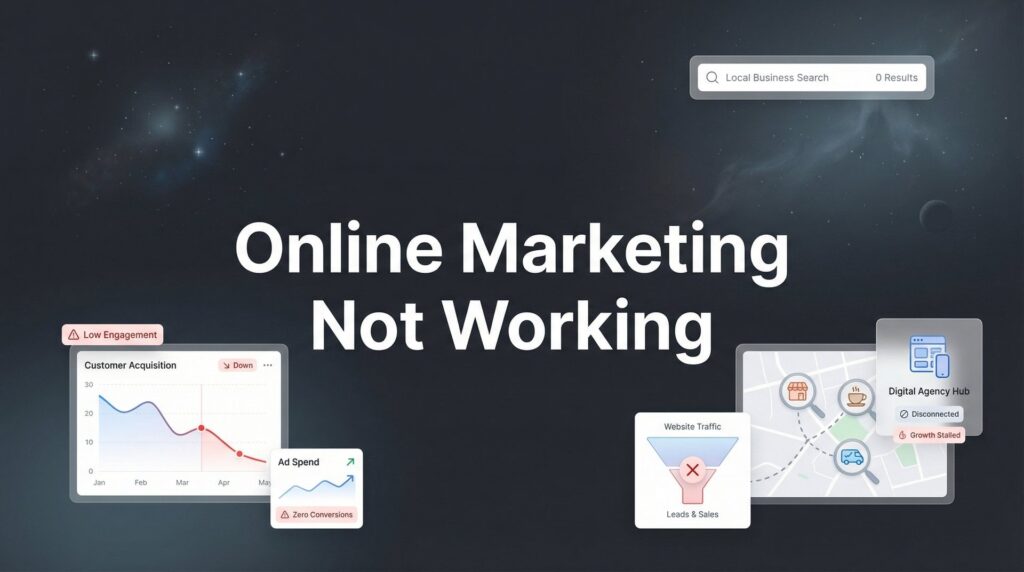
You’ve invested time, money, and energy into online marketing—but the leads aren’t coming, the phone isn’t ringing, and your ROI looks more like a black hole than a growth engine. Sound familiar? You’re not alone. Many local business owners find themselves stuck in this exact frustrating position, wondering why their competitors seem to thrive while their marketing efforts fall flat.
The good news? When online marketing isn’t working, it’s almost always fixable.
The problem is rarely that digital marketing “doesn’t work for your industry.” It’s that something specific in your strategy, targeting, or execution is broken. Maybe you’re sending traffic to the wrong page. Maybe your leads are going to a spam folder. Maybe you’re paying for clicks from people three states away who will never become customers.
This guide walks you through a systematic diagnostic process to identify exactly what’s failing and how to fix it. By the end, you’ll have a clear action plan to transform your underperforming campaigns into a reliable customer acquisition machine.
Step 1: Audit Your Traffic Sources to Find the Leak
Before you can fix what’s broken, you need to know where people are actually coming from—and more importantly, where they’re not. Many business owners assume they’re getting traffic when they’re barely getting a trickle, or they’re getting plenty of visitors from sources that will never convert.
Start by logging into Google Analytics and navigating to Acquisition > All Traffic > Source/Medium. This shows you every channel sending visitors to your site: organic search, paid ads, social media, direct traffic, referrals. Look at the numbers honestly. Is your paid search campaign sending 500 visitors a month or 50? Are you getting organic traffic, or is that channel essentially dead?
Here’s what to watch for: If you’re running Google Ads but seeing minimal traffic from “google/cpc,” your campaigns might be paused, have restrictive targeting, or be set to an impossibly low budget. If you’re investing in SEO but organic search traffic is flat or declining, your content strategy isn’t working. Understanding why marketing isn’t working for your business often starts with this traffic analysis.
Now check the quality of that traffic. Click into each source and look at bounce rate and average session duration. If visitors from a particular channel bounce immediately or spend only seconds on your site, that traffic is worthless. This often happens with poorly targeted ads or irrelevant keyword choices.
Geographic targeting deserves special attention for local businesses. In Google Analytics, go to Audience > Geo > Location. Are you paying for clicks from people in cities you don’t serve? This is shockingly common and represents pure waste. If you’re a Dallas plumber getting traffic from Seattle, you’ve found your first problem.
Quick diagnostic: Pull up your top 10 traffic sources. For each one, ask yourself: “Are these the people who would actually hire us?” If the answer is no, you’ve identified a leak that’s draining your budget without delivering results.
Step 2: Analyze Your Website’s Conversion Path
Getting traffic is only half the battle. If your website doesn’t convert visitors into leads, all that traffic is worthless. Think of your website as a store: you can have customers walking through the door all day, but if they can’t find what they’re looking for or the checkout process is broken, they’ll leave empty-handed.
Start with mobile. Pull out your phone right now and visit your own website. How does it look? Can you easily read the text? Are buttons large enough to tap? Does the page load quickly, or are you staring at a blank screen for several seconds? Most local searches happen on mobile devices, so if your site isn’t mobile-friendly, you’re losing the majority of potential customers before they even see your offer.
Page speed matters more than most business owners realize. Use Google’s PageSpeed Insights tool to test your site. If your load time exceeds three seconds, you’re hemorrhaging visitors. People are impatient, especially when they’re searching for a local service provider. A slow site signals unprofessionalism and costs you leads.
Now look at your conversion path from a visitor’s perspective. When someone lands on your homepage, can they immediately tell what you do and how to contact you? Or do they have to hunt through multiple pages to find a phone number? Your contact information should be visible in the header of every page, and your primary call-to-action should be impossible to miss. If you’re struggling with ads not converting to sales, your website’s conversion path is often the culprit.
If possible, install a tool like Hotjar or Microsoft Clarity to watch session recordings of real visitors. This is eye-opening. You’ll see exactly where people get confused, what they click on, and where they give up. Maybe they’re trying to submit a form that’s broken. Maybe they’re clicking on something that looks like a button but isn’t. These friction points are conversion killers.
Check your calls-to-action. Are they specific and compelling, or generic and weak? “Get a Free Quote” performs better than “Learn More.” “Call Now for Same-Day Service” is stronger than “Contact Us.” Your CTA should tell visitors exactly what will happen when they take action and why they should do it now.
Step 3: Evaluate Your Offer and Messaging Alignment
Here’s a scenario that plays out constantly: A business runs ads promising “affordable emergency repairs,” but when visitors land on the website, they see generic corporate messaging about “comprehensive solutions” and “decades of experience.” The disconnect confuses visitors and kills conversions.
Your messaging needs to match what people are searching for and what your ads promise. If someone searches “emergency plumber near me” and clicks your ad, they should land on a page specifically about emergency plumbing services—not your homepage with a paragraph about emergency services buried at the bottom.
Look at what your competitors are doing, especially those who seem to be winning. Visit their websites. What offers are they leading with? How do they structure their value proposition? You’re not copying them—you’re understanding what resonates with your shared audience. If every successful competitor emphasizes same-day service and you’re talking about “quality craftsmanship,” you might be missing what actually motivates buyers in your market.
Test whether your offer actually solves the problem your audience has. Local service businesses often make the mistake of focusing on features (24/7 availability, licensed technicians, years in business) instead of outcomes (fixed problem today, no surprise charges, guaranteed work). People don’t hire you for your credentials—they hire you to solve a specific problem. This is a core principle of conversion focused marketing services.
Search intent matters enormously. If someone searches “how much does roof repair cost,” they’re in research mode, not ready to hire. If someone searches “emergency roof repair near me,” they need help now. Your content and offers need to match where people are in their decision journey. Misalignment here explains why you might be getting traffic but no conversions.
One simple test: Show your website to someone who doesn’t know your business and give them five seconds to look at your homepage. Then ask them what you do and why someone would hire you. If they can’t articulate it clearly, your messaging is broken.
Step 4: Diagnose Your Lead Capture and Follow-Up System
This is where many businesses discover their marketing wasn’t actually broken—their lead management system was. You might be generating leads that you never knew existed because they’re going to spam, or you’re losing them because you respond too slowly.
Start by testing every form on your website. Fill them out yourself using a personal email address. Do you receive a confirmation? Does the submission go to the right person? Does anyone respond? You’d be surprised how often businesses discover their contact forms haven’t been working for months.
Check your phone tracking. If you’re running ads and don’t have call tracking set up, you’re flying blind. You have no idea which campaigns are generating phone calls. Set up a tracking number for each major marketing channel so you can see exactly what’s driving calls. Our guide on call tracking for marketing campaigns explains how to implement this properly. Without this, you’re making budget decisions based on incomplete information.
Speed-to-lead is critical for local services. When someone submits a form or calls, how quickly do you respond? Studies show that responding within five minutes dramatically increases conversion rates compared to responding an hour later. If your process involves leads sitting in an inbox until someone checks it at the end of the day, you’re losing deals to competitors who respond faster.
Audit your CRM or lead management system. Are leads being properly logged? Are they being assigned to the right people? Is anyone following up on leads that didn’t convert immediately? Many businesses generate plenty of leads but lose them in a disorganized follow-up process. A lead that goes unanswered for 24 hours is essentially a dead lead. Exploring marketing automation tools can help solve this problem.
Test your email deliverability. Send test leads from different email providers (Gmail, Yahoo, Outlook). Do they land in your inbox or spam folder? If you’re using a generic contact form that doesn’t have proper authentication, legitimate leads might be getting filtered out as spam.
Create a simple tracking system if you don’t have one. A spreadsheet works. Log every lead: where it came from, when it arrived, when you responded, and what happened. This baseline data will reveal patterns. Maybe you’re getting leads but not following up fast enough. Maybe leads from certain sources never convert. You can’t fix what you can’t measure.
Step 5: Review Your Targeting and Budget Allocation
Spreading your budget too thin is one of the most common reasons online marketing appears to fail. You’re running a little bit on Google Ads, a little on Facebook, some on Instagram, maybe some display ads—but none of it gets enough investment to actually work. Each channel needs sufficient budget to gather data, test, and optimize.
Look at your ad targeting settings. For Google Ads, check your location targeting. Are you set to “People in or regularly in” your target locations, or “People interested in” your locations? The latter will show your ads to people who aren’t physically in your service area. That’s wasted money. Check your radius settings. If you serve a 20-mile radius but your ads target 50 miles, you’re paying for clicks from people you can’t help. Many businesses find that Google Ads isn’t working for their small business because of these targeting mistakes.
Review your keyword match types. Broad match keywords can trigger your ads for irrelevant searches, burning through budget without delivering qualified traffic. If you’re a residential roofer and your ads show up for “commercial roofing supplies wholesale,” you need tighter targeting. Build out your negative keyword list aggressively to prevent wasted clicks.
Examine where your budget is going. In Google Ads, check the “Dimensions” tab and look at geographic performance. You might discover that 30% of your budget is going to a neighboring city where you never get conversions. Cut that location and reallocate the budget to areas that actually produce customers.
Consider whether you’re trying to do too much. If you’re a small business with a $1,000 monthly marketing budget, you probably can’t run effective campaigns across five different platforms. Pick one or two channels where your customers actually are and dominate those. A focused $1,000 on Google Ads will outperform $200 scattered across five platforms. Understanding digital marketing agency pricing can help you set realistic budget expectations.
Look at time-of-day and day-of-week performance. Maybe your ads run 24/7, but you only get conversions during business hours. Adjust your ad schedule to focus budget when people are actually ready to hire. This simple change can dramatically improve efficiency.
Step 6: Implement Tracking That Actually Tells You What’s Working
You cannot fix what you cannot measure. Most businesses that think their online marketing isn’t working simply don’t have proper tracking in place to know what’s actually happening. They see clicks and website visits but have no idea which of those turn into customers.
Set up conversion tracking for every meaningful action: form submissions, phone calls, live chat conversations, and appointment bookings. In Google Ads, this means installing conversion tracking tags and importing goals from Google Analytics. For phone calls, use a call tracking service that integrates with your ad platforms. This gives you actual cost-per-lead data instead of just cost-per-click.
Create a simple dashboard to monitor weekly. You don’t need fancy software—a spreadsheet works fine. Track these core metrics: total marketing spend, number of leads generated, cost per lead, number of leads that became customers, and customer acquisition cost. Update this every week. When you have this data, patterns become obvious. Learning how to track marketing ROI is essential for making informed decisions.
Establish baseline numbers before making changes. If you don’t know where you started, you can’t measure improvement. Record your current metrics: how many leads you get per month, what they cost, what percentage convert to customers. Then when you implement fixes, you can see exactly what impact they had.
Understand the difference between vanity metrics and metrics that matter. Website traffic is a vanity metric if it doesn’t convert. Social media likes are vanity metrics if they don’t generate leads. Focus on metrics tied to revenue: qualified leads, conversion rates, customer acquisition cost, and return on ad spend. This is the foundation of performance marketing.
Know when to give changes time versus when to pivot quickly. Some fixes show results immediately—like fixing a broken form or correcting geographic targeting. Other changes, like content strategy or SEO improvements, need weeks or months to show impact. Don’t panic and change everything after three days, but don’t stubbornly stick with something that’s clearly not working after a month of data.
Set up automated reporting so you’re not manually pulling data every week. Google Analytics can email you weekly reports. Your ad platforms can send performance summaries. The easier it is to monitor results, the more likely you are to actually do it and catch problems early.
Your Diagnostic Checklist and Next Steps
Let’s bring this together with a quick diagnostic checklist. Is your traffic reaching the right people in the right locations? Is your website converting visitors into leads? Does your messaging match what people are actually searching for? Are leads being captured and followed up on quickly? Is your budget focused on what’s working? Can you actually track what’s driving results?
If you answered “no” or “I don’t know” to any of these questions, you’ve found your starting point.
Online marketing works—but only when every piece of the system is functioning together. Sometimes the fix is simple: correcting a geographic targeting mistake or fixing a broken form. Sometimes it requires deeper changes: restructuring your offer, rebuilding landing pages, or completely rethinking your targeting strategy. A comprehensive digital marketing audit can help identify all the issues at once.
The businesses that succeed with online marketing aren’t necessarily the ones with the biggest budgets. They’re the ones who systematically identify what’s broken, fix it, measure the results, and keep improving. They treat marketing as a system where every component—traffic, website, offer, follow-up, tracking—needs to work together.
Start with the step where you identified the biggest problem. If your traffic is going to the wrong locations, fix that first. If your website doesn’t convert, prioritize that. If your lead follow-up is broken, that’s your starting point. Don’t try to fix everything at once. Pick the biggest leak and plug it, then move to the next one.
Sometimes you need expert eyes to spot what you’re missing. An experienced digital marketer can often identify problems in minutes that might take you weeks to uncover. They’ve seen the same patterns across hundreds of businesses and know exactly what to look for.
Tired of spending money on marketing that doesn’t produce real revenue? We build lead systems that turn traffic into qualified leads and measurable sales growth. If you want to see what this would look like for your business, we’ll walk you through how it works and break down what’s realistic in your market.