Trying to manage local SEO for a business with multiple locations can feel like playing whack-a-mole. You get one branch ranking, and another one vanishes from the map. The key is to treat each location like its own local champion.
This guide isn't about just tweaking a few settings. It's about building a unique online footprint for every single storefront. When you nail this, it turns into a reliable way to drive customers through the door at each location.
Why You Can't Ignore Multi-Location SEO
If you have more than one physical address, a one-size-fits-all digital strategy won't work. Think about it from the customer's perspective. They're searching for "pizza near me," not "pizza somewhere in the state." Google's job is to serve the closest, most relevant result.
A generic website just won't cut it. You need a dedicated strategy for local SEO for multiple locations that makes each branch shine in its own community.
In Short: The goal is simple: when someone in Austin searches for what you offer, your Austin shop should pop up—not your Houston one.
Driving Real-Life Foot Traffic
The line between a local online search and a real-world visit is almost non-existent now. We all do it. When you need a haircut or an emergency plumber, you grab your phone. Your customers are no different.
A sharp local SEO plan doesn’t just get you a few more clicks. It physically brings people to your locations. You're capturing customers with high intent—people who are ready to buy right now.
The numbers are staggering. Research shows that about 76% of people who search for something "near me" on their phone will visit a related business within a day. Even better, 28% of those searches turn into a sale.
Core Pillars of a Multi-Location SEO Strategy
| Component | Primary Goal |
|---|---|
| Google Business Profiles | Create and optimize a unique profile for each location to dominate local map packs. |
| Location-Specific Pages | Build dedicated webpages for each branch to rank in organic search for local terms. |
| Citation Management | Ensure consistent and accurate business information (NAP) across all online directories. |
| Review Strategy | Generate a steady stream of positive reviews for each individual location. |
| Local Link Building | Earn backlinks from relevant, local sources to boost each location's authority. |
| Tracking & Analytics | Measure performance on a per-location basis to see what's working and where to improve. |
Nailing these components ensures you're not just visible but are actively attracting and converting customers in every market you operate in.
The Benefits Are Bigger Than Just Rankings
Getting this right does more than just help you show up on Google Maps. The advantages stack up over time, making your entire business stronger.
- Dominate Local Search: Each location gets a real shot at ranking for valuable local keywords.
- Build a Rock-Solid Reputation: Managing reviews for each store builds trust within each community.
- Create Laser-Focused Marketing: You can run promotions or create content for a specific neighborhood.
- Make Life Easier for Customers: Accurate info like hours and phone numbers means fewer frustrated customers.
A smart multi-location SEO framework is essential for any business looking to grow. If you're ready to get this engine running, understanding the fundamentals of local SEO services for small businesses is the perfect place to start.
Your Blueprint for Managing Google Business Profiles
Think of your Google Business Profile (GBP) as the digital front door for each of your locations. When you're juggling local SEO for a bunch of different spots, you have to treat every single GBP listing as its own unique entity. This is about creating a smart, repeatable process that makes each profile a magnet for local customers.
One of the biggest mistakes is using a generic template and just swapping out the address. That approach misses the chance to connect with each local community. Every profile needs its own personality—we're talking photos of the local team and posts about neighborhood events.
This flowchart breaks down the multi-location SEO process, showing how a solid strategy drives traffic and sales.
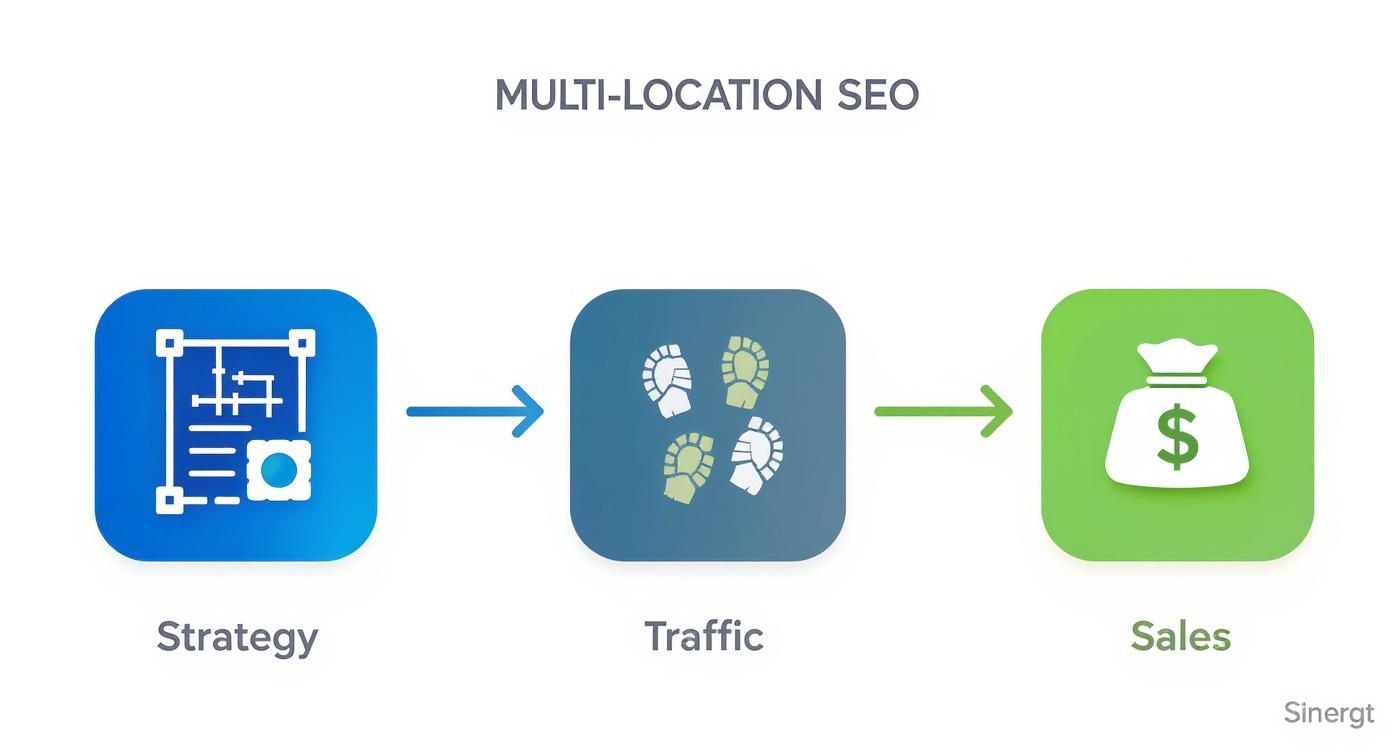
In Short: Traffic and sales are the payoff from a well-planned strategy, not where you start.
Organizing Your Empire with Location Groups
If you're managing more than a handful of locations, handling them one by one is a fast track to burnout. This is where Google Business Profile's location groups are a game-changer. A location group is a folder that lets you organize and manage multiple profiles from one dashboard.
Using them is a no-brainer. You can:
- Push out bulk updates: Change holiday hours for all your East Coast stores in one shot.
- Manage user access: Give regional managers access only to the stores they run.
- Streamline reporting: Get a bird's-eye view of how a group of locations is performing.
Setting up groups is simple and immediately cleans up your workflow. It's the first step to scaling up your management efforts.
Nailing the Details for Each Profile
Once your locations are organized, the real fun begins. Every single profile has to be dialed in with accurate, location-specific information. Consistency is key to building trust with both Google and your customers.
Here's a quick checklist for every profile:
- Consistent NAP Data: Your Name, Address, and Phone number need to be an exact match to what's on your local landing page.
- Precise Primary Category: Choose "Italian Restaurant" instead of just "Restaurant." The more specific, the better.
- Local Photos and Videos: Get high-quality shots of your actual storefront, team, and products at that specific location.
- Complete Business Information: Fill out every relevant section—services, attributes, hours, and a well-written description.
Treat each GBP like a mini-website for that branch. For a deeper dive into getting noticed on Maps, check out these 8 essential steps for dominating local maps SEO.
How do you manage multiple locations on Google?
This is a common question. The answer is a mix of Google's own tools and smart strategy. The main tool is the location groups feature inside your GBP dashboard. If you have 10 or more locations, Google offers a bulk verification process, which saves a ton of time. For day-to-day tasks like answering reviews, a third-party management tool is often worth the investment.
Avoiding Common GBP Disasters
When you're managing dozens of profiles, things can go wrong. The two most damaging issues are duplicate listings and inconsistent NAP data.
Duplicate listings are profile killers. They split your reviews, confuse Google, and water down your ranking power. They often pop up when an employee or customer accidentally creates a new profile.
Make it a habit to regularly search for your business name in each city to sniff out and report any rogue duplicates. At the same time, run periodic audits of your NAP information across the web to make sure every mention is perfectly aligned.
Building Local Landing Pages That Actually Convert
That old "Our Locations" page with a list of addresses is a dinosaur. If you're serious about ranking in local search, every single one of your locations needs its own dedicated landing page. Think of it as a digital storefront, custom-built for the neighborhood it serves.
A well-crafted local page tells Google you're a legitimate player in that community. It also shows potential customers you understand their specific area. It's your chance to turn local searchers into paying customers.
Nail the On-Page SEO Basics for Each Location
First, let's get the technical stuff right. You need to infuse each page with hyper-local SEO elements. This is about building a foundation of relevance.
Here are the non-negotiables for every location page:
- Unique Title Tags & Meta Descriptions: Don't be generic. Include the city and your main service. For example, "Emergency Plumbing in Downtown Denver | Apex Plumbers."
- Consistent NAP Information: Your Name, Address, and Phone number must be easy to find and match your Google Business Profile for that location exactly.
- Embedded Google Map: Pop an interactive map right onto the page. It’s a huge trust signal for users.
Getting these fundamentals right creates a clear signal that search engines love.
Weave in Authentic Local Flavor
Now for the fun part—making the page feel genuinely local. A page that looks like a copy-and-paste job will fall flat.
In Short: The goal is to make someone from that neighborhood nod their head and think, "Yep, they get it."
Sprinkle in unique details that prove you're part of the community:
- Mention nearby landmarks or well-known cross-streets.
- Show off photos of your local team and the actual storefront.
- Feature testimonials from customers in that specific city.
- Talk about local events you sponsor or participate in.
This is the kind of stuff that's impossible to fake.
Must-Have Elements for Your Local Landing Pages
| Element | Why It's Important | Pro Tip |
|---|---|---|
| Location-Specific Title Tag & Meta | Tells search engines exactly what the page is about and where it's relevant. | Formula: [Primary Service] in [City, State] | [Your Brand Name]. |
| Consistent NAP | Builds trust and avoids confusing Google. It must match your GBP listing perfectly. | Use a text format for the address, not an image, so search engines can crawl it. |
| Embedded Google Map | Provides a strong local signal and helps users with directions. | Embed the map directly from your location’s Google Business Profile listing. |
| Local Photos & Videos | Showcases your actual team and storefront, building authenticity and trust. | Avoid stock photos at all costs. Real, slightly imperfect photos are better. |
| Local Testimonials | Social proof from neighbors is incredibly persuasive for new customers. | Use a review plugin to automatically pull in new Google reviews for that location. |
| Clear Call-to-Action (CTA) | Guides the user to the next step, like "Call Our Denver Office" or "Get Directions." | Make phone numbers "tap-to-call" on mobile. It's a game-changer. |
| Local Content | Mentions of landmarks, neighborhoods, or local events prove you're truly local. | Write a short "About Our [City] Team" section to add a personal touch. |
| Schema Markup | "Spoon-feeds" your location data to search engines in their preferred language. | Use a schema generator tool if you're not comfortable writing the code by hand. |
Mobile-Friendliness Is No Longer Optional
Local search is mobile search. The numbers don't lie: 84% of "near me" searches happen on mobile devices. Better yet, 78% of these local mobile searches lead to an offline purchase. This is where the money is.
A page that's slow or clunky on a phone is a guaranteed lost customer. Your location pages have to load fast and be dead simple to use. If you need some solid examples, our guide on creating a landing page for AdWords has some great templates built for conversion.
Speak Google's Language with Schema Markup
Finally, you need to talk directly to Google using local business schema. This is a snippet of code you add to your page that spells out critical information in a way search engines instantly understand.
With schema, you can explicitly define details like:
- Exact Address: Street, city, state, and zip code.
- Geocoordinates: The precise latitude and longitude.
- Opening Hours: Including any special holiday hours.
- Contact Info: The direct phone number for that location.
Implementing schema removes any guesswork for Google. It helps your pages show up in rich results like map packs.
Scaling Your Citation and Review Management
When you're juggling local SEO for more than one storefront, consistency is the name of the game. It’s what builds trust with Google and customers. Two areas where this discipline pays off big time are business citations and online reviews.
A citation is any mention of your business's Name, Address, and Phone number (NAP) online. Think Yelp or industry directories. For every single location, this NAP data needs to be a perfect match everywhere.
Even a tiny slip-up, like using "St." on one directory and "Street" on another, can hurt your local search rankings.
Auditing and Managing Citations at Scale
Manually checking every citation for hundreds of locations is a nightmare. You need a smart system and the right tools. Your mission is to find all your existing citations, fix the broken ones, and build new, high-quality ones.
Your first move is a citation audit. You have to figure out where each of your locations is listed and where that information is wrong.
Here's how to tackle it:
- Lean on a Management Tool: Services like BrightLocal, Yext, or Moz Local are lifesavers. They scan the web and flag inconsistencies.
- Hit the Big Guys First: Start with Google, Bing, Yelp, and Apple Maps. Getting these right delivers the biggest bang for your buck.
- Roll Up Your Sleeves and Clean House: Once you spot errors, claim those listings and correct them. It’s tedious but essential.
In Short: The biggest culprit behind NAP chaos is old data. A central management tool stops this by becoming the single source of truth that pushes correct data out everywhere.
How do I manage reviews for multiple locations?
Managing reviews is the other half of the puzzle. The reviews for one branch can color how people see your entire brand. A whopping 91% of consumers say reviews for a specific branch influence their perception of the whole company. You can check out the full local SEO statistics report for more details.
A scalable review strategy comes down to two things: generating new reviews and responding to all of them.
Creating a System for Generating Reviews
Don't just hope for reviews—you have to ask for them. The trick is to make it easy for happy customers to leave feedback.
Here are a few methods that work at scale:
- Automated Email & SMS: After a purchase, send a message with a direct review link for that specific location.
- QR Codes In-Store: Put a QR code on receipts or tables that goes straight to your review page.
- Train Your Local Teams: Empower staff to ask for feedback. A simple, "If you had a great experience today, we'd love to hear about it on Google," can make a huge difference.
Responding to All Feedback—Good and Bad
Getting reviews is great, but responding is just as important. It shows you're listening and that you care. That builds massive trust.
A solid response strategy looks like this:
- Be Quick: Aim to respond within 24-48 hours.
- Get Personal: Address the reviewer by name and mention something from their comment.
- Handle Negativity with Grace: For a bad review, thank them, apologize, and offer to take the conversation offline.
Using a reputation management tool can be a game-changer. It pulls all your reviews into a single dashboard, making it easier to track and reply to everything.
How to Track Your Local SEO Performance
You've done the work to get your local SEO in shape. But if you're not tracking what's happening, you're flying blind. A strategy without measurement is just guesswork.
We need to figure out which locations are killing it, which are lagging, and how to prove that all this effort is paying off.
In Short: We need to zero in on the key performance indicators (KPIs) that actually translate to more customers and more revenue for each branch.
Focusing on the Metrics That Matter
When you're juggling multiple storefronts, you have to see how each one is doing on its own. Don't dump all your data into one big pile.
Here are the core numbers to watch:
- Local Organic Traffic: How many people are landing on your individual location pages from a Google search?
- Google Business Profile Actions: Track clicks for driving directions, phone calls, and website visits from your GBP listings. These are high-intent actions.
- Local Pack Rankings: Are your locations showing up in the Google "map pack" for important local keywords?
- Phone Call Tracking: Use unique, trackable phone numbers on each location’s GBP and landing page to know how many calls your SEO is generating.
Essential Tracking Tools and Methods
You don't need a massive software suite to get started. A couple of key tools, used the right way, will give you everything you need.
Google Analytics 4 (GA4)
GA4 is your best friend for tracking website traffic. The trick is to set up filters or custom reports to isolate traffic data for each of your local landing pages. This is how you find out which cities are driving the most organic visitors.
A classic mistake is looking at overall website traffic. You have to segment your data. Knowing your Austin page gets 500 visitors and Dallas gets 50 is more useful than knowing your site got 550 total visitors.
Google Business Profile Insights
This is a goldmine for location-specific data, built right into your GBP dashboard. You can see exactly how each branch is performing.
Make sure you're regularly checking these key reports:
- How customers search for your business: Shows if people find you through "Direct" searches (your name) or "Discovery" searches (your service).
- Customer actions: This report counts clicks-to-call, requests for directions, and website visits.
- Search queries: See the exact terms people are typing to find your listings. You can uncover new keyword opportunities here.
How do I see my local SEO rankings?
You can't just Google your keywords to check your rank. Your own results are biased by your location and search history. You need a dedicated tool for this.
Rank trackers from platforms like BrightLocal, Semrush, or Moz Local solve this problem. They let you check your rankings for any keyword from the perspective of any city or zip code. This gives you a true, unbiased picture of how each location stacks up.
Got Questions About Juggling SEO for Multiple Locations?
Let's be honest, local SEO for a bunch of different locations can feel like a totally different ball game. It’s not just standard SEO on a bigger scale; it has its own quirks. Let's tackle some of the most common questions.
How On Earth Do I Manage Google Business Profiles For 50+ Locations?
Trying to wrangle that many Google Business Profiles one by one is a recipe for disaster. You need a system.
Your first move should be to get organized within Google's dashboard using "location groups." Think of them as folders. This lets you group your profiles by region and push out bulk updates, like changing holiday hours.
But for the daily grind—responding to reviews, uploading photos—you’ll want a third-party tool. Platforms like BrightLocal, Yext, or Semrush pull everything into one clean dashboard, making it easier to manage everything and keep your brand consistent.
Should Every Single Location Have Its Own Social Media Page?
This boils down to your team's capacity. Can you realistically keep them all active?
If a local manager has the time and enjoys posting unique, local content, then a dedicated Facebook or Instagram page can be a massive win. It’s how you build a real connection with the neighborhood.
But a dead social media page is worse than not having one at all. If your team is already stretched thin, don't create more work. It’s smarter to focus that energy on perfecting each Google Business Profile and local landing page. Always choose quality over quantity.
What's The Single Biggest Mistake People Make With Multi-Location SEO?
Hands down, the most common and damaging mistake is having inconsistent NAP (Name, Address, Phone Number) information scattered across the web. It sounds like a tiny detail, but to search engines, it's a huge deal.
This problem pops up in many ways:
- A store moves, but old directory listings are never updated.
- One profile lists the address as "St." while another spells out "Street."
- An old, disconnected phone number is still floating around on a forgotten Yelp page.
In Short: These inconsistencies signal to Google that your business data isn't trustworthy, which can tank your local rankings and keep you out of the map pack.
The fix? Start with a full citation audit. Hunt down and correct every single variation you can find.
Do I Really Need Unique Content On Every Single Local Landing Page?
Yes, you absolutely do. While your core brand message can stay the same, each landing page needs its own unique flavor to rank well. Why would Google show ten nearly identical pages in its results just because the city name is different?
You don’t have to rewrite a masterpiece. The goal is to add details that are genuinely useful and specific to that spot.
- Talk about nearby landmarks or popular neighborhoods.
- Showcase photos of the actual storefront and the local team.
- Feature reviews from customers in that city.
- Write a short blurb about local sponsorships or community events.
This kind of detail proves to people and search engines that your page is a legitimate resource for that area. It's a non-negotiable step in any successful strategy for local SEO for multiple locations.
Ready to stop guessing and start seeing real results from your local SEO? Clicks Geek specializes in creating data-driven strategies that turn local searches into new customers for every one of your locations. Let's build your local growth engine today!