Want to know how to rank your business on Google Maps? The key is treating your Google Business Profile (GBP) like your most important digital storefront. A complete, active, and detailed profile is the best way to climb the local search rankings and connect with nearby customers.
This guide will walk you through the essential steps to improve your visibility and attract more local traffic.
Master Your Google Business Profile for Top Rankings
Your Google Business Profile is the control center for your local search presence. Think of it as your digital billboard on Google Maps. If your profile is incomplete, it's like putting a "closed" sign on your door—it tells Google and customers that you might not be the best option.
To rank well on Google Maps, you need to do more than just fill in the basics. Every detail you add helps Google trust that your business is relevant and legitimate. This isn't just data entry; it's a strategic optimization process.
Choose the Right Business Categories
This is the first and most important step. Your categories tell Google exactly what your business does.
- Primary Category: This is your main service. It must be the core of what you offer. If you're a plumber, your primary category should be "Plumber," not something vague like "Home Services." Be specific.
- Secondary Categories: Now you can list your other services. That same plumber might add "Water Heater Repair Service" or "Drain Cleaning Service." Add as many categories as are truly relevant to your business.
In Short: Nailing your categories is the quickest way to appear in searches for the services you provide.
Write a Compelling Business Description
You have 750 characters for your business description. Use it to explain what you do and include important keywords naturally.
Don't just write, "We are a full-service roofing company." That's not very engaging.
Instead, try something like this: "Your trusted local roofers in Springfield, offering expert roof repair, replacement, and emergency services for residential and commercial properties. We specialize in storm damage and work with all insurance." This version includes key services and a location, which is great for local ranking.
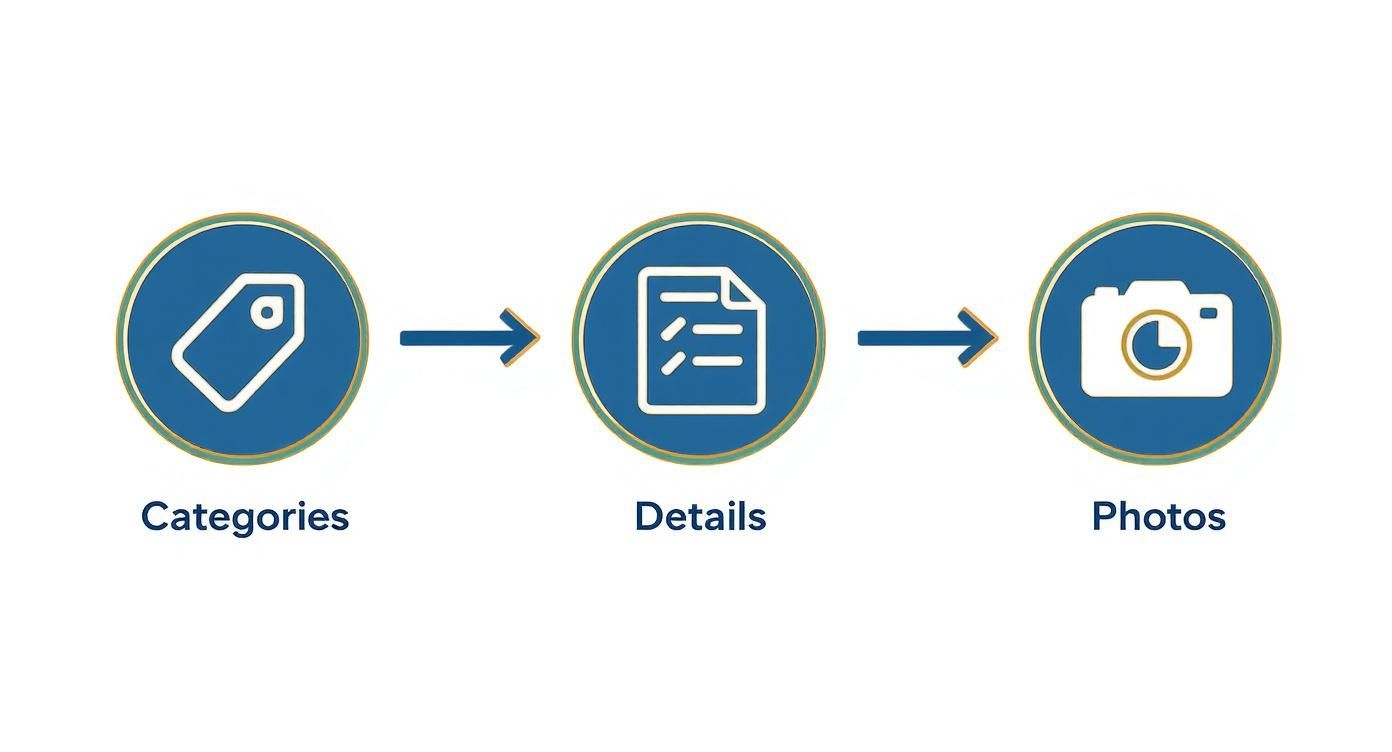
This workflow shows how foundational these steps are. It starts with the right categories, is built on detailed information, and is brought to life with quality photos.
The Power of a Complete Profile
Every field in your GBP is an opportunity. Your business hours, website link, accessibility details, and service options all matter. The more information you provide, the more Google sees you as an authoritative source.
If you have multiple locations, learning how to add multiple locations to Google Maps is crucial for managing your presence effectively.
A fully completed profile sends a powerful signal to Google that you're an active and trustworthy business. This trust helps you rank higher in the local map pack.
Recent data shows that over 86% of consumers use Google Maps to find local businesses. Businesses with complete profiles see an 80% higher appearance rate in search. This visibility leads to more website visits, calls, and requests for directions. This is why local SEO services for small businesses focus heavily on optimizing GBP. A well-managed profile is a customer magnet.
Build Trust with Reviews and Engagement
Google's algorithm is smart. It doesn't just look at keywords; it tries to understand which businesses real people trust and like. Your Google Business Profile is a living storefront, not just a static listing.
Think about it: would you go to an empty restaurant with no reviews, or the busy one next door with a line of happy customers? Your online presence works the same way. Keeping your profile active and engaging with customers tells Google you're the popular choice. This is a huge part of learning how to rank your business on Google Maps.
Encourage and Manage Customer Reviews
Reviews are essential for local search. They are a powerful form of social proof, and Google pays close attention to them. A steady stream of positive, authentic reviews signals that you're a legitimate and trusted local business.
But getting reviews is only half the battle. You also have to manage them. Respond to every single one.
- For positive reviews: A simple, personal "Thanks, Sarah! We're so glad you loved the service" shows you're listening and encourages others to leave reviews.
- For negative reviews: This is an opportunity. A professional response that addresses the issue can turn a negative situation around and show potential customers that you care.
Ignoring feedback is the worst thing you can do. It looks like you don’t care, which is a red flag for both customers and Google.
Keep Your Profile Active with Google Posts
Google Posts are like free mini-ads on your search listing. They are a great way to show Google and customers that your business is active.
Use them to share updates like:
- A weekend sale or special offer
- Photos of a new product
- An introduction to a new team member
- Information about an upcoming event
Aim for at least one new post a week. It’s a small time investment that sends a constant "we're active" signal to the algorithm.
Master the Questions and Answers Section
The Q&A section on your profile is often overlooked but is a great place to showcase your expertise. Anyone can ask a question, and anyone can answer.
Pro Tip: Don't wait for questions. Add your own! Think of the top 5-10 questions you get all the time—about parking, pricing, or appointments—and post them yourself. Then, answer them immediately from your business account. This lets you control the narrative and provide helpful information upfront.
Monitoring this section shows Google that you’re an authority in your area.
Local search is always changing. Google's algorithm now relies on engagement signals like review responses and fresh posts. To stay competitive, weekly posts and active Q&A management are essential. You can learn more about algorithm changes by exploring the latest trends in Google Maps ranking on MapRanks.com.
In Short: An active profile with fresh reviews, regular posts, and a helpful Q&A section attracts both customers and higher Google Maps rankings.
People Also Ask About Engagement
How do you ask a customer for a review?
The best way is to ask in person right after a positive experience. Follow up with a simple text or email containing a direct link to your Google review page. Make it as easy as possible for them.
Does responding to reviews help SEO?
Yes, absolutely. Responding to reviews signals to Google that you're an engaged business owner, which is a known positive factor in the local ranking algorithm.
How often should I post on my Google Business Profile?
At least once a week is a good goal. Consistent activity is key. Pick a day and make it a regular habit to show you're an active business.
Nail Your Local Citations and Build Real Authority
To show up on Google Maps, Google needs to see that your business is a legitimate part of the local community. It does this by looking for mentions of your business—your Name, Address, and Phone number (NAP)—across the web.
These mentions are called citations. Along with local backlinks, they act as votes of confidence.
If dozens of trusted local sources mention your business, Google's algorithm sees you as a real deal. Consistent, accurate information across the web is a powerful signal for local rankings.
It All Starts with NAP Consistency
The foundation of your local SEO strategy is NAP consistency. This is non-negotiable. Your business name, address, and phone number must be listed identically everywhere online.
Even small differences can confuse Google. Is your address "123 Main St." on your Google profile but "123 Main Street" on Yelp? That's an inconsistency. Is your business "Smith & Co." in one place and "Smith and Company" in another? That creates confusion.
Inconsistent NAP data is a major red flag for search engines. It casts doubt on your business's location, which can hurt your rankings in local pack results.
Create a master document with the official version of your NAP. Use this as your single source of truth for every directory and social profile.
Where to Build Your Citations
Citations are online directory listings. The key is to know which ones matter most. A good strategy includes a mix of broad, foundational directories and relevant, niche ones.
Start with the essentials, then add industry-specific sites that tell Google more about what you do.
Essential vs. Industry-Specific Citation Sources
| Citation Category | Examples | Why It Matters |
|---|---|---|
| Foundational Directories | Yelp, Apple Maps, Bing Places, Foursquare, Facebook | These are the big, authoritative platforms Google expects every legitimate business to be listed on. |
| Industry-Specific | Lawyers: Avvo, FindLaw Contractors: Angi, Houzz Restaurants: TripAdvisor, Zomato |
Niche directories send powerful relevance signals and prove you're a key player in your industry. |
| Hyper-Local | Your local Chamber of Commerce, city business directories, neighborhood blogs | These are extremely valuable. A mention from a source in your own area sends a strong "local relevance" signal to Google. |
Focusing on these three types creates a well-rounded and powerful citation profile. This is a core part of the strategy we detail in our guide to Google Map Pack ranking factors.
Go Beyond Citations with Local Backlinks
While citations are essential, local backlinks are a secret weapon. They carry more weight.
A citation is just a mention of your NAP. A backlink is a clickable link from another website to yours—an active endorsement.
Getting a link from a respected local source is a game-changer. Imagine getting a link from:
- A local news site featuring your business.
- A popular local blogger who reviewed your services.
- The website for a charity event you sponsored.
- Your city's official government or business association website.
Each of these links is a massive signal of trust and authority. They tell Google that other legitimate local entities are vouching for you. Building these relationships is central to effective local SEO strategies and often separates top-ranked businesses from the rest.
Quick Q&A on Citations and Links
What are the most important local citations to get first?
Start with the major players: your Google Business Profile, Apple Maps, Facebook, Yelp, and Bing Places. After those are complete, move on to top-tier directories for your specific industry.
How can I find new places to get citations?
Check your top competitors to see where they’re listed. You can also search for phrases like "[Your City] business directory" or "[Your Industry] professional association" to find new opportunities.
Isn't a citation the same thing as a backlink?
Not exactly. A citation is a mention of your business NAP, which can exist without a link. A backlink is a clickable hyperlink pointing to your site. Both are valuable, but a high-quality backlink is a much stronger SEO signal.
Get Your Website in on the Action
Your website and your Google Business Profile work together. What you do on your site sends powerful signals that help you rank higher on Google Maps.
Your website is the home base for your business information. When Google sees that your site perfectly matches your GBP—your location, services, and hours—it builds a huge amount of trust. In local search, trust is everything.
Create Hyper-Local Service Pages
Don't put all your services on one generic page. Instead, create dedicated pages for what you do and where you do it. This helps you target long-tail keywords that high-intent customers are searching for.
For example, a roofer in Austin could create specific pages like:
- 'Residential Roof Repair in South Austin'
- 'Commercial TPO Roofing for Downtown Austin'
- 'Emergency Storm Damage Repair in Round Rock'
Each page should have unique, helpful content for that service and area. This shows Google you're a local authority.
Use Local Schema Markup to Speak Google's Language
Local schema markup is a bit of code you add to your website to help search engines understand your business information instantly.
Schema acts like a universal translator. You're explicitly labeling your key info: "This is our business name. This is our address. These are our hours." It removes any guesswork for Google's crawlers.
You can learn more about the specifics at Schema.org. The code specifies things like address, telephone, and openingHours, leaving no room for error.
Properly setting up LocalBusiness schema is like giving Google your business card on a silver platter. You're confirming that the info in your Google Business Profile is 100% correct.
Embed a Google Map on Your Contact Page
This is an easy win. Embedding a Google Map on your contact page or in your site's footer helps in two ways. First, it makes it easy for visitors to get directions.
Second, it's a huge trust signal for Google. When its crawler finds a map embed pointing to the exact same address as your GBP, it confirms your location and consistency.
Your Site Must Be Mobile-Friendly
This is non-negotiable. Over 50% of local searches happen on a smartphone, often when someone is on the go.
If a user clicks on your business from the map and lands on a slow or hard-to-use website, they will leave immediately. This "bounce" tells Google that your site offers a poor user experience, which can hurt your rankings. A fast, mobile-friendly site is critical for turning map traffic into customers.
People Also Ask About On-Site SEO
How do I create local landing pages?
Focus on one service and one specific location per page. Write useful content that mentions local landmarks or addresses common neighborhood problems. Include a clear call-to-action. Don't just copy-paste content and change the city name.
What is the easiest way to add schema markup?
If you use WordPress, a plugin is the easiest way. Tools like Yoast SEO or Rank Math have local SEO sections where you can fill in your business info. The plugin generates the code for you.
Does my website content really affect my Google Maps rank?
Yes, 100%. Your website provides context and authority for your Google Business Profile. When your site's content, titles, and headings are optimized with local keywords, it tells Google you are a relevant choice for those searches, which directly impacts your map visibility.
Understanding Proximity, Relevance, and Dominance
Ultimately, knowing how to rank a business on Google Maps comes down to three core concepts: relevance, prominence, and proximity. Understanding these pillars is key to climbing the local search ladder.
Let's break them down:
- Relevance: Does your business profile match the search query? If someone searches for "emergency plumber" and your primary category is "Plumber" with "emergency services" listed, Google sees you as a relevant match.
- Prominence: This is your business's online reputation and authority. It includes your reviews, local directory listings, links from other local websites, and the authority of your own website.
- Proximity: This is how close your business is to the person searching. It’s the one factor you can’t change.
While you can’t move your business closer to every customer, you have significant control over relevance and prominence. By improving these two factors, you tell Google, "I might be a few blocks further away, but I'm the best answer for this search."
The Ultimate Goal: The Local 3-Pack
When you do a local search, Google doesn't show you a list of 50 businesses. It shows the Local 3-Pack—the prime real estate at the top of the search results with a map and three business listings.
Landing in one of those three spots is everything.
The Local 3-Pack appears in 93% of searches with local intent. If you're not in that box, your visibility is nearly zero. The businesses in the top three spots capture about 75% of all clicks and phone calls.
Key Insight: Proximity gets Google to notice you, but relevance and prominence convince it to put you in the Local 3-Pack.
How to Boost Relevance and Prominence
If you're consistently showing up just outside the top three, that's a good sign. It means your proximity is good, but your relevance or prominence needs work. This is where you can start to outrank your competition. You can learn more in our detailed guide to local maps SEO.
Here’s where to focus your efforts:
- Optimize Your GBP: Go back to your Google Business Profile. Is every single section filled out? Add more services, upload new, geo-tagged photos weekly, and create Q&As for common customer questions.
- Focus on Reviews: Actively ask every happy customer for a review. A steady stream of recent, positive reviews is a huge signal of prominence.
- Build More Local Links: Get involved in your local online community. Sponsor a local team, connect with a neighborhood blogger, or join the chamber of commerce to get backlinks from sites Google sees as locally important.
- Refine Your Website: Make sure your website has specific pages for your most important services and optimize them with local keywords. This directly boosts your relevance score.
This is a long-term process. You don't become the top local business overnight. But by consistently working on these signals, you build a dominant local presence that Google can't ignore.
People Also Ask About Local Ranking Factors
Why is my competitor ranking higher on Google Maps?
It could be several things. They might have more recent positive reviews, a more complete Google Business Profile, a stronger website, or more consistent directory listings. Or, they may simply be closer to the person searching.
Does distance matter in Google Maps ranking?
Yes. Proximity (distance) is one of the three main ranking factors. However, a business that is farther away but has much stronger relevance and prominence (e.g., better reviews and a great website) can outrank a closer competitor.
How can I improve my Google Maps ranking in other cities?
It is nearly impossible to rank in a city where you don't have a physical, verified address. Google's algorithm is designed to favor businesses with a real location in the search area. While you can set a "service area," you will likely lose to competitors who are physically there.
FAQs: Your Google Maps SEO Questions Answered
Even with a solid plan, questions will come up as you work to rank your business on Google Maps. Local SEO has its own unique rules.
Let’s answer some of the most common questions from business owners.
How Long Does It Really Take to Rank on Google Maps?
The honest answer is: it depends.
If you’re in a less competitive industry or a smaller town, you might see progress in as little as 2-4 months of consistent effort. For most businesses in competitive markets, it takes more patience.
Breaking into the Local 3-Pack often takes a solid 6-12 months of dedicated work. This means consistently getting new reviews, building citations, and keeping your Google Business Profile active. Consistency is key.
Why Did My Google Maps Ranking Suddenly Drop?
A sudden drop in ranking can be alarming, but don't panic. It's usually something you can identify.
Here are some common reasons:
- Google Algorithm Update: The local search algorithm is always changing. An update can shift rankings.
- New Competition: A new competitor may have opened and is using a strong local SEO strategy.
- Negative Reviews: A string of recent negative reviews can damage your credibility and cause a slip in rankings.
- Inconsistent Business Info: Did you update your phone number on your website but not on Yelp? Conflicting NAP (Name, Address, Phone) data confuses Google.
Start by checking your Google Business Profile dashboard for any alerts. Then, see what your top competitors have been doing recently.
The first thing to check is NAP consistency. Do a quick audit of your top 10-15 citations. A small inconsistency is often the cause of a ranking drop.
Can I Rank in a City Where I Don't Have a Physical Address?
This is very difficult. Google's entire local algorithm is built on proximity. It wants to connect searchers with businesses that are physically near them.
You can set a "service area" in your GBP if you travel to customers (like a plumber or mobile groomer). However, you will almost always be outranked by competitors who have a verified, physical address in that city.
Your best strategy is to dominate your local area first. Become the #1 choice in your own city before trying to rank in neighboring towns. Using a P.O. box or virtual office to game the system can get your listing suspended.
People Also Ask About Google Maps Ranking
Here are quick answers to some frequently asked questions about local rankings.
| Question | Answer |
|---|---|
| How long does it take to rank on Google Maps? | It varies. You might see movement in 2-4 months, but getting into the top 3-pack in a competitive market often takes 6-12 months of consistent effort. |
| Why did my Google Maps ranking suddenly drop? | Common causes include a Google algorithm update, new competitors, a wave of negative reviews, or inconsistent business info (NAP) online. |
| Can I rank in a city where I don't have a physical address? | It’s extremely difficult. Google’s algorithm prioritizes proximity, so businesses with a physical location in that city will almost always outrank you. |
Answering these common questions can help you navigate the challenges of winning at local SEO.