Ever search for your business on Google Maps, only to see competitors snagging all the attention? It's a common, frustrating experience. The reason they show up first comes down to three core ideas Google cares about: Proximity, Relevance, and Prominence.
Let's dive into what these mean and how to improve ranking on Google Maps by taking control of them.
Why is my business not showing up on Google Maps?
When a competitor pops up first, you're seeing Google's local algorithm at work. Its job is to find the most useful, accurate, and trustworthy result for what someone needs, right here, right now.
You can't move your shop closer to every customer (Proximity). But you have a lot of control over the other two big factors.
In Short: Google's local algorithm ranks businesses based on proximity, relevance, and prominence.
Understanding Relevance and Prominence
Relevance is simple: how well does your business profile match what someone is looking for? If they search for "emergency plumber," Google looks for profiles that are clearly about plumbing. It checks your business category, services, keywords in reviews, and photos.
Prominence is about how well-known your business is. Think of it as your local reputation. Google measures this by looking at:
- The total number of Google reviews you have.
- Your average star rating.
- Mentions of your business on other websites and local directories.
- The authority of your own website.
A great starting point is learning the basics of SEO optimization for beginners, as many of those principles apply here.
The Three Pillars of Google Maps Ranking
This table gives you a quick look at the core ranking factors and what you can do.
| Ranking Pillar | What It Means | Your Action Plan |
|---|---|---|
| Proximity | Physical distance between the searcher and your business. You have the least control over this. | Ensure your address is 100% accurate in your Google Business Profile. |
| Relevance | How well your profile matches a user's search. Google needs to see you offer what they want. | Fill out every single section of your Google Business Profile. Choose specific categories and add detailed services. |
| Prominence | How well-known and respected your business is online. Think of it as your digital street cred. | Actively get more reviews and maintain a high rating. Get listed in quality local directories. |
By working on your Relevance and Prominence, you give Google every reason to show your business to more people.
What the Data Says About Ranking Factors
Data backs this up. One study showed Proximity is the heavyweight, influencing a massive 55.2% of rankings.
But here's the key: Review Count is next, accounting for 19.2%. That's huge.
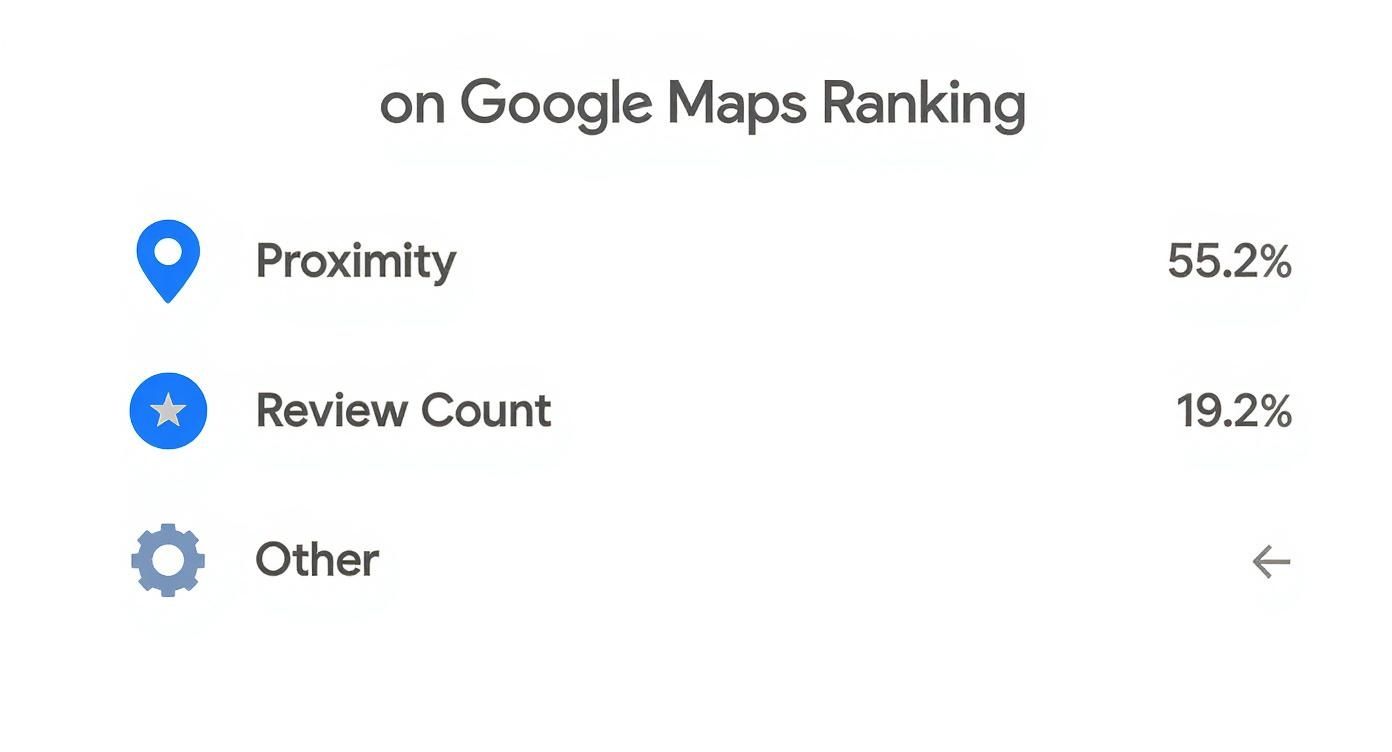
You can't change your address. But you can absolutely build a fantastic review profile. It's one of the most powerful levers you can pull.
Your Google Business Profile Is Your Strongest Play
If you’re wondering how to improve your ranking on Google Maps, start here. Your Google Business Profile (GBP) is your most powerful local marketing tool. Treat it like your digital storefront on Google.
A fully built-out profile is not optional. Google rewards businesses that provide complete, helpful information. An empty description tells Google you might not be an active business, and your visibility will suffer.
Nail Your Business Categories and Description
Getting your categories right is a critical first move. Your primary category needs to be the most specific description of what you do.
Don't just pick "Contractor." Are you a "Plumbing Contractor" or a "Roofing Contractor"? That detail tells Google exactly who you are.
Then, use secondary categories to cover everything else you offer. A plumber might add "Water Heater Installation & Repair" or "Drain Cleaning Service."
In Short: Your business description is your elevator pitch. You have 750 characters, so make them count. Tell people what you do, who you help, and what makes you the best choice. Naturally include phrases customers would search for, like "24-hour emergency plumber in Brooklyn."
Use Every Feature Google Gives You
Don't stop at your name and address. Use all the features GBP offers. These tools keep your profile fresh and send strong signals to Google.
Here are a few underused features that give you an edge:
- Services and Products: Add each service as a separate entry with pricing, photos, and descriptions. This gives Google structured data to match with searches.
- Photos and Videos: Upload high-quality, real photos of your work, your team, and your location. Add new photos regularly.
- Google Posts: Think of this as a mini-blog. Share updates, sales, or company news. Most posts expire after seven days, so posting consistently shows Google you're active.
Your GBP accounts for up to 32% of the factors that determine your rank in the local pack.
People Also Ask About Google Business Profile
Here are a few common questions from business owners.
How do I write a good Google business description?
Focus on being clear and helpful. Start with your main service and service area. Then, mention what makes you different (family-owned, free estimates, etc.). Write for a human, but keep search terms in mind.
Does changing my GBP category affect my ranking?
Yes. If your category was too broad and you make it more specific, you might see a ranking boost for those searches. But changing it often can confuse Google. Try to get it right the first time.
How often should I post on my Google Business Profile?
Aim for at least one Google Post per week. This keeps your profile looking fresh and active. Consistency is more important than volume.
Getting your profile optimized is a huge first step. These tweaks are the foundation of effective local SEO services for small businesses.
Build a Five-Star Reputation That Google Trusts
Reviews are the lifeblood of your local search presence. A steady stream of positive feedback is one of the most powerful ways to climb the Google Maps rankings.
But just hoping for reviews isn't a strategy. You need a simple process to encourage feedback.
Make It Simple to Leave a Review
The biggest thing stopping people from leaving reviews is friction. If it’s complicated, they won't do it.
These tactics work wonders for local businesses:
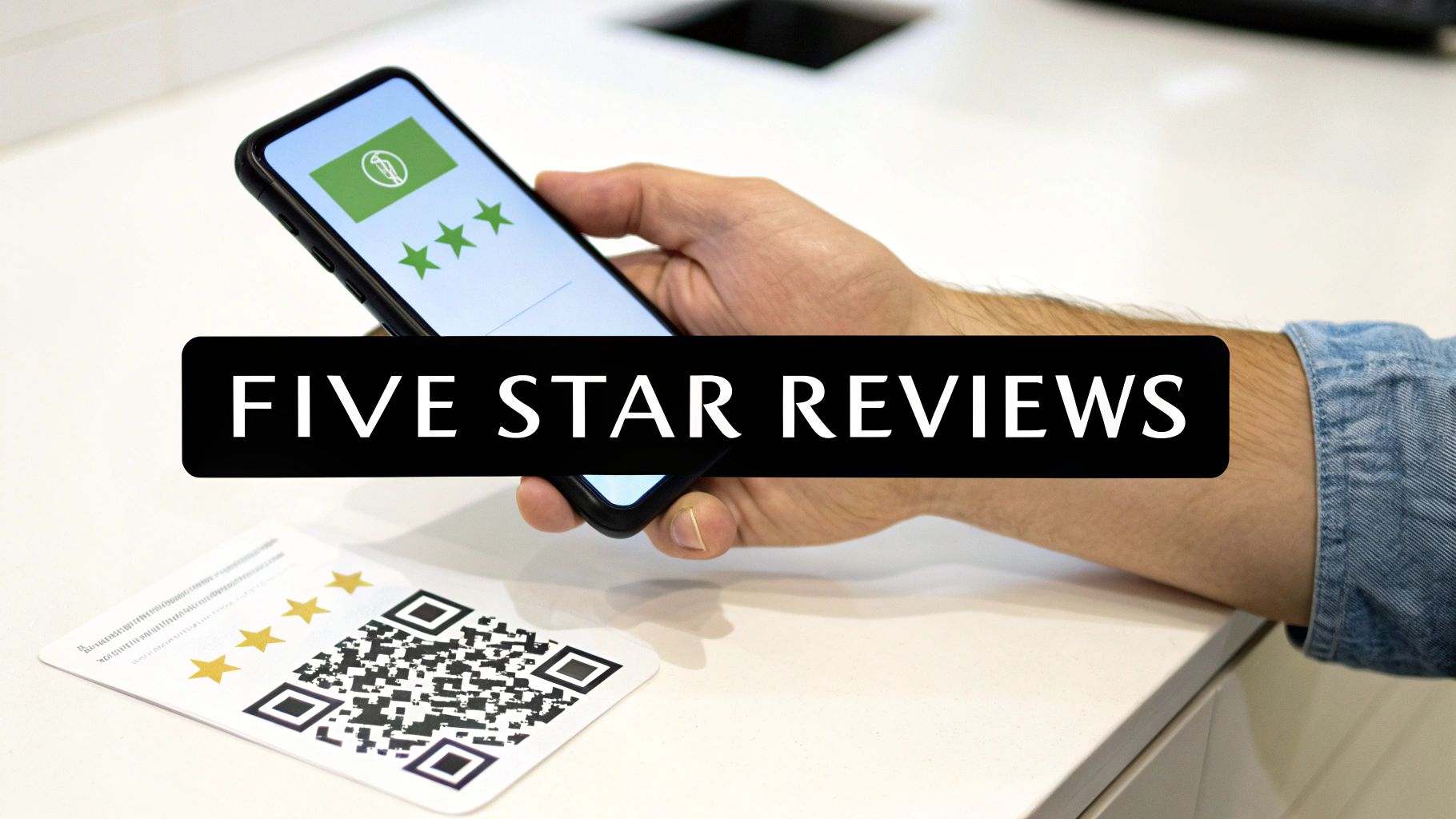
- QR Codes: Create a QR code that links directly to your Google review page. Put it on business cards, receipts, or flyers.
- Email & SMS Follow-ups: After a job, send a friendly message. A simple text or email with a direct link is very effective.
- Ask When They're Happiest: The best time to ask is right after you've delivered great service. A casual, "If you were happy today, a quick review on Google would really help our small business," works like a charm.
In Short: Don't make customers hunt for your review link. Put it right in front of them at the peak of their satisfaction.
Why You Must Respond to Every Review
Responding to reviews is non-negotiable. It shows customers you care and signals to Google that you actively manage your profile.
- For positive reviews: Thank the customer by name. Mention the specific service they received to add a personal touch.
- For negative reviews: This is your chance to turn a bad situation around. Acknowledge their problem, apologize, and offer to take the conversation offline to make it right.
A prompt, professional response to a negative review can be more powerful than a dozen positive ones.
The Hidden SEO Power of Keywords in Reviews
When customers leave reviews, they often use the exact keywords other people search for. For instance, a customer might write, "This was the best emergency plumbing repair I've ever had."
That bolded phrase is pure gold. When Google sees these terms in your reviews, it reinforces that your business is highly relevant for those services.
Your Top Questions About Google Reviews, Answered
Here are a few common questions about review strategy.
Is it OK to offer incentives for reviews?
No. This is against Google's policy. Never offer discounts, freebies, or cash for reviews. Google can wipe your reviews and penalize your profile. The goal is to encourage honest feedback.
How many Google reviews do I need to rank higher?
There's no magic number. It’s more about consistency and quality than volume. A better goal is to have more high-quality, recent reviews than your direct competitors. A steady trickle of new reviews is a much stronger signal than 50 reviews in one week and then silence.
What do I do if I get a fake negative review?
If you're positive a review is fake, you can flag it for removal from your Google Business Profile dashboard. You'll need to explain why you believe it's fraudulent. It's crucial to report these policy violations.
Drive Engagement to Signal Your Popularity
Google's algorithm wants to see that real people interact with your business. Engagement tells Google you're active, relevant, and a popular choice.
Simple things, like answering a question, prove you're open for business and ready to help.
Master the Questions and Answers Section
The Q&A feature on your profile is a goldmine for engagement and a great way to improve your ranking on Google Maps. Anyone can ask a question, and anyone can post an answer. If you're not managing it, others will control the narrative.
Seed Your Own FAQs to Control the Narrative
Here’s a pro tip: you can and should ask and answer your own questions. This is called "seeding" your Q&A.
Think about the top 5-10 questions you get every day.
- "Do you offer free estimates?"
- "What are your weekend hours?"
- "Is there parking nearby?"
- "Are you licensed and insured?"
Log into a different Google account, go to your profile, and ask those questions. Then, switch back to your business account to post helpful answers.
Turn On Messaging and Respond Instantly
Google Business Profile has a direct messaging feature. Turning it on is a great signal of customer service. But your response time is everything.
In Short: A quick response tells Google your business is active and engaged. A slow reply sends the opposite message.
Aim to reply to every message within a few hours. Fast response times can earn your profile a special badge, which builds trust.
People Also Ask About Engagement Signals
Why is responding to questions so important for SEO?
When you answer a question, you create keyword-rich content on your profile. If someone asks about "emergency plumbing services," your answer can include those terms. This reinforces your relevance to Google.
How does user engagement influence my Google Maps rank?
It's a major piece of the "prominence" puzzle. Google looks at Q&As, message response times, and even foot traffic. These interactions are direct proof of your business's popularity.
Can social media activity help my Maps ranking?
Indirectly, yes. A strong social media presence builds brand awareness and drives traffic to your website and profile. Focus on these proven ways to boost social media engagement; the more popular you seem online, the more Google's algorithm will notice.
Tying Your Website to Your Google Maps Listing
Think of your GBP as a billboard and your website as the storefront. Google constantly checks between the two. When the information matches perfectly—same name, address, and phone number—it tells Google you’re a trustworthy business.
When things don’t line up, it creates confusion that can sabotage your rankings. Nailing this connection is your secret weapon to improve your ranking on Google Maps.
Create Location-Specific Pages That Shine
If you have more than one location, a single "Contact Us" page isn't enough. You need a dedicated page on your website for each physical location.
Each page should be a complete information hub:
- Nail the NAP: Clearly display the unique Name, Address, and Phone number (NAP) for that location. It must be an exact match to its GBP.
- Embed the Map: Embed a Google Map with the pin dropped on your exact location.
- Add Local Flavor: Talk about the local team. Mention nearby landmarks. Showcase reviews from customers in that neighborhood.
In Short: By building content-rich location pages, you send powerful, hyper-local signals that directly boost each of your individual Google Maps listings.
Your NAP Consistency Is Everything
Your business's Name, Address, and Phone number (NAP) is its digital fingerprint. It must be identical everywhere it appears online.
This is the idea behind "citations"—any online mention of your NAP. Even tiny inconsistencies, like "St." versus "Street," can hurt Google's confidence in your data.
This is a cornerstone of any real local business SEO strategy. Audit your business online. Make a list of every directory you find it on, then go through them one by one to ensure the NAP is a perfect match.
Speak Google’s Language With Local Schema
While customers see your site's text and images, search engines see the code. Local Business schema is a special code vocabulary that tells Google exactly what your business is, where it is, and what it does.
Think of it as handing Google an organized business card. This schema can define:
- Your business type (like
Plumber) - Your exact address and map coordinates
- Your phone number and hours
- Links to social media profiles
Adding this code removes any guesswork for Google. Most modern websites and SEO plugins make adding it a simple process.
Your Local SEO Quick-Win Checklist
| SEO Task | What To Do | Why It Helps Your Maps Rank |
|---|---|---|
| Location Page Creation | Build a unique page for each physical business location. | Provides an authoritative source for Google to verify each listing's details. |
| NAP Consistency | Ensure your Name, Address, & Phone number are 100% identical on your site and GBP. | Creates a strong, trustworthy signal for Google's algorithm. |
| Embed Google Maps | Add an interactive Google Map of your location to your contact page. | Visually confirms your physical address and strengthens the geographic connection. |
| Local Schema Markup | Add LocalBusiness schema to your location page's code. | "Spoon-feeds" Google your key business info in its preferred language. |
| Citation Audit & Cleanup | Find all online mentions of your business and correct NAP inconsistencies. | A consistent digital footprint builds immense trust and authority with Google. |
Tackling these items is one of the fastest ways to build a solid foundation for your Google Maps strategy.
People Also Ask About Website and Maps Connection
Does having a website help Google Maps ranking?
Yes, 100%. A well-optimized website acts as a massive trust signal. It confirms your business is legitimate and provides more detail about your services. Profiles with a linked website almost always outperform those without one.
How do I embed a Google Map on my website?
Find your business on Google Maps, click "Share," and then go to the "Embed a map" tab. Copy the HTML code and paste it into your website's contact or location page.
What are the most important local directories to be listed in?
Start with Yelp, Facebook, Apple Maps, and Bing Places. Then, look for respected directories in your industry (like Houzz for contractors) and local sites, like your city's Chamber of Commerce. Quality is always better than quantity.
Got Questions About Ranking on Google Maps? Let's Clear Things Up.
Let's tackle some of the most common questions business owners ask when trying to figure out how to improve their ranking on Google Maps.
These are the straight-up answers you need to get focused and see real progress.
How long does it take to improve my Google Maps ranking?
It’s not an overnight thing.
After fully optimizing your Google Business Profile, you might see small bumps in a few weeks. That’s a good sign.
But real, lasting rankings come from building authority over time. That means a steady stream of new reviews, consistent business listings, and regular engagement.
To see significant, stable results, think in terms of 3 to 6 months. It's a marathon, not a sprint. The businesses that own the map pack are the ones who put in steady work.
In Short: Don't get discouraged after a few weeks. Every review, post, and updated listing is another brick in your foundation. Google rewards patience and consistent effort.
Does my website affect my Google Maps rank?
Yes, it absolutely does. Google sees your website as the ultimate source of truth. A professional, mobile-friendly website sends huge trust signals that boost your Maps listing.
A few things make a massive difference:
- Rock-Solid NAP: Your website must display the exact same Name, Address, and Phone number (NAP) as your GBP.
- Dedicated Location Pages: Each location needs its own page on your site with unique NAP info and an embedded map.
- Hyper-Local Content: Your website should talk about your services in the context of your city or neighborhood.
How should I manage multiple business locations on Google Maps?
There's one golden rule: never lump multiple addresses onto one profile. Each of your physical locations needs its own distinct Google Business Profile.
From there, treat each profile as its own mini-business online.
- Optimize Separately: Give each profile its own unique photos and local phone number.
- Generate Location-Specific Reviews: Guide customers to leave reviews for the exact location they visited.
- Create Unique Website Pages: Link each profile to a dedicated landing page on your site for that specific location.
This playbook helps you dominate the map results in each of your service areas.
Can I rank in a city where my business isn’t physically located?
This is a long shot. The Google Maps algorithm is built around proximity. Businesses with a physical address in a city will almost always have a huge advantage there.
If you’re a service-area business (like a plumber), you should set your service areas in your profile. This tells Google the regions you cover, but it won't trick the algorithm into thinking you have an office there.
Your best bet? Dominate the rankings in your actual local area first. Then, use your website and broader SEO strategy to pull in customers from neighboring cities. But for Maps, win your home turf first.