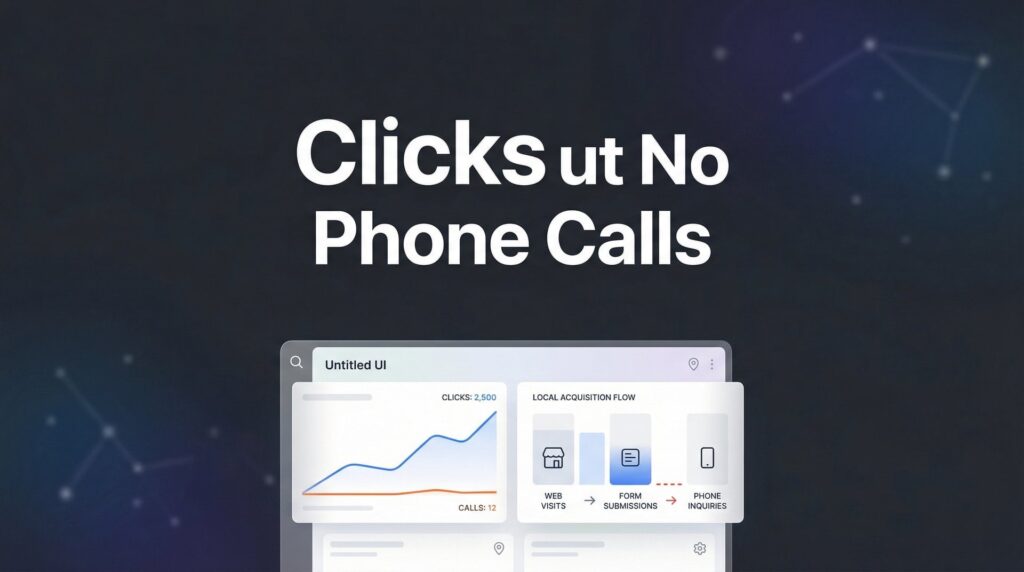
Your Google Ads account is bleeding money—and you might not even know where. Every day, local business owners pour hundreds or thousands of dollars into campaigns that underperform, wondering why their competitors seem to dominate the search results while their own ads barely generate a trickle of leads. The truth? Most Google Ads accounts operate at a fraction of their potential because of a handful of fixable mistakes.
This step-by-step guide walks you through exactly how to improve Google Ads performance, from auditing your current setup to implementing advanced optimization strategies that actually move the needle. Whether you’re managing campaigns yourself or evaluating an agency’s work, these seven steps will help you identify waste, sharpen your targeting, and transform your ad spend into profitable customer acquisition.
Let’s turn your underperforming campaigns into a lead-generation machine.
Step 1: Audit Your Account Structure for Hidden Inefficiencies
Think of your Google Ads account structure like the foundation of a building. If it’s shaky from the start, everything you build on top will underperform no matter how much effort you put in.
Start by reviewing how your campaigns are organized. Search campaigns should be completely separate from Display and Performance Max campaigns. Why? Because they serve different purposes and require different optimization approaches. Mixing them creates a mess that makes performance analysis nearly impossible.
Next, examine your ad groups. Each ad group should focus on one tight keyword theme—not a random collection of loosely related terms. For example, if you’re a plumber, you shouldn’t have “emergency plumbing,” “water heater repair,” and “drain cleaning” all crammed into one ad group. Each deserves its own ad group with tailored ad copy that speaks directly to that specific need.
Now comes the detective work: identifying campaigns that cannibalize each other. This happens when multiple campaigns bid on the same or similar keywords, essentially competing against yourself and driving up your own costs. Pull a keyword report across all campaigns and look for duplicates. If you find them, consolidate or use negative keywords to prevent overlap.
Conversion Tracking Verification: This is non-negotiable. Log into your Google Ads account and check that conversion actions are recording properly. Submit a test lead on your website, then verify it appears in your conversion data within 24 hours. Many accounts run blind for months, making decisions based on clicks instead of actual business results.
Check that you’re tracking all valuable actions—not just form submissions. Phone calls from ads, chat interactions, and even specific page views can indicate serious buyer intent. If you’re not tracking these, you’re missing critical data that impacts your Quality Score optimization efforts.
Your success indicator here is straightforward: a clean account structure with no keyword overlap between campaigns and verified conversion tracking that captures every lead type. Once you’ve got this foundation solid, every other optimization becomes exponentially more effective.
Step 2: Eliminate Wasted Spend with Negative Keywords
Here’s where most accounts hemorrhage money without anyone noticing. You’re paying for clicks from people who will never become customers, and it’s happening right now while you read this.
Pull your Search Terms Report for the last 90 days. This report shows the actual search queries that triggered your ads, not just the keywords you’re bidding on. What you’ll find might shock you—job seekers looking for employment at your company, DIY enthusiasts wanting free advice, competitors researching your business, and searchers from completely wrong locations.
One local HVAC company discovered they were spending $800 monthly on searches like “HVAC technician jobs,” “how to fix AC yourself,” and “HVAC training programs.” None of these searchers wanted to hire them. That’s $9,600 annually thrown away on irrelevant traffic.
Building Your Negative Keyword Lists: Create two levels of negative keywords. Account-level negatives apply across all campaigns—terms like “jobs,” “careers,” “DIY,” “free,” “how to become,” and “training” for most service businesses. Campaign-level negatives are more specific, filtering out terms that don’t fit that particular campaign’s focus. For a detailed walkthrough on this process, check out our guide on creating negative keyword lists in Google Ads.
Don’t just add negatives once and forget about it. Schedule a weekly 15-minute review of your Search Terms Report. Set a calendar reminder. This ongoing practice catches new irrelevant searches before they consume significant budget. Look for patterns—if you see multiple variations of the same irrelevant theme, add broader negative keywords to catch them all.
Pay special attention to informational queries. Someone searching “what is the average cost of roof replacement” is researching, not ready to hire. Someone searching “roof replacement contractor near me” is ready to buy. Your ads should focus on the latter.
Within 2-3 weeks of implementing a solid negative keyword strategy, you’ll see measurable results. Your click-through rate typically improves because your ads show to more relevant audiences. Your cost per conversion often drops because you’re not wasting clicks on tire-kickers. Most importantly, your conversion rate climbs as your traffic becomes increasingly qualified.
Step 3: Refine Your Keyword Strategy for Buyer Intent
Not all keywords are created equal. Some generate clicks that go nowhere. Others consistently turn into paying customers. Your job is to identify the difference and shift your budget accordingly.
Run a keyword performance report filtered by conversions. Sort by conversion rate and cost per conversion. You’re looking for two distinct groups: keywords that convert efficiently and keywords that burn money without results.
High-intent commercial keywords typically include modifiers like “near me,” “best,” “top rated,” “hire,” “cost,” or specific service names. A search for “emergency plumber near me” signals someone with a broken pipe who needs help immediately. Compare that to “plumbing tips” or “how does plumbing work”—informational queries from people not ready to hire.
The Budget Reallocation Strategy: Increase bids on your converting keywords by 20-30%. These are your money-makers. Simultaneously, pause or dramatically reduce bids on keywords with high spend but zero conversions over the past 90 days. Don’t get emotionally attached to keywords that seem relevant but don’t actually drive business. This approach is central to any effective Google Ads optimization strategy.
Test tighter match types to improve targeting precision. Broad match can waste budget on tangentially related searches. Phrase match and exact match give you more control, ensuring your ads appear for searches closely aligned with your offerings. Start by duplicating your best-performing broad match keywords into phrase match, then monitor which version delivers better results.
Geographic modifiers deserve special attention for local businesses. If you serve specific cities or neighborhoods, include those in your keyword strategy. “Electrician in downtown Austin” attracts more qualified local leads than generic “electrician” searches that might come from anywhere.
Watch for seasonal patterns in your keyword performance. Some keywords convert better during specific months or even days of the week. A landscaping company might see “lawn care” convert well in spring but struggle in winter, while “snow removal” flips that pattern. Adjust your strategy accordingly rather than running the same approach year-round.
Your success metric is clear: higher conversion rate with similar or lower overall spend. When you’re spending money on keywords that actually convert, you get more results from the same budget. That’s not magic—it’s strategic resource allocation based on real performance data.
Step 4: Write Ad Copy That Converts Clicks Into Customers
Your ad copy is your sales pitch compressed into a few lines of text. Get it wrong, and you’ll attract the wrong clicks or fail to attract any clicks at all. Get it right, and you’ll pull in qualified leads who are primed to convert.
Start with your primary keyword in Headline 1. This isn’t just good practice—it directly impacts your ad relevance score and Quality Score. When someone searches “emergency roof repair” and sees that exact phrase in your headline, they immediately recognize your ad as relevant to their need. Google rewards this relevance with better ad positions and lower costs.
But don’t stop at keyword matching. Your ad needs to answer the prospect’s unspoken question: “What’s in it for me?” Lead with benefits and outcomes, not features. Instead of “20 Years in Business,” try “Get Your Roof Fixed Right the First Time.” Instead of “Licensed and Insured,” try “Guaranteed Leak-Free or We Come Back Free.” Learning how to improve ads with benefit-focused messaging can dramatically boost your click-through rates.
Adding Credibility Without Fabrication: If you have genuine social proof, use it. “Rated 4.9 Stars by 200+ Local Customers” works when it’s true. “Same-Day Service Available” converts when you actually offer it. Never invent claims—authenticity matters, and Google can penalize misleading ads.
Numbers grab attention. “Save Up to $500” performs better than “Save Money.” “Free Quote in 24 Hours” outperforms “Fast Response.” Specificity builds trust and sets clear expectations.
Use every ad extension available. Sitelinks let you promote specific services or pages. Callouts highlight key differentiators like “Emergency Service” or “Free Estimates.” Structured snippets showcase your service categories. Call extensions make it dead simple for mobile users to contact you immediately. These extensions increase your ad’s real estate on the search results page, improving visibility and click-through rates.
The Responsive Search Ad Strategy: Google’s responsive search ads test different headline and description combinations automatically. Provide at least 10 headlines and 3-4 descriptions with varied messaging. Include your keyword in multiple headlines, benefits in others, and credibility factors in a few. Let Google’s algorithm identify which combinations resonate with your audience.
Test urgency when appropriate for your business. “Call Today” or “Limited Availability” can motivate action for time-sensitive services. Just ensure it reflects reality—false urgency damages trust and can violate advertising policies.
Within 30 days of implementing stronger ad copy, you should see improved click-through rates. More importantly, watch your Quality Score. Higher CTR signals to Google that your ads are relevant, which typically improves your Quality Score and reduces your cost per click. It’s a virtuous cycle—better ads lead to better performance and lower costs.
Step 5: Optimize Landing Pages for Conversion
You can have perfect ads, but if your landing page doesn’t deliver on the promise, you’ve wasted the click. The landing page is where interest transforms into action—or where potential customers bounce back to Google to find a competitor.
Message match is your first priority. If your ad promises “Emergency AC Repair – 2 Hour Response,” your landing page headline better say something nearly identical. When there’s disconnect between the ad and the page, visitors feel misled and leave immediately. Your bounce rate skyrockets, your conversion rate plummets, and Google notices—penalizing your Quality Score.
Simplify your forms ruthlessly. Every field you add reduces conversion rate. Do you really need their company name, job title, and how they heard about you? Or do you just need name, phone, email, and what service they need? Test removing fields one at a time and watch your conversion rate climb. This is essential for any business focused on generating qualified leads online.
Trust Signals That Actually Work: Real customer reviews build credibility fast. Display your Google star rating prominently. Show certifications or licenses relevant to your industry. If you offer guarantees or warranties, feature them clearly. These elements reassure visitors that you’re legitimate and capable of solving their problem.
Page speed kills conversions. If your landing page takes more than three seconds to load, you’re losing prospects before they even see your offer. Test your page speed on Google’s PageSpeed Insights tool. Compress images, minimize code, and consider using a faster hosting solution if needed. Mobile speed matters even more—most local searches happen on phones.
Mobile responsiveness isn’t optional anymore. Your landing page must look great and function perfectly on smartphones. Test it yourself: pull up your landing page on your phone. Can you easily read the text without zooming? Is the call-to-action button large enough to tap accurately? Does the form work smoothly? If you’re struggling, your visitors are too.
Clear Call-to-Action Placement: Your primary CTA should appear above the fold—visible without scrolling. Use contrasting colors that stand out from the rest of the page. Make the button text action-oriented: “Get My Free Quote” beats “Submit.” Include a secondary CTA further down for visitors who need more information before committing.
Remove navigation menus from dedicated landing pages. This sounds counterintuitive, but navigation gives visitors an escape route. You want them focused on one decision: take action or leave. Every link you provide increases the chance they’ll click away without converting.
Your success indicator is straightforward: landing page conversion rate above 5%. If you’re below that threshold, you have work to do. Test one element at a time—headline, form length, CTA placement—and measure the impact. Small improvements compound into significant conversion rate gains over time.
Step 6: Implement Smart Bidding Strategies
Manual bidding gives you control, but Smart Bidding gives you scale and efficiency—when implemented correctly. The key word is “correctly.” Switching to automated bidding prematurely or with unrealistic expectations causes more problems than it solves.
Google’s Smart Bidding uses machine learning to optimize bids for conversions or conversion value. Target CPA aims to get you conversions at a specific cost per acquisition. Target ROAS optimizes for return on ad spend when you’re tracking revenue values. Maximize Conversions simply tries to get you the most conversions within your budget.
The Data Requirement: Smart Bidding needs conversion data to learn from. Google recommends at least 30 conversions per month before switching to Target CPA. Without sufficient data, the algorithm makes decisions based on incomplete information, leading to erratic performance. If you’re not hitting that threshold yet, stick with manual bidding or Maximize Clicks while you build conversion volume.
Set realistic targets based on your historical performance. If your average cost per lead is currently $75, don’t set a Target CPA of $30 and expect miracles. The algorithm will struggle to hit an unrealistic target, often reducing your volume dramatically or failing to spend your budget. Start with a target slightly better than your current average—maybe $70—and let the system optimize from there.
Understand the learning period. When you switch to Smart Bidding or change your target, Google enters a learning phase that typically lasts 1-2 weeks. Performance may fluctuate during this time. Don’t panic and make changes mid-learning. Give the algorithm time to gather data and stabilize. Constantly adjusting targets restarts the learning period and prevents the system from ever optimizing effectively.
Choosing the Right Strategy: Target CPA works well when all conversions have similar value to your business. If a plumbing lead is worth roughly the same whether it’s for a leaky faucet or a full system replacement, Target CPA makes sense. Target ROAS is better when conversion values vary significantly—like an e-commerce store where one sale might be $50 and another $500. Understanding Google Ads management pricing can help you set realistic budget expectations for these strategies.
Maximize Conversions is useful when you’re less concerned about efficiency and more focused on volume. It spends your budget to get the most conversions possible, regardless of cost. This works for businesses with high lifetime customer value where initial acquisition cost matters less than getting the customer in the door.
Monitor performance closely after the learning period ends. Your cost per acquisition should stabilize or improve. If it’s consistently worse than your target after three weeks, you may need to adjust your target upward or investigate whether your conversion tracking is capturing low-quality leads that aren’t actually valuable to your business.
Your success indicator: stable or improved CPA after the learning period, with consistent conversion volume. Smart Bidding isn’t set-it-and-forget-it, but when implemented with adequate data and realistic targets, it can significantly improve efficiency while freeing you from constant manual bid adjustments.
Step 7: Establish a Weekly Optimization Routine
Improving Google Ads performance isn’t a one-time project—it’s an ongoing practice. The accounts that consistently outperform competitors have one thing in common: systematic, regular optimization based on actual data.
Create a weekly optimization checklist and actually stick to it. Block 30-45 minutes every week—same day, same time—to review your account. Consistency matters more than perfection. A mediocre optimization done weekly beats a perfect optimization done randomly.
Your Weekly Review Checklist: Start with the Search Terms Report. Add negative keywords for any irrelevant searches that appeared in the past week. This prevents those same wasteful clicks from recurring. Next, check campaign budgets. Are any campaigns hitting their daily budget limit consistently? If so, they’re likely missing opportunities. Either increase the budget or shift money from underperforming campaigns.
Analyze your top and bottom performers. Which campaigns, ad groups, or keywords generated the most conversions this week? Which burned budget without results? Double down on what’s working by increasing bids or budgets. Reduce or pause what’s not working after giving it a fair test period. If you’re unsure whether to handle this yourself or hire help, comparing Google Ads management services can clarify your options.
Set performance benchmarks and track trends over time. Your cost per lead this week matters less than whether it’s improving or declining compared to last month. Create a simple spreadsheet tracking key metrics: total spend, conversions, cost per conversion, conversion rate, and click-through rate. Plot these weekly to visualize trends and catch problems early.
The One Change Rule: Make one significant change at a time, then measure its impact before making another major change. If you simultaneously adjust bids, rewrite ads, and change landing pages, you’ll never know which change drove the results. This disciplined approach builds knowledge about what actually works for your specific business and audience.
Document your wins and losses. When something works—a new ad variation, a keyword addition, a bid strategy adjustment—write it down with the results. When something fails, document that too. Over time, you’ll build a playbook of proven tactics specific to your market and audience. This institutional knowledge becomes incredibly valuable, especially if you’re working with a team or agency.
Review your competitive landscape periodically. Run Auction Insights reports to see who you’re competing against and how your impression share compares. If a new competitor appears and starts taking market share, you’ll spot it early and can respond strategically rather than wondering why your performance suddenly declined.
Your success indicator is consistent month-over-month performance improvements. Not every week will be better than the last—seasonality and external factors affect results. But over 3-6 months, you should see clear trends toward better efficiency, lower costs, or higher conversion volume. That’s the compound effect of systematic optimization.
Putting It All Together
Improving Google Ads performance isn’t about finding one magic setting—it’s about systematically eliminating waste and doubling down on what works. Start with your account audit this week, then tackle one step every few days. Within a month, you’ll have a cleaner structure, tighter targeting, and a clear picture of what drives real results for your business.
The businesses that win with Google Ads aren’t necessarily the ones with the biggest budgets. They’re the ones that approach optimization methodically, make data-driven decisions, and continuously refine their approach based on actual performance.
Quick-Start Checklist: Verify conversion tracking is accurate and capturing all lead types. Pull and review your Search Terms Report from the last 90 days. Add at least 20 negative keywords based on irrelevant searches you find. Rewrite your lowest-performing ad with benefit-focused copy. Check landing page load speed on mobile using Google’s PageSpeed Insights tool.
These five actions alone will typically improve performance within two weeks. You’ll reduce wasted spend, increase relevance, and start converting more of your traffic into actual business results.
Remember that optimization is iterative. You won’t fix everything overnight, and you shouldn’t try to. Make steady progress, measure results, and build on what works. The accounts that perform best six months from now are the ones that start implementing these steps today.
Tired of spending money on marketing that doesn’t produce real revenue? We build lead systems that turn traffic into qualified leads and measurable sales growth. If you want to see what this would look like for your business, we’ll walk you through how it works and break down what’s realistic in your market.
Want More Leads for Your Business?
Most agencies chase clicks, impressions, and “traffic.” Clicks Geek builds lead systems. We uncover where prospects are dropping off, where your budget is being wasted, and which channels will actually produce ROI for your business, then we build and manage the strategy for you.