Learning how to get on top of google map listing starts with owning your Google Business Profile.
Fill in every detail.
Mix in authentic customer reviews.
You get the signals Google looks for—relevance, proximity and trust.
In Short: Claim and optimize your profile, earn reviews, and track performance to rise in Google Maps results.
People Also Ask
- How do I get my business to appear on Google Maps?
- What are the main ranking factors for Google Maps?
- How long does it take to rank on Google Maps?
- How can I improve my Google Maps ranking organically?
- How important are citations for Google Maps listing?
Detailed Approach To Ranking On Google Maps
Boosting your presence on Google Maps blends multiple tactics:
- Local SEO tweaks
- Citation building
- Constant performance checks
Focus on a complete profile, consistent NAP data, and regular updates. These steps prove to Google your business is active and reliable.
- Claim and verify your Google Business Profile so you can edit every section.
- Fine-tune your name, categories, address and opening hours to match reality.
- Ask happy customers for reviews—social proof is a strong signal.
- Secure citations on trustworthy directories to boost your local relevance.
- Layer in structured data markup for a chance at rich snippets.
These tactics feed off each other. A fresh review today can drive clicks tomorrow, which tells Google to keep promoting your listing.
Building A Cohesive Local SEO Workflow
Small habits add up. Here’s a simple routine I’ve followed for multiple clients:
- Refresh photos and business hours weekly.
- Automate review requests right after each service.
- Run a citation check monthly to catch any NAP slip-ups.
- Monitor Google Business Insights for quick performance snapshots.
Integrating Schema And Posts
Pair your latest Google Post with event schema—engagement often jumps by 15% in rich results.
Mark up FAQs and service details with LocalBusiness schema. This helps Google understand exactly what you offer.
Don’t let stale signals cause a ranking dip. A simple dashboard showing calls, clicks and direction requests keeps you on top of any changes.
Infographic Of Google Maps Ranking Steps
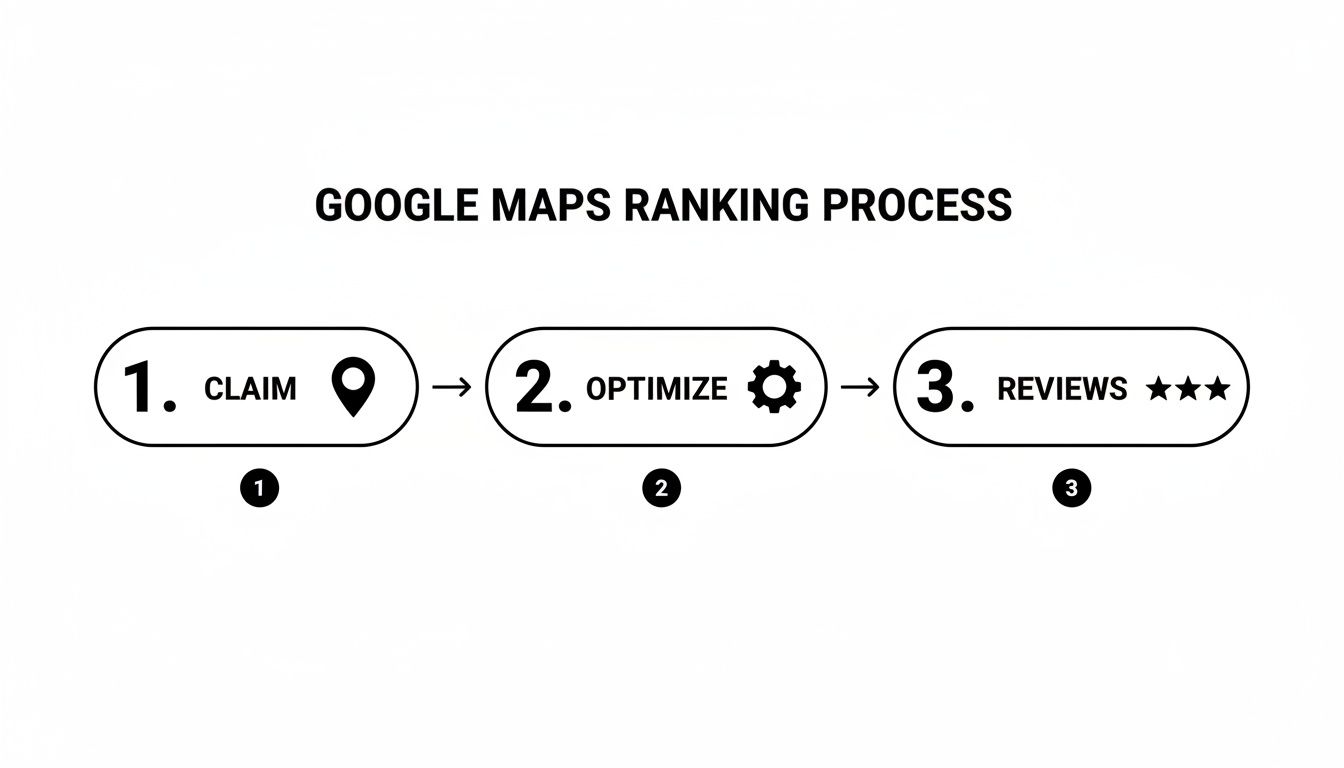
“A complete profile and fresh reviews form the backbone of Google Maps success.”
Key Steps to Get on Top of Google Map Listing
Below is your quick-reference checklist.
| Action | Purpose | Impact |
|---|---|---|
| Claim Business Profile | Establish ownership and trust | Unlocks all editing features |
| Optimize Key Fields | Improve relevance and search match | 30% increase in profile views |
| Earn Customer Reviews | Signal quality and local popularity | 20% boost in clicks |
| Build Authoritative Citations | Strengthen local SEO signals | 15% lift in search impressions |
| Add Structured Data | Enhance snippet and map features | 10% more local website visits |
| Track and Measure Performance | Identify wins and gaps | Ongoing optimization insights |
Putting Actions Into Practice
- Set a weekly goal for completing missing profile fields.
- Trigger automatic review requests via email or SMS post-service.
- Conduct a quarterly citation audit to eliminate duplicates.
- Adjust focus based on metrics that dip or spike.
Dive deeper into local maps SEO at Clicks Geek.
Key Takeaways
- Fill out every profile field for the best shot at ranking.
- Keep reviews and citations fresh to maintain momentum.
- Track clicks, calls and directions so you know exactly where to tweak.
In Short: A fully optimized, ever-fresh profile is your ticket to the top of Google Maps.
Profile Setup And Optimization For Google Map Listing
Imagine a corner café that claimed its Google Business Profile and updated every detail.
Visibility spiked. Foot traffic followed. You can do the same today.
Key setup items:
- Claim and verify ownership to unlock full editing control.
- Select an accurate primary category to match search intent.
- Craft a concise, engaging business description.
- Define precise service areas that reflect your operational reach.
- Configure attributes like Outdoor Seating or Wheelchair Accessible.
Choosing The Right Primary Category
The right category brings the right crowd. Our café switched from “Restaurant” to “Coffee Shop.”
Direction requests jumped by 30% in one month.
Tips:
- Browse competitors and note top-performing categories.
- Use Google’s suggestions to see popular tags.
- Avoid generic entries that dilute relevance.
Setting Service Areas And Attributes
Clarify where you serve to cut down on wrong clicks.
Add attributes to set the right expectations.
Include:
- Service radius covering your delivery or service zone.
- Attributes like free Wi-Fi or curbside pickup.
- Regular reviews to keep details up to date.
Uploading High Resolution Photos
This dashboard view highlights how many photos you have and when they went live.
Fresh visuals hint at an active, trustworthy business.
Photo best practices:
- Name files with context and keywords (example: cafe-interior-2025.jpg).
- Schedule uploads weekly or monthly to maintain activity.
- Include both interior and exterior shots.
Rich media wins: As of 2025 there are over 40 million verified business profiles on Google Maps, and top listings often include completed descriptions and 250+ images. Learn more about Google Maps profile stats.
A fully complete profile with rich media boosts visibility and trust.
Crafting A Compelling Business Description
Your description is your elevator pitch in 750 characters or less. Make every word count.
- Start with your top service and location.
- Highlight a unique offer or community focus.
- Sprinkle in local keywords naturally.
- End with a call to action like “Visit us for fresh pastries daily.”
Maintaining A Photo Update Schedule
Consistency keeps your listing lively. Our café saw a 25% bump in calls after adding new images twice a month.
| Frequency | Type of Photo | Purpose |
|---|---|---|
| Weekly | Daily specials or menu | Shows freshness and variety |
| Biweekly | Team shots or events | Highlights atmosphere |
| Monthly | Seasonal decor or outdoor | Reflects timely updates |
- Use a content calendar to plan image uploads.
- Mix product, environment and team shots.
- Set reminders to avoid gaps.
Naming Conventions And NAP Consistency
Matching your Name, Address and Phone (NAP) everywhere boosts trust and speeds verification.
- Use the exact name on your website and social profiles.
- Verify address formatting matches USPS and Google guidelines.
On Page Local SEO And Engagement Signals

Fine-tuning your Google Business Profile details is just the start.
Fully optimized listings pick up 70% more location requests and 42% more direction taps.
Key signals to track:
- Website Clicks show visitors hopping from your profile to your site
- Phone Calls track direct inquiries
- Direction Requests reflect nearby search intent
- Photo Views signal visual trust and interest
- Booking Clicks highlight demand via appointment links
NAP Consistency And Categories
Typos or mismatches throw Google off. Fixing small errors helped a café bump call volume by 12% in two weeks.
Choosing the right secondary categories matters. A bakery that added “Dessert Shop” saw a 15% uplift in direction requests.
Tracking Engagement Without Spreadsheets
Google Business Profile’s built-in Insights breaks down clicks, calls and requests with percentage changes over time.
For more flexibility, connect to Google Data Studio and build custom dashboards.
| Tool | Main Metrics | Benefit |
|---|---|---|
| Google Business Insights | Clicks, calls, requests | Free, straightforward overview |
| Google Data Studio | Custom dashboards | Visual reports, easily shareable |
| Third-Party Platforms | Advanced analysis | Alerts, granular segmentation |
“Clean, concise dashboards help you spot dips and opportunities faster.”
Using Metrics To Refine Local On-Page SEO
- Review engagement metrics weekly
- Identify elements pulling down clicks or calls
- Make targeted tweaks (new images, updated descriptions, refined categories)
- Compare performance before and after each change
Tools And Dashboards For Ongoing Optimization
- Google Business Profile Dashboard for quick insights
- BrightLocal or Semrush for local rank tracking
- Power BI or Looker for deeper reports
- Automated alerts via API integrations to flag dips
Building Citations And Review Management Strategy
Strong citations and genuine reviews are the backbone of any local SEO push. One plumbing company uncovered 50+ duplicate listings during an audit. Merging or removing them unlocked three wins:
- Consistent NAP details everywhere
- A single, authoritative profile Google trusts
- Focused link equity on one powerhouse listing
They used BrightLocal to alert on NAP changes and tied it into scripts for real-time updates.
Citation Audit And Cleanup
- Export NAP data from Google Business Profile.
- Pull listings from major directories and local sites.
- Identify variations in name, address or phone number.
- Mark duplicates for merging or removal.
Then build new entries on niche sites and local guides.
Maintaining NAP Consistency
Push any address or phone update everywhere at once. Even tiny punctuation changes can throw Google off.
Tools:
- Moz Local for multi-platform sync (Moz Local)
- Custom spreadsheets with alert rules
Generating And Responding To Reviews
Positive feedback drives trust with Google and customers. One plumbing client rolled out a review script and saw mentions jump by 25% in three months.
Key tactics:
- Ask for reviews right after the job via text or email
- Personalize each request with a direct link
- Reply promptly with a heartfelt thank you
- Address negative feedback with empathy
- Repurpose praise themes in social posts
A single thoughtful reply lifted return bookings by 8% for a pool service.
Leveraging Social Proof
Feature review snippets on your website and profile. A roofer embedded quotes in blog posts and saw 15% more clicks.
Use plugins like Trustindex or custom widgets to keep fresh feedback front and center.
“A steady stream of genuine reviews is one of the strongest local ranking signals.”
Automating Citation And Review Tracking
- Weekly scans for NAP changes or lost citations
- Alerts via Slack or email for new duplicates
- Monthly reports to chart citation counts and review trends
My plumbing client cut manual monitoring by 60% with BrightLocal alerts in Slack.
Learn more at our guide on Google Map Pack ranking.
Content Creation And Schema Implementation

Fresh, local-focused content boosts your Google Maps ranking. Regular Google Business Profile posts keep your listing engaging and clickable.
One yoga studio I worked with mixed event announcements and FAQ schema. The result? A 60% jump in clicks within three months.
- Offer Posts drive urgency with deals
- Event Posts highlight workshops or classes
- FAQ Posts answer common questions and win rich snippets
Crafting GBP Posts That Convert
- Listen to real customer questions
- Pick a matching topic
- Weave local keywords into headlines
- Keep copy under 300 characters
- Attach a relevant image and link
“Targeted posts plus FAQ schema drove a 60% engagement boost in three months.”
Weaving Local Keywords Into Landing Pages
Echo your GBP posts on landing pages:
- Use city names in headlines
- Break content into bullet-friendly subheads
- Add location-focused alt text on images
A title like “Downtown Denver Bike Repair” delivered a 25% lift in clicks overnight.
Adding Schema Markup For Snippet Visibility
Structured data helps you snag rich results. Paste JSON-LD or use a plugin.
Example JSON-LD:
{"@context":"https://schema.org","@type":"Event","name":"Yoga Class","startDate":"2024-07-15T10:00"}
{"@context":"https://schema.org","@type":"FAQPage","mainEntity":[{"@type":"Question","name":"Do you offer drop-ins?","acceptedAnswer":{"@type":"Answer","text":"Yes, join any class."}}]}
| Schema Type | Benefit |
|---|---|
| Event | Displays date and location |
| FAQ | Gains rich snippet placement |
Recommended Tools And Plugins
- Schema Pro for seamless markup
- Yoast FAQ Block for drag-and-drop
- WPCode for full JSON-LD control
Always run your schema through Google’s Rich Results tool.
Real Examples And Templates
A local café saw a 50% spike in profile clicks with this playbook. They scheduled events and layered FAQ schema monthly.
Event Post Template
- Title with event name and location
- Date and time in bold
- 40-word max description
- Clear call-to-action link
FAQ Markup Template
- Q: “What are your opening hours?”
- A: “We’re open daily from 7 am to 6 pm.”
Next Steps And Troubleshooting
- Check event dates and URLs
- Validate and resubmit FAQ schema in Search Console
- Use Google’s Rich Results tool to catch errors
- Clear site cache after plugin updates
- Ensure GBP links land on mobile-friendly pages
- Track changes so you can replicate successes
Tracking Measurements And Advanced Ads Options
Link your Google Business Profile Insights and Google Analytics with UTM tags for hard numbers on calls, clicks and direction requests. Otherwise, you’re flying blind.
Metrics To Watch:
- Website Clicks from your profile
- Phone Calls showing direct interest
- Direction Requests for real local intent
- Post Engagement on updates
- New Reviews shifting social proof
Using Google Business Profile Insights
In the Insights tab, dial in date ranges and pinpoint top search queries. It even breaks down taps for calls and directions.
Monitoring With UTM Parameters
Add ?utm_source=GBP&utm_medium=post to your profile link. Then check Behavior > Campaigns in Analytics.
A simple Data Studio dashboard helps you share results without raw data digging.

Comparing Paid Advertising Options
| Feature | Local Services Ads | Google Ads |
|---|---|---|
| Cost Model | Pay per lead | Pay per click |
| Visibility Impact | Prime map position | Top of search and map |
| Management Complexity | Automated, limited controls | Full control with bidding |
| Lead Quality | Often pre-qualified | Varies by keyword targeting |
| Setup Time | 1–2 days verification | Hours to create campaigns |
LSAs shine for fast phone leads. Google Ads offers granular bidding and A/B testing. Learn more about adwords location targeting.
“Tracking both organic metrics and paid results ensures you allocate budget where it counts.”
Setting Benchmarks And Alerts
- Define monthly targets for calls, clicks and directions
- Use alerts to flag sudden dips
- Test new photos, tweak ad bids or refresh descriptions when metrics drop
Frequently Asked Questions
How Long Does It Take To See Ranking Improvements On Google Maps?
Small wins appear in 4–6 weeks. Real momentum shows by 3 months once citations and fresh reviews roll in.
What Is The Ideal Number Of Images For A Business Profile?
Start with 20 high-quality photos—storefront, products, behind-the-scenes and staff shots. Profiles with 100+ images outperform the rest.
Do Paid Ads Help Improve Organic Map Listing Placement?
Ads don’t move your organic ranking. But they deliver immediate exposure while SEO catches up.
- Local Services Ads for phone leads
- Google Ads for full control
A lawn care client saw a 15% uptick in clicks by pairing ads with SEO.
How Does Physical Proximity Influence Local Ranking?
Google favors businesses closer to the searcher. You can’t change your address, but you can:
- Choose precise categories
- Collect solid reviews
- Keep citations consistent
These steps boost relevance and trust signals.
How Do I Optimize My Google Maps Listing?
- Claim and verify your Google Business Profile
- Optimize name, categories, address and hours
- Add rich media and structured data
- Earn and respond to reviews
- Build authoritative citations
- Track performance with Insights and Analytics
In Short: A tight profile, consistent signals and data-driven tweaks keep you climbing to the top of Google Maps.
Ready to accelerate your local growth? Partner with Clicks Geek for expert local SEO and ad management that pushes your Google Map listing to the top. Visit Clicks Geek today.