Most dental practices burn thousands of dollars on Google Ads every month with frustratingly little to show for it. The clicks come in, the budget drains, but the appointment book stays stubbornly empty. Here’s the uncomfortable truth: dental Google Ads campaigns fail not because the platform doesn’t work, but because generic advertising strategies collapse under the unique pressures of dental marketing.
Dental practices face a perfect storm of advertising challenges. You’re competing in hyper-competitive local markets where a single click for “emergency dentist” can cost $15-30. You need to attract patients who actually live near your practice, accept your insurance plans, and need the specific services you offer. And unlike e-commerce where someone might impulse-buy a product, dental patients research carefully before committing to a new provider.
The difference between profitable Google Ads campaigns and expensive disasters comes down to strategic management. Not just running ads, but architecting campaigns that understand patient psychology, local competition dynamics, and the economics of dental practice growth. When done right, Google Ads becomes a predictable patient acquisition system that fills your schedule with the exact types of appointments you want.
The strategies that follow represent what actually works in dental advertising. These aren’t theoretical best practices—they’re the tactical approaches that separate practices with waiting lists from those struggling to fill chairs.
1. Build Hyper-Local Campaigns That Dominate Your Service Radius
The Challenge It Solves
Every dollar you spend on someone 25 miles away who will never drive to your practice is a dollar wasted. Geographic leakage represents one of the biggest budget drains in dental advertising. When your ads show to people outside your realistic service area, you’re essentially funding your competitors’ patient acquisition while your own schedule stays empty.
The problem intensifies because Google’s default location settings are surprisingly broad. Without proper configuration, your “local” campaign might be showing ads to people in neighboring cities or even different states who happen to search for your city name.
The Strategy Explained
Effective geographic targeting starts with honest assessment of where your actual patients come from. Pull your patient database and map their addresses. You’ll likely discover that 80% of your patients live within a specific radius of your practice, with that radius varying based on whether you’re in an urban, suburban, or rural area.
Build your campaigns around this reality. Use radius targeting centered on your practice location, but don’t treat all areas equally. A patient 3 miles away is far more valuable than someone 12 miles away, even if both fall within your target radius. Google Ads allows bid adjustments by location, meaning you can bid more aggressively for searches happening close to your practice while maintaining presence in outer areas at lower costs. This approach is essential for any Google Ads management for local business strategy.
Layer in location exclusions for areas that consistently generate clicks but never convert. If you’re located near a major highway or city boundary, you might be getting traffic from adjacent areas where people have their own established dental providers.
Implementation Steps
1. Analyze your existing patient database to identify the geographic radius that captures 80-90% of your current patients, then use this as your primary targeting zone.
2. Set up radius targeting in Google Ads with your practice address as the center point, and configure location settings to target “People in or regularly in your targeted locations” to avoid tourism traffic.
3. Create bid adjustments that increase bids by 20-40% for searches within your core radius (typically 0-5 miles) and decrease bids by 10-20% for outer areas.
4. Add location exclusions for specific cities, ZIP codes, or regions that generate clicks but never produce patients, and review this monthly as data accumulates.
Pro Tips
Don’t forget about location bid adjustments for mobile devices in your immediate vicinity. Someone searching for a dentist on their phone while physically near your practice represents an exceptionally high-intent prospect. Consider increasing mobile bids by an additional 15-25% for searches within 2 miles of your location.
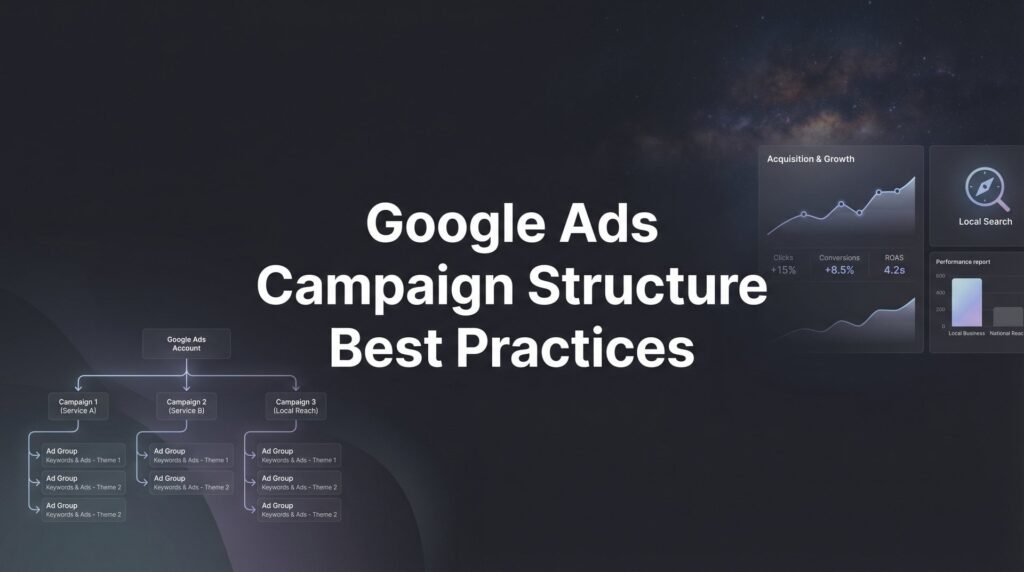
2. Structure Campaigns Around High-Intent Dental Procedures
The Challenge It Solves
Lumping all your dental services into one campaign creates a relevance nightmare. Someone searching for “teeth whitening” has completely different intent, urgency, and price sensitivity than someone searching for “dental implants.” When you force these searches into the same campaign with generic ads and landing pages, your Quality Score plummets and your cost per click skyrockets.
The mismatch gets worse when you consider that different procedures attract different patient demographics with varying lifetime values. A cosmetic dentistry patient might be worth 5-10x more than a basic cleaning patient, yet generic campaigns treat them identically.
The Strategy Explained
Procedure-specific campaign structure allows you to create tightly themed ad groups where keywords, ad copy, and landing pages all speak to one specific patient need. This relevance directly improves your Quality Score, which Google rewards with lower costs and better ad positions.
Start by identifying your highest-value procedures and most frequently searched services. Common high-performing categories include emergency dental care, dental implants, cosmetic dentistry (veneers, whitening), orthodontics, and general family dentistry. Each becomes its own campaign with dedicated budget allocation based on the procedure’s value to your practice.
Within each campaign, create granular ad groups focused on search intent variations. Your dental implants campaign might have separate ad groups for “dental implant cost,” “best dental implants,” “dental implant dentist,” and “dental implant consultation.” Each ad group gets its own tailored ads and landing pages. Understanding Google Ads management pricing helps you allocate budget effectively across these procedure-specific campaigns.
Implementation Steps
1. Audit your practice revenue to identify which procedures generate the most profit and which services you want to grow, then prioritize campaigns around these high-value services.
2. Create separate campaigns for each major service category (emergency, cosmetic, restorative, general), and allocate budget proportionally to the procedure’s value and search volume.
3. Build focused ad groups within each campaign that target specific search intents, keeping each ad group to 10-20 closely related keywords for maximum relevance.
4. Write procedure-specific ad copy that speaks directly to the patient’s concern and create dedicated landing pages that address that specific dental need without forcing visitors to navigate through your general website.
Pro Tips
Emergency dental campaigns deserve special treatment with 24/7 scheduling and higher budgets during evenings and weekends when emergency searches spike. These patients have immediate need and high conversion rates, but only if your ads are running when they’re searching.
3. Master Negative Keywords to Stop Wasting Budget on Wrong Clicks
The Challenge It Solves
Without aggressive negative keyword management, your dental ads appear for searches that will never convert into patients. People researching dental school programs, looking for veterinary dentists, seeking dental jobs, or hunting for free dental clinics all trigger your ads if you’re not careful. Each irrelevant click drains budget that could have gone toward attracting actual patients.
The problem compounds because Google’s broad match and phrase match keywords cast wide nets. Your “dental implants” campaign might be showing for “dental implant problems,” “failed dental implants,” or “dental implant lawsuit”—searches from people with existing implants, not prospects seeking your services.
The Strategy Explained
Negative keyword strategy requires both proactive setup and ongoing refinement. Start by anticipating common irrelevant searches before they waste your budget. Build comprehensive negative keyword lists that block obvious non-patient searches, then continuously expand these lists based on actual search term data. Our Google Ads optimization guide covers this technique in greater detail.
Think about the different types of searches you need to block: informational research (“how to become a dentist”), job searches (“dental assistant jobs”), DIY solutions (“home teeth whitening”), free or low-cost services (“free dental clinic”), and searches from people with existing dental work seeking solutions to problems (“dental crown fell off”).
Implement negative keywords at both campaign and account levels. Account-level negatives apply universally (blocking “school,” “course,” “salary,” etc.), while campaign-specific negatives prevent cross-contamination between services (adding “emergency” as a negative to your cosmetic dentistry campaign).
Implementation Steps
1. Create a master negative keyword list including obvious non-patient terms like “school,” “course,” “jobs,” “salary,” “free,” “cheap,” “DIY,” “veterinary,” “for dogs,” “for cats,” and apply this list across all campaigns.
2. Review your search terms report weekly for the first month, then bi-weekly ongoing, identifying any irrelevant searches that triggered your ads and adding them as negative keywords.
3. Build campaign-specific negative lists to prevent service cross-contamination, such as adding “emergency,” “pain,” “broken” to cosmetic campaigns and “whitening,” “veneers,” “cosmetic” to emergency campaigns.
4. Add negative keywords in multiple match types when appropriate, using exact match for specific terms and phrase or broad match for problematic themes.
Pro Tips
Don’t just add negative keywords reactively. Research competitor names in your area and add them as negatives—you don’t want to pay for clicks from people specifically searching for another dentist. Similarly, add dental insurance company names if you don’t accept those plans.
4. Write Ad Copy That Pre-Qualifies and Converts Dental Patients
The Challenge It Solves
Generic dental ads that simply state “Quality Dental Care” or “Accepting New Patients” fail to differentiate your practice or pre-qualify prospects. You end up with clicks from people who won’t convert because they’re seeking services you don’t offer, insurance you don’t accept, or price points that don’t match your practice positioning.
Worse, bland ad copy does nothing to overcome the natural anxiety many people feel about dental visits. If your ads don’t address patient concerns and build confidence, they’ll click through to your competitors who do.
The Strategy Explained
Effective dental ad copy serves two purposes simultaneously: attracting ideal patients while repelling poor-fit prospects. This pre-qualification saves you money by reducing irrelevant clicks and improves conversion rates by ensuring the traffic you do get is more likely to book.
Start with headlines that speak directly to the searcher’s specific need. Someone searching “dental implants” wants to see “Dental Implants Starting at $X” or “Same-Day Dental Implant Consultation,” not “Comprehensive Dental Services.” The specificity builds immediate relevance and improves click-through rates.
Use description lines to address common objections and concerns. Mention insurance acceptance if you take major plans, highlight sedation options for anxious patients, emphasize same-day appointments for emergency searches, or call out evening and weekend hours if you offer them. Each detail helps the right patients self-select while others move on. This approach works whether you’re running Google Ads for lead generation or direct appointment bookings.
Include clear differentiators that set you apart from the five other dental ads in the same search results. This might be years of experience, specialized training, technology advantages, or patient comfort features. Whatever makes your practice unique belongs in your ads.
Implementation Steps
1. Write procedure-specific headlines that match search intent exactly, using the searcher’s language rather than clinical terminology when appropriate.
2. Include qualifying information in description lines such as insurance acceptance, financing options, emergency availability, sedation services, or technology advantages that matter to your target patients.
3. Test different calls-to-action based on patient psychology, comparing direct booking language (“Book Your Consultation Today”) against lower-commitment options (“See If You’re a Candidate”) for expensive procedures.
4. Use ad extensions aggressively, including callout extensions for key differentiators, sitelink extensions to specific service pages, and call extensions with call tracking numbers.
Pro Tips
For high-anxiety procedures like implants or extractions, consider addressing fear directly in ad copy: “Comfortable Sedation Options Available” or “Gentle Care for Anxious Patients.” This resonates powerfully with the significant portion of the population that avoids dentists due to anxiety.
5. Leverage Call-Only Campaigns for Emergency Dental Services
The Challenge It Solves
When someone searches “emergency dentist near me” at 10 PM with a broken tooth, they don’t want to fill out a contact form and wait for a response. They want to talk to someone immediately. Standard search campaigns that send these high-intent patients to landing pages create unnecessary friction and lose conversions to competitors who make calling easier.
Emergency dental searches represent some of the highest-intent, highest-value traffic you can capture. These patients need immediate help, are less price-sensitive than cosmetic patients, and often become long-term patients after their emergency is resolved. Missing these conversions because of campaign structure represents a significant missed opportunity.
The Strategy Explained
Call-only campaigns display only on mobile devices and feature your phone number prominently in the ad. When someone clicks, their phone automatically dials your practice. This eliminates the landing page step entirely, reducing friction and dramatically improving conversion rates for emergency searches.
The strategy works because it matches user intent perfectly. Someone searching for emergency dental care on their phone wants the fastest path to speaking with your office. Every additional step between their search and a phone conversation reduces conversion likelihood. Many Google Ads management services recommend this approach for service-based businesses with urgent customer needs.
Set these campaigns to run during hours when your phones are actually answered. If you have after-hours answering services, extend campaign hours accordingly. If not, schedule campaigns to pause when no one is available to take calls—paying for calls that go to voicemail wastes budget and frustrates potential patients.
Implementation Steps
1. Create a dedicated call-only campaign targeting emergency-related keywords like “emergency dentist,” “emergency tooth extraction,” “broken tooth dentist,” “dental emergency,” and “dentist open now.”
2. Set up call tracking through Google’s call forwarding or a third-party service to measure which keywords and ads generate actual phone calls and track call duration to gauge quality.
3. Write urgent, action-oriented ad copy that emphasizes immediate availability, such as “Call Now – Emergency Appointments Available” or “Same-Day Emergency Dental Care – Call Direct.”
4. Configure ad scheduling to run only during hours when staff can answer calls, and consider higher bid adjustments for evenings and weekends when emergency searches peak.
Pro Tips
Test different phone numbers in your call-only ads. Some practices find that a dedicated “emergency line” converts better than their main office number because it signals specialized emergency handling. Others prefer consistency with one number. Track both to see what works for your practice.
6. Optimize Landing Pages for Dental Patient Conversion
The Challenge It Solves
Sending Google Ads traffic to your homepage or generic services page creates a conversion bottleneck. Visitors who clicked on an ad about dental implants don’t want to navigate through your site trying to find relevant information. Every click required to find what they’re looking for increases the chance they’ll abandon and try a competitor.
Generic landing pages also fail to continue the conversation started in your ads. If your ad promised “Affordable Dental Implants with Financing,” but your landing page doesn’t immediately address cost and pricing information, you’ve broken the relevance chain and destroyed trust.
The Strategy Explained
Dedicated landing pages for each major service campaign create seamless experiences from ad click to appointment booking. The page should feel like a natural continuation of the ad, addressing the same concerns and using similar language.
Effective dental landing pages follow a proven structure: clear headline matching the ad, immediate trust signals (credentials, years of experience, patient reviews), detailed explanation of the procedure addressing common questions, clear pricing or financing information, multiple conversion opportunities (phone number, appointment form, chat), and social proof through testimonials or before/after photos where appropriate. Understanding Google Ads management cost helps you budget appropriately for landing page development alongside your ad spend.
Remove navigation menus and other distractions from landing pages. Every link away from your conversion goal reduces conversion rates. The page should have one clear purpose: getting the visitor to book a consultation or call your office.
Implementation Steps
1. Create dedicated landing pages for each major service campaign, ensuring the page headline and opening content directly match the ad copy that brought visitors there.
2. Place your phone number prominently at the top of the page and make it click-to-call on mobile, then repeat it multiple times throughout the page content.
3. Include an appointment request form above the fold with minimal required fields—name, phone, email, and preferred date/time are sufficient for initial contact.
4. Add trust elements throughout the page including credentials, professional photos, patient testimonials, and specific details about your experience with this particular procedure.
Pro Tips
For expensive procedures like implants or full-mouth reconstruction, consider a two-step conversion process. Instead of asking for an appointment immediately, offer a free consultation or treatment guide download. This lower-commitment conversion can capture prospects who aren’t ready to book but want to learn more, allowing you to nurture them into appointments.
7. Track What Matters: Measuring Real Patient Acquisition Cost
The Challenge It Solves
Most dental practices track clicks and maybe form submissions, but have no idea what they actually pay to acquire a new patient. Without this fundamental metric, you’re flying blind. You might be celebrating a low cost-per-click while your actual cost-per-patient is astronomical, or you might be pausing profitable campaigns because you’re measuring the wrong metrics.
The gap between clicks and actual patients is often massive in dental advertising. Not everyone who clicks books an appointment. Not everyone who fills out a form shows up. And not every new patient has the same value to your practice.
The Strategy Explained
Proper tracking connects Google Ads data to actual practice revenue. This requires tracking the complete patient journey from initial click through phone calls, form submissions, appointment bookings, and ultimately completed treatments. Working with a Google Ads management agency can help you implement sophisticated tracking systems that connect ad spend to actual revenue.
Start with call tracking that records which keywords and ads generated each phone call. Integrate this with your practice management software to track which calls resulted in appointments and which appointments showed up. For form submissions, implement conversion tracking that fires when someone submits your appointment request form.
The real power comes from calculating patient lifetime value by service type. An emergency patient who comes in for one urgent visit has different value than a cosmetic patient who gets veneers and becomes a long-term patient. Track which campaigns generate which types of patients, then allocate budget accordingly.
Implementation Steps
1. Implement call tracking using Google’s call forwarding or a dedicated service like CallRail, ensuring every phone number on your website and landing pages is tracked back to specific campaigns and keywords.
2. Set up conversion tracking in Google Ads for all form submissions, using Google Tag Manager to fire conversion events when appointment request forms are completed.
3. Create a system (spreadsheet or CRM integration) that tracks which leads from Google Ads actually booked appointments, showed up, and completed treatment, allowing you to calculate true cost-per-patient.
4. Review campaign performance monthly based on actual patient acquisition cost and patient value, not just clicks or cost-per-click, and reallocate budget toward campaigns generating the highest-value patients at acceptable costs.
Pro Tips
Don’t ignore offline conversions. Many patients call after seeing your ads, then book appointments during that call without any digital footprint. If you’re only tracking online form submissions, you’re missing a huge portion of your conversions and making budget decisions on incomplete data.
Putting It All Together
Effective Google Ads management for dentists isn’t about implementing all seven strategies simultaneously. Start with the fundamentals that deliver immediate budget savings, then layer in sophistication as you build momentum.
Begin with geographic targeting and negative keywords. These two strategies alone can reduce wasted spend by 30-50% within the first month, freeing up budget to invest in better opportunities. Get these right before worrying about advanced tactics.
Next, restructure campaigns around your highest-value procedures. If dental implants represent your most profitable service, build a dedicated campaign with proper structure before trying to optimize everything else. Prove the model works, then expand.
Layer in landing page optimization and call tracking once campaigns are running. You need traffic flowing before you can optimize conversion paths. Focus on one service at a time—create one excellent landing page that converts, then replicate the approach for other services.
Remember that Google Ads management is an ongoing process, not a one-time setup. The competitive landscape changes, search behavior evolves, and your practice goals shift. Plan for monthly optimization sessions where you review performance, add negative keywords, test new ad copy, and reallocate budget based on what’s working.
The practices that win with Google Ads treat it as a patient acquisition system that requires consistent attention and refinement. They track real metrics that matter—cost per patient, patient lifetime value, and return on ad spend—not vanity metrics like impressions or clicks.
Tired of spending money on marketing that doesn’t produce real revenue? We build lead systems that turn traffic into qualified leads and measurable sales growth. If you want to see what this would look like for your business, we’ll walk you through how it works and break down what’s realistic in your market.
Want More Leads for Your Business?
Most agencies chase clicks, impressions, and “traffic.” Clicks Geek builds lead systems. We uncover where prospects are dropping off, where your budget is being wasted, and which channels will actually produce ROI for your business, then we build and manage the strategy for you.