Your ecommerce store is getting traffic, but those visitors aren’t buying. Sound familiar? You’re not alone—most online stores leave massive revenue on the table simply because they haven’t optimized their conversion funnel.
Ecommerce conversion rate optimization (CRO) is the systematic process of turning more of your existing visitors into paying customers. Instead of spending more on ads to drive traffic, CRO helps you extract more value from the traffic you already have.
Think of it this way: if you’re getting 10,000 visitors per month with a 1% conversion rate, you’re making 100 sales. Boost that conversion rate to 2%, and you’ve doubled your revenue without spending an extra dollar on advertising. That’s the power of CRO.
This guide walks you through six actionable steps to audit your current performance, identify conversion killers, and implement proven fixes that drive real revenue growth. Whether you’re running a Shopify store, WooCommerce site, or custom platform, these strategies apply across the board.
By the end, you’ll have a clear roadmap to boost your conversion rates and maximize your marketing ROI. Let’s get started.
Step 1: Audit Your Current Conversion Performance
You can’t improve what you don’t measure. Before making any changes to your ecommerce site, you need to establish a baseline that shows exactly where you stand today.
Start by calculating your current conversion rate using this simple formula: total conversions divided by total sessions, multiplied by 100. If you had 5,000 sessions last month and 75 purchases, your conversion rate is 1.5%. Write this number down—it’s your benchmark for measuring every improvement going forward.
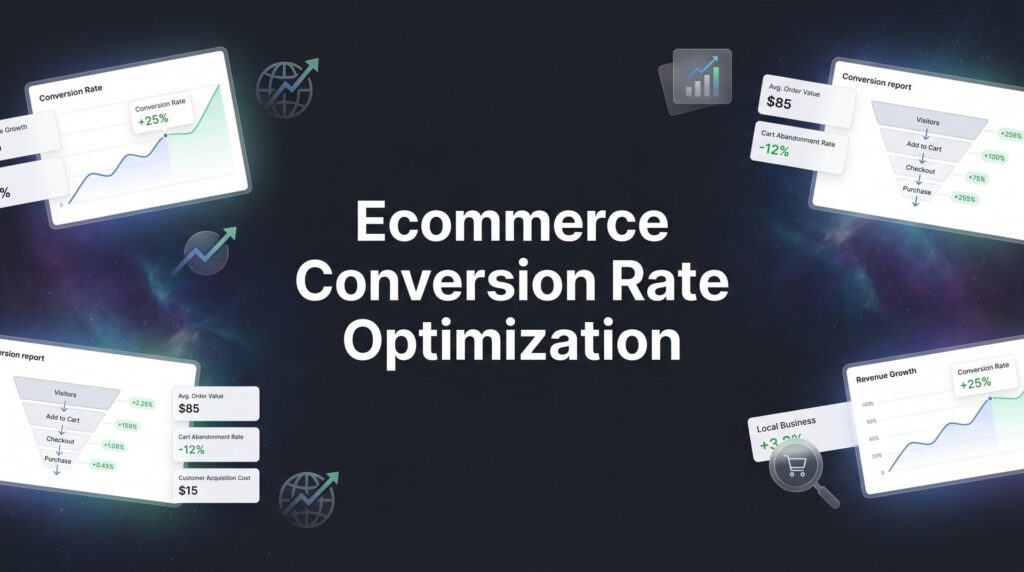
Here’s where most store owners make their first mistake: they rely on incomplete tracking. Set up proper ecommerce tracking in Google Analytics 4 with enhanced ecommerce events configured correctly. This means tracking every critical touchpoint: product page views, add-to-cart actions, checkout initiations, and completed purchases.
Product Page Views: How many people are viewing your products? This tells you if your category pages and navigation are working.
Add to Cart Rate: What percentage of product viewers actually add items to their cart? Low numbers here indicate product page problems.
Checkout Initiation: How many people who add items actually start the checkout process? A big drop-off here suggests cart page issues.
Purchase Completion: What percentage of people who start checkout actually complete their purchase? This is where you’ll often find your biggest leaks.
Document these metrics in a spreadsheet with dates. You’ll want to track improvements week over week and month over month. Many businesses find that their biggest conversion problems aren’t where they expected—maybe your product pages convert well, but your checkout process is a disaster. Using the right conversion rate optimization tools makes this tracking process much easier.
Don’t just look at overall conversion rates either. Segment your data by traffic source, device type, and new versus returning visitors. Mobile shoppers often convert at different rates than desktop users. Paid traffic might behave differently than organic search visitors. Understanding these nuances helps you prioritize where to focus your optimization efforts.
Once you have clean baseline data, you’re ready to diagnose what’s actually broken.
Step 2: Identify Your Biggest Conversion Killers
Numbers tell you that you have a problem. Behavioral data shows you exactly what that problem is.
Install heatmap and session recording tools to watch how real users interact with your site. This isn’t about guessing what might be wrong—it’s about seeing the actual friction points where visitors get stuck, confused, or frustrated enough to leave.
Watch twenty session recordings of people who abandoned their carts. You’ll start seeing patterns. Maybe they’re clicking on elements that aren’t clickable. Perhaps they’re scrolling back and forth looking for information you haven’t provided. They might be hitting the back button repeatedly because something confused them.
Pay special attention to your checkout abandonment rate. Calculate it by dividing abandoned checkouts by total checkout initiations. If 100 people start checkout but only 60 complete it, you have a 40% checkout abandonment rate. That’s 40% of almost-customers walking away at the last moment. If you’re struggling with this issue, check out our guide on how to fix a high shopping cart abandonment rate.
Now drill down to find the exact step where people bail. Is it when they see shipping costs for the first time? When they’re forced to create an account? When the payment form asks for too much information? Each drop-off point represents a specific problem you can fix.
Page load speed is another silent conversion killer. Test your site speed using Google PageSpeed Insights or GTmetrix. If your product pages take more than three seconds to load, you’re losing impatient shoppers before they even see your products. Mobile users are particularly unforgiving of slow sites.
Mobile Experience Deserves Separate Analysis: Don’t assume your mobile experience matches your desktop performance. Load your site on an actual phone and try to complete a purchase. Are buttons too small to tap accurately? Is text readable without zooming? Can you easily navigate between products?
Many ecommerce stores discover that their mobile conversion rate is half their desktop rate simply because the mobile experience is clunky. With mobile commerce growing year after year, ignoring mobile optimization means ignoring a huge chunk of potential revenue.
Create a prioritized list of the conversion killers you’ve identified. Rank them by potential impact—fixing a 40% checkout abandonment issue will deliver more value than tweaking a button color. This prioritization guides your optimization roadmap.
Step 3: Optimize Your Product Pages for Action
Your product pages are where browsing turns into buying intent. If they don’t convince visitors that your product solves their problem better than the alternatives, nothing else matters.
Start with your product descriptions. Forget the generic manufacturer copy that lists specifications nobody cares about. Write benefit-driven descriptions that speak directly to customer pain points and desired outcomes.
Instead of “This blender has a 1200-watt motor and six-blade system,” try “Blend frozen fruit into creamy smoothies in under 30 seconds without leaving chunks.” See the difference? One talks about features. The other talks about the result the customer actually wants.
Your product images need to work harder too. High-quality photos with zoom functionality let customers examine products closely, reducing uncertainty. Show multiple angles, products in use, and scale references so people understand exactly what they’re getting. Apparel stores should show items on models of different body types. Furniture stores should show pieces in actual room settings.
Trust signals matter enormously on product pages. Display customer reviews prominently, especially reviews with photos from real buyers. Show your security badges and SSL certificates near the add-to-cart button. Make your return policy visible and generous—knowing they can return a product if it doesn’t work out removes a major purchase barrier. For more tactics, explore our guide to improving website conversion rate.
Create Urgency Without Manipulation: Real scarcity works. Fake scarcity backfires. If you only have 12 units left in stock, say so. If you’re running a genuine limited-time promotion, display a countdown timer. But don’t fake inventory levels or create artificial urgency—savvy shoppers see through it and lose trust.
Add clear, compelling calls-to-action. Your “Add to Cart” button should be impossible to miss, visually distinct from everything else on the page, and use action-oriented language. Some stores test variations like “Add to Bag,” “Get Yours Now,” or “Start My Order” to see what resonates with their audience.
Include size guides, specification charts, and comparison tools where relevant. The more questions you answer on the product page, the fewer objections remain between the visitor and the purchase.
Step 4: Streamline Your Checkout Process
You’ve convinced someone to buy. Don’t lose them now by making checkout unnecessarily complicated.
Audit every field in your checkout form. Does it absolutely need to be there? Many stores ask for information they don’t actually need, adding friction for no reason. Reduce form fields to the bare essentials: shipping address, billing address if different, payment information, and email for order confirmation.
Offer guest checkout as the default option. Forcing account creation is one of the fastest ways to kill a sale. Let people buy first, then offer account creation as an optional benefit after the purchase is complete. You can always invite them to create an account in the order confirmation email.
Display shipping costs and delivery estimates early in the checkout process. Sticker shock at the final step causes massive abandonment. Show shipping options and costs as soon as the customer enters their zip code, not on the final payment page when they’re already mentally committed to a total price. Understanding how to optimize your conversion funnel helps you identify exactly where these friction points occur.
Payment Options Matter More Than You Think: Offer multiple payment methods including credit cards, PayPal, and digital wallets like Apple Pay and Google Pay. Digital wallets are particularly powerful because they auto-fill shipping and payment information, turning checkout into a two-tap process.
Add a progress indicator showing customers exactly where they are in the checkout process. “Step 2 of 3: Shipping Information” reduces anxiety by showing there’s an end in sight. People are more likely to complete a process when they know how much is left.
Include trust signals throughout checkout. Display security badges near the payment form. Remind customers of your return policy. Show customer service contact information in case they have questions. These small reassurances prevent last-minute doubts.
Test your checkout process yourself regularly. Better yet, watch session recordings of real customers going through it. You’ll spot confusing elements, error messages that don’t make sense, and friction points you never noticed from the backend.
Step 5: Implement Strategic A/B Testing
Optimization isn’t about guessing what might work better. It’s about testing variations systematically and letting data drive decisions.
Start by prioritizing what to test based on potential impact and ease of implementation. Changing your headline might be easy but have minimal impact. Redesigning your entire checkout flow might have huge impact but require significant development resources. Look for the sweet spot: high-impact changes you can implement relatively quickly.
Test one variable at a time. If you change your headline, button color, and product image simultaneously, you won’t know which change drove the results. Isolate variables so you can identify what actually works and build on those insights.
Headlines and Value Propositions: Test different ways of communicating your core benefit. Does “Free Shipping on Orders Over $50” convert better than “Save on Shipping with Larger Orders”? Test it.
Call-to-Action Buttons: Test button copy, color, size, and placement. Sometimes “Buy Now” outperforms “Add to Cart.” Sometimes a larger, more prominent button increases conversions. You won’t know until you test.
Product Images: Test lifestyle images versus plain product shots. Test showing products in use versus showing them isolated on white backgrounds. Different products and audiences respond to different visual approaches.
Pricing Display: Test showing the full price versus showing monthly payment options. Test displaying the discount amount versus the sale price. Small presentation changes can significantly impact purchase decisions.
Run tests until you reach statistical significance. Don’t call a winner after two days because one version is slightly ahead. Depending on your traffic volume, meaningful tests might need to run for weeks to produce reliable results. Premature conclusions lead to implementing changes that don’t actually improve performance. If you need help with this process, consider working with a conversion rate optimization service that specializes in testing methodology.
Document every test you run: what you tested, why you tested it, what the results were, and what you learned. This creates institutional knowledge that compounds over time. You’ll start seeing patterns in what resonates with your specific audience, making future optimization efforts more effective.
Step 6: Recover Abandoned Carts and Lost Sales
Even with perfect optimization, some visitors will leave without buying. That doesn’t mean they’re lost forever.
Set up automated cart abandonment email sequences that trigger when someone adds items to their cart but doesn’t complete checkout. The most effective approach is a three-email sequence: the first email sent within one hour of abandonment, a second reminder 24 hours later, and a final email after 48-72 hours.
Your first email should be simple and helpful. Remind them what they left behind, include product images, and make it easy to return to their cart with a direct link. Don’t offer a discount in this first email—many people just got distracted and will complete their purchase without needing an incentive.
The second email can introduce urgency. Mention that items in their cart might sell out or that a promotion they were considering is ending soon. Again, make returning to checkout frictionless.
The third email is where you might offer a small incentive if appropriate for your business model. A modest discount code or free shipping offer can tip the scales for price-sensitive shoppers who were on the fence.
Exit-Intent Popups Can Work When Done Right: Use exit-intent technology to detect when visitors are about to leave and present a final offer. The key is providing genuine value, not just being annoying. A popup offering a 10% discount for first-time buyers or free shipping on their first order can convert leaving visitors into customers.
Implement retargeting campaigns to bring back warm prospects who viewed products but didn’t add anything to their cart. Show them ads featuring the specific products they looked at, along with social proof or limited-time offers to encourage them to return. For guidance on making your ad spend work harder, see our Google Ads optimization guide.
Here’s the crucial part: analyze why carts are being abandoned and address the root causes. If your abandonment emails are recovering lots of sales, that’s great—but it also means your checkout process has problems that are causing abandonment in the first place. Use the insights from your recovery efforts to identify and fix the underlying issues.
Track the performance of your recovery campaigns just like any other marketing channel. Calculate the revenue generated from abandoned cart emails, the conversion rate of your exit-intent offers, and the ROI of your retargeting campaigns. These recovery mechanisms should be profitable channels, not just damage control.
Putting It All Together
Let’s recap your ecommerce conversion rate optimization action plan:
✓ Baseline metrics documented and tracking verified
✓ Conversion killers identified through behavioral analysis
✓ Product pages optimized with compelling copy and trust signals
✓ Checkout process streamlined to reduce friction
✓ A/B testing framework in place for continuous improvement
✓ Cart recovery systems automated and monitored
Ecommerce conversion rate optimization isn’t a one-time project—it’s an ongoing discipline that compounds over time. Start with your biggest leaks, fix them systematically, and watch your revenue grow without increasing your ad spend.
The beauty of CRO is that improvements stack. A 10% increase in product page conversions combined with a 15% improvement in checkout completion doesn’t just add up—it multiplies your overall results. Small, consistent optimizations create significant revenue growth over months and years.
Focus on reducing friction at every stage of the buyer journey. Every unnecessary click, confusing element, or missing piece of information costs you sales. The smoother and more intuitive you make the path from landing on your site to completing a purchase, the more visitors will follow it all the way through.
Ready to accelerate your results? Tired of spending money on marketing that doesn’t produce real revenue? We build lead systems that turn traffic into qualified leads and measurable sales growth. If you want to see what this would look like for your business, we’ll walk you through how it works and break down what’s realistic in your market.
Start optimizing today. Your existing traffic is already telling you what needs to be fixed—you just need to listen and act on it.