You’re getting clicks. Plenty of them. But when you look at your leads for the month, the numbers don’t add up. Hundreds of people found your ad, clicked through, and landed on your website. So where did they go? Why did only a handful actually pick up the phone or fill out your contact form?
This is the frustration that keeps local business owners up at night. You’re investing real money in advertising, and the clicks are there to prove it’s working. But something is happening between that first click and the moment someone becomes a paying customer, and you have no idea what it is.
That’s exactly what conversion path analysis is designed to solve. Think of it as a diagnostic tool for your marketing, one that reveals every step a prospect takes from their very first interaction with your business all the way to the moment they convert into a lead. Instead of staring at a gap between “clicks” and “customers,” you get a detailed map of the entire journey. You can see where people are dropping off, which paths are producing your best leads, and where your ad spend is quietly going to waste.
At Clicks Geek, conversion path analysis is a core part of how we approach both PPC management and conversion rate optimization for our clients. It’s not a bonus feature or an afterthought. It’s the foundation of any serious effort to turn traffic into predictable revenue. This guide will walk you through how it works, what to look for, and how to use these insights to make smarter marketing decisions starting today.
The Journey Behind Every Lead (And Why Most Businesses Can’t See It)
Let’s start with a clear definition. Conversion path analysis is the process of mapping and evaluating every touchpoint a prospect moves through before completing a desired action. That action might be a phone call, a form submission, a booked appointment, or a purchase. The “path” is everything that happens in between: the ad they saw, the page they landed on, the buttons they clicked, the pages they browsed, and the moments where they either kept moving forward or left entirely.
Most local businesses have a significant blind spot here. They can see the beginning of the journey (the ad click) and the end (the lead notification in their inbox), but everything in between is invisible. That middle section is where the real story lives. It’s where prospects decide whether to trust you, where confusing pages send them to a competitor, and where weak calls-to-action leave people hovering without committing.
When you can only see the endpoints, you end up making decisions based on incomplete information. You might pause an ad campaign because it’s “not converting,” not realizing that the campaign is actually driving highly engaged visitors who are abandoning on a slow-loading landing page. You might keep running a campaign that appears to produce leads, not knowing those leads are coming from one specific ad variation while the others are burning budget with nothing to show for it. Understanding this dynamic is essential when your ads are spending too much with no results.
This is also where conversion path analysis parts ways from basic conversion tracking. Conversion tracking tells you if someone converted. Path analysis tells you how and why they did, or didn’t. It answers questions like: How many pages did they visit before calling? Did they come back after their first visit? Which ad did they see first? Which page did they abandon before they ever reached your contact form?
Consider a homeowner searching for a plumber on a Sunday evening after a pipe bursts. They click your Google ad, land on your page, get distracted, close the tab, and then see your retargeting ad on Facebook the next morning. They click again, read your reviews section this time, and call. Without path analysis, you’d credit that conversion entirely to the Facebook retargeting ad and might even consider cutting your Google search budget. But the Google ad started the whole journey. That’s the kind of insight that changes how you allocate your marketing budget.
The businesses that grow consistently aren’t the ones spending the most. They’re the ones who understand what’s actually happening between click and customer, and they use that understanding to make every dollar work harder.
Anatomy of a Conversion Path: The Key Stages That Matter
Every conversion path has a structure, even if it doesn’t always follow a perfectly straight line. Understanding the typical stages helps you know where to look when something isn’t working.
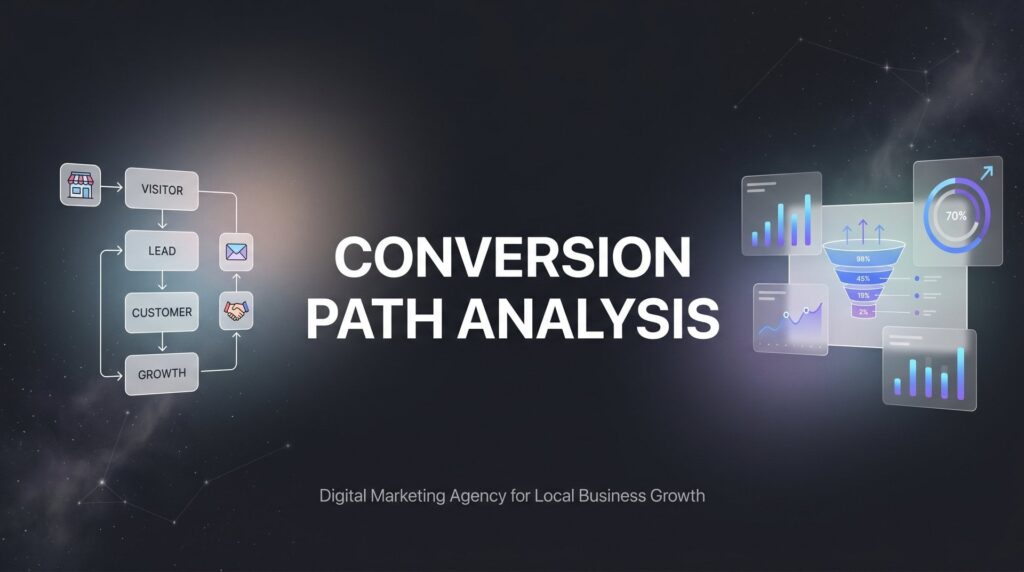
For most local businesses running paid advertising, a conversion path looks something like this: a prospect sees your ad (the impression), clicks through to your landing page, engages with the content in some way, and then either takes a conversion action or leaves. That’s the simplified version. In practice, the journey often involves multiple sessions, multiple devices, and multiple touchpoints before someone commits.
Within that path, it helps to distinguish between two types of conversions. Macro-conversions are the big outcomes you’re ultimately after: a phone call, a form submission, a booked estimate. These are what you report to clients or track against your ad spend. Micro-conversions are the smaller signals of intent that happen along the way: a prospect clicking your “Services” link, watching a testimonial video, scrolling to the bottom of your pricing page, or clicking your phone number without actually dialing. These smaller actions matter enormously because they show you where interest is building and where it’s dying.
If you’re only tracking macro-conversions, you’re missing the early warning signals. A landing page where no one clicks anything, scrolls past the fold, or engages with your call-to-action button is telling you something critical. Path analysis lets you see those signals before they become a pattern of wasted spend, which is why website conversion rate optimization should always be informed by path-level data.
Multi-touch paths add another layer of complexity. Many service-based businesses see conversion paths that span several days and multiple visits. A prospect might search for your service, click an organic result, leave without converting, see a paid search ad two days later, click through again, read your FAQ page, and finally call on the third visit. This is especially common for higher-consideration services like roofing, legal representation, dental work, or home remodeling, where people take time to evaluate their options.
Google Ads provides path length and time lag reports that make this visible. Path length shows how many interactions occurred before a conversion. Time lag shows how many days passed between the first touch and the final conversion. If your average time lag is five days, you know your prospects need a nurturing window, which means retargeting campaigns aren’t optional. They’re essential.
Understanding the full anatomy of your conversion path gives you a framework for diagnosing problems at every stage. Is the issue at the top of the funnel, where your ads aren’t reaching the right people? Is it mid-funnel, where your landing page isn’t building enough trust? Or is it at the bottom, where your call-to-action isn’t compelling enough to push someone over the line? Path analysis tells you which stage to focus on first.
Tools and Metrics That Power Effective Path Analysis
Good analysis requires good data, and good data requires the right tools. The good news is that most of what you need is either free or already part of platforms you’re probably using.
Google Analytics 4 (GA4): GA4’s Path Exploration report is one of the most powerful tools available for visualizing user journeys. Unlike the older funnel reports in Universal Analytics, GA4’s path exploration lets you start from any event or page and see what users did before or after that point. You can trace the steps that led to a conversion or map the routes that ended in abandonment. If you haven’t configured it yet, our guide on Google Analytics setup for conversions walks you through the entire process step by step.
Google Ads Conversion Paths: Inside Google Ads, the “Top Paths” and “Path Length” reports under the Attribution section show you the specific sequences of ad interactions that preceded conversions. You can see whether people are converting after one click or after five, and which combinations of campaigns, ad groups, and keywords appear most frequently in converting paths.
Call Tracking Platforms: For local businesses, this is non-negotiable. Tools like CallRail or CallTrackingMetrics assign unique phone numbers to different traffic sources, so you can tie a phone call back to a specific campaign, keyword, or even a specific ad. Without call tracking, a massive portion of your conversion data simply doesn’t exist in your analytics.
Heatmap Tools: Platforms like Hotjar or Microsoft Clarity show you exactly how users are interacting with your landing pages. Scroll maps reveal how far people read. Click maps show where they’re tapping and where they’re ignoring your CTAs. Session recordings let you watch real user sessions to spot friction points that raw data can’t fully explain. You can also use multivariate testing for landing pages to systematically validate what your heatmap data is telling you.
Beyond the tools, the metrics you focus on will shape your analysis. Assisted conversions show which touchpoints contributed to a conversion without being the final click. Path length tells you how many interactions the average converting prospect has before committing. Time lag reveals the gap between first touch and conversion. Drop-off rates at each funnel stage show exactly where you’re losing people.
Attribution models deserve a plain-language explanation here because they directly affect how you interpret path data. Last-click attribution gives all the credit to the final touchpoint before conversion. First-click gives all the credit to the first. Linear distributes credit equally across all touchpoints. Data-driven attribution, now the default in Google Ads for most conversion types, uses machine learning to assign credit based on which touchpoints actually influenced the outcome. The model you use changes which campaigns look effective and which look like underperformers. Using last-click in a multi-touch environment almost always leads to poor budget decisions.
Running Your First Conversion Path Analysis: A Step-by-Step Approach
Knowing the theory is one thing. Actually running the analysis is where the real work happens. Here’s how to approach it practically, starting from scratch.
Step 1: Get your tracking foundation right.
Before you pull a single report, you need to confirm that your data is clean and complete. This means verifying that your GA4 property has proper event tracking set up for every meaningful action on your site: page views, button clicks, form submissions, and phone number clicks at minimum. It means ensuring your Google Ads campaigns are tagged with UTM parameters so traffic sources are correctly identified in GA4. It means setting up a call tracking number for every major traffic source, at minimum one for paid search and one for organic. And it means confirming that your Google Ads conversion actions are firing correctly and importing into your campaigns.
If any of these pieces are missing or broken, your path analysis will have gaps that lead to false conclusions. Garbage in, garbage out. This setup step isn’t glamorous, but it’s the difference between analysis you can act on and analysis that sends you in the wrong direction. Knowing what a good conversion rate for PPC looks like also helps you benchmark whether your paths are performing at, above, or below industry standards.
Step 2: Pull the path reports and look for patterns.
Once you have reliable data, open GA4’s Path Exploration report and set your endpoint to your primary conversion event. Work backwards. What pages or events appear most frequently just before a conversion? Now flip it: set your starting point to your landing page and trace forward. Where are people going after they land? Are they heading toward your service pages and contact form, or are they bouncing immediately?
In Google Ads, check your Top Paths report to see the most common sequences of ad interactions that preceded conversions. Look for the paths that appear repeatedly in your converting sequences. Then look for the paths that appear frequently but never result in conversions. Those dead-end paths are where budget is leaking.
Pay attention to specific pages or steps where drop-off rates spike. If a large percentage of visitors leave from one particular page, that page has a problem worth solving. If prospects consistently visit your testimonials or reviews page before converting, that tells you social proof is a critical trust factor for your audience.
Step 3: Prioritize fixes based on where the impact is highest.
Not every problem deserves equal attention. If the majority of your drop-offs are happening on your landing page, that’s a CRO problem: the page isn’t doing its job of converting interested visitors into leads. That’s where you start. Exploring the right landing page builders for conversions can make a significant difference in how effectively your pages move visitors through the path.
Turn your insights into a specific action plan with clear next steps. “Improve the landing page” is not an action plan. “Add a trust section with three customer testimonials above the fold, reduce page load time, and move the contact form higher on the page” is an action plan. The more specific your response to the data, the faster you’ll see results.
How Path Analysis Fixes Your Biggest Marketing Problems
Here’s where conversion path analysis earns its place as a core business tool rather than just an analytics exercise. Every major pain point local businesses face in their marketing has a root cause that path analysis can identify and address.
High cost per lead: When your cost per lead is climbing, path analysis reveals which specific paths are generating leads most efficiently. You might find that one campaign or keyword sequence consistently produces conversions in two interactions, while another requires five and still underperforms. Shifting budget toward the efficient paths directly reduces your cost per lead without changing your total spend. Understanding monthly PPC management cost in the context of path efficiency helps you evaluate whether your investment is being optimized properly.
Wasted ad spend: Path analysis exposes dead-end traffic. These are the visitors who click your ads, arrive on your site, and leave without taking any meaningful action, not even a micro-conversion. When you can see which campaigns or ad groups are consistently feeding these dead-end paths, you can reallocate that budget to sequences that are actually moving people toward a decision.
Low conversion rates: A low conversion rate is a symptom. Path analysis is the diagnosis. It tells you exactly which stage of the funnel is underperforming. Is your landing page failing to engage visitors? Is your contact form creating friction? Are people leaving when they see your pricing? Each of these problems has a different solution, and path analysis tells you which problem to solve first. If you’re struggling with this consistently, a dedicated conversion optimization agency can accelerate the diagnostic and improvement process significantly.
Poor lead quality: Not all leads are equal, and path analysis can reveal which traffic sources and conversion paths are producing your best customers versus your worst. If leads from one particular path consistently fail to close or turn out to be poor fits, you can trace that path back to its source and adjust your targeting or messaging accordingly.
The budget reallocation insight is worth emphasizing separately. Many businesses are unknowingly funding their worst-performing paths at the expense of their best. Path analysis makes this visible and gives you the data to justify moving budget with confidence rather than guesswork.
Perhaps most importantly, conversion path analysis isn’t a one-time project. It’s an ongoing feedback loop: optimize, measure, refine, and repeat. Every change you make to a landing page, an ad, or a campaign creates new data. That data informs the next round of improvements. Over time, this compounding process builds a marketing system that gets more efficient with every cycle, which is a genuine competitive advantage that’s hard for competitors to replicate quickly.
Common Mistakes That Sabotage Your Conversion Path Data
Even with the right tools in place, certain mistakes can undermine the entire analysis. These are the ones we see most frequently, and they’re worth knowing before you start.
Mistake 1: Relying solely on last-click attribution.
Last-click attribution is the default setting in many platforms, and it’s one of the most misleading ways to evaluate a multi-touch marketing environment. When every conversion credit goes to the final touchpoint, every earlier touchpoint looks like it’s not contributing. This leads to a predictable mistake: cutting the campaigns that are actually building awareness and intent because they don’t show up as the “converting” channel. If you’re running Google Search, display retargeting, and social ads together, last-click will almost certainly undervalue your upper-funnel efforts. Data-driven attribution, available in Google Ads, is a more reliable model for most businesses because it distributes credit based on actual observed influence across the path.
Mistake 2: Not tracking phone calls as conversions.
For most local service businesses, phone calls represent the highest-value leads in the entire funnel. A prospect who calls is often ready to book. When phone calls aren’t tracked as conversion events, your path data has a massive hole in it. You might look at your analytics and conclude that your landing page isn’t converting, when in reality it’s generating calls that simply aren’t being counted. Every local business running paid advertising should have call tracking in place, full stop. This is one of the most common digital marketing challenges for small business owners, and it’s entirely fixable.
Mistake 3: Drawing conclusions from insufficient data volume.
This is a subtler mistake but an important one. When you’re working with a small number of conversions, patterns can appear that are really just noise. If you’ve had twelve conversions this month and three of them came through a particular path, that’s not enough data to confidently conclude that path is your best performer. Before making significant budget decisions based on path analysis, make sure you have enough conversion volume to support statistically meaningful conclusions. The exact threshold varies depending on your market and budget, but as a general principle: the fewer conversions you have, the more cautious you should be about acting on path-specific patterns.
Putting It All Together: From Data to Decisions
Conversion path analysis is ultimately what separates businesses that guess from businesses that grow. When you can see the full journey from click to customer, you stop flying blind. You can fix what’s broken, double down on what’s working, and stop funding the dead-end traffic that’s quietly draining your budget every month.
The core takeaway is straightforward: your marketing data already contains the answers to most of your biggest questions. Why is your cost per lead rising? Why are certain campaigns underperforming? Why are visitors leaving without calling? The answers are in the paths. You just need the tools, the setup, and the analytical framework to read them clearly.
This is exactly the kind of work we do at Clicks Geek. As a Google Premier Partner agency, we specialize in building the tracking infrastructure, running the path analysis, and turning those insights into concrete optimizations that produce better leads and lower acquisition costs for local businesses. It’s not about vanity metrics or impressive dashboards. It’s about understanding the full journey and making every step of it work harder for your bottom line.
If you want to see what this would look like for your specific business, we’ll walk you through how it works and break down what’s realistic in your market. No generic advice, just a clear look at where your current paths are breaking down and what it would take to fix them.