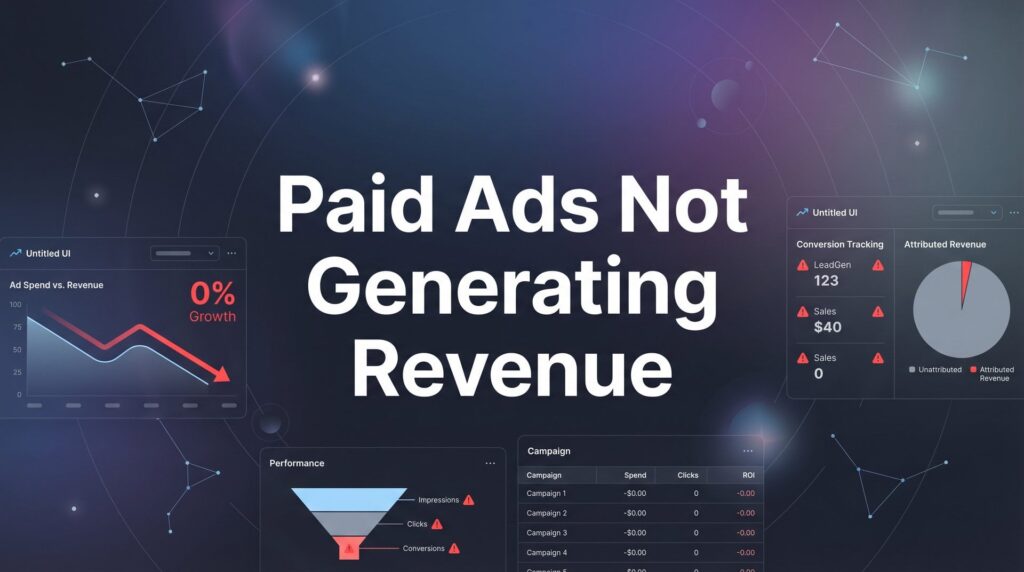
You’re spending money on paid ads, but your bank account tells a different story. The clicks are coming in, maybe even the leads, but actual revenue? That’s nowhere to be found. This is one of the most frustrating problems business owners face—watching ad spend drain while sales stay flat.
Here’s what makes this particularly maddening: you’re doing what the experts told you to do. You’re running Google Ads or Facebook campaigns, you’re getting traffic, and the dashboard shows activity. But when you look at your actual sales numbers, there’s nothing to show for it.
The good news: paid ads not generating revenue is almost always a fixable problem. The issue isn’t that paid advertising doesn’t work; it’s that something in your funnel is broken, and we’re going to find it.
Think of your ad campaign like a water pipe with multiple connection points. Water (your ad spend) is flowing in at the top, but nothing’s coming out at the bottom. The leak could be anywhere: your tracking setup, your landing page, your targeting, your follow-up process, or how you’re measuring success. Most businesses jump straight to blaming the ads themselves without checking the pipes.
In this step-by-step guide, you’ll learn exactly how to diagnose why your ads aren’t producing revenue and implement fixes that turn your campaigns into profit centers. We’ll walk through the entire customer journey from click to cash, identifying the specific breakdowns that kill conversions and showing you how to repair each one.
This isn’t about minor tweaks or A/B testing button colors. We’re talking about fundamental fixes that address the real reasons your ads aren’t making money. By the end, you’ll know exactly where your revenue is disappearing and how to plug those holes.
Step 1: Audit Your Conversion Tracking to Find the Real Problem
Before you change a single thing about your ads, you need to know if you’re even measuring revenue correctly. Broken tracking is the silent killer of ad campaigns—you think nothing’s working when in reality, you just can’t see what’s happening.
Here’s the uncomfortable truth: many businesses are making decisions based on incomplete or flat-out wrong data. They’re pausing campaigns that actually generate revenue because the tracking never recorded those conversions. They’re scaling campaigns that produce zero sales because they’re measuring the wrong actions.
Start by verifying your conversion pixels are firing correctly on your purchase or lead confirmation pages. Open your website in a browser, complete a purchase or submit a lead form, and then check if the conversion event registered in your ad platform. Use browser extensions like Facebook Pixel Helper or Google Tag Assistant to see exactly which tracking codes fire on each page.
Common tracking disasters to check for: Your thank you page isn’t set up correctly, so conversions never get recorded. Your pixel fires on every page load, creating duplicate conversions that inflate your numbers. Your conversion value isn’t being passed through, so you can’t calculate actual ROAS. Your tracking parameters are missing, making it impossible to attribute sales to specific campaigns.
Set up proper revenue tracking in Google Ads by implementing conversion value tracking. This means your conversion tag needs to capture not just that a purchase happened, but the actual dollar amount. In Meta Ads, ensure your purchase event includes the value parameter so you can track revenue per campaign. For a deeper dive into fixing these issues, check out our Google Ads optimization guide which covers tracking setup in detail.
If you’re running lead generation campaigns, create a system to track which leads actually become paying customers. This might mean integrating your CRM with your ad platforms or manually updating conversion values based on closed deals. Without this connection, you’re optimizing for lead volume instead of lead quality—and that’s how you end up with lots of clicks and zero revenue.
Test everything twice. Make a purchase on your own site. Fill out your lead form. Check if those actions appear in your ad dashboard within 24 hours. If they don’t, you’re flying blind, and everything else you do will be guesswork.
Step 2: Analyze the Gap Between Clicks and Conversions
Now that you know your tracking works, it’s time to find where potential customers are disappearing. You’re paying for clicks, but somewhere between that click and the purchase, people are bailing out. Your job is to find exactly where and why.
Calculate your click-to-conversion rate by dividing total conversions by total clicks. If you’re getting 1,000 clicks and only 5 conversions, that’s a 0.5% conversion rate. For most industries, you should be seeing somewhere between 2-5% for well-targeted campaigns. Anything below 1% means you have a serious problem between the click and the sale.
Open Google Analytics and look at your behavior flow for paid traffic. Where do people drop off? Do they land on your page and immediately leave? Do they scroll halfway down and then exit? Do they add items to cart but never complete checkout? Each drop-off point tells you something specific about what’s broken. If your website isn’t generating leads, this analysis will reveal exactly where the breakdown occurs.
Check your mobile versus desktop performance separately. You might discover that mobile users click your ads but convert at half the rate of desktop users. This often points to mobile experience issues: slow loading, difficult forms, or CTAs that don’t work properly on smaller screens.
Page speed is revenue speed. Use Google PageSpeed Insights to test your landing page load time. If your page takes more than 3 seconds to load, you’re losing potential customers before they even see your offer. Every additional second of load time can significantly impact conversion rates.
Look for technical barriers that kill conversions. Is your checkout process requiring account creation? Are you asking for too much information in your lead form? Does your payment system fail on certain browsers? Are there error messages that users encounter?
Install a heatmap tool like Hotjar or Microsoft Clarity to see exactly how users interact with your landing page. You’ll see where they click, how far they scroll, and where they get confused. Sometimes you’ll discover that your most important CTA is below the fold where nobody sees it, or that users are clicking on elements that aren’t actually clickable.
The gap between clicks and conversions is where your money disappears. Close this gap, and you’ll see revenue appear without spending another dollar on ads.
Step 3: Align Your Ad Message with Your Landing Page Offer
You’ve probably experienced this as a consumer: you click an ad promising one thing, and the landing page delivers something completely different. How did that make you feel? Annoyed? Tricked? Did you immediately hit the back button? That’s exactly what’s happening to your potential customers.
Message mismatch is one of the fastest ways to burn through ad budget with zero revenue to show for it. When your ad promises a “50% off sale” but your landing page shows regular prices, people leave. When your ad talks about “free consultation” but your landing page pushes a paid service, trust evaporates instantly. This disconnect is a primary reason why ads don’t convert to sales.
Audit every active ad against its corresponding landing page. Read your ad copy, then immediately look at your landing page headline. Do they match? Does the landing page deliver on what the ad promised? If there’s any disconnect—even a subtle one—you’re killing conversions.
The message match principle works like this: Your ad creates an expectation. Your landing page must fulfill that exact expectation within 3 seconds of page load. If users have to search for the offer they clicked on, they won’t. They’ll leave and you’ll never see them again.
Look at your offer itself. Is it compelling enough to drive immediate action? “Contact us for more information” is weak. “Get your free marketing audit and discover exactly what’s costing you customers” is specific and valuable. Your offer needs to be worth the friction of filling out a form or making a purchase right now.
Test headline and CTA alignment between your ad and landing page. If your ad says “Start Your Free Trial,” your landing page CTA button should say “Start Your Free Trial”—not “Sign Up” or “Get Started” or anything else. Consistency builds trust and removes mental friction.
Pay attention to visual consistency too. If your ad features a specific product image or color scheme, carry that through to the landing page. When everything looks and feels cohesive, users relax and move forward. When things feel disjointed, they get suspicious and leave.
Here’s a quick test: show your ad to someone unfamiliar with your business, then show them your landing page. Ask them if they got what they expected. If they hesitate or say no, you’ve found your problem.
Step 4: Restructure Your Targeting to Reach Buyers, Not Browsers
You’re getting clicks, but those clicks aren’t from people ready to buy. This is the targeting trap that drains ad budgets faster than almost anything else. You’re paying to reach people who are just looking around, researching, or killing time—not people who are ready to pull out their credit card.
The difference between high-intent keywords and informational queries is the difference between profit and waste. Someone searching “best CRM software” is researching. Someone searching “buy Salesforce license” is ready to purchase. Both might click your ad, but only one has a realistic chance of generating revenue this month.
Review your search terms report in Google Ads to see exactly what people are typing before they click your ads. You’ll probably find a mix of buyer keywords and researcher keywords. The researcher keywords need to go. Yes, they generate cheap clicks. No, they don’t generate revenue. Understanding the difference between platforms can help—our comparison of Google Ads versus Facebook Ads for lead generation breaks down which works better for different buyer intents.
Implement proper negative keyword lists to filter unqualified traffic: Add “free,” “cheap,” “DIY,” “how to,” and “tutorial” as negative keywords if you’re selling premium services. Add competitor names if you only want people searching for your specific business. Add job-related terms like “salary,” “career,” and “hiring” to avoid clicks from job seekers.
Use audience exclusions aggressively. If someone already purchased from you, exclude them from acquisition campaigns. If someone visited your pricing page but didn’t convert in the last 7 days, they’re probably not ready yet—exclude them and retarget them separately with a different message.
Shift your budget toward bottom-of-funnel audiences with actual purchase intent. In Google Ads, this means prioritizing exact match keywords with buyer language, in-market audiences, and customer match lists of people who’ve shown interest. In Meta Ads, this means targeting people who’ve engaged with your content, visited your website, or match the profile of your existing customers.
Stop trying to reach everyone. The businesses that generate revenue from paid ads aren’t the ones with the biggest reach—they’re the ones who ruthlessly focus their spending on the small segment of people actually ready to buy right now.
Think of it this way: would you rather pay for 1,000 clicks from curious browsers or 100 clicks from people actively shopping for what you sell? The second group costs more per click, but they’re the ones who actually generate revenue.
Step 5: Optimize Your Lead Follow-Up and Sales Process
Here’s where many businesses completely fall apart: they generate leads from their ads, then drop the ball on actually converting those leads into paying customers. Your ads might be working perfectly, but if your follow-up process is broken, you’ll never see revenue.
Leads don’t equal revenue. This is the gap that kills ROI for most local businesses. You can generate 50 leads this month, but if you only call back 10 of them, and you call them 3 days later, and you give up after one attempt, you’re not going to close many deals. Meanwhile, you’re blaming the ads for not generating revenue when the real problem is your sales process. If your leads aren’t turning into sales, this section is critical for you.
Speed to lead matters more than almost anything else. When someone fills out your form or calls your business, they’re hot right now. In 5 minutes, they’ll be warm. In an hour, they’ll be cool. In a day, they’ll be cold and probably already talking to your competitor who called them back immediately.
Implement a protocol where every lead gets contacted within 5 minutes of submission. This might mean setting up automated SMS responses, having someone dedicated to lead response, or using a system that immediately books consultation calls. The faster you respond, the higher your close rate will be.
Create follow-up sequences that nurture leads to close. One contact attempt isn’t enough. Most leads need 5-7 touchpoints before they’re ready to buy. Set up a systematic approach: call immediately, send a follow-up email within an hour, call again the next day, send valuable content on day 3, call again on day 5, and so on.
Track lead quality and feed that data back into your ad optimization. Not all leads are created equal. If you’re getting lots of leads from one campaign but they never convert to sales, that campaign needs to be paused or restructured. If another campaign generates fewer leads but they close at 3x the rate, that’s where your budget should go. Learn how to generate qualified leads online instead of just any leads.
Set up a simple system to tag leads by source and track them through to closed sale. This could be as simple as a spreadsheet or as sophisticated as a CRM integration. The key is knowing which ad campaigns produce leads that actually become customers.
Your sales process is part of your advertising ROI. If you fix nothing else but your follow-up speed and consistency, you’ll likely see your revenue increase without changing a single thing about your ads.
Step 6: Reallocate Budget Based on Revenue Data, Not Vanity Metrics
You’ve been optimizing for clicks, impressions, or even leads. But none of those metrics pay your bills. It’s time to restructure your entire approach around the only metric that actually matters: revenue generated per dollar spent.
Set up proper ROAS (Return on Ad Spend) tracking to measure actual revenue per campaign. This means connecting your sales data to your ad platforms so you can see exactly which campaigns are profitable and which are just burning money. If you spent $1,000 on a campaign and it generated $3,000 in revenue, that’s a 3x ROAS. If it generated $500 in revenue, you’re losing money.
Look at your campaigns through this lens: Campaign A generates 500 clicks and 50 leads at a low cost per lead. Campaign B generates 100 clicks and 10 leads at a higher cost per lead. Which one is better? You can’t know until you track which leads actually became paying customers. If Campaign A’s cheap leads never close and Campaign B’s expensive leads convert at 50%, Campaign B is the winner—even though it looks worse on paper. This is exactly why understanding the low quality leads problem is essential for proper budget allocation.
Identify which campaigns, ad groups, and keywords produce paying customers. Sort your data by actual revenue generated, not by clicks or conversions. You’ll often discover that 20% of your campaigns are generating 80% of your revenue, while the other 80% of campaigns are just creating busy work and eating budget.
Cut spend on high-click, low-revenue campaigns without hesitation. This is where most business owners get emotional. “But this campaign is getting so much engagement!” Engagement doesn’t pay your rent. If a campaign isn’t generating revenue after a reasonable testing period, kill it and move that budget somewhere productive.
Scale budget toward proven revenue-generating segments. Once you identify what’s actually working, double down. If one keyword is consistently bringing in customers at a profitable ROAS, increase bids and budget on that keyword. If one audience segment converts at 3x the rate of others, shift more budget there.
Stop celebrating vanity metrics. High click-through rates mean nothing if those clicks don’t convert. Low cost per click means nothing if those clicks come from people who never buy. Lots of impressions mean nothing if they don’t lead to revenue. The only scoreboard that matters is your bank account.
Review your budget allocation weekly based on revenue data. The campaigns that made money last week should get more budget this week. The campaigns that didn’t should get paused or restructured. This sounds obvious, but most businesses set their budgets once and forget about them, wondering why results don’t improve.
Turning Around Your Ad Revenue Starts Today
Paid ads not generating revenue isn’t a permanent condition. It’s a diagnosis, and now you have the treatment plan. You’ve learned how to verify your tracking is actually capturing revenue, identify where potential customers disappear in your funnel, align your message to build trust, target people who are ready to buy, fix your follow-up process, and reallocate budget based on what actually makes money.
The pattern you’ll notice across all six steps is this: most revenue problems aren’t ad problems. They’re funnel problems, targeting problems, or sales process problems. Your ads might be doing their job perfectly—getting qualified people to raise their hand—but if the rest of your system is broken, you’ll never see the revenue.
Start with Step 1 tomorrow. Audit your tracking and make sure you’re measuring the right things. Then work through each step systematically. You don’t need to fix everything at once. Even fixing one major leak in your funnel can transform unprofitable campaigns into revenue generators.
The businesses that win with paid advertising aren’t the ones with the biggest budgets or the fanciest creative. They’re the ones who obsessively track what produces revenue, ruthlessly cut what doesn’t, and systematically optimize every step from click to cash. That’s what you’re about to become.
Tired of spending money on marketing that doesn’t produce real revenue? We build lead systems that turn traffic into qualified leads and measurable sales growth. If you want to see what this would look like for your business, we’ll walk you through how it works and break down what’s realistic in your market.
Want More Leads for Your Business?
Most agencies chase clicks, impressions, and “traffic.” Clicks Geek builds lead systems. We uncover where prospects are dropping off, where your budget is being wasted, and which channels will actually produce ROI for your business, then we build and manage the strategy for you.