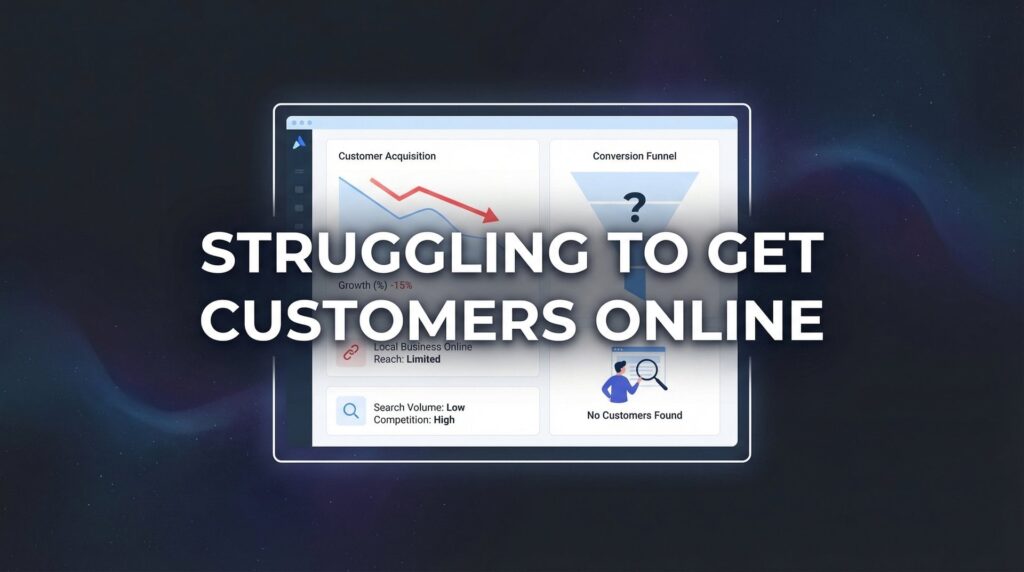
If you’re struggling to get customers online, you’re not alone—but you’re also not stuck. Many local business owners pour time and money into digital marketing only to hear crickets. The problem isn’t that online marketing doesn’t work; it’s that most businesses are using outdated tactics or spreading themselves too thin across channels that don’t fit their audience.
Here’s what typically happens: You set up a Facebook page because everyone said you should. You throw some money at ads that get clicks but no calls. You post on Instagram sporadically. Maybe you even hired someone to “do SEO” six months ago, and you’re still waiting for results.
Sound familiar?
The businesses that consistently win online aren’t doing more—they’re doing the right things in the right order. They’ve stopped chasing vanity metrics like website visits and started focusing on what actually matters: qualified leads that turn into paying customers.
This guide cuts through the noise with seven battle-tested strategies that actually drive customer acquisition. Each approach is designed for busy business owners who need results, not theory. Whether you’re a contractor, service provider, or local retailer, these strategies will help you stop spinning your wheels and start filling your calendar with qualified leads.
1. Fix Your Google Business Profile Before Anything Else
The Challenge It Solves
When someone in your area searches for what you offer, your Google Business Profile is often the first—and sometimes only—impression you make. An incomplete or poorly optimized profile tells potential customers you’re either not serious about your business or you’ve already got more work than you can handle. Neither message helps when you’re struggling to get customers online.
Most local searches happen on mobile devices, and searchers are looking for immediate answers: Are you open? Where are you located? What do other customers say about you? If your profile doesn’t answer these questions instantly, they’re calling your competitor instead.
The Strategy Explained
Your Google Business Profile is the single most powerful free tool for local customer acquisition, yet most businesses treat it like a “set it and forget it” directory listing. Optimizing your profile means creating a complete, compelling presence that Google rewards with visibility and searchers reward with their business.
Think of your profile as a storefront that’s open 24/7. Every section you complete, every photo you add, and every review you respond to signals to Google that you’re an active, legitimate business worth showing to searchers. The businesses that dominate local search results aren’t necessarily the oldest or largest—they’re the ones that give Google the most reasons to trust them.
This isn’t about gaming the system. It’s about making it easy for potential customers to choose you when they’re ready to buy. If you’re a small business struggling to find customers, your Google Business Profile should be the first thing you optimize.
Implementation Steps
1. Claim and verify your profile if you haven’t already, then fill out every single field—business hours, service areas, attributes, business description, and services offered with specific pricing where possible.
2. Upload high-quality photos of your work, your team, your location, and your process—aim for at least 20 photos and update them monthly to show you’re active.
3. Post weekly updates about projects, tips, or offers using the Google Posts feature to keep your profile fresh and give searchers a reason to engage.
4. Respond to every review within 24 hours, thanking positive reviewers by name and addressing concerns in negative reviews professionally and specifically.
5. Enable messaging so potential customers can reach you directly from search results, then respond to messages within an hour during business hours.
Pro Tips
Use your primary service keywords naturally in your business description and service listings. If you’re a plumber, don’t just say “plumbing services”—specify “emergency plumbing repair,” “water heater installation,” and “drain cleaning” as separate services. Google matches these specific terms to what people actually search for. Also, encourage satisfied customers to mention specific services in their reviews, which reinforces your relevance for those searches.
2. Target Ready-to-Buy Keywords, Not Vanity Traffic
The Challenge It Solves
You can drive thousands of visitors to your website and still be struggling to get customers online if those visitors aren’t actually looking to hire someone. Many businesses chase high-volume keywords because they sound impressive, but informational searches rarely convert into paying customers.
When someone searches “how to fix a leaky faucet,” they’re in research mode. When they search “emergency plumber near me,” they’re ready to hire. The difference in intent is everything, and targeting the wrong keywords wastes your time and budget on traffic that was never going to convert.
The Strategy Explained
High-intent keywords are search terms that indicate someone is ready to make a purchase decision right now. These typically include location modifiers, service-specific terms, urgency indicators, and commercial language like “cost,” “hire,” “near me,” “best,” or “emergency.”
These keywords often have lower search volumes than broad informational terms, which is exactly why they work. You don’t need thousands of visitors—you need dozens of the right visitors. A contractor who ranks for “kitchen remodeling contractor [city name]” will generate more revenue than one who ranks for “kitchen design ideas,” even though the latter gets ten times more searches.
The businesses that stop struggling to get customers online have figured out that relevance beats volume every single time. Understanding how to generate qualified leads online starts with targeting the right search terms.
Implementation Steps
1. List out every service you offer, then add location modifiers and commercial intent words to create your target keyword list—”hire [service] in [city],” “[service] cost in [city],” “best [service] near me.”
2. Use Google’s autocomplete and “People also ask” sections to find the exact phrases your potential customers use when they’re ready to buy.
3. Create dedicated service pages on your website targeting these high-intent keywords, with clear descriptions of what you do, who you serve, and how to contact you.
4. Optimize your page titles, headings, and content to match these search terms naturally—if someone searches “emergency HVAC repair [your city],” your page should clearly answer that specific need.
5. Track which keywords actually produce phone calls and form submissions, then double down on those terms and eliminate effort on keywords that drive traffic but no conversions.
Pro Tips
Pay attention to the keywords that bring visitors who convert, not just keywords that bring traffic. Set up call tracking and form tracking to see which search terms lead to actual customer inquiries. You’ll often find that a keyword with 50 searches per month that converts at 10% is far more valuable than one with 500 searches that converts at 1%. Focus your content and optimization efforts on the terms that pay the bills.
3. Launch a Focused PPC Campaign That Pays for Itself
The Challenge It Solves
Building organic visibility takes time—often months before you see meaningful results. If you’re struggling to get customers online right now, you need a strategy that generates leads this week, not next quarter. That’s where paid advertising comes in, but only if you do it strategically.
Most businesses waste money on PPC because they target too broadly, send traffic to the wrong pages, or give up before they’ve optimized their campaigns. The result is spending $2,000 to get $500 worth of business, then declaring that “ads don’t work.”
The Strategy Explained
A focused PPC campaign targets a narrow set of high-intent keywords, sends traffic to conversion-optimized landing pages, and measures every dollar spent against actual customer acquisition. This isn’t about brand awareness or getting your name out there—it’s about generating qualified leads that turn into revenue.
The key word is “focused.” Instead of running ads for every service you offer across multiple platforms, you pick your most profitable service, target people actively searching for it, and optimize relentlessly until the campaign pays for itself. Once you’ve proven the model works, you expand. For a deeper dive into online advertising solutions, understanding this focused approach is essential.
Think of it like testing a new employee. You don’t hire ten people at once and hope some work out—you hire one, train them properly, and measure their performance before you scale. PPC works the same way.
Implementation Steps
1. Choose one high-value service to advertise—the one with the best profit margins and shortest sales cycle—and build your entire campaign around that single offering.
2. Set up Google Ads targeting only high-intent search terms for that service in your specific service area, excluding informational keywords and areas you don’t serve.
3. Create a dedicated landing page for this campaign that matches the ad promise exactly, with a clear headline, compelling benefits, trust signals, and one obvious call-to-action.
4. Start with a modest daily budget (enough to get 10-20 clicks per day) and run the campaign for at least two weeks before making major changes—you need data before you can optimize.
5. Track every lead source, calculate your cost per lead and cost per customer, then adjust bids and keywords based on what actually generates profitable business, not just clicks.
Pro Tips
Use call tracking numbers on your landing pages so you know exactly which keywords and ads generate phone calls. Many local businesses find that phone calls convert at much higher rates than form fills, so knowing which campaigns drive calls versus form submissions helps you optimize for the right outcome. Also, run ads only during your business hours when you can answer the phone—there’s no point paying for leads you can’t respond to immediately.
4. Build Landing Pages That Convert Visitors Into Leads
The Challenge It Solves
Sending paid traffic or hard-earned organic visitors to your homepage is like inviting someone into a department store and hoping they figure out what they came for. Homepages serve multiple purposes—they introduce your company, showcase all your services, tell your story. That’s exactly why they don’t convert well.
When someone clicks an ad or search result for a specific service, they want an immediate answer to their specific problem. If they land on a page that makes them hunt for information or choose between multiple options, most will simply leave and call your competitor instead.
The Strategy Explained
A conversion-focused landing page has one job: turn visitors into leads. It matches the visitor’s intent exactly, removes distractions, and makes the next step obvious. Every element on the page—headline, copy, images, form—exists to move the visitor toward a single action: calling you or filling out a form.
The most effective landing pages follow a simple formula: match the search intent immediately, explain what you do and why it matters, prove you’re credible, and make contacting you ridiculously easy. No navigation menu. No links to other pages. No “learn more about our company history.”
This feels counterintuitive to many business owners who want to showcase everything they offer. But when you’re struggling to get customers online, you don’t need to impress visitors with your full range of services—you need to convert them into leads for the specific service they searched for. If you’re dealing with customers not filling out forms, your landing page design is likely the culprit.
Implementation Steps
1. Create separate landing pages for each major service you offer, with URLs and headlines that match the exact search terms people use to find you.
2. Write a headline that immediately confirms the visitor is in the right place—if they searched “emergency roof repair,” your headline should say exactly that, not something clever or vague.
3. Include 3-5 specific benefits that address what your customers actually care about (fast response, licensed and insured, upfront pricing, satisfaction guarantee), not generic claims about quality or experience.
4. Add trust signals like years in business, certifications, awards, customer count, and 5-star review ratings with actual customer testimonials that mention specific results.
5. Place a clear call-to-action above the fold with your phone number prominently displayed and a simple contact form that asks for only essential information—name, phone, email, and brief description of their need.
Pro Tips
Test your landing pages on mobile devices first—most local searches happen on phones, and if your page doesn’t load fast and look clean on mobile, you’re losing leads before they even read your content. Keep forms short. Every additional field you require reduces conversion rates. You can gather detailed information during the phone call—the form’s job is just to get them to raise their hand.
5. Leverage Customer Reviews as Your Sales Engine
The Challenge It Solves
When potential customers are comparing you to competitors, reviews are often the deciding factor. Two businesses might offer the same service at similar prices, but the one with 50 recent five-star reviews will win the customer almost every time. If you’re struggling to get customers online, thin or outdated reviews are probably costing you business daily.
The challenge isn’t just getting reviews—it’s building a systematic approach that generates fresh reviews consistently. Sporadic reviews or a handful of testimonials from three years ago don’t build the trust needed to overcome the natural hesitation people feel about hiring someone new.
The Strategy Explained
Customer reviews function as social proof that reduces risk in the buyer’s mind. When someone sees dozens of people praising your responsiveness, quality, and reliability, it answers the questions they’re too polite to ask: “Will this person show up on time? Will they do good work? Will they charge me fairly?”
The businesses that win online don’t just collect reviews—they systematically request them from every satisfied customer, respond to every review, showcase them prominently, and use them as content across their marketing. Implementing solutions for managing online customer reviews can transform your reputation into a competitive advantage.
This isn’t about manipulation or fake reviews. It’s about making it easy for happy customers to share their experience so future customers can make informed decisions.
Implementation Steps
1. Create a simple review request process that happens immediately after project completion—send a text or email with direct links to your Google Business Profile and other relevant platforms.
2. Ask for reviews when customers are happiest, typically right after you’ve solved their problem or completed the work to their satisfaction, not weeks later when the experience has faded.
3. Make it effortless by providing direct links to your review profiles and a brief template of what to mention if they’re not sure what to write—many customers want to help but don’t know what to say.
4. Respond to every review within 24 hours, thanking reviewers by name for positive feedback and addressing any concerns in negative reviews professionally and specifically without getting defensive.
5. Feature your best reviews prominently on your website, landing pages, and marketing materials—don’t hide them on a separate testimonials page that nobody visits.
Pro Tips
Focus on Google reviews first since they appear directly in search results and on your Google Business Profile. Once you have a solid base there, expand to industry-specific platforms that matter in your field. Also, encourage customers to mention specific services in their reviews—”They did an amazing job on our kitchen remodel” is more valuable for SEO than “Great company!” because it reinforces your relevance for specific searches.
6. Retarget Website Visitors Who Didn’t Convert
The Challenge It Solves
Most people who visit your website don’t contact you on their first visit. They’re researching, comparing options, or simply not ready to commit yet. If you let these visitors disappear without a follow-up strategy, you’re leaving money on the table—they’ve already shown interest, but you’re forcing them to remember to come back on their own.
The reality is that buying decisions for services often take time. Someone might visit your site on Monday, check out two competitors on Tuesday, think about it over the weekend, and finally be ready to hire on the following Monday. If you’re not staying visible during that decision-making process, you’re relying on memory and luck instead of strategy.
The Strategy Explained
Retargeting keeps your business visible to people who’ve already visited your website by showing them ads as they browse other sites, watch videos, or scroll social media. This isn’t about being creepy or aggressive—it’s about staying top-of-mind during the consideration phase when customers are making their final decision.
Think about the last time you researched a product online and then saw ads for it everywhere. That’s retargeting, and it works because it leverages a psychological principle called the mere exposure effect: people develop a preference for things they see repeatedly. When someone sees your ads three or four times over a week, you feel more familiar and trustworthy than a competitor they’ve never heard of. If competitors are outranking you online, retargeting helps you stay competitive even when you’re not winning the initial search.
The key is relevance. Show different messages to people based on which pages they visited and how recently they were on your site.
Implementation Steps
1. Install the Google Ads remarketing tag and Facebook Pixel on your website to start building audiences of past visitors you can advertise to later.
2. Create audience segments based on behavior—people who visited service pages but didn’t contact you, people who started a form but didn’t submit, people who visited your pricing page.
3. Build ads that remind visitors why they came to your site in the first place, featuring specific benefits, customer reviews, or limited-time offers that create urgency.
4. Set frequency caps so you’re not showing the same person your ad ten times a day—aim for 3-5 impressions per person per week to stay visible without being annoying.
5. Exclude people who’ve already converted by setting up conversion tracking that removes customers from your retargeting audiences once they’ve contacted you or made a purchase.
Pro Tips
Retargeting works best when combined with fresh content. If someone visited your site two weeks ago, show them a recent project photo or new customer review rather than the same generic ad. Also, adjust your messaging based on time—someone who visited yesterday might need a gentle reminder, while someone who visited three weeks ago might need a stronger incentive like a discount or consultation offer to bring them back.
7. Track What Matters and Cut What Doesn’t
The Challenge It Solves
Many businesses struggling to get customers online are actually getting plenty of traffic—they’re just not tracking what happens after people arrive. Without proper conversion tracking, you’re flying blind. You might be spending 80% of your budget on a channel that generates zero actual customers while starving the channel that’s producing all your revenue.
Vanity metrics like website visits, page views, and social media followers feel good but don’t pay the bills. What matters is how many visitors become leads, how many leads become customers, and how much revenue each marketing channel actually generates. If you can’t measure these things accurately, you can’t improve them.
The Strategy Explained
Effective tracking means implementing systems that connect every lead back to its source, measure the cost of acquiring that lead, and ultimately determine which marketing efforts produce profitable customers. This allows you to make data-driven decisions about where to invest more and what to eliminate entirely.
The businesses that stop struggling to get customers online aren’t necessarily doing more marketing—they’re doing more of what works and less of what doesn’t. But you can only know the difference if you’re tracking properly. This means going beyond Google Analytics to implement call tracking, form tracking, and CRM systems that follow leads through your entire sales process. Our online marketing guide covers these tracking fundamentals in detail.
Think of tracking like a financial audit for your marketing. You wouldn’t run a business without knowing your profit margins—why would you run marketing without knowing which channels are profitable?
Implementation Steps
1. Set up conversion tracking in Google Analytics and Google Ads to measure form submissions, phone clicks, and other on-site actions that indicate someone is interested in your services.
2. Implement call tracking numbers that are unique to each marketing channel so you know whether calls came from Google Ads, organic search, social media, or other sources.
3. Create a simple spreadsheet or CRM system that records every lead with its source, the date it came in, whether it converted to a customer, and the revenue it generated.
4. Review your tracking data weekly to identify patterns—which days generate the most leads, which keywords convert best, which landing pages have the highest conversion rates.
5. Ruthlessly cut spending on channels that don’t produce measurable results after a fair test period, and reinvest that budget into the channels that are actually generating profitable customers.
Pro Tips
Track beyond the initial lead to actual customer acquisition and revenue. A channel that generates 50 leads but only 2 customers might be less valuable than one that generates 10 leads but 5 customers. Calculate your cost per customer, not just cost per lead, and factor in the lifetime value of customers from different channels—some sources might produce customers who spend more or refer more business. This deeper analysis reveals which marketing efforts truly drive business growth.
Putting These Strategies Into Action
Stop struggling to get customers online by implementing these strategies in order of priority. Start with your Google Business Profile—it’s free, it delivers fast results, and it’s the foundation of local visibility. Get that dialed in first.
Next, focus on targeting the right keywords and building landing pages that convert. These two strategies work together: high-intent keywords bring ready-to-buy visitors, and conversion-focused landing pages turn those visitors into leads. This combination alone can transform your customer acquisition.
If you need immediate leads while building organic visibility, a focused PPC campaign can bridge the gap. Just remember to start narrow, track everything, and optimize based on what actually produces customers.
The review and retargeting strategies amplify everything else you’re doing. Reviews build the trust that converts hesitant visitors into customers. Retargeting ensures you don’t lose the people who aren’t ready to buy on their first visit.
Finally, tracking ties it all together. Without knowing what’s working, you’re just guessing. With proper tracking, you can confidently invest in the channels that produce results and eliminate the ones that waste your budget.
Here’s the truth: the businesses winning online aren’t doing everything—they’re doing the right things consistently. They’ve stopped chasing every new marketing trend and started focusing on strategies that actually fill their calendar with qualified leads.
Ready to stop guessing and start growing? Tired of spending money on marketing that doesn’t produce real revenue? We build lead systems that turn traffic into qualified leads and measurable sales growth. If you want to see what this would look like for your business, we’ll walk you through how it works and break down what’s realistic in your market.
Want More Leads for Your Business?
Most agencies chase clicks, impressions, and “traffic.” Clicks Geek builds lead systems. We uncover where prospects are dropping off, where your budget is being wasted, and which channels will actually produce ROI for your business, then we build and manage the strategy for you.