If you run a local business, learning how to optimize your Google Business Profile is one of the most powerful things you can do to get more customers. Your profile is the digital front door for anyone searching nearby.
Many businesses just claim their profile and let it sit. That’s a huge missed opportunity. A polished profile acts like a mini-website right on Google, giving customers everything they need to choose you.
Why Your Google Business Profile Is Your Most Important Local SEO Tool
Think of your Google Business Profile (GBP) as the heart of your local search strategy. When people search for "plumbers near me" or "best coffee shop," Google's algorithm favors profiles that are complete, active, and helpful.
This is your ticket to showing up in the Local Pack (the map with three businesses at the top) and on Google Maps.
In Short: A well-managed profile leads directly to more phone calls, direction requests, website traffic, and customer messages.
That prime visibility means more business:
- More phone calls from people ready to book.
- More direction requests from customers heading your way.
- More website traffic from users wanting more details.
- More direct conversations through Messaging and Q&A.
It's not just about getting found; it's about giving customers a reason to choose you over the competitor down the street.
The Numbers Don't Lie
The data shows a huge gap between neglected and optimized profiles. Fully optimized Google Business Profiles show up in search results 80% more often. They also get four times more website visits, 12% more calls, and 10% more direction requests. For more details, Birdeye's 2025 report is packed with insights.
Let that sink in. For every 10 people searching for what you offer, an un-optimized profile could be completely invisible to eight of them. You're handing that business directly to your competitors.
Your GBP in the Grand Scheme of Things
Optimizing your profile is a direct path to more local customers, but it’s part of a bigger picture. Before diving deep into GBP, it helps to understand the basics of winning the SEO game. This context connects your website, reviews, and GBP so everything works together.
Google gives you this incredible tool for free. It’s your chance to control your first impression online. Leaving it unoptimized is like keeping your "Open" sign turned off.
Ready to flip the switch? To learn more about getting noticed, check out our guide on local Maps SEO. The rest of this guide will walk you through turning your profile into a customer magnet.
Your Core GBP Optimization Checklist
Here's a quick rundown of the essential tasks that deliver the biggest impact on your local search visibility.
| Optimization Area | Action Item | Why It Matters |
|---|---|---|
| Core Information | Verify your business address, phone, and hours are 100% accurate. | This builds trust with both Google and customers. Inaccuracies kill rankings. |
| Categories | Choose the most specific Primary Category and add relevant secondary ones. | This is the #1 factor in telling Google what your business is and what searches to show it for. |
| Photos & Videos | Upload high-quality, real photos of your location, team, and work. | People buy from people. Authentic visuals dramatically increase engagement and trust. |
| Services/Products | Add and describe all your services or products with keywords. | This helps you rank for specific, long-tail searches (e.g., "emergency plumbing repair"). |
| Reviews | Actively request reviews and respond to every single one (good or bad). | Social proof is everything. Reviews and your responses heavily influence rankings and customer choice. |
| Google Posts | Regularly share updates, offers, and news using Google Posts. | This shows Google your profile is active and provides timely information to searchers. |
| Q&A Section | Proactively add and answer your own FAQs to control the narrative. | Pre-empt customer questions and provide helpful information directly in your profile. |
Tackling this list is the foundation of a high-performing profile.
Laying the Groundwork: Get the Fundamentals Right
Before the fancy stuff, let's make sure your foundation is solid. Getting these first steps right is critical. If you do a sloppy job here, everything you build on top will be shaky.
Learning how to optimize your Google Business Profile starts with claiming your listing and saying, "Hey, this one's mine!"
First Things First: Claim and Verify Your Business
Many businesses have a profile that Google created, but the owner never claimed it. This is job number one. Go to Google Maps, find your business, and look for a link that says "Claim this business" or "Own this business?".
Verification is how Google confirms you're the real owner. They usually send a postcard with a PIN to your address, but phone or email verification is sometimes an option. Do it right away. An unverified profile is basically invisible.
In Short: Completing verification is a massive trust signal to Google that you're a legitimate, active business.
Keep Your NAP Incredibly Consistent
NAP stands for Name, Address, and Phone Number. This information must be identical everywhere it appears online. I don't mean "close enough"—I mean a character-for-character match.
If your GBP says "123 Main St., Suite 200," your website can't say "123 Main Street, Ste. #200." Even tiny differences confuse Google's algorithm, which can hurt your local rankings.
My Go-To Tip: Google your business name. Check the first page for directory listings like Yelp or Yellow Pages. Make sure your NAP is a perfect match on every single one. Consistency builds trust, and trust builds rankings.
The optimization process is a simple loop: tune up your profile, get found in search, and connect with customers.
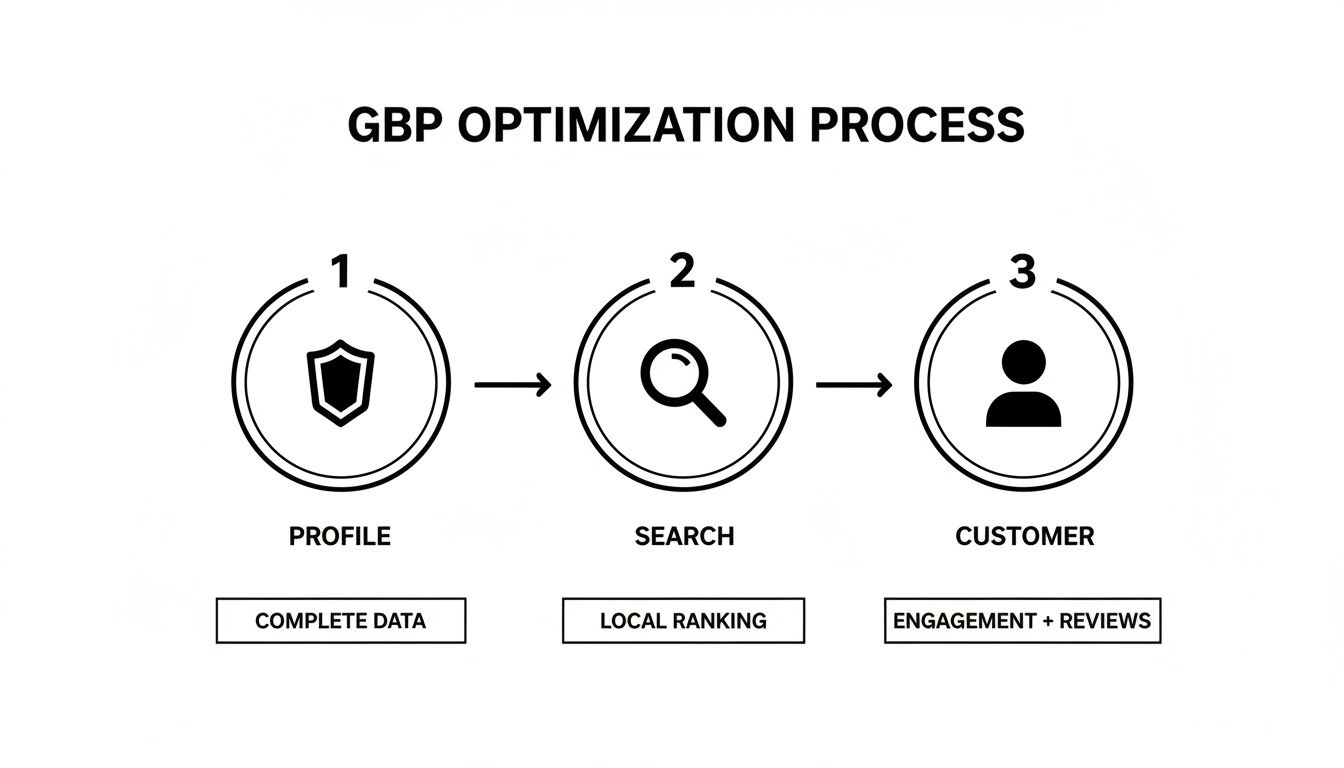
A well-maintained profile directly impacts how often you show up in front of people ready to buy.
Choose Your Categories Carefully
Your business categories might be the single most important ranking factor on your profile. This is how you tell Google exactly what you do.
- Primary Category: Be as specific as possible. Don't pick "Restaurant"; choose "Italian Restaurant" or "Vegan Restaurant." This one choice has a huge impact.
- Secondary Categories: Add up to nine more. Use these to cover every other part of your business. An Italian restaurant might add "Pizza Delivery," "Caterer," and "Wine Bar."
Don't add categories that don't truly fit. Stick to what you actually offer. For more tips, check out these Google Business Profile tips for local growth.
Define Your Service Areas
If you're a service-area business—like a plumber or landscaper—this section is non-negotiable. Specify the neighborhoods, cities, or counties you serve.
Be realistic. Don't list the entire state if you only work within a 30-mile radius. List individual towns or zip codes. This is how you show up in "near me" searches, even when the customer isn't right next door.
How to Turn Your Profile Into a Customer Magnet
Getting the basics right is a solid start. But to turn lookers into customers, you need to bring your profile to life. A flat, text-only profile is easy to ignore. A vibrant one with great photos makes a powerful first impression.
This isn't just about looking pretty. A fully fleshed-out profile gets 7x more clicks. Profiles with photos see 42% more requests for driving directions. These aren't vanity metrics; they're a direct line to more business. If you want to dive deeper, this 2023 Google data breakdown shows how much this matters.
It's time to stop just listing your business and start showcasing it.

Bring Your Business to Life with Photos and Videos
Photos are often the first thing a potential customer looks at. They want to see your space, your team, and your work. Stock photos don't work here—authenticity wins.
Think of your photos as telling a story. Cover a few key angles:
- Exterior Shots: Show people what your storefront looks like so they can find you.
- Interior Shots: Give them a feel for the vibe. A cozy coffee shop? A clean dental office?
- Team Photos: A friendly shot of your crew makes your business feel human and trustworthy.
- Work in Action: Show off what you do best. Post before-and-after shots or close-ups of your products.
Don't forget video! A quick, 30-second video tour can be incredibly powerful. A modern smartphone is all you need.
Pro Tip: Add at least one new photo every month. This signals to Google that your profile is active, which can help your rankings.
Write a Business Description That Sells (and Ranks)
Google gives you 750 characters for your business description—make them count. Think of it as a quick elevator pitch.
A great description should hit three points:
- Who you are and what you do: Get straight to the point. "We're a family-owned Italian restaurant…"
- What makes you different: "…using locally-sourced ingredients and recipes passed down for three generations."
- Who you serve: Let people know they're in the right place. "Perfect for a date night or a family dinner…"
While writing for people, naturally include keywords. If you're a plumber, mention things like "emergency plumbing," "leak repair," and "water heater installation."
Fill Out Your Products and Services—All of Them
The Products and Services sections are goldmines for local SEO, but many businesses leave them blank. Filling these out helps you show up for specific, high-intent searches.
Think like a customer. They aren't just searching for a "mechanic"; they're searching for an "oil change near me."
- For Service Businesses: List every single service. A roofer needs separate entries for "Roof Repair," "Gutter Installation," and "Shingle Replacement."
- For Product-Based Businesses: Add your most popular items. A bakery could feature "Sourdough Bread" and "Custom Birthday Cakes" with photos and prices.
Every item you add is another chance to get found.
Building Trust Through Reviews and Engagement
Your Google Business Profile isn't just a listing; it's a space for conversations with your customers. This is where you build genuine credibility and trust.
The interactive elements—reviews, Q&A, and posts—are where the real magic happens. Getting these right tells Google you're an engaged business people can rely on.

The Power of Customer Reviews
Online reviews are the new word-of-mouth. A huge 93% of consumers say online reviews influence their buying decisions. A good review from a stranger often feels as trustworthy as a recommendation from a friend.
So, how do you get more of them?
- Simply ask. After a great experience, just ask the happy customer.
- Send a direct link. Google has a "Get more reviews" button that generates a shareable link. Text or email it.
- Use QR codes. Put a QR code on your counter, invoices, or business cards that links directly to your review page.
Always, Always Respond to Every Review
Responding to reviews is non-negotiable. It shows potential customers that you're an engaged owner who listens to feedback.
A thoughtful response can turn a negative experience around and makes a positive one even more powerful.
Pro Tip: When you respond, try to naturally include the service they used and your city. For example, "Thanks for trusting us with your emergency roof repair here in Denver!" This subtly reinforces keywords for Google.
This small habit makes a huge difference. Our guide on how to rank in the Google 3-Pack digs deeper into how reviews work.
A Simple Framework for Responding to Reviews
Here’s how to handle different types of reviews to manage your online reputation.
| Review Type | Key Elements to Include | Example Snippet |
|---|---|---|
| 5-Star Positive | Thank them by name, mention a specific positive detail from their review, and invite them back. | "Thanks, Sarah! We're so glad you loved the custom bouquet. We look forward to seeing you again soon!" |
| 4-Star (Mostly Positive) | Thank them, acknowledge the minor issue or suggestion they mentioned, and express your commitment to improving. | "We appreciate the kind words, Mark! We're taking your feedback about the wait time to heart and working on it." |
| 3-Star (Neutral/Mixed) | Thank them for their feedback, apologize that their experience wasn't perfect, and ask for more details offline to resolve it. | "Hi Alex, thank you for your feedback. We're sorry to hear your visit wasn't up to our usual standards. Please email us at… so we can learn more." |
| 1- or 2-Star Negative | Apologize sincerely and professionally (no excuses!), take responsibility, and provide a direct contact to resolve the issue offline. | "We are so sorry about this, Jessica. This is not the experience we want for our customers. Please contact our manager, Dave, at… so we can make this right." |
This structured approach ensures you’re always professional.
Control the Narrative with the Q&A Section
The Questions & Answers section is a goldmine that most businesses ignore. Here, customers can ask questions, but anyone can answer them. If you're not paying attention, you could end up with incorrect information on your profile.
The best defense is a good offense. Be the first one to ask and answer questions.
Think about common questions:
- "Do you offer free estimates?"
- "Is there free parking nearby?"
- "Are you open on holidays?"
By pre-populating this section with your own FAQs, you provide instant value and control the information customers see.
Keep Your Profile Fresh with Google Posts
Think of Google Posts as mini-updates that show up directly in search results. They are perfect for sharing timely news and showing Google your business is active.
Use Posts to announce things like:
- Special Offers: A flash sale or a new discount code.
- Company Updates: New team members or updated hours.
- Upcoming Events: A webinar, open house, or community event.
- Showcasing Work: A photo of a finished project.
Try to create a new post at least once a week. This consistent activity sends a strong, positive signal to Google.
Using Data to Fine-Tune Your GBP Strategy
Once you have the basics down, it's time to stop guessing and start measuring. We’re moving from having a profile to actively managing it with data.
Diving Into Your GBP Performance Reports
Google gives you a free dashboard called Performance right inside your GBP manager. This is your personal scoreboard.
Focus on a few key metrics:
- Interactions: The total number of actions someone took on your profile. A great way to gauge overall engagement.
- Calls: How many people hit the "Call" button. For most local businesses, this is a top-tier lead.
- Website Clicks: How many people were intrigued enough to visit your website.
- Direction Requests: The digital equivalent of someone walking through your door. Pure gold for physical locations.
Check these numbers monthly to see what's working.
Uncover How Customers Are Actually Searching for You
My favorite part of the Performance report is the Search Queries section. Google gives you a list of the exact search terms people used to find you. It's a direct window into your customers' minds.
For a local plumber, this list might include:
- "emergency plumber near me"
- "water heater repair springfield"
- "clogged drain service"
This isn't just data; it's a road map. If you see searches for a specific service, promote it. Add it to your Services list and create a Google Post about it. Analyzing these queries is the secret to figuring out how to optimize Google Business Profile for what people are actually looking for.
Bottom Line: The search queries report is a free goldmine of keywords. Use this language in your business description, services, and posts.
Use Attributes to Attract Your Ideal Customer
Attributes are descriptive tags that help you stand out. They show up as small icons on your profile, giving customers a quick snapshot of what makes you special.
Think of them as quick answers to unasked questions.
- Accessibility: "Wheelchair accessible entrance"
- Amenities: "Free Wi-Fi," "Outdoor seating"
- Identity: "Women-led," "Veteran-led"
Adding the right attributes is a simple but powerful move. Someone searching for a "pet-friendly" restaurant will instantly see you as the perfect choice.
Turn On Messaging for Direct Connections
The Messaging feature adds a "Chat" button to your profile, opening a direct line for leads who aren't ready to call.
The one rule here is responsiveness. Google tracks and displays your average response time, so be quick. A slow reply is a lost opportunity.
Set up an automated welcome message like, "Thanks for reaching out! We've received your message and will get back to you shortly." It’s a small touch that can turn a question into a client.
For more on dominating local search, check our guide on how to rank higher on Google Maps.
Got Questions About Google Business Profile? We've Got Answers.
Here are straightforward answers to some of the most common questions business owners have about optimizing their GBP.
How often should I update my Google Business Profile?
Treat your profile like a social media account—keep it fresh.
- Weekly: Respond to new reviews and questions. Publish at least one new Google Post.
- Monthly: Add a handful of new photos. If you're in a visual business (like a salon or restaurant), do this weekly.
- Immediately: Update your profile the moment anything changes, like business hours or your phone number. Outdated information is a red flag for customers and Google.
In Short: A little activity each week is far more powerful than a massive update once a year.
What's the biggest mistake businesses make with their GBP?
The biggest mistake is the "set it and forget it" mindset. Many businesses get verified, fill out the basics, and never log in again.
An abandoned profile gets stale. You miss customer engagement, let negative reviews sit unanswered, and display outdated info. To Google, an inactive profile is less relevant and trustworthy than an active competitor's. This can tank your local rankings over time.
The runner-up mistake is having inconsistent Name, Address, and Phone (NAP) information across the web.
Can I put keywords in my business name on Google?
No. You should never add extra keywords, city names, or descriptive phrases to your business name unless they are part of your actual, legally registered business name.
This tactic is called keyword stuffing, and it violates Google's guidelines.
For example, if your business is "Dave's Plumbing," your GBP name must be exactly that. Not "Dave's Plumbing – Best Plumber in Austin TX."
While you might see competitors doing it, it's a risky game. If caught, Google can penalize or even suspend your profile. The right place for keywords is in your business description, services list, photo captions, and Google Posts.
How does GBP help with local SEO?
Your Google Business Profile is the cornerstone of your local SEO strategy. It’s the central hub Google's local algorithm uses to decide which businesses to feature in the map pack.
- Relevance: Your business categories and services tell Google exactly what you do.
- Prominence: A steady stream of great reviews and regular activity show Google you're a popular, well-regarded local business.
- Proximity: Your verified address allows Google to show your business to people searching nearby.
Your GBP also boosts your paid advertising. When you link your profile to Google Ads, you can run location extensions that add your address, map pin, and phone number to your ads, which can seriously improve click-through rates.
Ready to stop guessing and start getting real results from your local marketing? The team at Clicks Geek specializes in turning Google Business Profiles into powerful customer acquisition engines. Book a call with us today to see how we can drive measurable growth for your business.