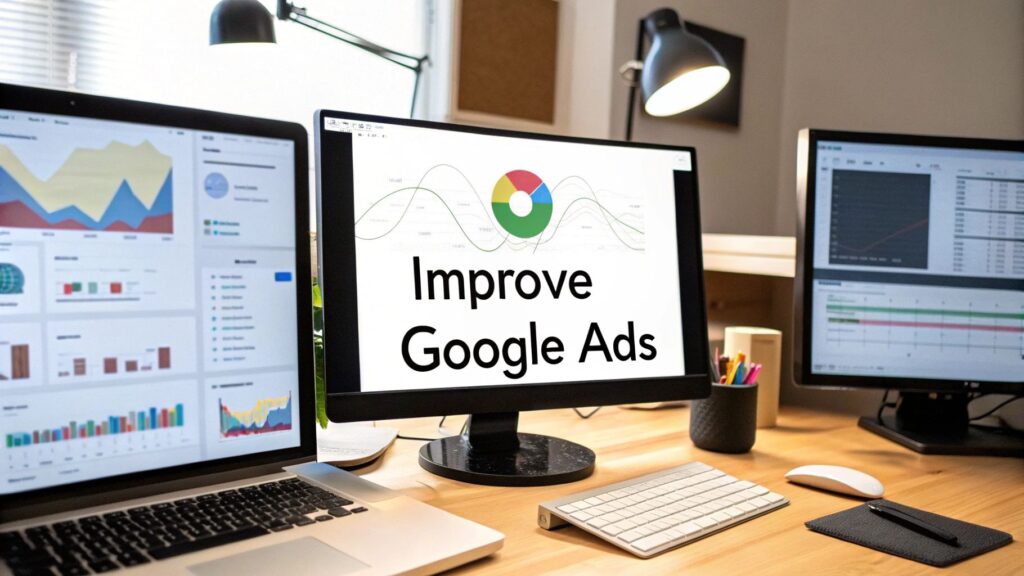
Before you can improve Google Ads performance, you have to look under the hood to see what's going on. This isn't a long data project. It's a quick audit to find obvious, money-wasting mistakes you can fix right now. Think of it as a quick tune-up for your campaigns.
This guide will walk you through the key areas to check. We'll cover account structure, keywords, bidding, ad copy, and landing pages. Let's find those quick wins.
Find Quick Wins by Auditing Your Google Ads Account
Before tweaking bids or testing ad copy, you need a baseline. A simple audit gives you a roadmap. It shows where to focus for the biggest and fastest returns.
Many advertisers jump straight to fancy bidding strategies. But their account is often built on a shaky foundation. That's like tuning a race car engine when it has a flat tire. You must nail the fundamentals first.
The good news is this review doesn't have to take a lot of time. You can find major opportunities in about an hour by checking a few key areas.
Check Your Campaign and Ad Group Structure
First, is your account organized or a total mess? A logical structure is non-negotiable for success. Your campaigns should be split by goal, service, product line, or location.
For example, a plumber serving two cities needs two campaigns: one for "Plumbing – City A" and another for "Plumbing – City B." This lets you set specific budgets and targeting for each market.
Inside each campaign, your ad groups need to be very specific. An ad group for "Emergency Plumbing" should only have keywords about urgent repairs, like "24/7 plumber" or "burst pipe repair."
When you get this tight theming right, Google rewards you with a higher Quality Score. This means lower costs and better ad positions for you.
In Short: A messy account structure makes it impossible to manage your budget. Logically grouping your campaigns and ad groups is the first real step to better performance.
Verify Your Conversion Tracking Is Working
This might sound like a no-brainer, but broken or missing conversion tracking is very common. If you aren't measuring what works, you're just burning cash.
Start by asking these simple questions:
- Are we tracking the actions that matter most (form fills, calls, sales)?
- Is the Google Ads tag firing correctly on our "thank you" pages?
- Are we importing goals correctly from Google Analytics?
- Do the conversion numbers in Google Ads look realistic?
The easiest way to check is to become a customer. Go to your site, fill out your contact form, and see if a conversion appears in your account. Fixing your tracking is the single most important thing you can do.
Your Foundational Google Ads Audit Checklist
Here’s a quick checklist. Use it to run through your account and spot immediate opportunities.
| Audit Area | What to Check | Why It Matters |
|---|---|---|
| Structure | Campaigns & ad groups are logically organized and tightly themed. | A clean structure improves Quality Score, lowers costs, and makes management easier. |
| Conversion Tracking | Tracking codes are installed correctly and firing for key actions. | If you can't measure it, you can't improve it. Accurate data is essential for smart decisions. |
| Keywords | Negative keyword lists are in place to block irrelevant searches. | Prevents wasted ad spend on clicks from people who will never become customers. |
| Ad Extensions | Sitelinks, callouts, and structured snippets are active on all campaigns. | Extensions increase ad size and CTR, giving you more visibility for free. |
| Search Terms Report | Review what people are actually searching for to find new keywords and negatives. | This report is a goldmine for understanding user intent and optimizing your targeting. |
This quick pass-through will almost always reveal a few easy fixes that can boost your performance right away.
Review Your Ad Extensions
Ad extensions are the extra bits of info with your ad, like site links and callouts. They make your ad bigger, more helpful, and more clickable. Best of all, they're free. For more on this, here are some ninja tricks for AdWords account management.
Think they don't matter? The average click-through rate (CTR) for Google Ads is strong, partly due to extensions. They can often boost your CTR by 10-15% on their own.
Take a look through your campaigns. Are you using extensions? At a minimum, you should have sitelinks, callouts, and structured snippets on every campaign. If you're a local business, location and call extensions are essential.
Master Your Keywords and Stop Bleeding Cash
Keywords are the foundation of any successful Google Ads campaign. Get them right, and you connect with ideal customers. Get them wrong, and you're just wasting your ad budget.
It’s not just about picking keywords; it's about constantly refining them. You need to control who sees your ads and what they’re searching for.
A huge part of this is understanding the intent behind a search. "Plumber reviews" is very different from "emergency plumber near me." The first person is researching; the second has a crisis. Aligning your keywords to that intent is where performance skyrockets.
Dial In Your Keyword Match Types
Google gives you three main keyword targeting options: broad match, phrase match, and exact match. Knowing how to use each one is the quickest way to stop wasting money.
-
Broad Match: This is the default setting and casts the widest net. Your keyword "men's shoes" might show up for "buy sneakers for guys." It can be useful but often attracts irrelevant traffic.
-
Phrase Match: This gives you more control. Your ad shows for searches that include the meaning of your keyword. For "men's running shoes," it could trigger for "running shoes for men sale."
-
Exact Match: This is your most targeted option. Your ad appears only for searches with the same meaning as your keyword. For [men's running shoes], you'd show for "running shoes men" but not "men's tennis shoes."
In Short: When starting out, lean heavily on phrase and exact match for your most important keywords to control costs.
The Unsung Hero: Negative Keywords
Negative keywords save you real money. They tell Google which searches to block so your ads don't show up. It’s your best defense against wasted ad spend.
Let's say you're a luxury kitchen remodeler. You don't want ads showing for "cheap DIY kitchen cabinets" or "kitchen remodeling jobs." Adding terms like "cheap," "DIY," and "jobs" to your negative keyword list instantly stops that budget leak.
How to Find and Add Negative Keywords
Your secret weapon here is the Search Terms Report in your Google Ads account. This report shows the exact phrases people typed that triggered your ad. It's a goldmine for optimization.
I recommend checking this report every week. When you spot a search term that doesn't fit, you've found a negative keyword.
- In your Google Ads account, go to Keywords > Search terms.
- Scroll through the list and look for irrelevant queries.
- Check the box next to any wasteful terms.
- Click "Add as negative keyword."
Do this consistently. You'll build a powerful shield that protects your budget. For a more detailed breakdown, learn how to create negative keyword lists in Google Ads in our guide.
Pick the Right Bidding Strategy for Your Goals
Think of Google's automated bidding as a smart self-driving car. It’s powerful, but you still have to give it the right destination.
Picking the wrong bidding strategy is one of the fastest ways to waste your ad budget. There’s no single “best” strategy—it’s about matching the right tool to the right job.
What’s your main goal? Are you trying to get more phone calls? Or hit a specific return on your ad spend? Each goal needs a different approach.
Understanding Automated Bidding Strategies
Google's AI is incredible, but it's not a mind reader. It needs clean data and clear instructions. When you choose a strategy, you’re telling Google what metric matters most to you.
Let’s break down the most common options:
- Maximize Conversions: You give Google a budget, and its mission is to get as many conversions as possible. It’s perfect for lead generation when volume is the top priority.
- Target CPA (Cost Per Acquisition): You tell Google how much you’re willing to pay for one conversion. The algorithm then hunts for clicks likely to convert at or below that cost.
- Target ROAS (Return On Ad Spend): If you run an e-commerce store, this is your best friend. You set a target return for every dollar you spend (e.g., a 400% ROAS means you want $4 back for every $1 spent).
In Short: Your bidding strategy is the core instruction you give to Google's AI. Maximize Conversions is for volume, Target CPA is for lead cost control, and Target ROAS is for profitability.
Feeding the algorithm clean data is just as important. You have to filter out junk search terms so it can focus on what matters.
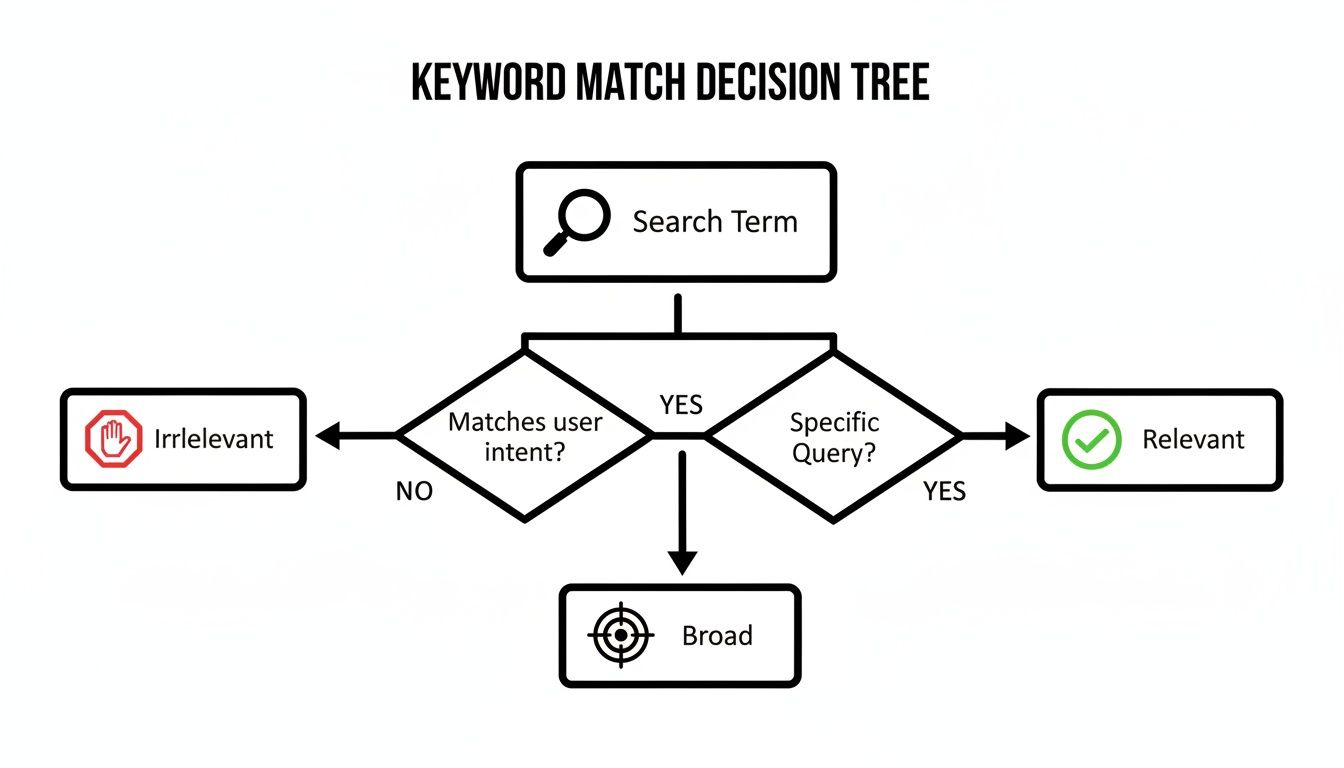
This process ensures your bidding strategy is optimizing for genuinely interested customers, not random clicks.
Which Google Ads Bidding Strategy Should You Use
Here’s a quick table to help you match your goals to the right strategy.
| Bidding Strategy | Best For | Key Consideration |
|---|---|---|
| Maximize Conversions | Generating high volume of leads or sales | Works best when you don't have a strict cost-per-lead target. |
| Target CPA | Hitting a specific cost-per-lead goal | Requires historical conversion data to work effectively. |
| Target ROAS | E-commerce or businesses with clear revenue tracking | You need to know the value of your conversions to set a realistic target. |
| Maximize Clicks | Driving as much traffic to your site as possible | Good for brand awareness or when you need data for a new account. |
| Manual CPC | Gaining granular control over keyword bids | Best for experienced advertisers or new accounts with no data. |
Think of this table as your starting point. You can always adjust as your campaign gathers more data.
When Manual Bidding Still Makes Sense
With all this automation, you might think manual bidding is dead. Not quite.
Manual CPC (Cost-Per-Click) still has its place. If your account is brand new, it has zero conversion data for the algorithm to learn from. Starting with Manual CPC lets you gather that crucial initial data while keeping total control.
It’s also great if you want to be very precise. If you know one specific keyword is a goldmine and want to bid aggressively on it, manual bidding gives you that power.
People Also Ask About Google Ads Bidding
How do I choose a bidding strategy in Google Ads?
It always comes back to your primary business goal. If you need leads above all else, start with Maximize Conversions. If you know a lead is worth $50, use Target CPA. For e-commerce, Target ROAS is usually the right move.
How long does it take for Google's bidding algorithm to learn?
Give it time. The official "learning period" usually lasts about 5-7 days after you make a big change. Your performance will likely be inconsistent during this week. Be patient and resist the urge to keep tinkering.
What is the best bidding strategy for a small budget?
With a smaller budget, Maximize Clicks can be a smart first step. The goal is to get enough traffic to gather data quickly. Once you have at least 15-20 conversions in a month, you can switch to Maximize Conversions.
Choosing the right strategy is foundational. To dive deeper, check out this in-depth Google Ads bidding strategy tutorial.
Write Ad Copy That Actually Converts
Think of your ad copy as a handshake. It’s the first impression a potential customer gets. You have about two seconds to convince them to click.
Great ad copy does more than announce what you do. It speaks directly to the searcher's problem and shows you have the solution. The goal isn't just to get any click; it's to get the right click. This is how you can seriously improve Google ads performance.
Use the Hook, Value, CTA Framework
You don't need to be a creative writer to nail your ad copy. A simple framework makes all the difference. I call it the "Hook, Value, Call-to-Action" (CTA) method.
Here’s the breakdown:
- Hook: Your first headline needs to grab attention and mirror their search. If they searched "emergency roof repair," your headline should be "24/7 Emergency Roof Repair."
- Value: Next, tell them why you’re the best choice. This is where your unique selling points come in. Use headlines like "Free Inspections & Estimates" or "Locally Owned for 30+ Years."
- Call-to-Action (CTA): Finally, tell them what to do. Be direct. "Call Now for a Free Quote" or "Book Your Service Online" is clear and pushes them to act.
When you give Google's AI a good mix of headlines and descriptions using this framework, it has the right ingredients to build a killer ad.
In Short: Your ad copy must hook the user, prove your value, and give a clear command. Nail this simple framework, and the quality of your clicks will improve.
Make Your Ads Hyper-Relevant with DKI
Want to make your ads feel more personal? Use Dynamic Keyword Insertion (DKI). It's a feature that automatically drops the user's search query into your ad headline.
It works like this: you create a headline like "{KeyWord:Expert Plumbing Services}." If someone searches for "plumber in brooklyn," your ad can show the headline "Plumber in Brooklyn." Seeing their own words in an ad makes people more likely to click.
A word of caution: DKI can backfire if your ad groups aren't tightly themed. You don't want a misspelled phrase showing up in your ad. Keep your ad groups focused.
Always Be A/B Testing Your Message
Never assume you know which ad will perform best. You have to test it. A/B testing is running two or more ad variations against each other to see which gets better results.
You can start small by testing one thing at a time:
- Test Headlines: Pit a benefit-driven headline ("Get a Spotless Home") against a feature-focused one ("Eco-Friendly Cleaning Services").
- Test Descriptions: Try a description with an offer ("15% Off Your First Clean") against one with a guarantee ("100% Satisfaction Guaranteed").
- Test CTAs: Does "Get a Quote" work better than "Book Online Today"? Let the data decide.
Once a clear winner emerges, pause the loser and try to beat the new champion. This constant cycle of testing is how you find messaging that truly connects. For more, there are great resources on mastering good ad copy that actually converts.
What About Display and Video Ads?
The core principles of good copy still apply, but the game changes a bit. Here, your visuals do a lot of the talking.
- Display Ads: Keep your text short and punchy. A compelling image is the main event. Your copy should support it with a clear value prop and a bold call-to-action button.
- Video Ads: You have about three seconds to hook someone before they hit "Skip Ad." Start strong, get your message across fast, and end with a clear directive.
Optimize Your Landing Pages to Close the Deal

You can write the world's best ad, but if it sends people to a confusing landing page, you've wasted money. A high-quality landing page is non-negotiable if you want to improve Google Ads performance.
Think of your ad as the promise and your landing page as the delivery. A weak page breaks that trust. Google also factors your landing page experience into your Quality Score, so a bad page makes you pay more per click.
Align Your Message from Ad to Page
This is the golden rule: message match. The headline on your landing page must echo the ad copy that brought the user there. If your ad says "50% Off Emergency Plumbing," your landing page better not say "Welcome to Dave's Plumbing."
This immediate connection tells the visitor they're in the right place. It creates a seamless journey.
- Ad Headline: 24/7 Emergency Roof Repair
- Landing Page Headline: Get 24/7 Emergency Roof Repair Now
It's that simple. Any disconnect creates doubt, which kills conversions.
Focus on Benefits, Not Just Features
A classic mistake is listing features instead of selling benefits. Your customers care about what your service does for them.
- Feature: We use eco-friendly cleaning solutions.
- Benefit: Keep your family and pets safe with our non-toxic cleaning.
That shift in perspective is everything. The benefit speaks directly to a customer's concerns. Use clear, simple language and bullet points to make these benefits easy to see.
In Short: A great landing page instantly answers the user's only real question: "What's in it for me?" Make the value obvious from the second they arrive.
Make Your Call to Action Impossible to Ignore
Your call-to-action (CTA) is the most important thing on the page. It tells the user exactly what to do next. This is not the time to be subtle.
A great CTA button should:
- Use action-oriented text: Ditch passive words like "Submit." Use a command like "Get My Free Quote" or "Schedule My Consultation."
- Stand out visually: The button's color needs to contrast with the rest of the page. Don't make people hunt for it.
- Be placed logically: Position it "above the fold" (visible without scrolling). For longer pages, repeat it further down.
The goal is to eliminate guesswork. A user should know the next step instantly.
Crush It with Speed and Mobile Design
We live in a mobile-first world. If your landing page is hard to use on a smartphone, you're losing customers. Over half of all web traffic comes from mobile devices.
Page speed is a silent killer. As load time goes from one to three seconds, the chance a user will leave increases by 32%. Run your site through Google's PageSpeed Insights tool for a clear report.
Your page must also be fully responsive. It should look great on any screen, from a small phone to a large monitor. This isn't just about user experience; it's a huge factor in your Quality Score.
Common Questions About Improving Google Ads
Whether you're a seasoned pro or just starting, Google Ads always sparks questions. Here are some straight answers to common ones.
How Long Does It Take to See Improved Google Ads Performance?
This is the classic "it depends" question, but here's a realistic timeline.
You'll often see small wins almost immediately. Simple fixes like adding negative keywords can boost metrics like Click-Through Rate (CTR) and Quality Score within the first week.
But the results that really matter—like a meaningful increase in conversions and Return on Ad Spend (ROAS)—take more patience. Plan on 30 to 90 days to see significant improvements. This gives Google's algorithms enough data to learn what works.
What Is a Good ROAS for Google Ads?
There’s no single magic number. A "good" ROAS depends on your business's profit margins. As a general rule, a 4:1 ratio ($4 in revenue for every $1 spent) is a common benchmark.
But don't treat that as gospel. If you sell a high-margin product, a 3:1 ROAS might be very profitable. A business with thin margins might need 10:1. You have to do the math for your own business.
The market is full of opportunity. We saw a 13% jump in Google search ad spending in Q4 2023, and text ad clicks grew by 9%. With the median Google ROAS around 3.3, there’s massive potential. You can read more about these Q4 performance trends on searchengineland.com.
Should I Use Performance Max Campaigns?
Performance Max (PMax) is an all-in-one campaign that finds customers across Google's entire network. It's often a great choice for e-commerce and lead-gen campaigns, if you have clear, well-tracked conversion goals.
The catch is you give up a lot of manual control. PMax is a black box in many ways.
In Short: My advice is to only launch a PMax campaign after you have a well-oiled Search campaign running. Make sure your conversion tracking is flawless first.
How Often Should I Check My Google Ads Account?
Consistency is key, but you don't need to live in your account. The right rhythm depends on your campaign's size and age.
Here’s a schedule I recommend:
- Daily Check-in: A must for new or high-spend accounts. A quick 5-10 minute scan of performance and budgets is a great habit.
- Weekly Routine: This is the sweet spot for most accounts. Set aside time to adjust bids, test new ad copy, and find negative keywords.
- Monthly & Quarterly Reviews: This is your time to zoom out. Look at bigger trends and make strategic decisions for the next period.
Keeping a regular eye on things ensures you can react quickly and find new ways to improve. For a more structured approach, this comprehensive guide to improving Google Ads performance lays out a fantastic framework.
Ready to stop guessing and start getting real results? The team at Clicks Geek specializes in turning ad spend into measurable revenue growth. Get your free proposal today and let's build a strategy that works.